In the weeks before registration closes, the same questions flood your inbox: What does this pass include? Is there a group discount? Where is the venue? Can I transfer my ticket?
Each reply takes a few minutes. Multiply that by hundreds of visitors and a small event team juggling production, speakers, sponsors, and community outreach, and pre-event email support can eat days of staff time. That lost time reduces the bandwidth your team has for higher-value work: content, networking events, and improving the attendee experience.
According to the EIN AI Report 2025 (co-produced with EventMobi), more than 70% of event professionals see AI influencing how they plan and deliver events, and 65% expect to expand AI use over the next two years. An AI event registration concierge is one practical application: a purpose-built AI assistant that sits on your registration site, answers routine questions instantly, and frees your team to focus on strategy and execution. The result is fewer inbox interruptions and better conversion on your registration page, with round-the-clock coverage for attendees and sponsors.
If you’re managing registration for an event, conference, product launch, trade show, or summit, read on to learn how the system works and what to prepare before setup.
What Is an AI Event Registration Concierge?
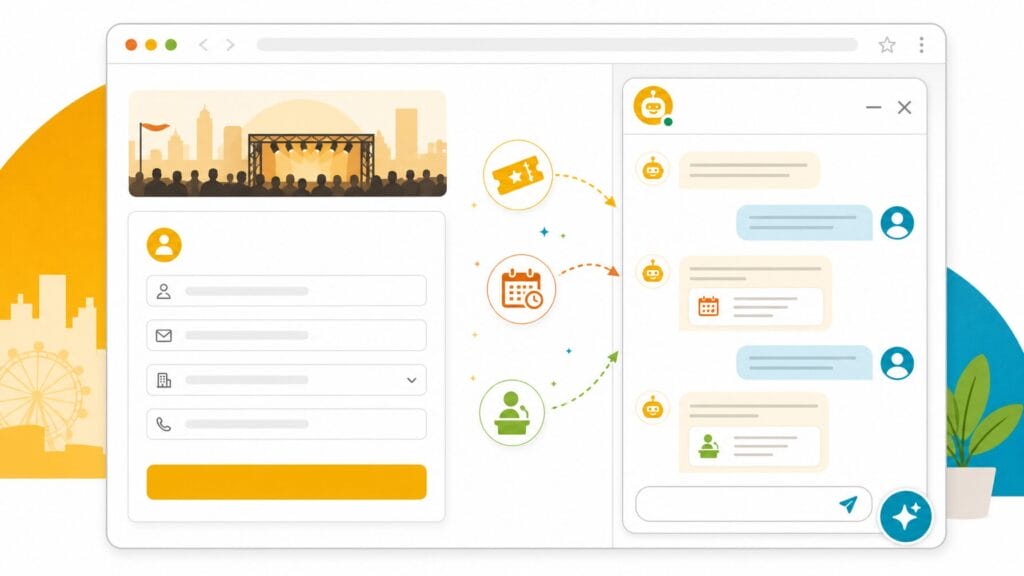
An AI event registration concierge is an AI-powered assistant embedded on your event registration site or registration platform. It indexes the content on your site, pulls in ticket and attendee data where permissioned, and ingests supporting documents you upload so it can answer visitor questions in natural language, in real time and around the clock.
Unlike a scripted chatbot that requires manual decision trees and a maintained FAQ database, a concierge learns from the content you already have. That means organizers don’t need to write hundreds of canned responses: if your conference website includes session descriptions, speaker bios, ticket tiers, venue logistics, and pricing, the concierge can start answering those questions immediately.
It also serves multiple visitor types without separate builds. Attendees, sponsors, speakers, and partners ask different questions, a speaker may ask about A/V arrival times, a sponsor about audience demographics, and the concierge can handle all of these contexts and route to human contacts when a question requires follow-up.
Note on data and setup: “No training required” typically means you don’t need to train a custom ML model; the vendor’s system ingests your content and maps it to the assistant. However, many concierges require permissioned connections (API access or a site-crawl) to read ticketing data or export files, and they have limits on file size and scanned-OCR quality. Check vendor documentation for data handling, PII policies, and whether source content is stored, encrypted, or deleted after the event.
Core capabilities you can expect: indexing event content, answering pricing and eligibility questions, surfacing session and speaker details, handing off complex queries to a support contact, and logging frequently asked topics so your team can improve site content and product messaging over time.
Common questions about AI event registration concierges:
Q: Does an AI registration concierge need to be trained from scratch?
A: No. Most AI registration concierges ingest your existing event content, site pages, ticket data, uploaded documents, and start answering questions without requiring you to build decision trees or train a custom model.
Q: Can a registration concierge handle different visitor types like sponsors and speakers?
A: Yes. A well-configured concierge serves attendees, sponsors, speakers, and partners from the same setup, routing each to relevant answers based on their query context.
How Does an AI Event Registration Concierge Work?
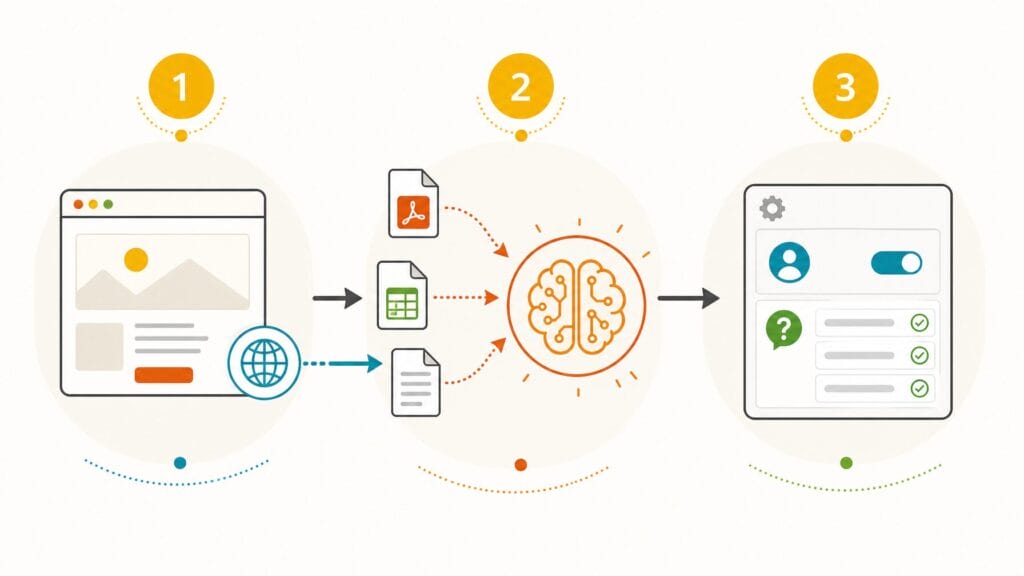
An AI event registration concierge works by connecting to your event content, ingesting supporting documents, and using AI to generate real-time answers for visitors, typically in three steps that take minutes to hours, not days or weeks. No machine-learning expertise is needed.
The setup is intentionally simple so event teams can get a working AI assistant into production quickly. Most purpose-built concierge products follow a three-step flow that you can complete without machine-learning expertise:
1. Connect to your event content: Grant the concierge read access to your registration platform or let it crawl the public pages of your site. Many platforms offer direct connectors to common registration systems so ticket tiers, session metadata, and speaker lists are pulled automatically, with no manual data entry. Note: connectors may require API permissions; check with your platform admin before starting.
2. Supplement with supporting documents: Upload PDFs, Word files, Excel exports, sponsor decks, or internal show guides to fill gaps the public site doesn’t cover. Most concierge systems ingest common formats and apply OCR to scanned PDFs, though there are file-size and OCR-quality limits to check with the vendor. These documents enrich the assistant’s knowledge of logistical details, sponsor packages, and product or audience data.
3. Configure the experience: Choose a tone (friendly, professional, or a custom persona), set a short welcome message, and add 3–5 suggested questions that guide visitors to the most common topics (tickets, sessions, travel). Configure a fallback contact and simple conversion prompts that can inject urgency, for example: “Only 50 early-bird passes left, register now.”
Checklist: what to prepare before setup: event FAQ document, session schedule export (CSV or XLS), sponsor deck, ticketing permissions (API keys or admin access), and a short fallback contact email. Typical time to live: a basic integration can be live in 15–30 minutes; a fully configured concierge (custom persona, suggested questions, and detailed document uploads) commonly takes 2–3 hours.
Sample persona copy: Friendly concierge: “Hi, I’m your event assistant. I can help with tickets, sessions, or speaker info. What would you like to know?” Professional concierge: “Welcome. Ask me about registration, sponsorship opportunities, or logistics.”
Suggested fallback templates: Specific fallback: “If we can’t answer here, please email registration@yourevent.com and include your order number and question.” Urgent fallback for sales leads: “Interested in sponsoring? Tell us your company size and goals and our sponsorship team will follow up within one business day.”
Privacy and security note: vendors differ in how they persist source content and logs. Ask whether documents are stored encrypted, how long data is retained, whether PII is redacted or excluded, and whether the vendor supports on-prem or private-cloud deployments if your organization requires stricter governance. These engineering and platform details are essential for compliance with corporate policy or privacy regulations.
Q: How long does it take to set up an AI event registration concierge?
A: A basic integration can be live in 15–30 minutes. A fully configured concierge with custom persona, suggested questions, and detailed document uploads typically takes 2–3 hours.
What Questions Can an AI Registration Concierge Answer?
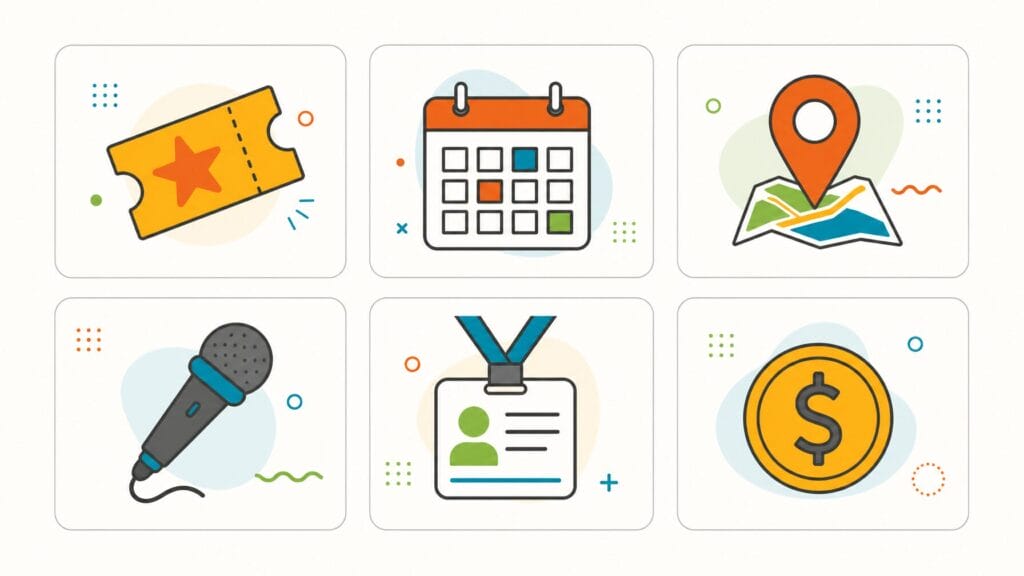
An AI registration concierge can answer most common pre-event questions, including ticket pricing, session schedules, venue logistics, speaker details, sponsor information, and registration processes, as long as the relevant content has been provided to the system.
What the concierge can answer depends on the completeness of the content it’s been given, but when configured well it covers most common pre‑event queries. Below are typical question categories with a short example of how a visitor might ask and how the concierge would respond.
- Ticket pricing, availability, and what is included. Example: “What does the full‑conference pass include?” Answer style: “The full pass includes access to all sessions, keynotes, networking receptions, and digital session recordings.”
- Early bird and group discount details. Example: “Is there a discount for groups of five?” Answer style: “Yes, groups of five or more receive 15% off when registered together. See the group registration page for the full terms.”
- Session and agenda information. Example: “When is the fintech keynote and who’s speaking?” Answer style: “The Fintech keynote is on Day 2 at 10:00 AM. The keynote speaker is Jane Doe, Global Head of Payments at ExampleCorp, see the sessions page for the full agenda.”
- Venue, accommodation, and travel logistics. Example: “What airport should I fly into?” Answer style: “Fly into City International (ABC). Shuttle service runs from the airport to the venue; see the travel page for schedules and recommended hotels.”
- Speaker and sponsor information. Example: “How can I see sponsor demographics?” Answer style: “The sponsor packet includes audience demographics and attendance history. Would you like a link to download the sponsor deck?”
- Registration process questions. Example: “How do I change my registration to a different pass?” Answer style: “You can modify your registration via the Manage Registration link in your confirmation email or contact registration@yourevent.com for assistance.”
- Eligibility and membership questions. Example: “Do I have to be a member to attend?” Answer style: “No, the event is open to anyone, though members receive discounted pricing and priority access to limited sessions.”
- Payment options and accepted methods. Example: “Can I pay by invoice?” Answer style: “We accept credit cards and wire transfers. Invoice billing is available for corporate registrations over $X, contact finance@yourevent.com for terms.”
When the concierge lacks the information to answer a question. for example, a sponsor asks for unreleased audience data, it should present a clear fallback: a configurable message that routes the visitor to the correct support contact or a downloadable resource rather than leaving them without next steps. Use the analytics to spot recurring unanswered queries and add those details to your source content so the assistant can answer them in future.
How Is an AI Registration Concierge Different from a Generic Chatbot?
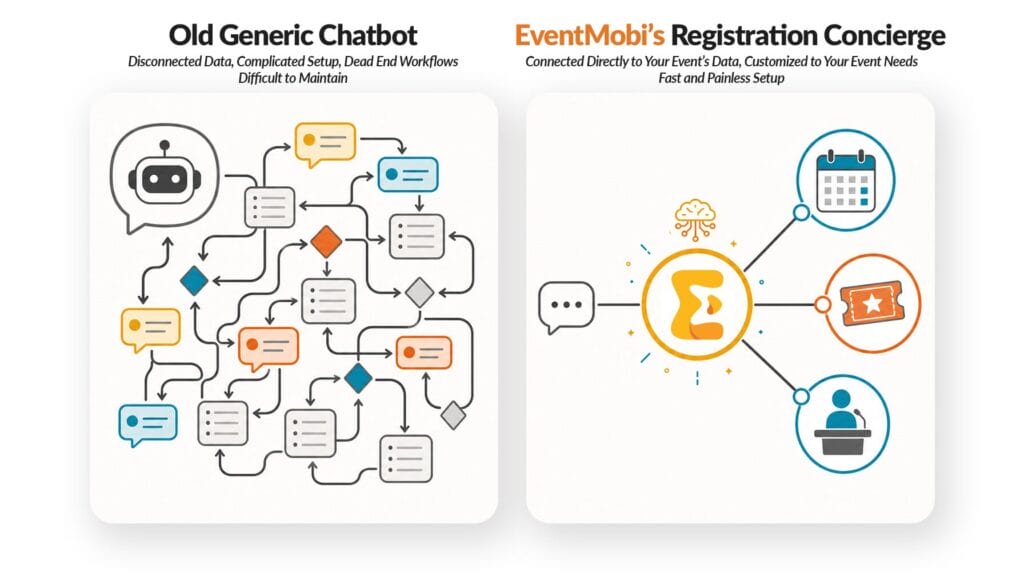
An AI registration concierge is purpose-built for event contexts such as sessions, speakers, passes, and venues. It requires no scripted conversation trees and includes guardrails that constrain answers to event-relevant content, reducing off-topic responses and hallucinations.
This distinction matters for event teams choosing between a general-purpose chat widget and a purpose-built solution. Generic chatbot platforms (think Intercom, Drift, or other multi‑use agents) are designed to handle broad customer support and sales workflows across many industries. To make them work well for registration you typically need to author conversation trees, maintain FAQ content, and continuously tune scripted responses, a process that can take days or weeks and significant team time.
A purpose-built AI registration concierge is a product engineered for the registration and conference context. It is built to understand sessions, speakers, passes, venue logistics, and sponsorship questions, and it’s constrained to answer only event‑relevant queries. That constraint, combined with built‑in guardrails and fallback behavior, reduces the risk of off‑topic answers or hallucinations and improves the quality of responses for visitors evaluating whether to attend or sponsor.
Practical difference for teams: setup time and output quality. A generic chatbot adapted for registration often requires a dedicated team member to author flows and maintain updates. A purpose-built concierge typically gets a basic integration live in 15–30 minutes and a polished configuration in 2–3 hours (vendor-dependent). If your governance or compliance requirements are strict, compare model behavior and data controls during vendor evaluation.
Quick example: a scripted chatbot might answer “How do I cancel?” with a static link and fail to handle the follow-up “Can I transfer my registration instead?” A concierge that has indexed your cancellation and transfer policies can follow up appropriately, giving the visitor a clear next step and reducing the need for human intervention.
Q: Why not just use a general-purpose chatbot for event registration?
A: General-purpose chatbots require you to build and maintain conversation trees and FAQ content manually. A purpose-built registration concierge learns from your existing event content automatically and is constrained to event-relevant topics, which reduces setup time and improves answer quality.
Why Do Visitors Leave Registration Sites Without Registering?

Visitors leave registration sites without registering primarily because they encounter unanswered questions about pricing, eligibility, travel logistics, or session availability, and the friction of searching for answers or waiting for an email response causes them to delay or abandon registration entirely.
Understanding why visitors abandon a registration flow helps explain the practical value of an AI registration concierge. In the real world of event marketing and production, visitors often return to a registration site multiple times before they commit, and each session with an unanswered question increases the chance they won’t complete registration.
The friction isn’t always price or schedule; it’s clarity and access. If someone can’t quickly find answers about pricing, eligibility, travel logistics, or session availability, they’ll delay or drop out. That behavior creates measurable conversion loss for events of all sizes, from small networking events to large conferences with thousands of attendees.
Traditional fixes like static FAQ pages help some visitors but have two limitations: they require people to find and read them, and they don’t handle follow-up questions. A visitor who reads an FAQ and then needs clarification often resorts to email: which interrupts the conversion flow and adds delay.
An AI registration concierge reduces that friction by engaging visitors where they are browsing and adapting to follow-ups in real time. It gives instant access to the precise session, speaker, or pass detail a visitor needs to decide. Two quick experiments organizers can run to validate this: (1) add a heatmap or click-tracking tool to your FAQ and ticket pages to see where visitors pause or leave, and (2) run a timed task test asking colleagues to find specific answers on the site and measure how long it takes. These diagnostics often reveal simple content gaps that a concierge plus targeted content fixes can close, improving conversion and the overall attendee experience.
Q: How does an AI concierge help reduce registration abandonment?
A: It engages visitors in real time while they browse, answers follow-up questions instantly, and provides the specific session, pricing, or logistics details they need to make a registration decision, eliminating the friction that causes drop-off.
What Are the Benefits for Event Organizers?
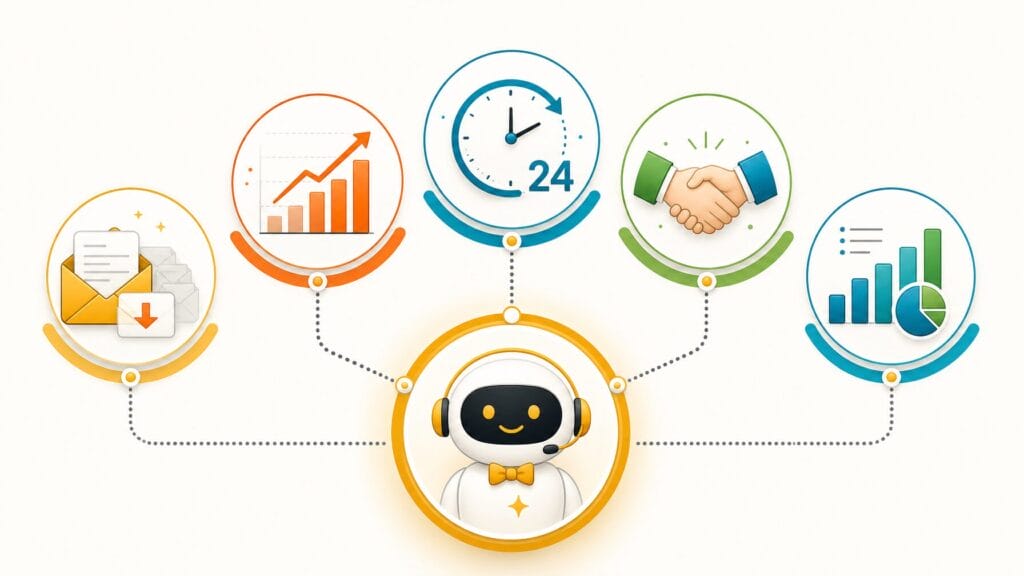
The primary benefits of an AI event registration concierge for organizers are reduced pre-event email volume, higher registration conversion rates, 24/7 visitor coverage without additional headcount, improved sponsor and speaker experiences, and data-driven visibility into what visitors are asking.
Reduced Pre-Event Email Volume
The most immediate, measurable benefit is fewer repetitive support emails. When attendees, speakers, and sponsors can get instant answers on the registration site, routine questions stop landing in your inbox. Action step: measure support emails per 1,000 registrants for a two-week pre-event window before and after concierge deployment to quantify time saved. Typical operational impact in production teams is reclaiming hours that can be redeployed to content, speaker coordination, or community outreach.
Higher Registration Conversion Rates
Removing the friction that causes visitors to pause and leave, unanswered questions about pricing, sessions, or access, increases the odds they complete registration on that visit. Action step: compare session-to-registration conversion rates on pages with and without concierge engagement. Even small improvements in conversion can translate into meaningful revenue uplift, especially for ticketed events, VIP passes, and sponsor packages.
24/7 Coverage Without Additional Staff
International audiences and late-night planners expect instant access. An AI concierge provides consistent answers around the clock without increasing headcount, valuable for small teams and large operations alike. Action step: track the time-of-day distribution of concierge interactions to ensure you’re capturing international traffic and reducing time-zone friction.
Better Experience for Sponsors and Speakers
Sponsors and speakers often evaluate multiple events at once; timely answers to questions about audience demographics, speaking logistics, or sponsor packages create a more professional impression and accelerate decision-making. Example vignette: a startup exploring sponsorship can instantly get audience composition and session attendance projections, helping them decide whether to invest. Action step: add sponsor- and speaker‑specific suggested questions to the concierge to surface high-value info immediately.
Visibility into What Visitors Are Asking
Modern concierge tools capture analytics, top questions, unanswered queries, engagement funnels, giving organizers data-driven insights into pain points and content gaps. Use that data to prioritize production updates (for example, clarifying session descriptions or adding access instructions). Action step: review weekly question reports and add the top 5 unanswered queries to your content backlog to improve answers and reduce future escalations.
Case Vignettes: Large Conference vs. Small Meetup
Large conference: A conference production team reduced repetitive pre-event emails by routing the majority of common questions to the concierge, freeing the events team to focus on keynote programming and sponsor relations. Small meetup: A volunteer organizer used the concierge to provide 24/7 answers about meetup location and passes, reducing last-minute phone calls and improving attendee experience.
How to Estimate ROI Quickly
Use a simple diagnostics worksheet: estimate staff hours spent answering registration emails per week, multiply by hourly cost, and compare to concierge subscription or implementation cost. Include expected conversion lift on passes and sponsor leads to estimate incremental revenue. This quick calculation helps teams and executives justify the investment and align product and engineering resources for onboarding.
What to Look for in an AI Event Registration Concierge

When evaluating an AI event registration concierge, prioritize four capabilities: content ingestion without scripting, format-agnostic document support, strong governance and data controls, and built-in guardrails with fallback routing to human contacts.
If you’re evaluating concierge options for your registration platform, prioritize capabilities that reduce setup time, protect governance and data, and improve access to the answers your visitors need. Below are the features to put on your vendor checklist and a few practical questions to ask during demos.
Must-have: No scripting or training required: The concierge should learn from your existing content (site pages, ticket data, uploaded documents) without requiring you to author conversation trees. Ask vendors: “How does your system ingest site content and ticket metadata? What permissions or connectors are required?”
Must-have: Format‑agnostic document ingestion: You should be able to upload PDFs, Word files, Excel exports, and sponsor decks without reformatting. Confirm file-size limits and OCR quality for scanned documents. Suggested vendor question: “Which file formats and sizes do you support, and how do you handle scanned PDFs?”
Nice-to-have: Customizable tone and persona: Match the concierge voice to your brand with preset tones or a custom persona. Best practice: prepare two short persona lines (friendly and professional) to test during your demo.
Nice-to-have: Urgency and conversion messaging: Ability to inject time-sensitive prompts (early-bird deadlines, limited passes) turns the concierge into a conversion tool. Example urgency line to test: “Only 20 early-bird passes remain, would you like me to show ticket options?”
Important: Governance and data controls: Ask about where source content and logs are stored, encryption at rest, retention windows, and PII handling. If your organization requires stricter controls, ask whether the vendor supports private-cloud or on‑prem deployments and what engineering support is available for compliance reviews.
Multi-language support: For events with international attendees, the concierge should detect the visitor’s language and respond accordingly. Confirm whether translations are automatic or require additional configuration.
Built-in guardrails and fallback routing: The system should be constrained to event-relevant content, acknowledge when it doesn’t know an answer, and present a clear fallback (support email, contact form, or sales lead capture). Example fallback template: “I don’t have that info, please email registration@yourevent.com with your order number and question and we’ll respond within one business day.”
Evaluation checklist (quick): Must-have: connector to your registration platforms, format-agnostic ingestion, strong governance controls; Nice-to-have: persona settings, urgency messaging, multi-language; Bonus: analytics dashboards with top-question reports and exportable insights for your production team.
Suggested demo questions: “How do you redact or exclude PII?”, “Can I preview the concierge responses before going live?”, and “What analytics are available out of the box?” These practical checks will help you pick a concierge that fits your content strategy, governance needs, and event access goals.
Q: What is the most important feature to look for in a registration concierge?
A: Automatic content ingestion without scripting, the concierge should learn from your existing event pages, ticket data, and uploaded documents so you don’t need to build conversation trees or write canned responses.
How EventMobi’s MobiAI Reg Concierge Works
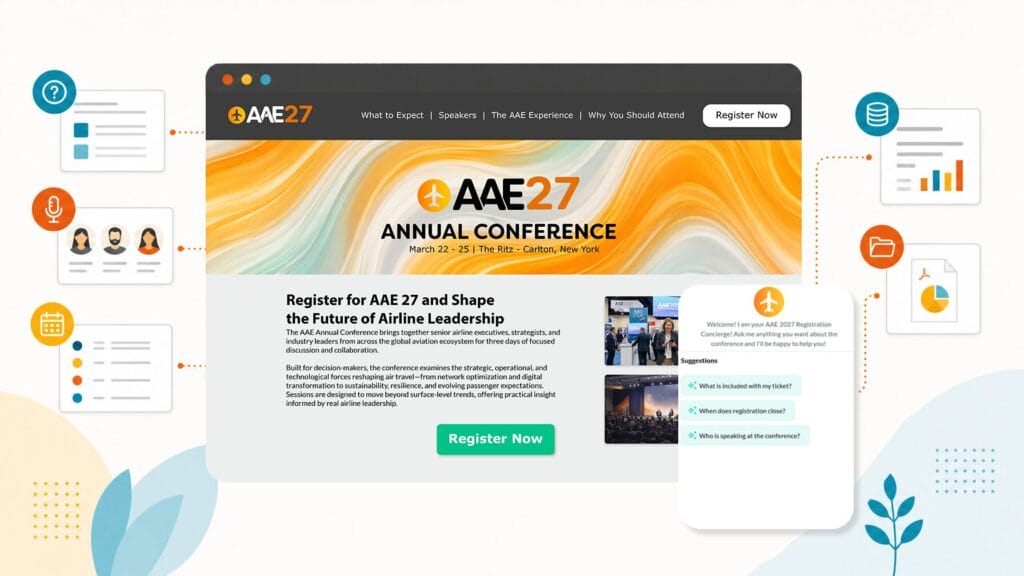
EventMobi’s MobiAI Reg Concierge is a purpose-built AI assistant embedded in the EventMobi registration platform that answers attendee, speaker, and sponsor questions in real time, 24/7, using your event’s own content, ticket data, and uploaded documents to generate accurate, context-aware responses without requiring scripted conversation flows.
EventMobi’s MobiAI Reg Concierge is a purpose-built AI product embedded in the EventMobi registration platform. It lives on your event website and answers attendee questions in real time, 24/7, from the moment registration opens until the event begins, helping reduce support load and improve the registration experience for attendees, speakers, and sponsors.
Setup is designed for event teams, not engineers: you connect the concierge to your event documentation, FAQ pages, speaker lineups, session schedules, venue details, ticket descriptions, and sponsor decks, and the system indexes that material to generate accurate responses. If a question falls outside the indexed content, the concierge uses a configured fallback rather than guessing, so visitors get a clear next step.
It knows your event. Because MobiAI is trained on your specific event content and ticket metadata (with appropriate permissions), it returns context-aware answers about ticket tiers, cancellation policies, session times, and venue info instead of generic responses.
It works inside your registration flow. As part of the EventMobi platform, the concierge can guide visitors toward registration or specific pass options without sending them offsite to a third‑party chat tool. That seamlessness helps keep conversion funnels intact.
It improves as you add content. Update speaker confirmations, session changes, and sponsor announcements and the concierge will reflect those updates in its answers. Over time, the system’s question logs and analytics help your production team spot content gaps and teach the concierge to handle the most common queries.
For event teams currently fielding repetitive pre-event emails, MobiAI Reg Concierge handles the high-volume queries that would otherwise land in someone’s inbox. For teams focused on improving registration conversion, it addresses the drop-off that happens when visitors can’t quickly find the session, pass, or access details they need.
MobiAI Reg Concierge is available as part of EventMobi’s registration product. To evaluate fit for your event, ask for a demo or trial that includes a sample data ingest and a preview of analytics so you can see the product, connectors, and system behavior on your content.
How to Get the Most Out of an AI Registration Concierge

To get the most out of an AI registration concierge, upload your most detailed internal documents, configure audience-specific suggested questions, write specific fallback messages, test the assistant thoroughly before launch, and maintain a regular update cadence as event details change.
The accuracy and usefulness of your concierge directly reflect the quality and completeness of the content it has access to. A concierge fed a thorough event guide, a complete FAQ, and detailed session and speaker information consistently outperforms one connected only to a bare registration page.
Follow these prioritized, practical steps to improve performance before and after launch.
1. Upload your most detailed internal documents. Internal planning docs, speaker briefs, sponsor decks, and production checklists often contain logistics and audience data not present on the public site. Upload them so the concierge can answer operational or sponsor‑level questions without routing to email.
2. Configure 3–5 suggested questions (by audience). Guide visitors with suggested prompts tailored to attendees, sponsors, and speakers. Plug-and-play examples you can use:
- Attendee: “What does the full conference pass include?”
- Sponsor: “Can I get audience demographics and package pricing?”
- Speaker: “When do I need to arrive for A/V setup?”
3. Write specific fallback messages. Replace generic “Contact us” text with copy that tells the visitor who to contact and what to include. Two templates to copy:
- Support fallback: “I don’t have that detail, please email registration@yourevent.com and include your order number and question; we’ll respond within one business day.”
- Sponsor lead fallback: “Interested in sponsoring? Tell us your company size and goals and the sponsorship team will follow up within two business days.”
4. Test it yourself (20–30 minutes). Before going live, spend 20–30 minutes asking the concierge the real questions your attendees, sponsors, and speakers will ask. Note vague or missing answers, then upload documents or add inline site content to close gaps.
5. Maintain a short update cadence. If session times, speakers, or ticketing change, update the source content immediately. The concierge reflects what it has been given, it cannot know changes you haven’t published.
Quick mini-calculator to estimate time savings: multiply average staff hours per week spent answering registration emails by the number of pre-event weeks, then multiply by staff hourly rate to get a rough labor cost. Compare that to the concierge subscription and implementation cost to estimate ROI. This simple exercise helps justify product and engineering time to set up connectors and uploads.
Finally, treat the concierge as part of your production toolkit: use analytics to surface common unanswered questions and iterate on both content and suggested prompts. Doing so turns the concierge into a permanent conversion and support amplifier for your events and community.
Q: What’s the single most impactful thing I can do to improve concierge accuracy?
A: Upload your most detailed internal documents, internal planning docs, speaker briefs, and sponsor decks contain logistics and audience data not present on your public site, which significantly improves the concierge’s ability to answer operational questions.
AI Event Registration FAQs
The Bottom Line
An AI event registration concierge is a purpose-built AI assistant that reduces pre-event support workload and increases registration conversion while providing round-the-clock coverage. It is a practical operational improvement for event teams of any size.
An AI event registration concierge doesn’t replace a well-designed registration website or a thorough FAQ, it amplifies them. By engaging every visitor in the moment they’re evaluating whether to register, the concierge reduces friction and answers follow-up questions, helping convert curious browsers into confirmed attendees and pass purchasers.
For events and productions that spend significant staff time on repetitive pre-event email support, the concierge is a straightforward operational improvement: fewer inbox interruptions and faster sponsor and speaker responses, freeing your team for higher-value work. For teams focused on business outcomes, it directly addresses a common cause of drop-off, visitors who leave with unanswered questions and don’t return.
As AI features become standard in event products, AI registration concierges are likely to move from differentiator to standard capability. Early adopters gain practical experience configuring personas, urgency messaging, and governance controls before these tools become table stakes in the events industry.
Ready to try it? Quick next steps: run a 15‑minute pilot on a test event, upload your FAQ and session schedule, and measure support emails and conversion before and after. For templates, a checklist, or to request a demo, consider reaching out to your registration platform provider or exploring product demos that include a sample data ingest and analytics preview.
A small investment in setup can pay back in reclaimed staff hours and higher registration conversion, with a better experience for every attendee, speaker, sponsor, and partner your event serves.
Want to see how a platform and set of tools can turn attendee data into better event experiences for your attendees?
Explore EventMobi’s AI-powered event registration concierge. Book a Demo today!
The post What Is an AI Event Registration Concierge? (And Why Your Event Needs One) appeared first on EventMobi.