Using AI involves a surprising amount of copying and pasting. You pull numbers from a dashboard, drop them into a chat, and then ask your question.
An MCP (or Model Context Protocol) cuts out those extra steps, helping social marketers work with AI in a way that feels less clunky. Let’s look at how it works, what it can do, and what social teams should know before plugging in.
Key takeaways
- A social media MCP connects AI assistants to your social tools and data.
- It saves you from constantly copying information, exporting reports, and re-explaining context to AI.
- Before choosing an MCP server, check platform coverage, setup time, data handling, and compliance controls.
- Hootsuite’s MCPs let AI assistants work directly across your social content, conversations, and listening insights.
A social media MCP creates a connection between an AI assistant (like Claude or ChatGPT) and the tools your social media team already uses.
Normally, an AI assistant only knows what you paste into the chat. Want to analyze your top-performing posts from last month? You have to dig up the data yourself, copy it over, and hope you didn’t miss anything.
An MCP skips those steps. It lets the assistant follow you across all of your tools, including your content calendar, analytics, and social listening data.
Do it better with Hootsuite, the all-in-one social media tool. Stay on top of things, grow, and beat the competition.
How does MCP differ from a social media API?
An API is basically the invisible plumbing that lets two tools talk to each other. The catch is that a developer usually has to connect each AI tool with custom code.
An MCP, on the other hand, hands the AI assistant a menu of available tools, plus instructions for how to use them. The assistant then chooses the right tool for each task.
“The practical difference is that you’re not writing custom integration code for every new tool,” says Lily Tewolde, AI Product Manager at Mela AI, “and the model can chain several together to finish one task.”
With MCP, AI assistants can plug into the tools your social team already uses, giving them real context instead of information you feed them manually.
Here’s where that pays off:
It cuts down busywork
Getting social data into an AI chatbot can sometimes feel like a mini admin project. Export the report. Upload the file. Ask your question. Then do it all again next week.
With MCP, your assistant already has access to what’s sitting inside your social tools. No more explaining your entire social strategy — or uploading yet another spreadsheet — every time you open a new chat.
It makes AI responses more useful
Without access to your actual social media data, an AI chatbot can only offer generic advice. Useful, maybe. Specific to your brand? Not so much.
MCP gives your assistant real context to work with. For example, it can pull your top-performing posts from your analytics, or spot gaps in your content calendar.
That means more answers grounded in your actual content, audience, and performance.

It can bring more of your workflow into a single chat
Social work has never lived in one place. You might check analytics in one dashboard, manage your content calendar in another, and open a blank document when it’s time to write.
MCP lets the assistant collaborate across all of your tools. Check last week’s numbers, get a few campaign ideas, and draft the posts, all from the same chat.

A social media MCP helps your AI assistant work with your actual social data and tools, so it can brainstorm better content ideas, schedule posts across platforms, answer analytics questions, build reports, and more.
Here are some of the most practical use cases:
Brainstorm content ideas from real data
Most of the time, brainstorming with an AI assistant starts with a blank chat. MCP gives it something better to work with: your actual social data.
So instead of asking for random ideas, you can ask for three new posts inspired by your best-performing carousel, or identify the common thread across your top posts.
Once you land on something good, the assistant can mold it for each platform: tighter for Twitter/X, more buttoned-up for LinkedIn, or just a little more chaotic for TikTok.
Schedule content across platforms
MCP can let your AI assistant connect directly to your social media scheduling tools, making cross-platform posting less of a headache.
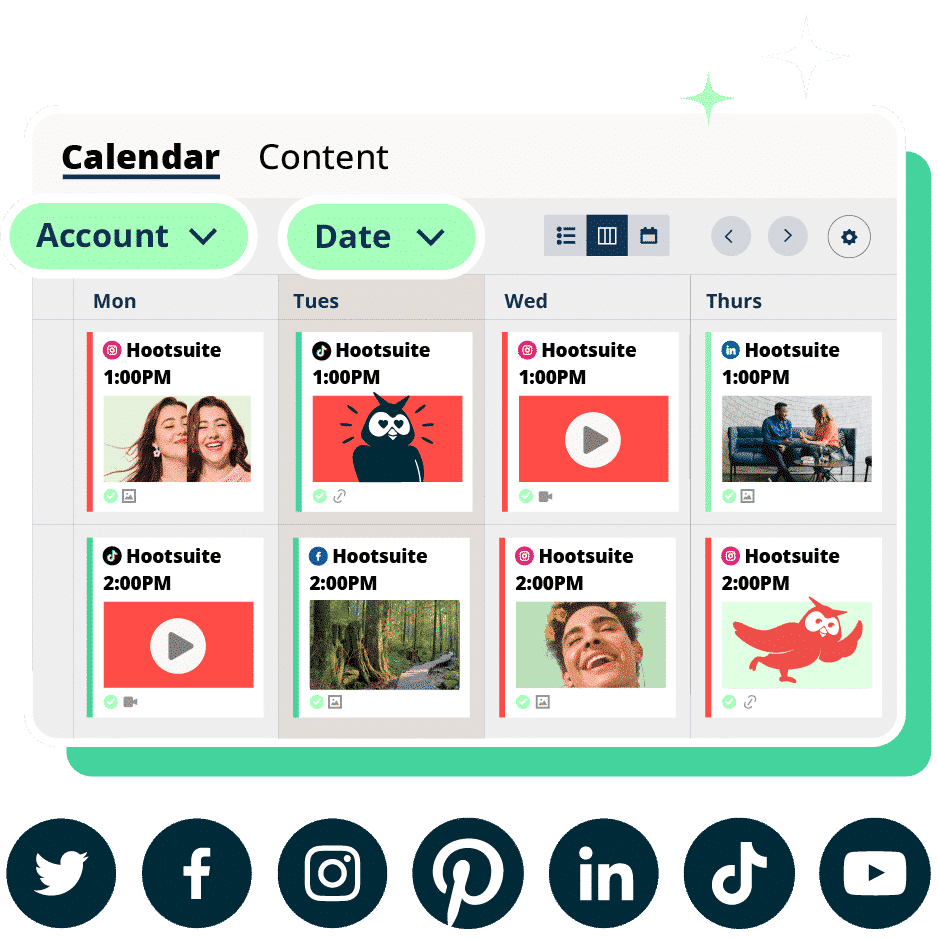
Say you connect your assistant to your social scheduler. You could ask it to find an open spot in your content calendar, schedule a new post, or move a campaign back a day.

Pull social analytics into a chat
Your analytics are full of insights, but they take time to find. An MCP connection can give your AI assistant access to your social data, so you can ask it questions in same way you’d ask a teammate.
For example:
- What were our five most-shared posts last month?
- Which content pillar is driving the most engagement?
- Did sentiment change after the campaign launched?
Turn social data into plain-language reports
Nobody (and we mean nobody) wants to read a raw spreadsheet. MCP gives the assistant what it needs to turn a wall of social metrics into something another human might actually want to read.
You could ask it to draft a weekly performance summary, explain what changed from week to week, and flag anything your team should investigate.
It can also help surface patterns hiding in all those columns and rows. Maybe Instagram Reels is quietly outperforming carousels. Or, maybe Wednesday at 3 p.m. has become the undisputed champion of your content calendar.
The best MCP servers connect to the social networks you already use, give you control over what your AI assistant can access and do, are easy to set up, and are transparent about where your data goes.
Here’s everything to look for:
It covers the platforms you’re actually on
Start with the basics: Which social platforms does it support? If you’re running campaigns across five platforms and it only connects to two, you’re back to manually handling the other three, which defeats the point.
Also think beyond the social networks themselves. If your day-to-day work happens inside a social media management platform or CRM, those connections matter just as much.
It lets you control what the AI can see and do
You don’t want to give your AI assistant the keys to everything. Which is why a good MCP server gives you permission controls, so you can decide what’s fair game.
For example, maybe the AI can look at your analytics, but publishing is off the table. The point is, you get to draw that line instead of hoping the tool draws it for you.

Source: Composio
It doesn’t require a developer to set it up
The best MCP setups are relatively simple: You sign in, approve access, and get to work.
There may still be some technical setup behind the scenes, especially for more customized workflows. But if every new connection requires a developer, you’re losing a lot of the convenience MCP is supposed to give you.
It’s honest about what happens to your data
Before you connect anything, you’re allowed to ask the obvious question: Where does my data actually go?
A trustworthy MCP server tells you upfront, and lets you revoke access whenever you want. If the answer is vague or buried in a terms-of-service page, that’s worth noting.
This is a critical step if you’re in a regulated industry. It’s one thing to lose a few hours to a clunky setup. It’s another to find out that your social data — customer names, private messages, or sensitive campaign information — passed through a tool nobody vetted.
The biggest risks come down to control: giving an AI more access than it needs, letting something off-brand get published, or connecting a tool that hasn’t been properly vetted.
Here’s what to watch for:
Over-permissioned agents
Problems start when an agent has more permission than anyone is actively managing. You connect everything, forget what the AI has access to, and six weeks later it’s publishing to a channel nobody remembers approving.
Before that can happen, decide upfront what the AI can do on its own versus what still needs a human to approve.
Tewolde takes a simple approach:
I keep the human on anything that’s hard to undo. Agents are good at gathering, drafting and summarizing, and all of those are cheap to fix when they get it wrong. Sending or approving something external is where a person should stay in the loop, at least until you have enough history to trust the pattern.
Bad AI output making it out the door
Social media is a tough place for AI mishaps. If something looks or sounds off, people tend to notice (and then share it on r/AIfails).
REI, an outdoor retailer, learned this the hard way when customers spotted one of its Instagram ads featuring a bicycle with two sets of handlebars. The backlash came quickly, with people assuming it had deliberately published AI slop.
REI later said the culprit was a Meta AI tool that altered the photo without anyone at REI signing off on it.

While REI’s situation didn’t involve an MCP agent, it shows the same underlying risk: Once AI can alter or influence what gets published, human review matters.
Breaking platform rules
Social networks are looking for new ways to cut down on spammy, automated content. LinkedIn, for example, recently announced it’s rolling out a new “Seems like AI slop” button that users can click when they think a post or comment crosses into slop territory.

Source: LinkedIn
That makes platform rules an important part of any AI workflow. Before giving an agent permission to post, comment, or send DMs on your behalf, check what the platform actually allows.
Compliance blind spots
AI agents can create compliance problems in places that aren’t immediately obvious.
If the agent can access customer names or their account information, you need to know where that data is going and who can see it. You’ll also want to check whether the tool has been through the same compliance review as your other vendors.
Hootsuite’s MCP connectors give AI assistants like ChatGPT and Claude secure access to your social work and real-time data. That helps them understand what’s happening across your accounts, answer specific questions, and recommend next steps.
And with Vigil, Hootsuite’s governance layer, you can control what your AI can see and do.
Connect your AI tools to Hootsuite with MCP
Instead of copying social data into a chat window, your AI assistant can connect to Hootsuite workflows directly.
Perch MCP: Content creation, planning, and publishing
With Perch MCP, your AI assistant can work with the content planning and publishing side of social. Ask it to review your content calendar for gaps, draft posts for a campaign, find the best times to post, and schedule content across channels.
You can also ask it to pull performance data to see what’s working, then feed those insights back into your next round of content.

Nest MCP: Comments, DMs, and customer conversations
With Nest MCP, your assistant can help your team manage incoming comments, DMs, mentions, and customer conversations. For example, ask it to sort messages by urgency, or route questions to a specific team.

Lumen MCP: Social listening, sentiment, and market intelligence
With Lumen MCP, your AI assistant can work with social listening data. You could ask what’s driving a spike in mentions, whether sentiment has changed, or what trends are picking up in your industry.
Govern agentic access with Vigil
MCP gets more useful when AI can take action. But the more an AI assistant can do, the more important governance becomes.
That’s where Vigil comes in. Vigil is the governance layer within Hootsuite Social OS, giving teams control over permissions and approvals across every account.
For enterprise or regulated teams, that balance matters. You want AI to help move faster, but not at the expense of brand safety or compliance.
FAQ: Social media MCP
What is a social media MCP server?
A social media MCP server connects AI assistants to approved data and workflows inside your social tools using the Model Context Protocol (MCP).
What is the Hootsuite MCP?
The Hootsuite MCP connects Hootsuite apps (like Perch, Nest, and Lumen) to AI tools like ChatGPT, Claude, Gemini, and Microsoft Copilot. Once they’re connected, you can ask your AI in plain language to create and schedule content, dig into performance, or monitor and manage conversations.
Does Hootsuite work with Claude, Gemini, and Microsoft Copilot?
Yes. Hootsuite’s MCP servers are designed to work with MCP-compatible AI tools, including Anthropic’s Claude, OpenAI’s ChatGPT, Google Gemini, Microsoft Copilot, and other supported assistants.
Which social networks can you connect to with a social media MCP?
Hootsuite’s MCP servers connect AI assistants to tools like Perch, Nest, and Lumen. Through those connections, your AI can help with publishing, customer conversations, social listening, and monitoring brand mentions and reviews from places like Google Business. Hootsuite also supports social workflows across Instagram, Facebook, TikTok, YouTube, X, LinkedIn, Threads, Pinterest, WhatsApp, and Bluesky.
Do you need to self-host an MCP server, or can you use one that’s already built?
Self-hosted options exist too, but they’re more technical. They make sense for teams that want tighter control over where data lives (if that’s your team, they’re probably already comfortable building this kind of thing, whether they’re working in Windsurf or Cursor). But for most marketing teams, using an existing server is the simpler path.
Make AI work for your social team with Hootsuite MCP. Connect your AI tool to real-time data across Perch, Nest, and Lumen — then use Vigil to keep access, approvals, and governance under control. Try Hootsuite free today.



![What are the latest Hootsuite product features? [July 2026]](https://mgrowtech.com/wp-content/uploads/2026/09/Templates-July-2026-350x250.png)