Advertisers have spotted a new Automatic Events option in the Settings tab of Events Manager.

If you’re a good Meta advertiser who pays attention, this should look at least vaguely familiar to you. There is an old feature that’s described in almost the same way.
I assure you there are differences. But if you’re confused, you’d be forgiven. Based on what I’ve been able to sort out, Meta’s made some administrative errors that make this far more confusing than it needs to be.
Let’s break it down…
The Old Feature
As I mentioned at the top, the concept of Automatic Events may sound familiar to you because Meta introduced something very similar four years ago.

This “Track Events Automatically Without Code” feature was originally found immediately below the Event Setup Tool within the Settings tab of Events Manager. Here’s how Meta described it:
Your Meta Pixel can find and report on valuable website events, such as purchases or registrations, based on your site traffic, button text and page metadata. This feature can help you set up events without having to install code. You can choose to turn this functionality on or off.
The New Feature
The new Automatic Events feature is also found immediately below the Event Setup Tool (more on what happened to “Track Events Automatically Without Code” in a moment).

Here’s how Meta describes it:
When enabled, you agree to allow AI to add and manage standard events to your website. You can review events and turn this feature off any time here.
While the wording is different, it’s the same concept. When it’s turned on, Meta can create standard events automatically when related actions are detected. In this case, Meta says it “uses AI.” Is that an improvement in functionality, or simply a relabeling to make it seem more impressive? Don’t know.
But one difference is that Meta provides a dashboard to manage these Automatic Events.
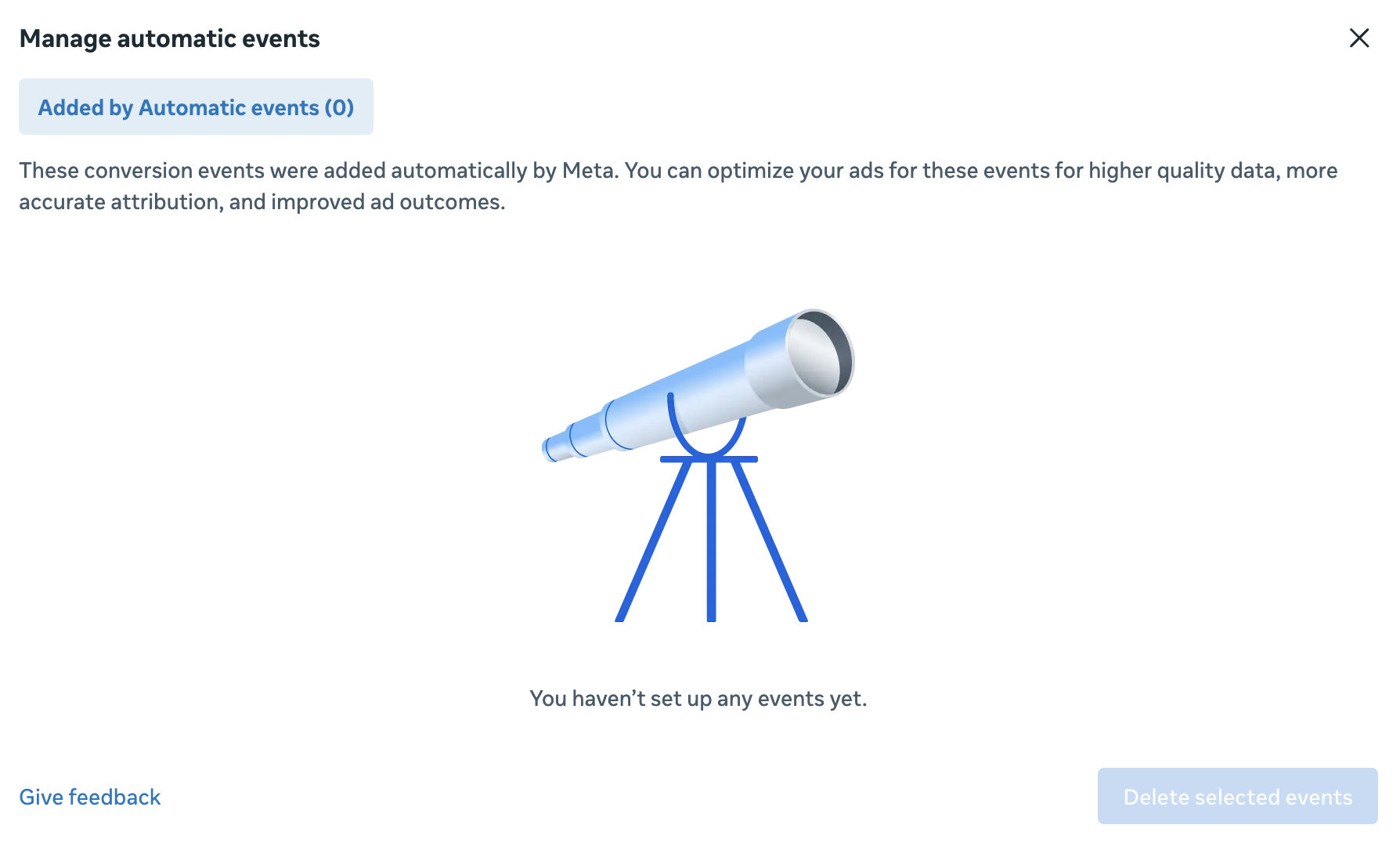
I unfortunately don’t have any Automatic Events to manage, but this is where you might otherwise see a list of the events Meta created along with the button text or other reasoning behind using that specific event. You can always delete these events if you want.
When using the prior feature, the event would only appear in your Events Overview screen (these events will appear there, too).
The Confusion
There are so many reasons to be confused by this…
1. Do they actually function differently?
I have to contort myself a bit to try and come up with a clear delineation between these two features. They seem to do essentially the same thing. When enabled, Meta will automatically detect actions that should reflect standard events, and then create them for you if they don’t already exist. Otherwise, the new one says it uses AI to detect these events, while the old one doesn’t.
Other than that, the only true difference I see is the dashboard for managing Automatic Events, but that doesn’t have anything to do with functionality.
2. Meta’s official documentation.
Meta’s documentation makes this even more confusing. I wrote a blog post in 2022 about the old feature that was called How to Set Up Automatic Events for Your Meta Pixel. I called them Automatic Events then, even though the display in Events Manager didn’t. The reason for this was that the feature linked out to a Help Center article that calls the feature Automatic Events.
To make things even more confusing, there’s another Help Center article that seems to refer to remnants of both features as if they’re the same thing. It opens with a line about how it uses AI to automatically detect events on your website.

That would suggest that this article is for the “new” Automatic Events.
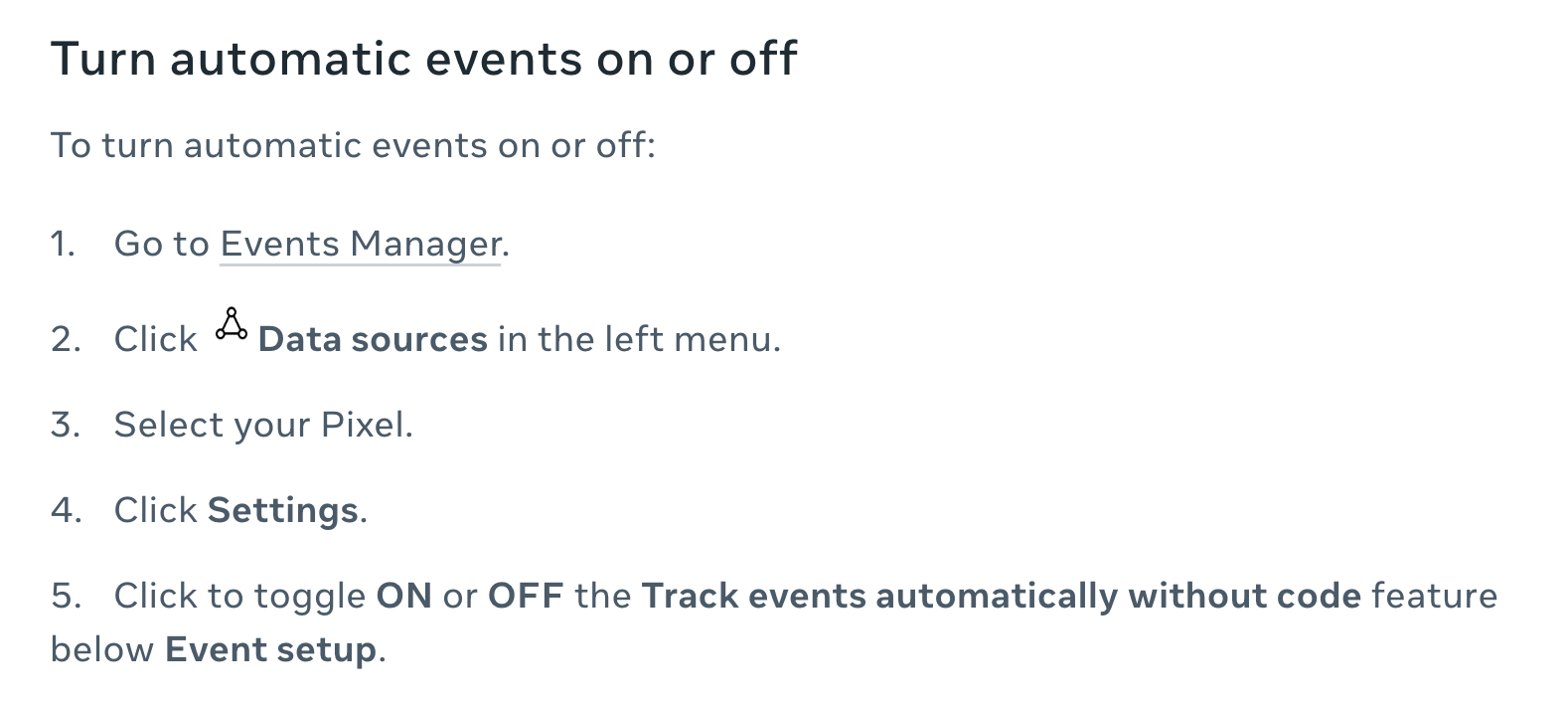
But further down that same page, it explains how to enable this feature, and it specifically says to toggle on “Track events automatically without code.”
3. Why do they both continue to exist?
It gets worse.
I know what you’re thinking: “Jon, you’re making this more confusing than it is. The new Automatic Events replaces the old feature.”
But no. While the new feature did replace the old one in terms of location, the old feature still exists. It’s been moved to the bottom of the Settings tab.
So, in theory, you could toggle Automatic Events on while disabling the option to track events automatically without code. And if you do that, there aren’t any warnings or anything saying you can’t do that.
Confused? Yeah, you should be. This is a mess.
My Bet
If I were to guess what is going down here, it’s this…
1. Meta is indeed improving upon the old Automatic Events feature. Maybe “using AI” is more than just words, and Meta’s actually improved how these events are detected. Even without that, they’ve added the nice dashboard for managing them.
2. Meta hasn’t updated the Help Center articles yet to fully reflect the change.
3. Someone forgot to remove the old toggle, which is now nicely hidden at the bottom of the Settings tab of Events Manager.
If I’m right, the existence of the two toggles could create all sorts of functionality problems for Meta if it’s not fixed.
Hopefully someone from within Meta is reading this so that either clarity can be added or the problem can be fixed.
Should You Enable Automatic Events?
Okay, once all of the dust settles, the question should be whether you enable this in the first place. According to Meta’s documentation, any new pixel created on or after August 3, 2026, will have Automatic Events enabled by default. My existing pixels had it disabled.
Personally, I’ve turned this on. I don’t anticipate Meta finding a bunch of events that need to be created. But until Meta creates some erroneous events, I’ll keep it on for now.
As always, continue to monitor.
Your Turn
Do you have Automatic Events enabled? Do you have any theories about the existence of these two toggles?
Let me know in the comments below!