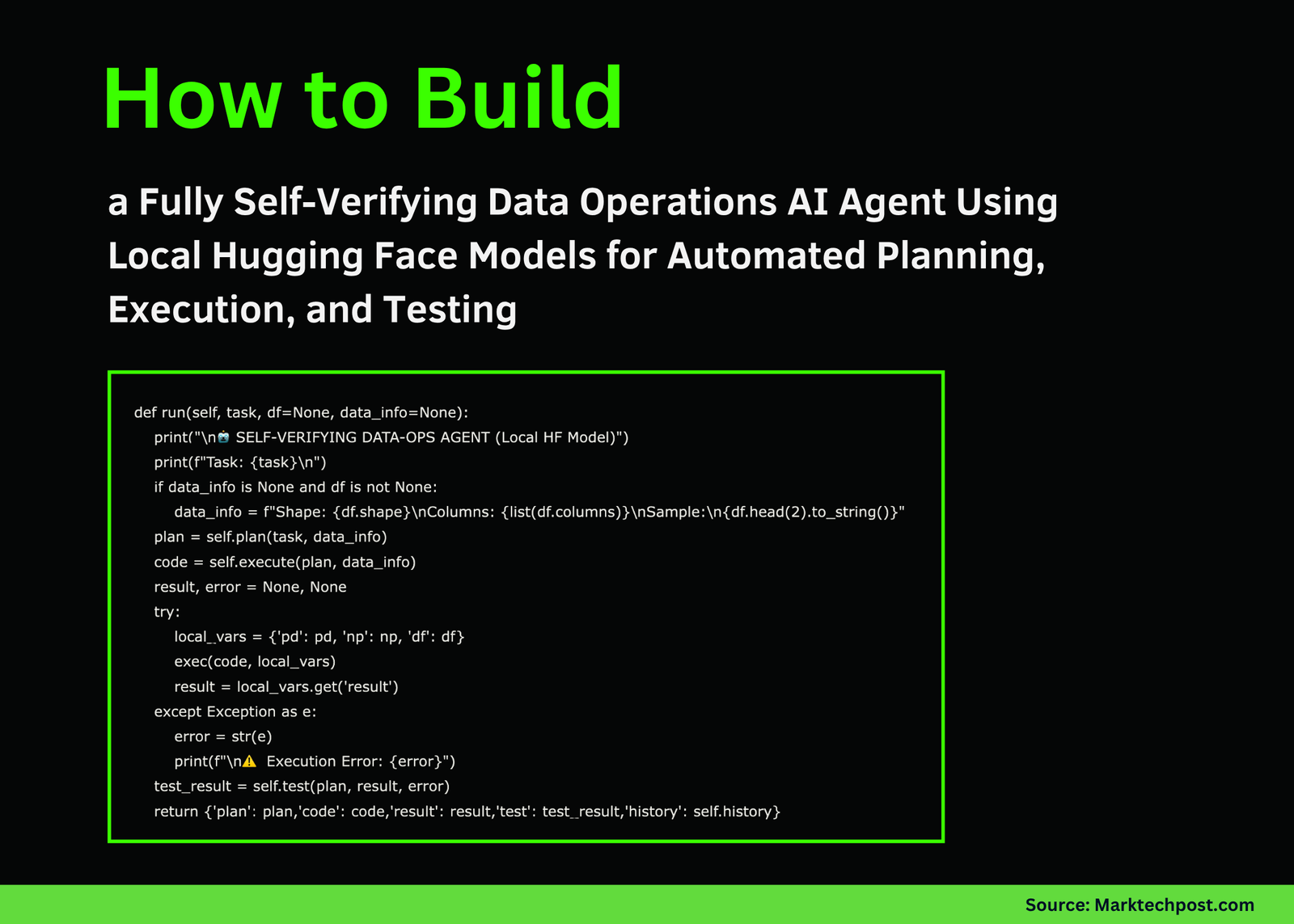
In this tutorial, we build a self-verifying DataOps AIAgent that can plan, execute, and test data operations automatically using local Hugging Face models. We design the agent with three intelligent roles: a Planner that creates an execution strategy, an Executor that writes and runs code using pandas, and a Tester that validates the results for accuracy and consistency. By using Microsoft’s Phi-2 model locally in Google Colab, we ensure that the workflow remains efficient, reproducible, and privacy-preserving while demonstrating how LLMs can automate complex data-processing tasks end-to-end. Check out the FULL CODES here.
!pip install -q transformers accelerate bitsandbytes scipy
import json, pandas as pd, numpy as np, torch
from transformers import AutoTokenizer, AutoModelForCausalLM, pipeline, BitsAndBytesConfig


MODEL_NAME = "microsoft/phi-2"


class LocalLLM:
   def __init__(self, model_name=MODEL_NAME, use_8bit=False):
       print(f"Loading model: {model_name}")
       self.tokenizer = AutoTokenizer.from_pretrained(model_name, trust_remote_code=True)
       if self.tokenizer.pad_token is None:
           self.tokenizer.pad_token = self.tokenizer.eos_token
       model_kwargs = {"device_map": "auto", "trust_remote_code": True}
       if use_8bit and torch.cuda.is_available():
           model_kwargs["quantization_config"] = BitsAndBytesConfig(load_in_8bit=True)
       else:
           model_kwargs["torch_dtype"] = torch.float32 if not torch.cuda.is_available() else torch.float16
       self.model = AutoModelForCausalLM.from_pretrained(model_name, **model_kwargs)
       self.pipe = pipeline("text-generation", model=self.model, tokenizer=self.tokenizer,
                            max_new_tokens=512, do_sample=True, temperature=0.3, top_p=0.9,
                            pad_token_id=self.tokenizer.eos_token_id)
       print("✓ Model loaded successfully!\n")


   def generate(self, prompt, system_prompt="", temperature=0.3):
       if system_prompt:
           full_prompt = f"Instruct: {system_prompt}\n\n{prompt}\nOutput:"
       else:
           full_prompt = f"Instruct: {prompt}\nOutput:"
       output = self.pipe(full_prompt, temperature=temperature, do_sample=temperature>0,
                          return_full_text=False, eos_token_id=self.tokenizer.eos_token_id)
       result = output[0]['generated_text'].strip()
       if "Instruct:" in result:
           result = result.split("Instruct:")[0].strip()
       return result
We install the required libraries and load the Phi-2 model locally using Hugging Face Transformers. We create a LocalLLM class that initializes the tokenizer and model, supports optional quantization, and defines a generate method to produce text outputs. We ensure that the model runs smoothly on both CPU and GPU, making it ideal for use on Colab. Check out the FULL CODES here.
PLANNER_PROMPT = """You are a Data Operations Planner. Create a detailed execution plan as valid JSON.


Return ONLY a JSON object (no other text) with this structure:
{"steps": ["step 1","step 2"],"expected_output":"description","validation_criteria":["criteria 1","criteria 2"]}"""


EXECUTOR_PROMPT = """You are a Data Operations Executor. Write Python code using pandas.


Requirements:
- Use pandas (imported as pd) and numpy (imported as np)
- Store final result in variable 'result'
- Return ONLY Python code, no explanations or markdown"""


TESTER_PROMPT = """You are a Data Operations Tester. Verify execution results.


Return ONLY a JSON object (no other text) with this structure:
{"passed":true,"issues":["any issues found"],"recommendations":["suggestions"]}"""


class DataOpsAgent:
   def __init__(self, llm=None):
       self.llm = llm or LocalLLM()
       self.history = []


   def _extract_json(self, text):
       try:
           return json.loads(text)
       except:
           start, end = text.find('{'), text.rfind('}')+1
           if start >= 0 and end > start:
               try:
                   return json.loads(text[start:end])
               except:
                   pass
       return None
We define the system prompts for the Planner, Executor, and Tester roles of our DataOps Agent. We then initialize the DataOpsAgent class with helper methods and a JSON extraction utility to parse structured responses. We prepare the foundation for the agent’s reasoning and execution pipeline. Check out the FULL CODES here.
 def plan(self, task, data_info):
       print("\n" + "="*60)
       print("PHASE 1: PLANNING")
       print("="*60)
       prompt = f"Task: {task}\n\nData Information:\n{data_info}\n\nCreate an execution plan as JSON with steps, expected_output, and validation_criteria."
       plan_text = self.llm.generate(prompt, PLANNER_PROMPT, temperature=0.2)
       self.history.append(("PLANNER", plan_text))
       plan = self._extract_json(plan_text) or {"steps":[task],"expected_output":"Processed data","validation_criteria":["Result generated","No errors"]}
       print(f"\n📋 Plan Created:")
       print(f"  Steps: {len(plan.get('steps', []))}")
       for i, step in enumerate(plan.get('steps', []), 1):
           print(f"    {i}. {step}")
       print(f"  Expected: {plan.get('expected_output', 'N/A')}")
       return plan


   def execute(self, plan, data_context):
       print("\n" + "="*60)
       print("PHASE 2: EXECUTION")
       print("="*60)
       steps_text="\n".join(f"{i}. {s}" for i, s in enumerate(plan.get('steps', []), 1))
       prompt = f"Task Steps:\n{steps_text}\n\nData available: DataFrame 'df'\n{data_context}\n\nWrite Python code to execute these steps. Store final result in 'result' variable."
       code = self.llm.generate(prompt, EXECUTOR_PROMPT, temperature=0.1)
       self.history.append(("EXECUTOR", code))
       if "```python" in code: code = code.split("```python")[1].split("```")[0]
       elif "```" in code: code = code.split("```")[1].split("```")[0]
       lines = []
       for line in code.split('\n'):
           s = line.strip()
           if s and (not s.startswith('#') or 'import' in s):
               lines.append(line)
       code="\n".join(lines).strip()
       print(f"\n💻 Generated Code:\n" + "-"*60)
       for i, line in enumerate(code.split('\n')[:15],1):
           print(f"{i:2}. {line}")
       if len(code.split('\n'))>15: print(f"    ... ({len(code.split('\n'))-15} more lines)")
       print("-"*60)
       return code
We implement the Planning and Execution phases of the agent. We let the Planner create detailed task steps and validation criteria, and then the Executor generates corresponding Python code based on pandas to perform the task. We visualize how the agent autonomously transitions from reasoning to generating actionable code. Check out the FULL CODES here.
def test(self, plan, result, execution_error=None):
       print("\n" + "="*60)
       print("PHASE 3: TESTING & VERIFICATION")
       print("="*60)
       result_desc = f"EXECUTION ERROR: {execution_error}" if execution_error else f"Result type: {type(result).__name__}\n"
       if not execution_error:
           if isinstance(result, pd.DataFrame):
               result_desc += f"Shape: {result.shape}\nColumns: {list(result.columns)}\nSample:\n{result.head(3).to_string()}"
           elif isinstance(result, (int,float,str)):
               result_desc += f"Value: {result}"
           else:
               result_desc += f"Value: {str(result)[:200]}"
       criteria_text="\n".join(f"- {c}" for c in plan.get('validation_criteria', []))
       prompt = f"Validation Criteria:\n{criteria_text}\n\nExpected: {plan.get('expected_output', 'N/A')}\n\nActual Result:\n{result_desc}\n\nEvaluate if result meets criteria. Return JSON with passed (true/false), issues, and recommendations."
       test_result = self.llm.generate(prompt, TESTER_PROMPT, temperature=0.2)
       self.history.append(("TESTER", test_result))
       test_json = self._extract_json(test_result) or {"passed":execution_error is None,"issues":["Could not parse test result"],"recommendations":["Review manually"]}
       print(f"\n✓ Test Results:\n  Status: {'✅ PASSED' if test_json.get('passed') else '❌ FAILED'}")
       if test_json.get('issues'):
           print("  Issues:")
           for issue in test_json['issues'][:3]:
               print(f"    • {issue}")
       if test_json.get('recommendations'):
           print("  Recommendations:")
           for rec in test_json['recommendations'][:3]:
               print(f"    • {rec}")
       return test_json


   def run(self, task, df=None, data_info=None):
       print("\n🤖 SELF-VERIFYING DATA-OPS AGENT (Local HF Model)")
       print(f"Task: {task}\n")
       if data_info is None and df is not None:
           data_info = f"Shape: {df.shape}\nColumns: {list(df.columns)}\nSample:\n{df.head(2).to_string()}"
       plan = self.plan(task, data_info)
       code = self.execute(plan, data_info)
       result, error = None, None
       try:
           local_vars = {'pd': pd, 'np': np, 'df': df}
           exec(code, local_vars)
           result = local_vars.get('result')
       except Exception as e:
           error = str(e)
           print(f"\n⚠️  Execution Error: {error}")
       test_result = self.test(plan, result, error)
       return {'plan': plan,'code': code,'result': result,'test': test_result,'history': self.history}
We focus on the Testing and Verification phase of our workflow. We let the agent evaluate its own output against predefined validation criteria and summarize the outcome as a structured JSON. We then integrate all three phases, planning, execution, and testing, into a single self-verifying pipeline that ensures complete automation. Check out the FULL CODES here.
def demo_basic(agent):
   print("\n" + "#"*60)
   print("# DEMO 1: Sales Data Aggregation")
   print("#"*60)
   df = pd.DataFrame({'product':['A','B','A','C','B','A','C'],
                      'sales':[100,150,200,80,130,90,110],
                      'region':['North','South','North','East','South','West','East']})
   task = "Calculate total sales by product"
   output = agent.run(task, df)
   if output['result'] is not None:
       print(f"\n📊 Final Result:\n{output['result']}")
   return output


def demo_advanced(agent):
   print("\n" + "#"*60)
   print("# DEMO 2: Customer Age Analysis")
   print("#"*60)
   df = pd.DataFrame({'customer_id':range(1,11),
                      'age':[25,34,45,23,56,38,29,41,52,31],
                      'purchases':[5,12,8,3,15,7,9,11,6,10],
                      'spend':[500,1200,800,300,1500,700,900,1100,600,1000]})
   task = "Calculate average spend by age group: young (under 35) and mature (35+)"
   output = agent.run(task, df)
   if output['result'] is not None:
       print(f"\n📊 Final Result:\n{output['result']}")
   return output


if __name__ == "__main__":
   print("🚀 Initializing Local LLM...")
   print("Using CPU mode for maximum compatibility\n")
   try:
       llm = LocalLLM(use_8bit=False)
       agent = DataOpsAgent(llm)
       demo_basic(agent)
       print("\n\n")
       demo_advanced(agent)
       print("\n" + "="*60)
       print("✅ Tutorial Complete!")
       print("="*60)
       print("\nKey Features:")
       print("  • 100% Local - No API calls required")
       print("  • Uses Phi-2 from Microsoft (2.7B params)")
       print("  • Self-verifying 3-phase workflow")
       print("  • Runs on free Google Colab CPU/GPU")
   except Exception as e:
       print(f"\n❌ Error: {e}")
       print("Troubleshooting:\n1. pip install -q transformers accelerate scipy\n2. Restart runtime\n3. Try a different model")
We built two demo examples to test the agent’s capabilities using simple sales and customer datasets. We initialize the model, execute the Data-Ops workflow, and observe the full cycle from planning to validation. We conclude the tutorial by summarizing key benefits and encouraging further experimentation with local models.
In conclusion, we created a fully autonomous and self-verifying DataOps system powered by a local Hugging Face model. We experience how each stage, planning, execution, and testing, seamlessly interacts to produce reliable results without relying on any cloud APIs. This workflow highlights the strength of local LLMs, such as Phi-2, for lightweight automation and inspires us to expand this architecture for more advanced data pipelines, validation frameworks, and multi-agent data systems in the future.
Check out the FULL CODES here. Feel free to check out our GitHub Page for Tutorials, Codes and Notebooks. Also, feel free to follow us on Twitter and don’t forget to join our 100k+ ML SubReddit and Subscribe to our Newsletter. Wait! are you on telegram? now you can join us on telegram as well.

Asif Razzaq is the CEO of Marktechpost Media Inc.. As a visionary entrepreneur and engineer, Asif is committed to harnessing the potential of Artificial Intelligence for social good. His most recent endeavor is the launch of an Artificial Intelligence Media Platform, Marktechpost, which stands out for its in-depth coverage of machine learning and deep learning news that is both technically sound and easily understandable by a wide audience. The platform boasts of over 2 million monthly views, illustrating its popularity among audiences.