[ad_1]
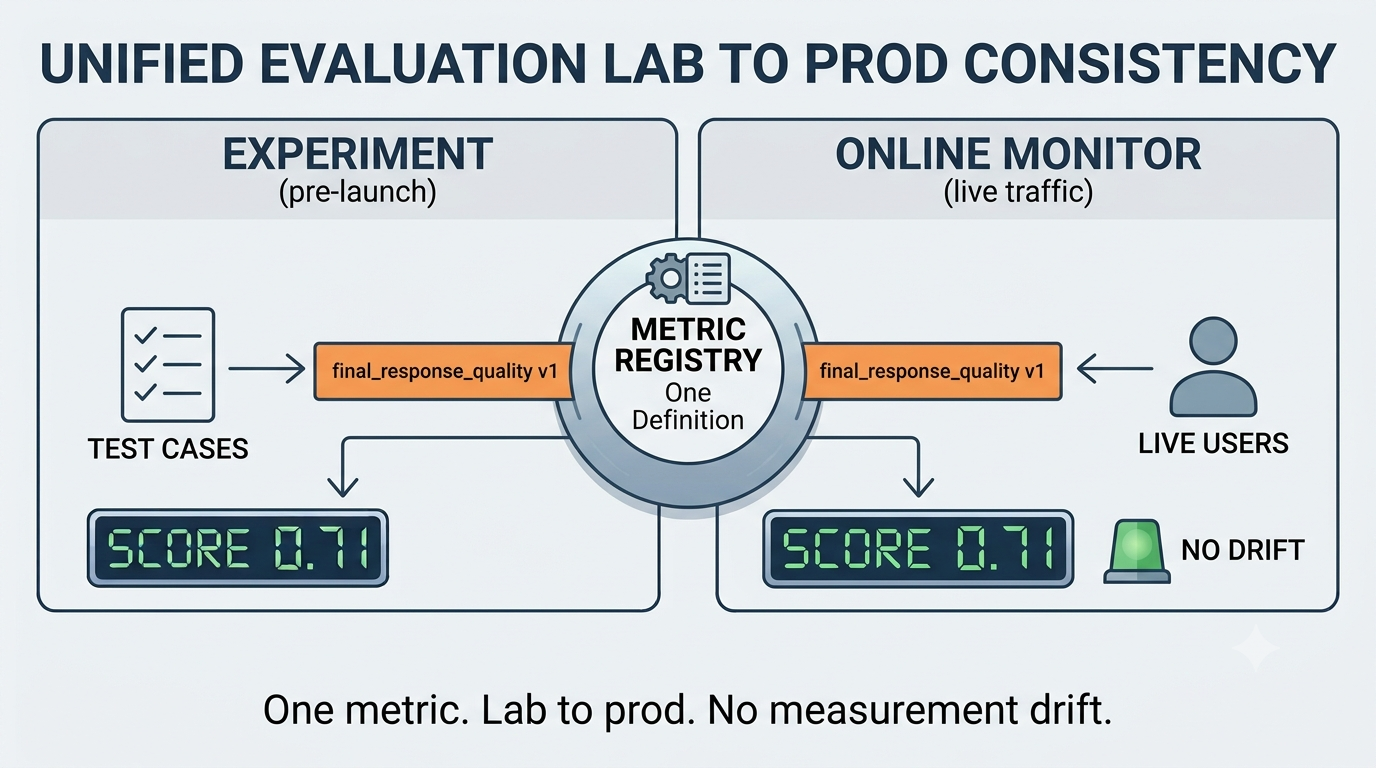
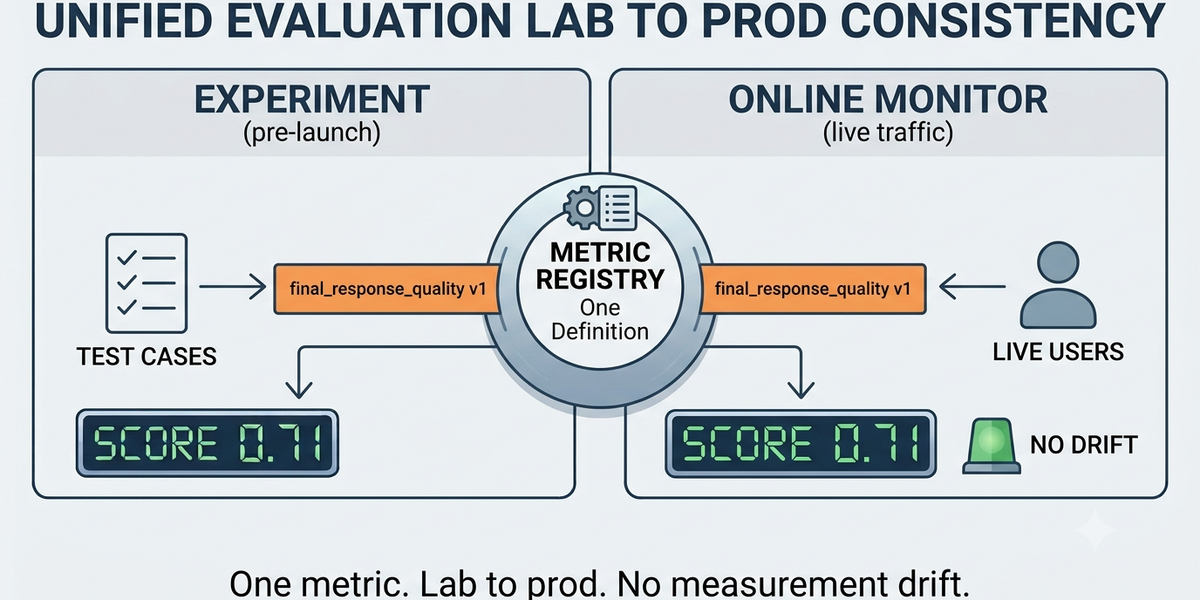
Agent quality must be measured during development against the cases you wrote, and after launch against the tasks the agent actually performed. Agent and model evaluations in Agent Platform are now generally available, letting you measure and compare agents and models at both stages, on one engine with consistent metrics. When you use consistent quality scoring on local experiments and live traffic, a drift in production points to a problem with the agent rather than with the way it was measured.
What’s generally available
- Metrics. Start from more than 20 pre-built metrics spanning quality, safety, grounding, agent tool use and trajectory, and reference-based scoring for tasks like summarization and translation. Adaptive rubrics tailor the judging criteria to each case instead of applying one brittle llm-as-judge prompt across inputs that don’t deserve the same questions. You can also define your own code-based or LLM-as-a-judge metrics and store them in one versioned, org-wide place so scoring stays consistent and comparable over time.
- Experiments. Run them client- or server-side. Server-side keeps every artifact in Cloud Storage, so runs are auditable and reproducible. Experiments integrate with case generation to bootstrap an evaluation dataset, a user simulator to play out multi-turn cases without scripting each reply, and an environment simulator to stand in for the systems the agent calls, so you can emulate a failing or slow backend without affecting production.
- Online monitors and telemetry integrations. Continuous evaluation on live production traffic grades the traces you already collect and produces score-over-time charts and drift alerts, without needing to set up custom data processing pipelines.
You can reach evaluations from the Agent Platform SDK, agents-cli, the Evaluation section in Agent Platform Google Cloud console, and directly from ADK.
Experiments
The primary unit of work in evaluation is the experiment, a dataset of eval cases and a set of metrics and scores to run and review as you iterate. The evaluation service comes with a flexible UI to define metrics, kick off new runs, and review the results, all the way down to a single failure, where you can open the agent’s full trace and session log to see exactly what happened.
Evals Worksheet — review and run agent evaluations.
You can run experiments locally for fast iterations, or, if your agent is already deployed on Agent Platform with telemetry enabled, you can grade existing sessions and traces, or run the agent with the user simulator enabled to create traces before your users produce them. Every experiment artifact is stored transparently in Cloud Storage, so you can version and audit your runs for compliance and posterity.
For large evaluation jobs, the system supports issue clustering: it groups eval failures into interpretable, actionable clusters against your own taxonomy of failure reasons. If you haven’t developed a taxonomy yet, you can use a pre-built one we have for adaptive rubrics, which covers the common ways agents go wrong.
Evaluation metrics
More than 20 pre-built metrics ship with the service. Computation-based metrics score deterministically against a ground-truth reference: ROUGE for summarization, BLEU, MetricX, and COMET for translation, exact match for extractive QA.
Beyond those, an adaptive rubric is an advanced LLM-judge metric workflow co-developed with our research partners at Google DeepMind. It creates case-specific pass/fail tests (rubrics) from the eval case definition, the developer instruction, and the tool declarations. It then grades the traces against these rubrics, providing the verdict and rationale per rubric.
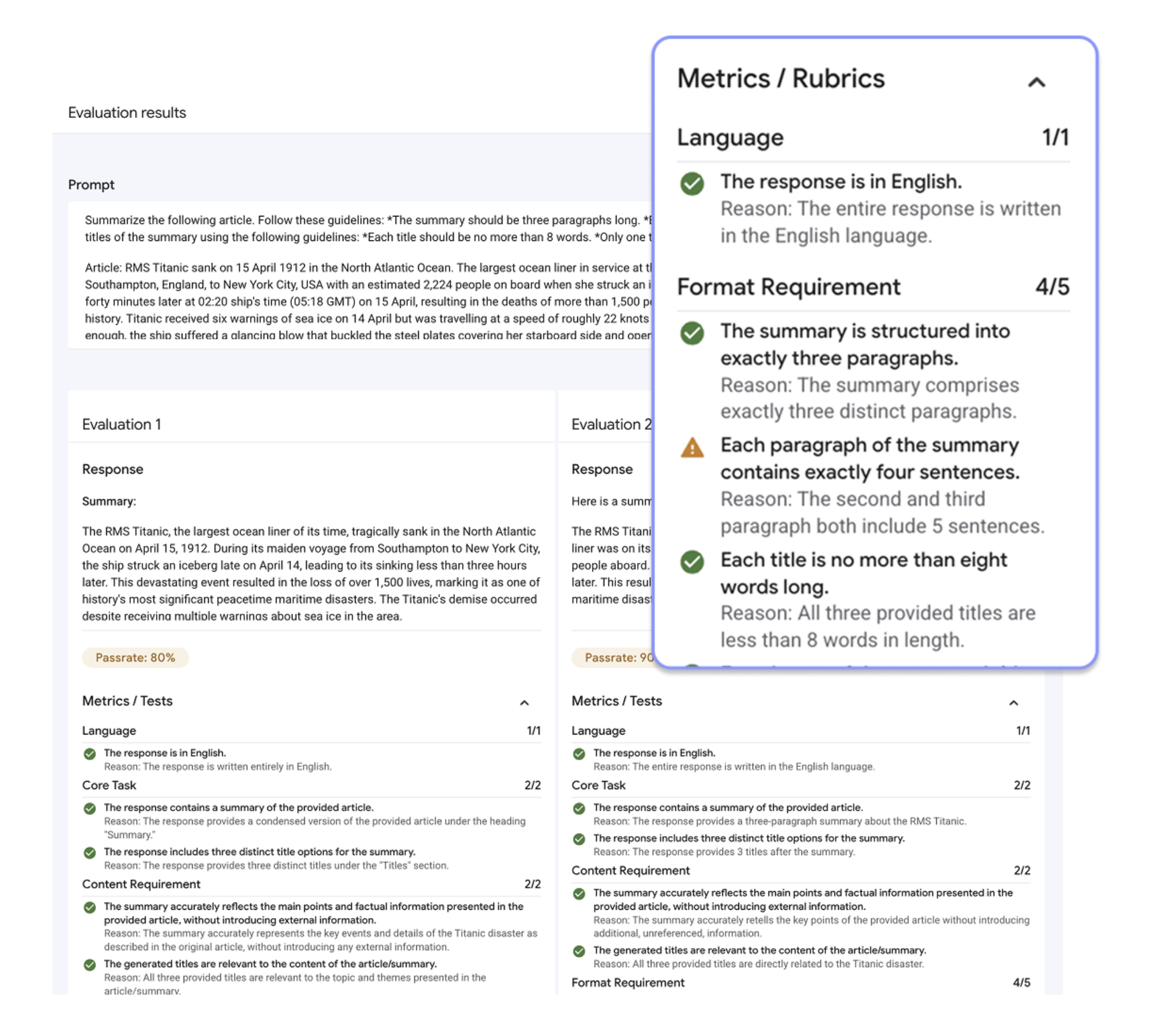
Adaptive rubric with criteria generated per evaluation case.
We designed and calibrated variants for what you usually want to know about an agent. Task Success grades goal fulfillment across a conversation from observable outcomes and confirmations in the agent’s responses. Tool Use Quality evaluates tool selection, argument correctness, and schema compliance. Safety scores the response against content policies spanning hate speech, harassment, dangerous content, sexually explicit material, and PII, returning the policies violated. Trajectory Quality, Final Response Quality, Hallucination, Grounding, and image and video quality metrics are also available. Natural-language guidelines steer rubrics generation toward criteria you specify, with the resulting rubric group reviewable and reusable across agents.
When the pre-built metrics don’t fit, you can bring your own. A code-based metric is a Python function, covering exact text matches, JSON-shape checks, and anything else expressible in code. An LLM-as-a-judge metric carries your own criteria, rating scale, and judge model. When running locally you can use any model from any provider, and server-side evaluation runs support any Model Garden model, including all Gemini and Anthropic models.
However a metric is defined, it lands in the same versioned, org-wide registry, running unchanged in offline experiments and online monitors. We’re actively expanding coverage to more specialized tasks and input modalities, and we welcome your feedback.
Online monitors and telemetry integrations
An agent that’s green across your whole test suite can still drift a week after launch, when faced with inputs nobody wrote a case for. That’s not a testing failure so much as a fact of production where real tasks are bigger and stranger than any suite you can write up front.
The metrics you built when developing your agent should keep running after your agent launches. If you already collect traces and sessions through Cloud Trace, you can evaluate them directly with just one click in the traces UI. Better still is to set up an online monitor to grade the live traffic as it arrives. To avoid grading every request and keep costs manageable, you can use the built-in sampling and targeted filters. When monitors are active you can see scores over time in built-in dashboards and even set up drift alerts for email, Slack, or other channels.
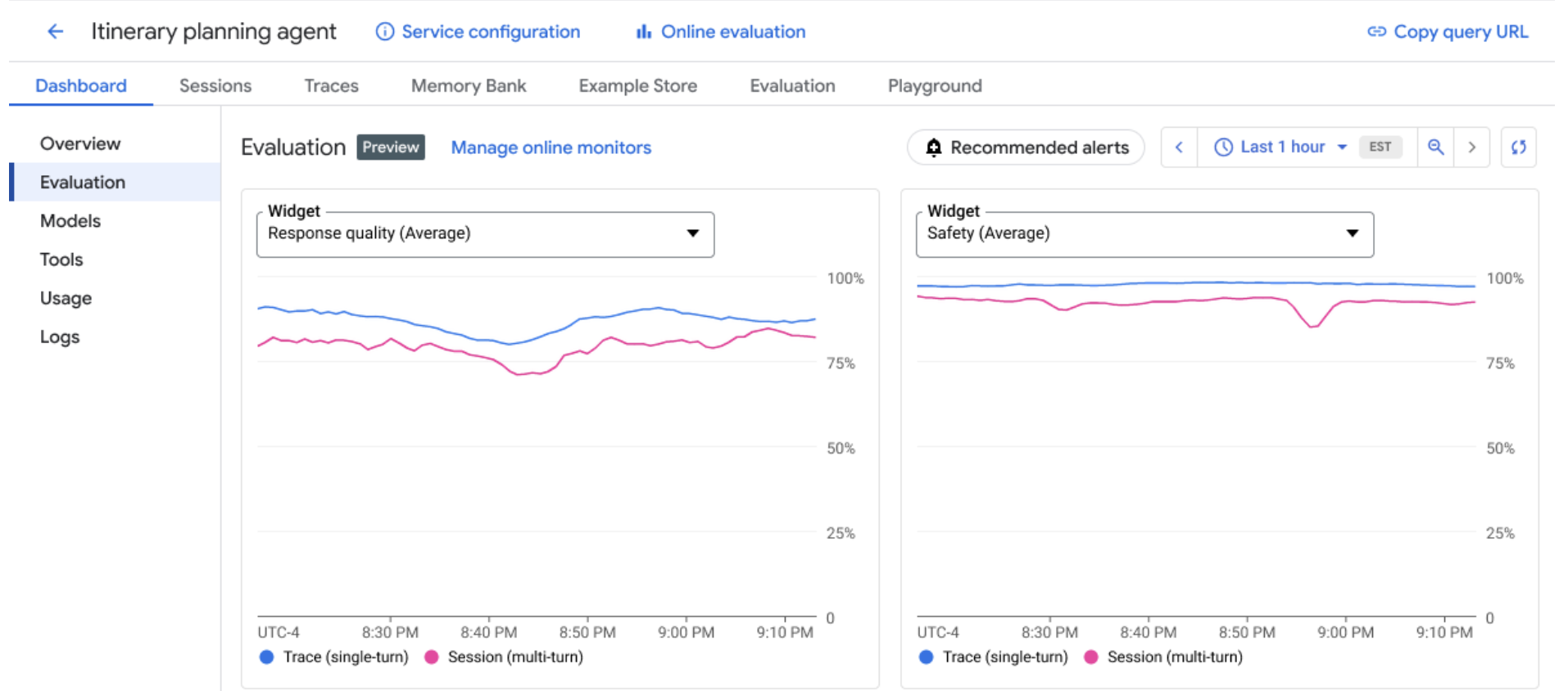
Online monitors show eval scores over on production traces.
Case generation and simulation
Every evaluation needs test cases to run against, and writing them all by hand is slow and tends to miss the non-obvious ones. The evaluation service can generate them for you, with a case generator, a user simulator, and an environment simulator.
The case generator seeds synthetic eval cases from the agent’s instructions and tools, so you’re not starting from a blank page or capping your coverage at what you thought to type out. For ADK agents, it can pair with a user simulator to reach the scenarios that are hard to produce by hand: you define a persona and a short conversation plan, and the simulator plays that user across a full multi-turn exchange, so you can evaluate real back-and-forth without scripting each reply.
The environment simulator stands in for the systems your agent calls. Point it at a tool, give it the response you want — mocked data, a forced error, added latency — and it intercepts that call during the run, so you can test how the agent handles a failing or slow backend without touching production.
Pricing and availability
Agent and model evaluations are generally available. For supported regions and enterprise security features see regions and security features table. You pay standard rates for the model calls behind LLM-as-a-judge and the other model-based metrics – plus Cloud Storage for the artifacts a server-side run keeps. Code-based and computation metrics add no additional cost. Your datasets and traces always stay in your project.
Get started
Evaluation meets you in whatever tool you already build agents with. It’s part of the Agent Platform SDK, with the same operations available over the REST API for the languages and pipelines the SDK doesn’t reach.
If you work from the command line, agents-cli makes eval a first-class command next to the ones you already use to deploy agents and inspect telemetry (ADK-Python agents today). You can even run the loop straight from your coding agent: a reusable skill walks Claude Code and similar tools through the full agent-quality flywheel. For teams building on ADK, evaluation is built into the framework — define eval sets and run them against your agent locally as you develop, including inside pytest for CI. And when you’d rather review a run without writing code, the Evals Worksheet web UI is the grid covered above.
We can’t wait to see what you ship.
[ad_2]
Source_link