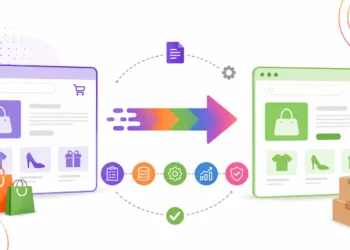
Launching an ecommerce website is an important milestone, but it is not the end of the project.
Once a store goes live, it becomes a constantly changing business system. Products are added and removed, prices change, software is updated, payment gateways communicate with external systems, inventory moves between channels, customers place orders and search engines continuously crawl the website.
A website that worked perfectly on launch day can therefore develop problems months later.
That is why ecommerce website maintenance needs to be treated as an ongoing operational process rather than something businesses do only after a website breaks.
Regular maintenance helps businesses identify technical problems earlier, protect the customer experience, maintain SEO health, keep integrations working and reduce avoidable disruptions to sales.
In this guide, we’ll cover 15 important areas to check after launching an ecommerce website, how frequently they should be reviewed, and what businesses should look for when choosing an ecommerce maintenance partner.
Why Does Ecommerce Website Maintenance Matter?
An ecommerce website is more than a collection of web pages.
A typical customer journey can involve:
Product page → Cart → Checkout → Payment → Order confirmation → Inventory → Shipping → Customer notification
Behind that journey may be several additional systems:
Website → Payment gateway → ERP/CRM → Inventory → Shipping → Analytics → Marketing platforms
A failure in one part of this chain doesn’t always make the entire website look broken.
For example, the homepage may load normally while:
- the checkout is failing,
- inventory is not synchronizing,
- purchase tracking has stopped,
- order emails are not being delivered, or
- an important category has accidentally become unavailable to search engines.
This is why ecommerce maintenance is about more than fixing visible bugs.
It involves keeping the website, customer journey, business operations, integrations, analytics and technical SEO working together.
Google’s ecommerce guidance also emphasizes crawlable site architecture, discoverable product pages, internal links, appropriate URLs and structured data because these help search engines understand ecommerce websites.
15 Things to Check During Ecommerce Website Maintenance

1. Website Security
Security should be one of the highest priorities in ecommerce maintenance.
An online store can involve administrator accounts, customer information, payment integrations, third-party applications and custom code. Each component needs to be kept under control.
A regular security review should include:
- Reviewing software and security updates
- Checking administrator accounts
- Removing unnecessary user access
- Reviewing suspicious login activity
- Checking vulnerable plugins, apps or extensions
- Reviewing SSL/TLS configuration
- Monitoring unexpected changes to website files or code
- Reviewing security alerts
Security maintenance is not a one-time task because the software and threat environment continue to change.
A useful approach is to maintain a record of the website’s major components and understand which ones require regular updates or monitoring.
2. Platform, Plugin and App Updates
Ecommerce platforms are continuously updated.
Depending on the technology stack, your website may depend on:
- Plugins
- Apps
- Extensions
- Themes
- Payment modules
- Shipping integrations
- Marketing tools
- Custom code
- APIs
Updates can improve security and functionality, but they can also create compatibility problems.
That is why updating everything directly on the live website is not a reliable maintenance strategy.
A safer workflow is:
Backup → Staging → Test → Update → Validate → Production
Where the technology supports a staging or development environment, significant changes should be tested there before they are introduced to the live store.
After an update, test the customer journeys that matter most:
Product → Cart → Checkout → Payment → Order confirmation
A technically successful update is not necessarily a successful ecommerce update if customers can no longer complete a purchase.
3. Backups and Recovery Testing
Creating a backup is only half of a backup strategy.
The more important question is:
Can the website actually be restored from that backup?
An ecommerce maintenance process should establish:
- How frequently backups are created
- What information is included
- Where backups are stored
- How long backups are retained
- Who can access them
- How restoration is performed
- Whether restoration has been tested
Depending on the platform, important data may include:
Products + Customers + Orders + Content + Media + Configuration
For an ecommerce business, backup and recovery procedures should be documented rather than relying on assumptions.
A backup that has never been tested is not the same as a verified recovery process.
4. Broken Links, Redirects and Error Pages
Ecommerce websites change frequently.
Products are discontinued. Categories are reorganized. URLs are changed. Old landing pages are removed.
Over time, these changes can create:
- 404 errors
- Broken internal links
- Incorrect redirects
- Links to discontinued products
- Missing images
- Broken navigation paths
Regularly review important URLs and links.
However, don’t redirect every discontinued product to the homepage simply to eliminate a 404.
If a genuinely relevant replacement exists, redirecting to that destination can make sense. If there is no appropriate replacement, the correct handling depends on the situation.
The goal should be to preserve useful user journeys and meaningful search-engine signals, not simply to eliminate every error code.
5. Website Speed and Performance
Ecommerce websites can become slower as they grow.
New applications, tracking scripts, larger images, additional functionality and third-party services can gradually increase the amount of work a browser needs to perform.
Pay particular attention to:
- Homepage
- Category pages
- Product pages
- Search results
- Cart
- Checkout
- Mobile pages
If performance deteriorates, investigate the underlying cause rather than simply trying to improve a score from a testing tool.
For example, a new third-party script may be responsible for additional page work, while oversized product images may be increasing page weight.
Performance maintenance should therefore combine measurement with diagnosis.
6. Mobile Usability
A website can work correctly on desktop while creating problems for mobile shoppers.
After design changes, platform updates or new applications are introduced, test the mobile customer journey again.
Check:
- Navigation
- Product filters
- Product images
- Add-to-cart buttons
- Forms
- Cart
- Checkout
- Payment screens
- Pop-ups
- Text readability
- Touch interactions
Don’t test only the homepage.
A customer can enter your website directly through a product page from search, add the product to the cart and complete the purchase without ever visiting the homepage.
The complete journey matters.
7. Checkout Testing
Checkout deserves dedicated maintenance because a checkout problem can directly affect revenue.
A useful test follows the complete path:
Product → Cart → Checkout → Payment → Confirmation
Depending on your store, test important scenarios such as:
- Successful payment
- Failed payment
- Coupon application
- Shipping selection
- Tax calculation
- Guest checkout
- Customer login
- Order confirmation
- Email notifications
The objective is not simply to confirm that the checkout page loads.
You need to confirm that the transaction process works from the customer’s perspective and from the business’s perspective.
For stores with significant transaction volume, controlled test transactions and automated monitoring can also be considered.
8. Payment Gateway Health
A payment gateway can fail even when the rest of the website appears to be working.
For example, the storefront may load normally while an API request required to complete a transaction is returning an error.
Payment maintenance should therefore look beyond the visible checkout interface.
Review:
- Payment gateway connectivity
- API credentials
- Transaction status
- Failed payment behaviour
- Refund workflows
- Payment notifications
- Currency configuration
- Gateway error messages
Also check whether successful transactions are being recorded correctly in the ecommerce platform and analytics systems.
A payment issue and an analytics issue can sometimes look similar from a reporting perspective, so the underlying transaction data should be validated.
9. Product and Inventory Synchronization
Inventory problems can quickly become customer-service problems.
If your ecommerce store connects to an ERP, warehouse system, inventory platform or another sales channel, verify that information is being synchronized correctly.
Look for:
- Incorrect stock levels
- Delayed inventory updates
- Incorrect prices
- Missing variants
- Duplicate products
- Failed synchronization jobs
- Products showing as available when they are actually out of stock
For businesses selling through multiple channels, inventory synchronization becomes particularly important.
A customer who sees an item marked “In Stock” and then receives a message that it is unavailable has experienced a failure in the ecommerce operation, even if the website itself never went offline.
10. Analytics and Conversion Tracking
One of the easiest maintenance problems to overlook is broken tracking.
The website can continue receiving visitors and orders while analytics or advertising conversion tracking quietly stops recording some events.
Review important events such as:
- Product views
- Add to cart
- Checkout
- Purchases
- Sign-ups
- Form submissions
- Revenue
- Transaction IDs
Tracking should receive additional attention after:
- Website redesigns
- Checkout changes
- Payment gateway changes
- Platform updates
- Tag-management changes
- Plugin or app updates
This matters because inaccurate tracking can affect more than reporting.
If purchase data is incomplete, marketing teams may make decisions based on incorrect attribution or conversion numbers.
11. Search Console and Technical SEO Health
SEO maintenance should not mean changing keywords every month.
It should first ensure that search engines can still discover, crawl and understand the pages that matter.
Regular technical SEO checks should include:
- Indexing issues
- Important pages becoming excluded
- Accidental noindex directives
- Canonical URLs
- Robots.txt
- XML sitemap
- Internal links
- Redirects
- Duplicate URLs
- Crawl-related problems
Google recommends making ecommerce content accessible through a logical site structure and crawlable links.
One particularly important check is accidental indexing control.
For example, if an important category page receives an unintended noindex directive during a website change, search visibility can be affected once search engines process that directive.
Technical SEO maintenance is therefore about protecting the search visibility you’ve already built, not constantly changing the website for the sake of SEO.
12. Product Data and Structured Data
Product information changes regularly.
Review important information such as:
- Product names
- Prices
- Availability
- Images
- Variants
- Reviews
- Product descriptions
If your website uses structured data, verify that it continues to accurately represent the content visible on the page.
Google recommends relevant ecommerce structured data because it helps search engines understand product information and can make pages eligible for certain search features.
However, structured data should describe the page accurately.
Adding markup simply to try to obtain a search feature is not a substitute for maintaining accurate product information.
13. Forms, Emails and Customer Notifications
A customer can complete an action successfully and still have a poor experience if the expected notification never arrives.
Test important communication flows such as:
- Contact forms
- Customer registration
- Password reset
- Order confirmation
- Shipping notifications
- Cancellation notifications
- Refund notifications
- Customer support forms
These processes often depend on email services, SMTP configurations, APIs or third-party applications.
If a form works on the frontend but the submission never reaches the business, the website is not actually functioning as intended.
14. Third-Party Integrations
Modern ecommerce websites rarely work in isolation.
A store might connect with:
- ERP
- CRM
- Inventory systems
- Shipping platforms
- Payment gateways
- Accounting software
- Email marketing
- Customer support
- Analytics
- Advertising platforms
- Marketplaces
Each integration introduces another potential point of failure.
For every important integration, document:
What does it do?
What information does it send?
What information does it receive?
What happens if the integration fails?
This documentation makes troubleshooting much easier.
It also helps a maintenance team understand whether a website issue is actually a website issue—or a problem originating in an external system.
15. User Experience and Conversion Review
Technical maintenance is only one part of keeping an ecommerce website healthy.
The shopping experience should also be reviewed periodically.
Ask:
- Can customers find products quickly?
- Is navigation easy to understand?
- Are filters useful?
- Are product descriptions clear?
- Are images sufficient?
- Is checkout unnecessarily complicated?
- Are error messages understandable?
- Does the website work well on mobile?
- Where are customers abandoning the purchase journey?
Use analytics, customer feedback and other available behavioural data to identify areas for improvement.
Maintenance should not simply preserve the website in its current state.
It should help the ecommerce experience remain useful as the business grows and customer expectations change.
Don’t Wait for a Monthly Checklist: Use Monitoring and Alerts
Scheduled maintenance is important, but it shouldn’t be the only way problems are discovered.
Critical ecommerce websites benefit from monitoring that can identify issues between scheduled reviews.
Depending on the technology stack and business requirements, monitoring can include:
- Website uptime
- SSL certificate expiry
- Server or application errors
- Failed integration jobs
- Payment failures
- Checkout errors
- Unusual changes in conversion tracking
- Important service interruptions
The principle is simple:
Scheduled maintenance asks, “Is everything healthy?”
Monitoring asks, “Did something just go wrong?”
These are complementary processes.
A high-volume ecommerce store may need significantly more proactive monitoring than a small online catalogue.
How Often Should an Ecommerce Website Be Maintained?
Not every maintenance task needs to happen every day.
A practical framework is:
| Frequency | Recommended checks |
| Daily | Orders, payments, checkout issues and critical alerts |
| Weekly | Backups, integrations, broken links, forms and website health |
| Monthly | Security, software updates, analytics, SEO and performance |
| Quarterly | Technical audit, UX review, conversion analysis and integration review |
The exact frequency should reflect the website’s traffic, transaction volume, technical complexity and business importance.
A store processing thousands of orders every day requires a different maintenance approach from a small ecommerce website with a limited product catalogue.
What Should You Do After an Ecommerce Website Migration?
The period immediately following a migration deserves additional attention.
This is where ecommerce maintenance and ecommerce website migration overlap.
After moving a store to a new platform or architecture, monitor:
- Redirects
- Important URLs
- Indexing
- Organic traffic
- Product pages
- Category pages
- Checkout
- Payments
- Analytics
- Third-party integrations
- Internal links
Don’t assume that a migration is complete simply because the new website is live.
The post-launch period is when many issues become visible through real traffic and real customer behaviour.
Businesses planning a platform change can also review our detailed guide on ecommerce website migration.
Ecommerce Website Maintenance vs Support vs Emergency Fixes
These three services are often treated as the same thing, but they serve different purposes.
Ecommerce Website Maintenance
Maintenance is primarily proactive.
It focuses on reducing avoidable problems and keeping the website healthy.
Examples include:
- Updates
- Backups
- Monitoring
- Security reviews
- Performance checks
- SEO health checks
- Integration reviews
Ecommerce Website Support
Support is generally reactive or request-based.
Examples include:
- Updating product information
- Changing a banner
- Fixing a form
- Investigating an issue
- Making a configuration change
Emergency Fixes
Emergency work deals with critical problems requiring immediate attention.
Examples include:
- Website outage
- Checkout failure
- Major payment problem
- Security incident
- Critical integration failure
A good maintenance process can reduce the likelihood of some failures, but no maintenance plan can guarantee that an ecommerce website will never experience an issue.
Signs Your Ecommerce Website Needs Better Maintenance
A website may need a more structured maintenance process if you regularly experience:
- Website errors
- Slow page loads
- Plugin or app conflicts
- Checkout failures
- Payment problems
- Inventory discrepancies
- Broken integrations
- Missing analytics data
- Increasing 404 errors
- Unexpected SEO changes
- Outdated software
- Security alerts
- Customer complaints
One isolated problem doesn’t necessarily indicate a maintenance failure.
A repeated pattern usually deserves a broader technical review.
What Happens If You Don’t Maintain an Ecommerce Website?
The consequences of poor maintenance aren’t always immediate.
A website may appear to work normally while technical debt gradually builds up.
Eventually, businesses can encounter:
Outdated software
↓
Compatibility problems
↓
Performance issues
↓
Integration failures
↓
Checkout problems
↓
Poor customer experience
↓
Operational disruption
The same applies to technical SEO.
If important pages become inaccessible, incorrectly redirected, poorly linked or accidentally blocked from indexing, the website can lose search visibility.
That is why ecommerce maintenance should be viewed as risk management, not simply repair work.
Ecommerce Website Maintenance Checklist
Use this checklist during routine reviews.
Technical
- Security updates reviewed
- Platform updated where appropriate
- Plugins/apps/extensions reviewed
- Staging environment available for significant changes
- Backups verified
- Recovery process tested
- Broken links checked
- Website performance reviewed
- Mobile experience tested
- Monitoring and alerts reviewed
Ecommerce
- Products display correctly
- Inventory is synchronized
- Cart works correctly
- Checkout tested
- Payment gateway tested
- Shipping works
- Order confirmation works
- Customer notifications work
SEO
- Important pages remain indexable
- No accidental noindex directives
- Robots.txt reviewed
- XML sitemap checked
- Redirects reviewed
- Canonicals checked
- Internal links reviewed
- Product structured data reviewed
Analytics
- Ecommerce tracking works
- Purchase events work
- Conversion tracking works
- Advertising tags checked
- Transaction data validated
Business Operations
- CRM/ERP integration works
- Inventory integration works
- Shipping integration works
- Payment integration works
- Customer feedback reviewed
- UX reviewed
How to Choose an Ecommerce Website Maintenance Partner
If your business doesn’t have an internal technical team, outsourcing ecommerce maintenance can be a practical option.
But don’t compare providers only on their monthly price.
Ask what the maintenance agreement actually covers.
Important questions include:
What platforms and technologies do you support?
Your maintenance partner should understand the technology behind your store rather than treating every ecommerce website the same way.
Do you use a staging environment for significant changes?
Testing before production reduces the risk of introducing avoidable problems to a live store.
How are backups handled?
Ask not only whether backups exist, but whether recovery has been tested.
How are security issues handled?
Understand how updates, vulnerabilities and suspicious activity are reviewed.
Do you monitor critical ecommerce functions?
A maintenance partner should understand that uptime alone doesn’t tell you whether checkout, payments and integrations are working.
Can you troubleshoot SEO and analytics issues?
Technical changes can affect both search visibility and conversion tracking.
How quickly are critical problems handled?
Clarify response expectations for issues affecting payments, checkout or website availability.
A good maintenance relationship should give the business visibility, documentation and control, rather than simply a monthly invoice.
Why Ecommerce Maintenance Requires a Broader Approach
Ecommerce maintenance sits at the intersection of several disciplines.
Development
Keeps the platform, code and functionality working.
SEO
Protects crawlability, indexability, internal linking and technical search health.
Analytics
Ensures the business can measure traffic, conversions and revenue accurately.
Operations
Keeps products, inventory, orders, shipping and integrations functioning.
UX
Ensures customers can navigate, shop and complete purchases without unnecessary friction.
This is why ecommerce maintenance is more complex than simply updating plugins or fixing broken pages.
A small technical change can sometimes affect several parts of the business at once.
Why Businesses Choose Indglobal
Ecommerce maintenance often requires more than a developer who can fix individual website issues.
The broader requirement can involve development, testing, integrations, analytics, SEO and ongoing technical support.
Indglobal’s documented company profile describes capabilities across ecommerce development, Magento and custom ecommerce frameworks, ERP/CRM/logistics integrations, third-party integrations, testing, maintenance and digital marketing. The company profile also describes a multidisciplinary team involving project management, UX, frontend development, Magento/PHP development, quality assurance, business analysis and digital marketing.
That broader capability can be useful when an ecommerce issue crosses multiple systems—for example, when a checkout change affects payment processing, order management and analytics.
Businesses evaluating ecommerce development can also explore Indglobal’s ecommerce website development services and Indglobal’s portfolio to understand the company’s work and capabilities.
Frequently Asked Questions
How often should an ecommerce website be maintained?
There is no single schedule that applies to every store. Critical functions such as payments, orders and checkout should be monitored regularly, while security, performance, SEO and technical reviews can follow weekly, monthly or quarterly schedules depending on the website’s complexity.
Is ecommerce website maintenance necessary after launch?
Yes. Launching a website doesn’t eliminate maintenance requirements. Software, integrations, security requirements, products and customer expectations continue to change after launch.
Does ecommerce website maintenance improve SEO?
Maintenance is not a guarantee of higher rankings. However, maintaining crawlability, indexability, redirects, internal links, structured data and website performance can help prevent technical problems that interfere with search visibility.
What is included in ecommerce website maintenance?
It depends on the maintenance agreement, but common areas include security, updates, backups, performance, broken links, ecommerce functionality, analytics, technical SEO and third-party integrations.
Can maintenance prevent ecommerce website downtime?
Maintenance can reduce the risk of certain failures by identifying problems early and keeping systems updated and monitored. It cannot guarantee that downtime will never occur.
Should SEO be part of ecommerce website maintenance?
Technical SEO should be considered part of maintaining an ecommerce website. This can include checking indexing, redirects, internal links, sitemaps, canonicalization and important product information. Broader SEO strategy can be managed separately.
What is the difference between ecommerce maintenance and support?
Maintenance is primarily proactive and focuses on keeping the website healthy. Support is generally request-based or reactive, while emergency fixes address critical issues that require immediate attention.
Conclusion
An ecommerce website isn’t a brochure that you launch and forget.
It is an operating system for your online business.
Products change. Customers change. Technology changes. Integrations change. Security requirements change. Search engines change.
Your maintenance process needs to account for all of them.
The strongest ecommerce maintenance strategy combines regular technical reviews, staging and controlled updates, backup and recovery testing, proactive monitoring, checkout and payment testing, integration checks, analytics validation and technical SEO maintenance.
Most importantly, maintenance should not begin only when something breaks.
It should be designed to identify problems before they become expensive problems for the business or frustrating problems for customers.
Ecommerce website maintenance isn’t simply about fixing what’s broken.
It is about keeping your store secure, functional, discoverable, measurable and ready for growth.