[ad_1]
Back in May, Meta announced its official MCP to safely connect your Meta ads portfolio to Claude, ChatGPT, or Perplexity. At the time, I had major reservations.
First, merely weeks earlier, Meta was shutting down ad accounts that advertisers were connecting to their favorite LLMs. So it was only rational to take a cautious approach once Meta started inviting advertisers to try the new official integration.
Second, and maybe more importantly, was the lack of security control. Connecting Claude meant giving it access to your entire business portfolio, with few obvious ways to limit it. This created a perfect storm for disastrous scenarios when you manage sensitive clients you may not want exposed.
Thankfully, a few updates have since been made, both at the AI Connector level and within your business portfolio itself. As long as the risk is limited, there is very real potential for such integrations. While you may not want Claude or ChatGPT to run your ads for you (this screams “risky”), it can be a nice way to get daily updates and segment reports.
Here’s a closer look at the latest changes that have been made to control access…
From the AI Connector
Three months ago, I wrote about how the integration with Claude couldn’t be refined in any way. You connected at the business portfolio level and couldn’t control which accounts within it could be accessed. There have been some slight improvements here.
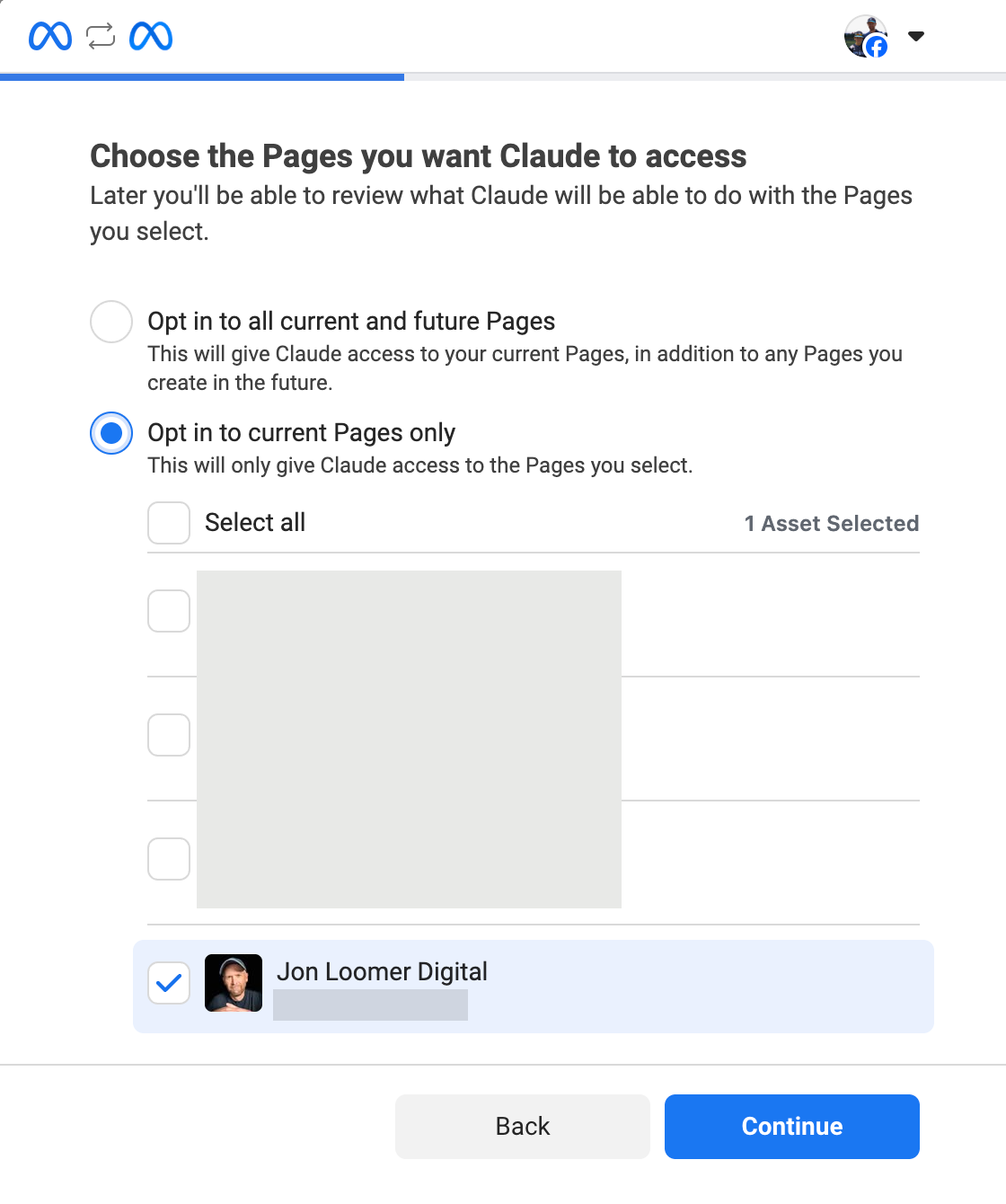
Now when you go through the initial setup, you can decide whether to automatically opt-in all current and future Facebook pages (risky!) or only current. And if you select current, you can choose the exact pages.
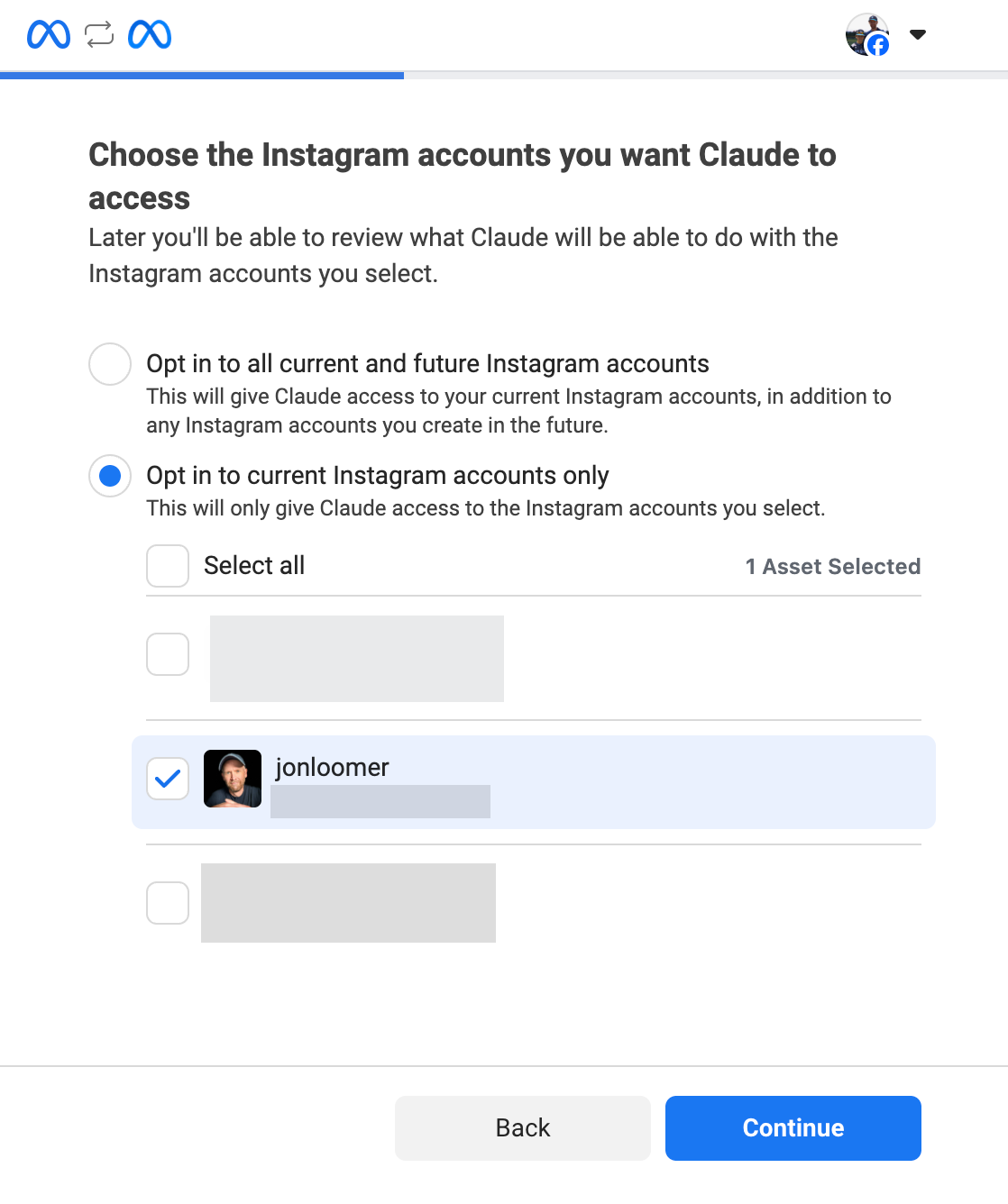
You can do the same with Instagram accounts.
You can also decide whether to opt in all current and future business portfolios (danger!) or only certain current businesses.
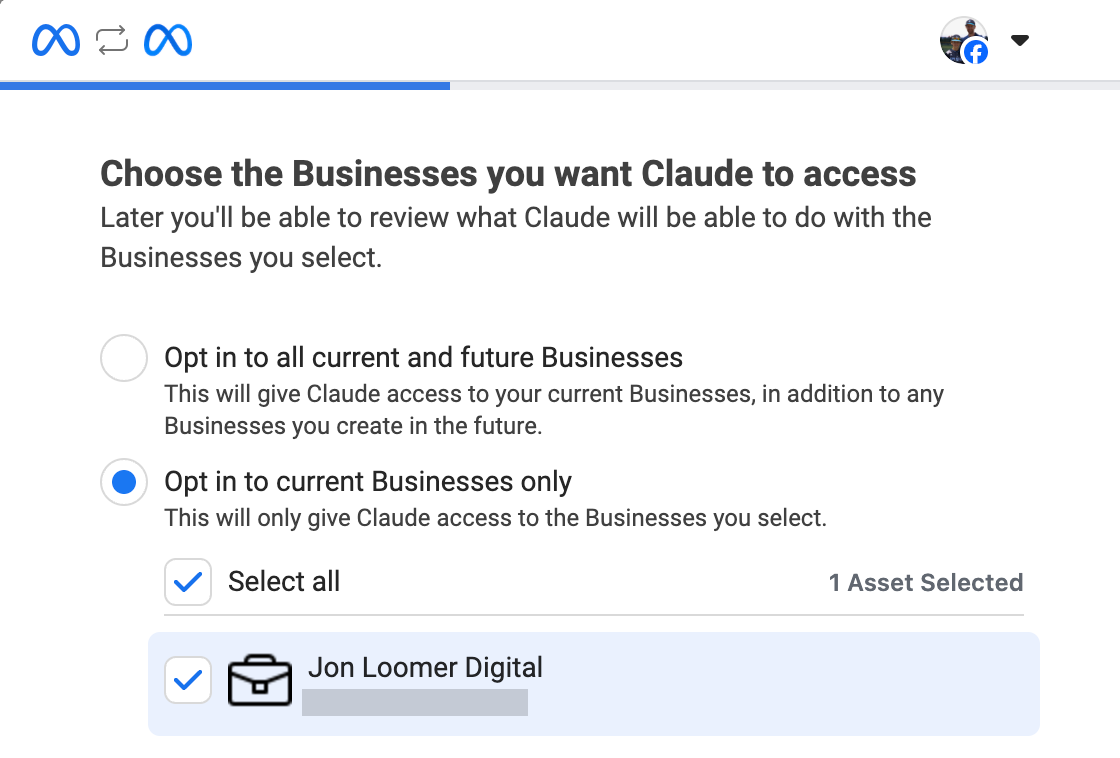
Maybe I’m just ultra risk-averse, but the default settings seem to offer access to way more than I’d ever want. Not only is default access too broad, but there’s still no way to limit access to ad accounts from this level.
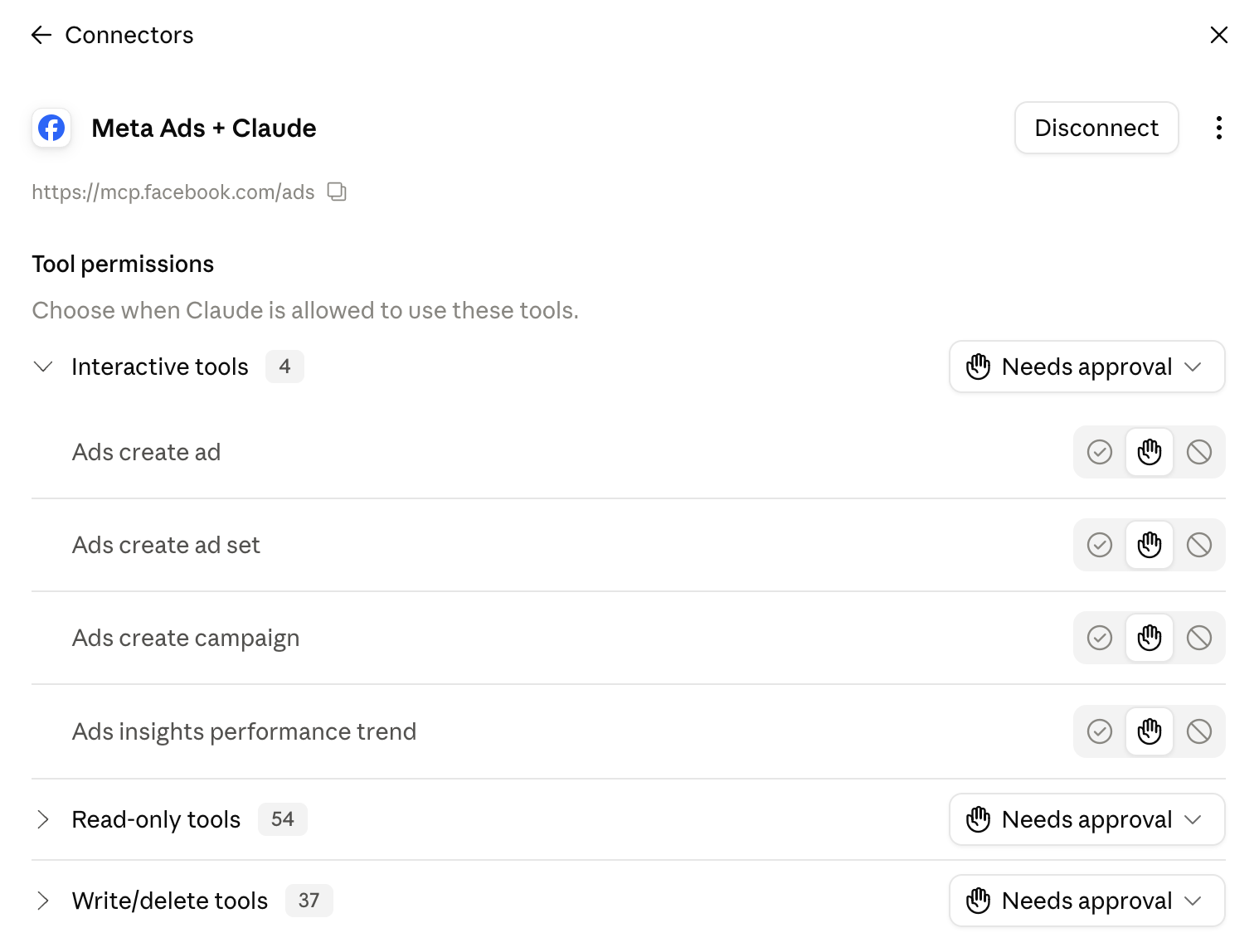
The good news is that you do have control over permissions for nearly 100 tools. This includes interactive tools (create campaigns, ad sets, and ads), read-only tools (get pixel, creative, and account health details), and write/delete tools (make actual changes to your campaigns, catalog, custom audiences, and more). You can choose whether a tool is always allowed, blocked, or should request approval.
This is found within the Connector settings in Claude.
From Business Portfolio
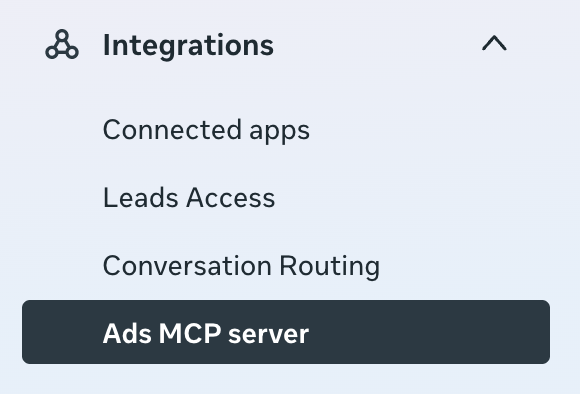
Meta has also added more control to AI connector access to advertising assets via your business portfolio. Within Business Settings, expand “Integrations” in the main menu on the left and select “Ads MCP Server.”
Meta will list all of your ad accounts and catalogs that are exposed to AI connectors via the MCP.
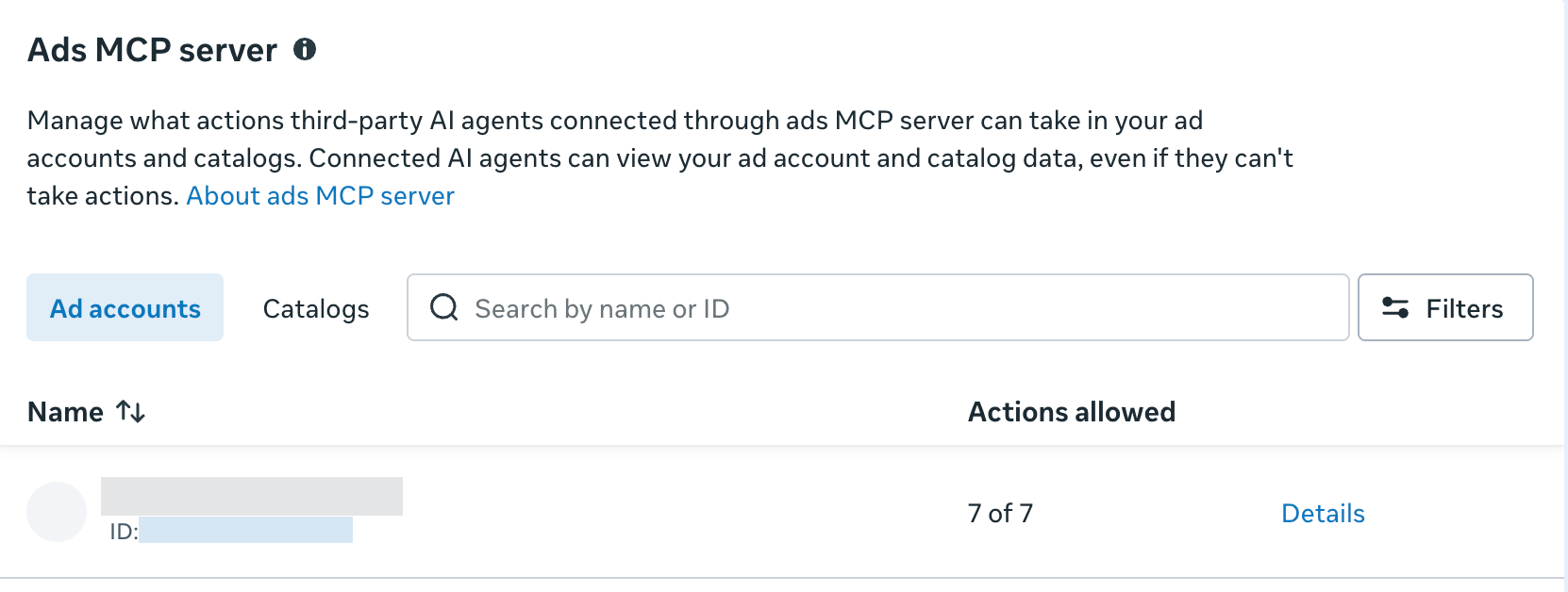
I found that my ad accounts all allowed “7 of 7” actions by default. Click “Details” to change that.
And this is where you’ll find the most important controls by ad account…
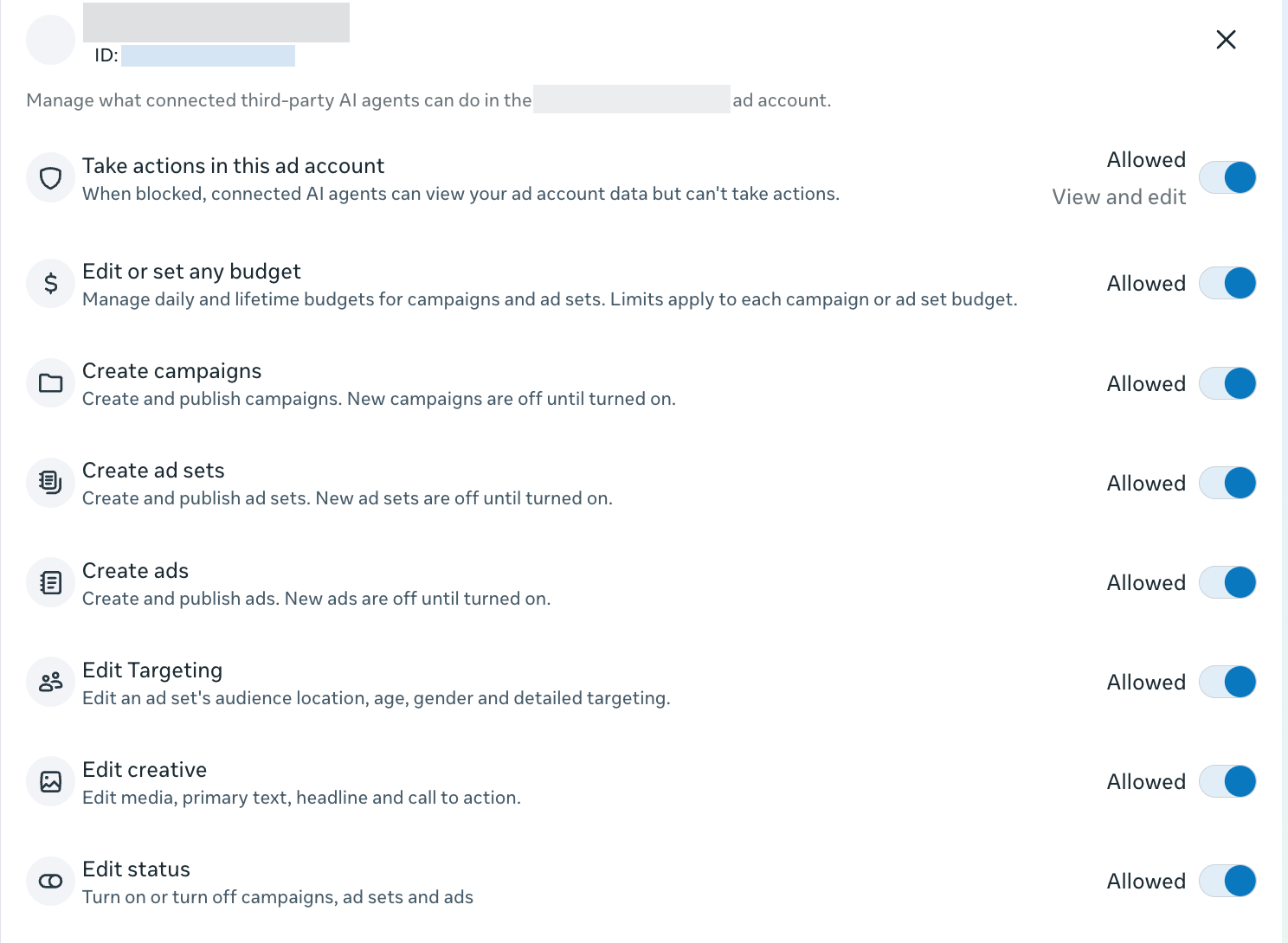
By default, Meta was automatically allowing connected third-party AI agents to perform some of the most sensitive actions:
- Edit or set any budget
- Create campaigns
- Create ad sets
- Create ads
- Edit targeting
- Edit creative
- Edit status
It’s possible that these actions would still be blocked if they weren’t allowed within the AI connector settings. But it still feels dangerous that Meta had these all on by default.
Should You Connect Your Ad Accounts to AI Agents?
Look, I’m not going to say what you should or shouldn’t do here. But I truly believe that caution is a smart approach in these early days.
If you are a newbie managing ads, using an AI connector to let Claude or ChatGPT do it for you won’t make you a master. You need to be capable of spotting bad recommendations before they’re applied.
If you manage multiple accounts you don’t own, I’d consider whether all of those clients would be okay with such an integration. You may even want to get their approval before experimenting.
The safest situation would be if you have a business portfolio that only includes your own ad account. While there’s still risk there, you’re not answering to clients if something goes wrong.
The potential is there to do some amazing things using AI agents to help manage your ads. The impulse may be to chase the shiny object. Just remember that the benefits don’t always outweigh the risks. Micromanagement of ads is rarely a benefit anyway, so don’t assume that automating edits and changes will optimize results.
Your Turn
Are you using the Meta ads MCP to connect your ad accounts to AI agents? What are some examples of what you’re doing?
Let me know in the comments below!
[ad_2]
Source_link