
[ad_1]
I collect vintage Pokémon cards, and they’re quite hard to get a hold of. Often, the card I needed was only available in a bulk lot someone was selling. So, through trying to source cards for my own collection from old box sets and starter packs, I ended up with a lot of “spare” cards.
Selling the spares started as a side hobby, but I soon built up an inventory of over 1,000 cards and realized I needed a better process to keep the logistics smooth and manageable.
Each one needed:
- its own listing with the right name, set, edition, condition, and clear photos of the front and back.
- a description that would make sense to a buyer.
- a social post or two, otherwise nobody beyond the people already searching for that exact card would see it.
The cards themselves were the fun part, but doing them one at a time across hundreds of cards quickly became a part-time job I didn’t sign up for.
I also noticed that social was the first thing I’d skip when it got tedious, which meant cards would end up listed and live but invisible to anyone who wasn’t already looking for them. A listing nobody sees doesn’t sell, especially with collectibles, where most demand comes from feeds and fan accounts rather than the marketplace itself.
So I built a Mac app that handles the whole pipeline end-to-end and feeds listings on my own website. Here’s how I did it:
The thing about Pokemon card collectors (and why I needed a simpler social workflow)
When I first started selling, everything went through eBay, and eBay has gotten really good at the listing-creation side of things. The platform can suggest a title, pre-fill some of the item specifics, and do a lot of the description heavy-lifting for you. That’s a huge time-saver for a seller listing one item at a time, who doesn’t mind waiting a while for buyers to naturally come across their wares in a few days or weeks.
The Pokémon card market works a little faster than, say, selling “gently-used” shoes. Pokémon card buyers don’t typically hunt for their dream card on a marketplace. They follow card accounts on Threads and Instagram, they bookmark dealers they trust, they spot a card in a feed, and click through. Social promotion is half of what makes a listing sell. And sometimes more than half, depending on the card.
Of course, there’s a lot of work that goes into manually sharing one card on social — never mind 1,000. I found myself craving a way to simplify that admin, like a built-in connection between the listing and social post processes. This turned out to be the perfect use case for the new Buffer API I’d been working on.
The Buffer API was the missing piece that turned this from a tool to just create listings into a tool that sells cards.
With this system, each listing (and its promotion) lives in one flow. Scheduling matters as much as posting. Buffer drops the posts when my audience is actually online (based on our own Best Time to Post data, which you can now find right in your publish dashboard), rather than at 11 pm on a Sunday when I happened to finish photographing a stack.
Here’s a closer look at how I closed the gap between the listings and sales.
How the app works
The (as yet nameless) app lives on my Mac, and the whole flow starts with a drag-and-drop. Here’s what a typical session looks like.
A zip of photos goes in
Originally, I built this to handle one card at a time. I’d chuck a front photo and a back photo into the app, Claude would do its thing, and I’d publish from there. It worked fine, but working through a pile this size one pair at a time was almost as tedious as listing them manually, so I added zip-file support.
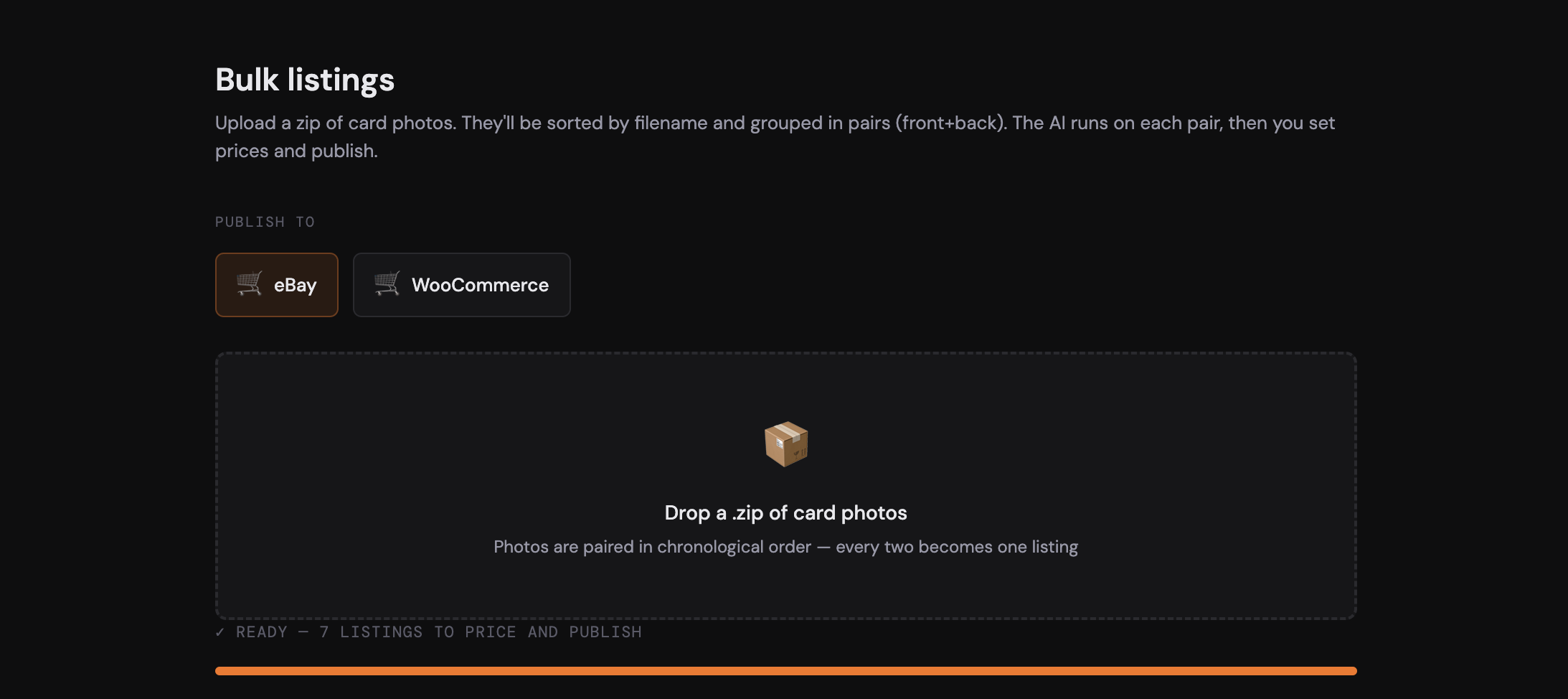
Now I shoot the cards in my little lightbox in batches, pair the photos so each card has a front shot and a back shot, zip the whole lot up, and drag the zip into the app. The app sorts the photos by filename and automatically groups them into pairs.
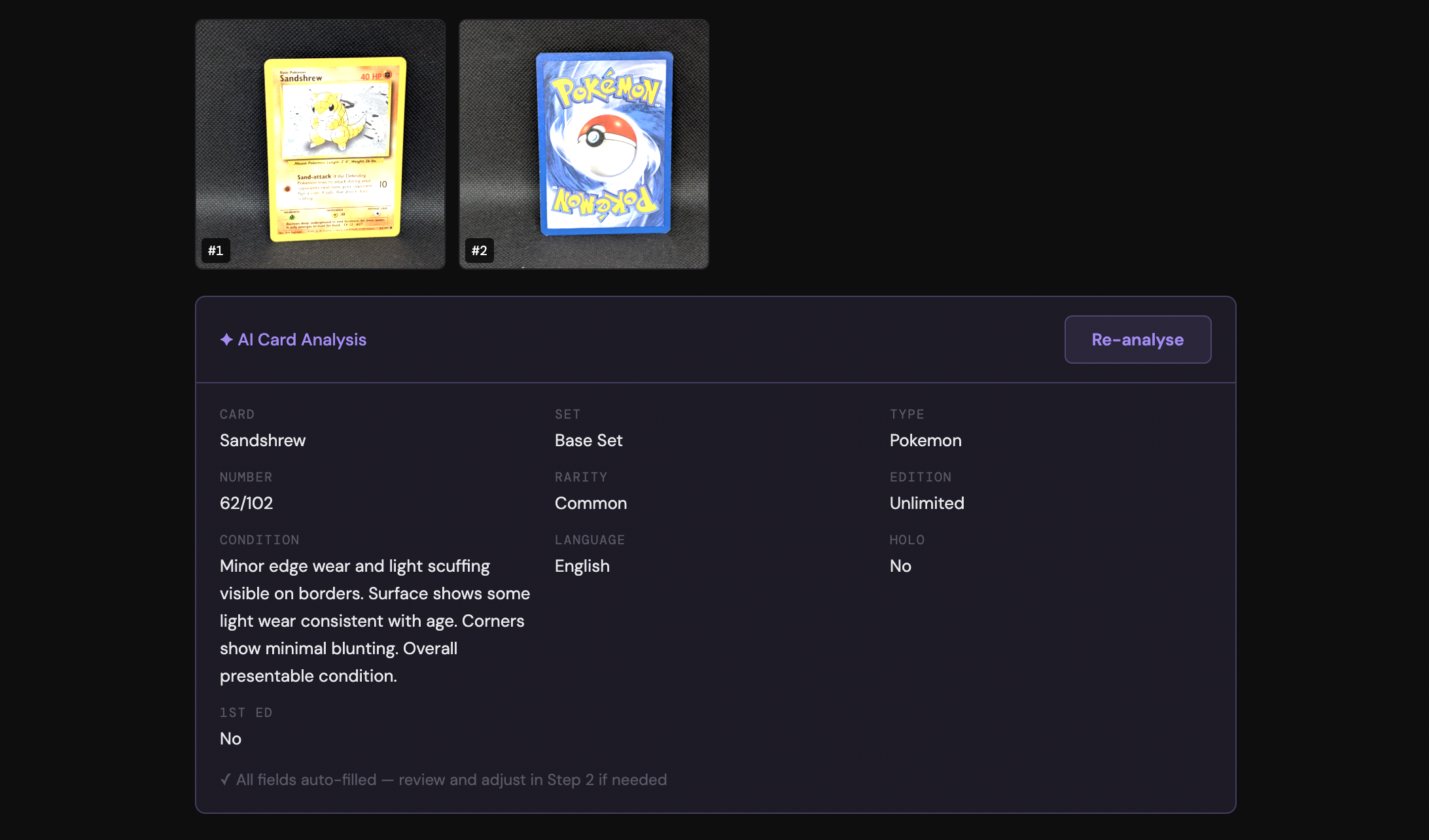
The upload screen also has a newer addition: a selector for where the batch should publish. When I first built the app, everything went to eBay; now I can choose eBay, WooCommerce, or both at once. It’s quite modular, so if I added another provider in the future, like Shopify, it would just be another option in the list.
In practice, I tend to do batches of around 50 cards at a time. It takes a little while for the AI to work through, but that’s fine.
With this system, I can drop the zip folder in, walk away, and come back once it’s done.
Claude reads each card
This is the slowest part of the flow, but easily the most useful one. The app sends each pair of photos to Claude, which pulls out the structured details I need for the listing: card name, set, card number, rarity, edition, language, holo or non-holo, and condition.
Condition is the field I cared about most. I used to have to spend the longest part of a listing session just squinting at corners and edges, trying to weigh up whether a card was Lightly Played or Heavily Played. Now Claude makes the call, and I just confirm whether it’s accurate or not.
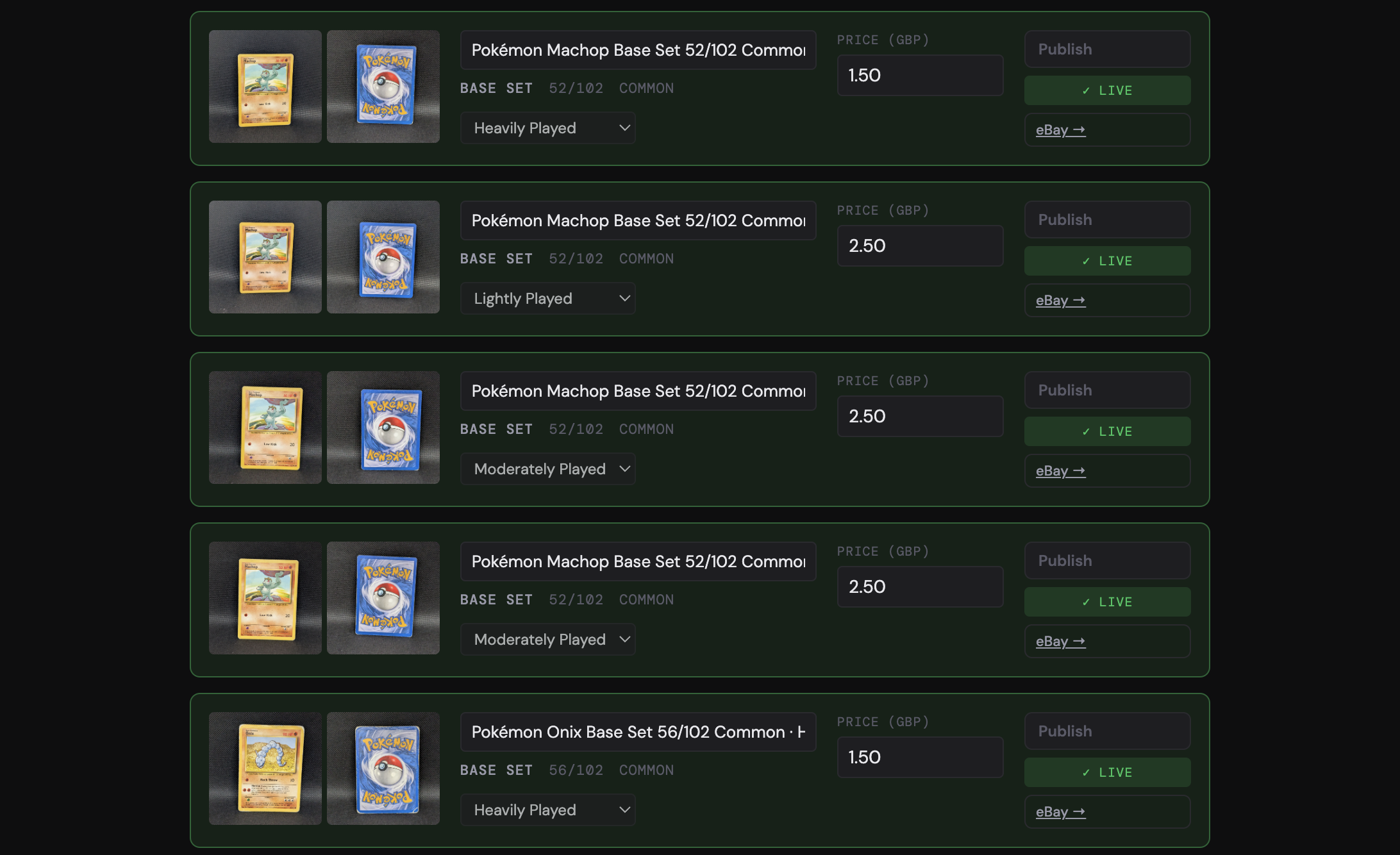
Sometimes the condition isn’t quite right, and the ratings need to be nudged up or down because my photo isn’t great or the lighting in my lightbox fooled it. I’ll change that before approving the listing, but it’s usually accurate enough that I’ve stopped manually reviewing every single field. I trust Claude on the easy stuff and only look closely at the calls I’d second-guess anyway.
The listing details fill themselves in
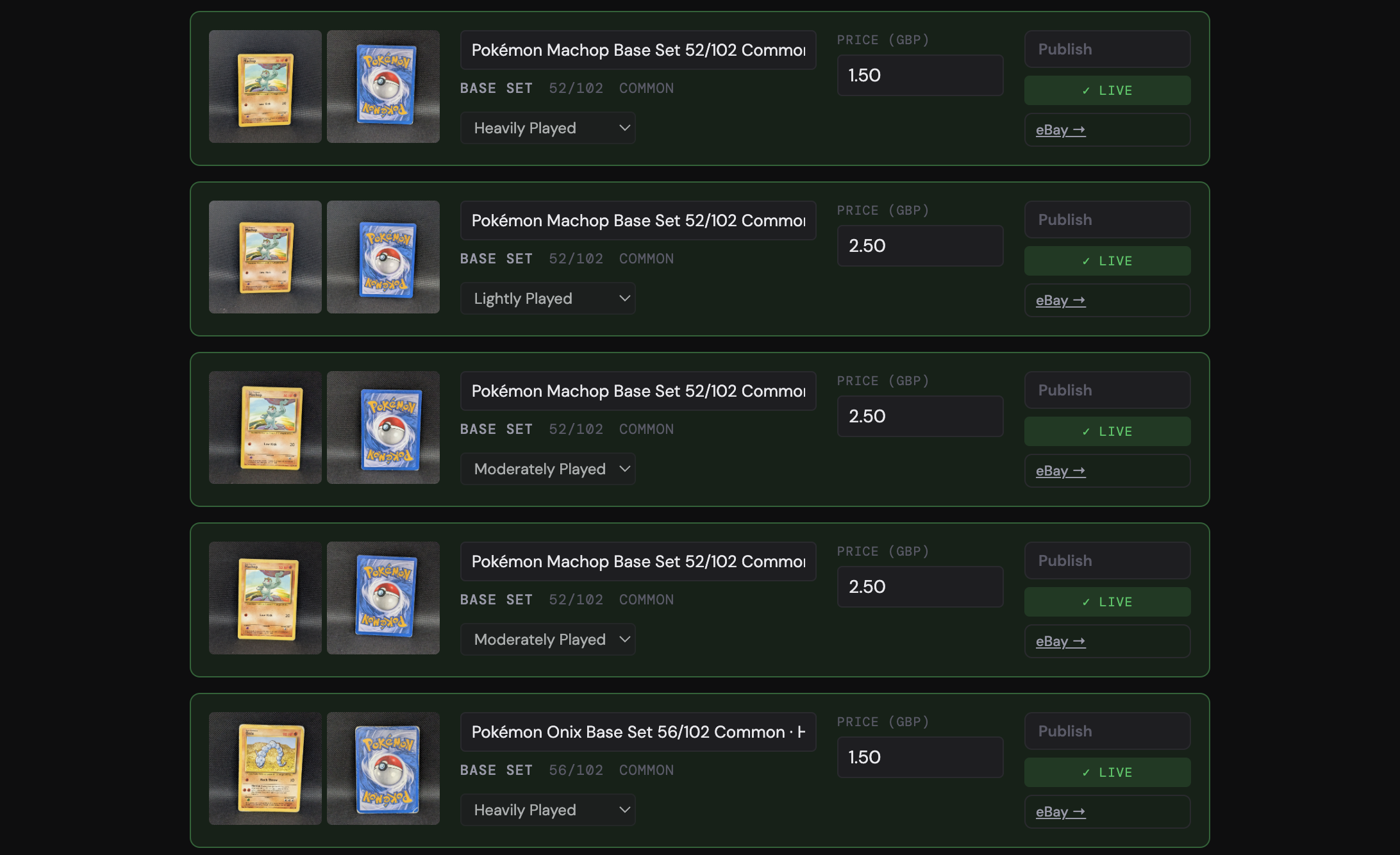
Once Claude has done its pass, every field on the listing form is already populated: title, description, condition note, item specifics, set, number, rarity, and language. The little “AI” badge next to each field is the only visual reminder that I didn’t type any of this.
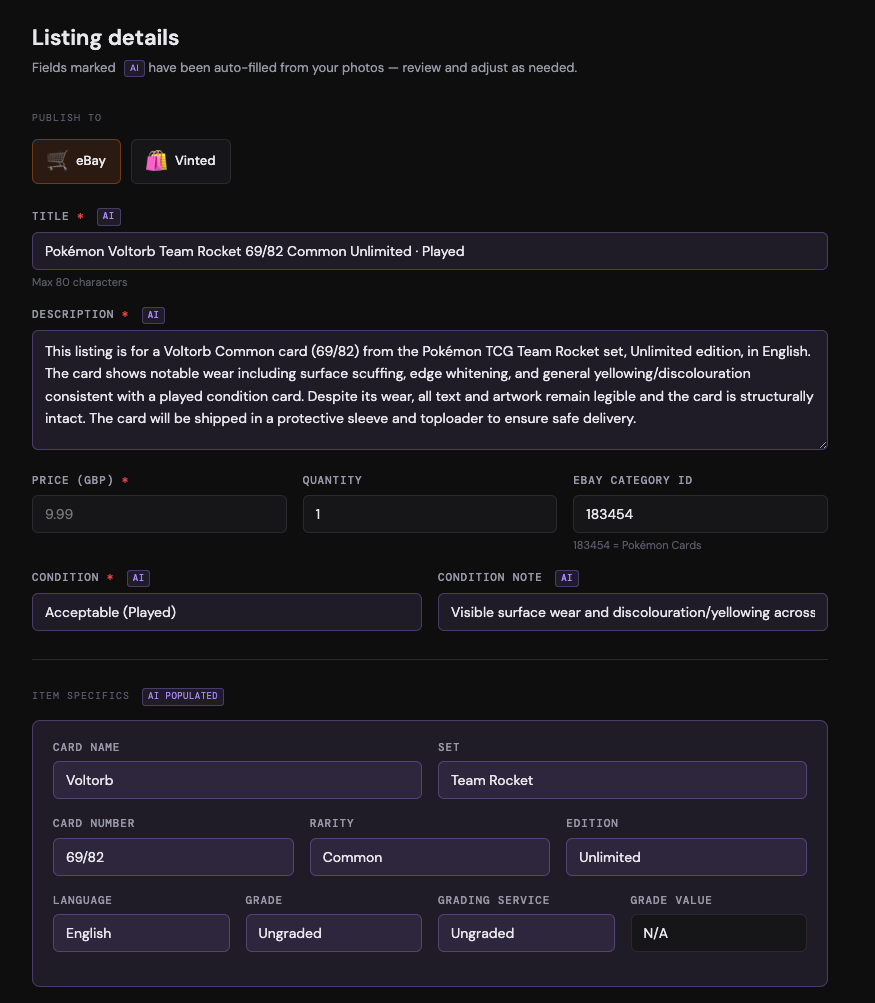
The only thing I set manually at this point is the price. I’ve been looking at card market data APIs like TCGdex that could pull recent sold prices and active listings for the same card, with the goal of suggesting a number based on actual market data rather than my best guess. I haven’t found one I’m happy with yet, so for now, the price stays the one piece of human judgment in the flow.
Publish in a specific order
When the prices are in, I hit “publish all priced ones,” and two things happen in sequence.
First, the app creates the product in my store through the WooCommerce API (when I started, this step created an eBay listing instead). That has to go first, because the next step needs the live product URL.
Then the app builds a social post with the
- card name,
- set,
- condition note,
- the front and back photos
Then, it queues the post through the Buffer API across whichever channels I’ve selected. Threads gets a direct link to the listing in the post — the newer ones read “now on our store” and link straight to the product page. Instagram, where you can’t drop a clickable link in the body of a post, points to the link in bio instead.
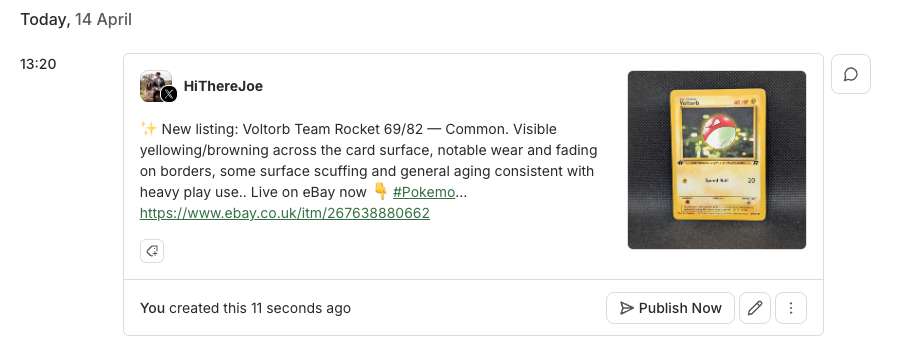
The workflow that used to live across three apps: the marketplace, my photos folder, and a separate mental note to post on Threads later, now lives in one approval.
⚡One thing I purposely kept in the workflow is a single-card mode. If a card is rare or valuable, I don’t want to bulk-publish it alongside fifty Common cards from a Base Set. I want to look at the photos and read Claude’s description closely, set the price more thoughtfully, and then run it through. Full automation is the right default for the bulk of what I’m selling, but it’s not always what you want.
What started on eBay has grown into a store of its own
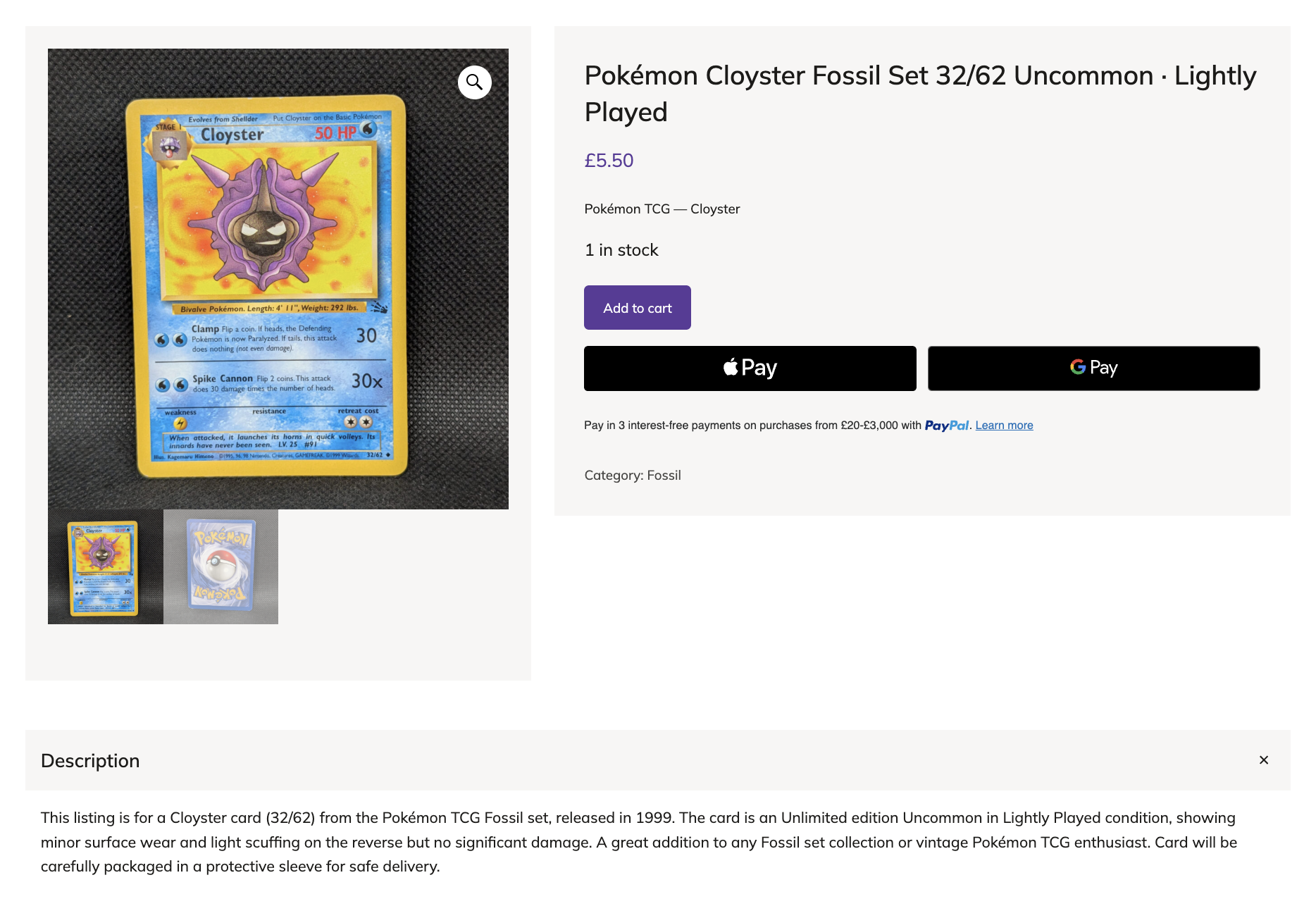
I sold through eBay for the first stretch of this project, and it served me well. The older posts in my Buffer queue still point to live eBay listings, and I’ve kept those products up for that reason. But it felt important to me to have my own brand and my own space to experiment, so I set up Shadowless, a WooCommerce store, and pointed the app at it. Because the publish step was already modular, WooCommerce support was about half a day of work on top of the eBay version.
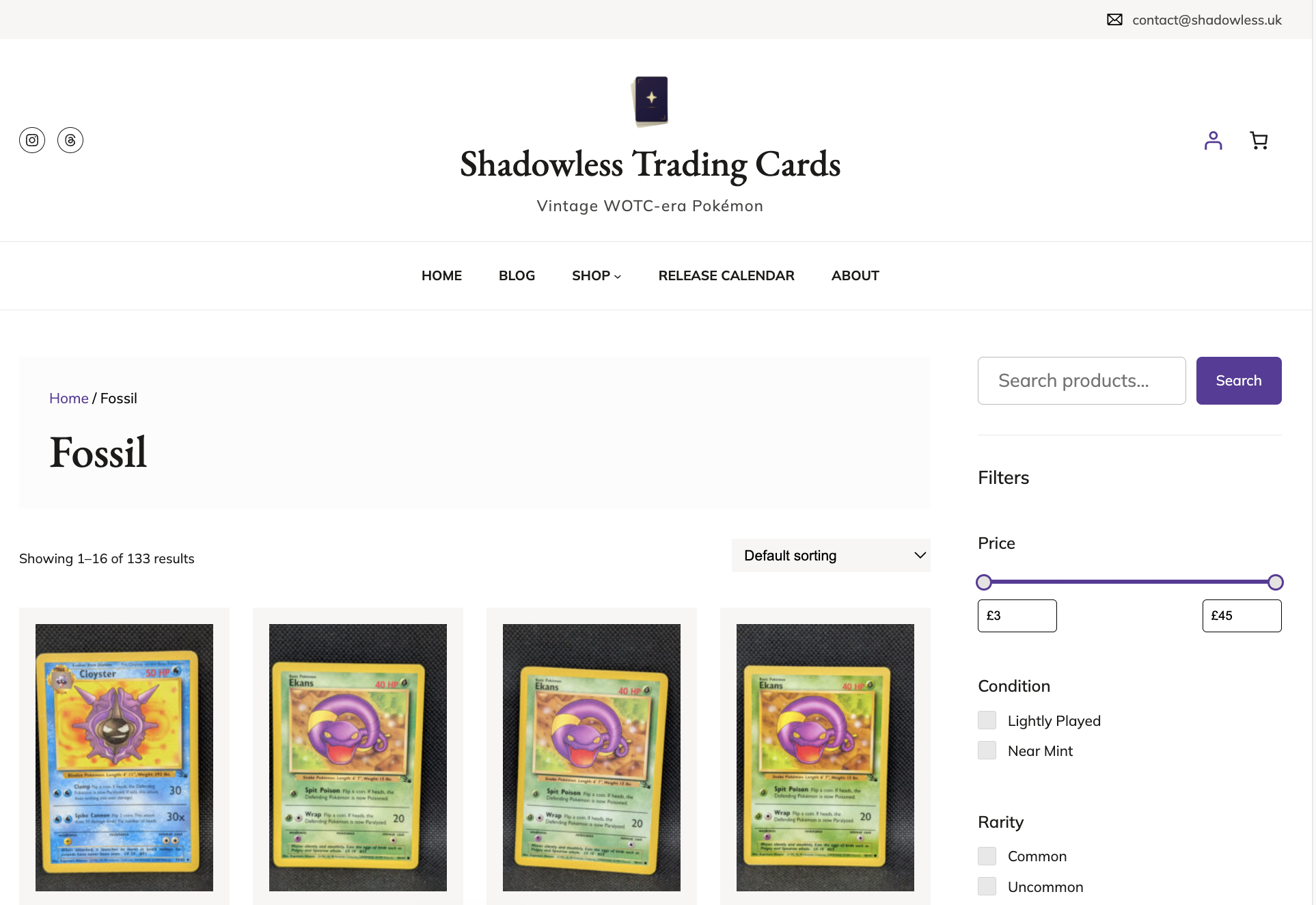
I’m most pleased with what happens to all those details Claude pulls from the photos. Every field — set, card number, rarity, edition, language — becomes a filterable attribute on the store. A buyer who only collects Rare cards from the Fossil set can filter down to exactly those cards, which is the kind of browsing experience I’d always wanted to offer buyers and could now actually build. Those attributes would have taken me ages to fill in manually, and they’re what makes the store feel like a card shop rather than a long list.
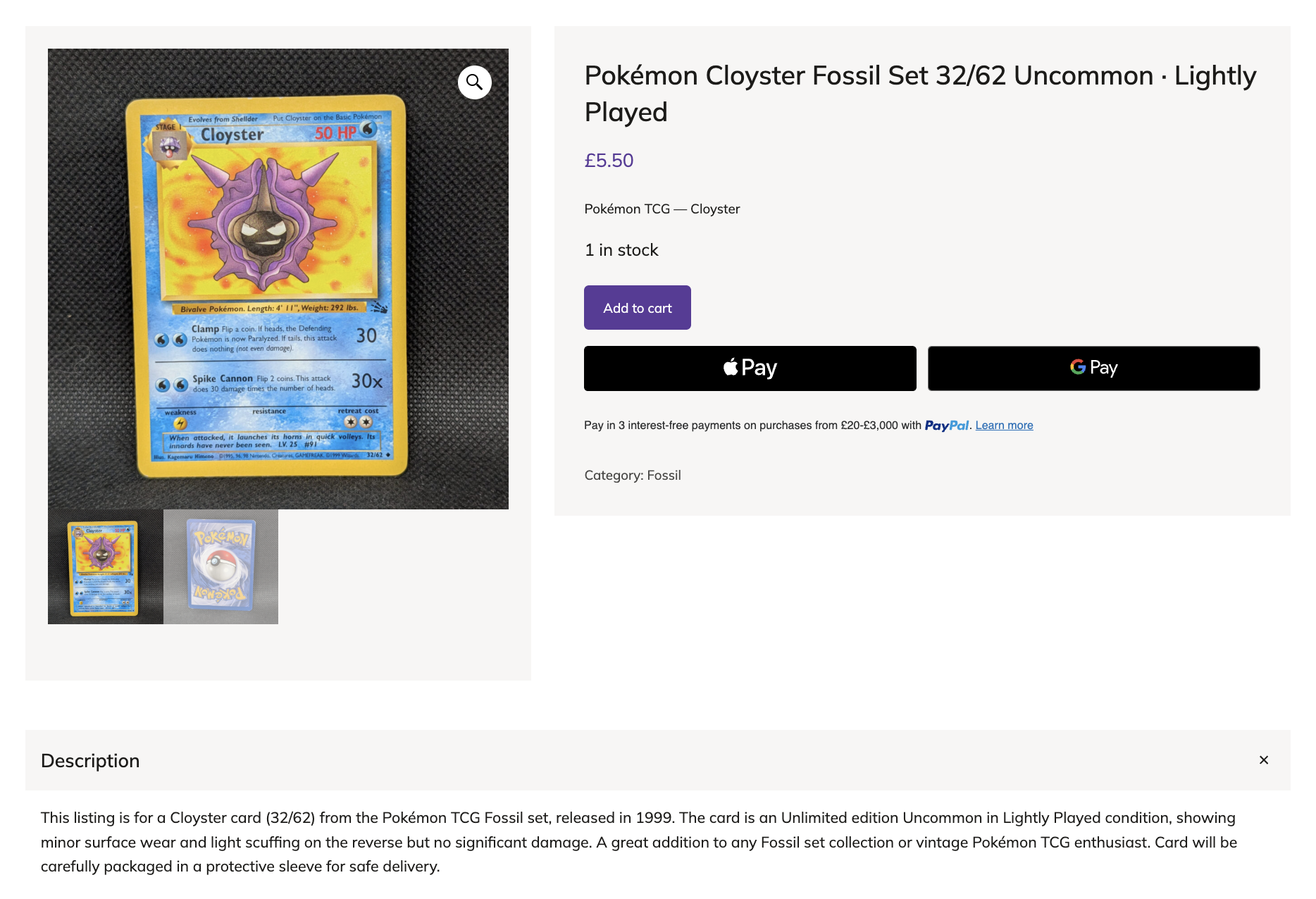
Running my own store does mean the marketing is on me too. I’m still building up traffic, and that’s a whole other project, but the listings and the social promotion were already handled the day the store went live, because the app didn’t have to change.
And then I leave it alone
The process I’ve settled goes something like this: I photograph a stack of cards on a Sunday afternoon, drop the zip into the app, set the prices when Claude finishes its pass, hit publish, and walk away. The listings go live on the store, the Buffer posts go into the queue at the times I’ve already set up — two a day to Threads and Instagram — and I get on with my evening.
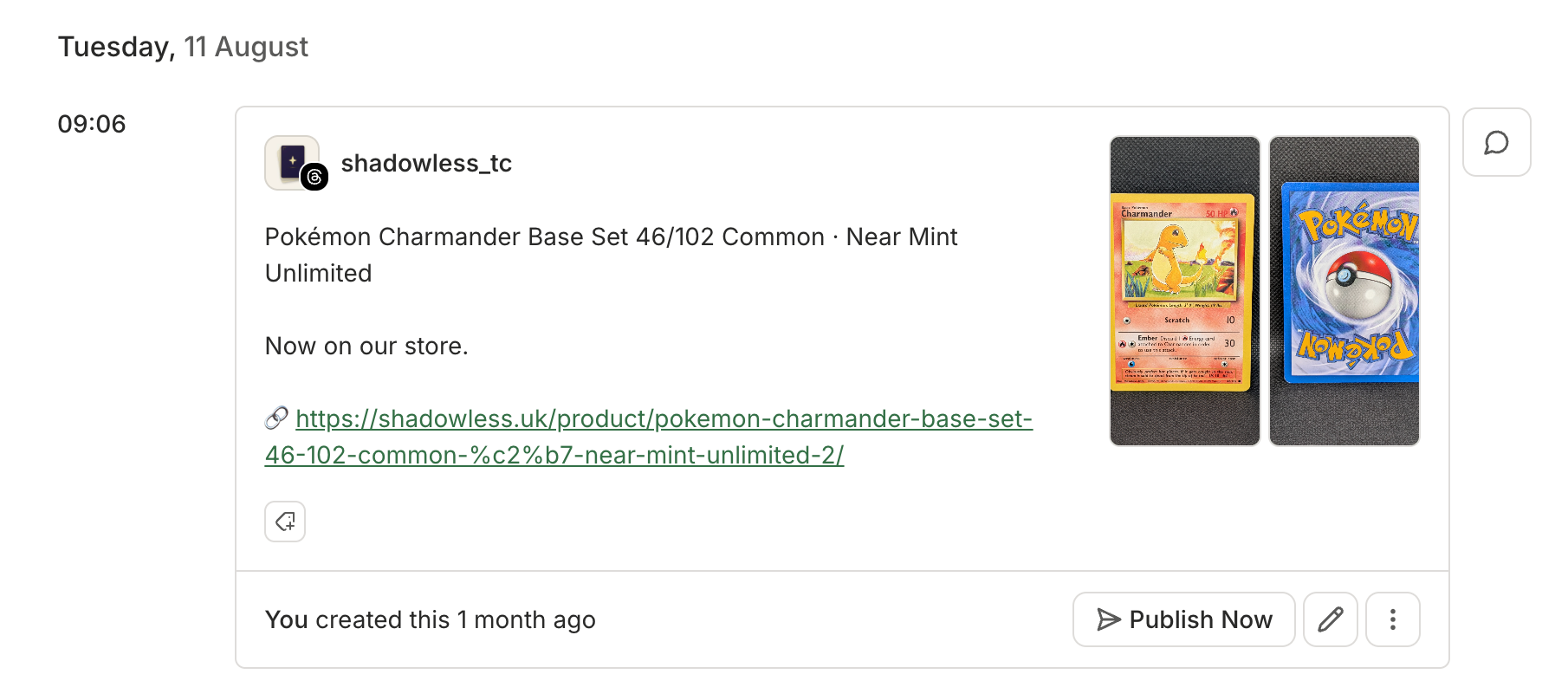
My Buffer queue is sitting at over 1,000 posts now, so I’m not losing my streak any time soon. And for all the Claude image analysis behind the 1,310 products in the store (so far), I’ve spent maybe $15 to $20 in total.
The parts I’m still working on
The pricing step is the next thing I want to crack, which is the main reason I’ve been digging into card market APIs. The market moves constantly, and I don’t want to be overcharging anyone, so I’d rather keep this step manual than get it wrong. Once a data source I’m happy with is in, the last manual step in the bulk flow is gone.
The other wrinkle is stock. Some cards have started selling before their scheduled posts go out, which means a post can point to a card that’s no longer available. I’m thinking about a script that watches for stock changes and tracks down the corresponding Buffer post, but there are some complexities there I haven’t worked out yet.
Takeaways for selling anything physical
The Pokémon card-angle is my version of this story, but you can think of this flow beyond cards. It’s how any small seller can make more of their work automatic. Here are four things you can do.
- Pull structured details from your photos with AI vision. Whether it’s Claude, GPT-4, or Gemini, pick whichever vision model you trust. The key is asking for structured output (for example, a JSON object with the fields you actually need) rather than a short description. Structured output is what lets the next step in the pipeline consume it without you having to parse anything by hand.
- Connect to your marketplace’s API. Most of the platforms a small seller might use (eBay, Etsy, Shopify, Mercari, WooCommerce) have one. The docs are usually rougher than you might hope for, and the listing-creation endpoint is the part that takes the longest to get right, but it’s the only endpoint you really need. And if you choose to build the publish step yourself, adding a second destination is cheap. WooCommerce took me about half a day on top of the eBay version, and that same half day is what now runs my own store.
- Close the loop with the Buffer API. Once the marketplace listing is live, use the listing URL to automatically generate a social post with an image, a short caption, and the link. Then queue it through Buffer across whichever channels are right for what you sell. This is the step that’s easiest to skip when you’re building, and it’s the one that turns a listing into a sale.
- Keep a manual override. Full automation is the right default for the bulk of items, but add in a single-item review mode for the cases that warrant it. A high-ticket item still needs human eyes.
Listing a product and promoting it should be the same action rather than two separate workflows. Once you wire those together, the time you spend per item drops to seconds, and your products (cards in my case) stop sitting in a box in the corner of your room.
Ready to build?
If you’re taking Buffer’s API for a spin, we’ve got resources to get you moving. Our developer docs cover the GraphQL schema, auth flow, and quick-start examples. The Buffer MCP server docs walk through plugging it into Claude or any MCP-compatible AI agent.
If you need hands-on help, our support team is around, or you can join our Discord server and chat to other people building with the API.
We’d love to hear about what you make. Find us in our Discord server, or @buffer on all major social channels.
[ad_2]
Source_link