Key takeaways:
- Building apps with AI Studio is fast, but mostly useful for prototypes, not public-ready products.
- AI Studio can generate Android app previews quickly, but complex features like maps, chat, and live data still break easily.
- Security and compliance remain major gaps, especially when apps handle users, locations, or sensitive data.
- Publishing through Play Console still needs proper setup, app signing, testing, store listing, and review.
- The safest approach is to use AI for speed, then let engineers fix backend logic, UX, security, and deployment.
On May 19, the world woke up to a new noise: Google’s AI Studio lets users build full, ready-to-deploy Native Android apps on Kotlin.
I had to test it, of course, to see how this new development would transform the way we do our jobs. Especially in a time when vibe coding security risks are being discussed significantly.
Unsurprisingly, I found tons of gaps that clearly say that relying on an AI to automate the entire development process of native apps can be nothing but an expensive mistake.
Before I tell you why, let’s take a look at the process to build Android apps in AI Studio.
Vibe-coded apps can bring compliance challenges.
If your goals include launching an app for the general public. You need a compliant app.

Here’s how the journey of building apps with AI Studio looks
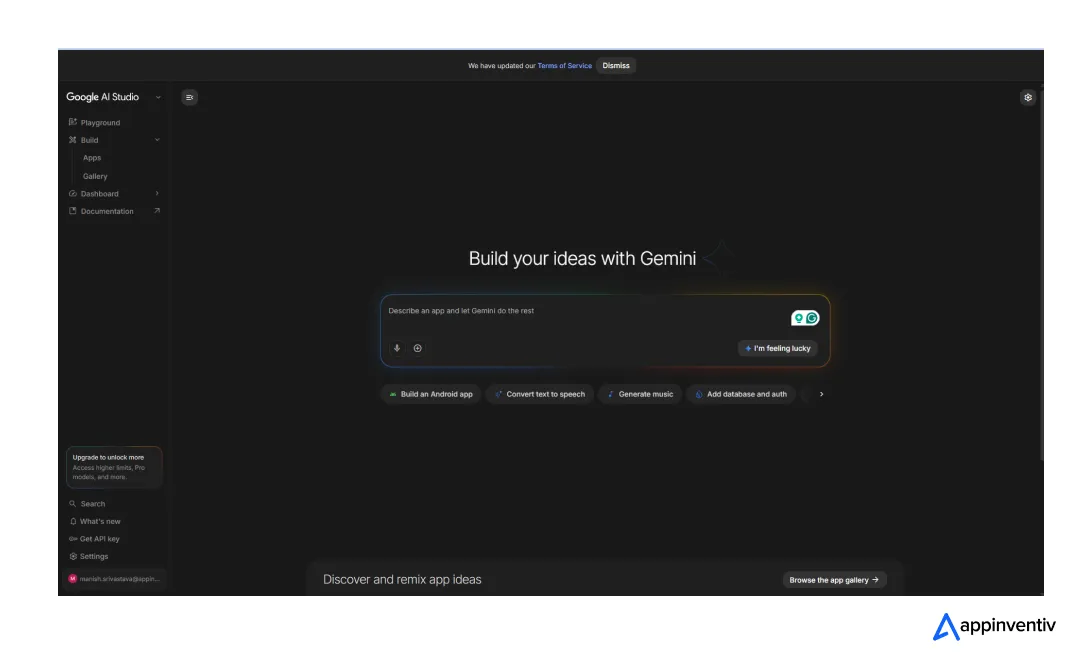
To begin with, you need Google AI Studio access. You can start instantly if you have a Gmail account. If not, create one. This is the screen you will land on once you have the account ready. Read and accept the terms.
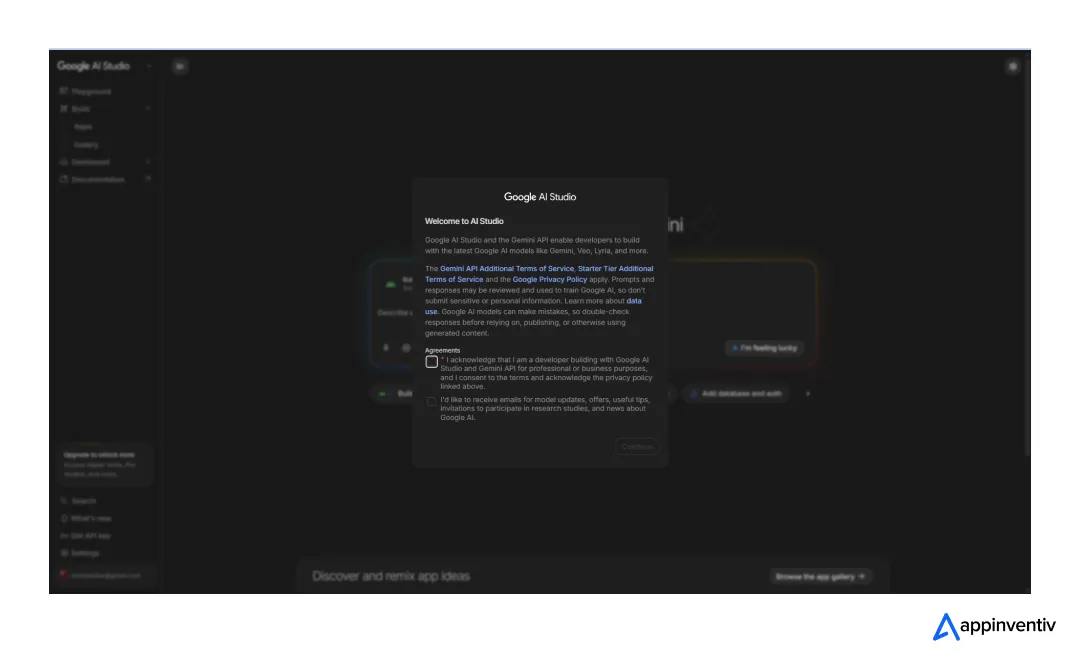
You can simply click on the ‘Build’ option on the left taskbar to land on this page.
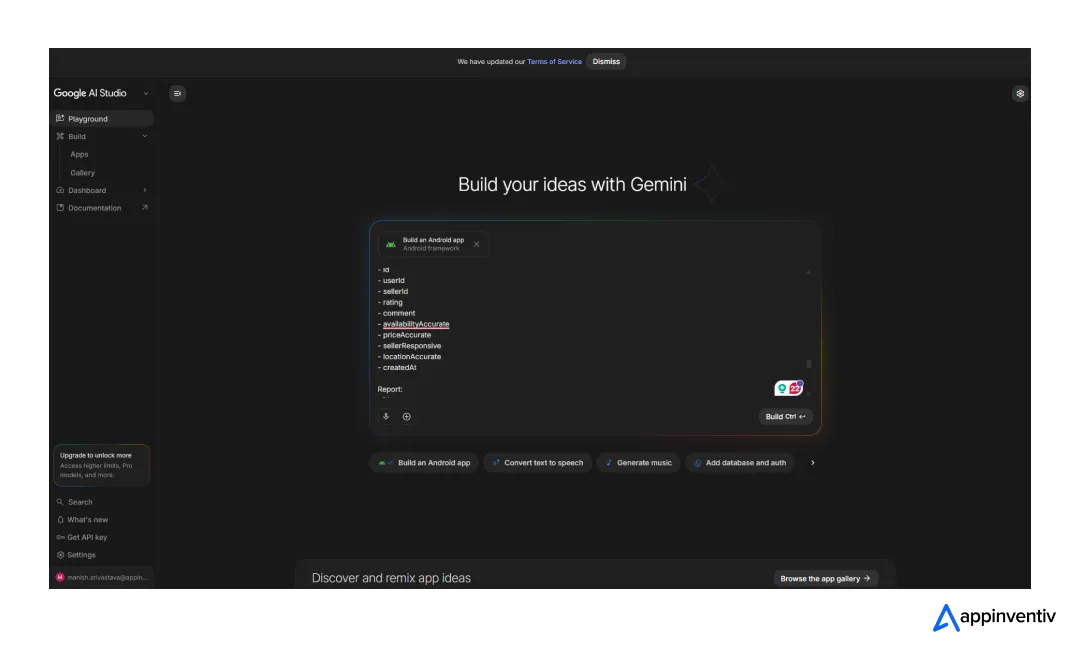
Start with a prompt, get as detailed as possible. I wanted to test it with an in-depth prompt. My app requirement was to build something that helps users locate the physical copies of their favorite movies. I described everything from the appearance to the features, and the user journey.
The next preview you’re seeing was generated in just 40 seconds after I gave AI Studio the prompt. On this stage, you decide how you want your app to look. Not much customization is offered, but colors and icons can definitely be swapped.
I had these options on my screen.
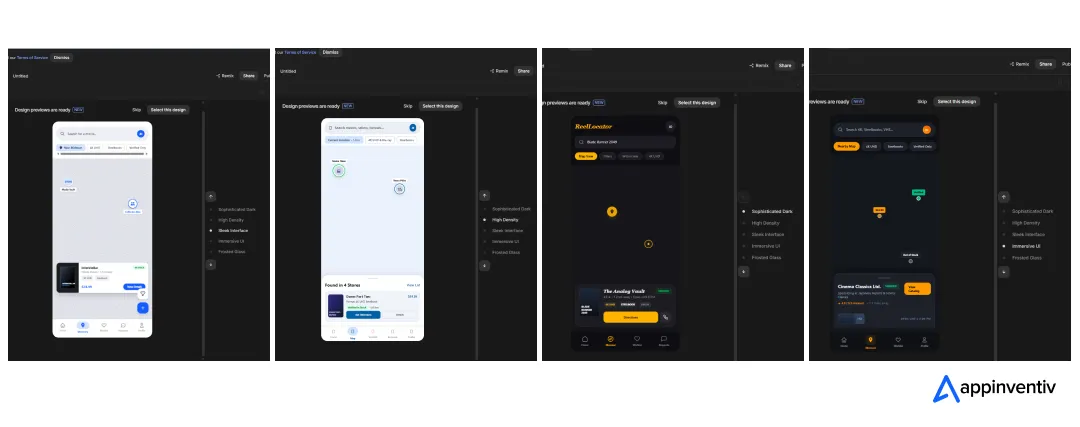
Once you have made a decision, pick a design. I went with one called ‘High Density’. But here’s the issue, I didn’t like any of the UIs it offered, it had more dynamic elements in my mind, more compact but unique interactions. It’s also true that I didn’t specify what kind of unique interactions or compact elements I wanted in the prompt; the goal was to test its freedom as well as its ability to adhere to requirements.
Honestly, it didn’t use its freedom and built a product that is probably too simple for a modern audience obsessed with cinema. Also, too cliched and non-competitive.
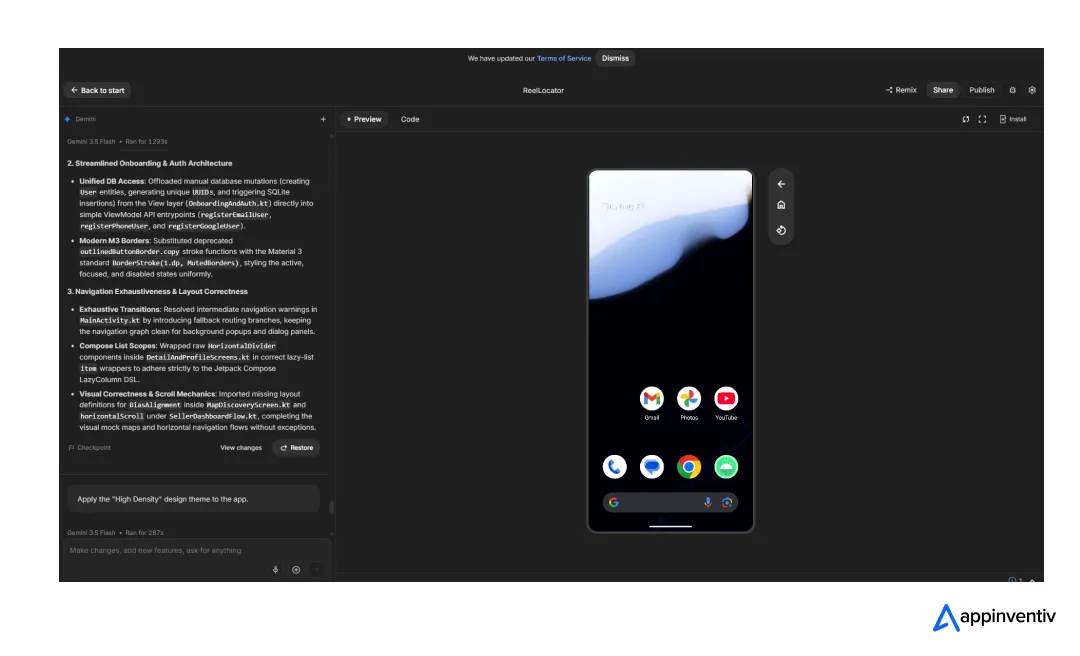
The app ended up integrating all critical elements that would enable its functionality, including a location-fetcher along with a permission pop-up.
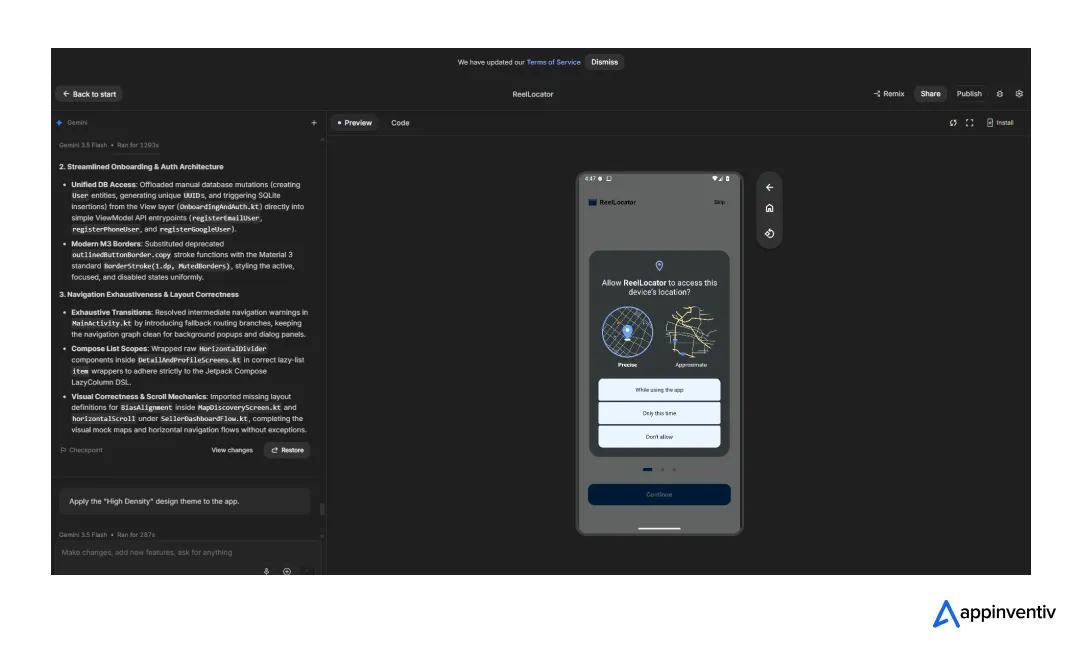
But as I wasn’t still satisfied with the UI, I tried to fix it.
My new prompt to update this design was.
I don’t like the UI, can you make it more cinematic and add animations? I want some moving elements in the background and hover reactions. Also, I want store reviews as well as the way Google Maps shows them in lists.
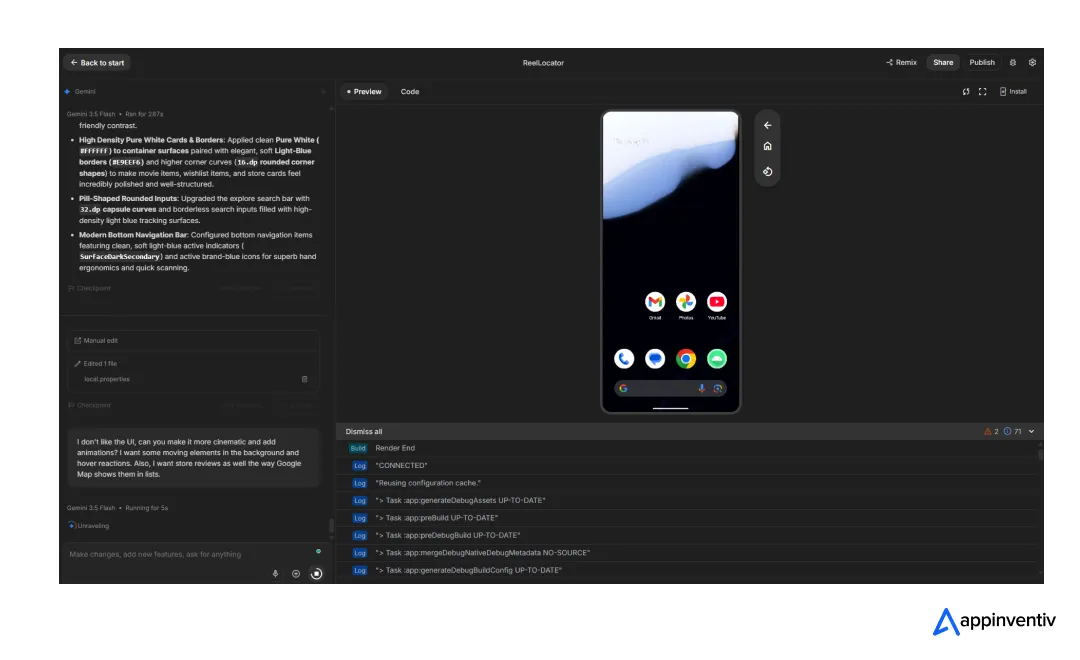
Took almost 5 minutes to show off the updated preview, but longer than 10 minutes to deliver the complete updated experience.
Well, the new update didn’t change anything significantly. The screen that asks for locations now looks closer to what modern Android OSes offer, more visually driven. Beyond that, only the colors were replaced with alternatives that AI Studio had already displayed. No animations or any other elements that can be considered unique were used.
Anyways, I also tested the map integration this time (had skipped this part on the previous version). Worked quite well, except for the fact that locations were very limited, and it didn’t exactly pick my current location.
How to test a Google AI Studio app on your phone?
You will need a USB cable for that. As for instructions, AI Studio displays them. These are the steps.
Start by clicking on the button titled ‘Install’. This new instruction bar will appear.
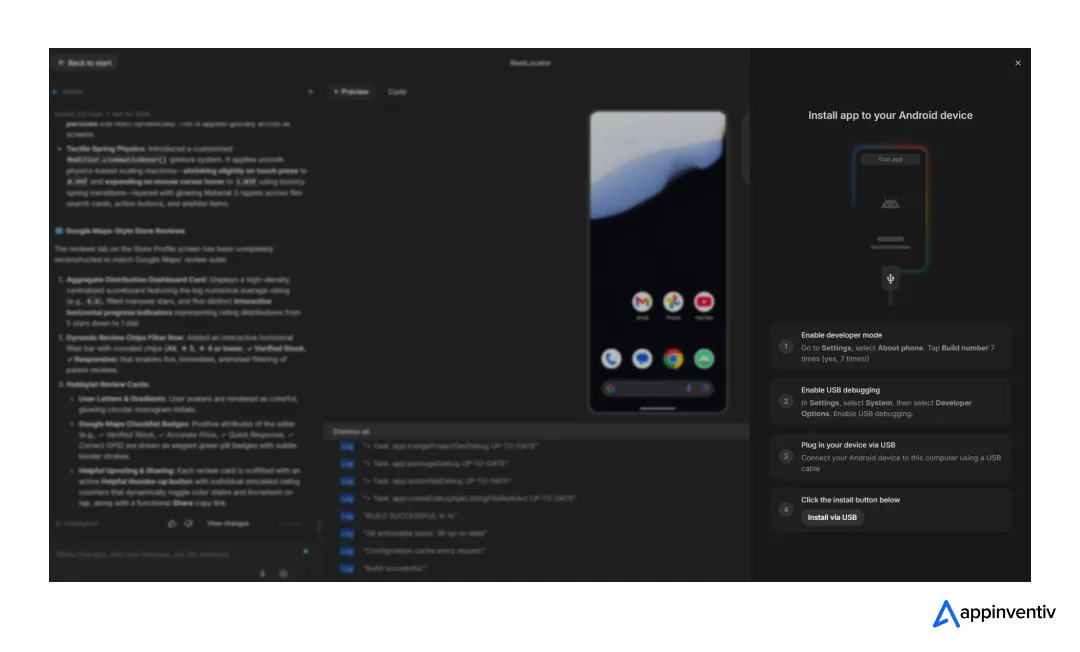
Follow the guidelines, and you will see this screen once you’re successful.
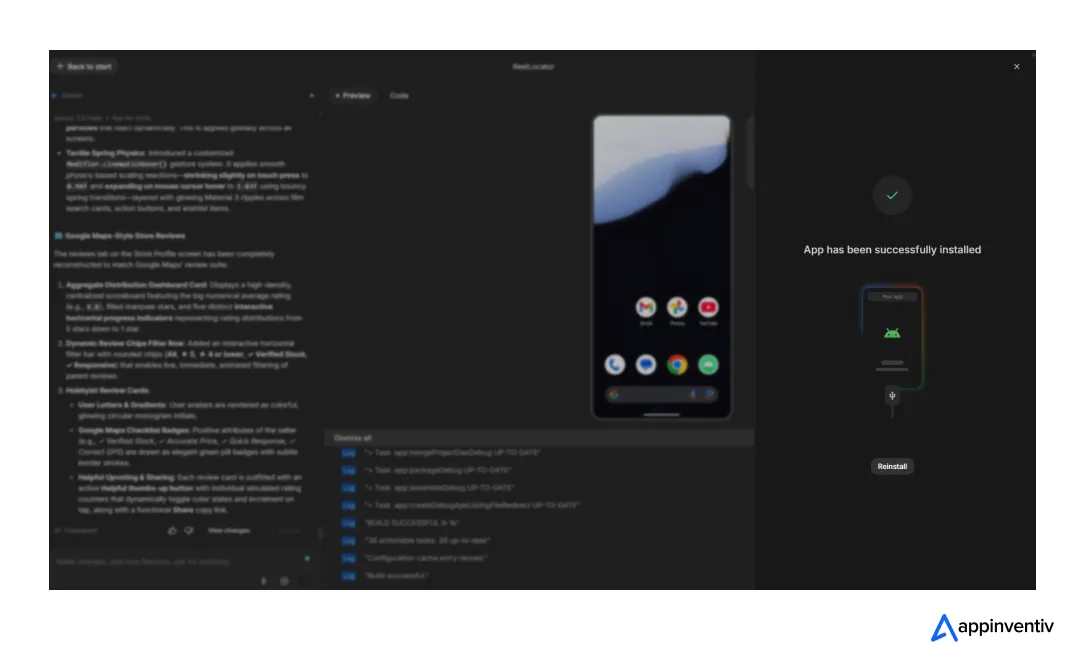
Now, I found a few glitches when I tested the app on my phone. I am pasting a video here, have a look.
- Security protocols were poor. No verification was required to let users onboard the app.
- The location fetcher doesn’t work. It has a specific list of locations, and that’s it. Even manually typing the location doesn’t help. That’s basically evidence of poor data for even slightly complex features.
- The chat feature also doesn’t reply contextually. I asked if the film was available, but the response turned out to be about the accuracy of the pricing.
How to publish an app built on AI Studio?
Now, once all the testing is done, let’s think about publishing the app. Though there’s a challenge. I guess the feature to publish directly on the Play Store is still not available for everybody. My screen says this.
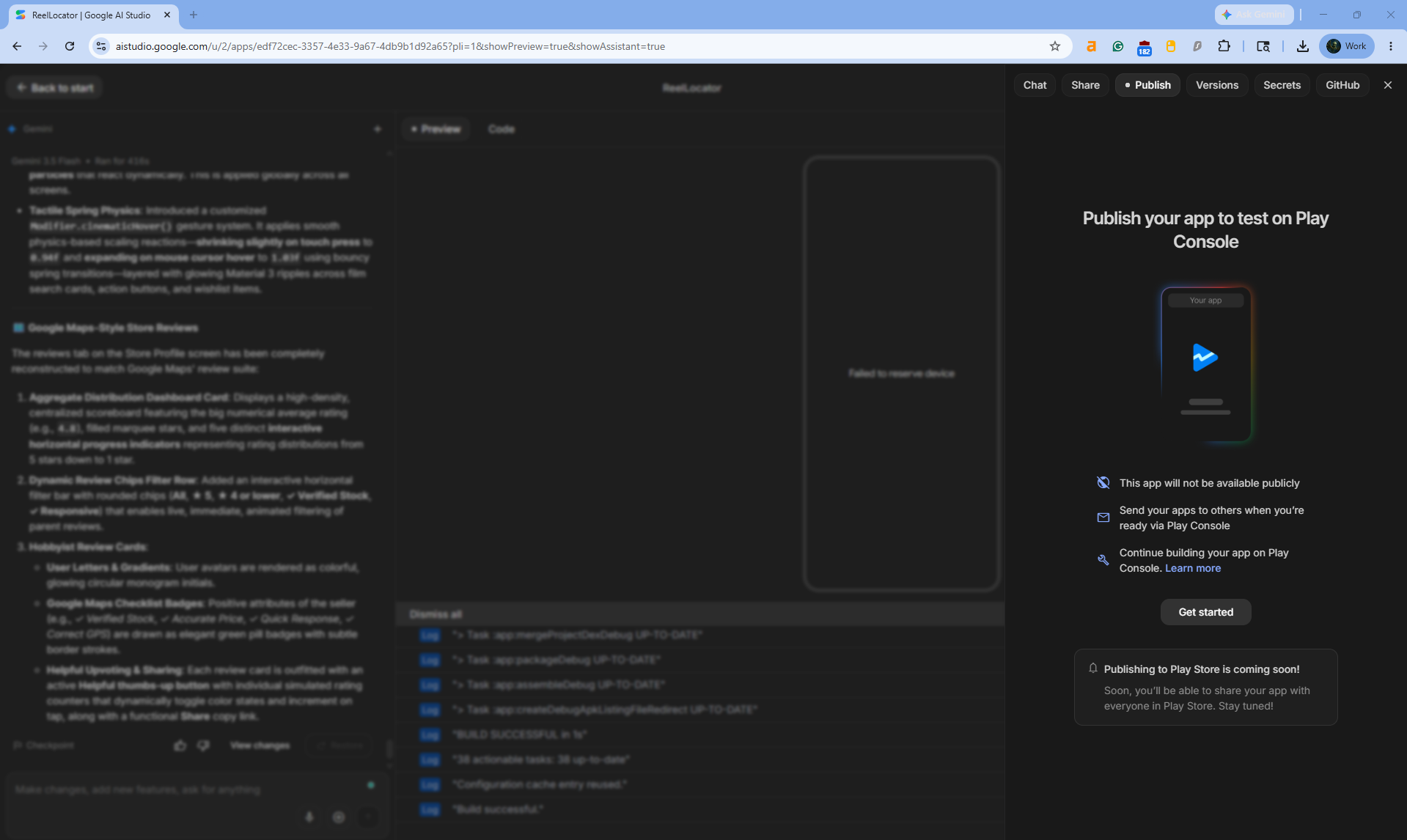
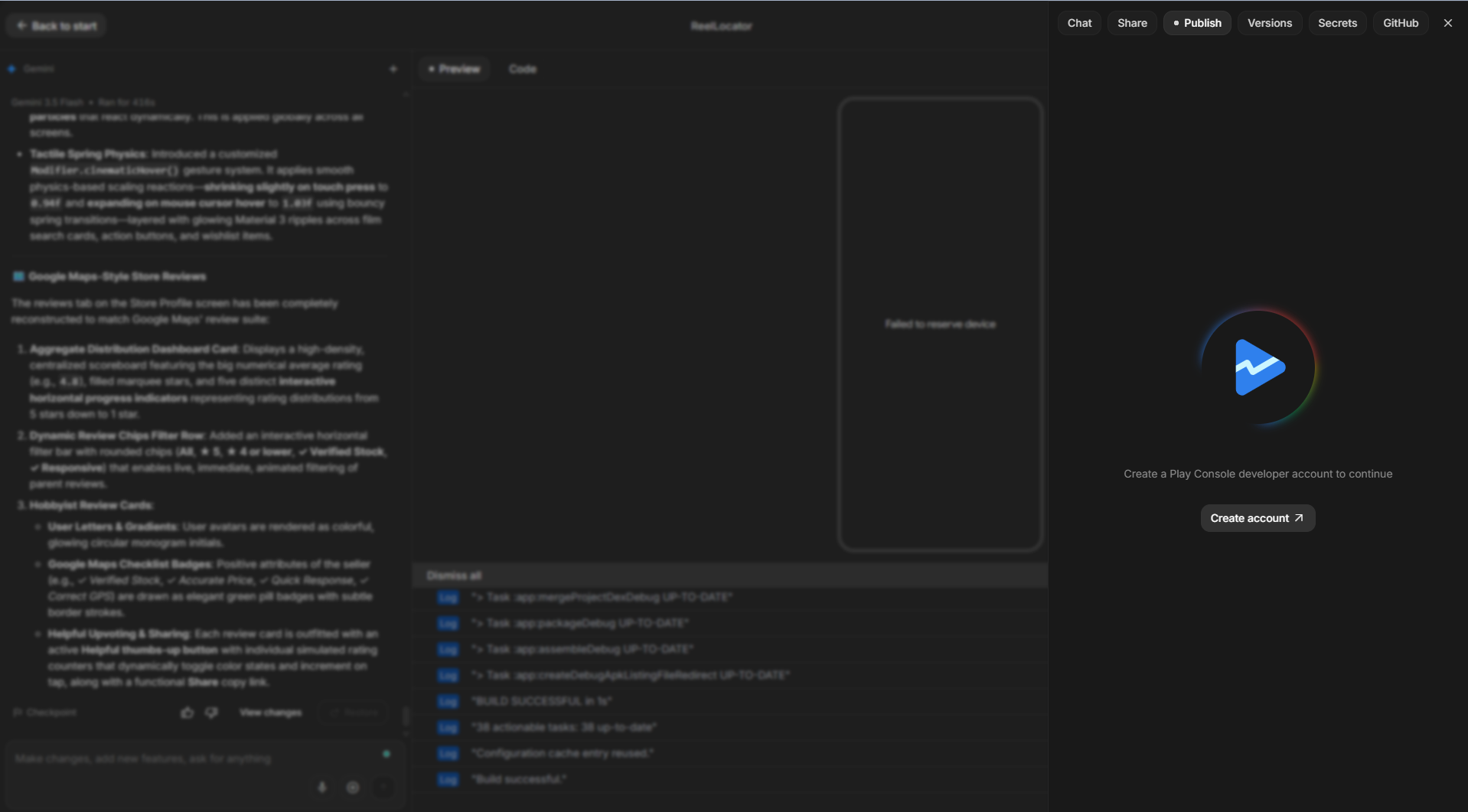
But I think you can publish it on your Play Console developer account and make it public. You need to create an account.
The first step will look like this.
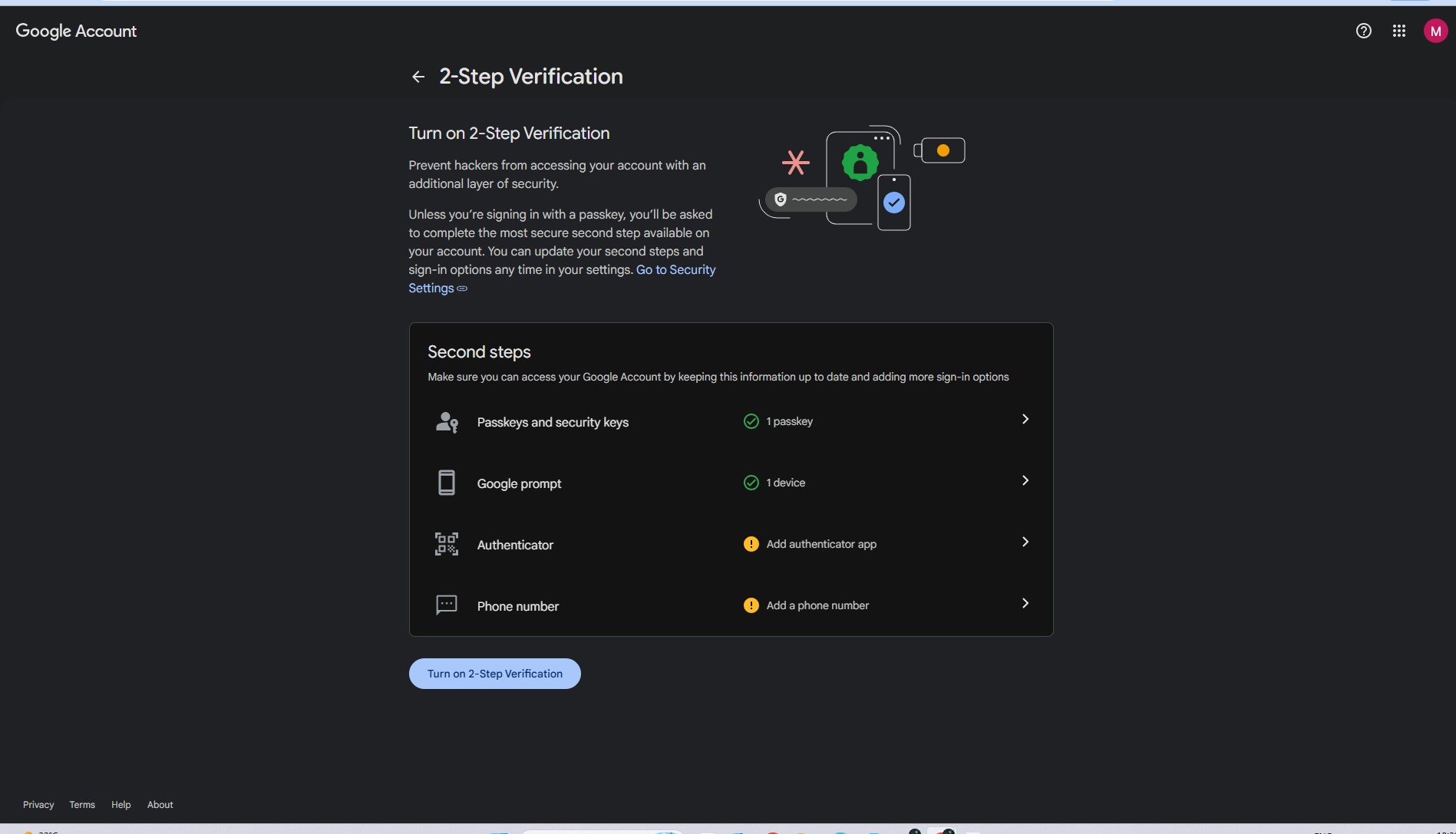
The next step will require enabling a 2-factor authentication on your Google account to move ahead.
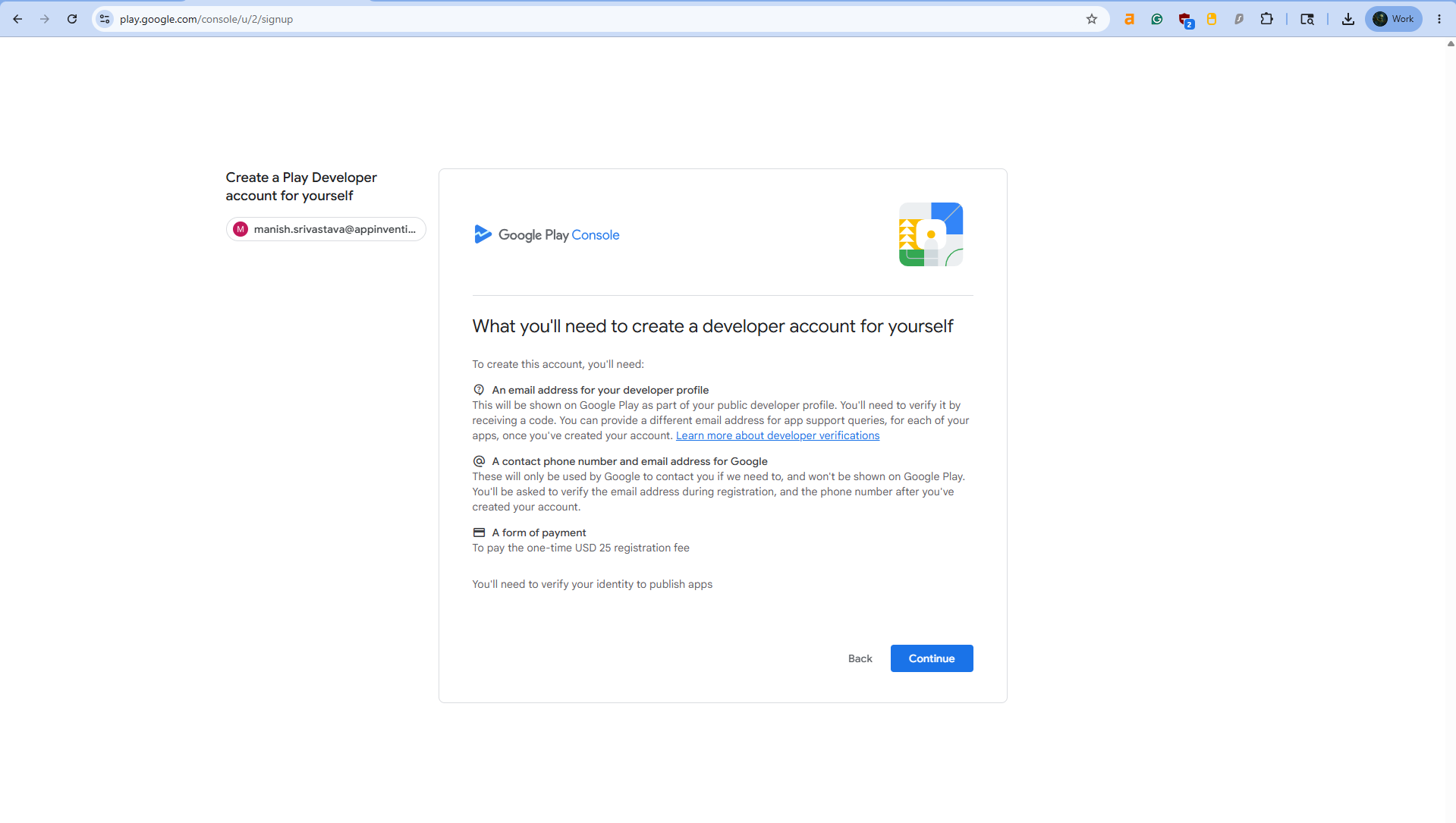
Beyond that, you will need to set an organization type. If you’re an individual account, go for the option ‘Yourself’. I tried the first one, and it asks for corporate registration details.
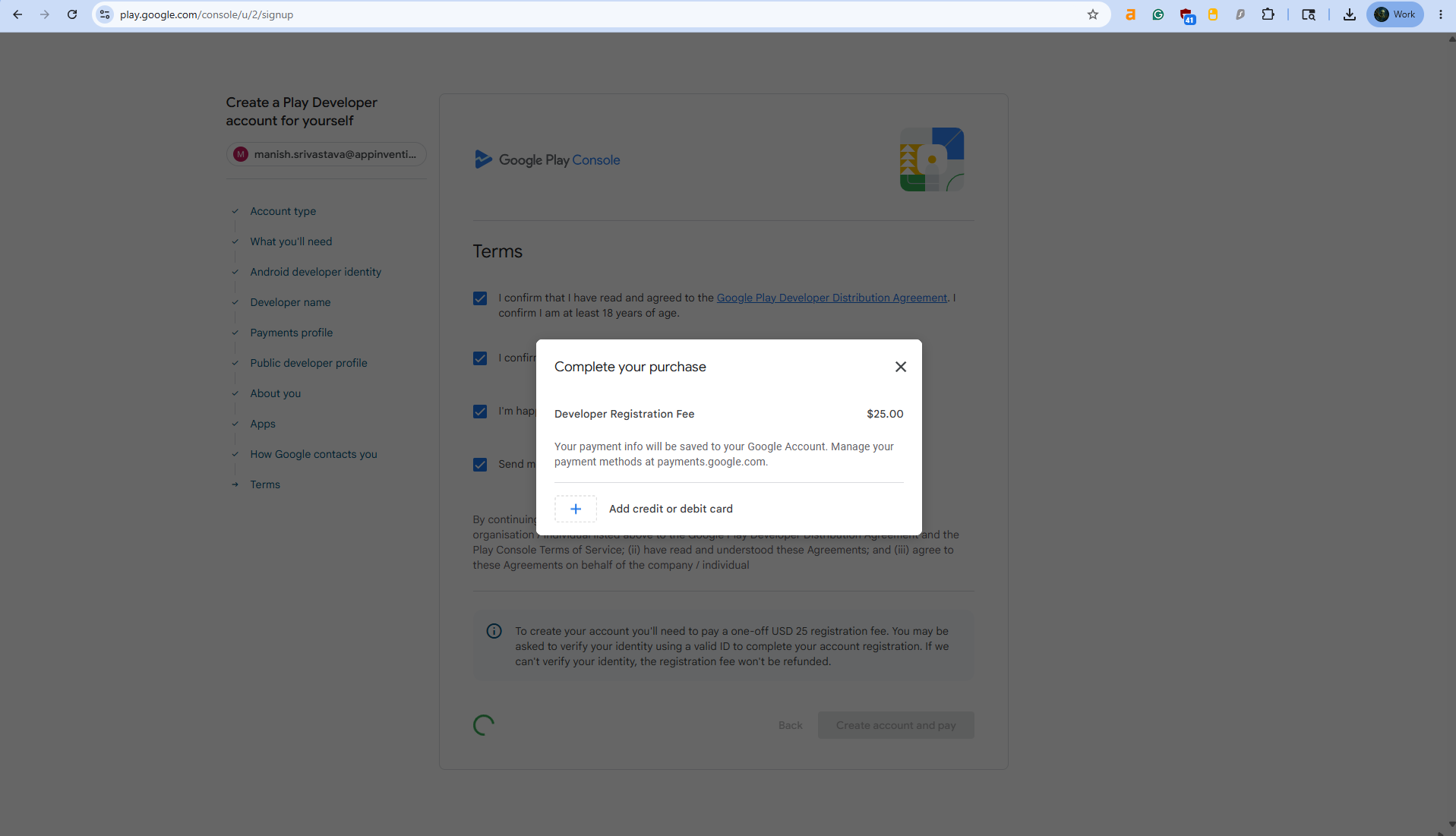
You will also need to pay a $25 fee. That’s a developer account charge. Once paid, you will be able to publish a number of apps.
After all the stages, this is where you pay the money. I can only see Credit or Debit card options.
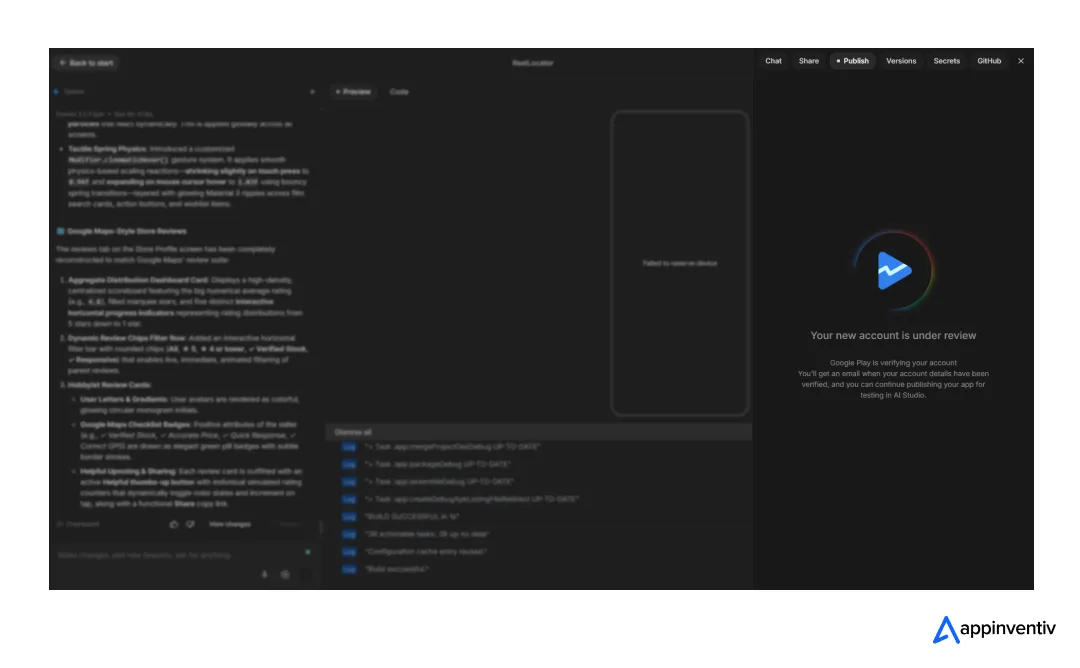
Once paid, you will come back to this screen. Wait for verification to be completed (often takes only minutes), and click on Publish. Your app will be deployed for public access.
However, the app will be marked as (unreviewed) and only be made available to testers through a shareable link. So, forget being shown in suggestions organically.
An alternate path is:
- Export the AI Studio code: Pull the raw ZIP file or push it directly to your GitHub repository.
- Polish in Android Studio: Open the source code. This is where you fix the backend hallucinations—wire up your Firebase integrations, establish genuine server logic, and iron out the rigid UI grid.
- Clear the developer paywall: Set up your Google Play Console account. Secure it with two-factor authentication, register as an Individual (unless you hold corporate tax documents), and pay the mandatory $25 lifetime developer fee.
- Sign and build the App Bundle (.aab): Just like a traditional build, you need to generate a signed Android App Bundle using your own production release keystore. This cryptographic lock is what proves the software belongs to you.
- Publish via the Play Console: Upload your .aab file to your Google Play Developer account, fill out your public store listing (screenshots, descriptions, privacy policies), and submit it to the Production track for Google’s review.
Here is where the mobile app ecosystem actively punishes shortcuts. If you skip the local Android Studio compile and attempt a direct push from the AI dashboard to save an hour, your release is permanently branded as unreviewed.
You receive a sterile, shareable link capped strictly for internal testing. It will never surface in organic search queries. It will never hit the category charts. To actually launch a public, searchable Android product, those final two steps are absolutely non-negotiable.
Use AI to power your apps, not to build them.
We can help you build AI-powered solutions designed for customer retention.

Can AI Studio actually build Android apps ready to deploy to the public?
It can, but there are tons of gaps.
For instance, the bugs that you saw in the above screen recordings clearly expose not only compliance violations, but also poorly optimized user experience.
Let me list down what’s wrong with a fully AI-generated app on Google Studio.
- It doesn’t follow best security and verification practices.
- Can’t freely think and implement the best standards when it comes to offering features like a map of nearby stores.
- Implements poor UI strategy that doesn’t look appealing at all.
- The chat feature is broken and keeps repeating the same lines.
To put in short, the moment your app relies on external data sources and constant inputs, it breaks. To build a basic app, Google AI Studio features are great, I agree. And from basic, I mean apps that are using a single page, often deploying a webpage to an app experience.
That’s all!
The moment it comes to implementation compliance, handling sensitive data or enabling dynamic features, your app fails.
And it’s not just Google AI Studio that has these gaps. I tried to build an app on Claude Code as well, and it has severe flaws (though, in terms of customization, I prefer Claude Code better; it also writes cleaner code)
So, it’s safe to say that the currently existing generative AI app development challenges will remain a hurdle for anybody thinking of automating the deployment of an app and saving money on ai app development costs.
What I think is that’s just an invitation to fines the moment your preference of AI hallucinates a single line of code and leaves user data vulnerable.
To summarize, what are the biggest challenges in building apps with AI Studio?
Honestly, you might have gotten an idea until now. But let me put it all in a quickly scannable perspective, along with what can save your app.
| The Challenge | What Can Save Your App |
|---|---|
| It doesn’t follow basic security or verification practices. Anyone can onboard, no questions asked. | Security engineers who set up real authentication and data encryption before the app ever goes live. |
| Data breaks the moment a feature gets complex. The location fetcher only knew a fixed list of places, and typing one manually didn’t help either. | Backend developers who connect live APIs and proper databases, so features pull real data instead of a hard-coded list. |
| The chat feature doesn’t actually listen. Ask if a film is available, and it talks about pricing instead, on repeat. | AI/ML engineers who build real context handling so the chat understands what you’re actually asking. |
| The UI is too simple and a bit cliched. No animations, no unique interactions, nothing that suits a cinema-obsessed audience. | UI/UX designers who design for your audience and brand, not a default template. |
| Sensitive data is left exposed, which is basically an invitation to fines. | Compliance specialists who know the data laws and build them in from the start. |
| The backend hallucinates. The server logic it invents falls apart as soon as it touches an outside source. | Engineers who open the code in Android Studio and fix it properly, wiring up real server logic and Firebase. |
| Push straight from the AI dashboard, and your app is marked “unreviewed” forever, stuck on an internal testing link. | Engineers who compile locally, sign the app bundle properly, and submit it the right way through the Play Console. |
The point is, use AI studio to build apps if you want free prototypes, more like working (almost) UIs to demonstrate your idea, but it won’t be much helpful if the goal is to deploy an app that is useful for the general public.
So, how can Appinventiv help you out?
I think we all agree that the purpose of using AI to build an app is to achieve significant efficiency and speed up the development process. That’s what we do already. Our talented 1,600+ engineers use AI to make processes more efficient, while ensuring that every app we build is compliant. Our AI development services are built around that balance of speed and quality.
We have worked for enterprises like IKEA, Adidas, and KFC, among plenty of other giants. In parallel, we have also assisted governments in modernizing their legacies. Hukoomi, a web app we built for the Qatar Government, is the best example of it.
My point is, if you own a business, and you want to expand its reach, it’s not an app built on AI that can help you out. It’s the human expertise and experience paired with AI-powered development that will help, whether you need a product built from scratch or AI integration services for systems you already run. Talk to us, tell us your goals, and we will build an app that no app built on LLMs will ever match.
FAQs
Q. How can businesses integrate AI Studio into existing mobile or web applications?
A. Export the AI Studio code and connect it to your existing systems through APIs. AI Studio app development works as a starting point, with most of the integration into your backend, security, and infrastructure happening after export.
Q. What technologies are required for AI-powered app development using AI Studio?
A. AI Studio builds native Android apps in Kotlin using the Android SDK. To take AI apps for Android to production, you also need a real backend, live API integrations, and a proper database.
Q. How long does it take to develop an AI-enabled application with AI Studio?
A. AI Studio generates a preview in under a minute, but a deployable app takes a full development cycle. The timeline depends on AI app scalability and deployment, fixing backend logic, adding security, and preparing the Play Store build.
Q. What security and compliance measures should be considered in AI app development?
A. AI app development needs authentication, data encryption, and compliance with laws like GDPR and CCPA built in from the start. A key limitation of build mode in Google AI Studio is that apps can onboard users with no verification and leave data exposed.
Q. How does Appinventiv approach custom AI app development projects?
A. The Appinventiv AI development approach pairs AI-driven speed with human engineering and compliance. Our 1,600+ engineers use AI to move faster while ensuring every app meets security, scalability, and enterprise AI software implementation standards.
Q. What industries can benefit the most from AI Studio-based applications?
A. Industries with simple, single-purpose apps benefit most. Regulated, data-heavy sectors like finance, healthcare, and retail need custom development beyond what AI Studio integration for enterprise apps offers.