Last week, I walked through all of the various scenarios where your audience inputs are seen as suggestions. Today, let’s discuss when you might restrict your audience and the recommended ways to do that.
I recommend a very hands-off approach to targeting these days. I rarely restrict my audience. When possible, I use other solutions.
The reason to restrict your audience will typically fall into one of two categories:
1. Legal requirements: You are not legally able to sell to certain people.
2. Performance-related: You need to solve a problem of low-quality, optimized results which are tied to the selected performance goal.
Let’s run through all of the various targeting inputs and the considerations related to when and how you might restrict your audience…
Age Range
The default age settings are used as suggestions only. But there are times when it may seem reasonable, if not best practice, to restrict targeting by age.
Performance-Related Restrictions
The danger of age restrictions is that an advertiser will consider their ideal customer and prevent Meta from showing ads to anyone outside of that customer persona. This actually looks at age restrictions backwards, assuming Meta will waste your money on a group of people who won’t convert.
Instead, the reason age-related restrictions might be required for performance reasons is that Meta can get cheap and low-quality optimized actions from a specific age group. Since the algorithm is literal, the only focus is getting you as many optimized events as possible, as defined by your performance goal.
An example I often use that reflects this problem is related to leads. I found I was getting cheap leads, but I was suspicious about the quality of them. So I performed a breakdown by age and discovered that I was spending a very high percentage of my budget on people 65 and up. Meta found that I could get cheap leads that way, so a weakness was exploited to get me more optimized actions.
So it’s important to remember that the need for age-related restrictions will be in response to a discovery that Meta is wasting your budget on an age group that is resulting in low-quality, optimized results. Meta will rarely waste significant budget (for a prolonged time, at least) on an age group that doesn’t perform.
Address with Value Rules
In the past, I’d recommend restricting by age to address this situation. But a full restriction is rarely necessary now. You can use value rules instead.
Let’s revisit my issue with low-quality leads. The problem was that if I restricted by age and eliminated people over 65, Meta would move that budget to people 55 to 64. And while I’m fine reaching either group, I also don’t want to spend a majority of my budget there.
I used value rules to bid 50% less on people over 65 and 20% less on people aged 55 to 64.
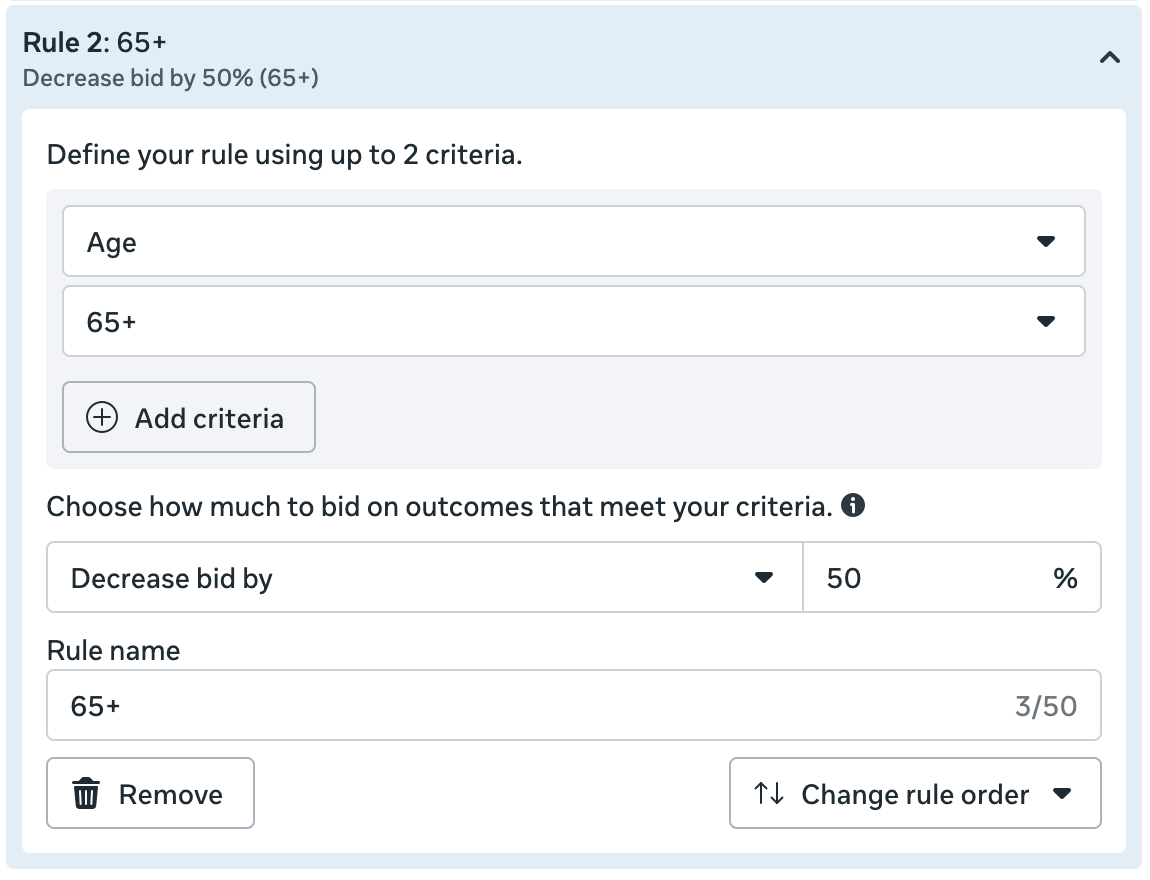
The result was that I could limit my spend on people aged 55 and up without eliminating them entirely.
Legal-Related Restrictions
Another reason you might want to restrict by age is that you sell an age-restricted product. The obvious example would be alcohol, but you also may offer something that is only available to seniors.
Either situation can be addressed within the ad set, assuming you’re not dealing with a special ad category.
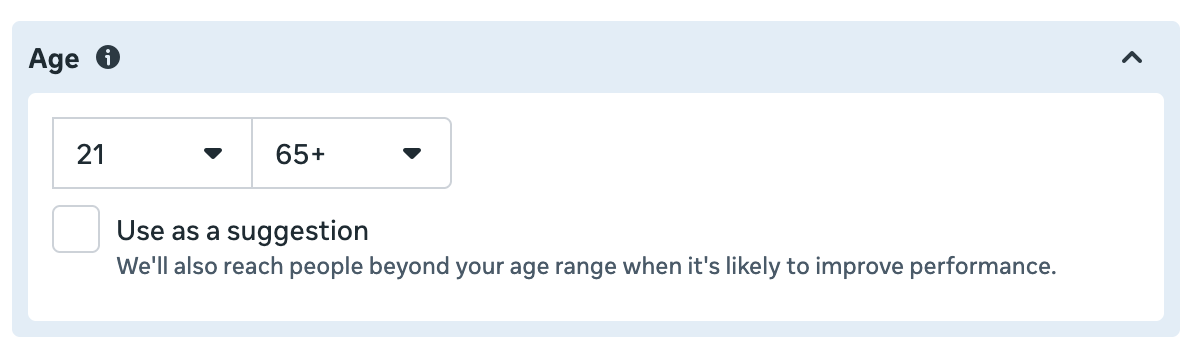
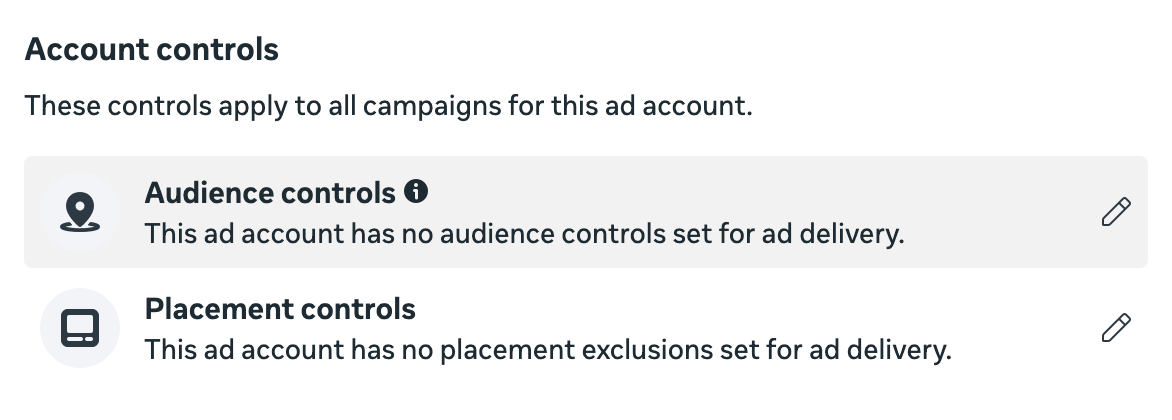
You also might be able to apply an account-wide restriction. Within Advertising Settings, click on Account Controls.
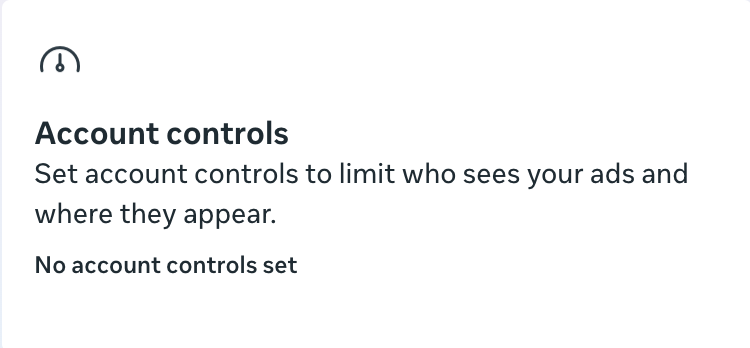
Then select Audience Controls.
One of the options is “My business advertises age-restricted goods or services.” Turn it on, and you can set a minimum age to prevent your ads from being shown to younger people.
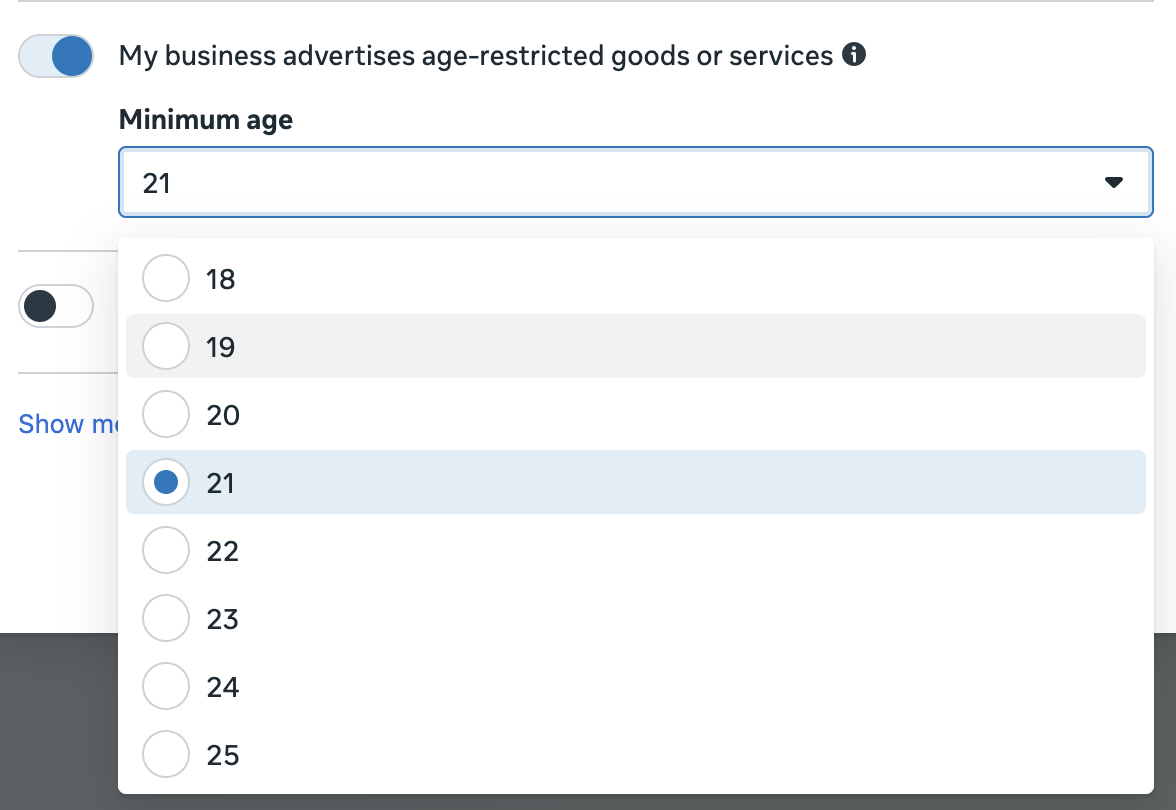
Of course, this account-wide restriction is only for setting a minimum between 18 and 25. You can’t set an account-wide maximum or set a minimum higher than 25.
Bottom Line
1. Do not restrict by age to reflect what you believe is your ideal customer.
2. If Meta is wasting your money on an age group because they lead to a high volume of low-quality optimized actions, use value rules instead of restricting by age.
3. If you need to restrict by age due to legal reasons (you sell age-restricted goods), apply this restriction in the ad set or use Audience Controls in your Advertising Settings to restrict by age account-wide.
Gender
In many ways, gender is lumped with age range when discussing demographic restrictions. But how you approach gender restrictions is actually a bit different.
Performance-Related Restrictions
As with age range, the danger is that an advertiser will envision their ideal customer and then restrict by gender. But gender-related restrictions are rarely necessary.
The only time you should need to restrict by gender is because not doing so leads to a high volume of low-quality optimized actions. If your primary customer is women, Meta’s unlikely to waste a significant portion of your budget on men if you’re optimizing for purchases and men don’t buy. The bigger problem, sticking to this example, would be if men perform a high volume of cheap, low-quality optimized actions.
The most likely scenario when this might come up would be when optimizing for an engagement-level event (link clicks, landing page views, post engagement, video views, etc.), which eliminates the level of commitment required to perform the action that you want. If you want engagement, Meta won’t care if men aren’t likely to buy from you. If they’re likely to engage, men will be shown your ads.
Now I wouldn’t typically advise optimizing for engagement-level actions because the quality issue is impossible to eliminate. But restricting by gender, particularly if your customers are only one gender or another, may be a reasonable consideration in those cases.
Address with Value Rules
While it might be reasonable to restrict by gender in certain situations, I’d consider it a last resort. You can keep Advantage+ on and use value rules instead. If Meta’s spending too much of your budget on men, resulting in empty optimized actions, use value rules to lower the bid.
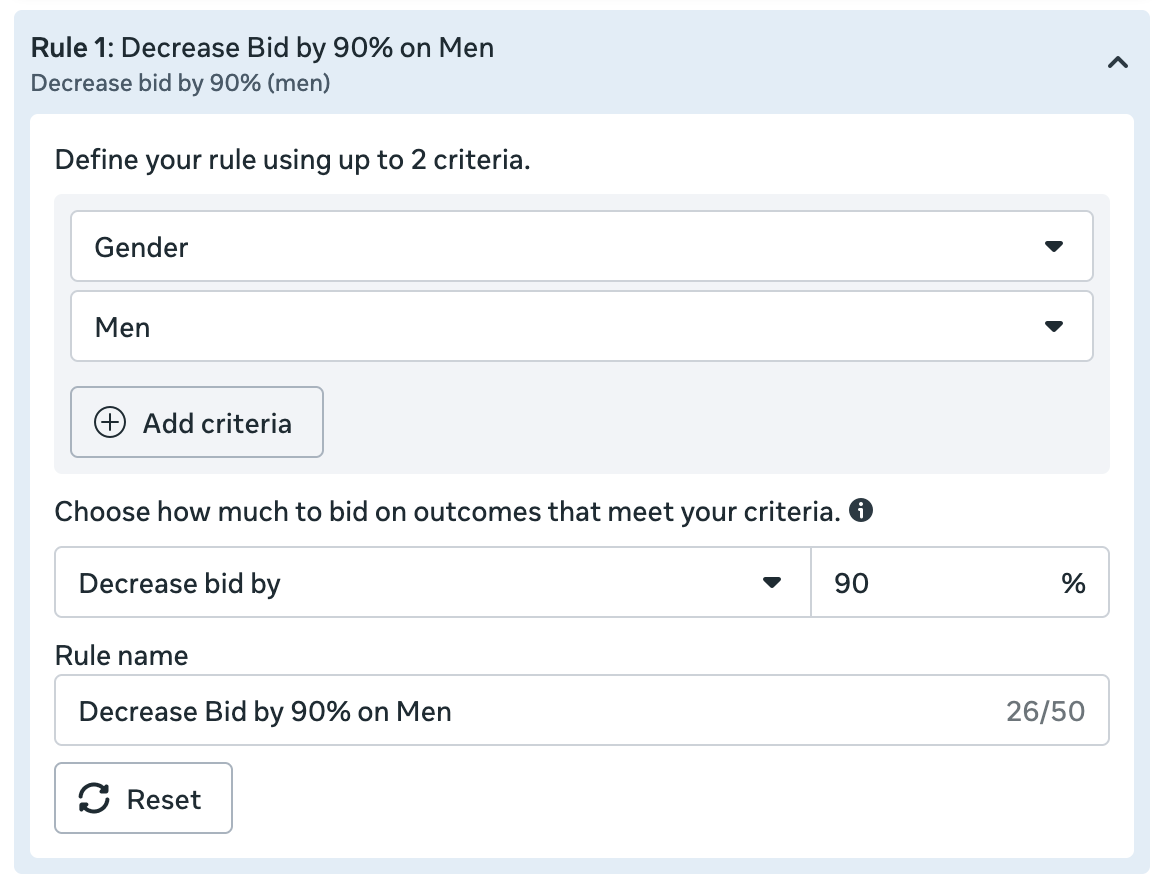
By lowering the bid by 90% for men, you’re likely to eliminate men from your ad spend entirely without needing to restrict your audience.
Bottom Line
1. Do not restrict by gender to reflect what you believe is your ideal customer.
2. If Meta is wasting your money on a gender because they lead to a high volume of low-quality optimized actions, use value rules instead of restricting by gender.
Detailed Targeting
The challenge here is that you can rarely restrict by detailed targeting (interests and behaviors) options now anyway. If you choose one of 11 performance goals, any detailed targeting inputs will be used as suggestions. This can’t be turned off.
So any exceptions to this, where restricting an audience by detailed targeting is possible, would need to fall within the performance goals not impacted.
Performance-Related Restrictions
If you are going to restrict by detailed targeting, it will need to be while using one of these performance goals:
- Daily unique reach
- Impressions
- 2-second continuous video plays
- ThruPlay views
- Ad recall lift
- Interactions
- Event responses
- Page likes
- Reach
These aren’t the most commonly used performance goals, and they all represent light-touch, surface-level actions. Which, if we’re to be honest, are also the times when you’d want to have some control over your targeting.
If you optimize for daily unique reach, impressions, or reach, Meta only cares about getting your ads shown. The rest require some sort of engagement. But the level of engagement is so basic, it’s difficult to avoid extremely low-quality results.
Restricting by detailed targeting could help in these cases. If you’re going to focus on getting thru-play views or interactions, it would be helpful if you can at least put some guardrails on who performs those actions.
That guarantees nothing, of course. It’s nearly impossible to avoid low-quality results from any of these performance goals. But if the option is to let Meta find these results wherever they can be found or restrict the pool to people by detailed targeting, I’d prefer the restrictions.
Actually, I’d prefer doing neither and optimize for a conversion of some kind. But if you forced me to use one of these performance goals, restrictions would be required.
Bottom Line
1. You cannot restrict by detailed targeting when using 11 of the most common performance goals.
2. If you’re using one of the remaining nine performance goals (rarely recommended), adding some guardrails with detailed targeting restrictions will help, though it won’t fully solve the likely problems you’ll have related to quality.
Lookalike Audiences
The approach to lookalike audiences, and the challenges associated with them, are similar to those of detailed targeting. If you choose one of nine performance goals, any lookalike audience you provide will be used as a suggestion. This can’t be turned off.
So any exceptions to this, where restricting an audience by lookalike audience is possible, would need to fall within the performance goals not impacted.
Performance-Related Restrictions
If you are going to restrict by lookalike audience, it will need to be when using one of these performance goals:
- Daily unique reach
- Impressions
- 2-second continuous video plays
- ThruPlay views
- Ad recall lift
- Interactions
- Event responses
- Page likes
- Reach
- Instagram profile and Facebook page visits
- Reminders set
Once again, these performance goals represent light-touch, surface-level actions. If you optimize for any of them, it’s difficult to avoid extremely low-quality results.
Restricting by lookalike audience could help. You’re not going to completely solve the problem of low-quality results with these types of optimization, but lookalike audiences and detailed targeting at least provide some basic guardrails.
Bottom Line
1. You cannot restrict by lookalike audience when using nine of the most common performance goals.
2. If you’re using one of the remaining 11 performance goals (rarely recommended), adding some guardrails with lookalike audience restrictions will help, though it won’t fully solve the likely problems you’ll have related to quality.
Custom Audiences (Remarketing)
If you want to target a specific group of people who are connected to your business (visited your website, on your email list, used your app, an existing customer, or engaged with your social content), you can restrict by custom audience.
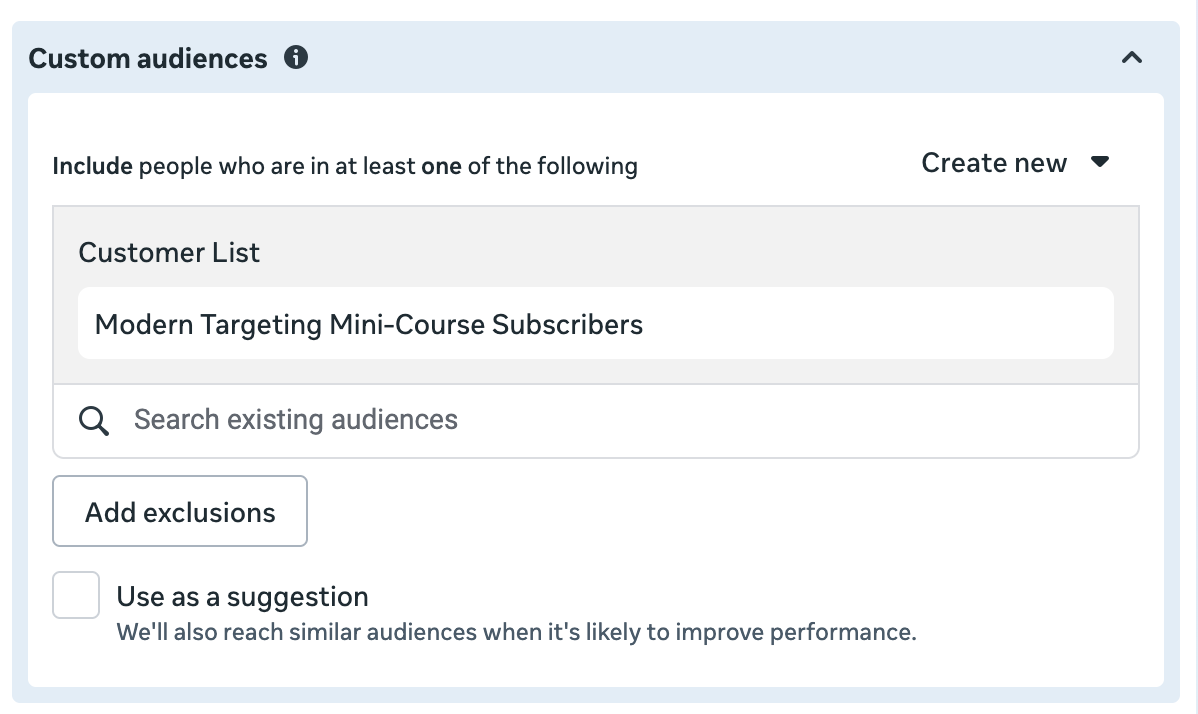
Of course, the question is whether you should.
Remarketing Happens Automatically
A common mistake is assuming that Meta needs you to target custom audiences to focus on people most likely to convert. But assuming you’re passing events and creating custom audiences, Meta already knows about this activity and prioritizes them automatically.
You can prove this to yourself by thoroughly defining your audience segments and running Sales campaigns. Then you can use the breakdown by audience segments to see how much of your budget was spent on your engaged audience, existing customers, and new audience.
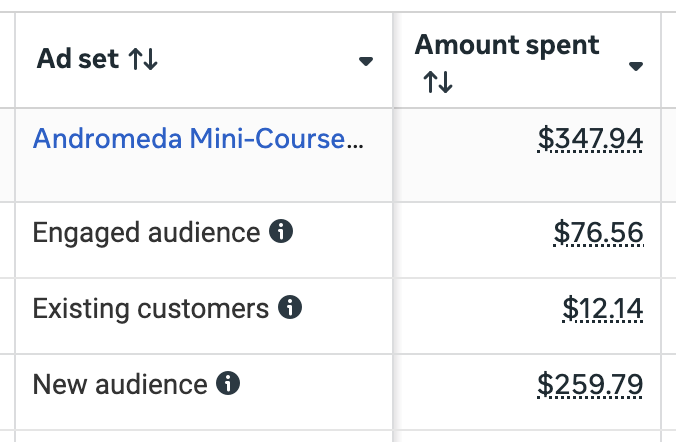
I do not restrict my targeting, yet I regularly see that anywhere from 10 to 25% of my budget is spent on remarketing. This happens naturally because Meta knows that people who visit my website, are on my email list, and have bought from me before are those who are likely to convert.
So you don’t need to restrict targeting to all of your website visitors, email list, or social media followers. That stuff happens already.
Other Remarketing Issues
There are other issues related to remarketing that are easy to miss.
First, the results are almost always misleading. Conversions from remarketing are almost always heavily inflated by 1-day view. In other words, your ad appeared for someone who made an action within a day — an action that likely would have happened anyway.
Second, remarketing results simply aren’t incremental. If someone clicked your ad and converted, you can make the argument that the ad contributed to that conversion. But if they regularly visit your website or are closely connected to you already, how much that ad contributed is debatable.
And finally, the great (and misleading) performance you receive from remarketing isn’t scalable. You’ll eventually run into a wall because it’s so easy to exhaust these small audiences.
Rare Exceptions
While I’m generally anti-remarketing, I also acknowledge the rare exception when it can make sense.
The type of scenario that could benefit from remarketing is where you are selling a high-priced product and want to help your other marketing efforts with ads. For example, you know that you’ll be sending emails and having your sales team reach out to a recent lead. You can run ads at the same time to keep your product top of mind.
Of course, doing so would be while understanding that any results you get in Ads Manager are a combined effort. Your ads were not fully responsible for the conversions — and they may not have done much of anything. But they can help in a situation when your emails and sales team could use a bit of reinforcement.
This makes most sense for high-priced upsells because any benefit is worthwhile. You won’t get that same benefit from trying to convince people to buy a low-priced product, and those ads will quickly get expensive.
Bottom Line
1. General remarketing is mostly unnecessary now because Meta prioritizes those closest to you automatically. This can be proven with Sales campaigns and audience segments.
2. Remarketing results are misleading, inflated by view-through conversions, not incremental, and not scalable.
3. A rare exception for remarketing can be to help with high-ticket upsells. In this case, you know that these people are also getting emails and calls from you, and the hope is that the ads can contribute to the overall messaging.
Summary of Audience Restrictions
I recommend prioritizing a hands-off approach to targeting these days. While there are some exceptions when you should take control, they are exceedingly rare.
Here’s a summary of the general approach that you should take to audience restrictions…
Age Range: Rarely necessary. Consider restricting when selling age-restricted goods. This can also be controlled at the account-level, though only up to a 25 year-old minimum. If age restrictions are necessary to solve a performance problem related to cheap and low-quality optimized results from an age group, use value rules instead.
Gender: Rarely necessary. Do not restrict by gender because you believe it represents your target customer. If gender restrictions are necessary to solve a performance problem related to cheap and low-quality optimized results from a gender, use value rules instead.
Detailed Targeting: Rarely possible since detailed targeting is only seen as a suggestion when used with 11 of the most common performance goals. But if using any of the other nine performance goals (not recommended), restrictions by detailed targeting would be a reasonable guardrail.
Lookalike Audiences: Rarely possible since lookalike audiences are only seen as suggestions when used with nine of the most common performance goals. But if using any of the other 11 performance goals (not recommended), restrictions by lookalike audiences would be a reasonable guardrail.
Custom Audiences: General remarketing is rarely necessary because it happens naturally. This can be proven with Sales campaigns and audience segments. Remarketing leads to misleading results and is neither incremental nor scalable. The rare exception when remarketing might make sense is when used in addition to other marketing efforts to encourage high ticket upsells.
Free Mini-Course
Modern Targeting: 8 Lessons on What’s Changed and What to Do About It
Covers audience suggestions, value rules, why remarketing is automatic now, the reality of detailed targeting and lookalikes, and a standard approach to targeting today.
Your Turn
Anything you’d add to this summary of how to approach audience restrictions?
Let me know in the comments below!