• About Us
  • Disclaimer
  • Contact Us
  • Privacy Policy
Saturday, March 14, 2026
mGrowTech
No Result
View All Result
  • Technology And Software
    • Account Based Marketing
    • Channel Marketing
    • Marketing Automation
      • Al, Analytics and Automation
      • Ad Management
  • Digital Marketing
    • Social Media Management
    • Google Marketing
  • Direct Marketing
    • Brand Management
    • Marketing Attribution and Consulting
  • Mobile Marketing
  • Event Management
  • PR Solutions
  • Technology And Software
    • Account Based Marketing
    • Channel Marketing
    • Marketing Automation
      • Al, Analytics and Automation
      • Ad Management
  • Digital Marketing
    • Social Media Management
    • Google Marketing
  • Direct Marketing
    • Brand Management
    • Marketing Attribution and Consulting
  • Mobile Marketing
  • Event Management
  • PR Solutions
No Result
View All Result
mGrowTech
No Result
View All Result
Home Google Marketing

Say hello to a new level of interactivity in Gemini CLI

Josh by Josh
October 16, 2025
in Google Marketing
0
Say hello to a new level of interactivity in Gemini CLI


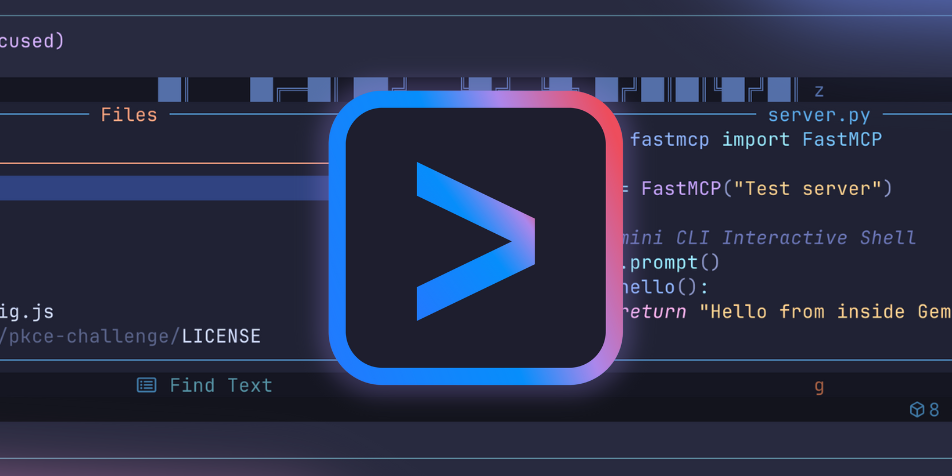
We’re excited to announce an enhancement to Gemini CLI that makes your workflow more powerful and familiar. We’ve upgraded the terminal to allow you to run complex, interactive commands—like vim for editing, top for monitoring, or even an interactive git rebase -i—all directly within Gemini CLI. You no longer have to jump to a separate terminal or deal with an agentic CLI that “hangs” for interactive commands. Everything stays right where you are.

Keeping everything in context

This matters because everything now remains within Gemini CLI’s context. Previously, you would have had to exit Gemini CLI to run interactive shell commands. More importantly, these commands were being run outside Gemini CLI’s context. By introducing pseudo-terminal (PTY) support, commands that require rich capabilities– such as text editors, system monitors, or reliance on terminal control codes, can now all be run from within Gemini CLI and within its context.

How it works: Serializing the terminal state

Now, when you run a shell command, Gemini CLI spawns a new process within a pseudo-terminal in the background, leveraging the node-pty library. The PTY acts as an intermediary, providing the necessary interface for the operating system to recognize the session as a terminal. This allows applications and commands to be run as they were naturally designed to.

So how does this virtual terminal running in the background show up on your screen? Think of it like a video stream. Our new serializer takes a snapshot of the pseudo terminal at every moment—capturing every piece of text, every color, and even the cursor’s position. These snapshots are then streamed to you, allowing you to see and interact with the terminal application in real-time. It’s not just a stream of text; it’s a live feed.

Full two-way interaction

This new architecture enables two-way communication. We’ve added new capabilities to write input to the terminal and even resize it on the fly. When you type, your keystrokes are sent to the running process, and when you resize your window, the application inside Gemini’s shell will adapt its layout, just like in a native terminal. You can focus on the terminal by pressing ctrl+f.

We’ve also improved our output handling to correctly render colorful terminal output, so you can enjoy your favorite command-line tools in all their glory.

Getting started with the interactive shell

The new interactive shell is enabled by default in Gemini CLI as of v0.9.0.

Upgrade to the latest version using the following command:

npm install -g @google/gemini-cli@latest

For more information please refer to the official Gemini CLI documentation.

Here are a few examples of the type of commands you can now run with the interactive shell:

  • Edit code with vim, nvim or nano.
  • Manage your commits with interactive git commands.
  • Use interactive REPLs for your favorite languages.
  • Run full-screen terminal applications like htop or mc.
  • Effortlessly navigate interactive setup scripts like npm init or ng new.
  • Respond to interactive prompts for certain gcloud commands.

This is a major step for our shell integration, and we are actively working to refine input handling across all platforms. We encourage you to share your feedback on our GitHub repository if you encounter any inconsistencies.

Try it out and let us know what you think!



Source_link

READ ALSO

Google’s TV Streamer 4K doubles as a smart home hub and it’s on sale

Gemini in Chrome expands to India, New Zealand and Canada

Related Posts

Google’s TV Streamer 4K doubles as a smart home hub and it’s on sale
Google Marketing

Google’s TV Streamer 4K doubles as a smart home hub and it’s on sale

March 14, 2026
Gemini in Chrome expands to India, New Zealand and Canada
Google Marketing

Gemini in Chrome expands to India, New Zealand and Canada

March 14, 2026
Gemini’s task automation is here and it’s wild
Google Marketing

Gemini’s task automation is here and it’s wild

March 14, 2026
keynote speech from Christy Abizaid
Google Marketing

keynote speech from Christy Abizaid

March 14, 2026
Google Pixel 10A review: Just buy the 9A
Google Marketing

Google Pixel 10A review: Just buy the 9A

March 14, 2026
6 takeaways from our “Growing Up in the Digital Age” Summit
Google Marketing

6 takeaways from our “Growing Up in the Digital Age” Summit

March 14, 2026
Next Post
10 Best AI Transcription Tools for Businesses on G2

10 Best AI Transcription Tools for Businesses on G2

POPULAR NEWS

Trump ends trade talks with Canada over a digital services tax

Trump ends trade talks with Canada over a digital services tax

June 28, 2025
Communication Effectiveness Skills For Business Leaders

Communication Effectiveness Skills For Business Leaders

June 10, 2025
15 Trending Songs on TikTok in 2025 (+ How to Use Them)

15 Trending Songs on TikTok in 2025 (+ How to Use Them)

June 18, 2025
App Development Cost in Singapore: Pricing Breakdown & Insights

App Development Cost in Singapore: Pricing Breakdown & Insights

June 22, 2025
Google announced the next step in its nuclear energy plans 

Google announced the next step in its nuclear energy plans 

August 20, 2025

EDITOR'S PICK

Sights, Sounds and Scents from the Attractions Industry’s Show

Sights, Sounds and Scents from the Attractions Industry’s Show

November 22, 2025
WhatsApp advertising is officially happening

WhatsApp advertising is officially happening

June 25, 2025
3 Workflow de marketing automation pour bien débuter

3 Workflow de marketing automation pour bien débuter

June 21, 2025
The 21 Best Social Media Marketing Tools to Try in 2025

The 21 Best Social Media Marketing Tools to Try in 2025

July 29, 2025

About

We bring you the best Premium WordPress Themes that perfect for news, magazine, personal blog, etc. Check our landing page for details.

Follow us

Categories

  • Account Based Marketing
  • Ad Management
  • Al, Analytics and Automation
  • Brand Management
  • Channel Marketing
  • Digital Marketing
  • Direct Marketing
  • Event Management
  • Google Marketing
  • Marketing Attribution and Consulting
  • Marketing Automation
  • Mobile Marketing
  • PR Solutions
  • Social Media Management
  • Technology And Software
  • Uncategorized

Recent Posts

  • HTX Learn and Earn Audiera (BEAT) Quiz Answers
  • How to Buy Used or Refurbished Electronics (2026)
  • Silverpush & Adsquare Partner on YouTube Ad Measurement
  • Enterprise AI Integration in the Middle East: Key Strategies
  • About Us
  • Disclaimer
  • Contact Us
  • Privacy Policy
No Result
View All Result
  • Technology And Software
    • Account Based Marketing
    • Channel Marketing
    • Marketing Automation
      • Al, Analytics and Automation
      • Ad Management
  • Digital Marketing
    • Social Media Management
    • Google Marketing
  • Direct Marketing
    • Brand Management
    • Marketing Attribution and Consulting
  • Mobile Marketing
  • Event Management
  • PR Solutions