Making Sense of Text with Decision Trees
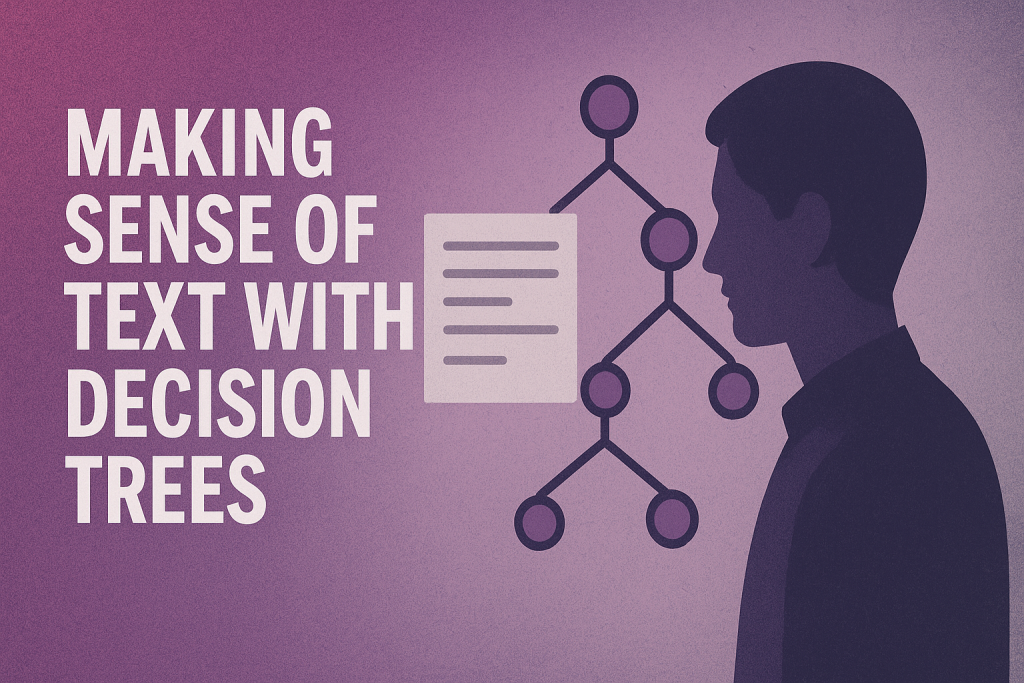
Image by Editor | ChatGPT
In this article, you will learn:
- Build a decision tree classifier for spam email detection that analyzes text data.
- Incorporate text data modeling techniques like TF-IDF and embeddings for training your decision tree.
- Evaluate and compare classification results against other text classifiers, like Naive Bayes, using Scikit-learn.
Introduction
It’s no secret that decision tree-based models excel at a wide range of classification and regression tasks, often based on structured, tabular data. However, when combined with the right tools, decision trees also become powerful predictive tools for unstructured data, such as text or images, and even time series data.
This article demonstrates how to build decision trees for text data. Specifically, we will incorporate text representation techniques like TF-IDF and embeddings in decision trees trained for spam email classification, evaluating their performance and comparing the results with another text classification model — all with the aid of Python’s Scikit-learn library.
Building Decision Trees for Text Classification
The following hands-on tutorial will use the publicly available UCI dataset for spam classification: a collection of text-label pairs describing email messages and their labeling as spam or ham (“ham” is a colloquial term for non-spam messages).
The following code requests, decompresses, and loads the dataset via its public repository URL into a Pandas DataFrame object named df:
|
import pandas as pd import requests import zipfile
url = “https://archive.ics.uci.edu/ml/machine-learning-databases/00228/smsspamcollection.zip” r = requests.get(url) open(“smsspamcollection.zip”, “wb”).write(r.content)
with zipfile.ZipFile(“smsspamcollection.zip”, “r”) as z: with z.open(“SMSSpamCollection”) as f: df = pd.read_csv(f, sep=‘\t’, names=[“label”, “text”])
df.head() |
As a quick first check, let’s view the count of spam versus ham emails:
|
df[“label”].value_counts() |
There are 4,825 ham emails (86%) and 747 spam emails (14%). This indicates we are dealing with a class-imbalanced dataset. Keep this in mind, as a simple metric like accuracy won’t be the best standalone measure for evaluation.
Next, we split the dataset (both input texts and labels) into training and test subsets. Due to the class imbalance, we will use stratified sampling to maintain the same class proportions in both subsets, which helps in training more generalizable models.
|
from sklearn.model_selection import train_test_split
X_train, X_test, y_train, y_test = train_test_split( df[“text”], df[“label”], test_size=0.2, random_state=42, stratify=df[“label”] ) |
Now, we are ready to train our first decision tree model. A key aspect here is encoding the text data into a structured format that decision trees can handle. One common approach is TF-IDF vectorization. TF-IDF maps each text into a sparse numerical vector, where each dimension (feature) represents a term from the existing vocabulary, weighted by its TF-IDF score.
Scikit-learn’s Pipeline class provides an elegant way to chain these steps. We’ll create a pipeline that first applies TF-IDF vectorization using TfidfVectorizer and then trains a DecisionTreeClassifier.
|
from sklearn.feature_extraction.text import TfidfVectorizer from sklearn.tree import DecisionTreeClassifier from sklearn.pipeline import Pipeline from sklearn.metrics import classification_report
tfidf_tree = Pipeline([ (“tfidf”, TfidfVectorizer()), (“clf”, DecisionTreeClassifier(random_state=42)) ])
tfidf_tree.fit(X_train, y_train) y_pred = tfidf_tree.predict(X_test)
print(“MODEL 1. Decision Tree + TF-IDF:”) print(classification_report(y_test, y_pred)) |
Results:
|
MODEL 1. Decision Tree + TF–IDF: precision recall f1–score support
ham 0.97 0.99 0.98 966 spam 0.91 0.83 0.87 149
accuracy 0.97 1115 macro avg 0.94 0.91 0.92 1115 weighted avg 0.97 0.97 0.97 1115 |
The results aren’t too bad, but they are slightly inflated by the dominant ham class. If catching all spam is critical, we should pay special attention to the recall for the spam class, which is only 0.83 in this case. Spam precision is higher, meaning very few ham emails are incorrectly marked as spam. This is a priority if we want to avoid important messages being sent to the spam folder.
Our second decision tree will use an alternative approach for representing text: embeddings. Embeddings are vector representations of words or sentences such that similar texts are associated with vectors close together in space, capturing semantic meaning and contextual relationships beyond mere word counts.
A simple way to generate embeddings for our text is to use pretrained models like GloVe. We can map each word in an email to its corresponding dense GloVe vector and then represent the entire email by averaging these word vectors. This results in a compact, dense numerical representation for each message.
The following code implements this process. It defines a text_to_embedding() function, applies it to the training and test sets, and then trains and evaluates a new decision tree.
|
1 2 3 4 5 6 7 8 9 10 11 12 13 14 15 16 17 18 19 20 21 22 23 24 25 26 27 28 29 30 31 32 33 34 35 36 |
import numpy as np
# Downloading GloVe embeddings !wget –q http://nlp.stanford.edu/data/glove.6B.zip !unzip –q glove.6B.zip –d glove.6B
# Load embeddings into a dictionary embeddings_index = {} with open(“glove.6B/glove.6B.50d.txt”, encoding=“utf8”) as f: for line in f: values = line.split() word = values[0] coefs = np.asarray(values[1:], dtype=‘float32’) embeddings_index[word] = coefs
def text_to_embedding(texts): vectors = [] for text in texts: words = text.lower().split() word_vecs = [embeddings_index[w] for w in words if w in embeddings_index] if word_vecs: vectors.append(np.mean(word_vecs, axis=0)) else: vectors.append(np.zeros(50)) return np.array(vectors)
X_train_emb = text_to_embedding(X_train) X_test_emb = text_to_embedding(X_test)
tree_emb = DecisionTreeClassifier(random_state=42) tree_emb.fit(X_train_emb, y_train) y_pred_emb = tree_emb.predict(X_test_emb)
print(“MODEL 2. Decision Tree + Embeddings”) print(classification_report(y_test, y_pred_emb)) |
Results:
|
MODEL 2. Decision Tree + Embeddings precision recall f1–score support
ham 0.95 0.95 0.95 966 spam 0.66 0.69 0.68 149
accuracy 0.91 1115 macro avg 0.81 0.82 0.81 1115 weighted avg 0.91 0.91 0.91 1115 |
Unfortunately, this simple averaging approach can cause significant information loss, sometimes called representation loss. This explains the overall drop in performance compared to the TF-IDF model. Decision trees often work better with sparse, high-signal features like those from TF-IDF. These word-level features can act as strong discriminators (e.g. classifying an email as spam based on the presence of words like “free” or “million”). This largely explains the performance difference between the two models.
Comparison with a Naive Bayes Text Classifier
Finally, let’s compare our results with another popular text classification model: the Naive Bayes classifier. While not tree-based, it works well with TF-IDF features. The process is very similar to our first model:
|
from sklearn.naive_bayes import MultinomialNB
nb_model = Pipeline([ (“tfidf”, TfidfVectorizer()), (“clf”, MultinomialNB()) ])
nb_model.fit(X_train, y_train) y_pred_nb = nb_model.predict(X_test)
print(“BASELINE. Naive Bayes + TF-IDF”) print(classification_report(y_test, y_pred_nb)) |
Results:
|
BASELINE. Naive Bayes + TF–IDF precision recall f1–score support
ham 0.96 1.00 0.98 966 spam 1.00 0.70 0.83 149
accuracy 0.96 1115 macro avg 0.98 0.85 0.90 1115 weighted avg 0.96 0.96 0.96 1115 |
Comparing our first decision tree model (MODEL 1) with this Naive Bayes model, we see little difference in how they classify ham emails. For the spam class, the Naive Bayes model achieves perfect precision (1.00), meaning every email it identifies as spam is indeed spam. However, it performs worse on recall (0.70), missing about 30% of the actual spam messages in the test data. If recall is our most critical performance indicator, we would lean towards the first decision tree model combined with TF-IDF. We could then try to optimize it further, for instance, through hyperparameter tuning or by using more training data.
Wrapping Up
This article demonstrated how to train decision tree models for text data, tackling spam email classification using common text representation approaches like TF-IDF and vector embeddings.