• About Us
  • Disclaimer
  • Contact Us
  • Privacy Policy
Friday, December 12, 2025
mGrowTech
No Result
View All Result
  • Technology And Software
    • Account Based Marketing
    • Channel Marketing
    • Marketing Automation
      • Al, Analytics and Automation
      • Ad Management
  • Digital Marketing
    • Social Media Management
    • Google Marketing
  • Direct Marketing
    • Brand Management
    • Marketing Attribution and Consulting
  • Mobile Marketing
  • Event Management
  • PR Solutions
  • Technology And Software
    • Account Based Marketing
    • Channel Marketing
    • Marketing Automation
      • Al, Analytics and Automation
      • Ad Management
  • Digital Marketing
    • Social Media Management
    • Google Marketing
  • Direct Marketing
    • Brand Management
    • Marketing Attribution and Consulting
  • Mobile Marketing
  • Event Management
  • PR Solutions
No Result
View All Result
mGrowTech
No Result
View All Result
Home Ad Management

How to Use ChatGPT to Generate Banners for Your Online Store –

Josh by Josh
June 4, 2025
in Ad Management
0
How to Use ChatGPT to Generate Banners for Your Online Store –
0
SHARES
2
VIEWS
Share on FacebookShare on Twitter


If you’re an online seller, you already know how important visual content is in capturing attention and driving clicks. Whether you’re promoting a new collection, a limited-time offer, or just want to refresh your homepage, eye-catching banners can make a huge impact. But what if you’re not a designer? That’s where ChatGPT comes in.

Thanks to recent advancements, ChatGPT can now help you generate promotional banners using just a simple prompt—and the results can be surprisingly good. Here’s a step-by-step guide on how to do it:

READ ALSO

Six Digital Holiday Shoppers Every 2025 Campaign Should Plan

Meta GEM Explained: What Meta’s New Ad Brain Means For Your Campaigns


Step 1: Know Your Objective

Before you ask ChatGPT to generate a banner, get clear on what you want the banner to do. Are you trying to:

  • Promote a sale?

  • Announce a product launch?

  • Highlight seasonal collections?

  • Share shipping or discount codes?

Knowing your goal helps you write a better prompt, which leads to more effective results.


Step 2: Gather Your Brand Elements

Have your branding assets ready: logo, color palette, fonts, and any taglines or messaging you consistently use. Even if you don’t upload them directly, you can describe them in your prompt.

Example:
“Our brand uses a minimalist black-and-white color scheme, modern serif fonts, and clean layouts. The logo should appear in the top-left corner.”


Step 3: Use ChatGPT to Generate Your Banner

Now you’re ready to put ChatGPT to work. Let’s say you’re promoting a premium pair of headphones, and you want a clean, modern banner that conveys luxury and clarity.

Here’s a sample prompt you can use:

Prompt:
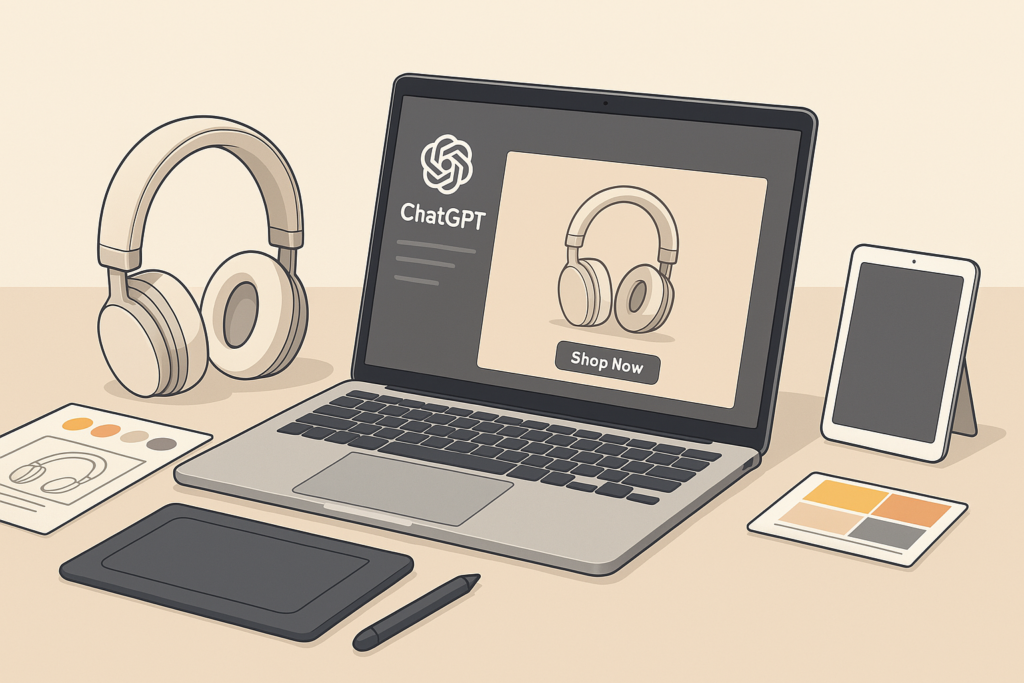
Create a minimalist promotional banner using this image of white over-ear headphones. Use the text “Immersive sound experience” in bold, modern typography, and include a CTA button that says “Shop Now”. Keep the design sleek and neutral to match the tones in the image.

Here’s what ChatGPT can generate for you:

✅ Image + Text Placement
✅ Stylish typography
✅ “Shop Now” CTA button
✅ Matching colors and a clean, professional look

Here’s an example using your image and the text:


📸 Banner Example

Overlayed Text:

Immersive Sound Experience
[Shop Now]

Or something more vibrant:

This banner works beautifully for homepages, product pages, or even email headers. If you’re using Canva or Photoshop, ChatGPT can guide you through how to place each element and match the tone. You can also ask for different versions—for mobile vs desktop, or with alternative taglines like “Feel Every Beat” or “Hear the Difference.”


Step 4: Review and Refine

You can always ask ChatGPT to:

  • Adjust text position or color

  • Add branding (logo, tagline)

  • Resize for Facebook, Instagram, or Shopify

  • Suggest alternative headlines or CTAs


Step 5: Deploy and Test

Upload your banner to your site, newsletter, or ad campaign. You can also A/B test different versions to see which performs best.


Final Thoughts

ChatGPT isn’t just for writing emails or product descriptions—it’s your visual assistant too. With just a simple prompt and an image, you can create sleek, professional-looking banners in minutes. No design background needed.

Try it out with your own products and see how fast you can bring your ideas to life!

Nicole Blake

Nicole is a digital marketing strategist and eCommerce content creator with a passion for helping online sellers grow their brands through smart tools and creative design. With years of experience in the Shopify and DTC space, Nicole specializes in turning complex tech into actionable insights.

Comments

comments

Powered by Facebook Comments


Source_link

Related Posts

Six Digital Holiday Shoppers Every 2025 Campaign Should Plan
Ad Management

Six Digital Holiday Shoppers Every 2025 Campaign Should Plan

December 11, 2025
Meta GEM Explained: What Meta’s New Ad Brain Means For Your Campaigns
Ad Management

Meta GEM Explained: What Meta’s New Ad Brain Means For Your Campaigns

December 4, 2025
Content & Context Planning Calendar 2026 for Publishers – VDO.AI Blogs
Ad Management

Content & Context Planning Calendar 2026 for Publishers – VDO.AI Blogs

December 4, 2025
Ad Management

AI Audience Modeling for B2B: LinkedIn + Meta to Grow Your Pipeline

December 3, 2025
Sandisk Offers Content Creators the “Space to Hold More”
Ad Management

Sandisk Offers Content Creators the “Space to Hold More”

December 2, 2025
Innovative Marketing Strategies for Vietnam Tet 2026
Ad Management

Innovative Marketing Strategies for Vietnam Tet 2026

December 1, 2025
Next Post
Implement a Stronger Lead Scoring Model in ABM

Implement a Stronger Lead Scoring Model in ABM

POPULAR NEWS

Communication Effectiveness Skills For Business Leaders

Communication Effectiveness Skills For Business Leaders

June 10, 2025
15 Trending Songs on TikTok in 2025 (+ How to Use Them)

15 Trending Songs on TikTok in 2025 (+ How to Use Them)

June 18, 2025
Trump ends trade talks with Canada over a digital services tax

Trump ends trade talks with Canada over a digital services tax

June 28, 2025
App Development Cost in Singapore: Pricing Breakdown & Insights

App Development Cost in Singapore: Pricing Breakdown & Insights

June 22, 2025
7 Best EOR Platforms for Software Companies in 2025

7 Best EOR Platforms for Software Companies in 2025

June 21, 2025

EDITOR'S PICK

Grow a Garden Onion Wiki

Grow a Garden Onion Wiki

August 9, 2025
The 6 Best OLED TVs (2025)

The 6 Best OLED TVs (2025)

May 29, 2025
Beyond Pandas: 7 Advanced Data Manipulation Techniques for Large Datasets

Beyond Pandas: 7 Advanced Data Manipulation Techniques for Large Datasets

August 18, 2025
Lego Revs up F1 Fans with a Multicity ‘Off Track’ Activation

Lego Revs up F1 Fans with a Multicity ‘Off Track’ Activation

October 3, 2025

About

We bring you the best Premium WordPress Themes that perfect for news, magazine, personal blog, etc. Check our landing page for details.

Follow us

Categories

  • Account Based Marketing
  • Ad Management
  • Al, Analytics and Automation
  • Brand Management
  • Channel Marketing
  • Digital Marketing
  • Direct Marketing
  • Event Management
  • Google Marketing
  • Marketing Attribution and Consulting
  • Marketing Automation
  • Mobile Marketing
  • PR Solutions
  • Social Media Management
  • Technology And Software
  • Uncategorized

Recent Posts

  • PG&E shows how comms pros can turn everyday skills into practical AI wins
  • First Conversion Optimization Reporting Bug
  • GPT-5.2 first impressions: a powerful update, especially for business tasks and workflows
  • Which Video Hosting Platform on G2 Is Right for You?
  • About Us
  • Disclaimer
  • Contact Us
  • Privacy Policy
No Result
View All Result
  • Technology And Software
    • Account Based Marketing
    • Channel Marketing
    • Marketing Automation
      • Al, Analytics and Automation
      • Ad Management
  • Digital Marketing
    • Social Media Management
    • Google Marketing
  • Direct Marketing
    • Brand Management
    • Marketing Attribution and Consulting
  • Mobile Marketing
  • Event Management
  • PR Solutions

Are you sure want to unlock this post?
Unlock left : 0
Are you sure want to cancel subscription?