• About Us
  • Disclaimer
  • Contact Us
  • Privacy Policy
Monday, July 27, 2026
mGrowTech
No Result
View All Result
  • Technology And Software
    • Account Based Marketing
    • Channel Marketing
    • Marketing Automation
      • Al, Analytics and Automation
      • Ad Management
  • Digital Marketing
    • Social Media Management
    • Google Marketing
  • Direct Marketing
    • Brand Management
    • Marketing Attribution and Consulting
  • Mobile Marketing
  • Event Management
  • PR Solutions
  • Technology And Software
    • Account Based Marketing
    • Channel Marketing
    • Marketing Automation
      • Al, Analytics and Automation
      • Ad Management
  • Digital Marketing
    • Social Media Management
    • Google Marketing
  • Direct Marketing
    • Brand Management
    • Marketing Attribution and Consulting
  • Mobile Marketing
  • Event Management
  • PR Solutions
No Result
View All Result
mGrowTech
No Result
View All Result
Home Social Media Management

How To Fix Roblox Thinks You’re On Mobile

Josh by Josh
December 2, 2025
in Social Media Management
0
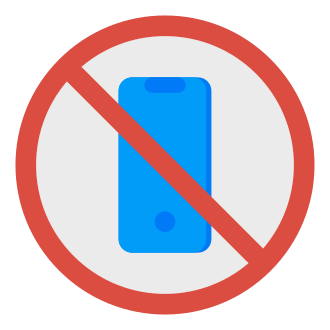
How To Fix Roblox Thinks You’re On Mobile


Does Roblox think that you’re playing on a mobile device instead of a PC?

Roblox mistakenly identifies PCs as mobile devices when they have touchscreens.

Even without active touch input, the client prioritizes mobile UI, disabling PC features.

Many users complained about the glitch online and Roblox is yet to fix it.

In this guide, you’ll learn how to fix the Roblox thinking that you’re on a mobile device but you’re on a PC/laptop issue.

How To Fix Roblox Thinks You’re On Mobile

Fix 1: Disable Windows Pen & Ink

  1. Type “services” using the Windows Search bar and open it.
  2. Scroll down, look for “Windows Pen & Ink”, and double-click it.
  3. Change the “Startup type” to “Disabled”.
  4. Select “Apply” and select “OK”.
  5. Restart your PC.
  6. Launch Roblox and try joining an experience!

Fix 2: Disable HID-compliant touch pad

  1. Type “Device Manager” using the Windows Search bar and open it.
  2. Expand “Human Interface Devices”.
  3. Right-click “HID-complaint touch pad” and select “Disable device”.
  4. Launch Roblox and try joining an experience!

Fix 3: Uninstall Roblox and install it from your browser

  1. Search for “Installed Apps” using Windows Search and open it.
  2. Search for “Roblox”, select the three dots, and select “Uninstall”.
  3. Go to roblox.com/download and select “Download”.
  4. Launch Roblox, log in, and try joining an experience!

Note: The Microsoft Store version of Roblox optimizes for hybrid touch devices, so you have to uninstall it and reinstall Roblox from the browser instead.

Further reading

How to Fix Roblox Security Threat Detected Error

How to Fix Roblox Error Code 2

How to Fix “Something went wrong” in Roblox


Source_link

READ ALSO

Binance Learn and Earn TURTLE Quiz Answers

GeoGuessr Daily Challenge Answer Today for July 25, 2026

Related Posts

Binance Learn and Earn TURTLE Quiz Answers
Social Media Management

Binance Learn and Earn TURTLE Quiz Answers

July 26, 2026
GeoGuessr Daily Challenge Answer Today for July 25, 2026
Social Media Management

GeoGuessr Daily Challenge Answer Today for July 25, 2026

July 26, 2026
Smart Business Practices That Improve Productivity and Profitability
Social Media Management

Smart Business Practices That Improve Productivity and Profitability

July 25, 2026
How to Fix WhatsApp Stuck on Preparing Storage Backup
Social Media Management

How to Fix WhatsApp Stuck on Preparing Storage Backup

July 25, 2026
GeoGuessr Daily Challenge Answer Today for July 24, 2026
Social Media Management

GeoGuessr Daily Challenge Answer Today for July 24, 2026

July 24, 2026
LinkedIn Wend Answer Today for July 23, 2026 (Puzzle #45)
Social Media Management

LinkedIn Wend Answer Today for July 23, 2026 (Puzzle #45)

July 24, 2026
Next Post
Predictive Crisis Communications Using AI and Real-Time Data

Predictive Crisis Communications Using AI and Real-Time Data

POPULAR NEWS

Trump ends trade talks with Canada over a digital services tax

Trump ends trade talks with Canada over a digital services tax

June 28, 2025
15 Trending Songs on TikTok in 2025 (+ How to Use Them)

15 Trending Songs on TikTok in 2025 (+ How to Use Them)

June 18, 2025
Communication Effectiveness Skills For Business Leaders

Communication Effectiveness Skills For Business Leaders

June 10, 2025
App Development Cost in Singapore: Pricing Breakdown & Insights

App Development Cost in Singapore: Pricing Breakdown & Insights

June 22, 2025
Comparing the Top 7 Large Language Models LLMs/Systems for Coding in 2025

Comparing the Top 7 Large Language Models LLMs/Systems for Coding in 2025

November 4, 2025

EDITOR'S PICK

The Scoop: How Kraft Heinz is positioning move away from synthetic dyes

June 19, 2025
5 Best Real-Time Email Analytics Tools for 2026

5 Best Real-Time Email Analytics Tools for 2026

April 9, 2026
The Game-Changing Role of AI

The Game-Changing Role of AI

June 21, 2025
July Edition of Future Horizons Semiconductor Report

July Edition of Future Horizons Semiconductor Report

July 23, 2025

About

We bring you the best Premium WordPress Themes that perfect for news, magazine, personal blog, etc. Check our landing page for details.

Follow us

Categories

  • Account Based Marketing
  • Ad Management
  • Al, Analytics and Automation
  • Brand Management
  • Channel Marketing
  • Digital Marketing
  • Direct Marketing
  • Event Management
  • Google Marketing
  • Marketing Attribution and Consulting
  • Marketing Automation
  • Mobile Marketing
  • PR Solutions
  • Social Media Management
  • Technology And Software
  • Uncategorized

Recent Posts

  • Unlock Unlimited Streaming with 10 Best VPNs of 2026 (Updated)
  • Black Forest Labs Releases FLUX 3: A Multimodal Flow Model for Image, Video, Audio and Robot Action Prediction
  • Generative AI in Advertising: Cost, Quality & Safety
  • 3 questions to ask before publishing AI-generated content
  • About Us
  • Disclaimer
  • Contact Us
  • Privacy Policy
No Result
View All Result
  • Technology And Software
    • Account Based Marketing
    • Channel Marketing
    • Marketing Automation
      • Al, Analytics and Automation
      • Ad Management
  • Digital Marketing
    • Social Media Management
    • Google Marketing
  • Direct Marketing
    • Brand Management
    • Marketing Attribution and Consulting
  • Mobile Marketing
  • Event Management
  • PR Solutions