When it comes to automation, AI agents are the most advanced technology we have developed so far. While many AI concepts still remain theoretical, AI agents are one of the most feasible and practical technologies that can actually be built and used for real business and personal use cases.
I am not going to explain what AI agents are in this blog. I have already covered that in one of my earlier writings. The idea of this page you are reading today is simple: to show you how you can build AI agents for business automation.
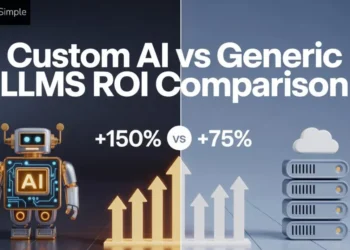
Custom AI Agents vs Prebuilt Automation Tools
Let me clear one common confusion before talking about AI agent development. Many businesses already use tools like Zapier or n8n for automation. So a natural question that can come up is why build a custom AI agent at all?
Prebuilt automation tools are extremely useful. They are quick to set up and work well for clearly defined workflows. However, they start to struggle when decisions become complex or where context matters.
Custom AI solutions are not a replacement for these tools. They are built for a different purpose. They are designed to think through situations and adapt as business conditions change.
10 Steps to Build AI Agents for Business Automation
Building AI agents for business automation is not about choosing a model or wiring tools together. It starts with understanding the business problem and designing the agent around how work actually happens. About 82% of organizations say they plan to bring AI agents into their workflows within the next 1–3 years.

Step 1: Start With the Business Problem
Most AI agent projects fail before they even start, and the reason is simple. Teams begin with the technology instead of the problem. Last year Gartner predicted that around 40% of agentic AI projects will be canceled by 2027.
You will often hear statements like, “We want an AI agent for operations” or “Let’s build an agent for customer support.” These sound good on paper, but they are not problems. They are directions without context.
A better place to start is by looking at where work actually slows down inside the business. This could be decisions that depend on too many tools or processes where humans spend more time moving data than thinking.
Step 2: Decide Whether an AI Agent is Actually Needed
Ok, so now the business problem is clearly defined. The next step is to pause before building anything. This pause is important. Because not every problem that looks complex actually needs an AI agent.
Many business workflows can be handled perfectly well with simple rule based automation. If a task follows a fixed path and produces the same output every time, prebuilt automation platforms are much cheaper and more reliable.
AI agents start to make sense only when decisions are involved. If a process requires context from multiple sources, changes behavior based on past interactions, or regularly encounters exceptions that cannot be neatly captured in rules, that is where traditional automation begins to break.
I am assuming you got my point!
Step 3: Define the Role of Agent Like a Human Role
Now you are confident that an AI agent is the right approach. So the next step is to define its role.
One of the most common mistakes teams make is giving an AI agent a vague mandate. Instructions like “handle support tickets” or “manage this thing for me” leave too much room for interpretation. Humans struggle with vague roles, and AI agents do too.
Instead, think in terms of responsibility and boundaries.
Ask yourself what the agent is expected to own. Is it responsible for making recommendations or simply preparing information for a human?
Be equally clear about what the agent should not do. These exclusions matter just as much as the responsibilities. It also helps to define the success criteria early.
For example, is the agent successful when it resolves an issue or when it speeds up response times? Without this clarity, it becomes difficult to evaluate whether the agent is actually helping the business.
At this stage, many teams also decide how much independence the agent should have. Some agents only assist humans. Many are allowed to act on their own within strict limits. There is no universal right answer here. The right level of autonomy depends on risk and the nature of the task.
Step 4: Map Inputs, Outputs, and Data Sources
The efficiency of an AI agent depends on the information it can access and the actions it can produce.
Start by listing everything the agent needs to see in order to do its job well. This might include customer data or previous conversations. Be specific. Vague access like “all customer data” usually creates more confusion than value.
Then identify where this information lives today. Some data may sit in structured systems like CRMs or databases. Other information may exist in emails or support tools. You should have an understanding of these sources early.
Outputs matter just as much as inputs. Decide what the agent is expected to produce. Is it a decision or an action taken inside another system? The clearer the output format, the easier it is to test and trust the agent.
This is also the right moment to think about data quality and access control. The agent will reflect weakness if the underlying data is outdated or inconsistent. Similarly, giving an agent more access than it needs increases risk without improving performance.
Step 5: Design the Agent’s Decision Flow
This is where the agent starts to feel less like an automation script and more like a decision-making system. The goal here is not to make the agent intelligent in a generic sense. The goal should be to make its thinking predictable and aligned with how the business operates.
Begin by breaking the agent’s work into clear steps. What does it look at first? What does it evaluate next? What conditions influence its choices? Even though the agent uses AI, its decision flow should still be understandable to a human reviewing it.
A well-designed decision flow also accounts for uncertainty. Real business data is often incomplete, outdated, or conflicting. The agent needs guidance on how to behave in such situations. Should it request more information or escalate to a human?
Memory and context also play a role here. Decide what the agent should remember across interactions and what should be treated as temporary context. Too little memory makes the agent repetitive. Too much memory can introduce noise and unintended behavior.
Step 6: Choose the Right Level of Autonomy
Not every AI agent needs to act on its decisions immediately. In fact, giving an agent too much freedom too early is one of the fastest ways to lose trust in it.
Autonomy should be treated as a spectrum. On one end, the agent only assists humans by analyzing information and making recommendations. On the other end, the agent takes actions on its own without intervention.
Most successful business agents start closer to the first end and move gradually. The right level of autonomy depends on risk. If a mistake is cheap and reversible, higher autonomy may be acceptable. If a mistake can affect customers or compliance, human approval should remain part of the loop, at least initially.
Step 7: Build Guardrails and Safety Checks
When you take your first step towards business automation, the goal should not let the agent do everything. In fact, it should be to make sure it never does the wrong thing silently.
Start by defining hard limits. These are actions the agent should never take. No matter the situation. This could include modifying financial data or communicating externally without approval. Making these boundaries explicit prevents accidental overreach.
Next, introduce validation checks before critical actions. The agent should be able to confirm that required data is present and conditions truly match the intended scenario. If something feels off, the agent should stop.
Logging is also very important for safety. Every meaningful decision and action should be traceable. This makes it possible to review what happened and how to improve the system.
At the last, define clear fallback behavior. When the agent is unsure, it should know exactly what to do next. In many cases, doing nothing is safer than doing something wrong.
Step 8: Test the Agent in Real Business Scenarios
Start by running the agent through real scenarios taken from day to day operations. Use actual data where possible. These situations reveal weaknesses far better than clean test inputs.
It is also important to test how the agent behaves when it is wrong. Does it fail loudly or quietly? Does it ask for help? Or does it push forward with low confidence decisions? These behaviors matter more than raw accuracy.
Involve the people who currently do the work. Their feedback is more valuable than any metric. They can quickly tell whether the agent’s decisions make sense and whether it actually reduces effort.
Step 9: Deploy the Agent in Controlled Phases
It is not a good idea to deploy an AI agent directly into full scale operations. Even a well tested agent needs time to adjust to real world usage patterns.
Start with a limited rollout. This could mean restricting the agent to a small team or a narrow set of actions. The goal is to observe how it behaves under real conditions without putting the entire operation at risk.
During this phase, monitor the agent closely. Pay attention to where it hesitates and which decisions require human correction. These signals are early indicators of where improvements are needed.
It is also useful to communicate clearly with the people affected by the agent. Let them know what the agent does and how they should interact with it. Transparency builds trust and reduces resistance.
Step 10: Monitor, Learn, and Improve Continuously
An AI agent is not a one time build. Business processes change and expectations evolve. If the agent stays static, its value slowly declines.
Start by tracking what actually matters. This could be accuracy or workload reduced for human teams.
Regularly review where the agent struggles. Look for repeated escalations or scenarios where humans override its decisions.
Improvements do not always require new models or major redesigns. Sometimes, small changes to instructions or data access can significantly improve outcomes.
Most importantly, treat the agent as part of the system. Assign ownership and update it as business priorities change.
What to Look for in an AI Agent Development Company
Most AI projects fail because the partner building them does not understand how work actually happens inside a business. When you go hunting for your AI development partner, look for these things.
-
Business-first thinking
A serious AI agent partner will spend more time mapping your workflow than talking about AI. They will ask questions about where decisions get stuck and what happens when things go wrong.
If a team cannot clearly explain how the agent will change day to day work, they are probably building technology in search of a problem.
-
Experience beyond chatbots
Many teams say they build AI agents. But what they really build are chat interfaces with backend calls. That is not the same thing. Real agents are designed to read from systems and decide when not to act.
When you hire AI developers, they should talk about failure modes and human overrides.
-
Clear approach to guardrails, testing, and ownership
Ask how the agent is prevented from doing the wrong thing. Not in theory, but in practice. Where does it stop? Who approves what? How are mistakes reviewed?
Teams that have shipped real agents will already have answers. They will also define ownership early, because agents that “belong to everyone” usually end up maintained by no one.
Conclusion
Working with an AI company, I have seen that when done well, AI agents support better decisions and free teams from repetitive work.
Also when done poorly, they add complexity and confusion. The difference rarely comes down to models or tools. It comes down to clarity around the problem and honesty about what should and should not be automated.
AI agents work best when they are treated like part of the team. They need clear roles, boundaries, oversight, and continuous improvement. Businesses that approach them this way move beyond experiments and start building automation that lasts.
Frequently Asked Questions
1. Can small ormidsized businesses also benefit from AI agents?
AI agents are not limited to large enterprises. What matters more than company size is process maturity. If a business has clearly defined workflows and repeatable decision-making, AI agents can add value at any scale. In many cases, smaller teams benefit even more because even small efficiency gains have a visible impact.
2. How long does it usually take to build a production ready AI agent?
There is no fixed timeline. But a reliable AI agent is rarely built in one sprint. Simple agents may take a few weeks to design and test. More complex and decision-heavy agents can take several months. The majority of the time is spent on refining logic and building trust with users.
3. Do AI agents replace human roles in business automation?
AI agents are best used to support human roles. They handle repetitive decisions and take care of routine actions. Your people can focus on strategy and exceptions. The most successful implementations use AI agents to augment teams.