There’s a good chance your camera roll is a time capsule—holidays, product shots, sketches, half-baked ideas, the dog being dramatic.
What if all that static goodness could talk? Not in a creepy way, more like a personal documentary that knows your story beats.
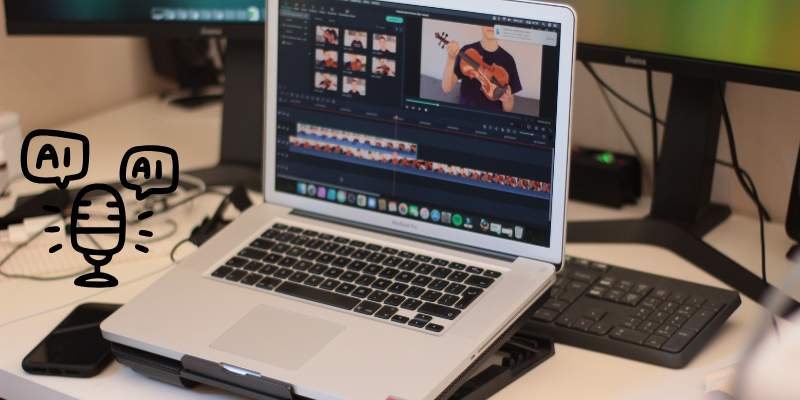
That’s where modern photo-to-video tools strut in: they animate your stills, add narration in a voice that fits, and spit out clean, platform-ready clips. If you’ve been thinking “that sounds hard,” you’re closer than you think.
How the magic works (without the pixie dust)
Let’s untangle the pipeline. It’s mostly four steps, and each one is friendlier than it sounds:
- Image sequencing. You drop a handful of photos; the tool drafts a timeline. It’ll add gentle motion—pans, zooms, cross-dissolves—so nothing feels like a slideshow from 2007.
- Script or prompts. You can paste a short script (“Tell the story of our new feature in 60s, warm tone”) or feed bullet points. Prefer no writing at all? Some tools summarize a page or notes into narration that doesn’t drone on.
- Voiceover. Pick a voice from a library (calm, playful, authoritative) or clone your own for that “yes, it’s really me” vibe. The better systems handle pacing, breaths, and emphasis so it sounds human rather than GPS.
- Captions & export. Auto-subtitles for the win—people watch on mute more than we admit. Then one click for 9:16, 1:1, or 16:9. Done.
Is it perfect on the first try? Rarely. But the “bad draft penalty” is tiny now, which means you can try three styles before lunch and choose the one that actually feels like you.
A workflow you can steal (and tweak)
Here’s the exact loop I use when I need something watchable—fast:
- Pick a promise. One sentence: who’s it for, what they’ll learn, and why they should care. “Teach new users how to set up alerts in under a minute.”
- Select photos with contrast. Close-up, context shot, reaction or result. Variety keeps the rhythm alive.
- Write the voiceover as if you’re texting a friend. Short lines. No jargon unless your audience genuinely uses it.
- Let the tool do a first cut. Accept the cheesy transitions for now. Momentum beats perfection.
- Tighten beats. Every 2–3 seconds, change something—text, crop, movement, overlay. It’s a heartbeat, not a sprint.
- Captions, always. High-contrast, away from faces and UI.
- Ship, learn, iterate. If drop-off happens at :07 across platforms, the hook is soft. Sharpen the opening line and try again.
I keep a little “style diary” with favorite hooks, pacing notes, and things that made me smile. Creativity shows up more often when it knows it’ll be caught.
Choosing a tool you’ll actually enjoy opening
A few decision cues that save headaches:
- You prefer to write first? Look for strong text-to-video and script editing.
- You hate writing? Pick one with prompt-to-narration and prebuilt story beats.
- You publish everywhere? Demand auto-resizing, safe caption layouts, and brand kits.
- You want your voice? Voice cloning plus basic EQ/noise cleanup makes a bigger difference than you’d expect.
- You need clean deliverables? If “no watermark” matters (clients, ads), check plan details before you commit. This is where a true ai photo to video generator with voice no watermark setup pays off—no surprises at export time.
Price is a factor, sure, but consider time saved. A tool that lets you ship in an hour instead of four is quietly the cheapest thing on your desk.
The creative side: tell a story, not a slideshow
Some quick ideas I love seeing teams try:
- Behind-the-scenes micro-doc. Sketch → prototype → messy desk → finished thing. Add a reflective line you’d normally keep to yourself. That vulnerability sticks.
- PR in pictures. Five photos that explain a complex announcement. If legal text lurks, read it out loud; if you stumble, rewrite for clarity. Your viewers will thank you.
- Customer-moment montage. User photo, quote, tiny metric, repeat. End with what changed for them, not you.
- Learning bites. Three steps, one caveat, one cheerful “don’t do this” story. People remember the screw-ups; give them yours so they don’t need their own.
Humor helps. Not slapstick—just the wink that says “yes, humans made this.” A micro-pause before the punchline, a caption that grins, a cut that lands on a raised eyebrow in a photo. That’s craft, not code.
Ethics, rights, and the grown-up stuff
Use images you have rights to. If you clone a voice, keep consent crystal clear (yours or your talent’s).
Be gentle with people’s likenesses; a moving mouth on a still portrait can cross a line if the subject isn’t onboard. For accessibility, include captions by default and keep color choices legible. Good taste ages well; shortcuts don’t.
Troubleshooting: why does this still feel meh?
- Flat VO? Try a different voice profile or nudge the script to speak like a person (contractions, shorter lines, fewer commas).
- Dead pacing? Add a beat of silence and a tightening zoom before the key line. Silence is seasoning; use a pinch.
- Visual clutter? Kill one overlay per scene. Give photos breathing room.
- Low retention? Rewrite the first two sentences to promise an outcome, not a topic. “Save an hour this week” > “About time management.”
Give yourself one “wild card” edit each project—a risk you’re not sure about. You’ll keep the best of them.
Conclusion: your camera roll deserves a second life
Photos freeze a moment; videos move a feeling. With today’s tools, you can bridge the two in an afternoon and sound like yourself while doing it.
Start small: ten photos, a 45-second script in your natural voice, captions that don’t yell, and an export that’s clean enough for prime time.
The first one will be fine. The third will be good. By the fifth, people will assume you’ve always been “a video person,” and you’ll smile because you know the secret: you just kept showing up, editing with empathy, and letting the machine handle the boring bits.