• About Us
  • Disclaimer
  • Contact Us
  • Privacy Policy
Tuesday, December 2, 2025
mGrowTech
No Result
View All Result
  • Technology And Software
    • Account Based Marketing
    • Channel Marketing
    • Marketing Automation
      • Al, Analytics and Automation
      • Ad Management
  • Digital Marketing
    • Social Media Management
    • Google Marketing
  • Direct Marketing
    • Brand Management
    • Marketing Attribution and Consulting
  • Mobile Marketing
  • Event Management
  • PR Solutions
  • Technology And Software
    • Account Based Marketing
    • Channel Marketing
    • Marketing Automation
      • Al, Analytics and Automation
      • Ad Management
  • Digital Marketing
    • Social Media Management
    • Google Marketing
  • Direct Marketing
    • Brand Management
    • Marketing Attribution and Consulting
  • Mobile Marketing
  • Event Management
  • PR Solutions
No Result
View All Result
mGrowTech
No Result
View All Result
Home Al, Analytics and Automation

Getting the GPU usage of NVIDIA cards with the Linux dstat tool

Josh by Josh
June 10, 2025
in Al, Analytics and Automation
0
Getting the GPU usage of NVIDIA cards with the Linux dstat tool
0
SHARES
1
VIEWS
Share on FacebookShare on Twitter

READ ALSO

Instruction Tuning for Large Language Models

Study Shows ChatGPT and Gemini Still Trickable Despite Safety Training


  • February 11, 2017
  • Vasilis Vryniotis
  • . 6 Comments

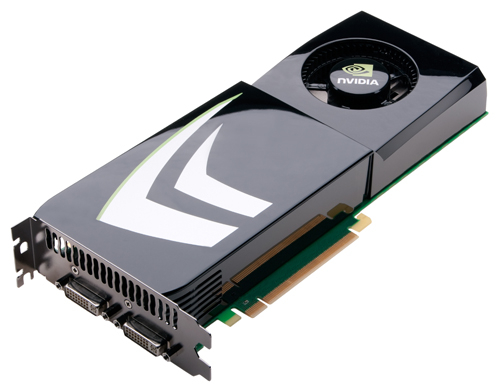
The dstat is an awesome little tool which allows you to get resource statistics for your Linux box. It has a modular architecture which allows you to develop additional plugins and it’s easy to use. Recently I was profiling a Deep Learning pipeline developed with Keras and Tensorflow and I needed detailed statistics about the CPU, Hard Disk and GPU usage. The first two are available out-of-the-box by dstat, nevertheless as far as I know there is no plugin for monitoring GPU usage for NVIDIA graphics cards.

Thankfully it is super easy to write a python plugin for dstat. I have already sent a pull-request on the official repo but since new versions are released relatively rarely here are some instructions on how to set up the dstat NVIDIA GPU usage plugin on your box.

Installation

The following commands are tested on Ubuntu 16.04 and they will help you install dstat, the Python NVIDIA Management Library and my dstat nvidia plugin:


sudo apt-get install dstat #install dstat
sudo pip install nvidia-ml-py #install Python NVIDIA Management Library
wget https://raw.githubusercontent.com/datumbox/dstat/master/plugins/dstat_nvidia_gpu.py
sudo mv dstat_nvidia_gpu.py /usr/share/dstat/ #move file to the plugins directory of dstat

To get all the default statistics along with GPU usage (percentage) type the following command:


dstat -a --nvidia-gpu

----total-cpu-usage---- -dsk/total- -net/total- ---paging-- ---system-- gpu-u
usr sys idl wai hiq siq| read  writ| recv  send|  in   out | int   csw |total
  2   1  96   0   0   0|5816k   15M|   0     0 |   0     0 |  45k   98k|   68
  0   1  98   0   0   0|  57M  128k| 104B  902B|   0     0 |  42k   85k|   50
  8   7  84   1   0   0| 152M    0 | 292B  448B|   0     0 |  52k   93k|   39
  1   1  97   1   0   0| 111M    0 |  52B  374B|   0     0 |  51k  116k|   62
  0   1  98   1   0   0| 129M    0 |  80B  416B|   0     0 |  43k   85k|   92
  0   2  98   0   0   0|   0     0 |  52B  374B|   0     0 |  41k   83k|   81

To get all the usage statistics for each GPU use the following command:


dstat --nvidia-gpu -f
-------------------------------------------gpu-usage-nvidia------------------------------------------
total  gpu0  gpu1  gpu2  gpu3  gpu4  gpu5  gpu6  gpu7  gpu8  gpu9 gpu10 gpu11 gpu12 gpu13 gpu14 gpu15
   19    23    22    21    21    20    22    23    25    15    18    16    16    16    18    16    14
   18    21    20    18    22    21    21    22    21    15    15    14    14    14    15    16    13
   10    14     9    13     8     9    11     9    12     9     9    10    10     8     7     9     9
   18    20    22    19    21    20    21    21    22    14    15    14    15    14    15    15    15
   20    24    22    23    24    25    22    22    22    16    16    16    16    16    16    18    16
   15    21    18    19    18    17    17    16    18    14    13    13    14    13    12    11    11
   20    24    22    22    24    25    23    24    22    16    18    16    14    17    17    17    15
   19    29    18    23    21    22    21    20    21    18    16    16    18    14    14    17    17

How it works

The plugin fetches the number of available GPUs on the system and samples 10 times the usage metric for each GPU. Sampling multiple times will hopefully return smoother metrics than getting a single measurement. After that it averages the usage across all GPUs and returns the results to the user. The source code of the plugin is available here.

Hope you enjoy it, happy GPU programming! 🙂


Source_link

Related Posts

Instruction Tuning for Large Language Models
Al, Analytics and Automation

Instruction Tuning for Large Language Models

December 2, 2025
Study Shows ChatGPT and Gemini Still Trickable Despite Safety Training
Al, Analytics and Automation

Study Shows ChatGPT and Gemini Still Trickable Despite Safety Training

December 2, 2025
MIT Sea Grant students explore the intersection of technology and offshore aquaculture in Norway | MIT News
Al, Analytics and Automation

MIT Sea Grant students explore the intersection of technology and offshore aquaculture in Norway | MIT News

December 2, 2025
MiniMax-M2: Technical Deep Dive into Interleaved Thinking for Agentic Coding Workflows
Al, Analytics and Automation

MiniMax-M2: Technical Deep Dive into Interleaved Thinking for Agentic Coding Workflows

December 2, 2025
Pretrain a BERT Model from Scratch
Al, Analytics and Automation

Pretrain a BERT Model from Scratch

December 1, 2025
How to Design an Advanced Multi-Page Interactive Analytics Dashboard with Dynamic Filtering, Live KPIs, and Rich Visual Exploration Using Panel
Al, Analytics and Automation

How to Design an Advanced Multi-Page Interactive Analytics Dashboard with Dynamic Filtering, Live KPIs, and Rich Visual Exploration Using Panel

December 1, 2025
Next Post
Why Part-Time Franchises Make Fantastic Side Hustles?

Why Part-Time Franchises Make Fantastic Side Hustles?

POPULAR NEWS

Communication Effectiveness Skills For Business Leaders

Communication Effectiveness Skills For Business Leaders

June 10, 2025
Trump ends trade talks with Canada over a digital services tax

Trump ends trade talks with Canada over a digital services tax

June 28, 2025
15 Trending Songs on TikTok in 2025 (+ How to Use Them)

15 Trending Songs on TikTok in 2025 (+ How to Use Them)

June 18, 2025
App Development Cost in Singapore: Pricing Breakdown & Insights

App Development Cost in Singapore: Pricing Breakdown & Insights

June 22, 2025
7 Best EOR Platforms for Software Companies in 2025

7 Best EOR Platforms for Software Companies in 2025

June 21, 2025

EDITOR'S PICK

Grow a Garden Tall Asparagus Wiki

Grow a Garden Tall Asparagus Wiki

August 5, 2025

The magic in the message: A look inside Amazon MGM Studios’ culture-forward strategy

June 21, 2025
Balancing Transparency And Legal Risks: A Strategic Approach

Balancing Transparency And Legal Risks: A Strategic Approach

June 6, 2025
The Best Agency Leaders Don’t Have All the Answers

The Best Agency Leaders Don’t Have All the Answers

June 11, 2025

About

We bring you the best Premium WordPress Themes that perfect for news, magazine, personal blog, etc. Check our landing page for details.

Follow us

Categories

  • Account Based Marketing
  • Ad Management
  • Al, Analytics and Automation
  • Brand Management
  • Channel Marketing
  • Digital Marketing
  • Direct Marketing
  • Event Management
  • Google Marketing
  • Marketing Attribution and Consulting
  • Marketing Automation
  • Mobile Marketing
  • PR Solutions
  • Social Media Management
  • Technology And Software
  • Uncategorized

Recent Posts

  • Lessons on Leadership, Creativity and Coming Home
  • 8 Essential Breakdowns to Use in Meta Ads Manager
  • What Does A Freelance Copywriter Do? A Complete Guide For Beginners
  • Instruction Tuning for Large Language Models
  • About Us
  • Disclaimer
  • Contact Us
  • Privacy Policy
No Result
View All Result
  • Technology And Software
    • Account Based Marketing
    • Channel Marketing
    • Marketing Automation
      • Al, Analytics and Automation
      • Ad Management
  • Digital Marketing
    • Social Media Management
    • Google Marketing
  • Direct Marketing
    • Brand Management
    • Marketing Attribution and Consulting
  • Mobile Marketing
  • Event Management
  • PR Solutions

Are you sure want to unlock this post?
Unlock left : 0
Are you sure want to cancel subscription?