
Breakdowns allow you to uncover valuable information in your results by creating rows by various categories like demographics, time, location, and geography. But there are two geographic breakdowns in Ads Manager that are disabled by default.
Here’s how you can enable them…
Enable New Breakdowns
Within Ads Manager, go to the breakdown dropdown menu.

Scroll down to Geography, and you may see two grayed out options:
- DMA Region
- Comscore Markets
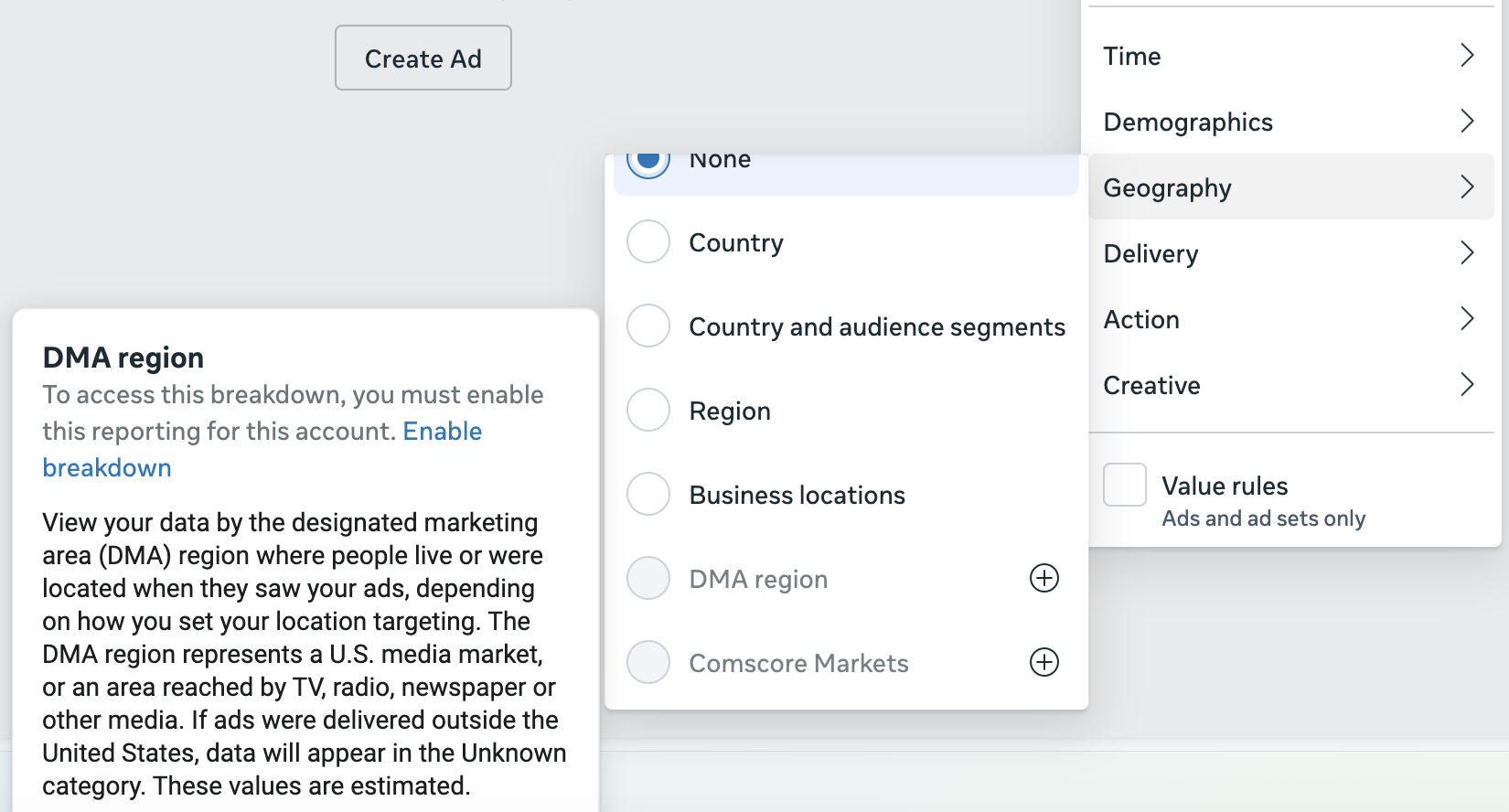
Both represent media markets in the US. So an example might be Los Angeles, which would include both the city and the surrounding area.
These breakdowns are not on by default and you’ll need to enable them. All you need to do is click the + button to turn them on.
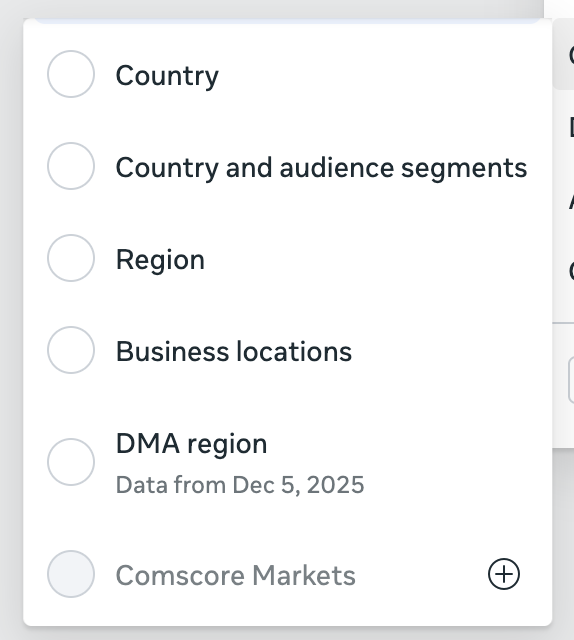
That’s it. No other steps or approval process. But the data you get will be from that point forward, usually beginning with the following day.
Previously Enabled
What’s interesting is that DMA Region used to be an option that was enabled by default (I covered it here). At some point, Meta decided to only make these two available if advertisers explicitly asked for them.
Are you using these breakdowns?