[ad_1]
Meta Advertiser Field Notes
Weekly observations from inside Meta ads
This week’s updates cover appointment booking from instant forms, conversion optimization for ChatGPT ads, the Creative Exploration Tool, Customer Lifecycle Strategy excluded audiences, a targeting label change, and an Events Manager bug.
- Book appointments from instant forms
- Conversion optimization is here for ChatGPT ads
- What is the Creative Exploration Tool?
- Customer Lifecycle Strategy excluded audiences
- “I need a specific audience”
- Events Manager Settings bug
Let’s get to it…
1. Book Appointments from Instant Forms
Meta announced an interesting update for lead ads. Advertisers can direct new leads to book a call with you immediately after completing the instant form.
The person’s contact information will carry over to the calendar, so they won’t need to manually input that information again. This is a streamlined process, thanks to integrations with Calendly, HighLevel, and eventually HubSpot and more.
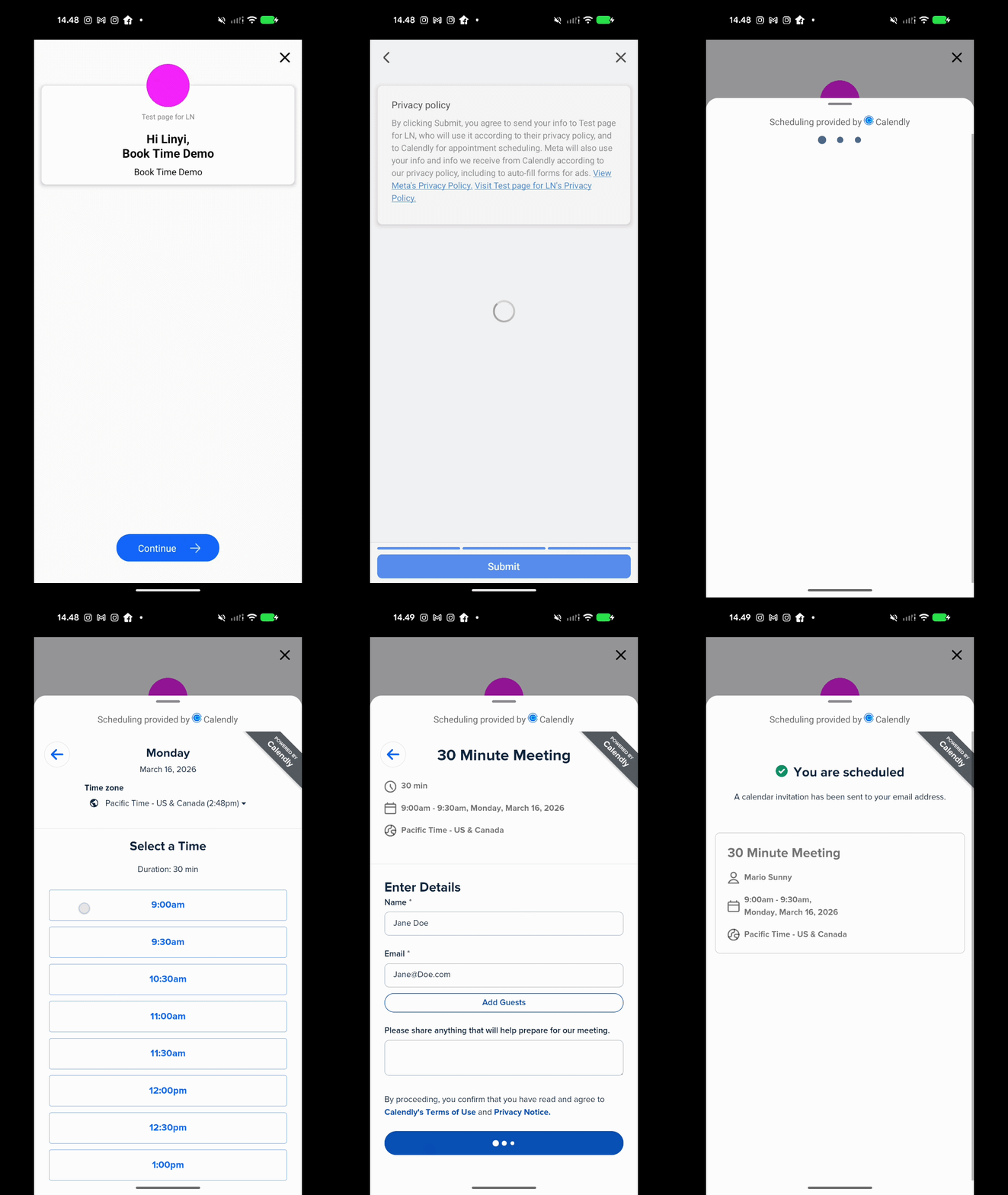
Not everyone has this option yet. If you do, here’s how to set up the instant form…
Under Additional Actions in the Ending section, select Book time.
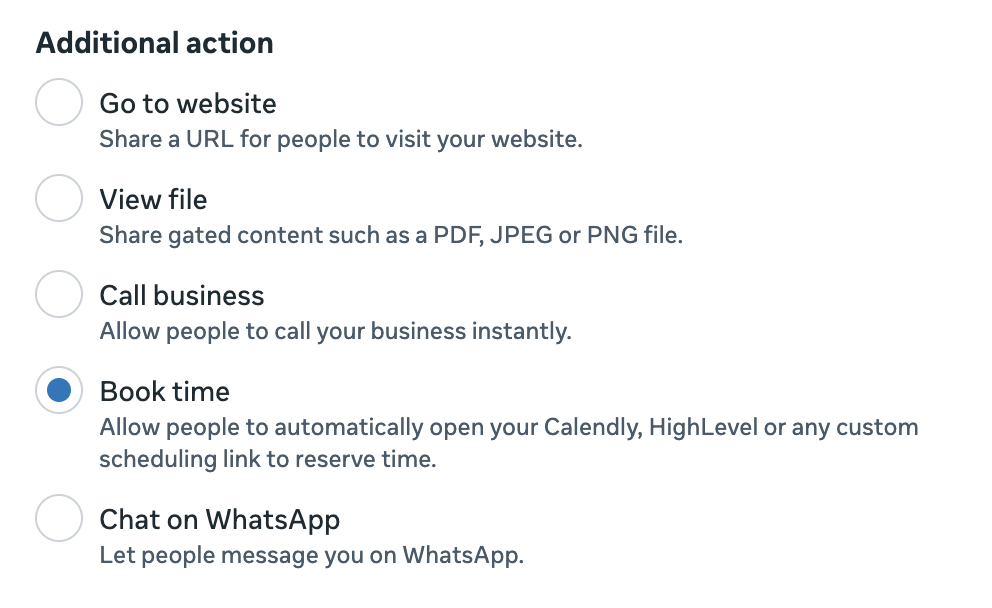
Paste your scheduling link from Calendly or HighLevel. The system will automatically detect your calendar provider and show a live preview of the embedded widget.
Here’s how the setup looks…
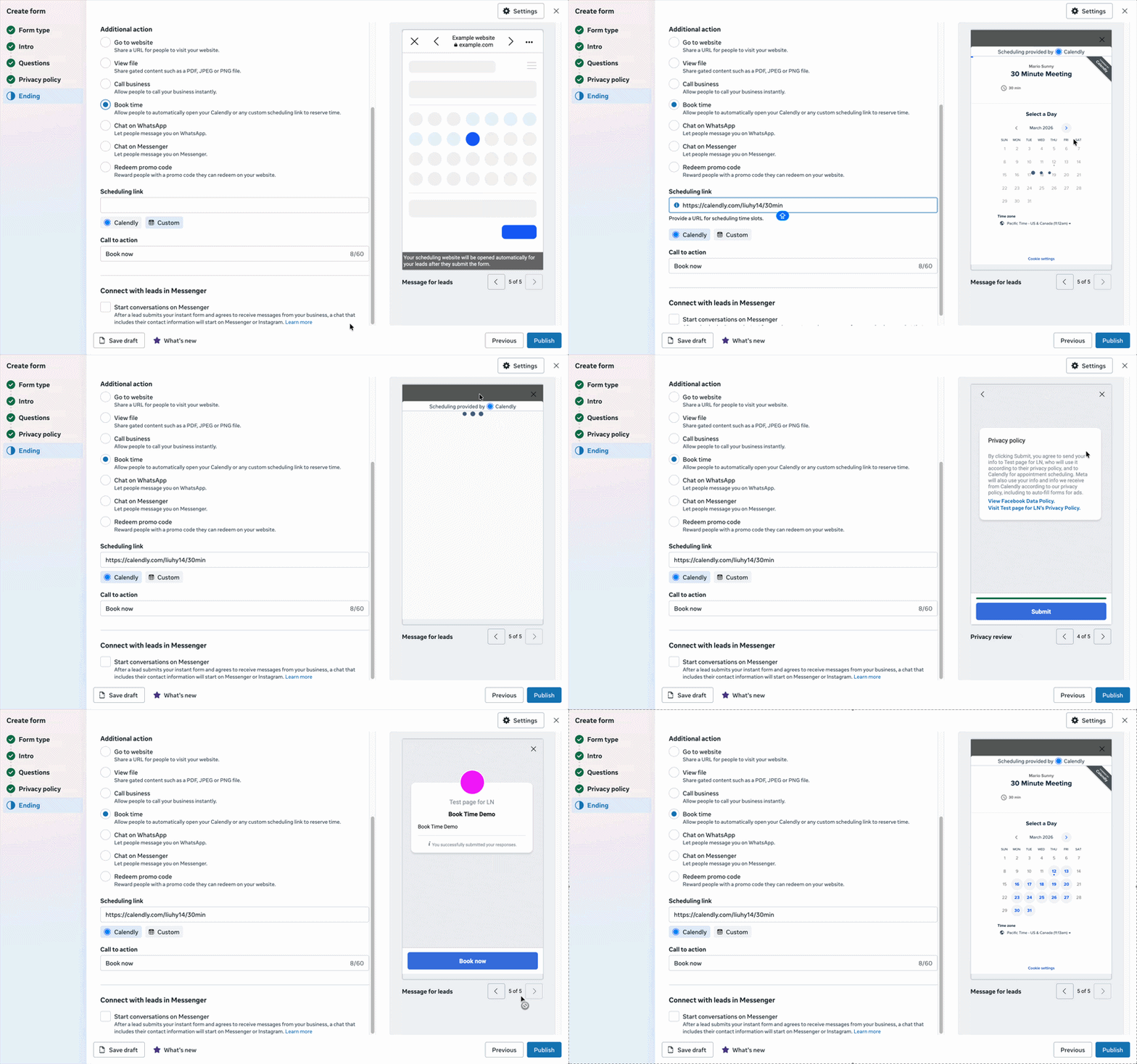
This could be a really good opportunity for advertisers who struggle to get leads to book after the initial signup. Typically, you may have a flow that requires new leads to open an email from you and then click a link to your booking page. Now it happens in one process.
2. Conversion Optimization is Here for ChatGPT Ads
One of the primary annoyances related to the ChatGPT ads beta is that you couldn’t create conversion-optimized campaigns. The only options were clicks and impressions.
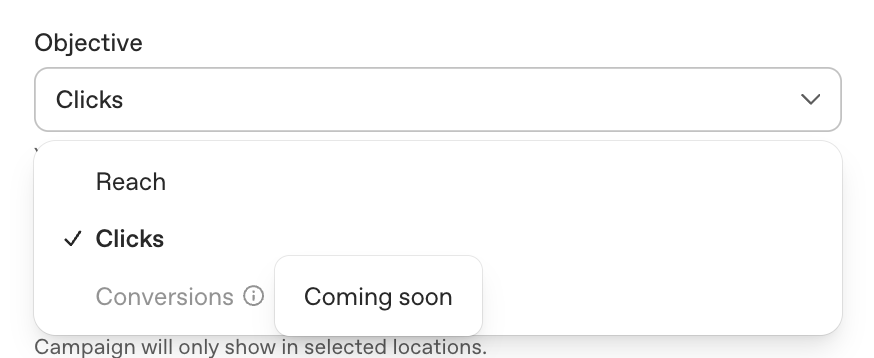
About a month ago, OpenAI informed advertisers that conversion-optimized campaigns would start rolling out on June 5th to those who created conversions by June 1st. Unfortunately, that didn’t mean you’d see it on June 5th, even if you qualified.
I’ve been checking it daily, and I fully expected my typical disappointment when I checked today. But I have it now, and you might, too.
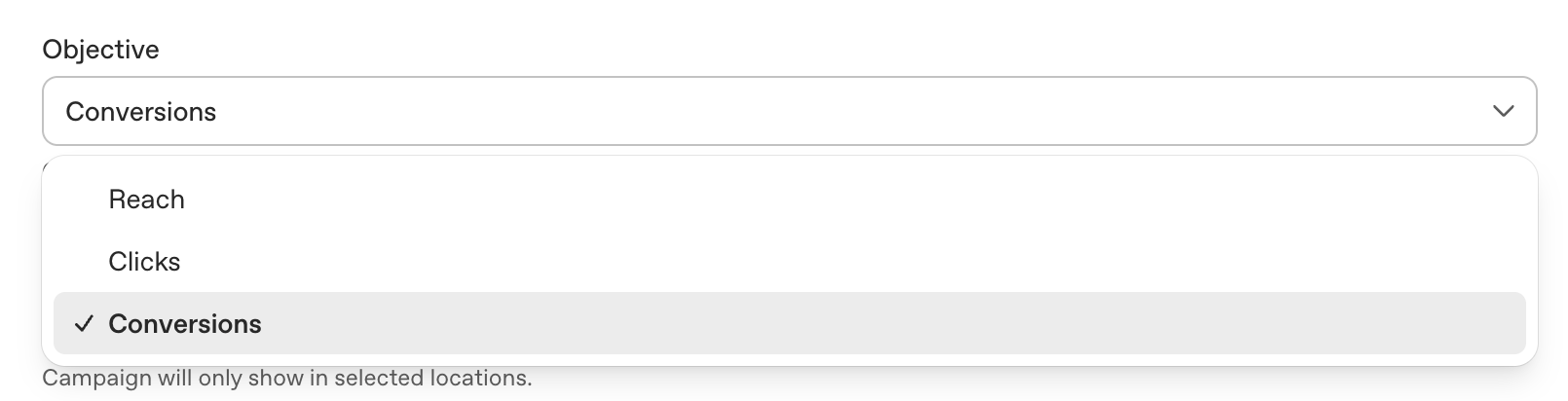
Once you’ve chosen the Conversions objective in the campaign, select your conversion event.

ChatGPT conversions are goofy and unnecessarily complex. I won’t get into that here, but I did discuss it in a recent Field Notes.
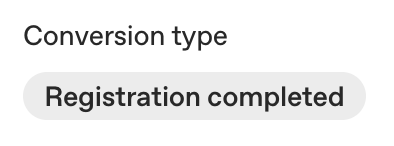
In the ad group, OpenAI will automatically define the conversion type based on the event you entered in the campaign.
And then you can set a conversion-optimized bid cap.

Previously, you’d set a CPC or CPM bid cap, depending on whether you had chosen a Clicks or Impressions objective. Now you’re bidding the most you’ll pay for a conversion. Though it should be noted that you’ll still be billed for clicks.
In the example above, $3.50 was entered by default, which may be a carryover from the default CPC bid. A warning appears that the bid may be too low to deliver reliably.
Of course, that message still appears if I use $200 instead.

That message immediately jumps to “Strong Delivery” once the bid moves from $209 to $210.

This is likely another example of this beta being a very primitive process. Someone likely coded that manually. Because if advertisers should expect conversions to cost $210, that’s going to price a lot of people out.
3. What is the Creative Exploration Tool?
Meta made a slew of AI-related announcements from Cannes. Ironically (or not), the announcement seemed to be written entirely by AI. And if I’m to be honest, I’m still not entirely sure what it said.
But one of the new features, if we’re to cut through all of the AI clutter, sounds interesting. What’s crazy is that Meta never comes out and names it. The announcement refers to it as “end-to-end creative,” and the announcement links to a feature-specific page that still refers to this feature generically as “end-to-end creative solution.”
Here’s how that page defines it:
We’ve announced a dedicated end-to-end solution for navigating creative strategy, testing and optimization. It uses first-party performance data and robust audience understanding from Meta to show you what’s working in your campaigns and why. Then it helps you strategize and launch what’s next, from generating on-brand concepts to running creative tests to scaling what wins. Every round builds on the last.
I know. Still somewhat vague.
That page lists this feature’s benefits…
Understand what’s working and why.
Get actionable insights based on your goals and audience, understand how you compare against benchmarks and discover which variations are most likely to perform.
Scale your winners.
Test creative hypotheses built around your actual business, get results faster and iterate based on your new learnings.
Maintain your brand integrity.
Build creative that’s informed by your brand identity, drawing from your existing ads on Meta and inputs you provide.
Collaborate seamlessly between teams.
Close the gap between media and creative teams, with performance indicators that connect campaign performance and creative strategy to help inform decisions.
Look, I’m not doubting that this is going to be a helpful (dare I say “game-changing”??) feature, but I just can’t picture it. From all of these words, the execution remains missing. It’s not clear to me what exactly you’ll be able to do with this feature that you can’t do now, or how exactly these options are applied.
Anyway, the official help center article calls this feature the “Creative Exploration Tool.” We’ll call it that.
Keep your eyes peeled for… whatever this is.
4. Customer Lifecycle Strategy Excluded Audiences
A few weeks ago, I covered a new feature advertisers are seeing called Customer Lifecycle Strategy. It allows advertisers to define whether they want to get conversions from all audiences or only new customers.
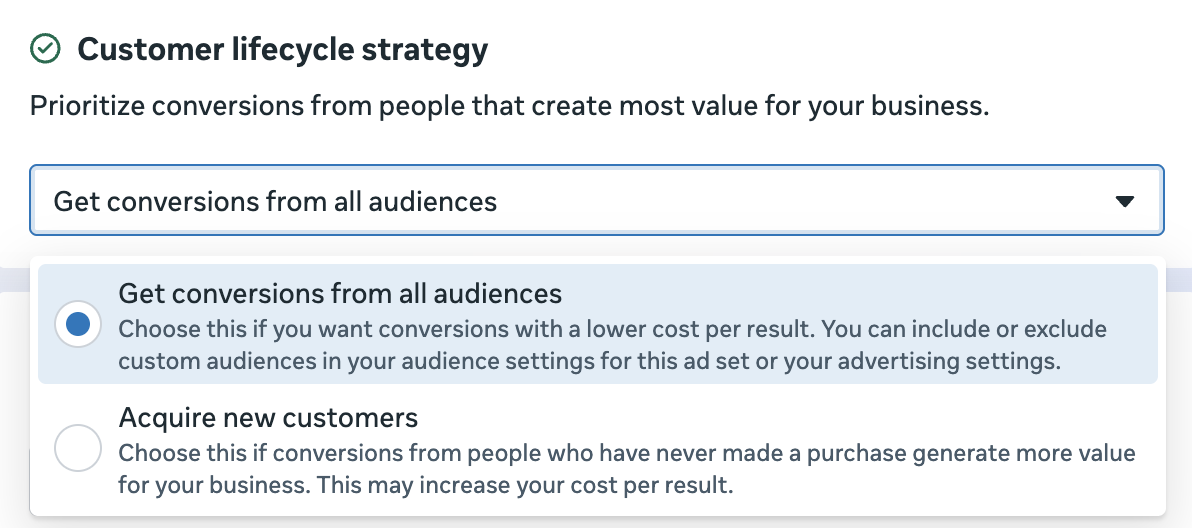
There was all kinds of misinformation flying around about how this was executed when only a handful of advertisers had it. Once I finally saw it in an ad account, I was able to verify that it still required advertisers to manually provide the custom audiences they wanted to exclude.
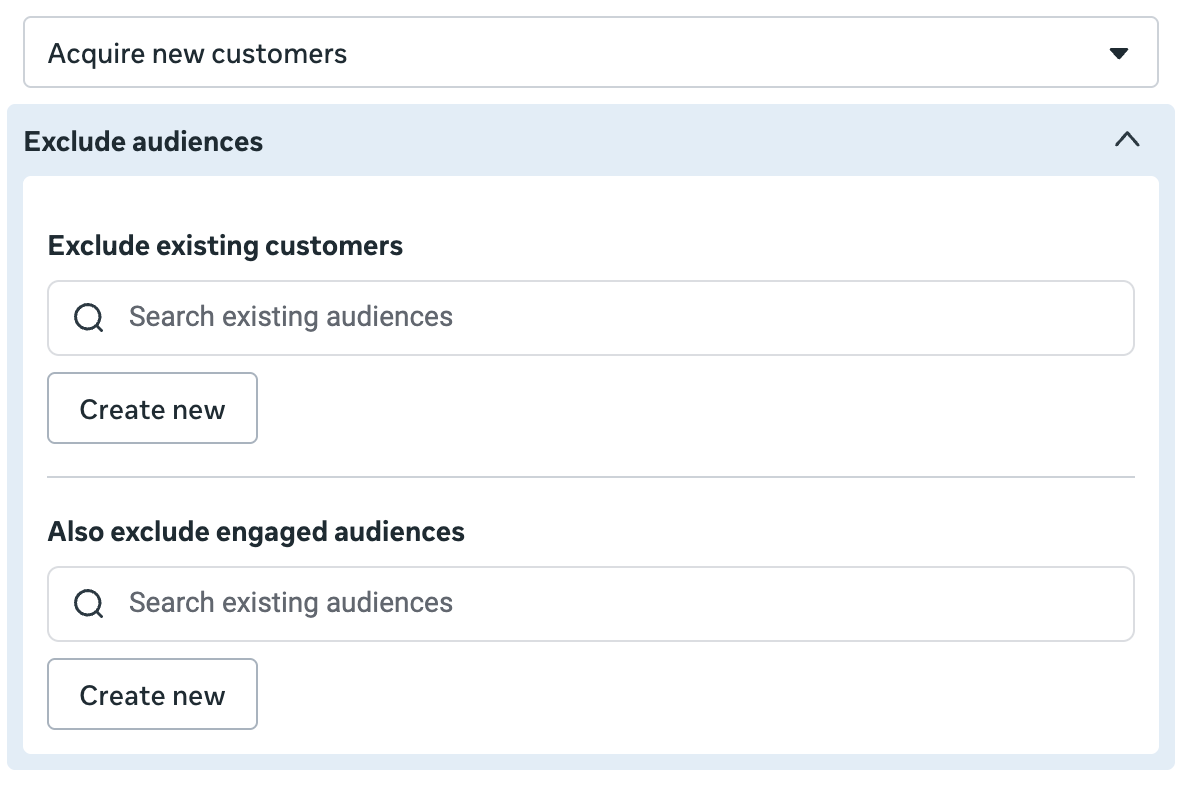
Now that I have it for my main ad account, I’m seeing a slight variation. When I chose the option to acquire new customers, Meta automatically inserts a handful of custom audiences that you can exclude.
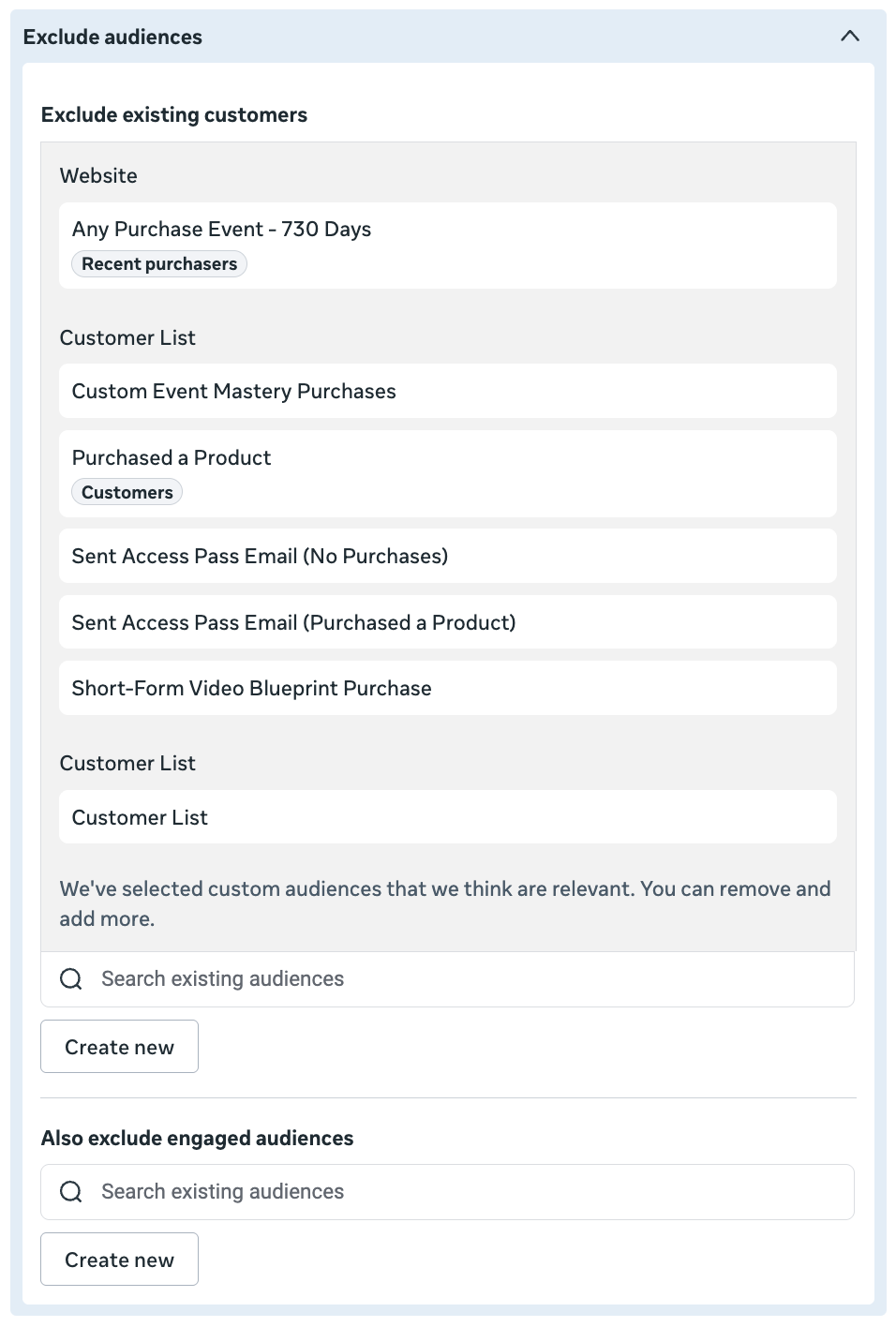
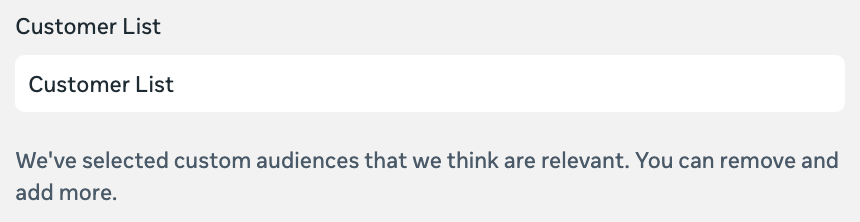
But the science behind this isn’t particularly impressive. Look more closely and you’ll see this message: “We’ve selected custom audiences that we think are relevant. You can remove and add more.”
From what I can tell, Meta is simply finding custom audiences by keywords. The custom audiences that Meta pulled to exclude existing customers all have the word “purchase” or “customer” in the name. That’s fine if you use a naming convention knowing that it will be used for this purpose. But that means it will also include names with phrases like “Not a Customer” in it.
You can still manually add and remove these custom audiences, of course. And you almost surely will. What are the unlikely odds that the custom audiences Meta selects actually match your full list of existing customers and engaged audiences?
This feels like an odd solution when a much more obvious one is sitting right in front of us. Why not pre-fill the Existing Customers and Engaged Audience sections with the identically-named audience segments you should have already defined?
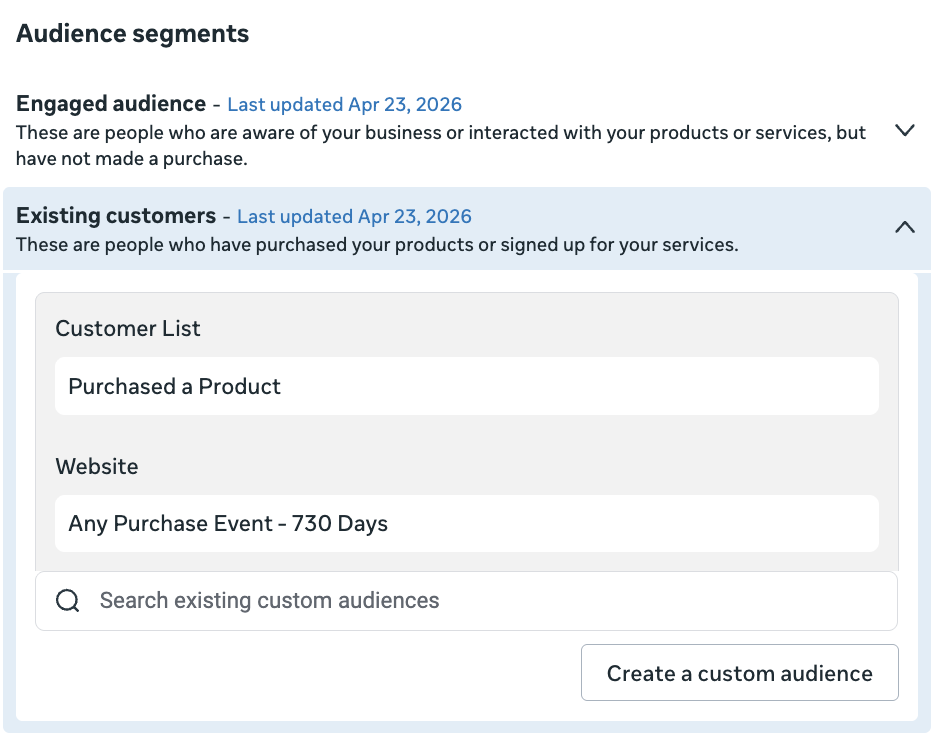
Why is this so unnecessarily difficult?
5. “I Need a Specific Audience”
It’s one of those subtle things you might not have noticed.
Within the Audience section of the ad set, advertisers previously had the option to “further limit the reach” of their ads if they wanted to apply restrictions beyond what was available in Audience Controls.

This label has been replaced with “I need a specific audience.”

If you’re wondering, this isn’t going to give you any new powers over audience targeting. When you click it, you’ll see the typical warning that limiting your audience may hurt performance.
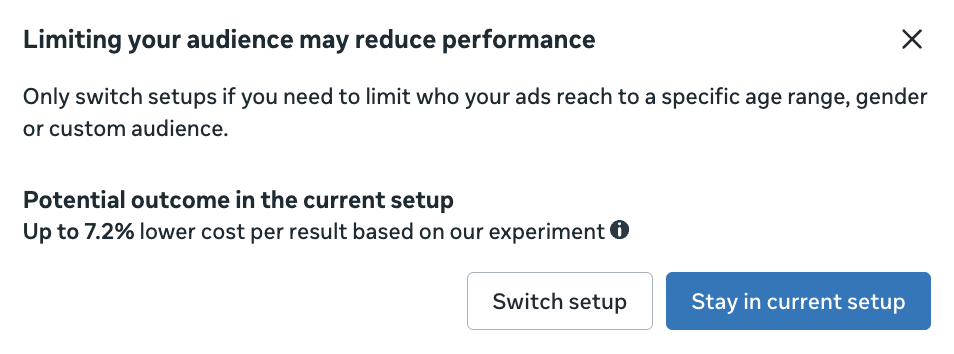
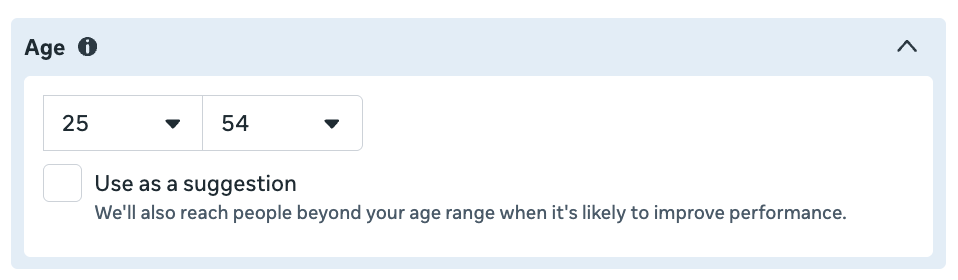
Whether you can actually reach a “specific audience” as the label claims depends on some things. Yes, you can restrict by a specific age range or gender, assuming you uncheck the box to use it as a suggestion. Same thing for custom audiences (or remarketing).
But whether you can restrict your audience to a selected lookalike audience or detailed targeting will depend on the performance goal. And chances are, those inputs will only be used as suggestions.
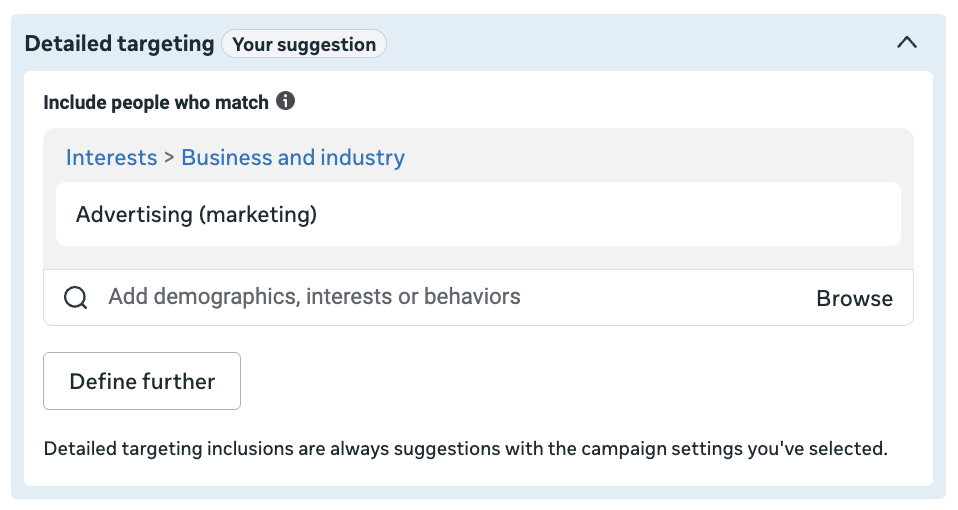
When detailed targeting is provided for one of the 11 most common performance goals, it will only be used as a suggestion. The same is true for lookalike audiences and nine performance goals.
In other words, it’s just a label change. There’s always a reason why Meta changes these labels. In this case, it’s likely because “I need a specific audience” is more clearly worded than “Further limit the reach of your ads.”
6. Events Manager Settings Bug
Finally, I can’t be the only one who is seeing this bug. When I attempt to view the settings tab of any dataset in Events Manager, I get an “Ouch! Something went wrong…” message.
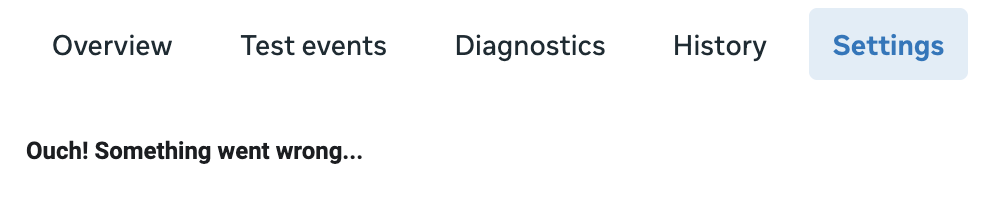
Everything else seems to be working fine, so all indications are that it’s a display bug. But I’ve been seeing this message for the past week or so.
Your Turn
What do you think about these updates?
Let me know in the comments below!
[ad_2]
Source_link