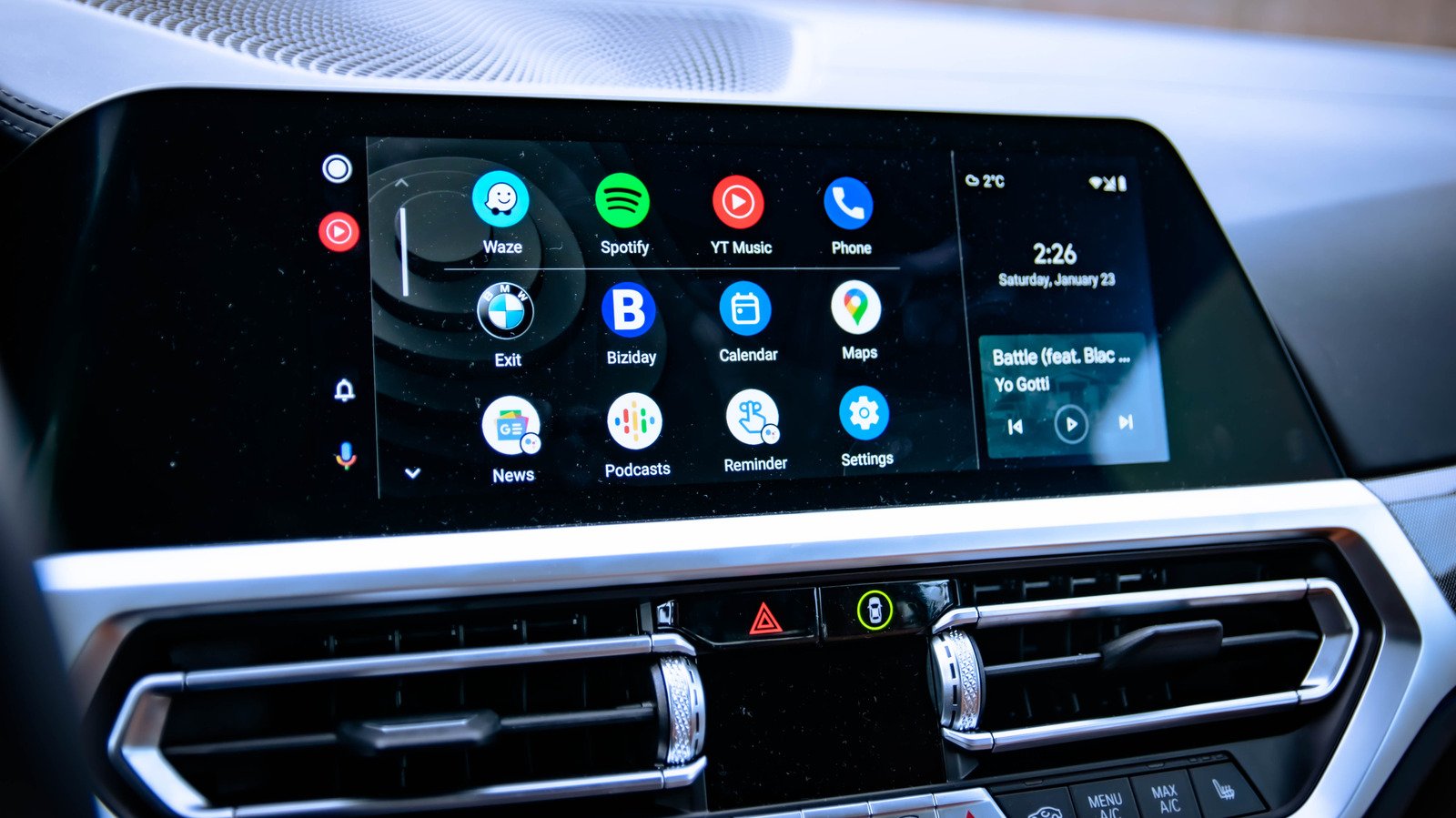
Chances are there’s a connection issue between your phone and car if Android auto isn’t working.
Android Auto is a neat way to extend your smartphone to your car’s infotainment screen. Maps, messages and more are all accessible once you’ve hooked up your phone up to your car. The experience is designed to be seamless, so long as your phone and car are actually compatible.
What happens if Android Auto isn’t working, though? Well, assuming a rare bug isn’t the cause, fixing a faulty Android Auto hookup to your car is a pretty easy process. You don’t need to a ton of technical know-how to fix the problem, as one of the more common fixes will likely to be all you need to get it working again.
Check your cable and connection settings
The weak link between your smartphone and your car is the connection, wireless or wired. For wired users, you can start troubleshooting by checking that your cable is connected properly and free from any damage. If there’s no visible problems, the cable or port could still be fried — switch it to another USB port or switch the cable out for a replacement. You don’t want to be using a cheap USB cable that’s designed for charging for this job, as you’ll need one that supports data transfers over USB. This Google guide recommends that you use a cable shorter than six feet and to ditch any cable extensions, too.
If you’re using Android Auto wirelessly, you’ll need to make sure that both Bluetooth and Wi-Fi are switched on. If they are, and it looks like you’re connected, then disconnect — you want to force it to make a manual reconnection to your car.
That’ll also mean making sure your car is in the right app or menu for Android Auto to connect and become visible, which might mean selecting it on your car’s infotainment screen. If you think the car is the problem, you can always rule this out by using another Android phone if you have one spare.
Restart, remove and reconnect your device
You’ve already checked the cable (or your wireless connection) and it all looks fine. If that’s the case, you’ll want to try the three R’s: restart your phone, remove the connection entirely and reconnect as if it’s new. It’s probably uncommon for you to restart your phone, but doing so clears any running processes from your phone’s memory, giving you a fresh slate.
Once you’ve restarted, you’ll want to remove the connection and re-pair it as if it’s new. The Android settings menu can vary, but the steps will look something like this: open Settings > Connected Devices > Android Auto (or just search for Android Auto in your settings search bar). From there, tap your car and select Forget to remove it. Once this is done, just tap Connect a Vehicle again to hook it up to your car from scratch, making sure you’re in the correct menu in your car’s infotainment screen to allow you to do this.
While you’re in the same menu, make sure to set up your Android Auto settings for seamless connections. You’ll want to start Android Auto automatically for your car, and you might want to set it to allow Android Auto while your phone screen is locked, although this will depend on your privacy preferences.
Clear Android Auto’s app cache
At this point, any problem causing Android Auto to stop working is going to need a deeper look. You can clear the cache for the Android Auto app on your phone to try and remove any conflicting settings or files.
How you reach this menu can vary between Android models, but for most users, you can tap Settings > Apps and search for Android Auto in the list. Select it once you find it, tap Force Stop for good measure, then tap Storage. You can then tap Clear Cache to remove all of the available cache or, if you want to fully reset it, you can hit Clear Data, too.
Once this is done, you may need to manually reconnect, and possibly even set it up as a new connection before your apps start mirroring to your car display again.
What happens if Android Auto still isn’t working?
If Android Auto still won’t work after these steps, check that your phone is up-to-date. You’ll want to install any available updates for Android itself and for Google Play Services to get new bug fixes and feature updates installed.
Can’t get wireless Android Auto to work either? Well, switch to wired, just to be sure, and vice versa. You can rule out Android Auto itself being a problem in some way if it’s a connection issue between one of the two methods. Your car might only support a wired connection, but third-party wireless Android Auto adapters do exist as a workaround if you’re determined to stay cordless.
Android Auto needs certain permissions to properly work. If it doesn’t, you can always check back in the Apps menu. For instance, if you want it to access your contacts to send messages or make calls, you’ll need to allow it to do so under the Permissions section.
Using a VPN? That’s a problem for Android Auto, unfortunately, as VPNs have been known to interfere with the connection between your car. If it’s a must, use split tunneling in your VPN app to ensure that Android Auto bypasses your VPN connection completely so it doesn’t interfere.
Other minor issues, such as running your phone in battery-saving mode, are also worth checking (and switching off) to rule out. If all else fails, don’t forget to try using another phone. Not permanently, but just to see if the problem is specific to your handset, or if it’s your car that has the problem. Oh, and double-check that your car is actually compatible with Android Auto, just to be on the safe side.












![Clicks Don’t Pay the Bills: Use This Audit Framework To Prove Content Revenue [Mozcon 2025 Speaker Series]](https://mgrowtech.com/wp-content/uploads/2025/05/MozCon-25-Speaker-Profile-Cards-2-120x86.png)