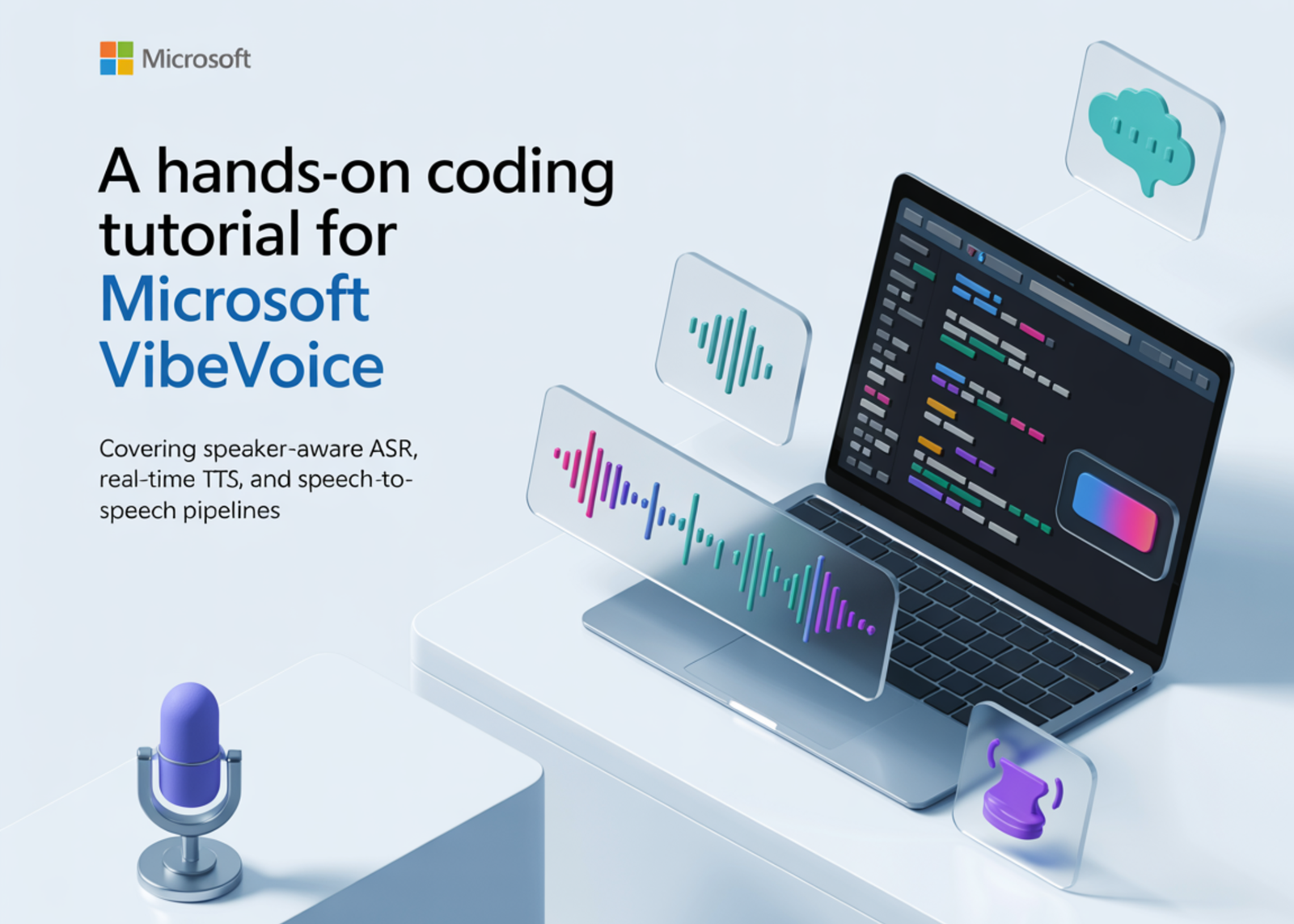
In this tutorial, we explore Microsoft VibeVoice in Colab and build a complete hands-on workflow for both speech recognition and real-time speech synthesis. We set up the environment from scratch, install the required dependencies, verify support for the latest VibeVoice models, and then walk through advanced capabilities such as speaker-aware transcription, context-guided ASR, batch audio processing, expressive text-to-speech generation, and an end-to-end speech-to-speech pipeline. As we work through the tutorial, we interact with practical examples, test different voice presets, generate long-form audio, launch a Gradio interface, and understand how to adapt the system for our own files and experiments.
!pip uninstall -y transformers -q
!pip install -q git+https://github.com/huggingface/transformers.git
!pip install -q torch torchaudio accelerate soundfile librosa scipy numpy
!pip install -q huggingface_hub ipywidgets gradio einops
!pip install -q flash-attn --no-build-isolation 2>/dev/null || echo "flash-attn optional"
!git clone -q --depth 1 https://github.com/microsoft/VibeVoice.git /content/VibeVoice 2>/dev/null || echo "Already cloned"
!pip install -q -e /content/VibeVoice


print("="*70)
print("IMPORTANT: If this is your first run, restart the runtime now!")
print("Go to: Runtime -> Restart runtime, then run from CELL 2.")
print("="*70)


import torch
import numpy as np
import soundfile as sf
import warnings
import sys
from IPython.display import Audio, display


warnings.filterwarnings('ignore')
sys.path.insert(0, '/content/VibeVoice')


import transformers
print(f"Transformers version: {transformers.__version__}")


try:
   from transformers import VibeVoiceAsrForConditionalGeneration
   print("VibeVoice ASR: Available")
except ImportError:
   print("ERROR: VibeVoice not available. Please restart runtime and run Cell 1 again.")
   raise


SAMPLE_PODCAST = "https://huggingface.co/datasets/bezzam/vibevoice_samples/resolve/main/example_output/VibeVoice-1.5B_output.wav"
SAMPLE_GERMAN = "https://huggingface.co/datasets/bezzam/vibevoice_samples/resolve/main/realtime_model/vibevoice_tts_german.wav"


print("Setup complete!")
We prepare the complete Google Colab environment for VibeVoice by installing and updating all the required packages. We clone the official VibeVoice repository, configure the runtime, and verify that the special ASR support is available in the installed Transformers version. We also import the core libraries and define sample audio sources, making our tutorial ready for the later transcription and speech generation steps.
from transformers import AutoProcessor, VibeVoiceAsrForConditionalGeneration


print("Loading VibeVoice ASR model (7B parameters)...")
print("First run downloads ~14GB - please wait...")


asr_processor = AutoProcessor.from_pretrained("microsoft/VibeVoice-ASR-HF")
asr_model = VibeVoiceAsrForConditionalGeneration.from_pretrained(
   "microsoft/VibeVoice-ASR-HF",
   device_map="auto",
   torch_dtype=torch.float16,
)


print(f"ASR Model loaded on {asr_model.device}")


def transcribe(audio_path, context=None, output_format="parsed"):
   inputs = asr_processor.apply_transcription_request(
       audio=audio_path,
       prompt=context,
   ).to(asr_model.device, asr_model.dtype)

   output_ids = asr_model.generate(**inputs)
   generated_ids = output_ids[:, inputs["input_ids"].shape[1]:]
   result = asr_processor.decode(generated_ids, return_format=output_format)[0]

   return result


print("="*70)
print("ASR DEMO: Podcast Transcription with Speaker Diarization")
print("="*70)


print("\nPlaying sample audio:")
display(Audio(SAMPLE_PODCAST))


print("\nTranscribing with speaker identification...")
result = transcribe(SAMPLE_PODCAST, output_format="parsed")


print("\nTRANSCRIPTION RESULTS:")
print("-"*70)
for segment in result:
   speaker = segment['Speaker']
   start = segment['Start']
   end = segment['End']
   content = segment['Content']
   print(f"\n[Speaker {speaker}] {start:.2f}s - {end:.2f}s")
   print(f"  {content}")


print("\n" + "="*70)
print("ASR DEMO: Context-Aware Transcription")
print("="*70)


print("\nComparing transcription WITH and WITHOUT context hotwords:")
print("-"*70)


result_no_ctx = transcribe(SAMPLE_GERMAN, context=None, output_format="transcription_only")
print(f"\nWITHOUT context: {result_no_ctx}")


result_with_ctx = transcribe(SAMPLE_GERMAN, context="About VibeVoice", output_format="transcription_only")
print(f"WITH context:    {result_with_ctx}")


print("\nNotice how 'VibeVoice' is recognized correctly when context is provided!")
We load the VibeVoice ASR model and processor to convert speech into text. We define a reusable transcription function that enables inference with optional context and multiple output formats. We then test the model on sample audio to observe speaker diarization and compare the improvements in recognition quality from context-aware transcription.
print("\n" + "="*70)
print("ASR DEMO: Batch Processing")
print("="*70)


audio_batch = [SAMPLE_GERMAN, SAMPLE_PODCAST]
prompts_batch = ["About VibeVoice", None]


inputs = asr_processor.apply_transcription_request(
   audio=audio_batch,
   prompt=prompts_batch
).to(asr_model.device, asr_model.dtype)


output_ids = asr_model.generate(**inputs)
generated_ids = output_ids[:, inputs["input_ids"].shape[1]:]
transcriptions = asr_processor.decode(generated_ids, return_format="transcription_only")


print("\nBatch transcription results:")
print("-"*70)
for i, trans in enumerate(transcriptions):
   preview = trans[:150] + "..." if len(trans) > 150 else trans
   print(f"\nAudio {i+1}: {preview}")


from transformers import AutoModelForCausalLM
from vibevoice.modular.modular_vibevoice_text_tokenizer import VibeVoiceTextTokenizerFast


print("\n" + "="*70)
print("Loading VibeVoice Realtime TTS model (0.5B parameters)...")
print("="*70)


tts_model = AutoModelForCausalLM.from_pretrained(
   "microsoft/VibeVoice-Realtime-0.5B",
   trust_remote_code=True,
   torch_dtype=torch.float16,
).to("cuda" if torch.cuda.is_available() else "cpu")


tts_tokenizer = VibeVoiceTextTokenizerFast.from_pretrained("microsoft/VibeVoice-Realtime-0.5B")
tts_model.set_ddpm_inference_steps(20)


print(f"TTS Model loaded on {next(tts_model.parameters()).device}")


VOICES = ["Carter", "Grace", "Emma", "Davis"]


def synthesize(text, voice="Grace", cfg_scale=3.0, steps=20, save_path=None):
   tts_model.set_ddpm_inference_steps(steps)
   input_ids = tts_tokenizer(text, return_tensors="pt").input_ids.to(tts_model.device)

   output = tts_model.generate(
       inputs=input_ids,
       tokenizer=tts_tokenizer,
       cfg_scale=cfg_scale,
       return_speech=True,
       show_progress_bar=True,
       speaker_name=voice,
   )

   audio = output.audio.squeeze().cpu().numpy()
   sample_rate = 24000

   if save_path:
       sf.write(save_path, audio, sample_rate)
       print(f"Saved to: {save_path}")

   return audio, sample_rate
We expand the ASR workflow by processing multiple audio files together in batch mode. We then switch to the text-to-speech side of the tutorial by loading the VibeVoice real-time TTS model and its tokenizer. We also define the speech synthesis helper function and voice presets to generate natural audio from text in the next stages.
print("\n" + "="*70)
print("TTS DEMO: Basic Speech Synthesis")
print("="*70)


demo_texts = [
   ("Hello! Welcome to VibeVoice, Microsoft's open-source voice AI.", "Grace"),
   ("This model generates natural, expressive speech in real-time.", "Carter"),
   ("You can choose from multiple voice presets for different styles.", "Emma"),
]


for text, voice in demo_texts:
   print(f"\nText: {text}")
   print(f"Voice: {voice}")
   audio, sr = synthesize(text, voice=voice)
   print(f"Duration: {len(audio)/sr:.2f} seconds")
   display(Audio(audio, rate=sr))


print("\n" + "="*70)
print("TTS DEMO: Compare All Voice Presets")
print("="*70)


comparison_text = "VibeVoice produces remarkably natural and expressive speech synthesis."
print(f"\nSame text with different voices: \"{comparison_text}\"\n")


for voice in VOICES:
   print(f"Voice: {voice}")
   audio, sr = synthesize(comparison_text, voice=voice, steps=15)
   display(Audio(audio, rate=sr))
   print()


print("\n" + "="*70)
print("TTS DEMO: Long-form Speech Generation")
print("="*70)


long_text = """
Welcome to today's technology podcast! I'm excited to share the latest developments in artificial intelligence and speech synthesis.


Microsoft's VibeVoice represents a breakthrough in voice AI. Unlike traditional text-to-speech systems, which struggle with long-form content, VibeVoice can generate coherent speech for extended durations.


The key innovation is the ultra-low frame-rate tokenizers operating at 7.5 hertz. This preserves audio quality while dramatically improving computational efficiency.


The system uses a next-token diffusion framework that combines a large language model for context understanding with a diffusion head for high-fidelity audio generation. This enables natural prosody, appropriate pauses, and expressive speech patterns.


Whether you're building voice assistants, creating podcasts, or developing accessibility tools, VibeVoice offers a powerful foundation for your projects.


Thank you for listening!
"""


print("Generating long-form speech (this takes a moment)...")
audio, sr = synthesize(long_text.strip(), voice="Carter", cfg_scale=3.5, steps=25)
print(f"\nGenerated {len(audio)/sr:.2f} seconds of speech")
display(Audio(audio, rate=sr))


sf.write("/content/longform_output.wav", audio, sr)
print("Saved to: /content/longform_output.wav")


print("\n" + "="*70)
print("ADVANCED: Speech-to-Speech Pipeline")
print("="*70)


print("\nStep 1: Transcribing input audio...")
transcription = transcribe(SAMPLE_GERMAN, context="About VibeVoice", output_format="transcription_only")
print(f"Transcription: {transcription}")


response_text = f"I understood you said: {transcription} That's a fascinating topic about AI technology!"


print(f"\nStep 2: Generating speech response...")
print(f"Response: {response_text}")


audio, sr = synthesize(response_text, voice="Grace", cfg_scale=3.0, steps=20)


print(f"\nStep 3: Playing generated response ({len(audio)/sr:.2f}s)")
display(Audio(audio, rate=sr))
We use the TTS pipeline to generate speech from different example texts and listen to the outputs across multiple voices. We compare voice presets, create a longer podcast-style narration, and save the generated waveform as an output file. We also combine ASR and TTS into a speech-to-speech workflow, where we first transcribe audio and then generate a spoken response from the recognized text.
import gradio as gr


def tts_gradio(text, voice, cfg, steps):
   if not text.strip():
       return None
   audio, sr = synthesize(text, voice=voice, cfg_scale=cfg, steps=int(steps))
   return (sr, audio)


demo = gr.Interface(
   fn=tts_gradio,
   inputs=[
       gr.Textbox(label="Text to Synthesize", lines=5,
                  value="Hello! This is VibeVoice real-time text-to-speech."),
       gr.Dropdown(choices=VOICES, value="Grace", label="Voice"),
       gr.Slider(1.0, 5.0, value=3.0, step=0.5, label="CFG Scale"),
       gr.Slider(5, 50, value=20, step=5, label="Inference Steps"),
   ],
   outputs=gr.Audio(label="Generated Speech"),
   title="VibeVoice Realtime TTS",
   description="Generate natural speech from text using Microsoft's VibeVoice model.",
)


print("\nLaunching interactive TTS interface...")
demo.launch(share=True, quiet=True)


from google.colab import files
import os


print("\n" + "="*70)
print("UPLOAD YOUR OWN AUDIO")
print("="*70)


print("\nUpload an audio file (wav, mp3, flac, etc.):")
uploaded = files.upload()


if uploaded:
   for filename, data in uploaded.items():
       filepath = f"/content/{filename}"
       with open(filepath, 'wb') as f:
           f.write(data)

       print(f"\nProcessing: {filename}")
       display(Audio(filepath))

       result = transcribe(filepath, output_format="parsed")

       print("\nTranscription:")
       print("-"*50)
       if isinstance(result, list):
           for seg in result:
               print(f"[{seg.get('Start',0):.2f}s-{seg.get('End',0):.2f}s] Speaker {seg.get('Speaker',0)}: {seg.get('Content','')}")
       else:
           print(result)
else:
   print("No file uploaded - skipping this step")


print("\n" + "="*70)
print("MEMORY OPTIMIZATION TIPS")
print("="*70)


print("""
1. REDUCE ASR CHUNK SIZE (if out of memory with long audio):
  output_ids = asr_model.generate(**inputs, acoustic_tokenizer_chunk_size=64000)


2. USE BFLOAT16 DTYPE:
  model = VibeVoiceAsrForConditionalGeneration.from_pretrained(
      model_id, torch_dtype=torch.bfloat16, device_map="auto")


3. REDUCE TTS INFERENCE STEPS (faster but lower quality):
  tts_model.set_ddpm_inference_steps(10)


4. CLEAR GPU CACHE:
  import gc
  torch.cuda.empty_cache()
  gc.collect()


5. GRADIENT CHECKPOINTING FOR TRAINING:
  model.gradient_checkpointing_enable()
""")


print("\n" + "="*70)
print("DOWNLOAD GENERATED FILES")
print("="*70)


output_files = ["/content/longform_output.wav"]


for filepath in output_files:
   if os.path.exists(filepath):
       print(f"Downloading: {os.path.basename(filepath)}")
       files.download(filepath)
   else:
       print(f"File not found: {filepath}")


print("\n" + "="*70)
print("TUTORIAL COMPLETE!")
print("="*70)


print("""
WHAT YOU LEARNED:


VIBEVOICE ASR (Speech-to-Text):
 - 60-minute single-pass transcription
 - Speaker diarization (who said what, when)
 - Context-aware hotword recognition
 - 50+ language support
 - Batch processing


VIBEVOICE REALTIME TTS (Text-to-Speech):
 - Real-time streaming (~300ms latency)
 - Multiple voice presets
 - Long-form generation (~10 minutes)
 - Configurable quality/speed


RESOURCES:
 GitHub:     https://github.com/microsoft/VibeVoice
 ASR Model:  https://huggingface.co/microsoft/VibeVoice-ASR-HF
 TTS Model:  https://huggingface.co/microsoft/VibeVoice-Realtime-0.5B
 ASR Paper:  https://arxiv.org/pdf/2601.18184
 TTS Paper:  https://openreview.net/pdf?id=FihSkzyxdv


RESPONSIBLE USE:
 - This is for research/development only
 - Always disclose AI-generated content
 - Do not use for impersonation or fraud
 - Follow applicable laws and regulations
""")
We built an interactive Gradio interface that lets us type text and generate speech in a more user-friendly way. We also upload our own audio files for transcription, review the outputs, and assess memory optimization suggestions to improve execution in Colab. Also, we download the generated files and summarize the complete set of capabilities that we explored throughout the tutorial.
In conclusion, we gained a strong practical understanding of how to run and experiment with Microsoft VibeVoice on Colab for both ASR and real-time TTS tasks. We learned how to transcribe audio with speaker information and hotword context, and also how to synthesize natural speech, compare voices, create longer audio outputs, and connect transcription with generation in a unified workflow. Through these experiments, we saw how VibeVoice can serve as a powerful open-source foundation for voice assistants, transcription tools, accessibility systems, interactive demos, and broader speech AI applications, while also learning the optimization and deployment considerations needed for smoother real-world use.
Check out the Full Codes here. Also, feel free to follow us on Twitter and don’t forget to join our 130k+ ML SubReddit and Subscribe to our Newsletter. Wait! are you on telegram? now you can join us on telegram as well.
Need to partner with us for promoting your GitHub Repo OR Hugging Face Page OR Product Release OR Webinar etc.? Connect with us