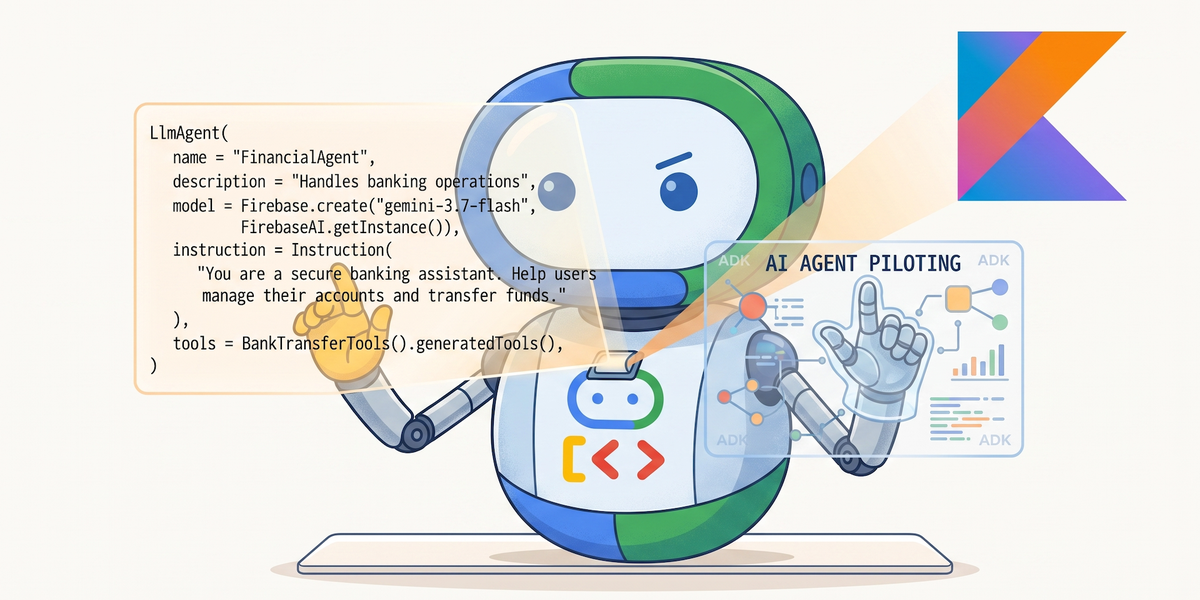
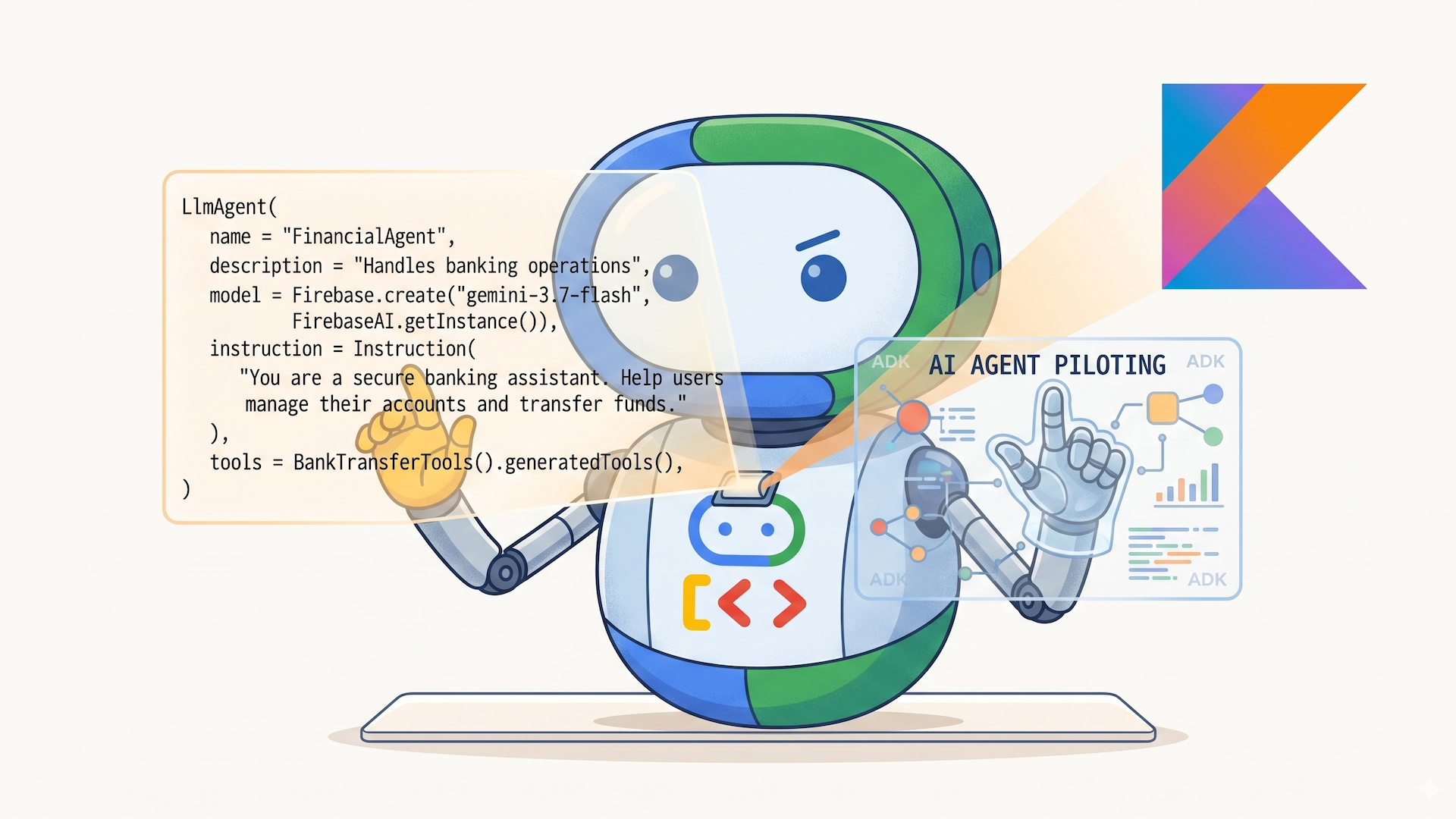
Today, we’re thrilled to announce the 1.0 general availability release of the Agent Development Kit (ADK) for Kotlin! Check out the GitHub repository to dive into the code and build your first agent today, and explore the documentation.
When we introduced ADK for Kotlin 0.1.0, our mission was to bring idiomatic, lightweight, and composable AI agent development to Kotlin, Java, and Android developers. Over the past months, we’ve worked to evolve the framework into a production-ready toolkit.
With version 1.0, ADK for Kotlin reaches full feature parity with ADK 1.0 Core while delivering a rich suite of Android-first, on-device extensions. Whether you want to run fast, private on-device agents using LiteRT-LM and ML Kit (beta), orchestrate hybrid cloud workflows via Firebase AI Logic, or persist agent state across process restarts with Room and AppSearch, ADK for Kotlin 1.0 provides everything you need.
ADK for Kotlin is not only for Android though, as server-side Kotlin developers will be able to write idiomatic Kotlin code to create their enterprise-ready agents and smart applications.
🚀 What’s new in ADK for Kotlin 1.0?
ADK for Kotlin is built around a Kotlin Multiplatform (KMP) core that remains completely agnostic to specific model backends, session providers, or memory systems. Version 1.0 combines core multi-agent orchestration capabilities for local and cloud scenarios, along with plug-and-play Android extensions for developers targeting mobile devices.
Full ADK 1.0 core parity
ADK for Kotlin 1.0 delivers complete alignment with ADK Python and Java, bringing advanced multi-agent coordination patterns to idiomatic Kotlin:
- Hierarchical multi-agent systems: Chain agents and delegate tasks to specialized child agents.
- Context compaction & multi-turn conversations: Manage context by summarizing history to stay within token limits.
- Human-in-the-loop (HITL) & confirmation flows: Pause execution, request user confirmation for sensitive actions, and resume execution.
- Long-running & annotation-based tools: Automatically generate schemas for tools written in Kotlin using
@Tooland@Paramannotations. - Session Resumability: Pause, serialize, and restore active agent interactions across user sessions.
- First-party Java interoperability: Call ADK Kotlin agents directly from existing Java applications.
- Enterprise Agent Platform (VertexAI) integration:
VertexAiSessionService,VertexAiRagMemoryService,VertexAiMemoryBankService.
⛑️ Example of a database incident response agent
Let’s take ADK for Kotlin 1.0 for a spin, and build an incident triage & diagnostics agent that investigates production database alerts. Our agent will take advantage of ADK function calling and agent skill capabilities:
- Tools (
@Tool): Executable, type-safe capabilities (calling APIs, querying metrics, performing actions). - Skills (
SkillToolset): On-demand procedural knowledge and domain playbooks loaded dynamically via progressive disclosure (SKILL.md, checklists, templates).
ADK leverages KSP (Kotlin Symbol Processing) to generate function call definitions at compile time, giving you type-safe schemas, support for suspend functions, and zero runtime reflection.
You define your services using regular Kotlin data classes:
data class ServiceMetrics(
    val serviceName: String,
    val cpuUsagePercent: Double,
    val connectionPoolUsagePercent: Double,
    val activeConnections: Int,
    val maxConnections: Int,
    val p99LatencyMs: Int,
    val errorRatePercent: Double,
)

data class DeploymentInfo(
    val deploymentId: String,
    val serviceName: String,
    val gitCommit: String,
    val author: String,
    val deployedMinutesAgo: Int,
    val description: String,
)
Kotlin
And functions annotated with @Tool and @Param:
class InfrastructureDiagnosticsService {

    @Tool
    suspend fun getServiceMetrics(
        @Param("Target service or database cluster") serviceName: String,
        @Param("Time window in minutes") windowMinutes: Int? = 15,
    ): ServiceMetrics {
        // Query monitoring backends (Datadog, Prometheus, Cloud Monitoring)
        return ServiceMetrics(
            serviceName = serviceName,
            cpuUsagePercent = 91.4,
            connectionPoolUsagePercent = 98.5,
            activeConnections = 492,
            maxConnections = 500,
            p99LatencyMs = 2450,
            errorRatePercent = 4.2,
        )
    }

    @Tool
    fun fetchRecentDeployments(
        @Param("Target service identifier") serviceName: String
    ): List<DeploymentInfo> {
        return listOf(
            DeploymentInfo(
                deploymentId = "deploy-9842",
                serviceName = serviceName,
                gitCommit = "a1b2c3d",
                author = "dev-team@example.com",
                deployedMinutesAgo = 25,
                description = "Add unindexed batch query to user profile sync job",
            )
        )
    }

    @Tool
    fun notifyOnCall(
        @Param("Channel to notify, e.g. '#production-alerts'") channel: String,
        @Param("Diagnostic summary message") message: String,
        @Param("Severity: INFO, WARNING, CRITICAL") severity: String? = "WARNING",
    ): String {
        println(">>> [CHAT-OPS] Broadcasting [$severity] to $channel: $message")
        return "Notification posted successfully."
    }
}
Kotlin
At build time, KSP automatically creates the extension function InfrastructureDiagnosticsService().generatedTools().
Instead of hardcoding triage guidelines in code, place standard operating procedures in src/main/resources/skills/database-incident-triage/SKILL.md:
---
name: database-incident-triage
description: Standard operating procedure for diagnosing database latency spikes and connection pool saturation.
allowed-tools: [getServiceMetrics, fetchRecentDeployments, notifyOnCall]
---

# Database Incident Triage SOP

1. **Telemetry**: Call `getServiceMetrics` to inspect CPU, latency, and pool saturation.
2. **Correlation**: Call `fetchRecentDeployments` to check for recent code/schema changes.
3. **Safety Rules**: Inspect `assets/mitigation_rules.txt` with `load_skill_resource` before taking action. Never restart primary nodes during peak hours.
4. **Notify**: Broadcast root-cause diagnosis to `#production-alerts` with `notifyOnCall`.
Plain text
Skills can bundle auxiliary assets (e.g. assets/mitigation_rules.txt) that the model only fetches if needed, keeping token usage minimal—that’s a mechanism called progressive disclosure.
Now it’s time to equip our agent with both tools and skills in a declarative way:
object IncidentTriageDemoAgent {

    val rootAgent = LlmAgent(
        name = "incident_triage_agent",
        model = Gemini(name = "gemini-3.8-flash"),
        instruction = Instruction(
            """
            You are an SRE on-call diagnostic assistant.
            When an alert is reported:
            1. Discover available triage playbooks and load the matching SOP using `load_skill`.
            2. Follow the playbook steps strictly, loading skill resources if needed.
            3. Use your diagnostics tools to inspect telemetry and notify the team.
            """.trimIndent()
        ),
        // 1. Compile-time generated function tools (zero reflection)
        tools = InfrastructureDiagnosticsService().generatedTools(),
        // 2. Dynamic skill toolset (provides list_skills, load_skill, load_skill_resource)
        toolsets = listOf(SkillToolset(NewFileSystemSource(resolveSkillsDir()))),
    )
}
Kotlin
With our agent ready, let’s execute it using Kotlin Coroutines and InMemoryRunner:
fun main() = runBlocking {
    val runner = InMemoryRunner(
        agent = IncidentTriageDemoAgent.rootAgent,
        appName = "IncidentTriageApp"
    )

    val alert = "ALERT [P1]: Database latency spike detected on 'users-postgres-cluster'! "
              + "Active connections are surging and queries are timing out."

    val events = runner.runAsync(
        userId = "oncall-sre",
        sessionId = UUID.randomUUID().toString(),
        newMessage = Content.fromText(Role.USER, alert)
    ).toList()

    for (event in events) {
        event.content?.parts?.firstOrNull()?.text?.let { println("Agent: $it") }
    }
}
Kotlin
When the alert fires, the agent executes autonomously in a structured turn loop:
- Discovers and loads the
database-incident-triageskill and its safety guardrails. - Invokes
getServiceMetrics()→ identifies 98.5% connection pool saturation. - Invokes
fetchRecentDeployments()→ pinpointsdeploy-9842(“Add unindexed batch query…” 25 minutes ago) as the root cause. - Posts an update to
#production-alertsand presents a post-triage report advising an immediate rollback.
📱 Android-first & on-device extensions
After this server side production agent, let’s come back to the mobile capabilities of ADK for Kotlin. Modern mobile AI requires balancing cloud reasoning power with on-device privacy, speed, and offline reliability. ADK for Kotlin 1.0 introduces modular implementations for standard Android architecture components:

Table 1: Android-first and on-device extensions for ADK for Kotlin 1.0.
💻 Android example: a financial assistant
Let’s look at how ADK for Kotlin integrates into a production Android app. In the following example, we build a financial assistant powered by Gemini 3.8 Flash, via Firebase AI. It uses KSP-generated function calling to handle sensitive transactions requiring explicit user approval, while taking full advantage of first-class Android persistence services, like storing chat sessions in Room, indexed memory in AppSearch, and files directly in Android storage:
Let’s first define the bank transfer tools (requiring human confirmation):
// 1. Sensitive Tool requiring human confirmation
class BankTransferTools {
    @Tool(
        name = "transferFunds",
        description = "Transfers money to another account. Requires explicit user approval.",
        requireConfirmation = true
    )
    fun transferFunds(
        @Param("Recipient account ID") recipientId: String,
        @Param("Amount in USD") amount: Double
    ): String {
        println(">>> [BANKING CORE] Executing transfer of \$$amount to $recipientId...")
        return "Successfully scheduled transfer of \$$amount to $recipientId. Ref: TX-${System.currentTimeMillis()}"
    }
}
Kotlin
Here’s how we configure the agent, using Gemini 3.8 Flash via Firebase AI, and configuring the tools we’ve just defined:
// 2. Define the Agent backed by Firebase AI (Gemini 3.8 Flash)
fun createFinancialAgent(): LlmAgent {
    val firebaseAi = FirebaseAI.getInstance(FirebaseApp.getInstance())
    return LlmAgent(
        name = "FinancialAgent",
        description = "Handles banking inquiries and scheduled fund transfers",
        model = Firebase.create("gemini-3.8-flash", firebaseAi),
        instruction = Instruction(
            "You are a secure banking assistant. Help users manage their accounts and transfer funds."
        ),
        tools = BankTransferTools().generatedTools()
    )
}
Kotlin
We configure the InMemoryRunner with the session service backed by Room, and the memory service powered by AppSearch:
// 3. Configure the Runner with Persistent Android Storage Services
fun createAndroidRunner(applicationContext: Context, agent: LlmAgent): InMemoryRunner {
    return InMemoryRunner(
        agent = agent,
        appName = "AndroidFinancialApp",
        // SQLite persistence for chat history across reboots / process death
        sessionService = RoomSessionService.fromContext(applicationContext),
        // On-device full-text indexed memory with AndroidX AppSearch
        memoryService = AppSearchMemoryService.fromContext(applicationContext),
        // App-private file storage for generated statements/receipts
        artifactService = FileArtifactService.fromExternalFilesDir(applicationContext)
    )
}
Kotlin
Time to run the agent, with the two turns requesting the transfer and confirming the transfer via human approval:
// 4. Multi-turn Human-in-the-Loop Execution
suspend fun runFinancialDemo(runner: InMemoryRunner) {
    val userId = "user-123"
    val sessionId = "session-${UUID.randomUUID()}"
    suspend fun sendTurn(message: Content): List<Event> {
        val events = runner.runAsync(userId = userId, sessionId = sessionId, newMessage = message).toList()
        for (event in events) {
            event.content?.parts?.firstOrNull()?.text?.let { println("Agent: $it") }
        }
        return events
    }

    // --- Turn 1: User requests transfer (Agent pauses execution)
    println("User: Please transfer $50 to account ACCT-9876.\n")
    val turn1Events = sendTurn(
            Content.fromText(Role.USER, "Please transfer $50 to account ACCT-9876."))

    // Intercept the synthetic confirmation request emitted by ADK
    val confirmationRequestId = turn1Events
        .flatMap { it.functionCalls() }
        .firstOrNull { it.name == FunctionCall.REQUEST_CONFIRMATION_FUNCTION_CALL_NAME }
        ?.id ?: return
    println("\n[UI]: Sensitive action detected. User tapped [Confirm Transfer].\n")

    // --- Turn 2: User confirms in the Android UI (Resumes & executes transferFunds)
    val approvalMessage = Content(
        role = Role.USER,
        parts = listOf(
            Part(
                functionResponse = FunctionResponse(
                    name = FunctionCall.REQUEST_CONFIRMATION_FUNCTION_CALL_NAME,
                    id = confirmationRequestId,
                    response = mapOf(ToolConfirmation.CONFIRMED_KEY to true)
                )
            )
        )
    )
    sendTurn(approvalMessage)
}
Kotlin
Note: This example is for demonstration purposes only, and not designed to meet any compliance requirements.
📊 Comparing ADK for Kotlin Features — Core and Android
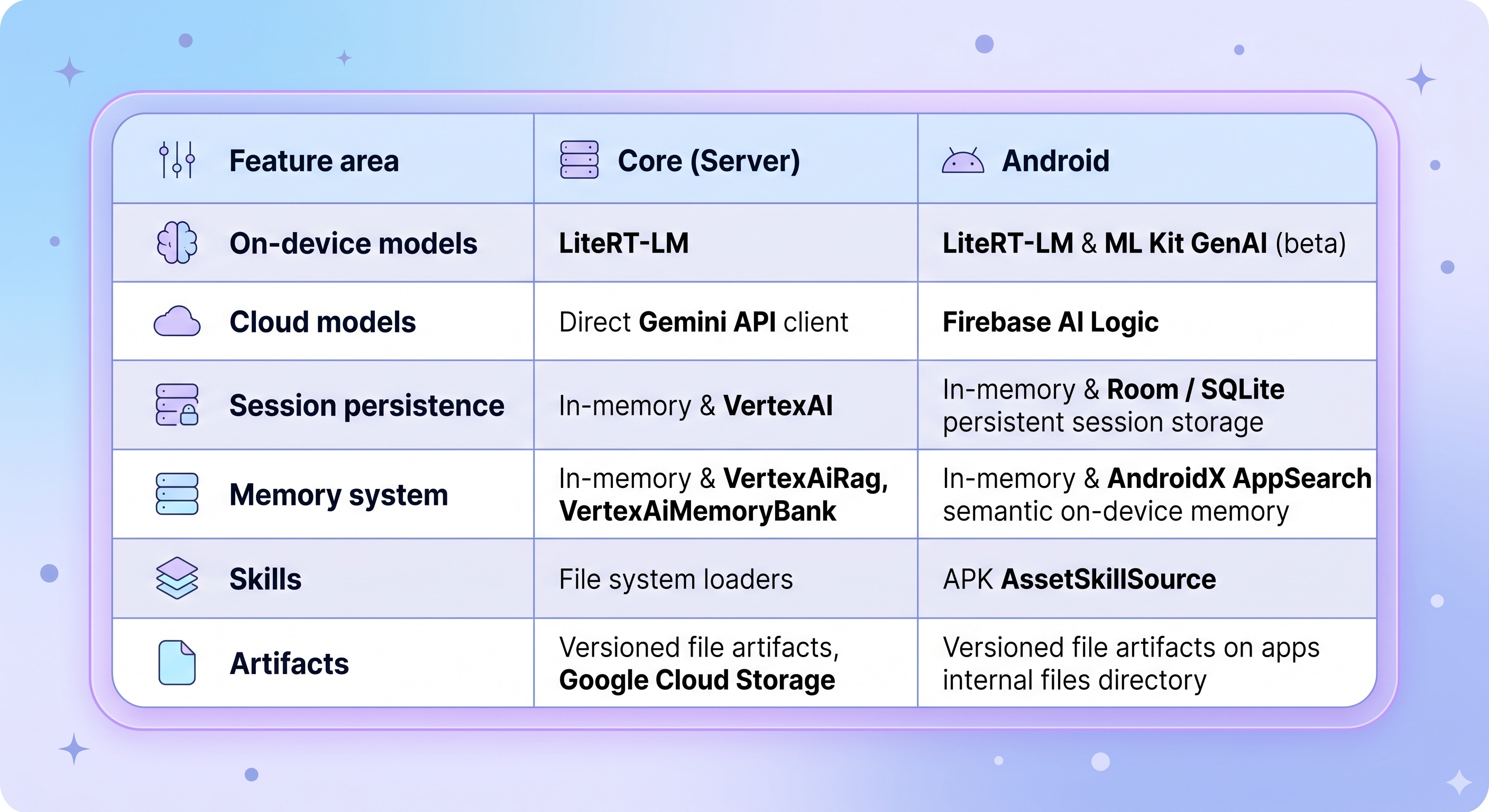
Table 2: Comparison of ADK for Kotlin features between Core (Server) and Android.
📦 Getting started
To get started with ADK for Kotlin 1.0, add the necessary dependencies to your module’s build.gradle.kts:
dependencies {
    // ADK Kotlin Core Engine + KSP Processor
    implementation("com.google.adk:google-adk-kotlin-core:1.0.0")
    ksp("com.google.adk:google-adk-kotlin-processor:1.0.0")

    // Optional Android-first extensions:
    implementation("com.google.adk:google-adk-kotlin-mlkit-android:1.0.0-beta")
    implementation("com.google.adk:google-adk-kotlin-litertlm:1.0.0")
    implementation("com.google.adk:google-adk-kotlin-firebase-android:1.0.0")
}
Kotlin
🔗 Resources & documentation
Explore the repository, check out sample applications, and start building your multi-agent experiences:
Whether you develop agents on the server-side on a JVM or for Android mobile devices, we can’t wait to see how you’ll take advantage of ADK for Kotlin! Star the repo, try out the samples, and share your feedback with us!