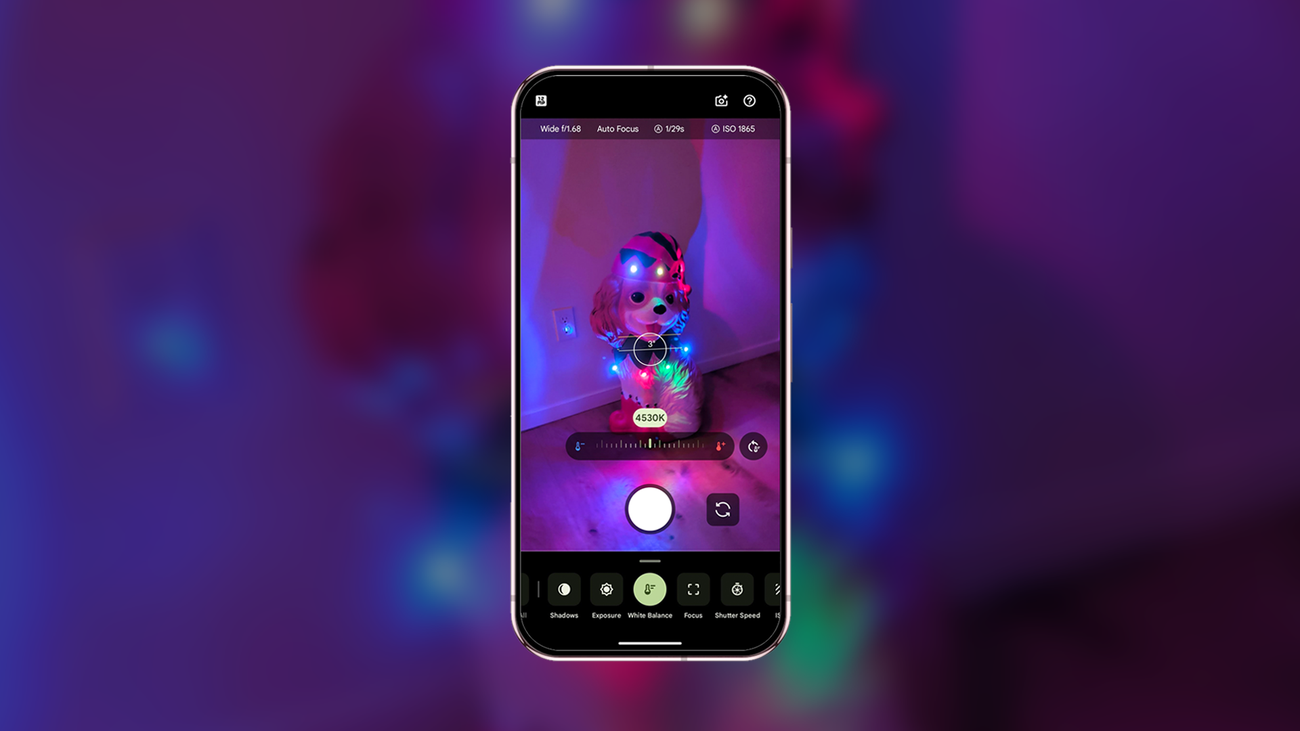
2. Adjust color temperature to set a warm — or wintry — mood
Are you going for a cooler or warmer look? Great news, you can get creative with both (and everything in between)! Pixel Camera has a white balance slider you can adjust. Once you’re in the camera, tap the toggle icon on the bottom right, select white balance and you’ll see a horizontal slider appear on the bottom. Here you can slide it left and right to change the temperature — right for warmer, left for cooler. A warmer look may give your image a feeling of comfort or coziness, like reading in front of the fire, while going for cooler tones can convey a sense of calmness like a fresh snowfall in the woods.
3. Try giving your shadows some extra oomph for added detail
You can also make shadows more or less prominent in a photo to add depth or reveal texture; doing this could add a special focus to trees in a snowy field or silhouetting stockings against a lit fireplace. In the Camera app, tap that same toggle icon in the bottom right of the screen. Then you’ll see options for “Exposure” and “Shadows” that you can adjust as needed. In fact, this would be a creative way to make the shadow cast by those presents under the tree look even bigger!