If you feel like 2025 was a year of constant change in Meta advertising, you’re not imagining things. This past year likely represented the most constant stream of drastic changes we’ve seen yet.
Luckily, I document nearly every change I see, no matter how small. By the time this year ends, I will have published more than 250 blog posts, video posts, and podcast episodes in 2025 alone. And many of them highlight changes in functionality, features, rules, and best practices.
This blog post was a process. I went through every post to compile this list of 83 changes to Meta advertising in 2025. The final product is an interesting little summary of how far we’ve come in such a short period of time.
Some of these changes are official and others are tests. I guarantee you aren’t aware of many of these. Others may give you a headache remembering what once was.
This post is a bit of a marathon, but it’s worth it. Here are the 83 changes to Meta advertising in 2025, complete with links and screenshots…
Andromeda
Oh, yeah. We have to start here. It’s the most controversial and impactful change of 2025, if you’re to believe all of the headlines. Most accurately, it’s the change that 2025 will be known for.
Sure, Andromeda was announced in late 2024. But it didn’t become a “thing” until this year. And man, did it have an impact on advertisers and their approach.
1. Andromeda Replaces Old Ad Retrieval System
I knew about Andromeda when it was first announced in late 2024, but I couldn’t wrap my brain around it. So it wasn’t until early this year that I finally decided that I couldn’t ignore it any longer.
The truth is that my feelings about it have changed since those early days. I think we make way too much of Andromeda and give it far too much credit.
It’s simply Meta’s new ad retrieval engine, which was necessary because the old one couldn’t handle the scale of all of the variations of ads that are generated now. Andromeda is more efficient than the old engine.
And that meant that because Andromeda was better able to handle ad retrieval, Meta used a new buzz phrase to influence how we create our ads: Creative diversification. So, advertisers were obsessed with generating more diverse sets of ads with different formats, text angles, and more. And this became a focus for advertisers in 2025.
All that said, I’ve come to the realization that no one would care about Andromeda if it didn’t have an interesting name. It’s blamed for everything, including most things it has little or no impact on. But in most cases, Andromeda is not the reason for your bad results.
Anyway, that topic isn’t for this post. What is indisputable is that 2025 was The Year of Andromeda for Meta advertisers.
2. No More Six Ad Limit
Whether it’s directly connected or not, I doubt it’s an accident that Meta updated their documentation that previously recommended no more than six ads in an ad set. The result was that advertisers started experimenting with far more ads (me included), though the results rarely made it worthwhile.
My realization this year is that, yes, creative diversification is important. But you can satisfy the spirit of creative diversification without creating a lot of ads.
Ad Creation
The way ad creation looks today looks quite a bit different than it did a year ago. Here are eight of the updates I documented in the past year…
3. Branding in Ad Creation
I first noticed this update in March. At the time, it allowed you to define your brand logo, color, and fonts that could be used in AI-generated enhancements.

4. Tailor Text Variations to Personas
At some point in 2024, Meta rolled out AI-generated text options. But eventually, those variations were tailored to various personas related to your target customer.

5. Text Tone and Visual Style
The problem with the AI-generated text was that it often sounded like it was AI-generated, instead of mimicking the voice of your brand. You could change this with this addition to Branding.

And beyond the logo, brand colors, and font, you could describe the visual style of your brand that would be applied to AI-generated enhancements.

6. Restrict Words and Phrases from AI-Generated Text
If your AI-generated text still used words and phrases that didn’t sound like you, this new option allowed you to prevent Meta from using them at all.

7. Optimize Website Destination
I’m still trying to figure this one out (and I’m turning it off when it’s on by default). When checked, Meta can send people to a page of your website other than the URL provided if it’s believed to improve performance.

8. Format Display Options for Carousels and Collections
When creating single image or video ads, this feature will combine your ad assets with site link and product content to generate carousels and collections.

9. Crop and Expand with AI
Meta hasn’t done much with the flow (though that needs to change) when adding a new image or video for an ad. It’s still the same outdated process of three aspect ratios for different placement groups. But Meta did roll out this option that will automatically crop and expand your creative to fit different placements.

10. Creative Testing Tool
This update allows advertisers to duplicate an existing ad to initiate a creative test of up to five (or maybe 10?) new ads. It’s actually one of my favorite updates of 2025.

Advantage+ Creative
It’s not easy keeping up with the changes to Advantage+ Creative enhancements. It seems Meta is constantly tinkering with these features, and different formats qualify for different enhancements. Add the fact that there’s a special spot in your Advertising Settings to opt into test creative enhancements (I have 14 such enhancements right now), and there have been a whole lot of new features popping up this year.
11. Comments Keywords
This test feature extracts keywords from (hopefully) positive comments and displays them prominently in your ad.

12. Creative Call-to-Action Sticker
Meta began testing these call-to-action stickers back in May.

13. Translate Voiceover
This was the beginning of Meta using AI to translate audio into other languages. It’s something that was first available a couple of years ago using third-party tools, and I was excited to see it come to our ads.

14. Translate Media
This test feature took automatic translation a step further by adding translated captions and text overlays to videos.

15. Translate Text
While Meta has offered automatic text translation with organic posts for a while, this feature came to ads in 2025. You could also see an example of your translated text in other languages.

16. Swap Selling Points
With this feature, Meta uses AI to highlight key selling points of your product and display them as overlays on your ads.

17. Video Highlights
Especially useful for longer video ads, Meta will use AI to automatically highlight important points of your video so that people can quickly skip ahead.

18. Review Keywords
If your Facebook page allows reviews of your business or product, Meta can highlight positive reviews directly on your ads.

19. Reword Identified Phrases
Meta will use AI to identify key phrases in your ad copy, reword them, and feature those phrases in overlays on your ads.

20. Reveal Details Over Time
Once someone has spent a few seconds with your ad, Meta will use animation to surface additional information on your ad.

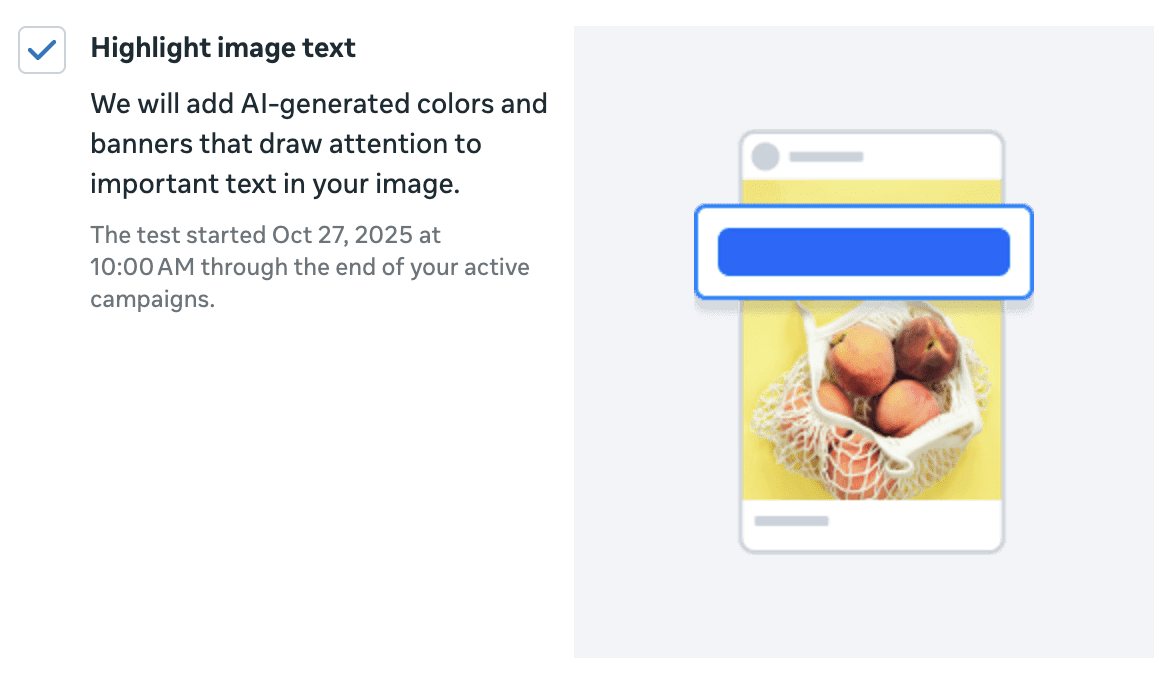
21. Highlight Image Text Enhancement
Meta will use AI to add colorful banners to important text on your images.
22. Answer Suggestions for Instant Forms
I could’ve included this in the Lead Ads section, but it’s still a test feature for now. When you ask open short-answer questions, Meta can add clickable answer suggestions. It could surely help with form completion, but maybe at the cost of quality.
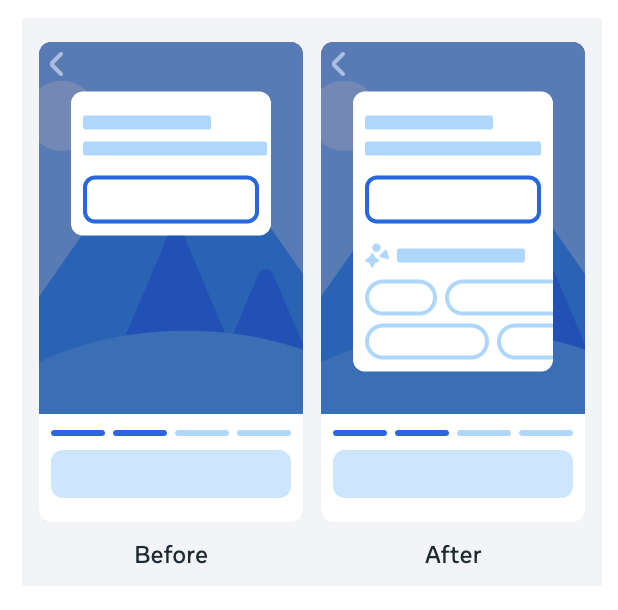
23. Virtual Try On
Meta’s trying similar enhancements on organic items in Marketplace. This feature allows potential customers to virtually try on your product before buying. It could improve conversion and return rates.

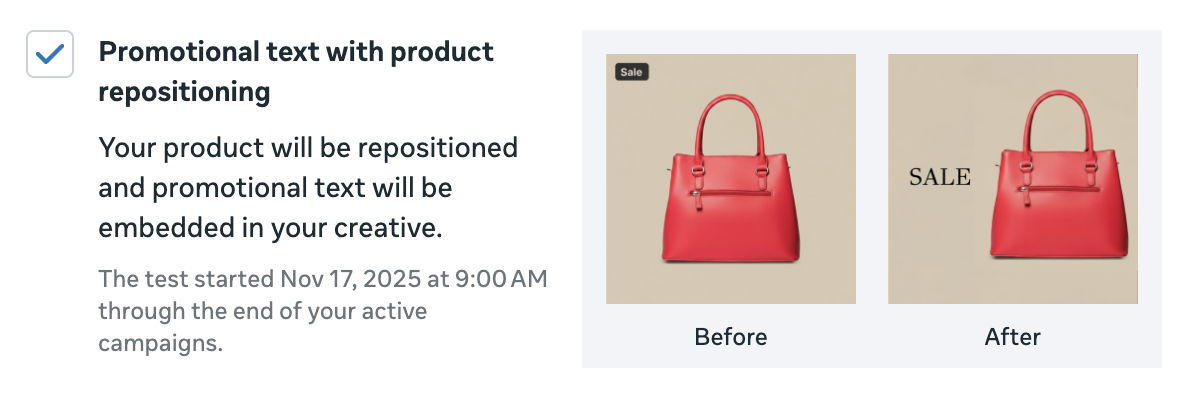
24. Promotional Text with Product Repositioning
Meta will use AI to reposition your product in an image and feature important promotional text.
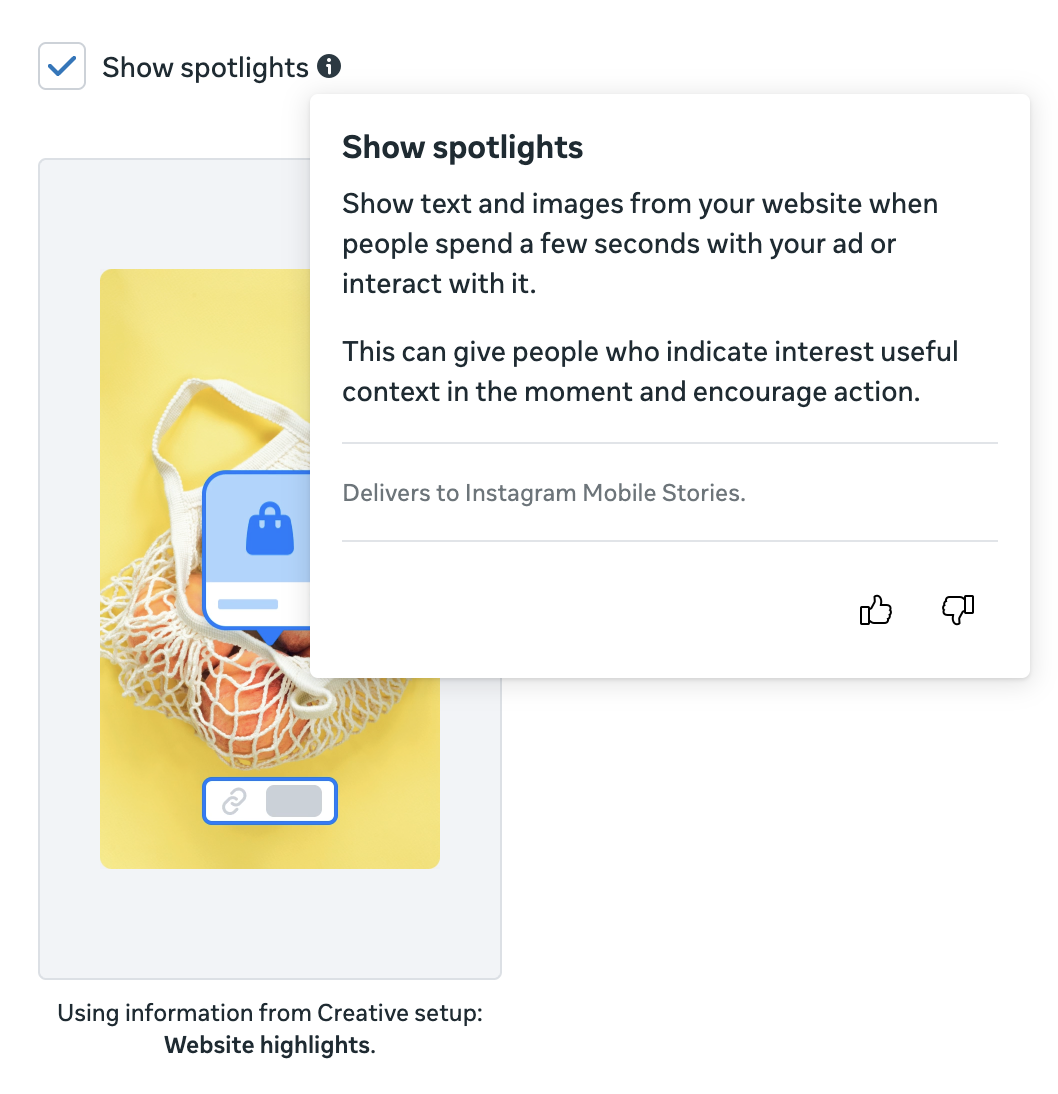
25. Spotlights Enhancement
Combined with a new Website Highlights data source, Meta will extract images from your landing page and feature them in your ad.
Lead Ads
Facebook launched lead ads a decade ago (I know!), but Meta hasn’t stopped investing in improvements. But these updates are a moving target since they don’t appear in all accounts and it’s unclear what’s a test feature and what’s official.
26. Turn Off Autofill
This may be the most welcomed update to instant forms. While lead ads can result in more leads at a lower cost, it can be at the expense of quality. One reason for this is that the forms are so easy to complete. Turning off autofill can be a helpful lever to impact quality.

27. Chat with New Leads via Messenger
Any company focused on converting fresh leads knows that the most important period after collecting a lead is the first few minutes. This feature allows you to automatically initiate a Messenger conversation with a new lead once the form is completed (with their approval, of course).

28. Chat with New Leads via WhatsApp
A similar concept as above, but with WhatsApp.

29. Website and Instant Forms Conversion Location
Should you use a landing page or instant forms to collect leads? You no longer need to ask this question. With this option, just use both! Create one ad that provides information for both the landing page and instant form, and Meta will optimize to determine who sees what.
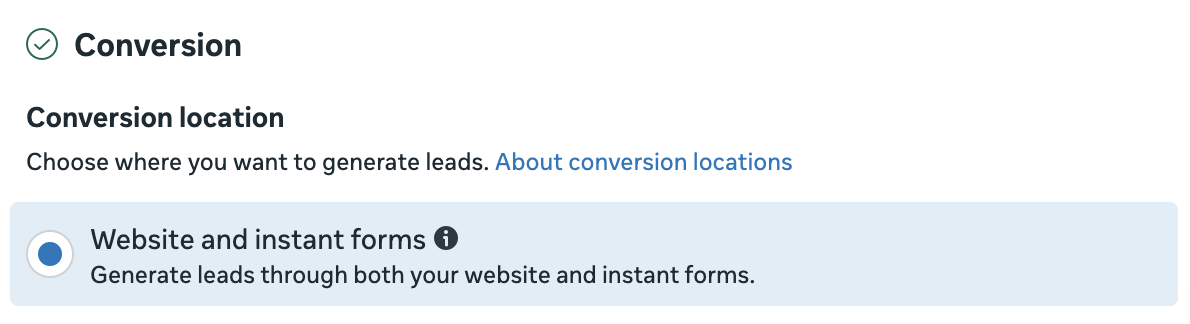
30. Conversion Leads Data Sources
I’m not sure if this one is still floating around, but I spotted this variation back in March. When optimizing for conversion leads, it provides data source options of CRM, Calls, Messages, and None.

31. Instant Forms Templates
Nothing all that amazing, but some advertisers see options to select from various instant form templates to help generate a starting point, depending on the goal.

32. Flexible Form Delivery
Allow Meta to optimize your instant form by reorganizing questions, skipping questions, and more to get better results.

33. Allow Multiple Responses to Instant Form Questions
Sometimes the answer to a form question is complicated, and selecting one answer isn’t good enough. You now have an option.

34. Lead Delivery by Email
In most cases, advertisers will set up an integration to automatically sync new leads to their CRM. But some advertisers now have the option of sending new leads to a team member via email.

35. SMS Verification
Lead quality can be an issue with lead ads. SMS verification can help combat one of the most common issues related to the initial outreach.

36. Require Work Email Quality Filter
If you’re a B2B looking to collect leads from other business owners, you may want to require a work email address to improve lead quality. Some advertisers now have that option.

Advantage+ Campaigns
One of the important trends we’ve seen continue from 2024 to 2025 is more automation and less advertiser control. We saw that with the new Advantage+ Campaigns, which default to and strongly encourage rigid settings.
37. No More Existing Customer Budget Cap
In anticipation of the switch to Advantage+ Sales campaigns, Meta eliminated the Existing Customer Budget Cap, which allowed advertisers to cap how much of their budget from Advantage+ Shopping Campaigns was spent on existing customers. When it went away in February, it signaled what was to come.

38. Advantage+ Campaign Setup
Advantage+ Campaigns applied to Sales, Leads, and App Promotion objectives, replacing the old campaign setup processes. This new way put greater emphasis on “keeping Advantage+ on” by sticking with defaults related to targeting, placements, and more.

39. Advantage+ Shopping Replaced by Advantage+ Sales
Advantage+ Shopping Campaigns were once the hot, featured product for advertisers. But it was phased out this year in favor of Advantage+ Sales. Truthfully, it was a surprising backtrack that gave advertisers far more control than they had with ASC.

40. Opportunity Score Rolls Out Globally
Opportunity Score originally popped up in 2024, but Meta rolled it into Advantage+ Campaign Setup in 2025 to make it official. This score, from 0 to 100, reflects your willingness to accept Meta best practice recommendations, while highlighting opportunities to improve.

41. Advantage Changes to Advantage+
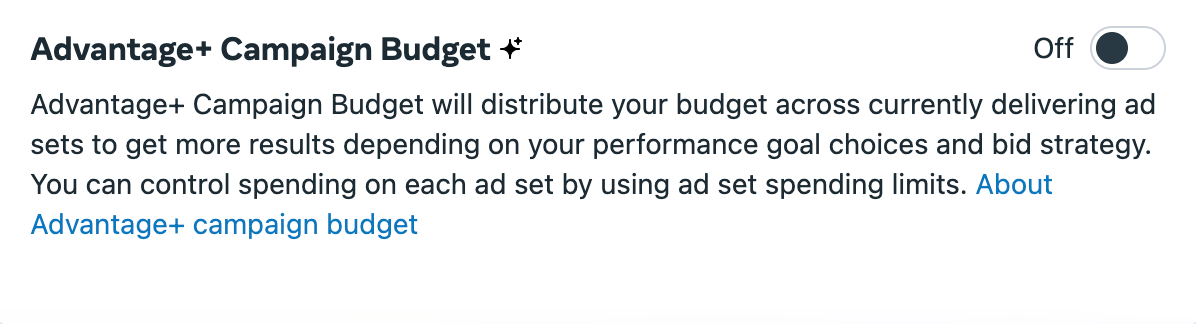
This was a subtle language change that most advertisers likely missed, but it’s honestly a good one. There was a time when some features were labeled “Advantage” (Advantage Detailed Targeting and Advantage Campaign Budget) while others were Advantage+. Well, Meta quietly renamed them to all be Advantage+, thereby destroying references to the old names on websites like mine.
Here’s the proof with the old Advantage Campaign Budget…

And today’s Advantage+ Campaign Budget…
Attribution
Attribution includes the many ways that Meta gives credit to an ad for a conversion. In 2025, we moved well beyond the standard 7-day click and 1-day view.
42. Engaged-View Part of the Default
Meta introduced engaged-view attribution in 2024 as a way to count when someone views at least 10 seconds of your skippable video ad and converts within a day. At the time, it was off by default and could be turned on in the ad set. But it is now on by default and can be turned off.

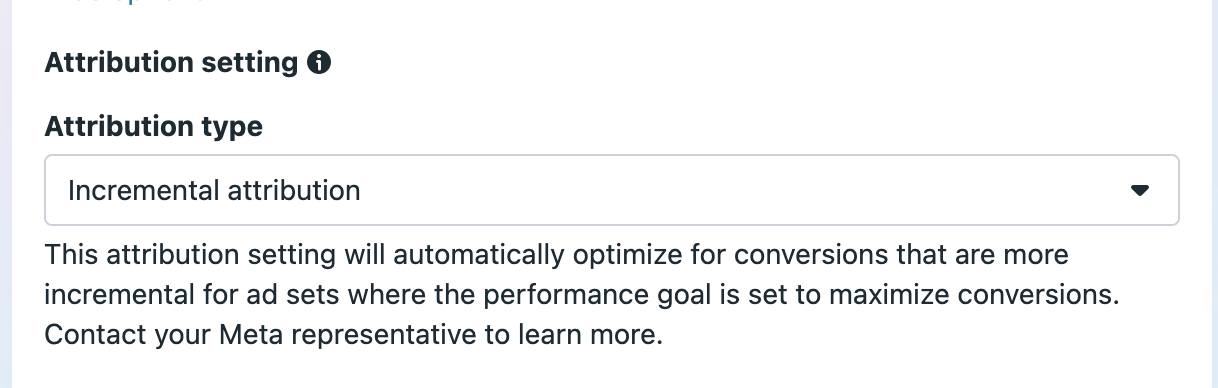
43. Incremental Attribution
Incremental attribution gave advertisers a new way to optimize for and report conversions. When using incremental attribution, Meta will prioritize people who only converted as a result of seeing your ad.
44. Incremental Attribution Added to Compare Attribution Settings
A few months later, incremental attribution was added as an option when comparing attribution settings. This allowed you to add a column for it, regardless of the optimization.

45. New Definition for Click Attribution
When I uncovered the true meaning of click attribution in 2024, I was a bit shocked. Even embarrassed. I misunderstood it for a decade. But the reason for that was simple: Meta’s definition was incredibly ambiguous. Luckily, that changed in 2025.
The old definition of click attribution…

And the new one, which is far clearer…

46. Engaged-View Attribution Changes
When engaged-view attribution came out in 2024, it measured a conversion when someone viewed a skippable video for at least 10 seconds. In 2025, that amount of time was cut to five seconds.

Apparently, engaged-view also included images at some point (though I have no documented evidence of this). That was “changed” to videos only this year.

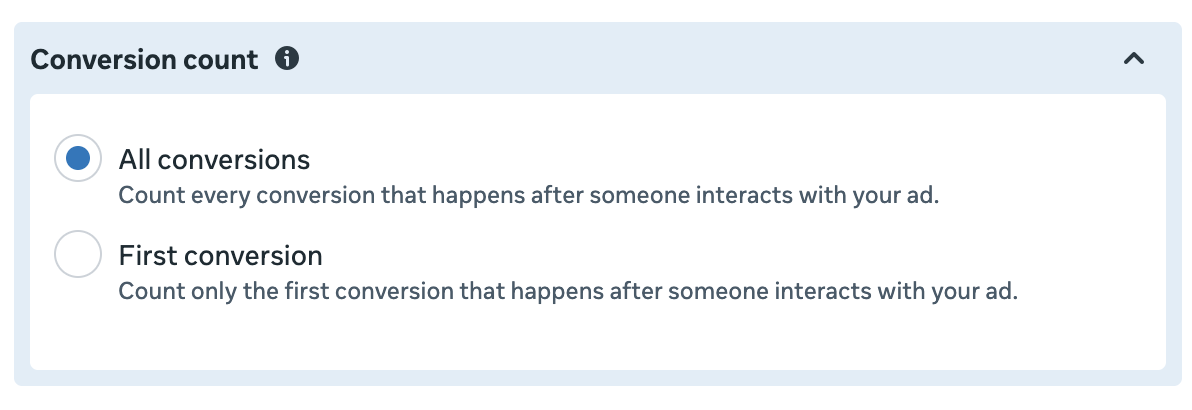
47. Conversion Count and First Conversion Optimization
Meta introduced First Conversion reporting in 2024. It was one of my favorite additions to the reporting toolbox, allowing advertisers to split out “first” and “all” conversions. This essentially provided a number of unique customers. Recently in 2025, Meta rolled out the ability to alter this at the ad set level, giving advertisers the option of optimizing for First Conversions.
Value Rules
Value rules were one of the biggest, and most surprising, feature additions in 2025. They contradicted the trend of automation by giving advertisers more control over how ads are distributed by criteria.
48. Value Rules
When Meta initially rolled out value rules, advertisers could increase or decrease bids based on four criteria: Age, gender, location, and mobile operating system. Especially for the cases of age and gender, it allowed you to target all ages and genders (keep Advantage+ on) while impacting how Meta distributes your budget.

49. Value Rules for Placements
Advertisers should typically use Advantage+ Placements, making all placements available. But there are exceptions when placements can be a source of low quality results (example: Audience Network). Instead of removing the problematic placement entirely, you could use value rules to lower its bid.

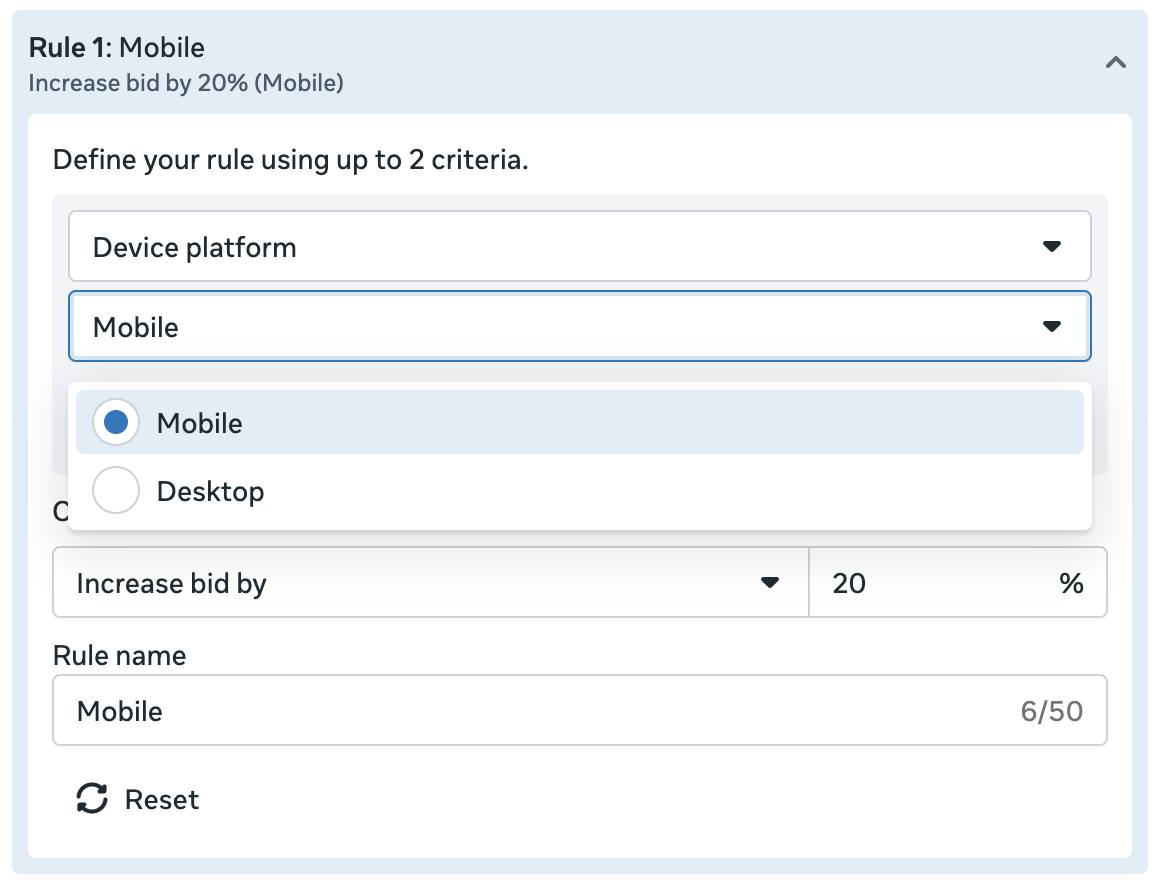
50. Device Platform Value Rules for Mobile and Desktop
Does the value of a conversion differ depending on whether it happens on a mobile or desktop device? You could solve for that with this new value rule.
51. Value Rules for all Campaign Objectives
One of the problems with value rules initially is that it only applied to Sales and App Promotion objectives. That was a problem since the times when value rules would be most useful is when optimizing for top-of-funnel actions. That thankfully changed.
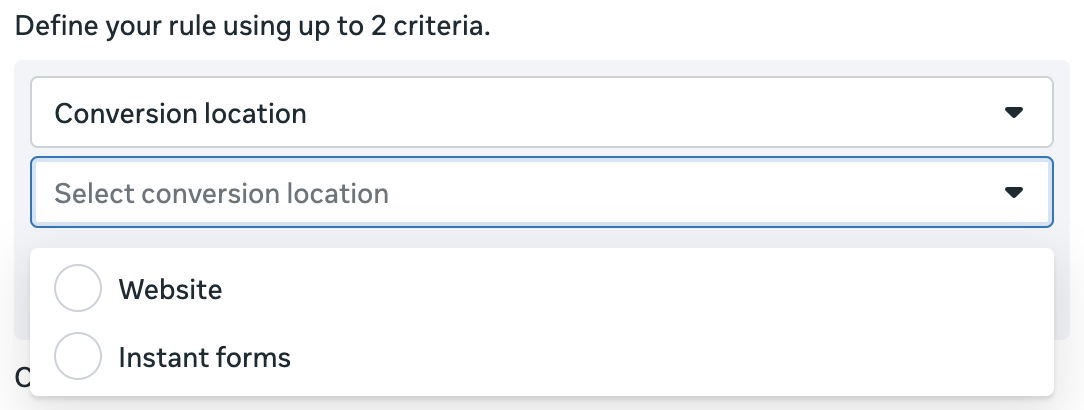
52. Value Rules for Conversion Location
Do you use the Website and Instant Forms conversion location but want to impact how Meta is distributing your budget between the two? You can do that with value rules.
Delivery and Optimization
While you could certainly include value rules under the category of changes related to delivery and optimization, there were so many updates related to value rules that it needed its own category. But there were several others in 2025 that impact how your ads are delivered.
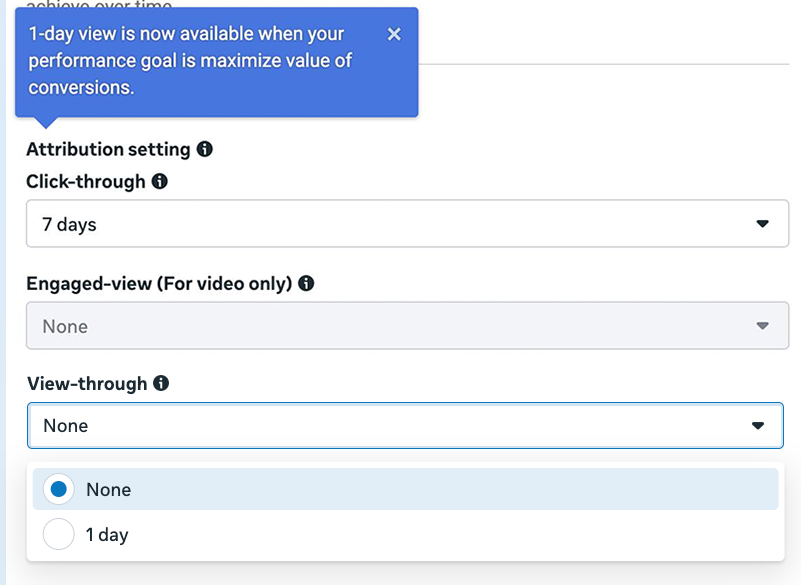
53. Value Optimization and 1-Day View
Value optimization allows you to have Meta prioritize Return on Ad Spend instead of the number of conversions. Initially, value optimization was only available for 7-day click attribution. Engaged-view was added in 2025.
54. Value Optimization for Non-Purchase Events
Value optimization was originally only available for purchase events. While that makes sense, Meta recognized that you may have non-purchase events that have conversion values. This change allowed advertisers to optimize for value even when the optimized event isn’t a purchase.
55. Value Optimization for Profit Margins
This feature is so new that it remains in testing, and I haven’t yet seen an example of it. Normally, when using value optimization Meta would prioritize a higher Return On Ad Spend. But with this new option, advertisers will have Meta “focus on driving ROAS where the return is based on profit, instead of the size of a purchase.”
56. Ad Set Budget Sharing
When you use Advantage+ Campaign Budget (formerly CBO), Meta distributes a campaign budget optimally between ad sets to get you the best results. But even if you’re using ad set budgets, this new feature can pull up to 20% of your budget from one ad set to another to get you better overall performance.

57. Ad Set Spending Limits Changed to Average
This is a subtle change, but ad set spending limits allow advertisers to control how much is spent on an ad set (maximum or minimum) when using Advantage+ Campaign Budget. This limit changed from a hard cap to an average.

58. New Ads and the Learning Phase
This is one of those changes that didn’t necessarily happen officially in 2025, but I noticed it this year. One of the primary “significant edits” Meta cites in their official documentation that will trigger the learning phase is the addition of a new ad.

Well, this is certainly not always the case now. You can often publish new ads without restarting the learning phase in 2025.
59. New Requirements for Value Optimization
This is something that feels like it’s changed several times over since originally rolling out. According to the new requirements, your purchase event qualifies if it “has generated at least 30 attributed optimized click-through and/or view through conversion events with at least five distinct values, over the past 14 days.”
Placements
Not surprisingly, placements (the location where your ads appear) are constantly evolving. While some will occasionally disappear, the more common scenario is that Meta’s adding new ones. But Meta also made some major changes to how placements are applied this year.
60. Change to Inventory Filters
It was strange timing for this one. In the midst of scrutiny over eliminating third-party fact checking, Meta changed the default setting of inventory filters for in-content ads and Audience Network to “expanded” in February.

61. Facebook Notifications Placement
Thanks to this update, your ad can now appear in someone’s Notifications panel.

62. Facebook Profile Feed Placement
Similar to Instagram Profile Feed, this placement will serve your ads in people’s profiles.

63. Threads Feed Placement
The most inevitable, and anticipated, new placement of 2025 was Threads Feed. While it started slowly as a test, it’s now fully rolled out. Your ads can appear in Meta’s Twitter clone app.

There were technically several changes to Threads ads this year as well that I’m not even including in this comprehensive list.
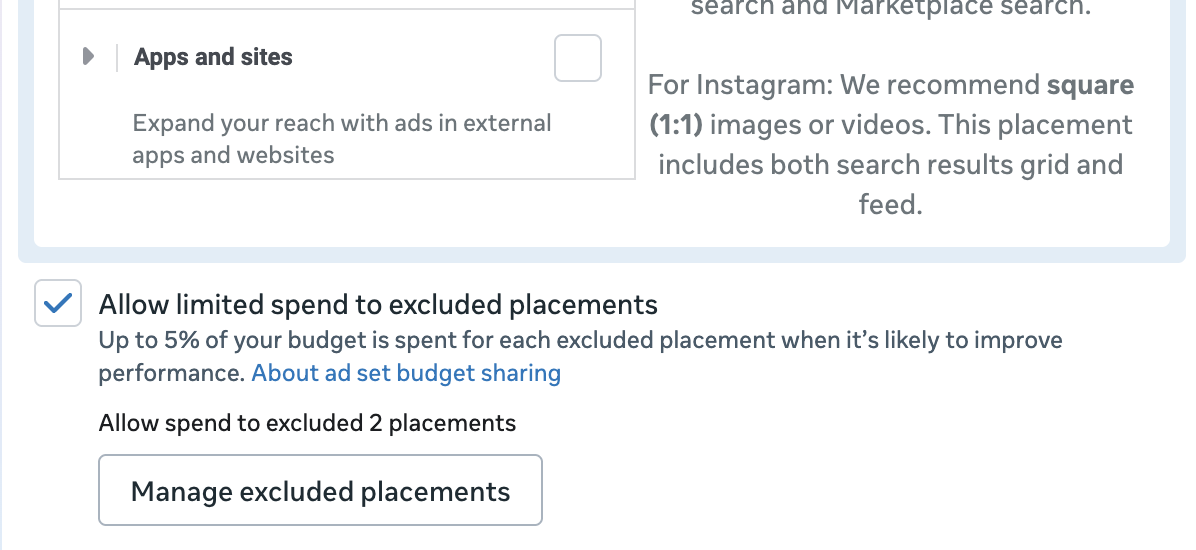
64. Limited Spend on Excluded Placements
This one is… interesting. If you remove any placement, Meta can automatically dedicate up to 5% of your budget on that excluded placement. Granted, it makes sense that Meta would do more to correct mistakes that advertisers make when removing placements unnecessarily. But this feels extreme.
Targeting
It’s safe to assume that Meta didn’t roll out any new ways to pinpoint your ideal customer via targeting inputs in 2025. Meta’s doing everything to completely eliminate targeting control. Here’s what happened this year…
65. Audience Types Going Away for Catalog Ads
If you run catalog ads, you’re probably familiar with Audience Types to retarget specific groups based on their engagement with your catalog. Those went away.

66. Detailed Targeting Announcement
Meta eliminated some detailed targeting options in 2024. As a result, ad sets using the unavailable options stopped delivering on January 15th.
67. Lookalike Audiences Expanded for More Performance Goals
I stumbled on this one by mistake. In the early days of Advantage Lookalike (now Advantage+ Lookalike), lookalike audiences were expanded by default when using the performance goal to maximize conversions. But if you used any other performance goal, you could turn this expansion off. This was updated at some point in 2025 to include nine total performance goals. It doesn’t matter whether you’re using manual campaigns or the new Advantage+ Campaign setup.

68. Restrictions on Custom and Lookalike Audiences
In September, Meta announced new restrictions on lookalike audiences and source custom audiences using data related to health and finances.

69. Special Ad Categories and Algorithmic Targeting
I’m not sure exactly when this change happened, but I’m relatively certain it was during the past couple of months of 2025. Originally, campaigns promoting special ad categories did not qualify for algorithmic targeting like Advantage+ Audience and Advantage+ Detailed Targeting. It was never clear why that was a restriction in the first place. In fact, it was removed from Advantage+ Shopping Campaigns last year. But it’s no longer a thing for all other campaigns now, too.
Reporting
One of the areas Meta continues to develop is in Ads Manager reporting. Some of it is valuable and some of it gets ignored.
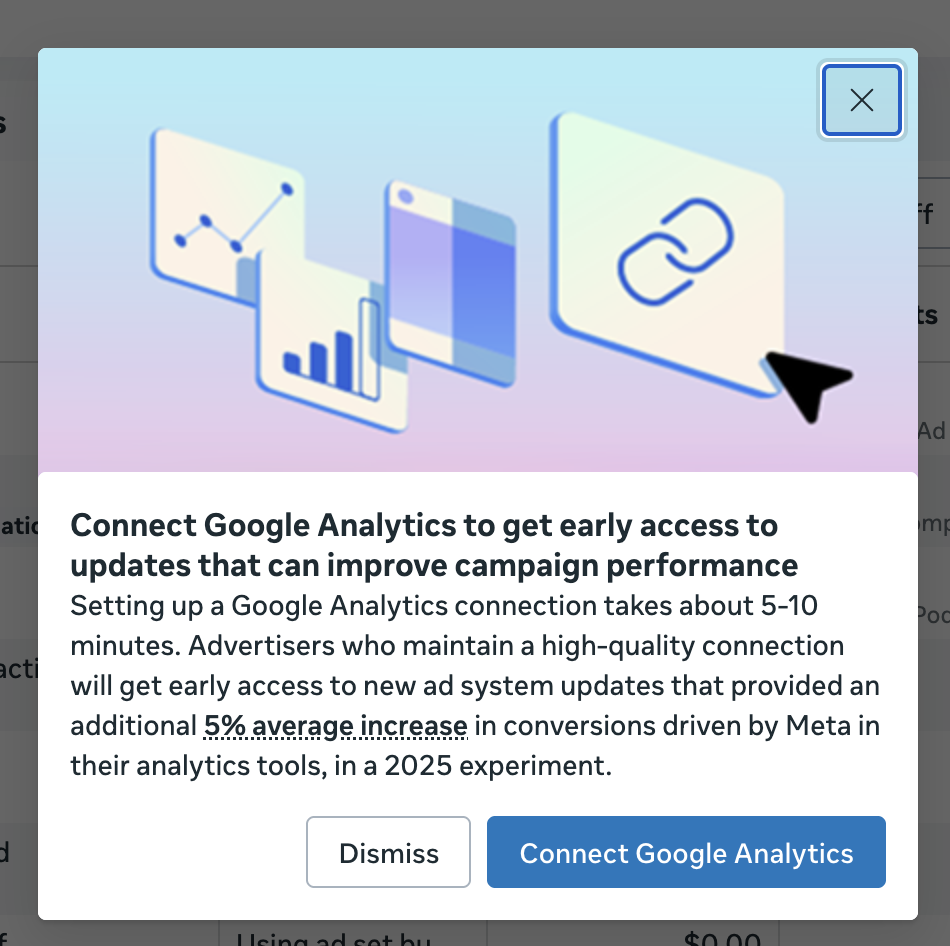
70. GA4 Partner Integration with Events Manager
Remember when everyone was talking about the GA4 integration with Events Manager? Yeah, that fizzled out quickly. It’s still not clear what that was supposed to actually do.
71. Signals Gateway
I stumbled on the new Signals Gateway and got it set up, but I can’t say I’ve seen much about it otherwise. It uses many of the same signals as API Gateway, but it can send data to places other than Meta. I’ve disconnected my instance and gone back to API Gateway.

72. Breakdown for Value Rules
If you use value rules, Meta created a breakdown to provide a simplified view of results when rules were and were not applied. While this breakdown may not be necessary for rules related to age, gender, location, and placement (breakdowns already exist for them), it’s especially helpful for the other types of rules.
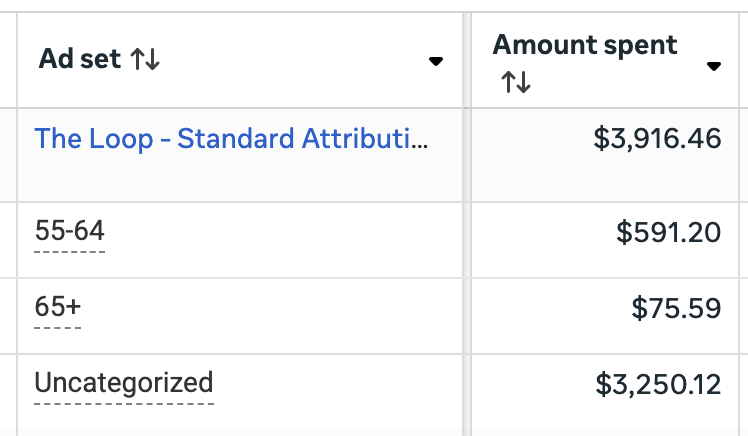
73. Related Media Creative Breakdown
When you create an ad, Meta might recommend related media that you’ve used in prior ads. If you accept any of these, there’s a breakdown that shows how your ads performed when related media was used compared to your original media.

74. Image Generation Creative Breakdown
I know, everyone hates Meta’s AI-generated image options. But don’t ignore them entirely, especially the AI-generated background options. When you use them, check their performance with this new breakdown.
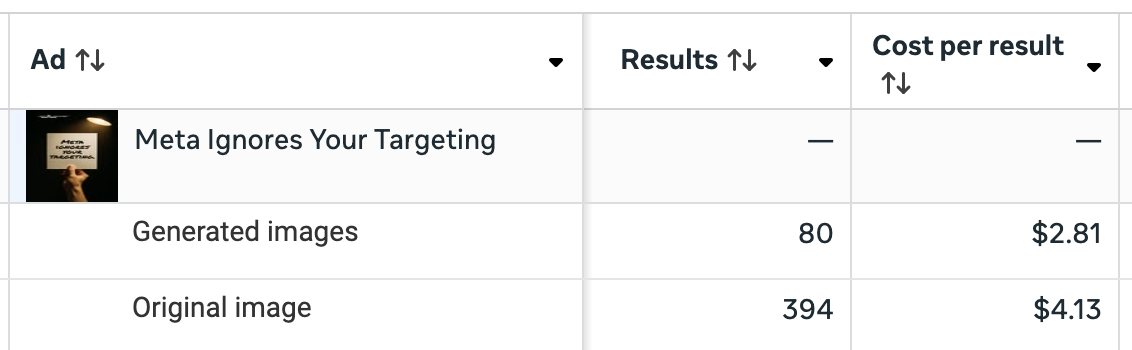
75. Creative Breakdown for Flexible Format
Ever since Meta introduced Flexible Format, advertisers’ biggest complaint has been about a lack of a breakdown to show how each image or video performed. I’d love to tell you that this breakdown solved that problem. It did not.

76. Conditional Formatting in Ads Manager
Conditional formatting has been available in Meta’s separate reporting tool for a few years now. It allows you to dynamically change cell colors based on performance ranges for a quick, visual analysis. That capability is finally available in Ads Manager.

77. Instagram Follows Metric
How many people followed your Instagram account from an ad? Amazingly, this information wasn’t available prior to 2025.

78. Landing Page Views No Longer Require a Pixel
Meta created Landing Page Views years ago to separate link clicks and outbound clicks from those who spent enough time on your landing page to load the pixel. For obvious reasons, that required having the pixel installed. Somehow, Meta removed that requirement this year.

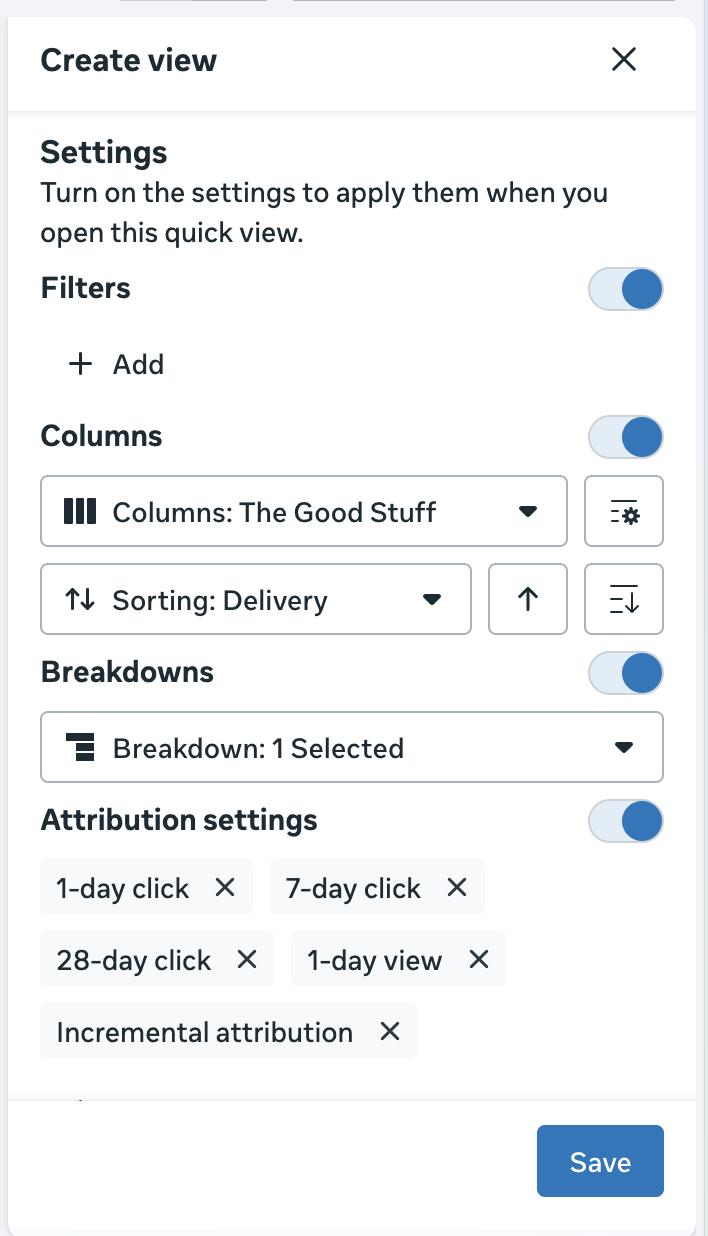
79. Quick Views Update
Meta rolled out Quick Views in 2024 to make saved searches and filters easily accessible. At some point in 2025, several layers were added to these that make them far more valuable.
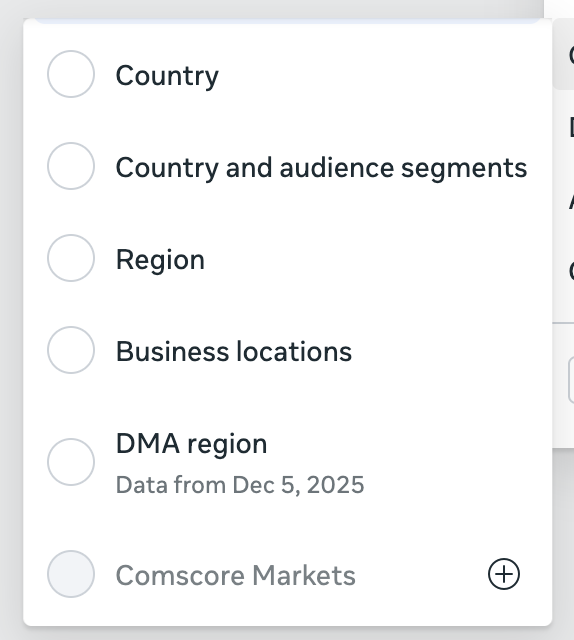
80. DMA Region and Comscore Markets Geographic Breakdowns
There are a couple of geographic breakdowns that are grayed out by default, but you can enable them. Strangely enough, one of them is DMA Region, which was otherwise enabled for years. But you’ll need to explicitly ask for it now.
Rules
And finally, there were a handful of location-specific rules requirements that were added in the past year…
81. Verification Requirements for Financial Services in Australia
If you promoted financial services in Australia, it meant going through a new verification process in 2025.

82. Beneficiary and Payer in Taiwan
The same goes for running ads in Taiwan…

83. Meta Bans Political Ads in the European Union
And hopefully you don’t specialize in running political ads in the EU (or anywhere, really).
Keep Up With the Changes in 2026
If you struggled to keep up with Meta advertising changes in 2025, you’re not alone. But it doesn’t need to be that way. You can make sure to read everything I write, watch every video I publish, and listen to every podcast episode I drop. Or you can take it a step further.
Invest in your Meta ads education in 2026 and become a Power Hitters Club – Elite member. This community is my primary focus. When I stumble on something new, I share it there. When I start a new test, I share it with that community.
But it’s not just about what you’ll learn from me there. You will get the true value of an engaged community there. More than 220 members are in this group who want to see you win.
I host a strategy session every Tuesday with 20-25 members, and we discuss problems we’re facing and look to find solutions as a group. There are member-led sessions that happen as break-out sessions to dig deeper. I host weekly webinars to summarize everything I’m seeing and working on. You’ll get access to JonBot, my AI-powered chatbot that’s trained on all of my content and ready to answer every question you have.
And more, including deep discounts on one-on-one sessions with me. If you’re ready to add clarity to 2026, join us today.
Your Turn
Are there any other changes that happened in 2025 that I somehow missed and need to add to the list?
Let me know in the comments below!