What are Website Highlights? Some advertisers are spotting this new feature, but there aren’t a lot of details about what exactly it is.
Let’s take a closer look…
Creative Setup
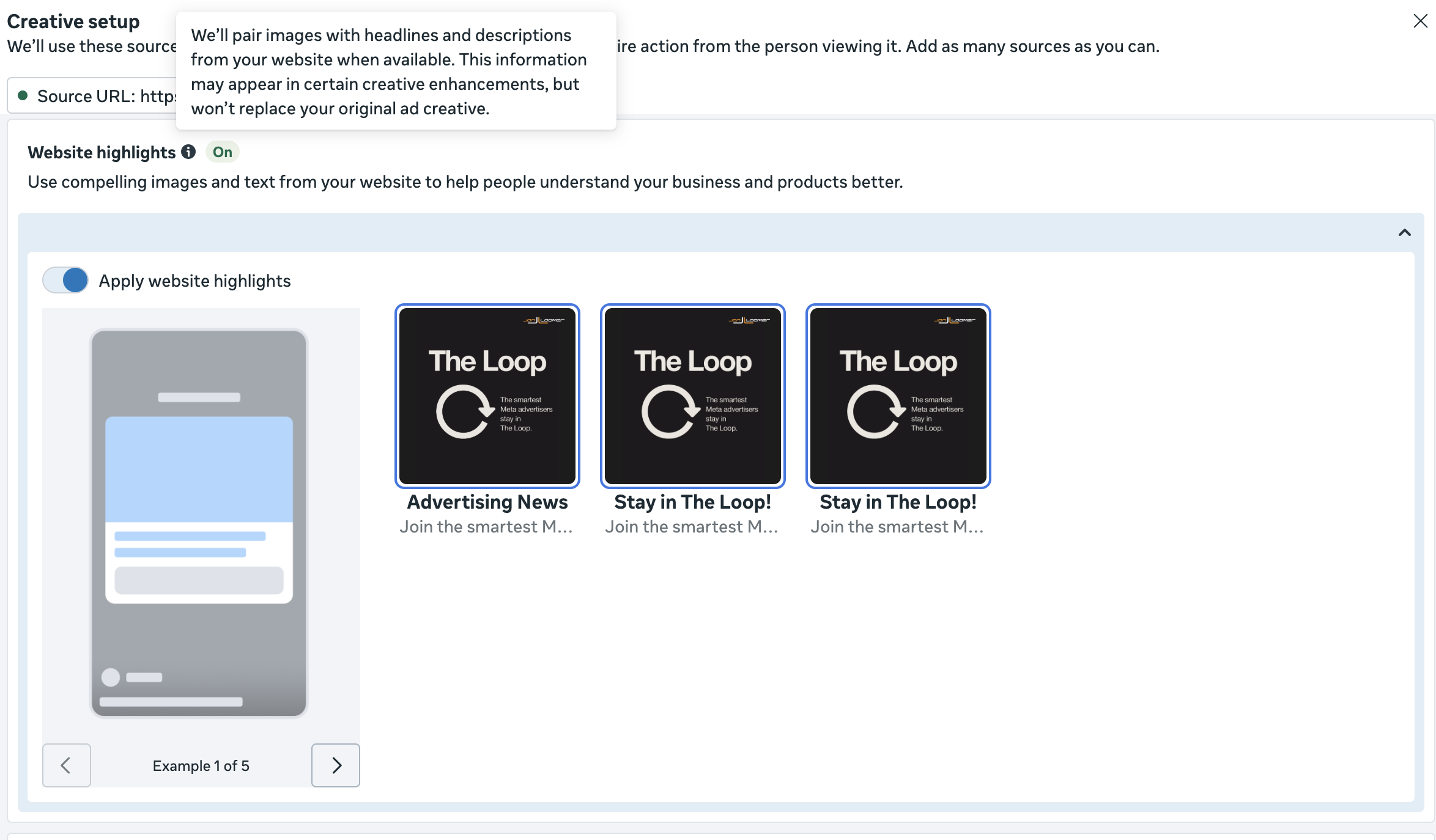
When you create a new ad, you may see this new feature during creative setup.
Here’s how Meta describes it:
We’ll pair images with headlines and descriptions from your website when available. This information may appear in certain creative enhancements, but won’t replace your original ad creative.
In the example from my video, Meta found three related images from my landing page. You can unselect any of the images or turn the enhancement off entirely.
Meta shares five generic examples of how that website information will be surfaced, though they aren’t all that helpful. I’d love to see how it would look in my specific situation.
Show Spotlights
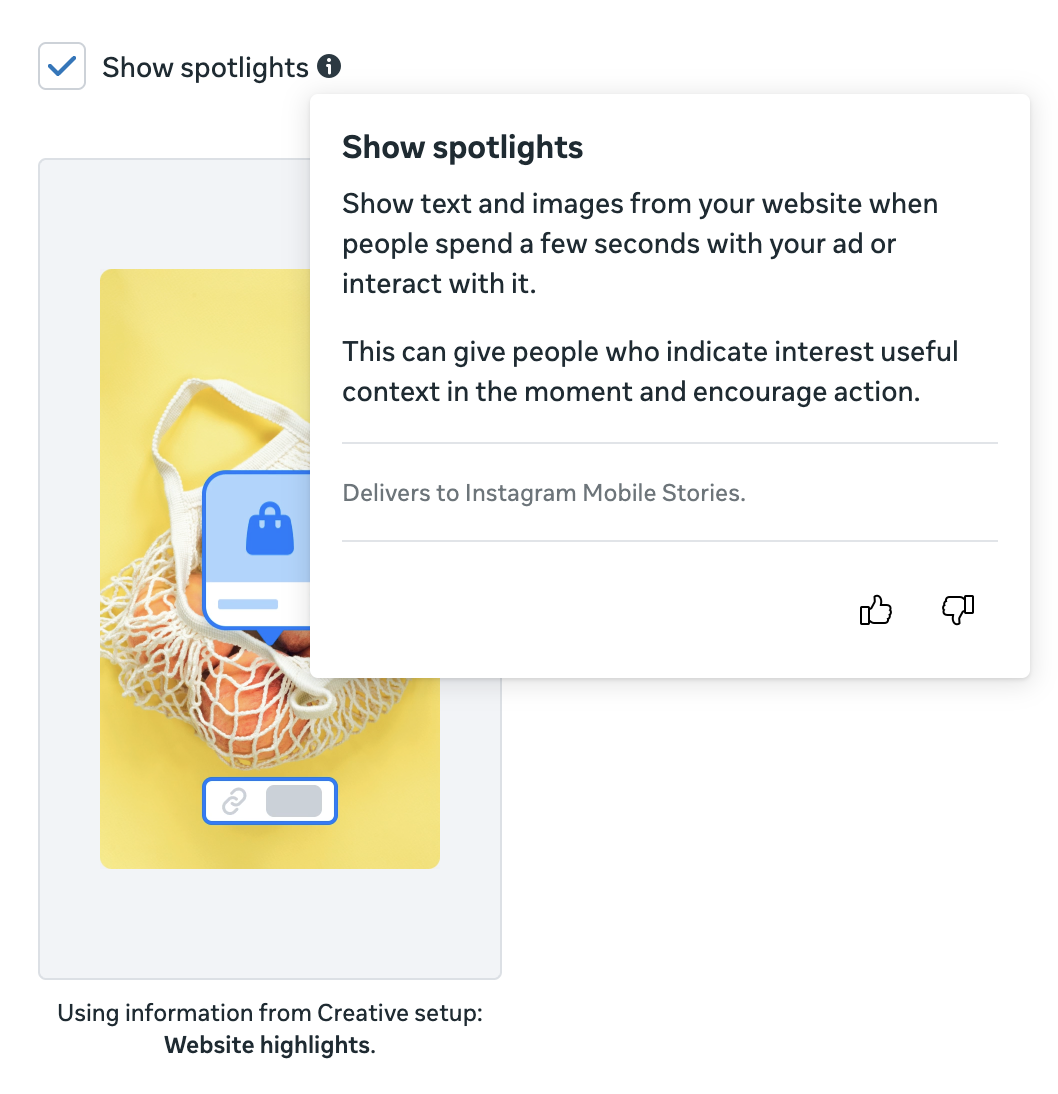
That section within Creative Setup for Website Highlights was a data source that is used for “certain creative enhancements.” You should see one new Advantage+ Creative Enhancement called Show Spotlights.
Meta defines it this way:
Show text and images from your website when people spend a few seconds with your ad or interact with it.
This enhancement uses information from Website Highlights. And once again, Meta shares only a generic example.
What Should You Do?
Are these enhancements helpful? It’s tough to say without more info. I’m leaving it on for now, but keep an eye on it.
Like all enhancements, they should only be used to help you. But whether you turn them on depends partly on the situation and level of risk you’re willing to take.