
If you’ve ever wanted to edit your bid strategy and couldn’t, there’s a reason.

This applies to Return On Ad Spend Goal, Cost Per Result Goal, and Bid Cap. If you can’t edit it, it’s because you’re using Advantage+ Campaign Budget (CBO). Even if you use one ad set, CBO is on by default.
If you’re running into this problem, follow these steps…
How to Fix It
When CBO is on, there will be a Campaign Bid Strategy.
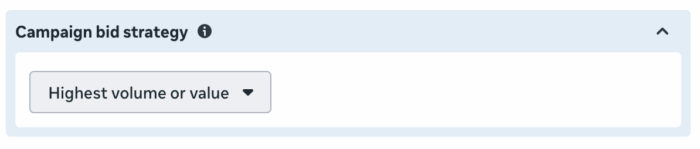
This strategy will apply to all ad sets within the campaign. But you can set different goals per ad set.

Once you’ve defined your Campaign Bid Strategy, go back to the ad set. And then you’ll be able to edit the goal.
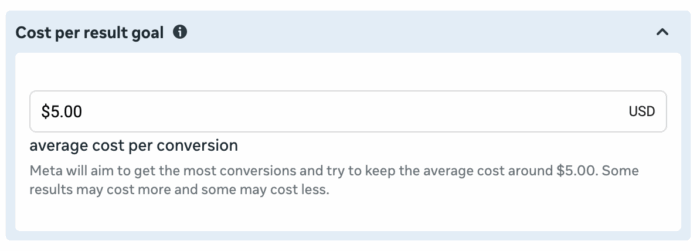
This assumes that you wanted to use CBO in the first place. The other option will be to use Ad Set Budgets, and you’ll be able to edit bid strategies and goals as you normally would.
I Saw This Coming
When Meta first rolled out Advantage+ Campaigns, I noticed this change and wondered if it would create confusion. Well, it came up in my private community recently, so that seems to be the case. I recognized the problem immediately.