
Gemma is a collection of lightweight, state-of-the-art open models built from the same technology that powers our Gemini models. Available in a range of sizes, anyone can adapt and run them on their own infrastructure. This combination of performance and accessibility has led to over 250 million downloads and 85,000 published community variations for a wide range of tasks and domains.
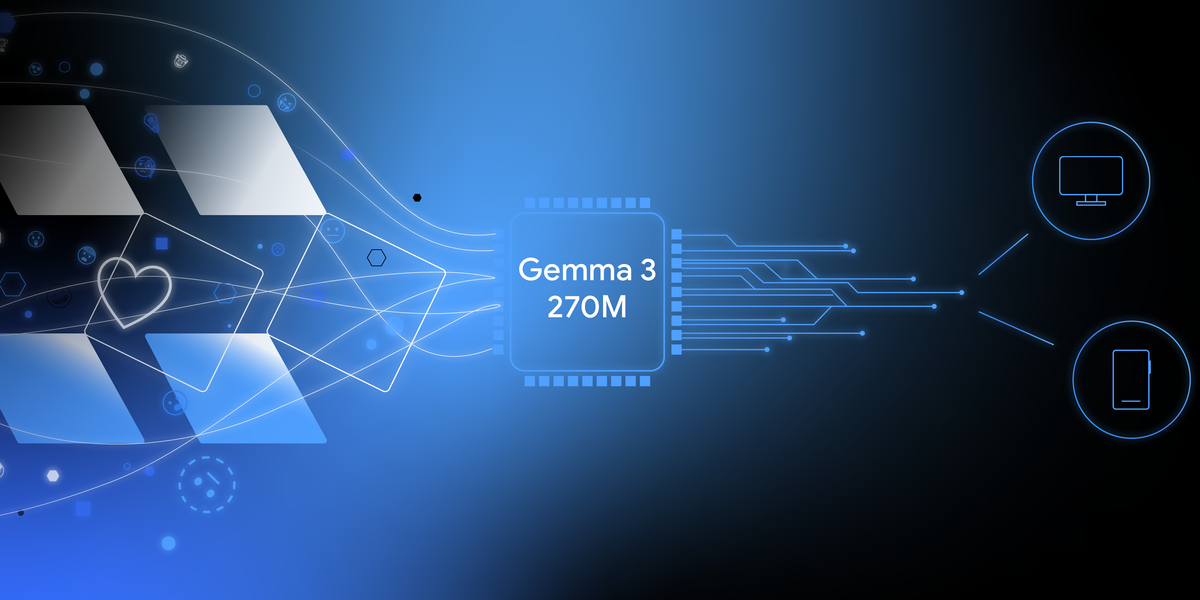
You don’t need expensive hardware to create highly specialized, custom models. Gemma 3 270M’s compact size allows you to quickly fine-tune it for new use cases then deploy it on-device, giving you flexibility over model development and full control of a powerful tool.
To show how simple this is, this post walks through an example of training your own model to translate text to emoji and test it in a web app. You can even teach it the specific emojis you use in real life, resulting in a personal emoji generator. Try it out in the live demo.
We’ll walk you through the end-to-end process of creating a task-specific model in under an hour. You will learn how to:
- Fine-tune the model: Train Gemma 3 270M on a custom dataset to create a personal “emoji translator”
- Quantize and convert the model: Optimize the model for on-device inference, reducing its memory footprint to under 300MB of memory
- Deploy in a web app: Run the model client-side in a simple web app using MediaPipe or Transformers.js
Step 1: Customize model behavior using fine-tuning
Out of the box, LLMs are generalists. If you ask Gemma to translate text to emoji, you might get more than you asked for, like conversational filler.
Prompt:
Translate the following text into a creative combination of 3-5 emojis: “what a fun party”Model output (example):
Sure! Here is your emoji: 🥳🎉🎈
For our app, Gemma needs to output just emojis. While you could try complex prompt engineering, the most reliable way to enforce a specific output format and teach the model new knowledge is fine-tuning it on example data. So, to teach the model to use specific emojis, you would train it on a dataset containing text and emoji examples.
Models learn better with the more examples you provide, so you can easily make your dataset more robust by prompting AI to generate different text phrases for the same emoji output. For fun, we did this with emojis we associate with pop songs and fandoms:
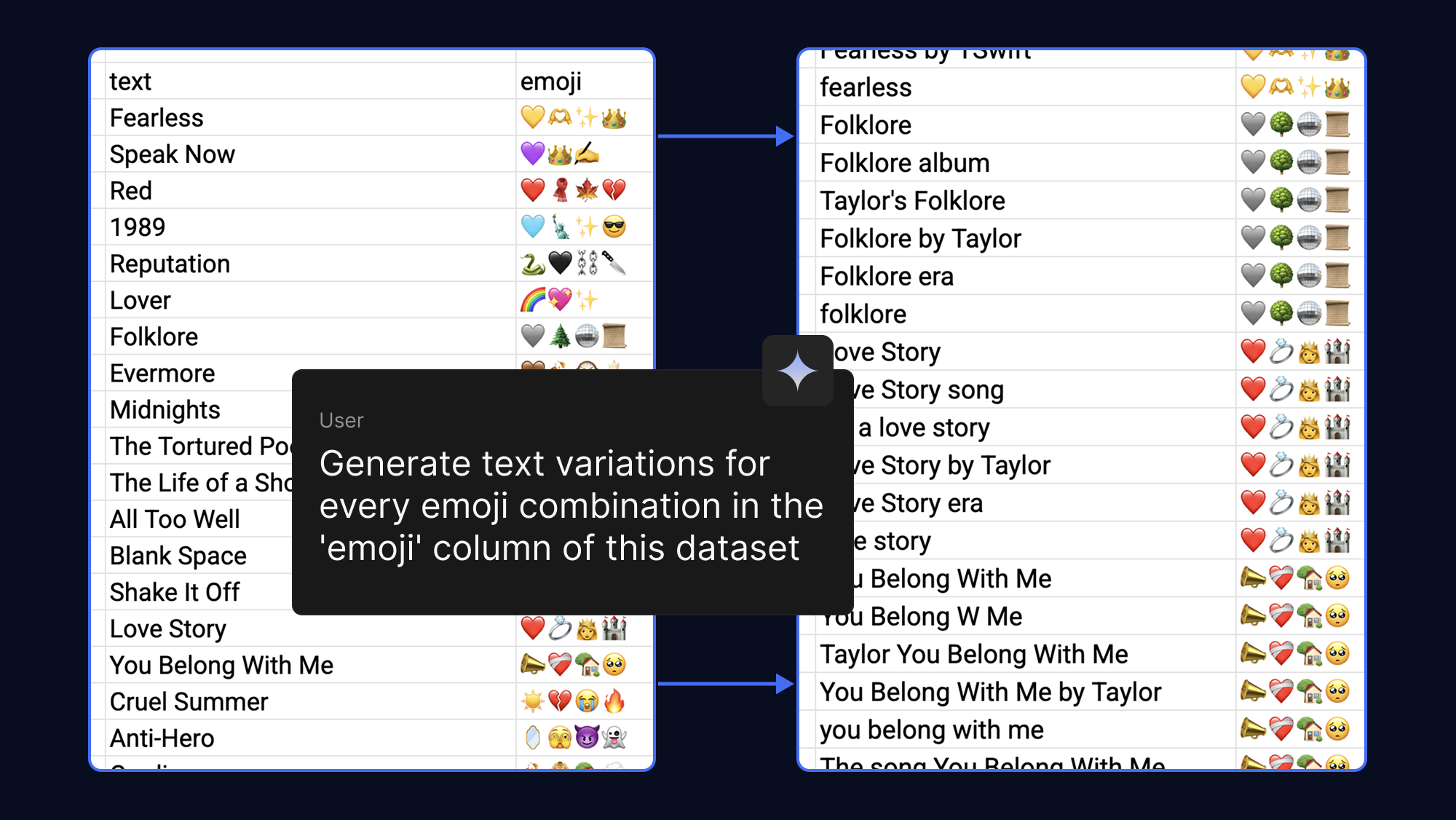
If you want the model to memorize specific emoji, provide more examples in the dataset.
Fine-tuning a model used to require massive amounts of VRAM. However, with Quantized Low-Rank Adaptation (QLoRA), a Parameter-Efficient Fine-Tuning (PEFT) technique, we only update a small number of weights. This drastically reduces memory requirements, allowing you to fine-tune Gemma 3 270M in minutes when using no-cost T4 GPU acceleration in Google Colab.
Get started with an example dataset or populate the template with your own emojis. You can then run the fine-tuning notebook to load the dataset, train the model, and test your new model’s performance against the original.
Step 2: Quantize and convert the model for the web
Now that you have a custom model, what can you do with it? Since we usually use emojis on mobile devices or computers, it makes sense to deploy your model in an on-device app.
The original model, while small, is still over 1GB. To ensure a fast-loading user experience, we need to make it smaller. We can do this using quantization, a process that reduces the precision of the model’s weights (e.g., from 16-bit to 4-bit integers). This significantly shrinks the file size with minimal impact on performance for many tasks.
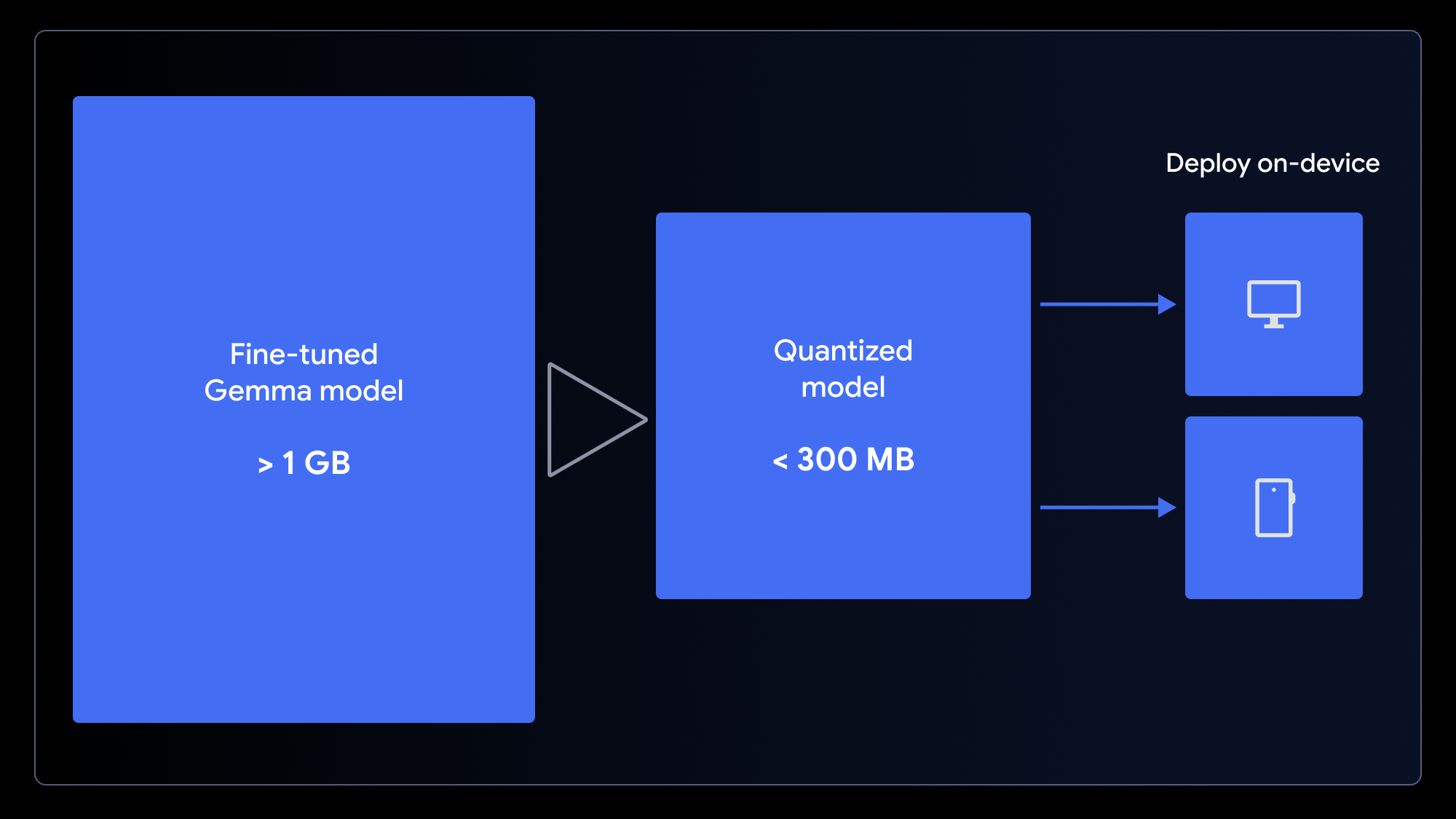
Smaller models result in a faster-loading app and better experience for end users.
To get your model ready for a web app, quantize and convert it in a single step using either the LiteRT conversion notebook for use with MediaPipe or the ONNX conversion notebook for use with Transformers.js. These frameworks make it possible to run LLMs client-side in the browser by leveraging WebGPU, a modern web API that gives apps access to a local device’s hardware for computation, eliminating the need for complex server setups and per-call inference costs.
Step 3: Run the model in the browser
You can now run your customized model directly in the browser! Download our example web app and change one line of code to plug in your new model.
Both MediaPipe and Transformers.js make this straightforward. Here’s an example of the inference task running inside the MediaPipe worker:
// Initialize the MediaPipe Task
const genai = await FilesetResolver.forGenAiTasks('https://cdn.jsdelivr.net/npm/@mediapipe/tasks-genai@latest/wasm');
llmInference = await LlmInference.createFromOptions(genai, {
    baseOptions: { modelAssetPath: 'path/to/yourmodel.task' }
});

// Format the prompt and generate a response
const prompt = `Translate this text to emoji: what a fun party!`;
const response = await llmInference.generateResponse(prompt);
JavaScript
Once the model is cached on the user’s device, subsequent requests run locally with low latency, user data remains completely private, and your app functions even when offline.
Love your app? Share it by uploading it to Hugging Face Spaces (just like the demo).
What’s next
You don’t have to be an AI expert or data scientist to create a specialized AI model. You can enhance Gemma model performance using relatively small datasets—and it takes minutes, not hours.
We hope that you’re inspired to create your own model variations. By using these techniques, you can build powerful AI applications that are not only customized for your needs but also deliver a superior user experience: one that is fast, private, and accessible to anyone, anywhere.
The complete source code and resources for this project are available to help you get started:
- Fine-tune Gemma efficiently with QLoRA in Colab
- Convert Gemma 3 270M for use with MediaPipe LLM Inference API in Colab
- Convert Gemma 3 270M for use with Transformers.js in Colab
- Download the demo code on GitHub
- Explore more web AI demos from the Gemma Cookbook and chrome.dev
- Learn more about the Gemma 3 family of models and their on-device capabilities