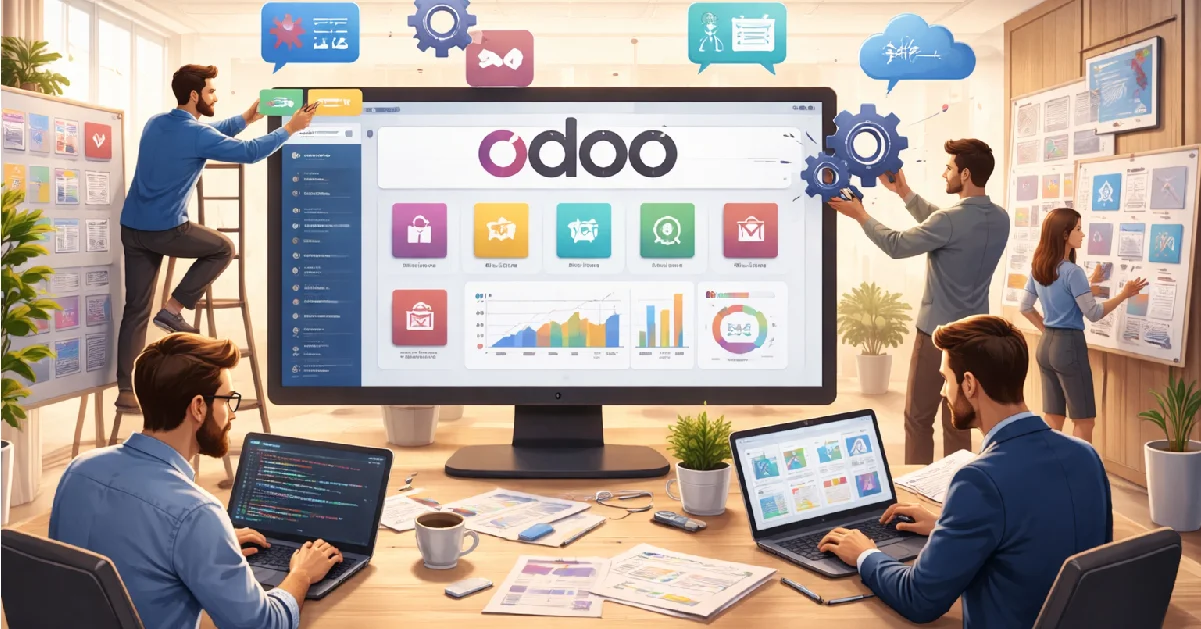
Let’s be clear first. Odoo is not a plug-and-play miracle. Anyone telling you that is selling dreams. Odoo is powerful. Flexible. Scalable. But only if it is customized the right way. Otherwise, it’s just another ERP sitting idle.
Businesses don’t run on templates. They run on messy processes. Unique workflows. Real-world problems. That’s where Odoo customization comes in. Modules are the backbone. They decide what your system can do. Customization decides how well it does it. And growth depends on both working together.This guide breaks it all down. No fluff. No theory-heavy talk. Just how Odoo modules work.What customization actually means. And how businesses use it to grow, not struggle.
If you want Odoo to fit your business, not force your business to fit Odoo, you’re in the right place.
What is Odoo customization?
Odoo customization is not magic. It’s controlled change. By default, Odoo gives you a standard system. Generic workflows. Common features. Good enough for some. Useless for many.
Customization means adjusting Odoo to match how your business actually works. Not how a demo video shows it. Not how some consultant thinks you should work.
It can be small. Like changing a form. Adding fields. Or tweaking reports that make real sense. It can also be deep.Custom modules. New logic.Automated processes built from scratch.The goal is simple.Reduce manual work.Avoid workarounds.Stop forcing teams to fight the system.Done right, Odoo customization saves time. Improves accuracy. And scales with your business, instead of breaking when you grow. Done wrong, it creates chaos. Slow system. Hard upgrades. And never-ending fixes. So no, customization is not optional. But it must be smart. Planned. And aligned with business goals.
Core Modules Explained: Your Complete Odoo Guide

Sales Module
This is where revenue starts. Quotations. Sales orders. Pricing rules. Sales is not just about invoices. It controls discounts. Customer terms. Order approvals. And the full sales pipeline.
Customization here usually means pricing logic, custom approval flows, or integrating sales with inventory and accounting. Ignore this module, and your revenue tracking becomes guesswork.
The CRM Module
CRM manages leads. Opportunities. Follow-ups. It shows who contacted you. When they did. And what happened after? The default CRM is basic. Good for small teams. Not enough for aggressive sales teams.
Businesses customize CRM to match real sales cycles. Extra stages. Auto lead assignment. Custom scoring rules. If your CRM doesn’t reflect reality, your sales data is lying.
Inventory Module
This is one of Odoo’s strongest modules. And also the most misused. Inventory handles stock moves. Warehouses. Locations. Incoming. Outgoing. Internal transfers.
It supports real-time stock updates. Not Excel-level tracking. Customization here focuses on multi-warehouse logic, barcode flows, or industry-specific stock rules. Bad inventory setup equals losses. Not maybe. Guaranteed.
Purchase Module
Purchasing is more than buying stuff. It controls cost. The purchase module manages vendors. Purchase orders. Reordering rules. It links directly with inventory and accounting.
Break that link, and your cost reports collapse. Customization often includes vendor approval flows, price validations, or auto-purchase based on demand. If purchases are wrong, margins suffer. Simple.
Accounting Module
This is not optional. And it’s not forgiving. Accounting tracks invoices. Payments. Taxes. Reports. Compliance. Odoo accounting works well out of the box. But localization matters. Especially for tax rules.
Customization here must be careful. Very careful. Most changes are report-based. Or automation of entries. One bad customization can break audits.
Manufacturing Module
This module handles production. Bills of Materials. Work orders. Operations. It connects sales demand to actual production. No guessing. Customization depends on complexity. Routing logic. Quality checks. Shop floor controls. For manufacturers, this module decides efficiency. Or chaos.
HR Module
HR is not just attendance. It’s people data. Employee records. Leaves. Payroll structure. Appraisals. Most companies customize HR heavily. Because policies are never standard.
Approval chains. Leave rules. Country-specific payroll logic. If HR data is wrong, trust disappears fast.
Project Module
This module manages tasks. Deadlines. Teams. It’s popular with service businesses. Agencies. IT firms. Consultants. Customization usually focuses on task workflows, billing logic, and time tracking rules. Without proper setup, projects overrun. And no one knows why.
Odoo Implementation Guide

Step 1: Business Process Analysis
Before Odoo. Before modules. Before anything. You map how work actually happens. Not how it should happen. Not how the management thinks it happens. Sales flow. Purchase flow. Accounting flow. Every dependency. Miss this step, and the project is already dead.
Step 2: Requirement Documentation
Now you write things down. Clearly. What needs to be standard. What needs customization? What should never be touched. This is where scope control starts. No document means scope creep. Guaranteed.
Step 3: Module Selection
Odoo has many modules. You don’t need all of them. Select only what supports your processes. Sales. Inventory. Accounting. HR. Manufacturing. Installing everything is not “future-proof.” It’s careless.
Step 4: System Configuration
Configuration comes before customization. Always. Set users. Access rights. Workflows. Basic rules. Many things don’t need code. They need a proper setup. Good configuration reduces custom work. Bad configuration increases costs.
Step 5: Customization & Development
Now code enters the picture. Custom modules. Modified views. Automations. This step must be minimal. Focused. Controlled. Every line of code adds to future maintenance. Pretending otherwise is ignorance.
Step 6: Data Migration
Old data must move. Customers. Vendors. Products. Balances. Dirty data creates dirty systems. Clean it first. Migration is boring. But critical.
Step 7: Testing
No testing means surprises. And surprises cost money. Test every flow. End to end. Users must test. Not just developers. If users don’t test, adoption will fail.
Step 8: User Training
A system is only as good as its users. Training should be role-based. Not generic. Sales sees sales. Accounts see accounts. Untrained users break systems. Daily.
Conclusion
Let’s end this honestly. Odoo is not the problem. Bad decisions are. When implemented the right way, Odoo becomes a growth engine. When rushed, it turns into technical debt. Customization should solve business gaps. Not create new ones. Modules should work together. Not fight each other.
This is why experience matters. Not just in coding, but in understanding business logic. Real Odoo software development is about balance. Using standard features where possible. Customizing only where it adds value.
Location also plays a role. Strong implementation teams matter. That’s why many businesses look toward Oddo Development Bangalore for scalable, cost-effective solutions with real ERP expertise.
The final takeaway is simple. Plan first. Configure smartly. Customize carefully. Test properly. Train users. Do this, and Odoo grows with your business. Ignore it, and you’ll keep fixing the same problems again and again.