Meta Advertiser Field Notes
Wednesday observations from inside Meta ads
A mix of clarification, deprecations, reporting quirks, and a few “what exactly is this?” moments this week. None of these updates require a full deep dive on their own, but each one impacts how we think about targeting, attribution, or the direction Meta is heading.
- Manus AI Ads Manager integration
- Exclusions aren’t suggestions
- Modern Targeting mini-course
- Final ASC deprecation schedule
- Recurring Notifications ending
- Conversions from other products
- Meta Pixel Helper gets an update
- Shops 3rd party reporting integration
Let’s get to it…
1. Manus AI Ads Manager Integration
If you’ve been on your Account Overview page lately, you may have noticed something new: “Automate your workflows with Manus AI.”

You may also see a new option for Manus AI in the Tools menu.
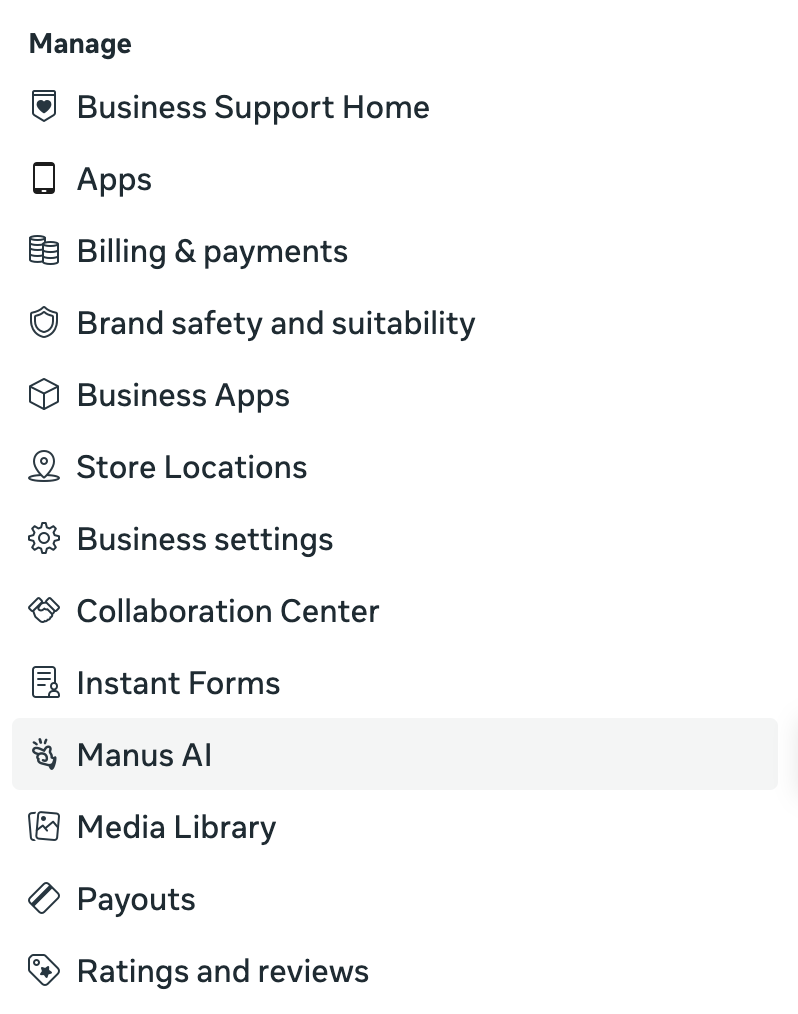
Meta acquired Manus AI at the end of last year. The focus of Manus AI is to develop “general-purpose AI agents designed to help users tackle research, automation, and complex tasks.”
Cool! Is Meta offering a direct integration with Manus AI to automate advertising workflows? Sounds promising!
If you click “Try it now,” you may be disappointed. This isn’t a direct integration, at least yet. Instead, you’ll be redirected to the Manus AI LLM interface.
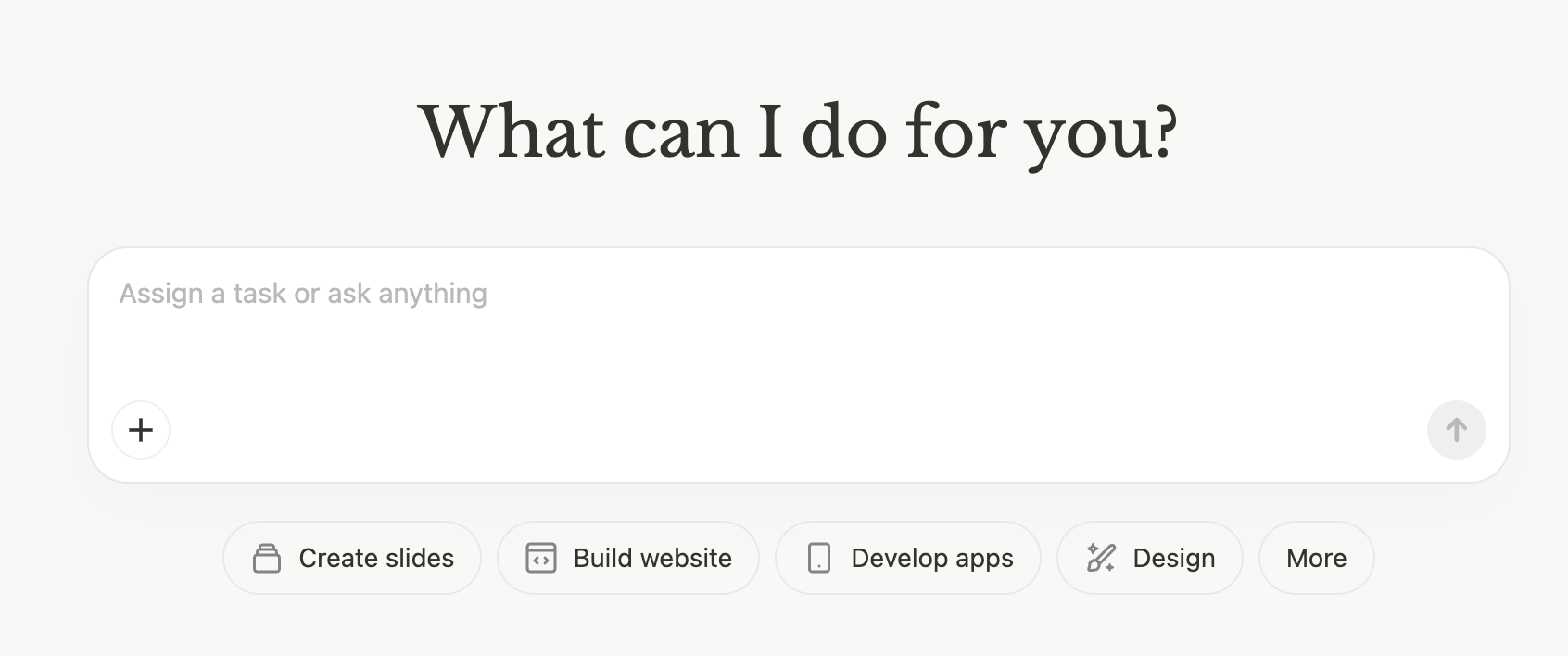
But I’ve seen some examples of this page with example prompts for things like “Instagram Ads Generator” and “Product Image Enhancement.”
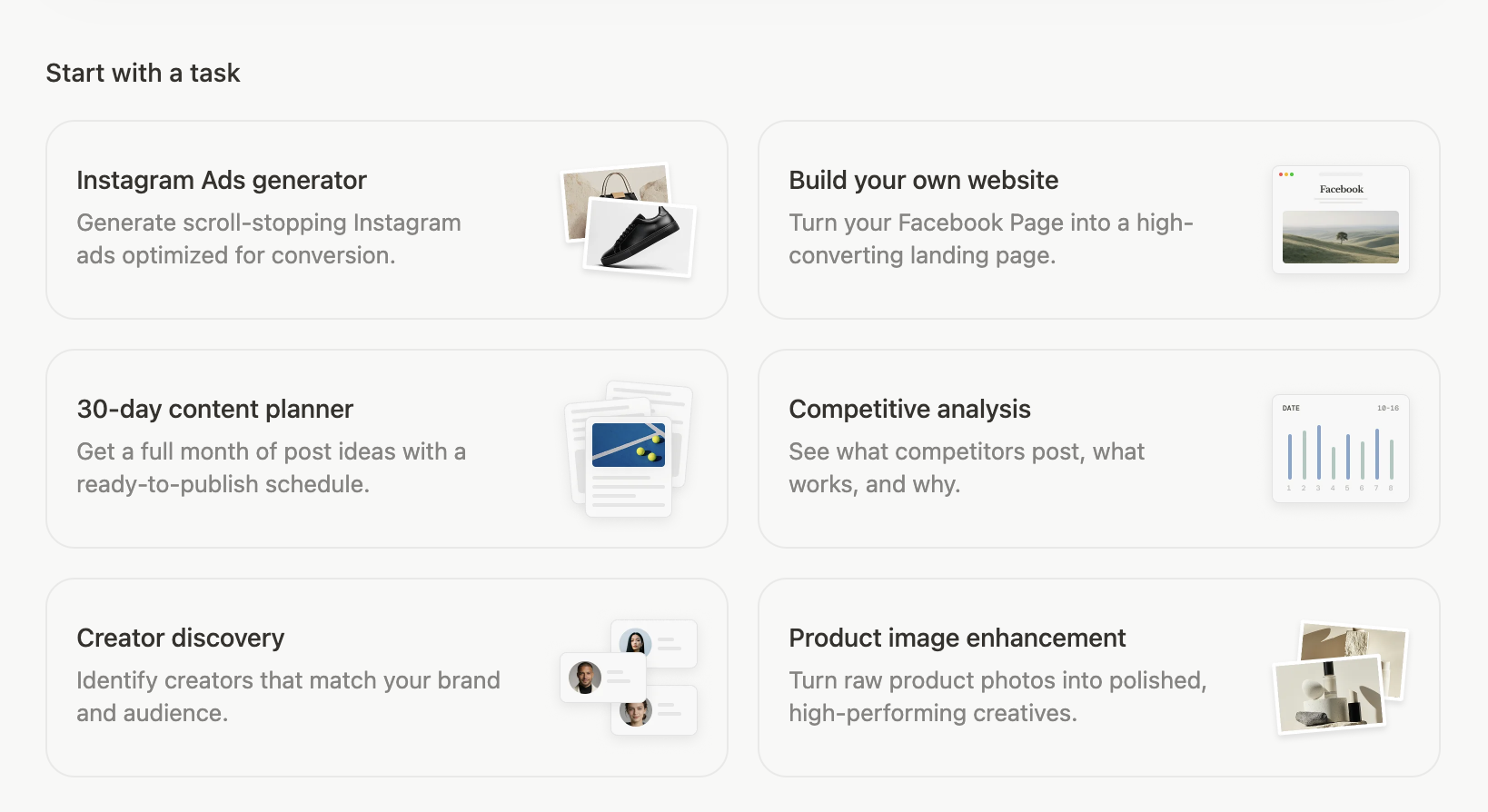
Here’s the prompt for the Instagram Ads Generator, based on a random pottery course scenario.
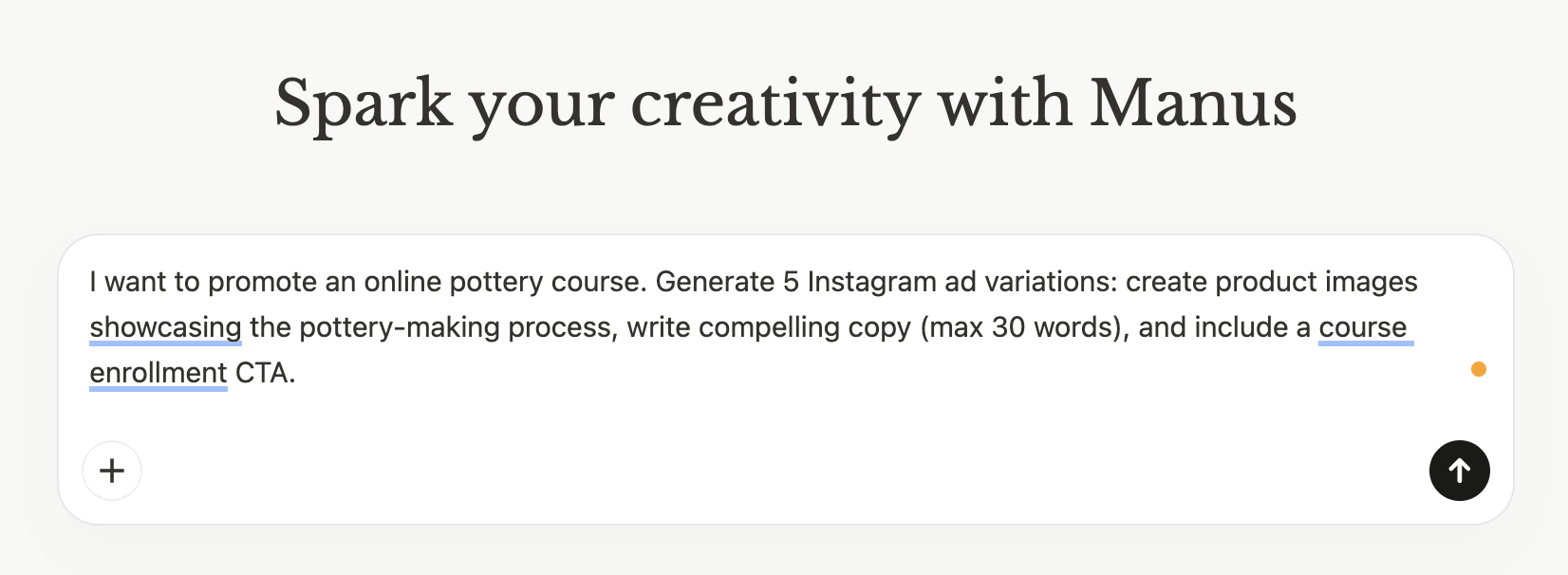
When I submit the prompt, I’m asked to log in. And once I log in, I quickly realize Manus AI is a paid product with a 7-day trial.
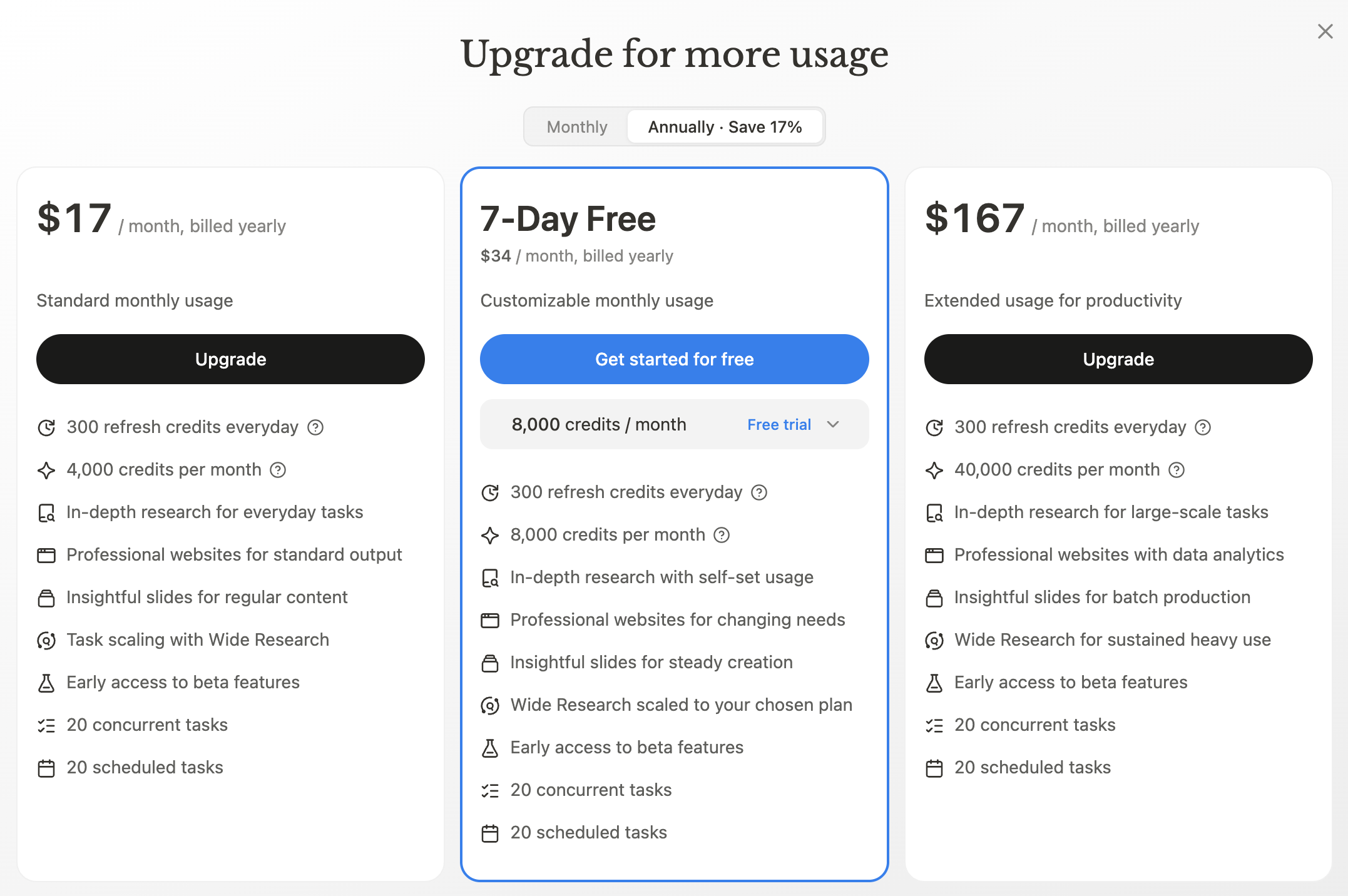
This feels like something Meta slapped together. There’s no integration at this point, from what I can tell. The Manus AI mention is little more than an ad promoting a Meta-owned product.
I read other reports (here and here) of an actual integration. So either I don’t have it yet, or the other reports out there are based on something more that isn’t available yet.
So, maybe this will eventually give advertisers the ability to seamlessly integrate AI agents to automate their advertising. And that may even be possible now, but it’s far from seamless. It’s confusing and sloppy.
Keep an eye on this.
2. Exclusions Aren’t Suggestions
I’ve realized lately that Meta’s created a mess related to targeting. Because terminology and functionality change so often, very few advertisers understand how their targeting inputs work. And when things frequently go the opposite way they expect, advertisers lose trust in the entire targeting process.
It’s why I wrote this week’s blog post regarding audience suggestions. More often than not, the targeting inputs advertisers provide are audience suggestions now. And when they don’t know that, that misunderstanding spills down to distrust in functions like exclusions.
I’ve heard multiple claims over the past several months that Meta ignores custom audience exclusions. In some cases, the theory is that Meta treats exclusions differently depending on whether you’re using Advantage+ or not. My interpretation of that claim is that your exclusion would be seen as a suggestion.
But it’s not. Exclusions (and Locations, for that matter) are part of Audience Controls. This section is separate from suggestions, and Meta will respect these inputs.
It seems that Meta is well aware of the conspiracy theories, though, because the description of how controls are handled in Ads Manager is different than I remember.
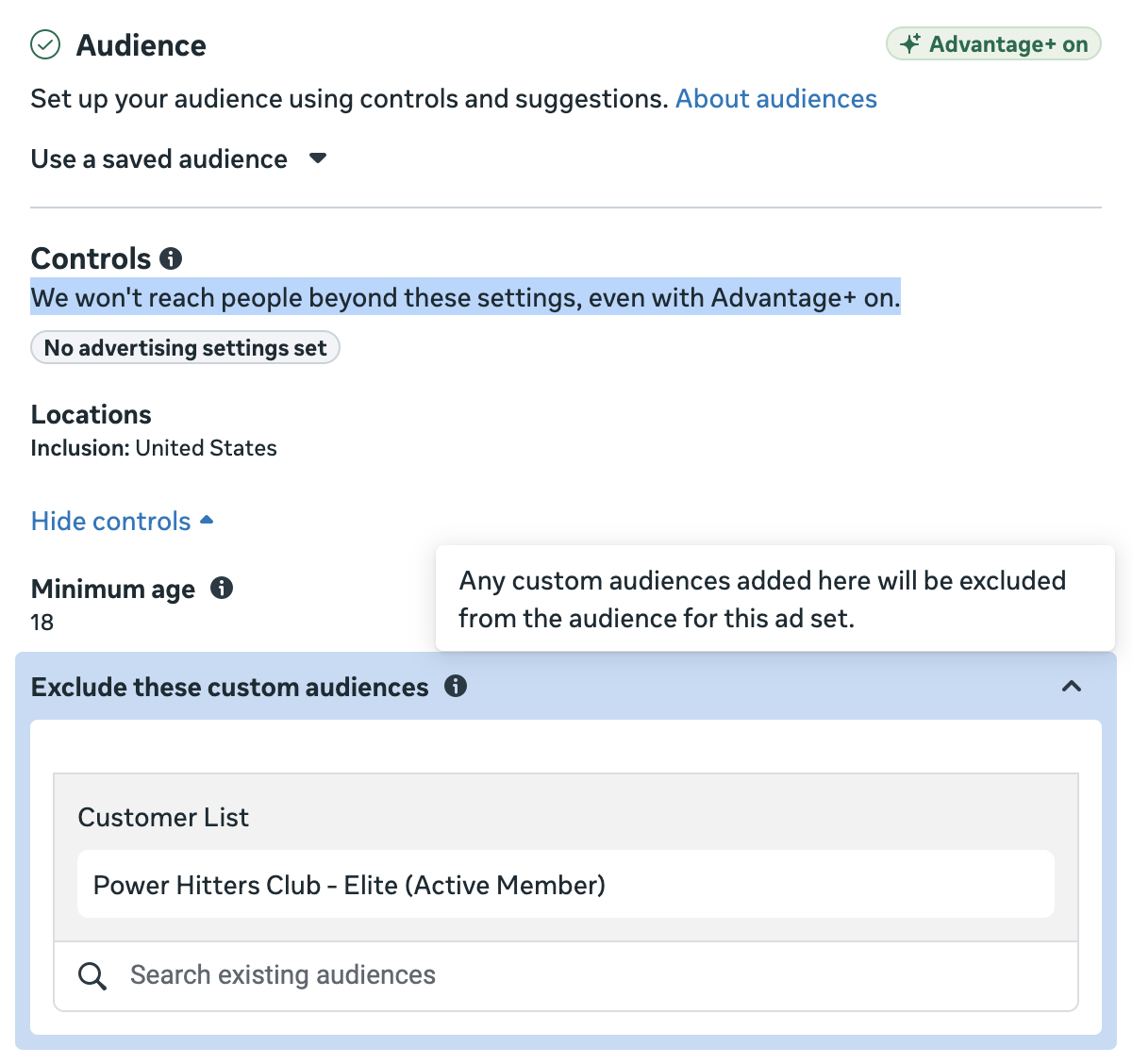
Meta says in the description of Controls that they “won’t reach people beyond these settings, even with Advantage+ on” (emphasis is mine). And the tooltip for excluded custom audiences reads that “any custom audiences added here will be excluded from the audience for this ad set.”
Even with that clarification, there will be advertisers who swear this is false. And the reason for this is the perfect combination to make conspiracy theories thrive.
First, you are much more likely to notice when you reach someone you think you shouldn’t than if you don’t reach someone you think you should. And second, custom audiences are generally incomplete and imperfect.
Let’s assume you are trying to exclude the members of your community. Meta will not be able to match up 100% of the users in a website custom audience to users who can be excluded. This is largely due to privacy and browser settings, but also due to a maximum time window of 180 days.
Okay, fine. So you add a data file custom audience of your members, too. Once again, Meta will not be able to match up 100% of that customer list to users. Your members may have provided different email addresses and phone numbers than Meta is able to attribute to them.
What I’m describing is precisely my experience. I gave up long ago on being able to exclude all of my members from seeing membership-related ads with 100% completeness. It’s frustrating. I try to make it as complete as possible. But it is what it is.
That doesn’t mean, of course, that the exclusions are suggestions and Meta ignores them. It just means that, no matter how hard you try, a person here or there is going to slip through.
3. Free Modern Targeting Mini-Course
This year, I’ve focused on doing something new. Every month or so, I will launch a new free mini-course on a popular topic. These mini-courses consolidate my recommendations into a small number of easily consumed lessons.
I started with Andromeda and Creative Diversification. I surveyed those who subscribed to that course, and they overwhelmingly wanted me to design my next course around modern targeting.
And that’s what I did. I created eight lessons that break down each category of targeting (age, gender, location, exclusions, detailed targeting, lookalike audiences, and custom audiences) as follows:
- How things were before
- What changed
- How to approach it now
So it’s both a history lesson and an instruction manual on how to approach targeting now.
Did I mention it’s free? Subscribe here.
4. Final Days Coming for Advantage+ Shopping Campaigns
When Advantage+ Sales Campaigns replaced Advantage+ Shopping almost exactly a year ago, the clock officially started on ASC’s numbered days. We’re now approaching the end.
Effective last fall, advertisers using third-party apps were no longer able to create Advantage+ Shopping Campaigns using Marketing API V24. And now, ASC campaigns can no longer be created or updated using Marketing API V25.
But… that doesn’t mean that Advantage+ Shopping Campaigns are dead — yet. Advantage+ Shopping Campaigns created using API V26 will finally pause in September of 2026.
Presumably, the old ASC campaigns created in Ads Manager were stopped long ago, but any such campaigns created externally may still run for a bit. Talk about refusing to let something go.
It’s unlikely that there’s anything magical found in your old setup. Just move on with the new Advantage+ Sales Campaigns.
5. No More Recurring Notifications
Meta’s Marketing Messages (also known as Recurring Notifications) ended effective February 10th. This feature, which allowed marketers to send marketing content to opted-in users via Messenger, was removed from the Messenger API.
Recurring Notifications previously allowed marketers to send one message per subscriber every 24 hours. Once updated to the new Marketing Messages API for Messenger, marketers will be able to send one message every 48 hours.
If you’ve been around for a while, you know that Meta has gone back and forth throughout the years on this type of messaging access for marketers. While it’s desired by brands, there’s understandably potential for abuse. And that balance adjustment is something that Meta appears to be making here once again.
6. Conversions From Other Products
Meta ads attribution is complex. Because of that, it’s easy to misinterpret or misunderstand conversion results.
One attribution quirk that most advertisers don’t understand is that the conversions reported in Ads Manager don’t necessarily reflect the product you’re promoting. Someone might click your ad, go to your website, and then decide to purchase something else. This often leads to confusion.
It came up twice on this week’s strategy session, something I conduct every week for my Power Hitters Club – Elite members. Both examples highlighted common advertiser scenarios, so it inspired me to discuss those scenarios here.
Ad for low-performing product getting the most budget.
This was a fascinating situation. An advertiser running catalog ads was confused that Meta was spending 80% of their budget on an ad promoting a low-performance product. Ads aside, it’s not a popular product for the e-commerce brand.
But as the advertiser shared more information, it started making more sense. The ad was what they described as “click-baity,” driving lots of clicks. While Meta wouldn’t necessarily care about the CTR when optimizing for conversions, this ad was resulting in reported purchases.
The caveat was that people weren’t buying the product in the ad. People clicked the ad (because it generated a high number of clicks) and hung around the site to buy something else.
Meta doesn’t care what product was purchased, only that any product was purchased after engaging with the ad. And that ad was resulting in more purchases than others.
The advertiser’s instinct was to turn off that ad. But while it may not be a popular product overall, it’s doing a better job than other ads to drive traffic that eventually leads to conversions. The better approach may be to improve ads for the more popular products.
Reported attributed conversions are higher than actual conversions.
This is a common scenario. An advertiser gets 20 reported attributed conversions in Ads Manager, but they see only 15 sales of the product they were promoting. Meta isn’t making up these conversions. Assuming there isn’t an issue with your events, the purchases actually happened.
But once again, Meta isn’t reporting the number of purchases of a specific product. Ads Manager is generically reporting purchases that resulted from people engaging with your ad. It doesn’t matter what products were purchased.
These are good reminders as you try to make sense of your conversion reporting.
7. Meta Pixel Helper Gets an Update
The Pixel Helper Chrome extension has been an advertiser staple since the beginning. It’s recently received a long-deserved facelift. And based on the developer notes, this update happened on February 12th.
The first thing you’ll notice is a new icon. The old icon has been replaced with a more colorful version.

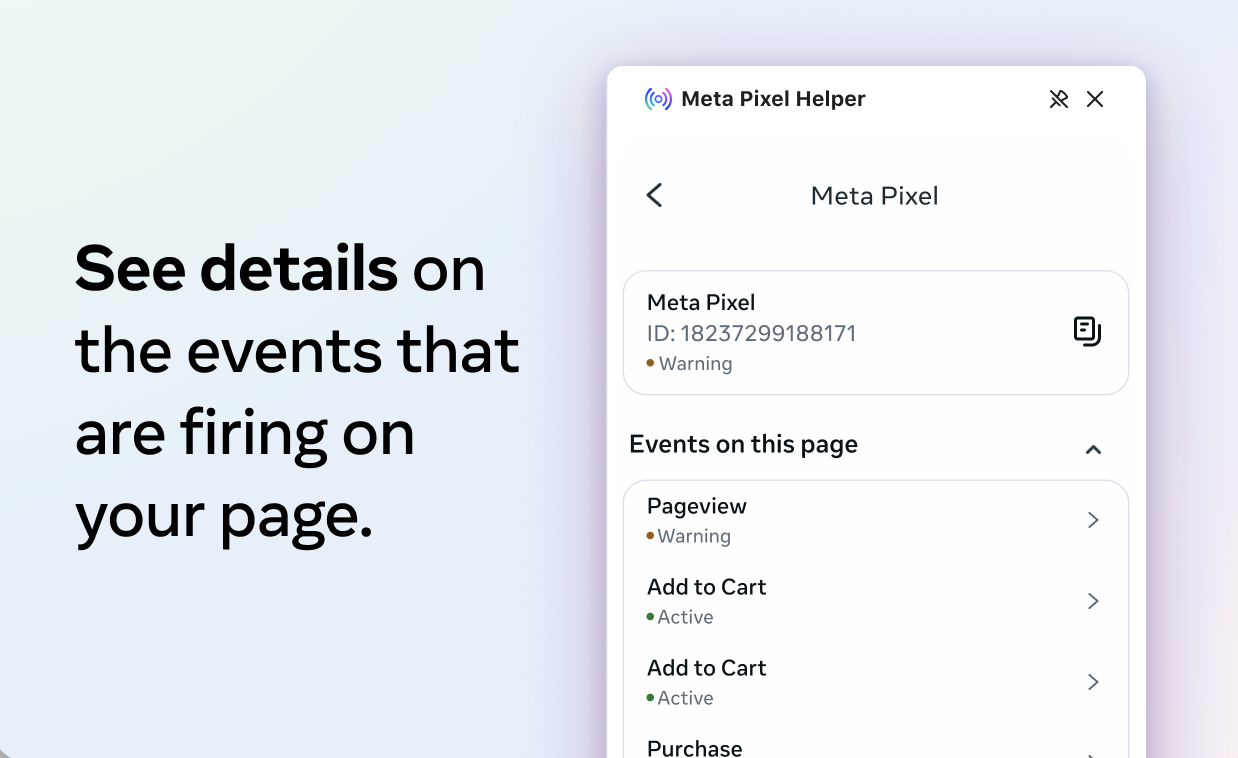
And now when you click on it, it opens a new sidebar on the right side of the browser. You can see all of the pixels detected on that page at once.
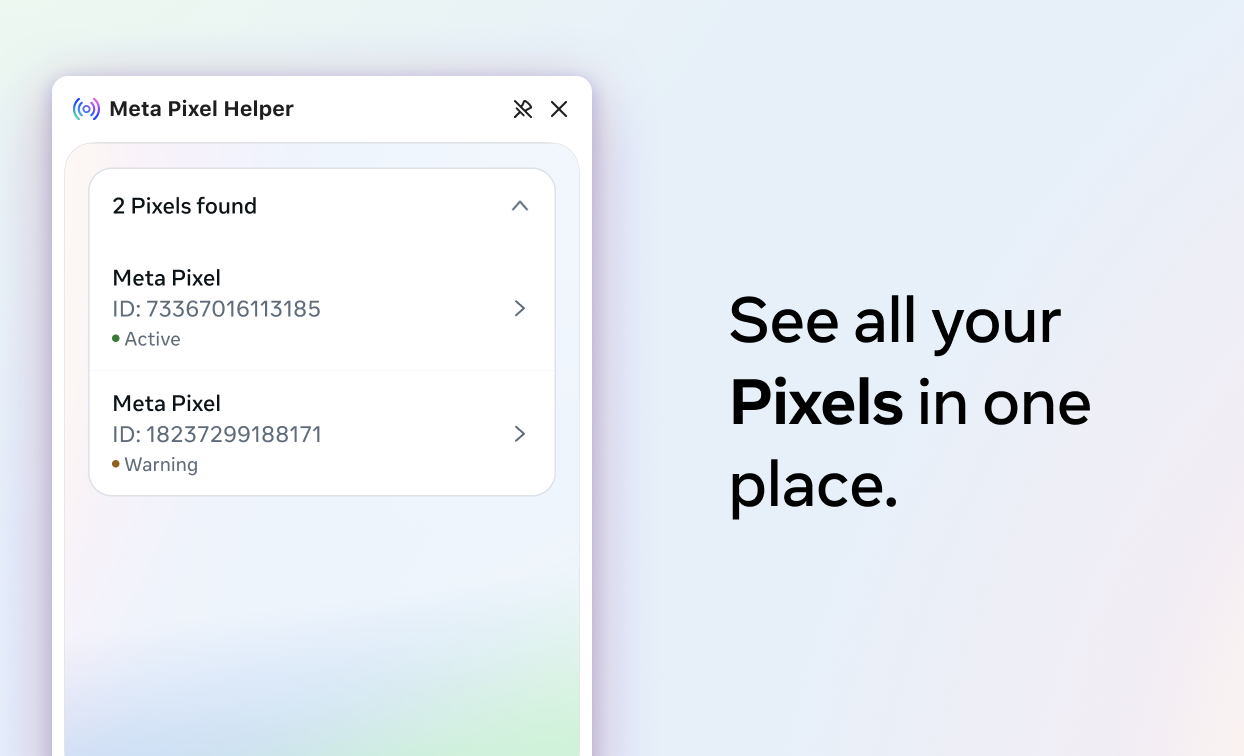
See the details of detected events on that page, including warnings.
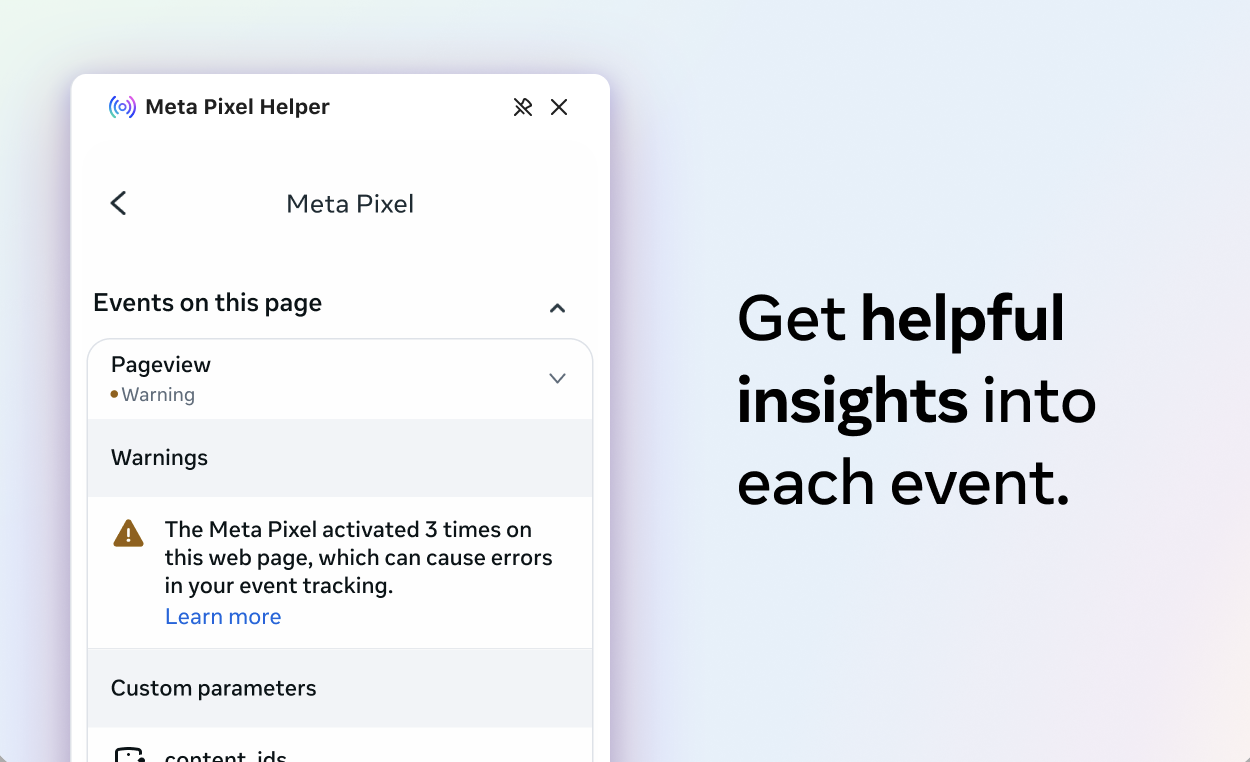
And get details about what could be going wrong.
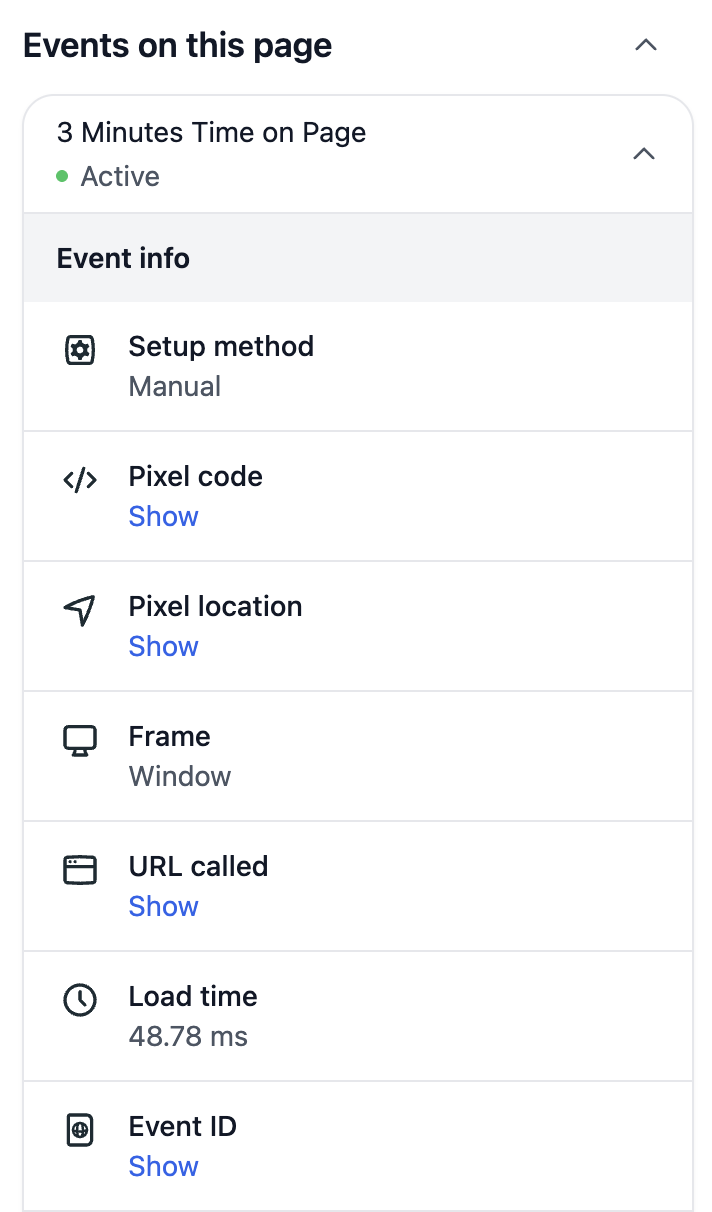
Otherwise, you may not see anything new, but event details are given a cleaner design.
8. Shops Third-Party Reporting Integration
When creating an ad, you may see a “Third-Party Reporting Tools” section at the very bottom.
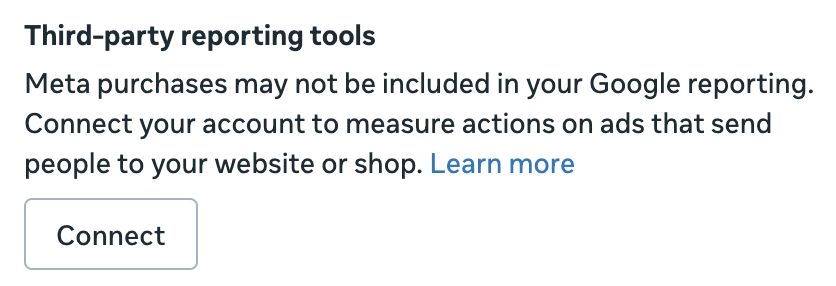
It reads:
Meta purchases may not be included in your Google reporting. Connect your account to measure actions on ads that send people to your website or shop.
So the purpose of this integration is to make your third-party reporting (like GA4) more complete, not Ads Manager. If you click the link to learn more, you’re directed to the Help Center article “About connecting a third-party reporting tool to measure Shops ads performance.”
Here’s the detailed description:
Third-party reporting tools may not have direct visibility into events that take place in your shop on Facebook and Instagram. That means mid-funnel events like View Item, Add to cart, Page View Storefront, and Page View Collections may not be included in their reporting.
To address this gap in reporting, you can connect third-party reporting tool Google Analytics in Commerce Manager, Ads Manager or the Facebook & Instagram by Meta app for Shopify, Facebook & Instagram app for Magento, or Facebook & Instagram app for Salesforce Commerce Cloud.
When you click to connect, you’ll need to select your third-party reporting tool (only GA4 for now) and your unique measurement ID.
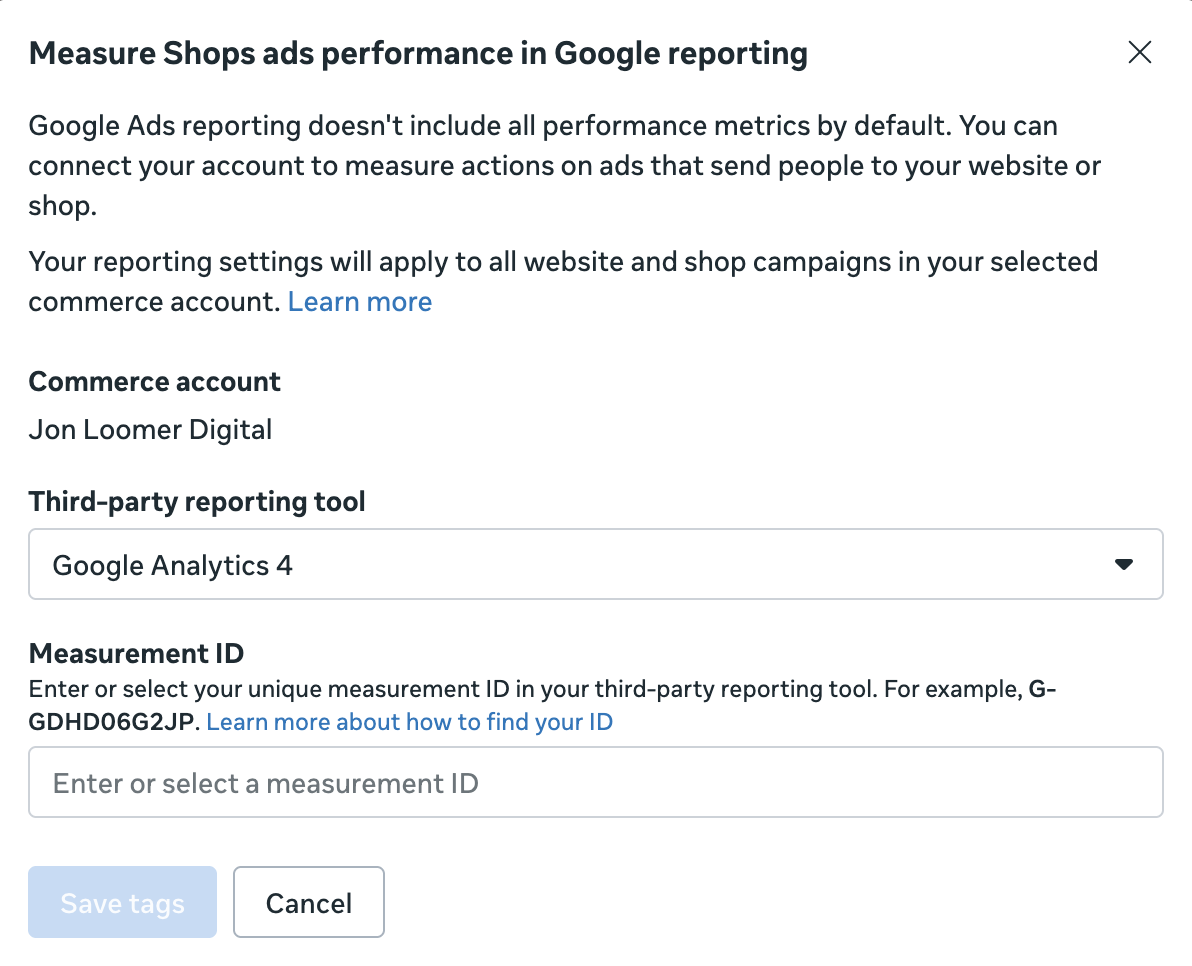
So, to summarize:
1. This is only for advertisers who drive traffic to Shops.
2. The integration is to give GA4 (and potentially other third-party reporting tools) more visibility into the funnel from Shop to website.
3. It won’t impact your attributed results in Ads Manager.
This reminds me a bit of the GA4 integration in Events Manager that we were all talking about last year (and I still have no idea what it does).
More to Come
Meta isn’t slowing down anytime soon. So I’ll keep watching, testing, and reporting back each Wednesday.