• About Us
  • Disclaimer
  • Contact Us
  • Privacy Policy
Saturday, January 24, 2026
mGrowTech
No Result
View All Result
  • Technology And Software
    • Account Based Marketing
    • Channel Marketing
    • Marketing Automation
      • Al, Analytics and Automation
      • Ad Management
  • Digital Marketing
    • Social Media Management
    • Google Marketing
  • Direct Marketing
    • Brand Management
    • Marketing Attribution and Consulting
  • Mobile Marketing
  • Event Management
  • PR Solutions
  • Technology And Software
    • Account Based Marketing
    • Channel Marketing
    • Marketing Automation
      • Al, Analytics and Automation
      • Ad Management
  • Digital Marketing
    • Social Media Management
    • Google Marketing
  • Direct Marketing
    • Brand Management
    • Marketing Attribution and Consulting
  • Mobile Marketing
  • Event Management
  • PR Solutions
No Result
View All Result
mGrowTech
No Result
View All Result
Home Marketing Automation

Introducing: Bulk Upload

Josh by Josh
August 13, 2025
in Marketing Automation
0
Introducing: Bulk Upload
0
SHARES
1
VIEWS
Share on FacebookShare on Twitter

READ ALSO

The 4 Forces Shaping Social Media in 2026 (and What They Mean for Creators)

How to Create Them, When to Use Them and Why They’re Essential for Every Marketer –


I’ll be honest with you – I’m not a spreadsheet person when it comes to planning my own content. But I know heaps of people who are, especially creators with a big backlog of content and social media pros that manage content for multiple brands.

For them, spreadsheets make perfect sense: they’re neat, easy to scan, and let you manage reams of content in a single view. The problem? Until now, getting all that content into Buffer meant copy, paste, tweak, repeat… one post at a time.

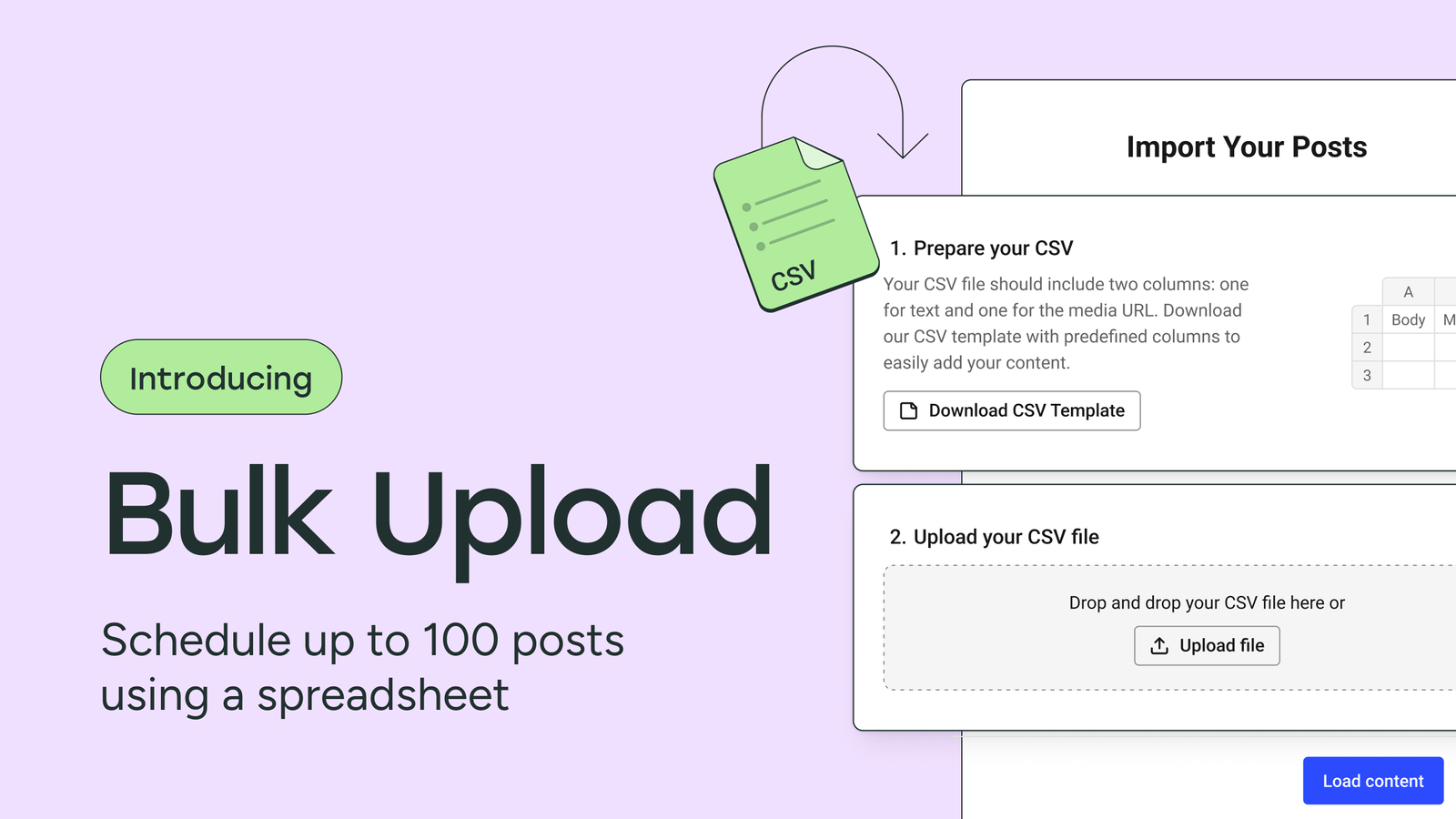
With Bulk Upload, that changes. You can now convert a spreadsheet into up to 100 scheduled posts. Rows become ready-to-go posts, so you can go from planning to publishing without the busywork.

Read on for the details!

Why we built Bulk Upload

This has been one of our most-requested features—with 437 votes on our suggestion board.

We’ve also seen third-party tools spring up just to fill this gap. That told us two things:

  1. There’s a clear job to be done.
  2. It should live inside Buffer.

Bulk Upload gives creators and agencies a frictionless way to schedule dozens of posts in Buffer in one go. No workarounds, no extra tools, no lost time.

How it works

You can start in one of two ways:

  • Download our CSV template from inside Buffer and fill it out.
  • Use your own spreadsheet with the same structure and column headers, then export to CSV.

From there, it’s simple:

  1. Go to Bulk Upload in Buffer.
  2. Choose your CSV file.
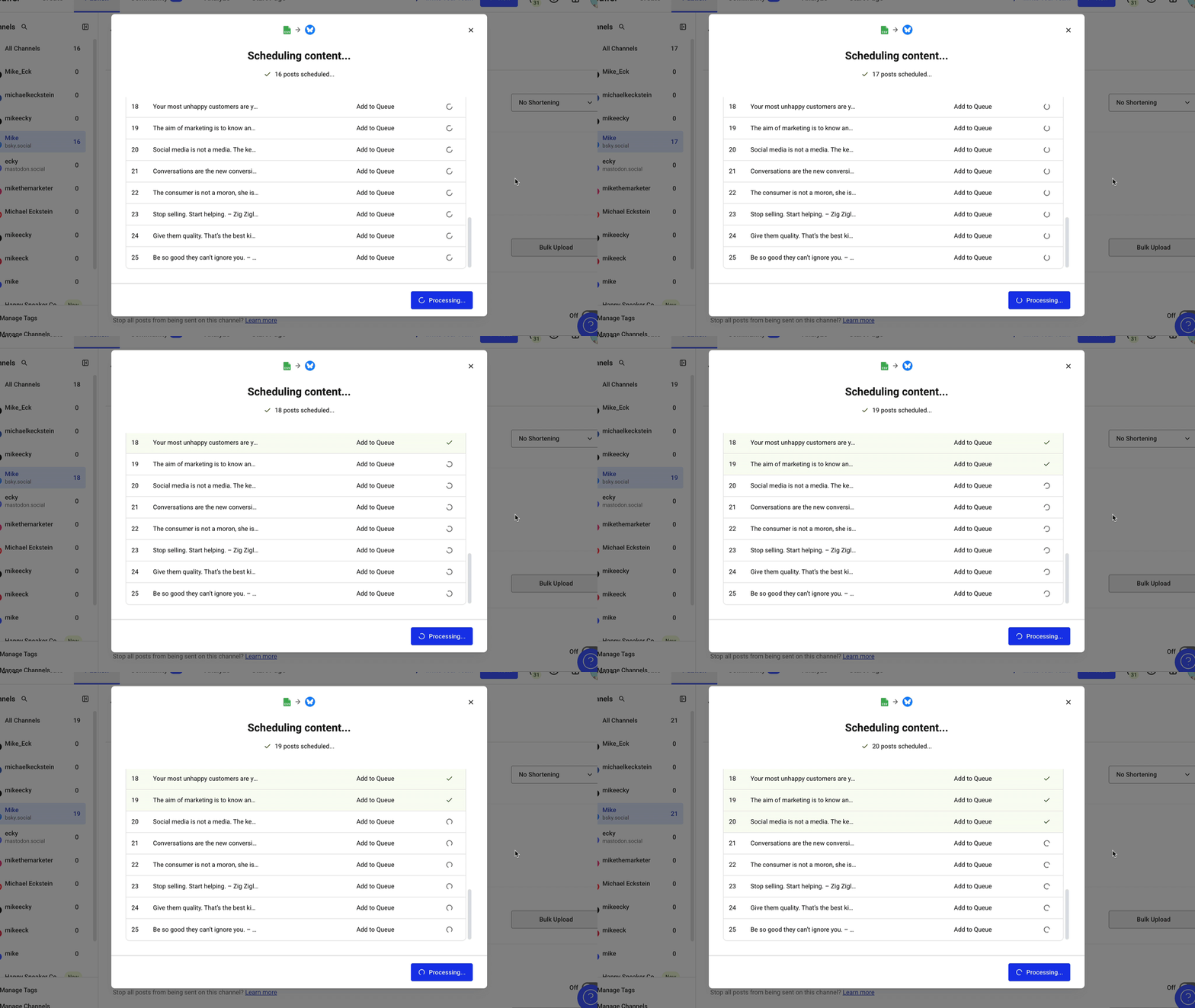
  3. Schedule them all – up to 100 posts for one channel at a time.
Four ways to use Bulk Upload

  1. Breaking down a big piece of content: Turn a blog post, video script, or podcast episode into multiple bite-sized updates, upload them in one go, and fill your queue for weeks.
  2. Recurring or seasonal content: Holiday promos, “Tip Tuesday,” monthly newsletters — prep them once, upload, and Buffer will handle the rest.
  3. Multiple clients in one sitting: Agencies can prep content calendars for each client, then upload to their respective channels in minutes.
  4. Transferring content from another tool: Export scheduled content from an old platform into CSV, tweak as needed, and import directly into Buffer without rebuilding everything post by post.

Why I think you’ll love it

Bulk Upload is faster, simpler, and designed to fit the way you already work. Whether you’re managing a handful of posts or a hundred, it’ll save you time and help you stay consistent. It’s been a long time coming, and I can’t wait to see how you put it to work!

Skip the busywork and try Bulk Upload in your Buffer dashboard today →

Try Buffer for free

180,000+ creators, small businesses, and marketers use Buffer to grow their audiences every month.




Source_link

Related Posts

The 4 Forces Shaping Social Media in 2026 (and What They Mean for Creators)
Marketing Automation

The 4 Forces Shaping Social Media in 2026 (and What They Mean for Creators)

January 22, 2026
How to Create Them, When to Use Them and Why They’re Essential for Every Marketer –
Marketing Automation

How to Create Them, When to Use Them and Why They’re Essential for Every Marketer –

January 21, 2026
The Ultimate Guide to Repurposing Content (With Examples)
Marketing Automation

The Ultimate Guide to Repurposing Content (With Examples)

January 20, 2026
How to Use Twitter Analytics: The Complete Guide
Marketing Automation

How to Use Twitter Analytics: The Complete Guide

January 17, 2026
We Should All Be Building People-First Communities in the Age of AI
Marketing Automation

We Should All Be Building People-First Communities in the Age of AI

January 16, 2026
What Is Bluesky? Here’s What You Should Know
Marketing Automation

What Is Bluesky? Here’s What You Should Know

January 14, 2026
Next Post
How I Created an SEO Strategy That Increased a Client’s Search Visibility by 375%

How I Created an SEO Strategy That Increased a Client’s Search Visibility by 375%

POPULAR NEWS

Trump ends trade talks with Canada over a digital services tax

Trump ends trade talks with Canada over a digital services tax

June 28, 2025
Communication Effectiveness Skills For Business Leaders

Communication Effectiveness Skills For Business Leaders

June 10, 2025
15 Trending Songs on TikTok in 2025 (+ How to Use Them)

15 Trending Songs on TikTok in 2025 (+ How to Use Them)

June 18, 2025
App Development Cost in Singapore: Pricing Breakdown & Insights

App Development Cost in Singapore: Pricing Breakdown & Insights

June 22, 2025
Google announced the next step in its nuclear energy plans 

Google announced the next step in its nuclear energy plans 

August 20, 2025

EDITOR'S PICK

How to Choose an Omnichannel Marketing Platform

How to Choose an Omnichannel Marketing Platform

June 7, 2025
Why it feels like right-wing ICE narratives are dominating social media

Why it feels like right-wing ICE narratives are dominating social media

January 15, 2026
Is AI-generated actress Tilly Norwood the next Scarlett Johansson?

Is AI-generated actress Tilly Norwood the next Scarlett Johansson?

October 4, 2025
Octolock Away the Pain! Guide in Pokemon Legends Z-A

Octolock Away the Pain! Guide in Pokemon Legends Z-A

December 15, 2025

About

We bring you the best Premium WordPress Themes that perfect for news, magazine, personal blog, etc. Check our landing page for details.

Follow us

Categories

  • Account Based Marketing
  • Ad Management
  • Al, Analytics and Automation
  • Brand Management
  • Channel Marketing
  • Digital Marketing
  • Direct Marketing
  • Event Management
  • Google Marketing
  • Marketing Attribution and Consulting
  • Marketing Automation
  • Mobile Marketing
  • PR Solutions
  • Social Media Management
  • Technology And Software
  • Uncategorized

Recent Posts

  • PR Drives Blockchain Adoption in Institutions
  • US Judge Rules ICE Raids Require Judicial Warrants, Contradicting Secret ICE Memo
  • TikTok Oracle Deal: What the New US Entity Means for Advertisers in 2026
  • If You’ve Been Investing in SEO, You’re on the Right Track With GEO: An AMA With Lily Ray
  • About Us
  • Disclaimer
  • Contact Us
  • Privacy Policy
No Result
View All Result
  • Technology And Software
    • Account Based Marketing
    • Channel Marketing
    • Marketing Automation
      • Al, Analytics and Automation
      • Ad Management
  • Digital Marketing
    • Social Media Management
    • Google Marketing
  • Direct Marketing
    • Brand Management
    • Marketing Attribution and Consulting
  • Mobile Marketing
  • Event Management
  • PR Solutions

Are you sure want to unlock this post?
Unlock left : 0
Are you sure want to cancel subscription?