
Malware, viruses, Trojans, ransomware — the threats targeting PCs are everywhere.
Your antivirus should do more than clean up infections. It needs to actively block malware, spyware, phishing attempts, and ransomware before they ever reach your device.
With so many antivirus tools on the market, choosing the right one for your PC isn’t exactly simple. To make it easier, I evaluated dozens of options and listed the 10 best free antivirus software, based on verified G2 reviews.
Every tool on this list provides real-time malware protection, and some even extend this protection to your browser to block malicious sites and phishing scams. Best of all, they’re free, so you can test a few and find the one that works best for you before committing.
9 best free antivirus software in 2026: My picks
- 360 Total Security: Best for all-in-one free protection
For antivirus, system cleanup, and performance optimization in one lightweight tool. - Avira Antivirus: Best for strong free malware protection
For real-time threat detection with minimal system impact. - Bitdefender Antivirus Plus 2020: Best for advanced threat defense
For robust malware protection, ransomware defense, and phishing prevention. - Emsisoft Anti-Malware: Best for dual-engine malware detection
For layered security against ransomware, spyware, and emerging threats. - Kaspersky Antivirus: Best for high detection accuracy
For reliable real-time protection against viruses, malware, and phishing attacks. - Malwarebytes for Home: Best for malware and ransomware removal
For detecting, blocking, and cleaning up advanced threats. - Norton Antivirus: Best for comprehensive security features
For malware protection, phishing defense, and system performance tools. - Trend Micro Antivirus+ Security: Best for phishing and online threat protection
For blocking malicious websites, email scams, and ransomware. - Webroot Antivirus: Best for lightweight, cloud-based protection
For fast scans and real-time protection without slowing down your system.
* The software list is arranged alphabetically. These tools offer free trials, free forever options, or freemium models.
Comparison of the best free antivirus software
Overwhelmed by all the details on free anti-virus tools? This comparison table simplifies the key aspects for you.
| Best free antivirus software | G2 Rating | Free plan | |
| 360 Total Security | 4.3/5 ⭐ | Free plan available | Starting at $19.98/year |
| 4.7/5 ⭐ | Free trial available | Starting at $ 26.99/year | |
| Bitdefender Antivirus Plus 2020 | 4/5 ⭐ | Free trial available | Starting at $29.99/year |
| Emsisoft Anti-Malware | 4.5/5 ⭐ | Free trial available | Starting at $19.98/year |
| 4.4/5 ⭐ | Free trial available | Starting at $21.99 | |
| 4.5/5 ⭐ | Free trial available | Starting at $44.99/year |
|
| Norton Antivirus | 4.2/5 ⭐ | Free trial available | Starting at $3.33/month |
| Trend Micro Antivirus+ Security | 4.2/5 ⭐ | Free trial available | Starting at $39.95/year |
*All pricing details mentioned in the article are based on publicly available data at the time of publication and are subject to change.
9 best free antivirus software I recommend
The global demand for antivirus software continues to grow as cyber threats become more frequent and sophisticated. The antivirus software market is projected to expand to $8 billion by the early 2030s.
Some free antivirus solutions deliver strong malware detection, real-time protection, and performance optimization, helping keep devices secure without stretching your budget.
How did I find and evaluate these free antivirus tools?
To build this list, I began with G2 data, shortlisting top-rated tools based on their G2 scores and consistent performance in the free antivirus tools category.
From there, I reviewed product specs and recent, verified user feedback to confirm that these products deliver real value and to understand where each one stands out.
The goal was simple: to see whether these tools are as good as they claim, what each one is best for, and whether there’s a free version or free trial you can try with minimal risk. And because this is a free-focused list, I paid extra attention to what you can actually do without paying — such as whether the free tier includes core features, how long the free trial lasts, and what limitations might prompt you to upgrade.
The screenshots featured in this article may be a mix of those taken from the vendor’s G2 page or from publicly available materials.
The product list below contains real user reviews from the best free antivirus software category page. It’s important to note that in the context of this list, vendors offering a free trial are also considered free.
To be included in this category, a solution must:
- Possess malware identification and/or removal features
- Possess anti-virus and/or antispyware features
- Show the health status of individual devices
- Distribute updates as new virus signatures are detected
This data was pulled from G2 in 2025. Some reviews may have been edited for clarity and accuracy.
1. 360 Total Security: Best for all-in-one free protection
360 Total Security is a free antivirus program that includes a suite of system optimization tools to clean and speed up your device. It has a paid version, too, but the free version covers most of the basic features you need from an antivirus.
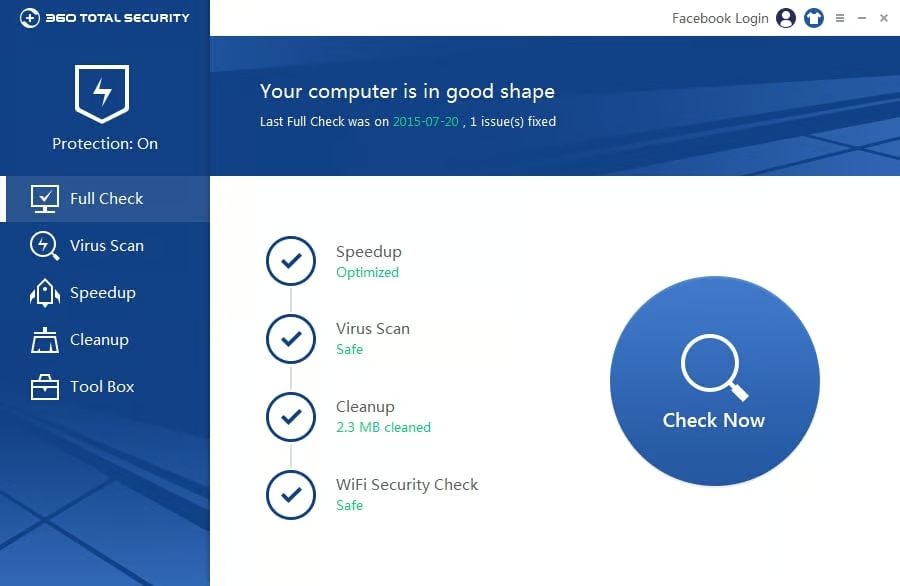
Pros and cons of 360 Total Security: My take
| Pros of 360 Total Security |
Cons of 360 Total Security |
| All-in-one protection | Ads in the free version |
| System cleanup tools | Internet required for full features |
| Lightweight interface | Might slow down the PC |
What G2 users like about 360 Total Security:
“It contains a simple and elegant user interface for the consumer, but that does not make it less advanced. Among its many features, we find a simple interface to use compared to other similar programs and automatically updated to increase your security against future malware.”
– 360 Total Security review, Raymond C.
What G2 users dislike about 360 Total Security:
“One thing that bothers me and slows down my PC is the constant and overwhelming advertisements. It is also that the application does not work quite well with its characteristics if it is not connected to the internet.”
– 360 Total Security review, Raymond C.
2. Avira Antivirus: Best for strong free malware protection
Avira Antivirus is a robust antivirus software with everything you need for your devices. Best part? It’s completely free. Brownie points out it contains a free password manager and a virtual private network (VPN). Avira also has a paid version that offers additional protection against online threats and ransomware.
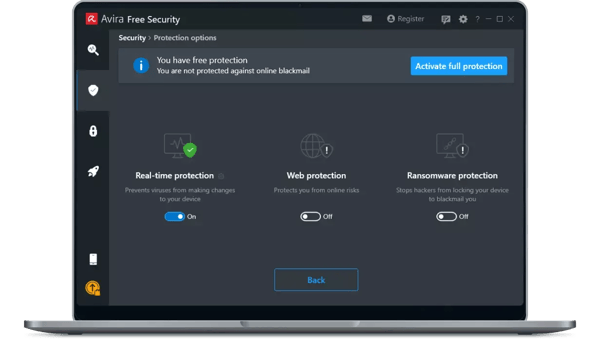
Pros and cons of Avira Antivirus: My take
| Pros of Avira Antivirus | |
| Strong malware detection | False alarms occur occasionally |
| Auto-updates virus database | Limited free features |
| Minimal system impact | Occasional overblocking |
What G2 users like about Avira Antivirus:
“It is efficient for scanning computer files. The best part is the auto-update of its virus database, which enables the software to keep up to date and protect your computer and files from harmful viruses.”
– Avira Antivirus review, Hassan A.
What G2 users dislike about Avira Antivirus:
“There are times when it emits virus alarms that do not correspond. This mostly occurs when software the antivirus is not aware of is installed and blocks files that are not threats.”
– Avira Antivirus review, Raymond S.
3. Bitdefender Antivirus Plus 2020: Best for advanced threat defense
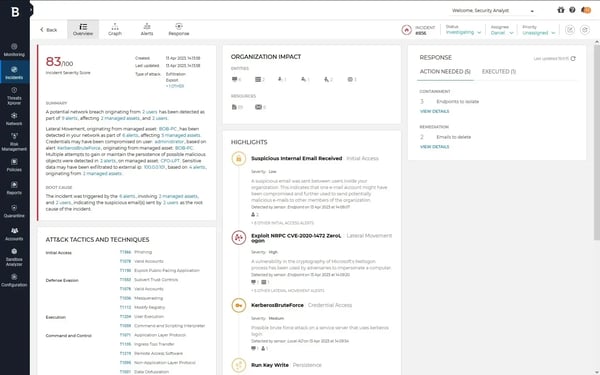
As the name suggests, Bitdefender Antivirus Plus 2020 works as more than just antivirus software. The tool protects against the growing cyber threats of viruses, malware, and ransomware.
Its anti-phishing and anti-fraud features are the other notable web security attributes. It flags malicious websites or links before users click, protecting them against internet-based threats.
Pros and cons of Bitdefender Antivirus Plus 2020: My take
| Pros of Bitdefender Antivirus Plus 2020 |
Cons of Bitdefender Antivirus Plus 2020 |
| Robust malware defense | Sometimes slow updates |
| Phishing protection | Not always the latest threat coverage |
| Anti-fraud features | Heavier scans |
What G2 users like about Bitdefender Antivirus Plus 2020:
“As someone who does a lot of online banking and shopping, I’m always concerned about falling victim to scams and fraudulent activities. But with Bitdefender, I can surf the web with confidence, knowing that the software is actively blocking any suspicious activity and keeping my personal information safe.”
– Bitdefender Antivirus Plus 2020 review, Ashesh K.
What G2 users dislike about Bitdefender Antivirus Plus 2020:
“The biggest issue with Bitdefender is that it sometimes doesn’t provide up-to-date protection against newly released malware and viruses. For example, there was recently a new virus circulating on Facebook Messenger that was undetected by Bitdefender’s security software..”
– Bitdefender Antivirus Plus 2020 review, Hicham S.
4. Emsisoft Anti-Malware: Best for dual-engine malware detection
Emsisoft Anti-Malware is a strong antivirus program that detects and prevents all kinds of malware, including ransomware. The software comes with capabilities such as a file guard that scans for over 10 million malware types and a behavior blocker, which stops new and unknown threats by analyzing their behavior.
Users can try Emsisoft for free with its 30-day free trial.
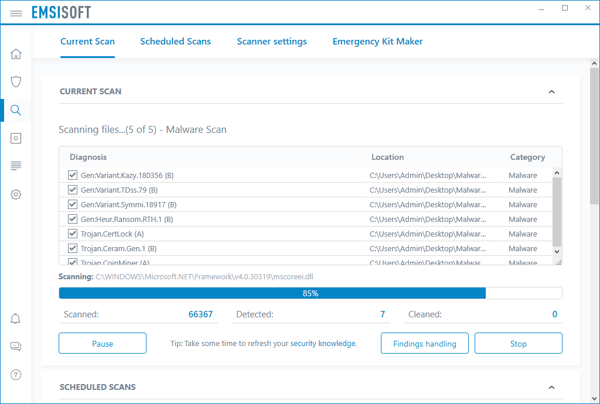
Pros and cons of Emsisoft Anti-Malware: My take
| Pros of Emsisoft Anti-Malware |
Cons of Emsisoft Anti-Malware |
| Dual-engine scanning | Occasional false positives |
| Behavior-based blocking | False positives possible |
| Minimal performance hit | Limited customizations |
What G2 users like about Emsisoft Anti-Malware:
“Its modern, clean, intuitive, and easy-to-use interface allows any user to start without going to a technician in this type of software, which saves time. It is also extremely light, so it does not harm the performance of the equipment, something that with other software is impossible.”
– Emsisoft Anti-Malware review, Marybel M.
What G2 users dislike about Emsisoft Anti-Malware:
“If you have a program other than Windows, it may not work perfectly for you. Also, sometimes it throws some things as dangerous but (are) not.”
– Emsisoft Anti-Malware review, Chloe T.
5. Kaspersky Antivirus: Best for high detection accuracy
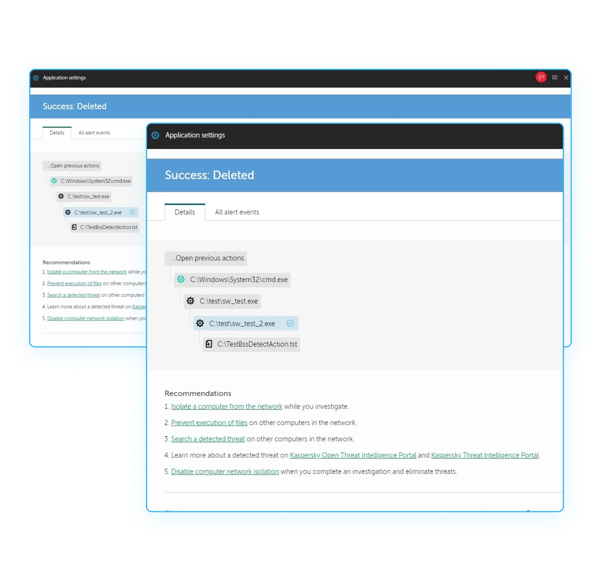
With its free download for Windows, Kaspersky AntiVirus is one of the widely used antivirus software programs provided by the Russian cybersecurity company Kaspersky. This tool provides essential protection for your device, like scanning removable devices and removing malware. It also supports safe browsing.
The software is very easy to install, and its user interface is simple, making it a breeze for even beginners to use. All this makes it a reliable choice for those who want basic virus protection without complicated features.
Apart from the free software it provides, Kaspersky offers three different antivirus software plans with additional features, including online payment protection and adware removal. These paid plans have a 30-day free trial.
Pros and cons of Kaspersky Antivirus: My take
| Pros of Kaspersky AntiVirus |
Cons of Kaspersky AntiVirus |
| High detection accuracy | Can slow down the system |
| Easy to use | Scans are time-consuming |
| Safe browsing support | Lacks advanced features |
What G2 users like about Kaspersky Antivirus:
“I believe that the best part about the Kaspersky antivirus software is how easy it is to use. So far, it’s the best antivirus software that I’ve used…Another feature I like is the beautiful and aesthetically pleasing user interface. Not only does the user interface look good, but it is also straightforward to use without the need for any training. It automatically scans any external hard drives when they are plugged in, without requiring the user to manually scan the storage drives. This feature is essential since many users forget to scan their external storage drives manually before opening them.”
– Kaspersky AntiVirus review, Chandrika P.
What G2 users dislike about Kaspersky Antivirus:
“It slows down our system, taking a lot of memory to run. Scanning files takes more time. There is less information provided about detected threats.”
– Kaspersky AntiVirus review, Vinoth K.
6. Malwarebytes for Home: Best for malware and ransomware removal
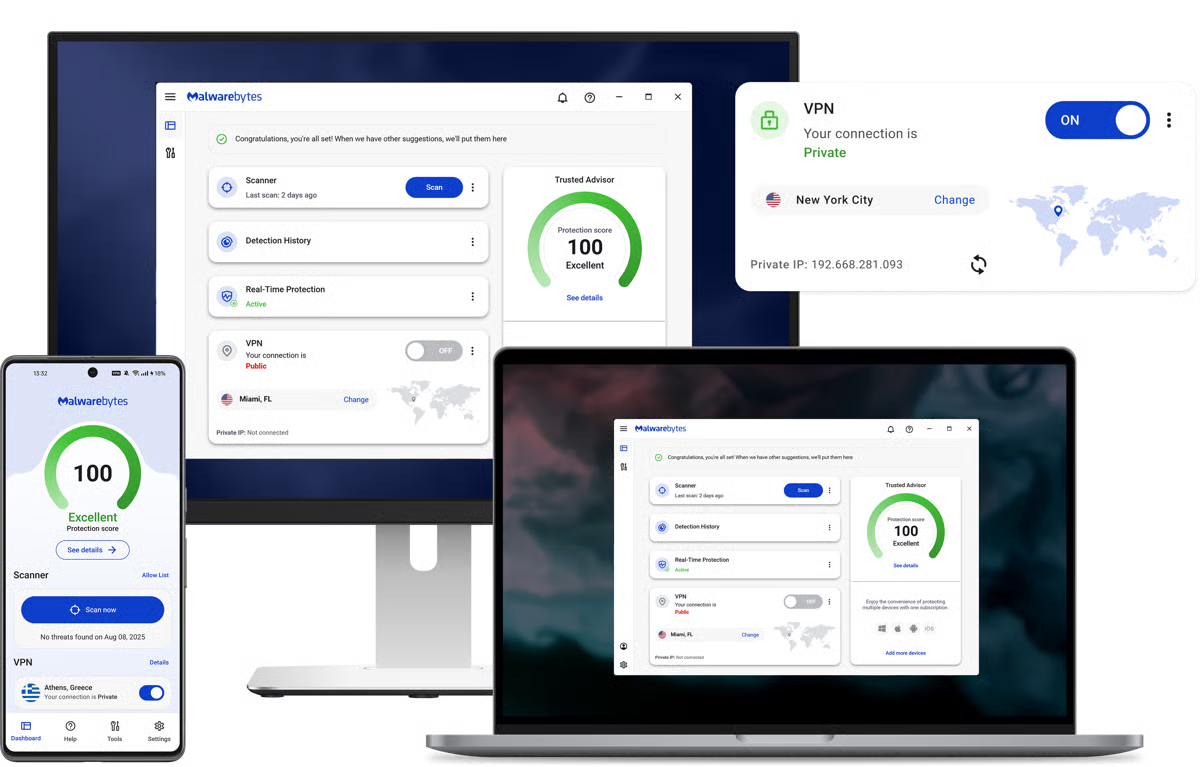
Malwarebytes for Home is considered an excellent choice for removing hard-to-detect malware that other antivirus software misses. They offer both a free version and a paid version, which users can take advantage of today with a 30-day free trial.
The free version quickly scans and removes malware if present. On the other hand, the premium version has extra features like real-time protection, VPN, and a browser extension for a clean browsing experience.
Pros and cons of Malwarebytes for Home: My take
| Pros of Malwarebytes for Home |
Cons of Malwarebytes for Home |
| Excellent malware removal | Could hang occasionally |
| Quick scanning and reporting | Limited real-time protection |
| Simple user interface | Basic configuration options |
What G2 users like about Malwarebytes for Home:
“Malwarebytes is an easy-to-use, well-designed, and perfectly silent partner in protecting your digital assets from assault. It blends perfectly into the background, is unobtrusive, and almost disappears to the point where you forget it’s running: the best possible interaction for an anti-malware suite.”
– Malwarebytes for Home review, Zach M.
What G2 users dislike about Malwarebytes for Home:
“During whole PC scans, it hangs a lot and disturbs and interrupts other processes, which is very annoying.”
– Malwarebytes for Home review, Snehal V.
7. Norton Antivirus: Best for comprehensive security features
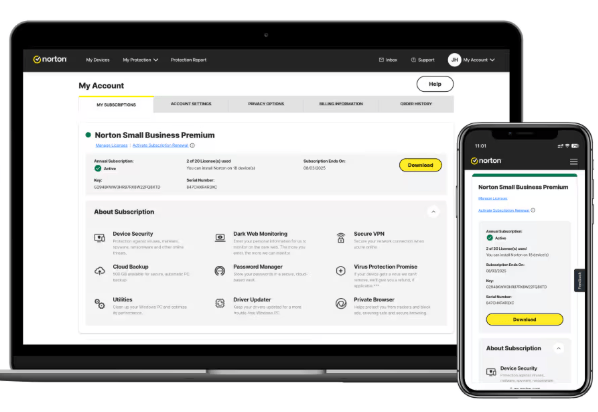
Norton Antivirus is one of the popular antivirus software platforms on the market. It’s a reliable and powerful tool designed to constantly scan your computer for any suspicious activity and prevent malware from infecting your system. Users can also take advantage of additional features, such as password management, spam filtering, and online backup. Norton offers users a 7-day free trial.
Pros and cons of Norton Antivirus: My take
| Pros of Norton Antivirus | |
| Strong scanning engine | Can feel heavy for new users |
| Good feedback on usability | Excessive notifications |
| Solid threat coverage | Less comprehensive reporting |
What G2 users like about Norton Antivirus:
“I have used Norton for as long as I can remember and like best its usability and reliability to keep machines working safely. It has a clean user interface that keeps me informed.”
– Norton Antivirus review, Brad G.
What G2 users dislike about Norton Antivirus:
“It sometimes shows some self-advertisement which I feel is very annoying, and I think that should be removed as it creates a bad user experience.”
– Norton Antivirus review, Adithya S.
8. Trend Micro Antivirus+ Security: Best for phishing and online threat protection
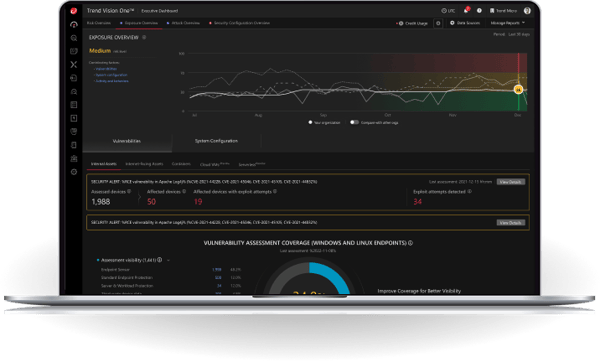
Trend Micro Antivirus + Security is a comprehensive antivirus solution for Windows. It covers a single device and comes packed with features to protect against threats like ransomware and online scams. Apple product users can get the same protection with Antivirus for Mac provided by the company. The tool’s modern interface is user-friendly and easy to use. Trend Micro offers users a 30-day free trial.
Pros and cons of Trend Micro Antivirus+ Security: My take
| Pros of Trend Micro Antivirus + Security |
Cons of Trend Micro Antivirus + Security |
| Strong phishing defense | Frequent updates |
| Easy-to-use interface | Lack of customization |
| Strong ransomware protection | Slow scans |
What G2 users like about Trend Micro Antivirus+ Security:
“Its user-friendly interface and comprehensive features make it easy to use, even for those who are not tech-savvy. In addition, it offers various advanced features such as anti-phishing, parental controls, and privacy protection.”
– Trend Micro Antivirus + Security review, Khaled M.
What G2 users dislike about Trend Micro Antivirus+ Security:
“It presents a decrease in computer speed. Installation takes a long time (and has) uncommon updates.”
– Trend Micro Antivirus + Security review, Oliver K.
9. Webroot Antivirus: Best for lightweight, cloud-based protection
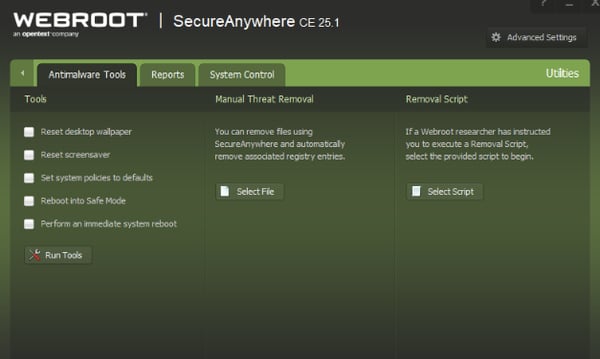
Webroot antivirus is a cloud-based antivirus software. It doesn’t download all the virus definitions and signatures to the device, but stores them in the cloud. As a result, it’s very light on system memory and scans fast compared to other antivirus programs. The tool is available for Windows, Mac, Android, and iOS devices. It offers a 14-day free trial.
Pros and cons of Webroot Antivirus: My take
| Pros of Webroot Antivirus |
Cons of Webroot Antivirus |
| Superfast scanning of threats | Can block safe sites or apps |
| Minimal system impact | Some misses on complex threats |
| Strong customizations | Lack of reporting features |
What G2 users like about Webroot Antivirus:
“I use both the home and business versions of this product, so I get to see both sides of this product. I love the speed of the product, as well as its lightweight nature on your computer. It does not significantly interfere with the PC’s speed, unlike other antivirus software. It is easy to install and forget about, as it operates silently in the background. I have used it for years, and I haven’t had any issues with false positives.”
– Webroot Antivirus review, Morgan H.
What G2 users dislike about Webroot Antivirus:
“Sometimes it can block applications that are not actually threats.”
– Webroot Antivirus review, Jamie W.
The need for advanced antivirus in the artificial intelligence era
As AI-powered malware becomes increasingly sophisticated, traditional antivirus solutions struggle to keep pace with it. In 2026, cybersecurity is evolving beyond firewalls and basic antivirus software. So, investing in advanced antivirus solutions that use innovative techniques like behavioral analysis to detect and thwart threats effectively is crucial.
The list above presents the top free antivirus software options to consider using in 2026 for device protection. Before you start using them, let’s address some common questions about antivirus software to ensure you’re fully informed.
Frequently asked questions on free antivirus software
1. Do free antivirus software actually help in device protection?
Yes, free antivirus software can help protect your devices from common threats, such as viruses, spyware, and malware. They scan for harmful programs, remove detected threats, and provide basic real-time protection. However, they usually lack advanced features available in paid tools, such as ransomware protection or identity theft monitoring.
2. Which devices need antivirus software?
Any internet-connected device can be exposed to malware and cyber threats. Desktops, laptops, tablets, and even smartphones benefit from antivirus protection, regardless of whether they run Windows, macOS, Android, or iOS.
3. Can free antivirus software prevent attacks from hackers?
Free antivirus software cannot stop hackers outright. However, it can detect and remove malicious software that hackers may install on your device and flag suspicious activity. Advanced intrusion prevention and network protection are typically found in paid tools, such as Norton Antivirus or Trend Micro Antivirus+ Security.
4. Do I need antivirus software for Mac?
While Macs are generally less targeted than Windows PCs, they are not immune to malware, phishing attacks, or spyware. Using antivirus software adds an extra layer of security, especially if you frequently download files or browse unfamiliar websites.
5. How do I choose from several free antivirus software options?
Start by considering the number of devices you want to protect and how you use them. Key features to look for include browser protection, phishing detection, real-time malware scanning, and a reliable firewall. Tools like Avira Antivirus and Malwarebytes for Home are popular for their ease of use and solid core protection.
6. Are free antivirus tools enough for real-time protection?
Free antivirus tools usually offer basic real-time protection against known threats. However, advanced real-time defenses — such as behavior-based threat detection — are more common in paid solutions like Bitdefender Antivirus Plus and Kaspersky Antivirus.
7. Do free antivirus programs slow down your computer?
Some free antivirus tools can affect system performance, particularly on older devices. Lightweight options, such as Avira Antivirus and Malwarebytes for Home, tend to minimize performance impact while still offering reliable protection.
8. Can I use free antivirus software for business purposes?
Most free antivirus software is intended for personal use only. Businesses should look for paid solutions such as Emsisoft Anti-Malware or Trend Micro Antivirus+ Security, which provide stronger protection, centralized management, and commercial-use licensing.
9. How often do free antivirus tools update their virus databases?
Reputable free antivirus providers update their virus definitions regularly to keep up with new threats. That said, paid versions from vendors like Norton Antivirus or Kaspersky Antivirus often receive faster updates and more comprehensive threat intelligence.
10. What extra features do paid antivirus tools offer over free versions?
Paid antivirus software typically includes advanced features such as VPNs, parental controls, identity theft protection, cloud backups, and enhanced firewalls. Suites like 360 Total Security and Bitdefender Antivirus Plus bundle these features for more comprehensive, all-in-one protection.
Your PC can’t fight malware alone!
If there’s one thing worth getting right, it’s your digital defense. With cyber threats becoming increasingly sophisticated, installing a reliable antivirus is one of the simplest ways to protect your PC from malware, phishing, and data loss — without slowing down your system.
I suggest you start with a free antivirus that offers real-time protection and is easy to manage on to day-to-day basis. You can always upgrade later, but putting basic protection in place now is far better than dealing with the fallout after an attack has occurred. As the saying goes, an ounce of prevention really is worth a pound of cure.
Explore the best free VPN software to add an extra layer of protection and keep your online identity private.
This article was originally published in 2024. It has been updated with new information.