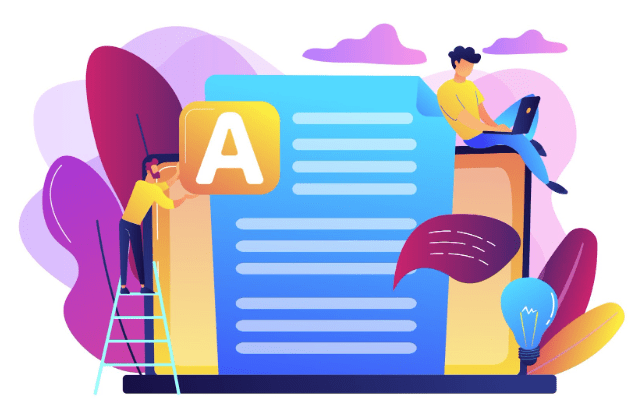
Are you tired of writing text from images into Word files using a keyboard? What a difficult and tricky task it is! Do you ever wonder if there is an AI tool that can make this task easier for you? Yes, there are many image to word converters that can do this tricky task in no time.
The image to word converters utilize OCR technology to perform their specific task. These tools integrate AI with their basic technology to further enhance their efficiency and accuracy. AI is now advancing day by day. The machine learning and natural language processing algorithms of AI have greatly enhanced the efficiency of these image to word converters. Let’s have a deep look into it.
Also Read: How to Train an AI Model with Simple Learning Algorithms
What is an AI image to Word Converters?
AI image to word converters are advanced OCR tools. These tools use artificial intelligence algorithms to analyze and read text data from images. Then they convert it into machine readable text and give output in the form of a Word document. These tools are more advanced than simple OCR tools.
AI image to word converters use deep learning to process large amounts of data quickly and efficiently. Also, the AI enhances the accuracy of OCR tools to a great extent. This helps them convert images with low resolution or difficult writing into Word documents.
These tools can also efficiently convert handwritten notes and documents into Word documents with greater accuracy. This makes them useful for tasks like adding captions to images, making websites accessible for people who are blind or have low vision, and extracting text from scanned documents.
Difficulties in Converting an Image to a Word Document
Converting an image to a Word document using OCR software can be difficult due to a variety of factors. Some common issues are:
- The conversion process can be difficult due to issues such as low-resolution images, handwritten text, complex layouts, and language barriers.
- Visual obstacles and handwritten or cursive text can make the OCR process harder.
- Recognizing and transcribing multilingual text images can be hard for OCR tools.
- OCR software may not be able to correctly recognize text if the images are not organized or are too complicated, or if there is noise or clutter in the background. For the best conversion, the area must be clear, well-lit, and free of any marks.
There are plenty of online image to word converters but only a few of them have integrated AI with them. Here, I will tell you about some of the best AI image to word converters.
1. JPG To Word By HiPDF
HiPDF is the best free AI tool to convert jpg to Word files. It produces high-quality results and is easy to use. It can be used on every browser, including mobile and iPhone. The tool converts JPG files to Word files using Optical Character Recognition (OCR) technology.
The files you upload to HiPDF are safe because they are deleted from the database after 60 minutes. This means that no one else can get to them without your permission. The user-friendly layout makes it easy for everyone to convert their files, even those who aren’t very good with technology.
Pros:
- Access can be gained through various means.
- Very good user experience
- Comments and annotations are kept.
Cons:
- Only paid subscribers can use the HiPDF JPG to Word translator.
Prices:
2. Image to Word Converter By jpgtotext
This tool is an efficient image to word converter. It uses advanced AI algorithms, including machine learning and natural language processing. This allows it to accurately convert JPG images into editable Word documents. Users only need to upload their JPG files, and the converter will quickly look at the text and images to make a Word file that can be edited by anyone. This tool makes it very easy and quick to turn scanned documents or pictures into text that can be changed and edited in Microsoft Word.
Pros:
- It works on many devices, like desktops, phones, and tablets.
- It can get text out of images, even ones with low resolution.
- It is useful, especially for students and businesses
Cons:
- Their website does not clearly mention their privacy and security practices.
Prices:
3. Microsoft OneNote
OneNote is a good option to consider if you are already using Microsoft and are looking for a free alternative. The text contained within images can be recognized by this note-taking app, which can be accessed with a Microsoft account, and it can convert the text directly within the app itself. After the text has been converted, it can be easily exported to a Word document, at which point it can undergo additional editing and formatting.
Pros
- Completely free with a Microsoft account.
- User-friendly interface for capturing images and extracting text.
- It works well with other Microsoft Office programs.
Cons
- It is possible that OCR will not be as accurate as full-on OCR tools.
- Editing options are limited compared to a full-fledged word processor.
Prices
- If you have a Microsoft account, it is completely free to use.
Benefits of AI Powered Image to Text Converters
Image to word AI converters have many advantages. These tools can greatly enhance the speed and usability of work in many fields. Here are some key advantages:
Increased Efficiency: The AI image to text converters make it easier to extract data from pictures, which saves time and effort. They can also speed up the scanning of paper documents like business cards, receipts, and writing notes. It makes it easier to handle and organise documents. A lot of tools also allow batch processing, so you can convert multiple files into.
Improved Accuracy: AI powered OCR tools can correctly extract text. It makes it less likely to do mistakes as compared to writing by hand, especially for important documents. It can also read different kinds of text, tables, and complicated patterns better than simple OCR tools.
Enhanced Accessibility: The text can be turned into speech or Braille for people who are blind or have low vision. There are many tools that can translate the extracted text into different languages. This helps people from different countries share information and talk to each other.
Also Read: Can We Learn Generative AI Without Knowing Machine Learning and Deep Learning?
Conclusion
When compared to conventional OCR tools, image-to-word converters that are powered by artificial intelligence offer a significant improvement. These artificial intelligence tools are able to achieve greater accuracy and efficiency in the process of converting images into editable Word documents since they make use of machine learning and natural language processing. This technology provides a wide range of advantages, some of which include increased productivity, improved accuracy, and enhanced accessibility. AI is always getting better, which means that image to word conversion will soon be even more useful for many tasks.