Meta Advertiser Field Notes
Thursday observations from inside Meta ads
It’s time for the second Field Notes. These are small things I noticed while working in Meta ads over the past week. They tend to be announcements, new features, or random observations sparked by something I was testing or building. None of these required a full post on their own, but each is worth paying attention to.
- ChatGPT ads are coming
- No audience segments for leads
- Account authentication error
- Is Incremental breakdown next?
- Reels Trending Topic breakdown
- Ad Sequencing experiment
- Promotions appear before a tap
- Format display options for carousels
Let’s get to it…
1. ChatGPT Ads Are Coming
In some of the least surprising news of the week, OpenAI announced that they’ll begin testing ads in ChatGPT. Ads will monetize the free and low-cost subscription tier, ChatGPT Go.
From a user’s perspective, it’s important to understand that ads won’t buy answers or recommendations. Instead, ads will appear “at the bottom of answers in ChatGPT when there’s a relevant sponsored product or service based on your current conversation.”
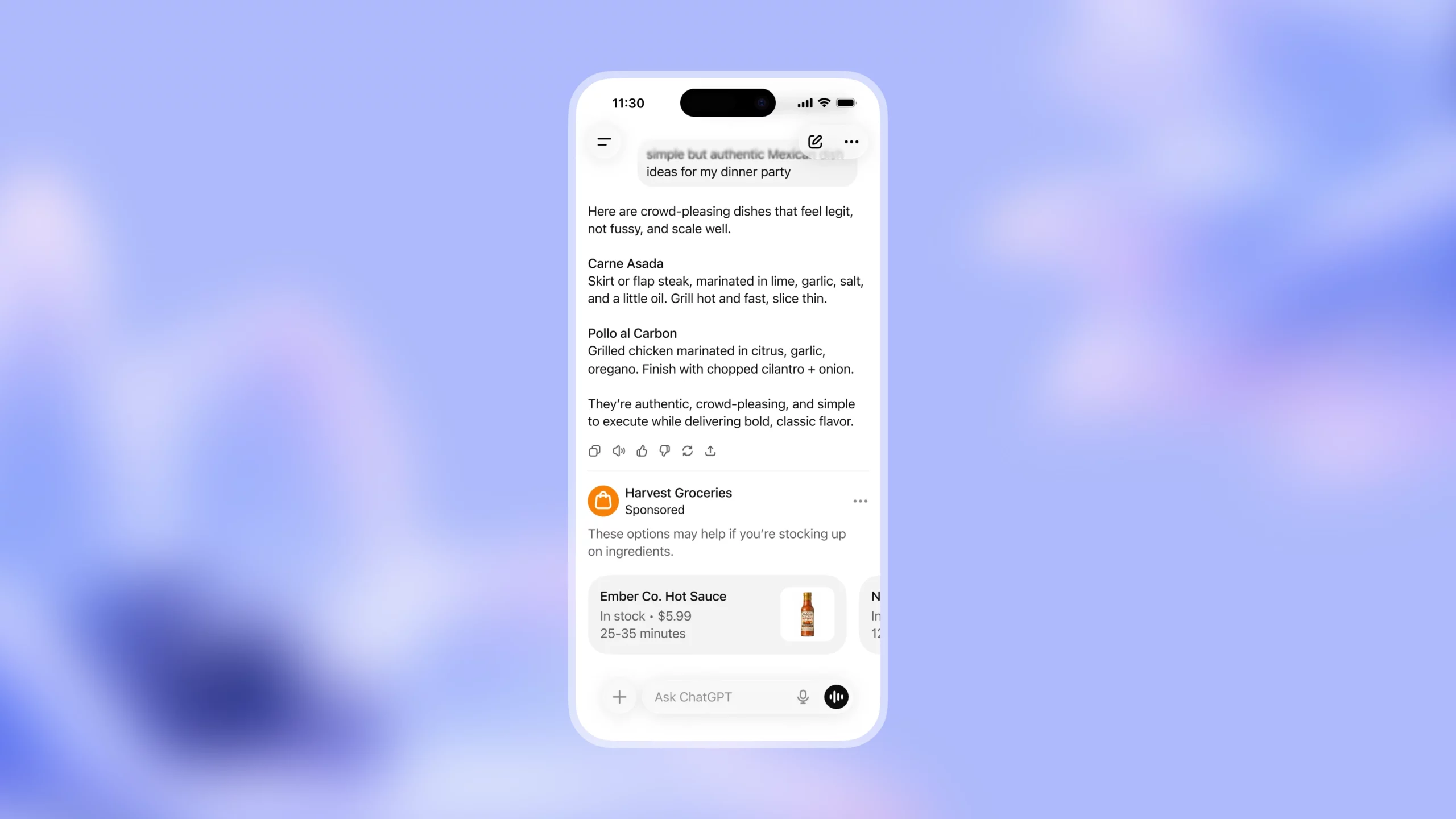
The current ad unit that OpenAI offers as an example appears to be a scrollable carousel to flip through multiple products.
This could make for extremely relevant advertising. ChatGPT will have much deeper context to surface relevant ads than simple search terms and phrases. That leads to all kinds of potential opportunities for advertisers.
If you’re wondering, you can’t sign up for ChatGPT ads yet. I’m not sure when or how that process will roll out. But I’ll be eager to test it.
My website already gets steady referrals from ChatGPT, both those that can and can’t be accurately tracked. When I conduct a one-on-one or greet a new member, one of the most common explanations for how they found me was a ChatGPT referral.
Ads could help me protect, if not leverage and further grow, that visibility.
2. No Audience Segments for Leads
One of my favorite features is Audience Segments, because they allow me to break down my results when using algorithmic targeting and see how budget and results were distributed across remarketing and prospecting groups.
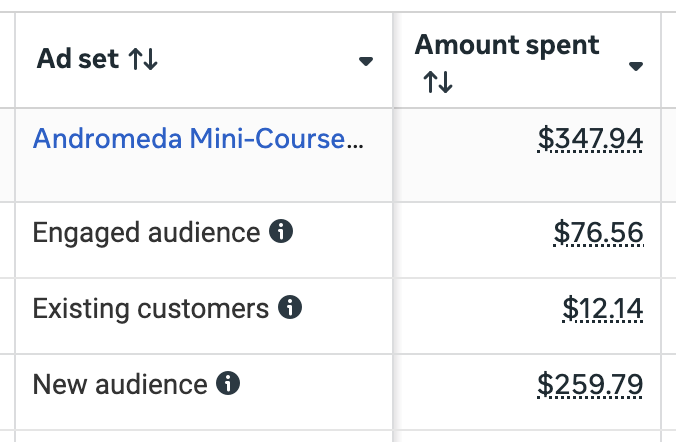
Even though Audience Segments date back a few years to Advantage+ Shopping Campaigns (which are no more), the feature remains tied to Sales campaigns only. It’s why I use the Sales objective whenever possible, even when it’s for an event that doesn’t result in a purchase (like Complete Registration).
Of course, if you rely on the Lead event, that creates a problem. When using the Sales objective with the website conversion location where the performance goal is to maximize the number of conversions, the Lead event cannot be selected.
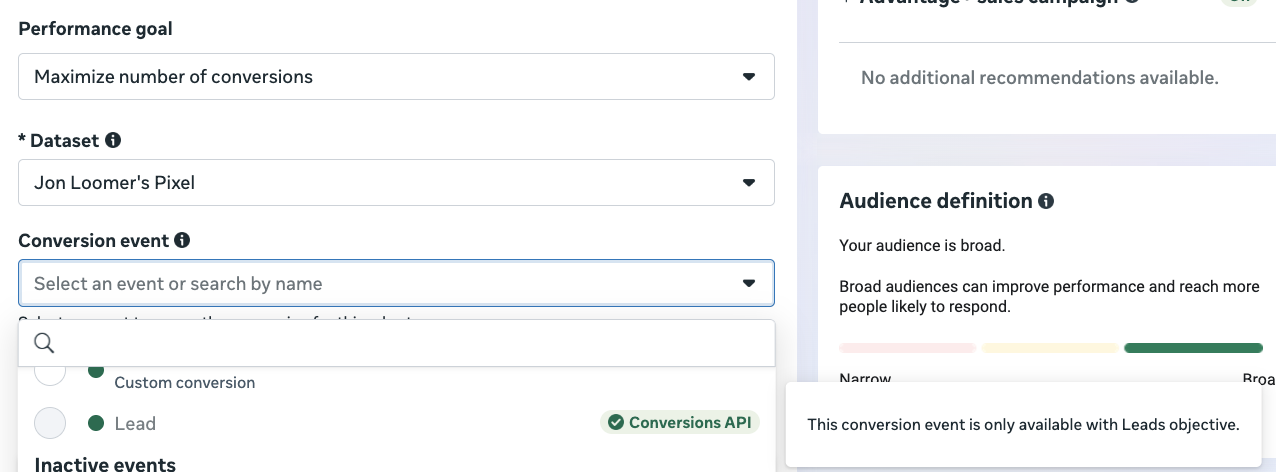
This makes some sense, I guess, since Meta wants you to use the Leads objective to make use of that event. But at the same time, it’s weird that you can select virtually any event other than Lead when using the Sales objective.
Now, I’d argue the problem isn’t that we can’t select the Lead event when using the Sales objective. The problem is that Audience Segments are only available for the Sales objective.
I get that the origins of this feature are why they were initially Sales-specific. But it’s been three years since the Existing Customer breakdown was made available. It’s been two years since Audience Segments expanded to manual Sales campaigns. I’ve been asking for further expansion of this feature for just as long.
Why is this so hard?
3. Account Authentication Error
While creating an ad recently, this error appeared at the top right…
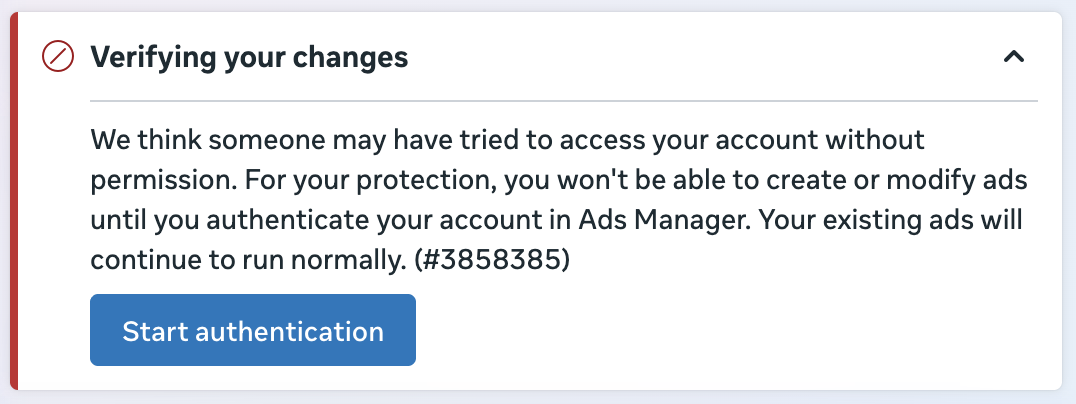
It reads:
We think someone may have tried to access your account without permission. For your protection, you won’t be able to create or modify ads until you authenticate your account in Ads Manager. Your existing ads will continue to run normally. (#3858385)
I’m not sure what triggered it, but the authentication itself was far easier than I expected. Click “Start Authentication” and you’ll see the following…
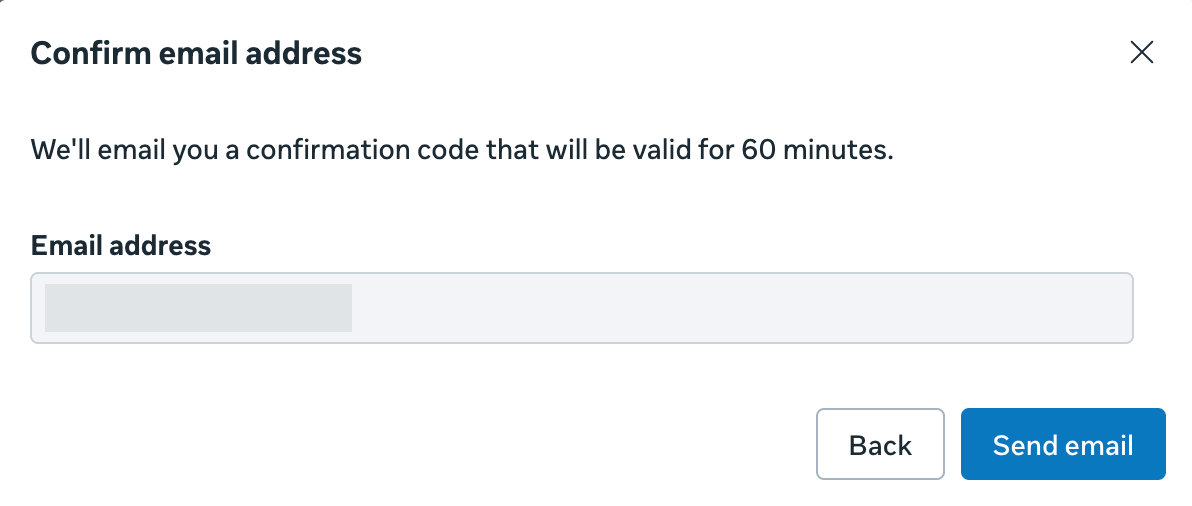
The email address displayed is connected to the account and can’t be changed. Once you click “Send Email,” you’ll see this…
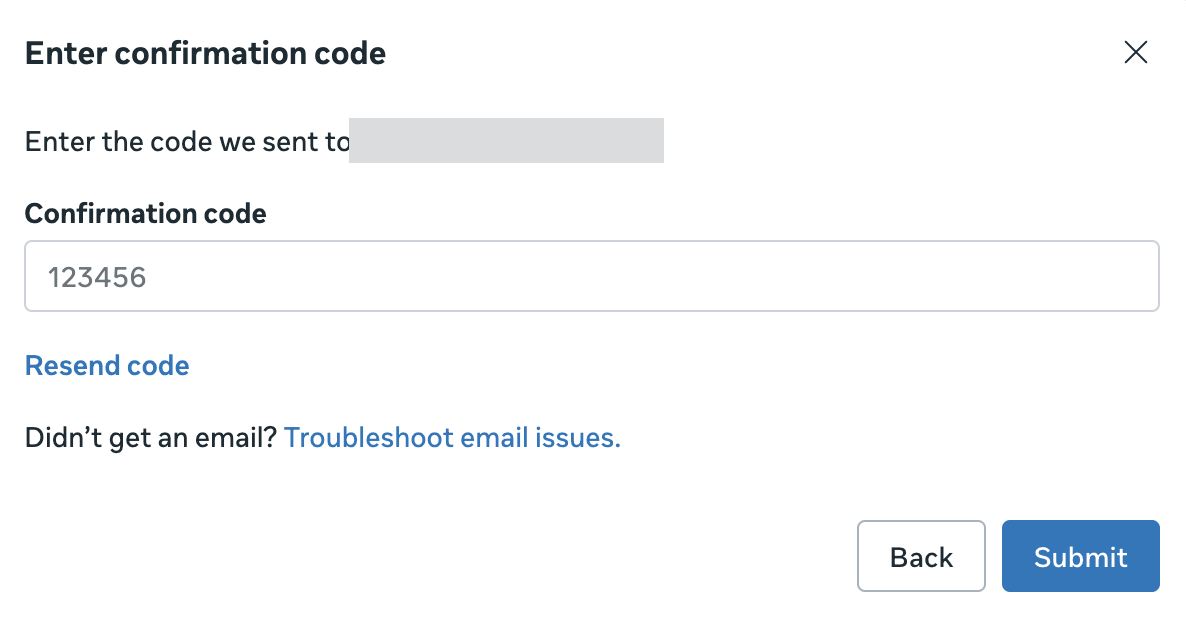
Meta should immediately send a confirmation code to the connected email address. Paste it into that text box and hit Submit.
The process itself was simple. If you can, confirm that there is a reasonable explanation for activity that triggered it.
4. Is Incremental Breakdown Next?
Meta started rolling out a new Attribution breakdown option in Ads Manager that currently consists of two options:
- Attribution Settings
- Conversion Count

This generates separate rows to provide much clearer insight into what goes into your conversion reporting.
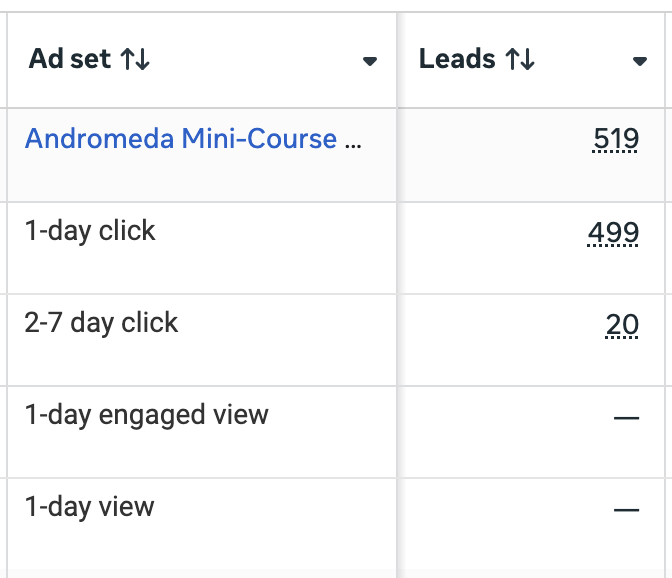
My guess is that Meta isn’t done with this breakdown category. A logical next option would be a breakdown by Attribution Model, generating separate rows for Incremental and Not Incremental (or another way of describing the remaining conversions that were reported).
Of course, this would only make sense if a breakdown can be designed in such a way. In other words, all reported conversions would need to be qualifiable as either “Incremental” or “Not Incremental.”
A thought, at least. But maybe there’s a reason why this data is only available via Compare Attribution Settings for now.
5. Reels Trending Topic Breakdown
You may have spotted a new breakdown option under Delivery for Reels Trending Topic.
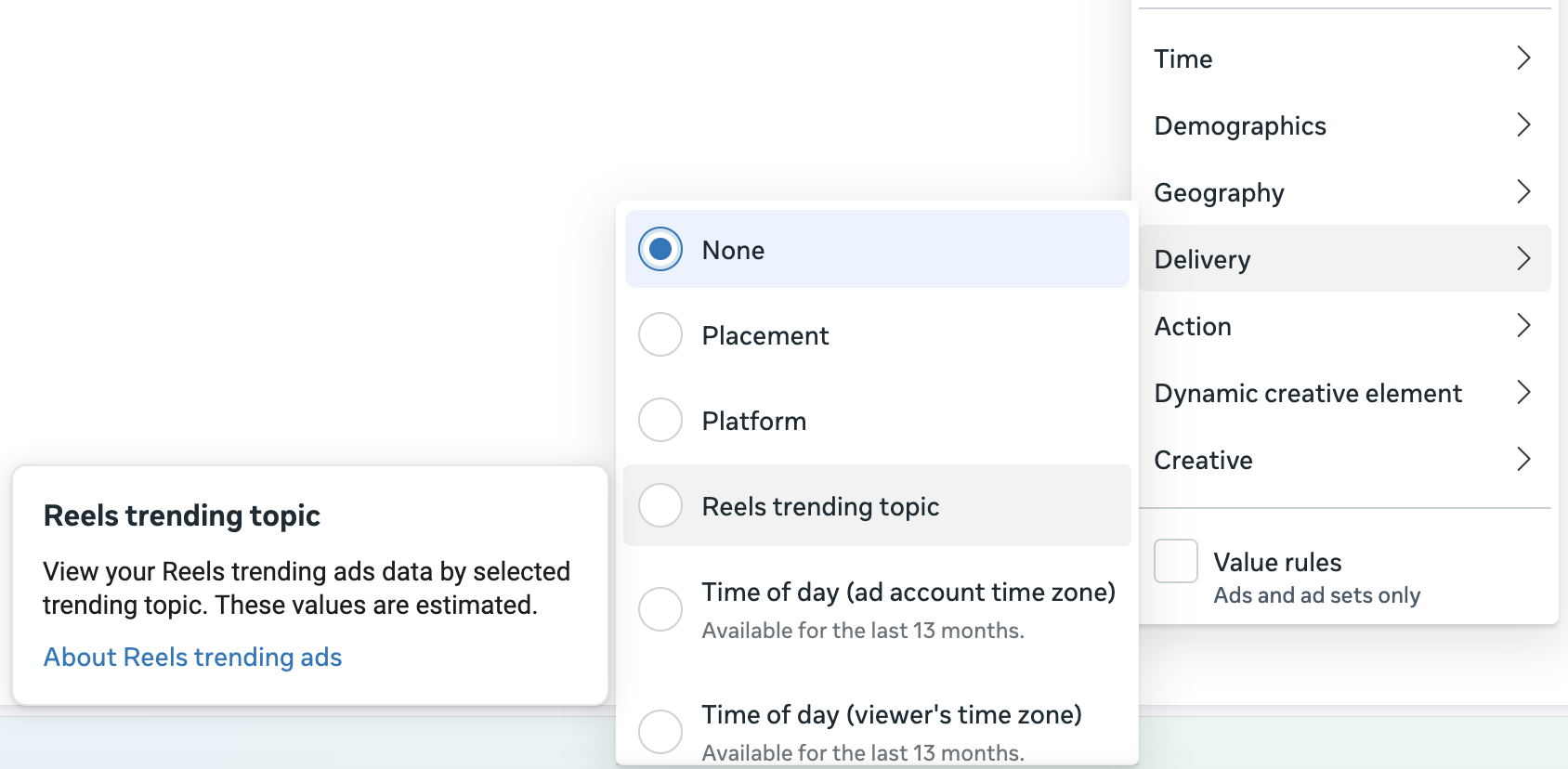
Reels Trending Ads allow you to “reach already engaged audiences by placing ads alongside popular, curated content.” Sounds great, right?
Access to Reels Trending Ads isn’t built into the main native interface. You’ll need to contact an ads rep.
6. Ad Sequencing Experiment
Meta recently rolled out an ad sequencing feature for Awareness and Engagement campaigns when using Target frequency.
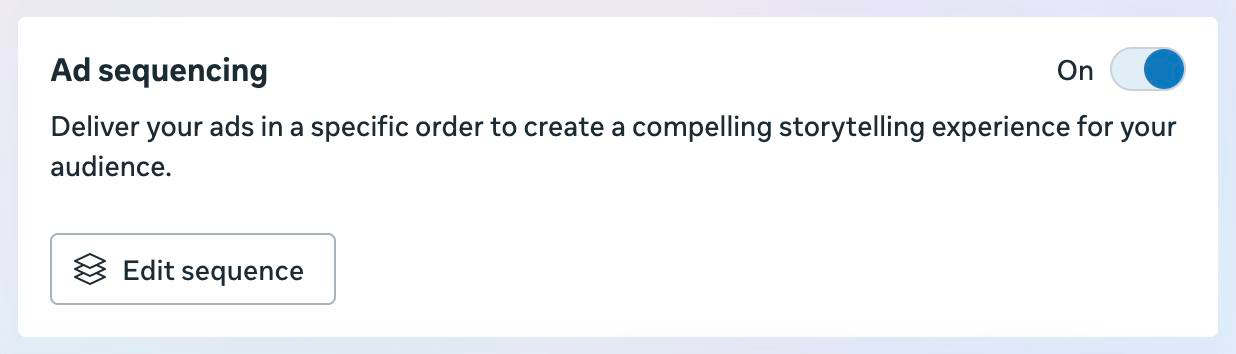
My initial impression was that it could be useful for both sides of the budget spectrum: Big budget awareness and small budget remarketing. After an initial attempt at small budget remarketing with ad sequencing, I’m questioning that original assessment.
The campaign I created utilized three ads and an audience in the multiple hundreds, approaching 1,000. The target frequency I used was one impression in two days.
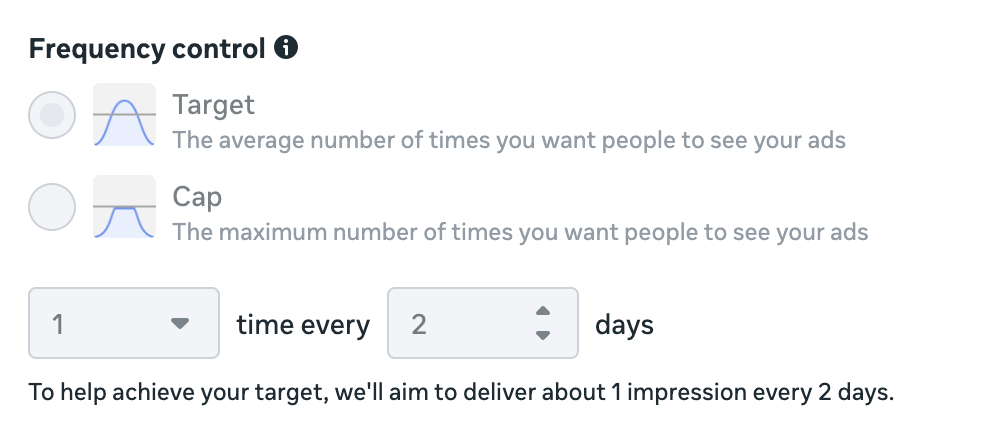
The results after three days: 4 impressions on 3 people reached.

While the audience size could be the problem, there are other potential explanations. I ran into all kinds of bugs when setting this up in the first place. It wasn’t clear if the bugs were related to any setting in particular (like audience size) because the errors I was getting weren’t specific.
In the meantime, I’ll continue to monitor this, look for ways to get it to run, and report back when I can.
7. Promotions Appear Before a Tap
You may have noticed that Promotions are now part of a growing list of options in Creative Setup when creating an ad.
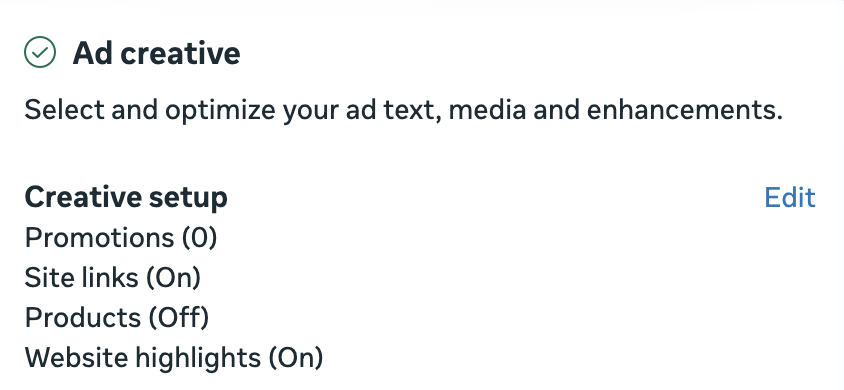
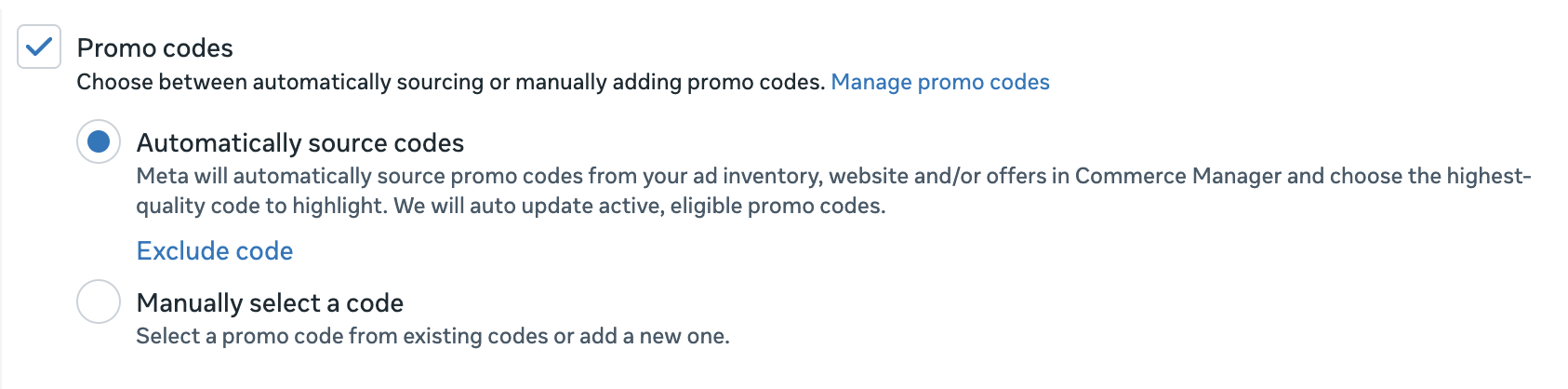
You can choose to either automatically source a code or manually select one that can be applied to your ad.
Once you turn this on, you should see a new message in your Creative Setup.
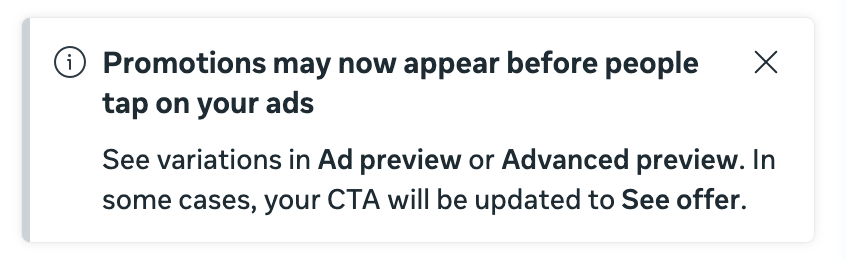
Here’s what it says:
Promotions may now appear before people tap on your ads
See variations in Ad preview or Advanced preview. In some cases, your CTA will be updated to See offer.
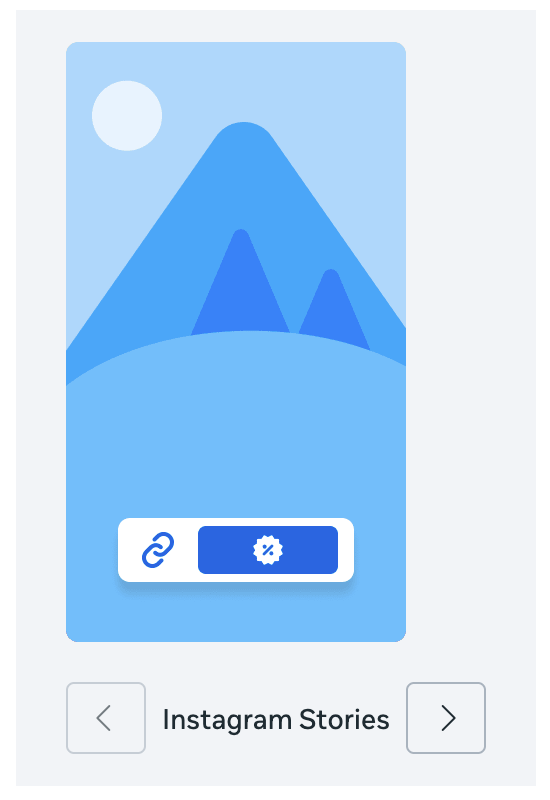
Normally, promo codes are only highlighted after the tap. Meta shares what appears to be a generic example of this new CTA in Instagram Stories.
8. Format Display Options for Carousels
I recently documented a new feature called Format Display Options.
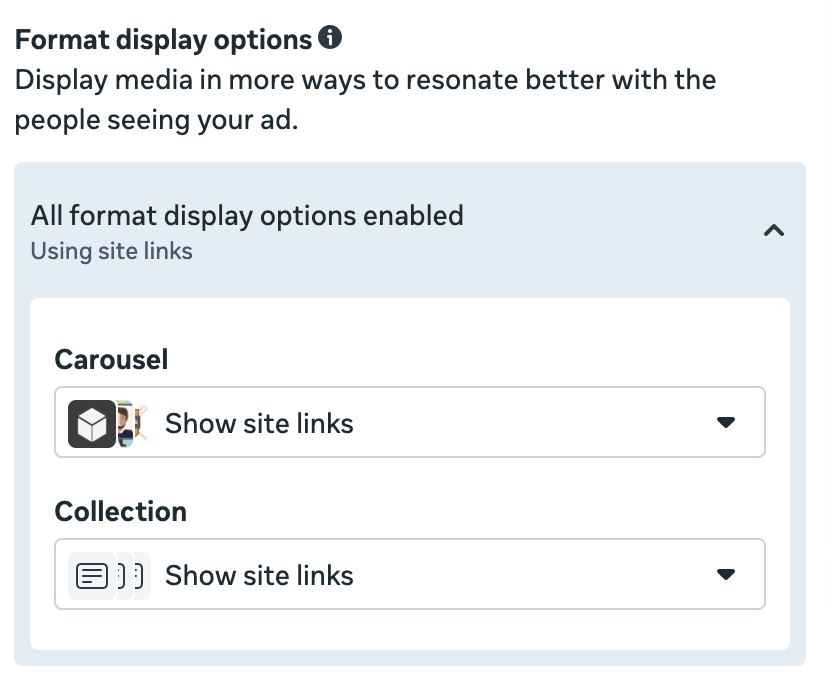
At the time, I shared an example of a single image ad. With the help of Format Display Options, you can have Meta generate carousel and collections versions of an ad that leverage site links.
But something I hadn’t considered was that Format Display Options would do the opposite when creating an ad using the carousel format.
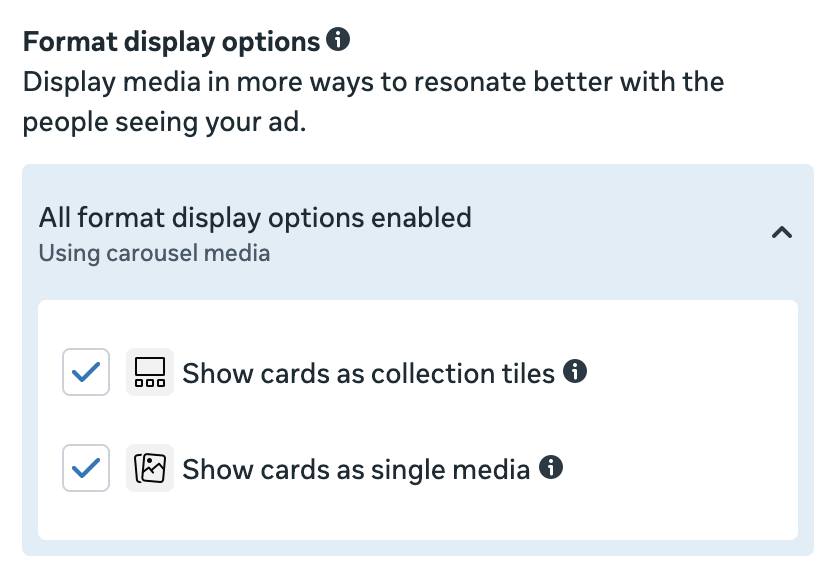
So in this case, Meta will take the individual carousel cards you’ve created and turn them into separate single-image ad variations. Assuming each carousel card can live on its own, this seems like a nice option!
More to Come
I’ll be sharing observations like this every Thursday, as long as things keep changing and I keep having thoughts. We should be safe.