Imagine waking up to a calendar full of discovery calls, strategy sessions, or paid consults—without lifting a finger.
That’s the magic of booking automation.
If you’re a service-based solopreneur—consultant, coach, creative, or advisor—the fastest way to generate income is by selling your time. In this guide, we’ll show you how to do it right inside Zoho One using Zoho Bookings.
You’ll create a booking page, sync your calendar, and connect payments—all without needing a website, VA, or complicated setup.
Let’s turn your calendar into a revenue stream.
Why Selling Your Time Is the Fastest Way to Get Paid
Your time is your most valuable (and easiest to monetize) asset. If you know something that solves a problem, there are people willing to pay to pick your brain. Or get your advice. Or spend an hour working through their strategy.
You don’t need a digital product, eCommerce store, or content funnel to start making money.
You just need a booking link.
Step 1: Structure Your Offer
Before you create your booking page, decide what you’re offering:
- Free consults (15–30 min) to get leads in the door
- Paid discovery calls for more serious prospects
- Strategy sessions or working calls charged by the hour
Make it clear, focused, and valuable. Example: “30-Min Strategy Call – $97”
This simple, specific offer sets the foundation for everything that follows. It’s what you’ll be automating and promoting.
Zoho One – The Operating System for Small Business
Imagine a world where all your business tools play nicely together (cue angelic choir). Whether it’s handling your finances, projects, or marketing, Zoho One keeps everything seamless and oh-so-simple. Plus, the price? A fraction of what you’d pay for piecing together different apps. Talk about a BARGAIN!
If you’re ready to take the leap from surviving to thriving, Zoho One is your trusty steed. Let’s ride into the sunset of efficiency, my friends. Click that button and get ready to supercharge your hustle!
We earn a commission if you make a purchase, at no additional cost to you.
Step 2: Set Up Zoho Bookings
With your offer locked in, it’s time to turn that idea into a real booking link your clients can click.
Step-by-Step: Set Up Your Booking Link
- Log into your Zoho One dashboard and open Zoho Bookings.
- Click “Create New Service” and choose One-on-One Appointment.
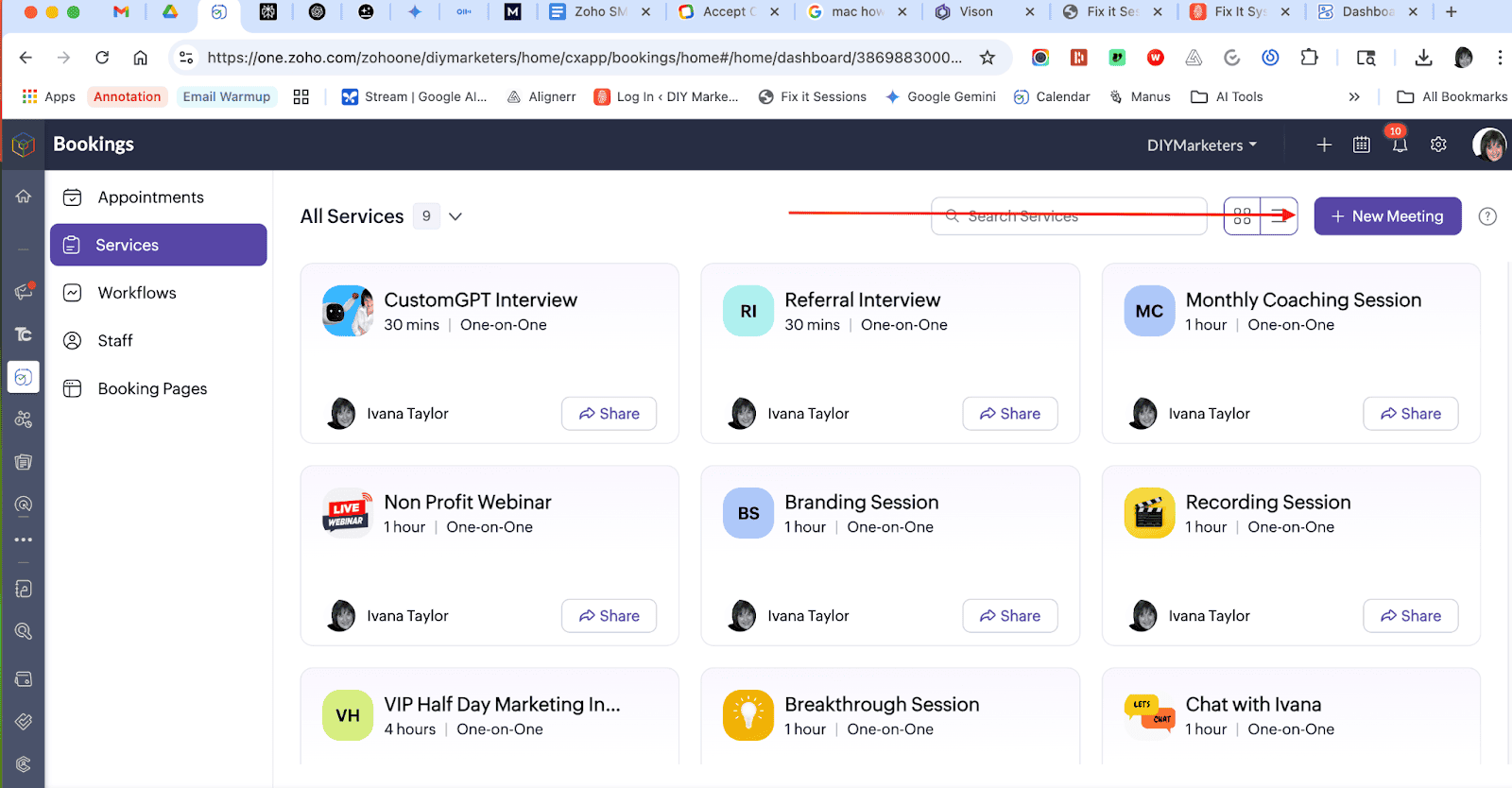
- Name your service (e.g. Strategy Session).
- Set your duration (30 mins, 60 mins, etc.) and price.
- Add a description so your prospect knows what to expect.
- Set buffer times, cancellation windows, and intake forms.
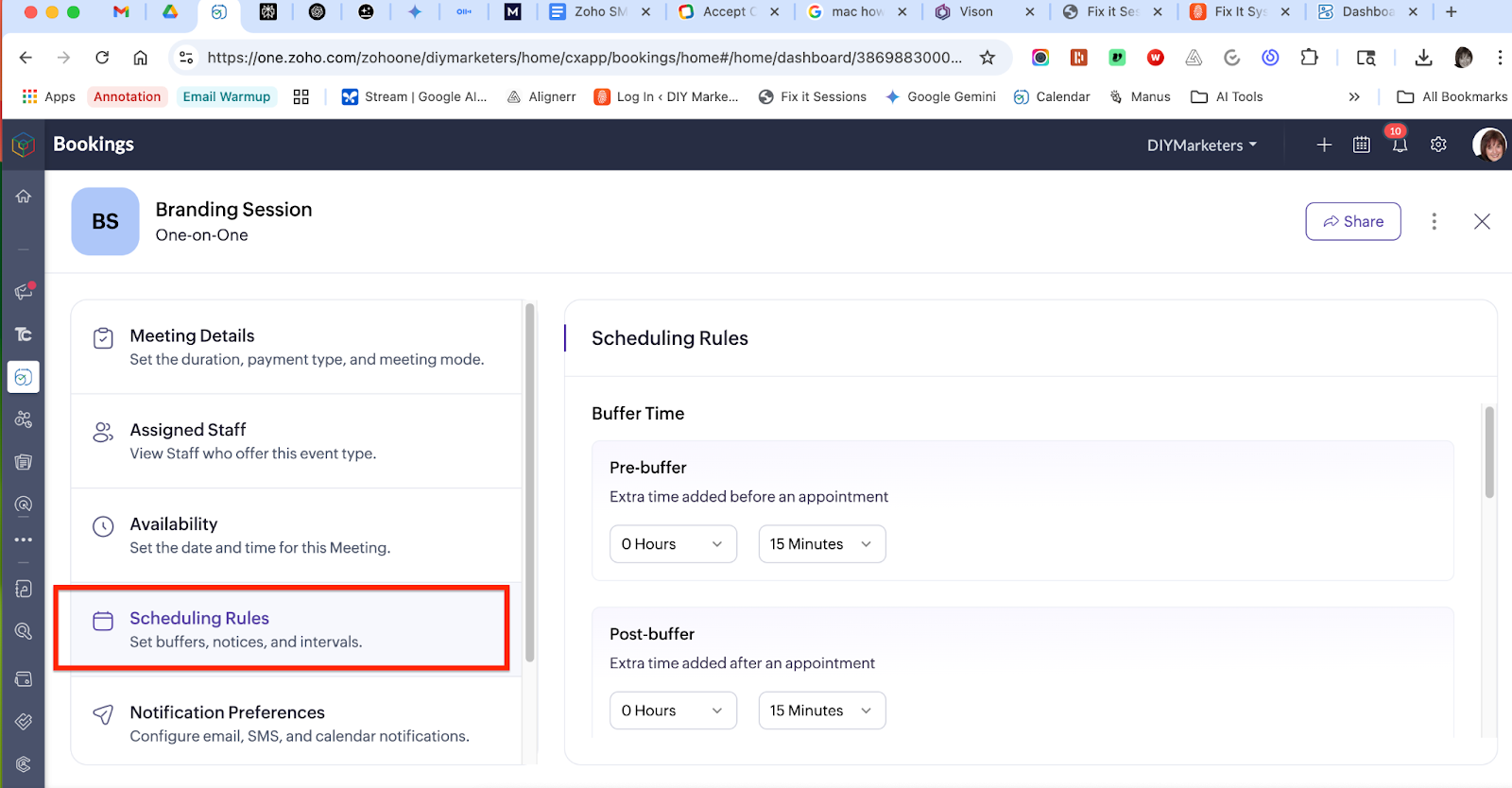
- Connect your calendar (Zoho or Google Calendar).
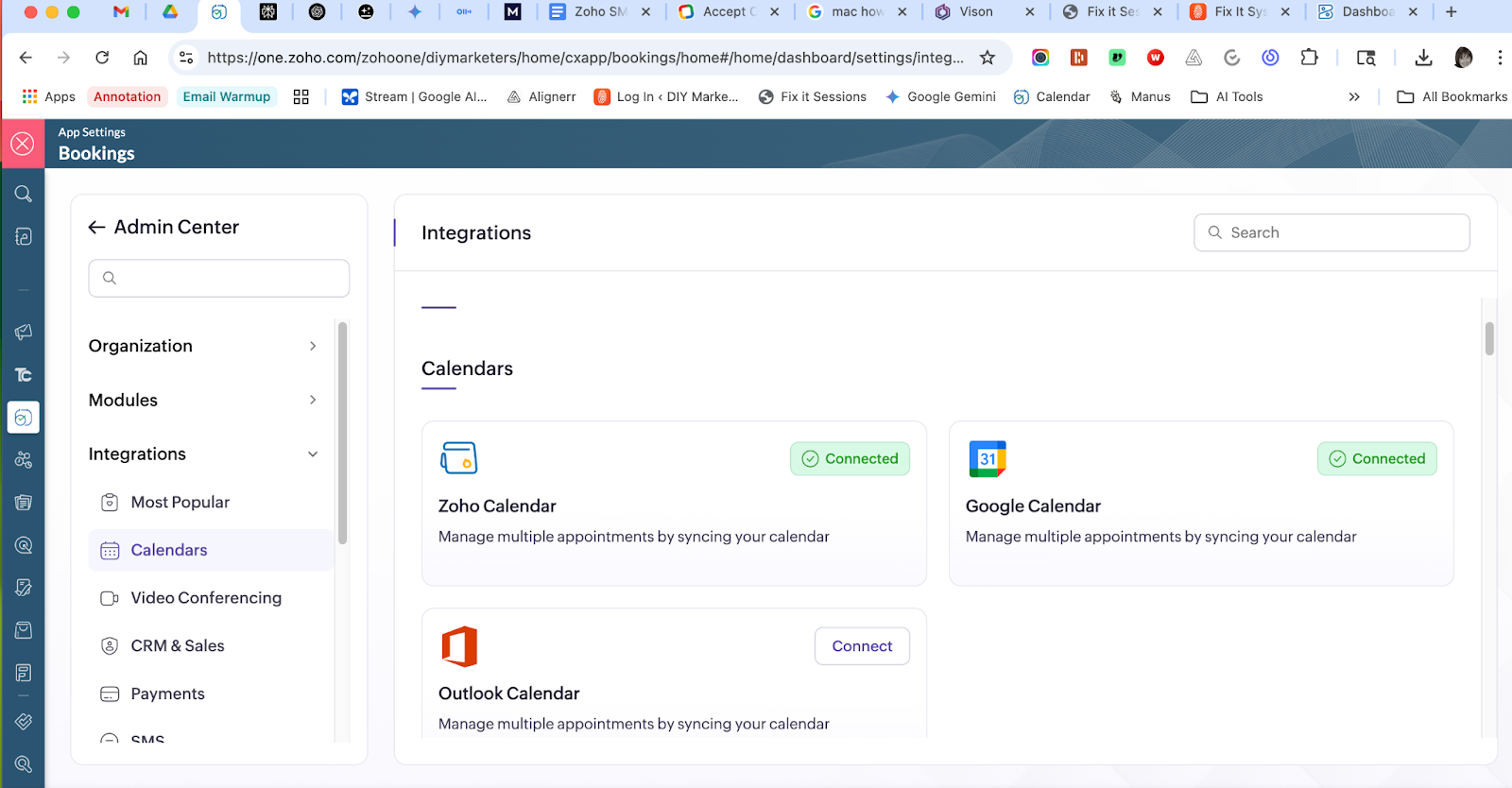
- Choose your availability.
- Link your payment gateway (Stripe, Razorpay, PayPal).
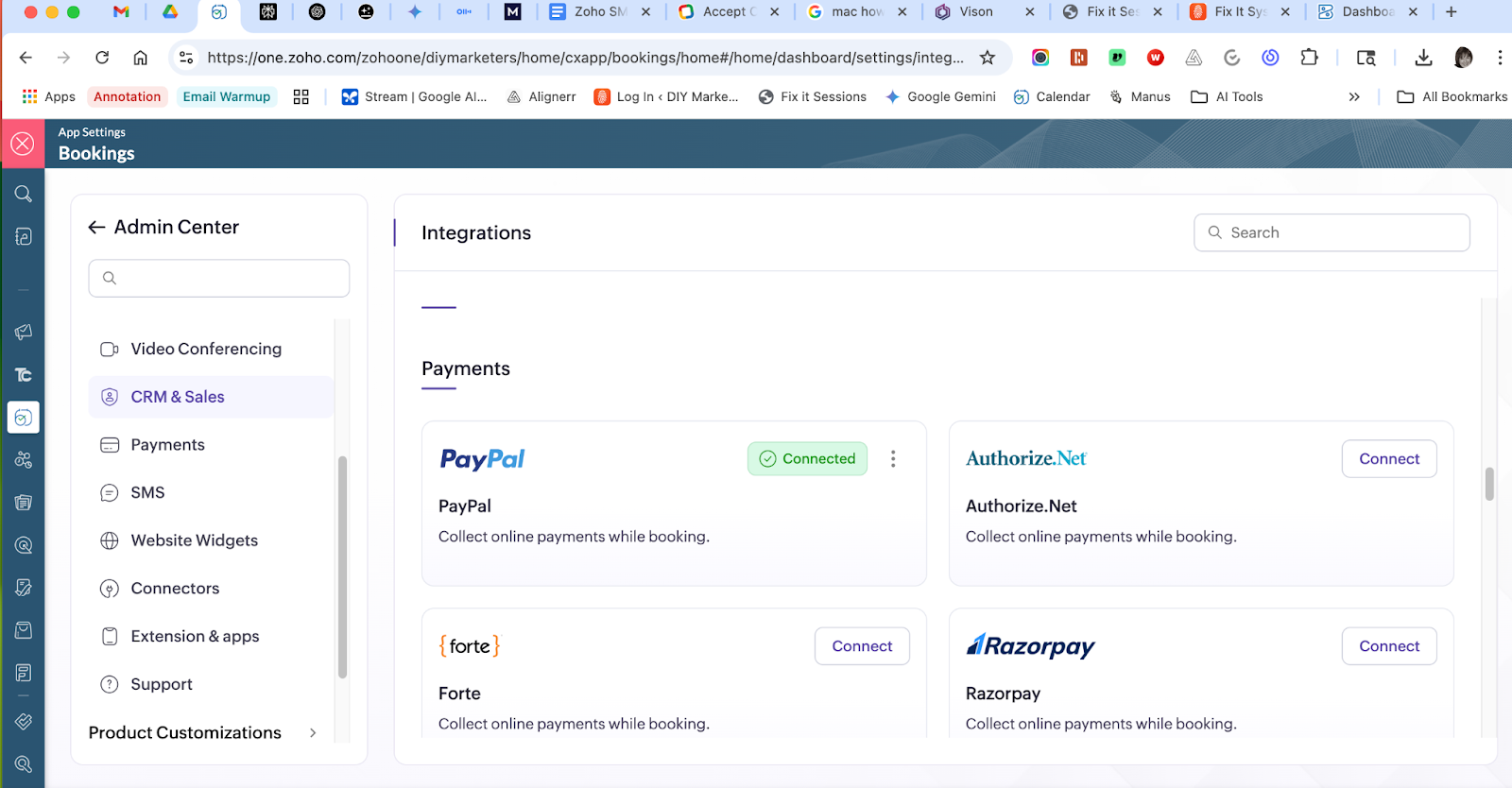
- Save and publish your booking link.
Step 3: Unlock Automated Workflows
Once your booking link is live, the real magic begins. Zoho Bookings isn’t just a calendar tool—it’s a workflow powerhouse.
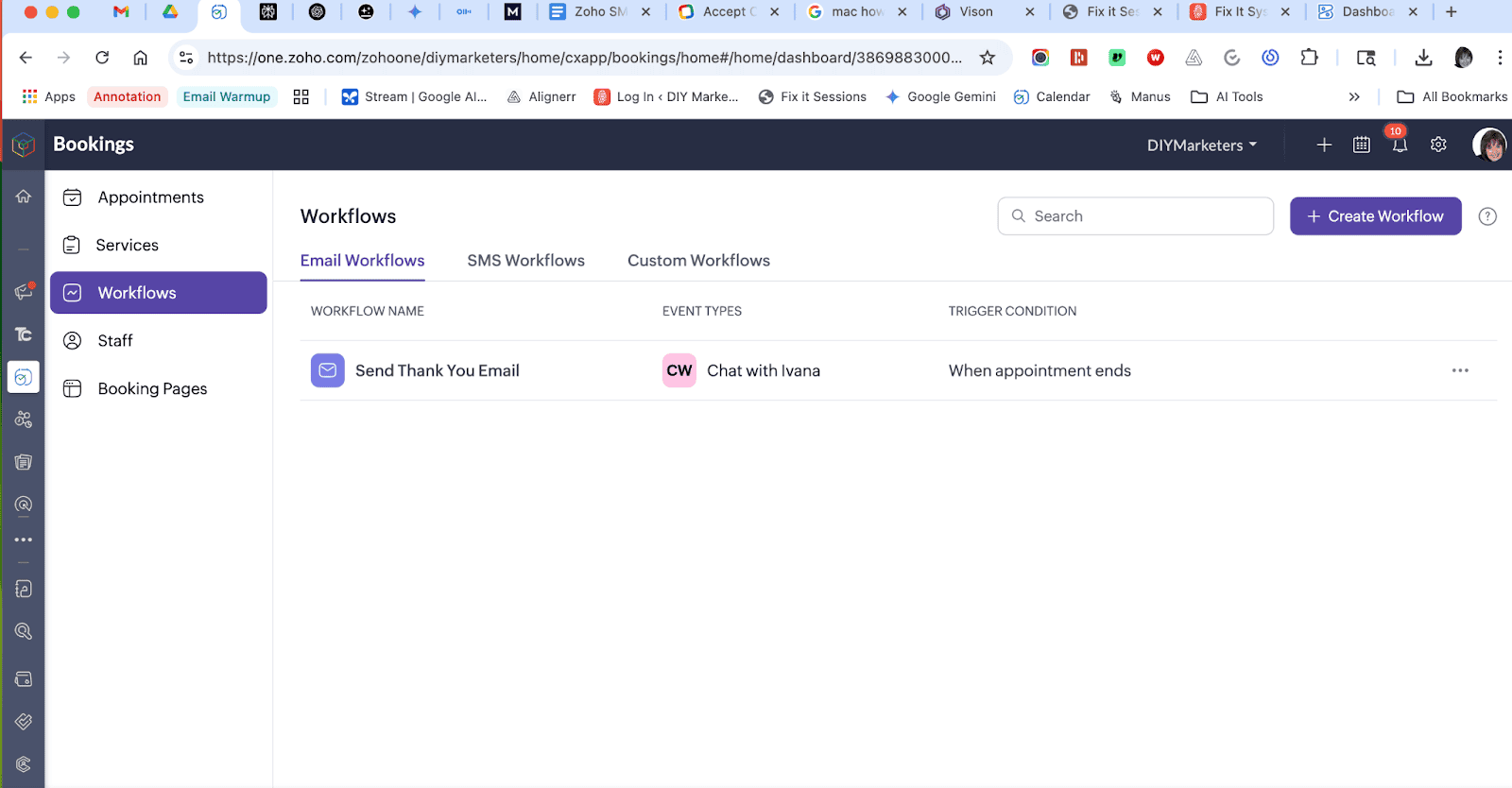
Here’s what you can automate:
- Confirmation emails and SMS reminders
- Client notifications and staff alerts
- Reschedule and cancellation workflows
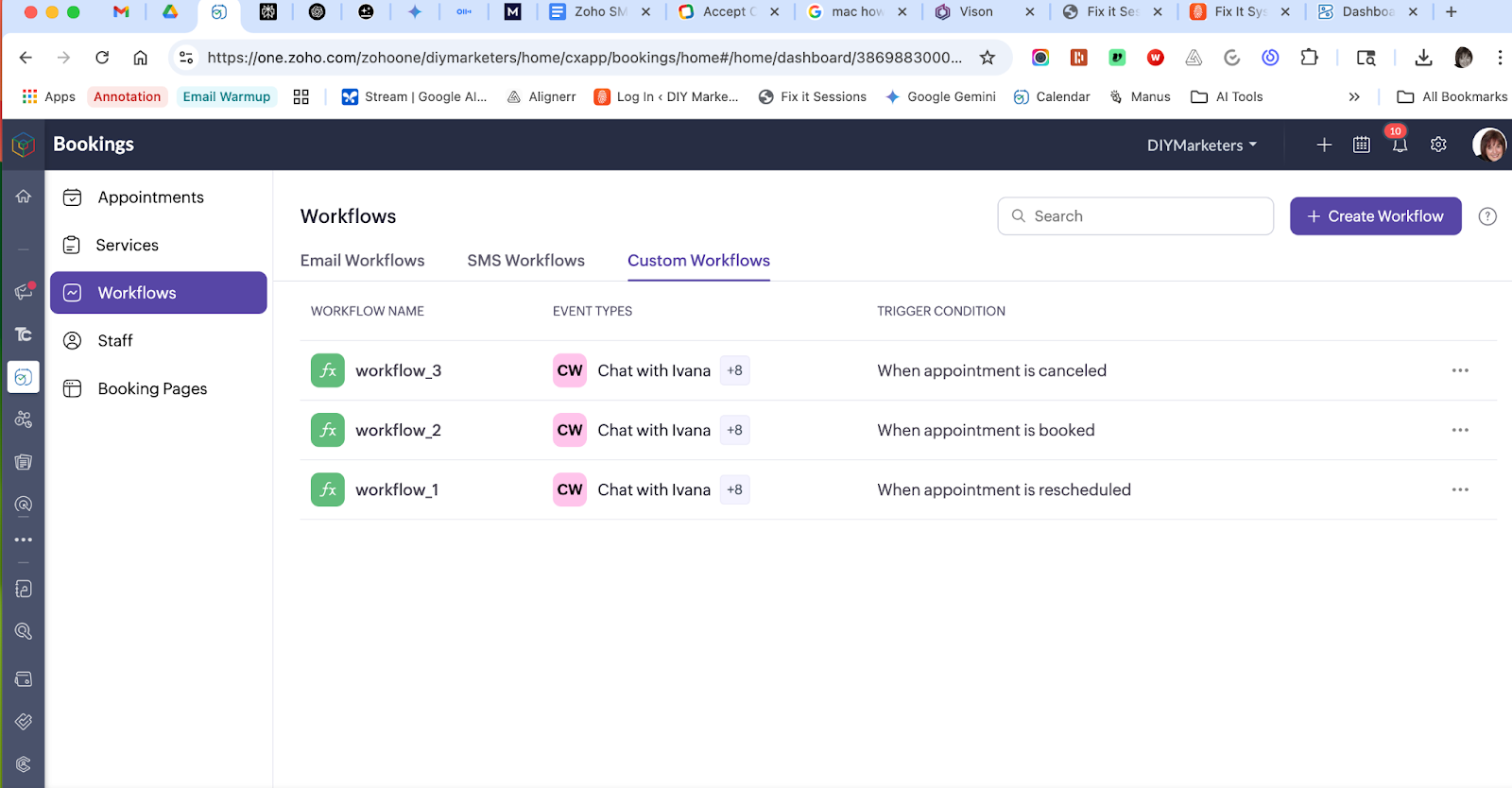
- Intake form data pushed to your CRM
And the best part? It’s all built-in. No Zapier. No code. Just powerful automations that make your life easier.
Step 4: Sync Everything
Let’s make sure your entire business talks to each other.
Zoho Bookings integrates seamlessly with your existing tools:
- Syncs with Zoho Calendar so you’re never double-booked
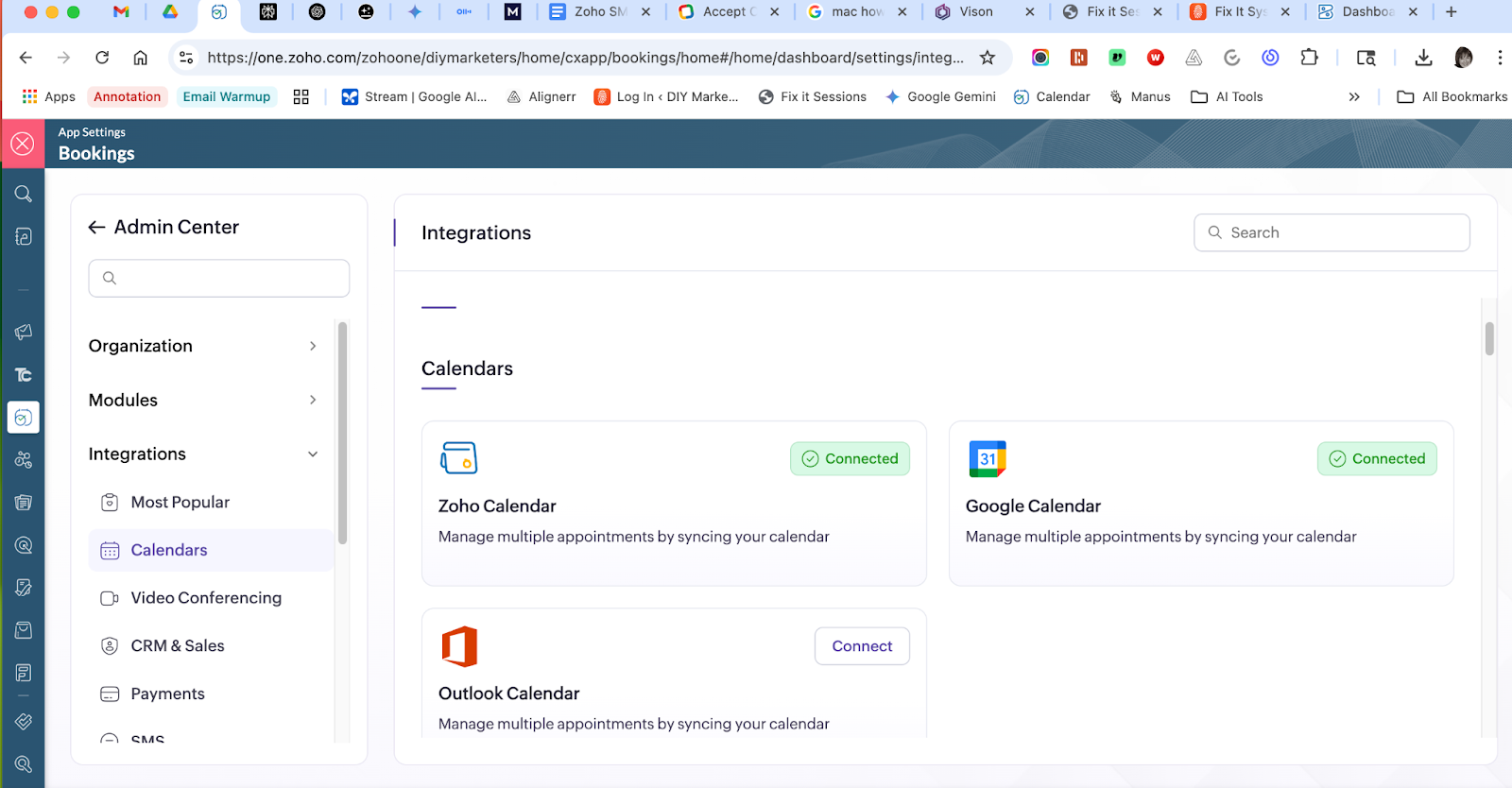
- Sends Zoho Mail confirmations to both you and your client
- Adds contacts to Zoho CRM or Bigin automatically
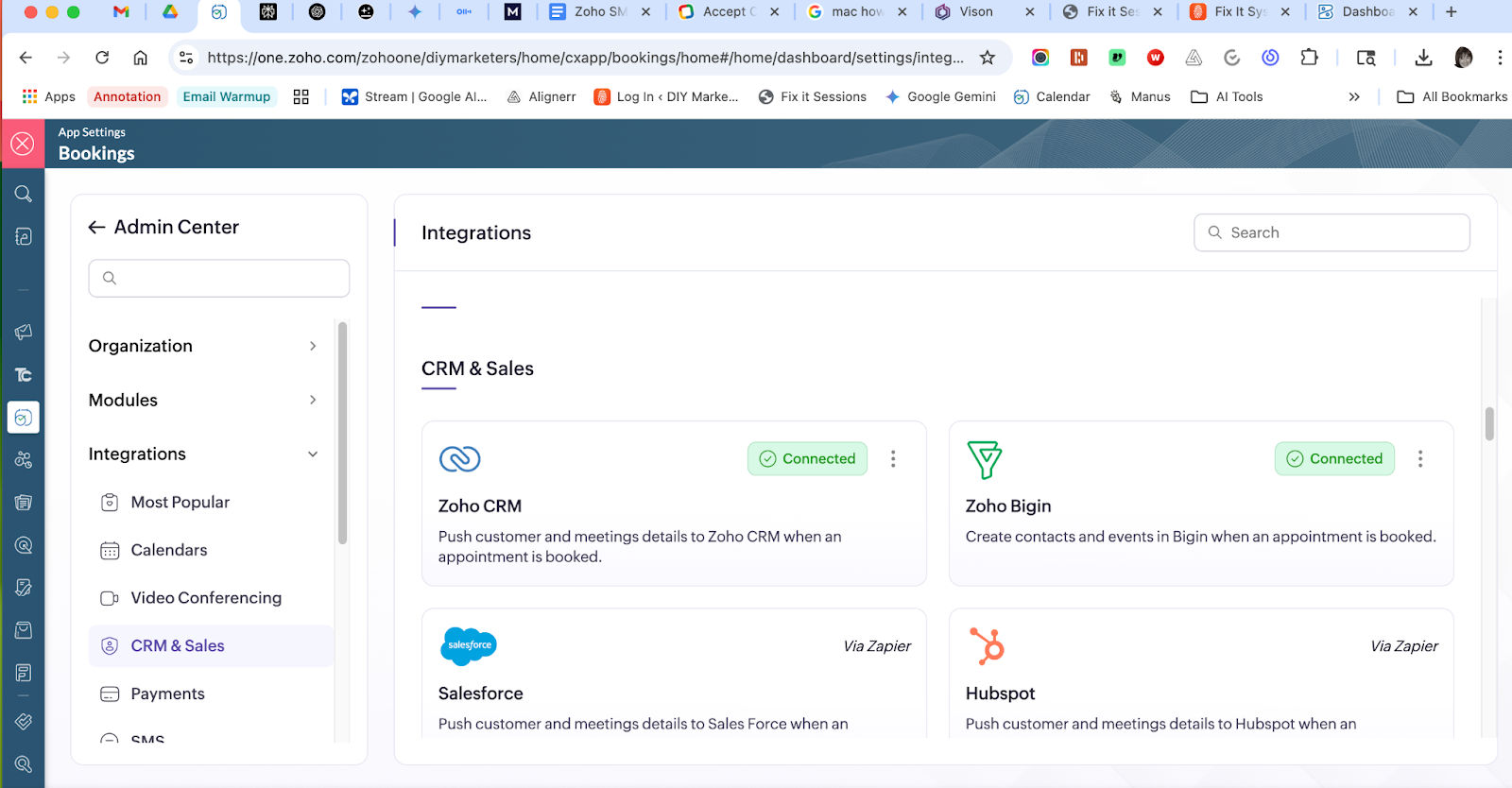
This isn’t just a scheduling tool. You’re building a full sales process that runs without you.
Step 5: Bookings vs. Calendly — What You’re Getting for Free
Lots and lots of people are using Calendly. I did too. But it wasn’t long before I realized that Bookings in Zoho One gave me PAID Calendly features as part of my Zoho One subscription. It was a no brainer.
So, I’m sure you’re probably wondering how these two compare.
Let’s compare what you get with Zoho Bookings (included in Zoho One) vs. what you’d have to pay for in Calendly.
| Feature | Zoho Bookings (Zoho One) | Calendly (Free) | Calendly (Paid Tiers) |
| Unlimited Event Types | ✅ | ❌ | ✅ |
| Payment Integration (Stripe etc) | ✅ | ❌ | ✅ |
| Email & SMS Reminders | ✅ | ❌ | ✅ |
| Custom Intake Forms | ✅ | ❌ | ✅ |
| CRM Integration | ✅ (Zoho CRM/Bigin) | ❌ | ✅ (limited) |
| Calendar Sync | ✅ | ✅ | ✅ |
| Branding & Customization | ✅ | ❌ | ✅ |
With Zoho Bookings, you’re not paying more for more features. You’re getting the premium experience as part of Zoho One—no extra cost, no upsells.
Final Thoughts: Your Calendar is Your New Sales Funnel
You don’t need complicated funnels or high-ticket sales scripts. If you have an offer people want, your calendar link is the shortest path to payment.
Set it up once, and let people book you while you sleep.
Next Week: We’ll help you build a bio site and landing page that ties everything together.
👉 Start with Zoho Bookings today
Need Help? Book a Fix-It Session
Not sure how to set up your booking flow? I can help.
In one Fix-It Session, we’ll:
- Create your booking page
- Sync your calendar and payment system
- Test your workflow from booking to confirmation
👉 Book Your Fix-It Session Now
Placeholder for video:
Your Booking Link is Your Sales Funnel
FAQ: Everything You Wanted to Know About Zoho Bookings
1. Do I need a website to use Zoho Bookings?
Nope! You get a hosted booking page with a link you can share anywhere.
2. Can people pay when they book?
Yes—just connect your payment method and you’re good to go.
3. What calendars does it sync with?
Zoho Calendar and Google Calendar.
4. Can I collect info before the call?
Absolutely. Use custom intake forms to gather details before the appointment.5. Can I send reminders?
Yes—email and SMS reminders are built in.