If you’ve ever run a long essay, article, or research paper through an AI detection tool only to be told, “Sorry, you’ve hit the word limit,” you know how frustrating it can be.
Cutting your writing into little chunks feels like trying to feed a giraffe through a letterbox—inefficient, awkward, and slightly ridiculous.
That’s why I wanted to see how the so-called unlimited word AI text humanizers and detectors actually perform in real-world use.
I spent days testing different platforms, focusing on tools that not only detect AI writing but can also make text sound human while keeping meaning intact.
Some impressed me, some fell short, and a few completely surprised me. Here’s the breakdown.
Why Unlimited Words Matter in AI Detection
In an age where academic papers can run 10,000 words and content marketing campaigns produce sprawling blog posts, a tool with a 1,000-word cap isn’t going to cut it. AI detection thrives on context—short snippets often mislead results because they lack the bigger picture.
Beyond convenience, having no word limit means you can analyze entire documents without risking inconsistency between sections. Whether it’s checking an entire thesis for AI writing or running a full-length ebook through a humanizer, uninterrupted processing is key to accuracy.
⬇️ See the top AI Detection Tools

Winston AI takes AI detection and makes it digestible—literally turning results into heat maps that show exactly which sections might be AI-generated.
Core Features
- Unlimited word processing
- Visual “heat maps” for AI suspicion
- Combined plagiarism + AI scanning
- Secure document storage
Use Cases
Perfect for teachers, academic institutions, and editors who need to present clear, shareable reports.
Opinion
I found Winston AI refreshing in its simplicity. You’re not drowning in data—you get a clean visual report, which makes explaining results to non-technical folks so much easier. For educators, this is gold.

Originality.ai has a reputation for accuracy, and for good reason—it handles massive documents like a pro.
Core Features
- No word limit on scans
- AI + plagiarism detection in one scan
- Sentence-level scoring with confidence percentages
- Team management features
Use Cases
Ideal for publishers, agencies, and large teams producing high-volume content.
Opinion
This tool feels built for scale. I ran a 20,000-word manuscript through it, and it didn’t blink. It’s not the cheapest option, but for large-scale operations, it’s worth every penny.
3. HumanizerPro – Best for Preserving Original Tone
HumanizerPro is designed for people who don’t want their writing stripped of personality when AI is detected.
Core Features
- Unlimited text rewriting with tone preservation
- Adjustable style settings
- AI detection integrated into workflow
Use Cases
Authors, journalists, or professionals with a strong personal voice who want to keep it intact.
Opinion
Some AI rewriters over-sanitize text—HumanizerPro doesn’t. It subtly reshapes flagged text while leaving your style untouched.

WriteHuman focuses on taking detected AI text and rephrasing it to pass checks.
Core Features
- Unlimited word rewriting
- Quick turnaround times
- Academic-friendly tone options
Use Cases
Great for students who want to ensure their AI-assisted drafts sound natural and pass detection.
Opinion
It’s straightforward and student-friendly, but lacks deeper analysis. Think of it as a “patch and go” tool rather than a deep editor.

Rephracy stands out for its variety of rewriting modes.
Core Features
- Unlimited input for both detection and rewriting
- Creative, formal, and neutral rewrite modes
- Side-by-side editing interface
Use Cases
Writers juggling different types of projects—blogs, essays, creative work—will appreciate the flexibility.
Opinion
I liked how Rephracy lets you experiment with different styles. It’s a chameleon for text.
6. Facia – Best for Speed
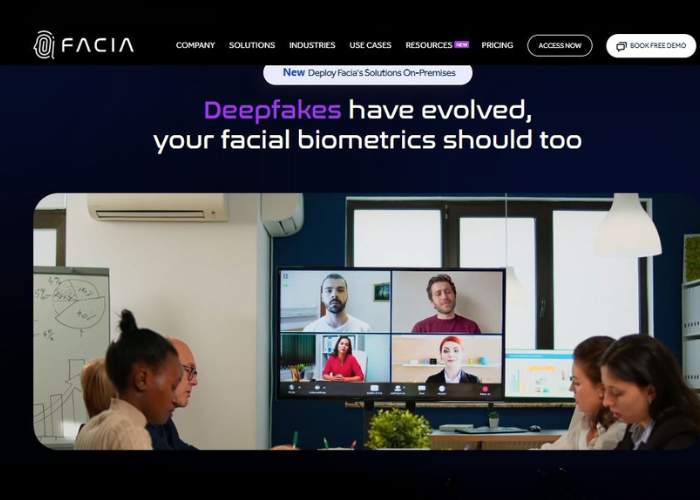
Facia is all about getting quick results without sacrificing much accuracy.
Core Features
- Instant unlimited word checks
- Clean interface for fast edits
- Simple AI vs. human scoring
Use Cases
Marketers or freelancers who need to check and fix content on tight deadlines.
Opinion
It’s not as deep as some others, but when speed is everything, Facia is a lifesaver.

GPTZero is widely used in classrooms for quick AI detection.
Core Features
- Unlimited input on premium plans
- Highlights suspected AI sections
- Works well on mobile
Use Cases
Educators, journalists, or anyone needing straightforward, reliable results.
Opinion
It’s not fancy, but it’s dependable—kind of like the well-worn calculator you’ve had for years.
8. UnGPT – Best for AI Content Humanization Accuracy
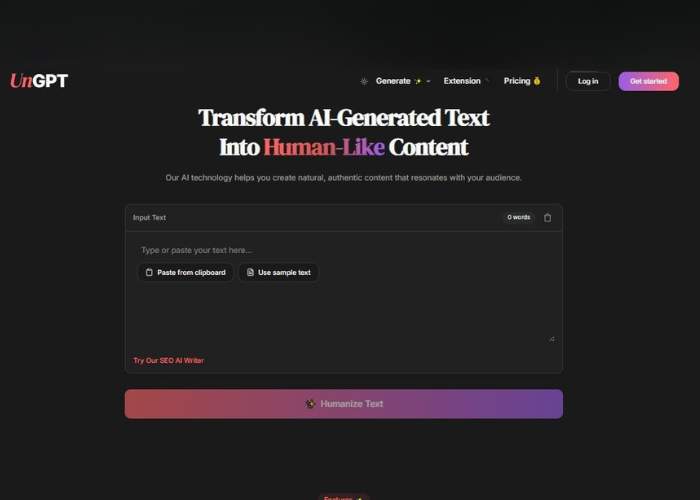
UnGPT specializes in making AI-written text read as though it came from a human mind.
Core Features
- Unlimited rewriting with human-like cadence
- AI detection integrated
- Semantic preservation for complex topics
Use Cases
Academic or professional writers handling sensitive, high-stakes documents.
Opinion
It’s one of the more convincing humanizers I’ve tested. The rhythm of the text feels natural rather than overly polished.
9. Ace Essay – Best for Academic Writers
Ace Essay focuses squarely on academic writing and rewriting.
Core Features
- Unlimited word academic-focused rewriting
- AI + plagiarism check
- Maintains formal citation integrity
Use Cases
Students, researchers, and academic writers who need AI detection but can’t risk altering citations or formatting.
Opinion
A niche tool, but one that nails its audience. Academic users will feel right at home here.
Conclusion & My Top Picks
After days of testing, here are my top three recommendations:
- Originality.ai – Best for large-scale professional use.
- HumanizerPro – Best for keeping your voice intact.
- Winston AI – Best for clear, shareable reports in educational settings.
If your priority is accuracy with unlimited word capacity, Originality.ai is hard to beat. If tone is more important, go for HumanizerPro. And if you’re in teaching or training, Winston AI will make your life easier.
If you’ve ever run a long essay, article, or research paper through an AI detection tool only to be told, “Sorry, you’ve hit the word limit,” you know how frustrating it can be.
Cutting your writing into little chunks feels like trying to feed a giraffe through a letterbox—inefficient, awkward, and slightly ridiculous. That’s why I wanted to see how the so-called unlimited word AI text humanizers and detectors actually perform in real-world use.
I spent days testing different platforms, focusing on tools that not only detect AI writing but can also make text sound human while keeping meaning intact. Some impressed me, some fell short, and a few completely surprised me. Here’s the breakdown.
Why Unlimited Words Matter in AI Detection
In an age where academic papers can run 10,000 words and content marketing campaigns produce sprawling blog posts, a tool with a 1,000-word cap isn’t going to cut it.
AI detection thrives on context—short snippets often mislead results because they lack the bigger picture.
Beyond convenience, having no word limit means you can analyze entire documents without risking inconsistency between sections.
Whether it’s checking an entire thesis for AI writing or running a full-length ebook through a humanizer, uninterrupted processing is key to accuracy.
Winston AI – Best for Educators Who Need Visual Clarity
Winston AI takes AI detection and makes it digestible—literally turning results into heat maps that show exactly which sections might be AI-generated.
Core Features
- Unlimited word processing
- Visual “heat maps” for AI suspicion
- Combined plagiarism + AI scanning
- Secure document storage
Use Cases
Perfect for teachers, academic institutions, and editors who need to present clear, shareable reports.
Opinion
I found Winston AI refreshing in its simplicity. You’re not drowning in data—you get a clean visual report, which makes explaining results to non-technical folks so much easier. For educators, this is gold.
Originality.ai – Best for Publishers and Large Content Teams
Originality.ai has a reputation for accuracy, and for good reason—it handles massive documents like a pro.
Core Features
- No word limit on scans
- AI + plagiarism detection in one scan
- Sentence-level scoring with confidence percentages
- Team management features
Use Cases
Ideal for publishers, agencies, and large teams producing high-volume content.
Opinion
This tool feels built for scale. I ran a 20,000-word manuscript through it, and it didn’t blink. It’s not the cheapest option, but for large-scale operations, it’s worth every penny.
HumanizerPro – Best for Preserving Original Tone
HumanizerPro is designed for people who don’t want their writing stripped of personality when AI is detected.
Core Features
- Unlimited text rewriting with tone preservation
- Adjustable style settings
- AI detection integrated into workflow
Use Cases
Authors, journalists, or professionals with a strong personal voice who want to keep it intact.
Opinion
Some AI rewriters over-sanitize text—HumanizerPro doesn’t. It subtly reshapes flagged text while leaving your style untouched.
WriteHuman – Best for Students Needing Quick Fixes
WriteHuman focuses on taking detected AI text and rephrasing it to pass checks.
Core Features
- Unlimited word rewriting
- Quick turnaround times
- Academic-friendly tone options
Use Cases
Great for students who want to ensure their AI-assisted drafts sound natural and pass detection.
Opinion
It’s straightforward and student-friendly, but lacks deeper analysis. Think of it as a “patch and go” tool rather than a deep editor.
Rephracy – Best for Flexible Rewrite Styles
Rephracy stands out for its variety of rewriting modes.
Core Features
- Unlimited input for both detection and rewriting
- Creative, formal, and neutral rewrite modes
- Side-by-side editing interface
Use Cases
Writers juggling different types of projects—blogs, essays, creative work—will appreciate the flexibility.
Opinion
I liked how Rephracy lets you experiment with different styles. It’s a chameleon for text.
Facia – Best for Speed
Facia is all about getting quick results without sacrificing much accuracy.
Core Features
- Instant unlimited word checks
- Clean interface for fast edits
- Simple AI vs. human scoring
Use Cases
Marketers or freelancers who need to check and fix content on tight deadlines.
Opinion
It’s not as deep as some others, but when speed is everything, Facia is a lifesaver.
GPTZero – Best for Teacher-Friendly Simplicity
GPTZero is widely used in classrooms for quick AI detection.
Core Features
- Unlimited input on premium plans
- Highlights suspected AI sections
- Works well on mobile
Use Cases
Educators, journalists, or anyone needing straightforward, reliable results.
Opinion
It’s not fancy, but it’s dependable—kind of like the well-worn calculator you’ve had for years.
UnGPT – Best for AI Content Humanization Accuracy
UnGPT specializes in making AI-written text read as though it came from a human mind.
Core Features
- Unlimited rewriting with human-like cadence
- AI detection integrated
- Semantic preservation for complex topics
Use Cases
Academic or professional writers handling sensitive, high-stakes documents.
Opinion
It’s one of the more convincing humanizers I’ve tested. The rhythm of the text feels natural rather than overly polished.
Ace Essay – Best for Academic Writers
Ace Essay focuses squarely on academic writing and rewriting.
Core Features
- Unlimited word academic-focused rewriting
- AI + plagiarism check
- Maintains formal citation integrity
Use Cases
Students, researchers, and academic writers who need AI detection but can’t risk altering citations or formatting.
Opinion
A niche tool, but one that nails its audience. Academic users will feel right at home here.
Conclusion & My Top Picks
After days of testing, here are my top three recommendations:
- Originality.ai – Best for large-scale professional use.
- HumanizerPro – Best for keeping your voice intact.
- Winston AI – Best for clear, shareable reports in educational settings.
If your priority is accuracy with unlimited word capacity, Originality.ai is hard to beat. If tone is more important, go for HumanizerPro. And if you’re in teaching or training, Winston AI will make your life easier.