I read a lot. Or at least, I save a lot: mostly blog articles and newsletters. I’ve been a read-it-later person since the Google Reader days, and Readwise Reader is the app I’ve liked best since then.
But somewhere around article 200, I noticed I had stopped reading inside it. It had become an overwhelming deposit for articles that I never got around to reading. I had gotten very good at saving and very bad at finishing.
And when I did finish something good, I wanted to share it, but that part was getting difficult too. I had two options:
- use the Buffer Chrome extension to queue up a bare link, which was fast but felt flat because I wasn’t adding any context, or
- leave the article mid-read, open a new tab, write something thoughtful, and lose my place in the piece.
Neither felt right, so most of the time I just didn’t post at all.
Until I vibe-coded the app I wanted to use. It’s called Reader Chomper: a small native macOS app that stitches together three tools I was already paying for. Readwise Reader is my article backend; an LLM handles the summaries, and the Buffer API queues posts to LinkedIn and Bluesky.
The brief I gave myself was simple: a bite-sized way to read, and a frictionless way to share.
Here’s how it works.
The four steps
Reader Chomper does four things, in this order: triage, quick scan, deep summary, and share.
The first three help me decide what’s worth my time, and the fourth means the post is queued before I move on to the next article. Each one fixes something I was tripping over, either in Readwise or in the way I was posting.
Step 1: Triage 10 at a time
When I open Reader Chomper, it pulls 10 articles from the top of my “Later” list and stops there. If I want more, I hit Refill, but I have to ask for it.
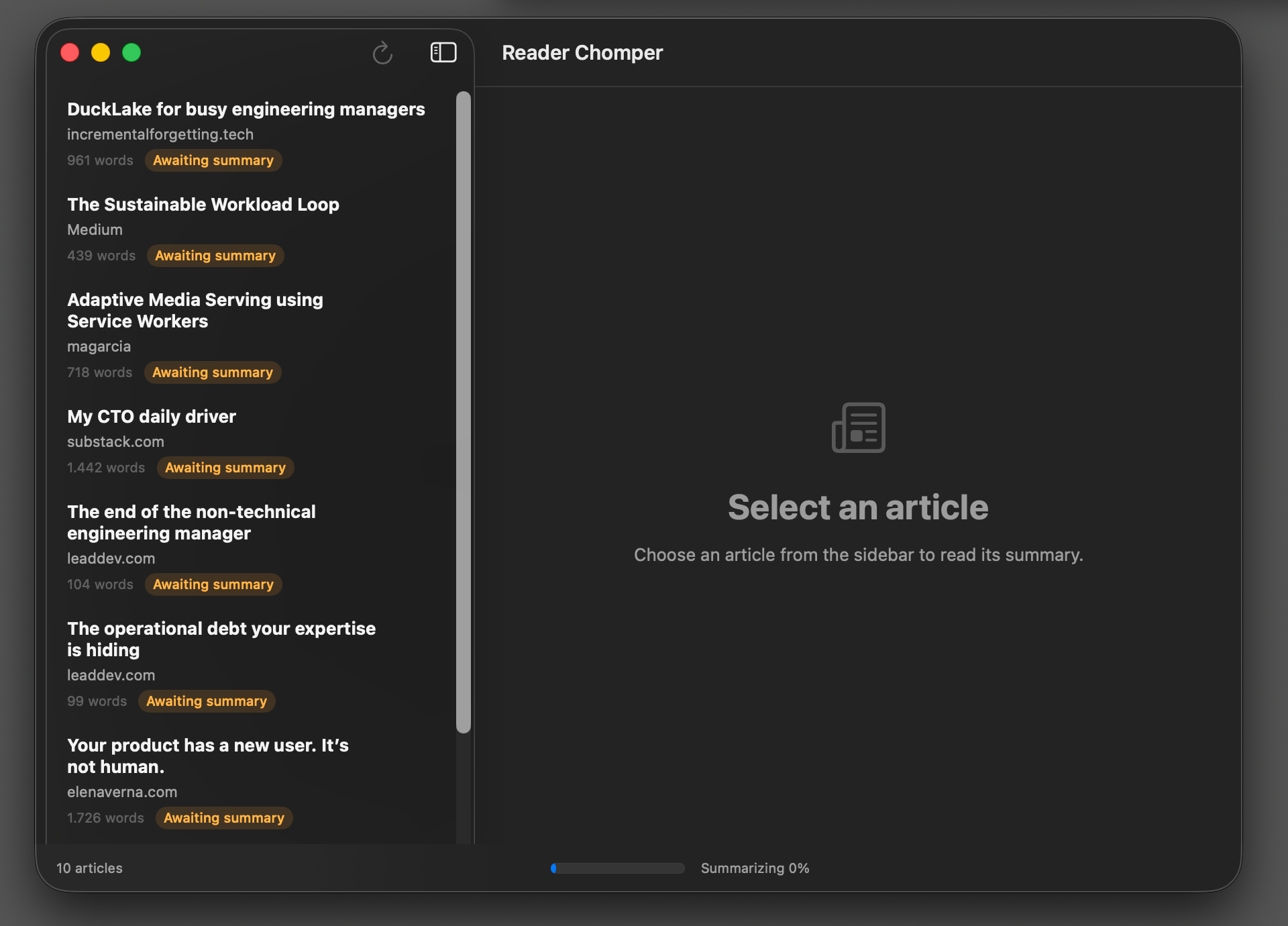
Getting this step right took longer than any of the actual code did. The problem was Readwise’s default view — it shows you everything. I’d open the app, see 200 articles, feel overwhelmed, and close the tab.
In contrast, 10 articles is small enough to commit to, and it makes the session feel finite.
I think of it less as a limit and more as a contract with myself: just read 10, decide what to do with each one, and I’m done for the day.
Step 2: Run a quick scan
When I tap into an article, Reader Chomper gives me a 100-word summary of three bullets with zero fluff in what I call the Quick Scan.
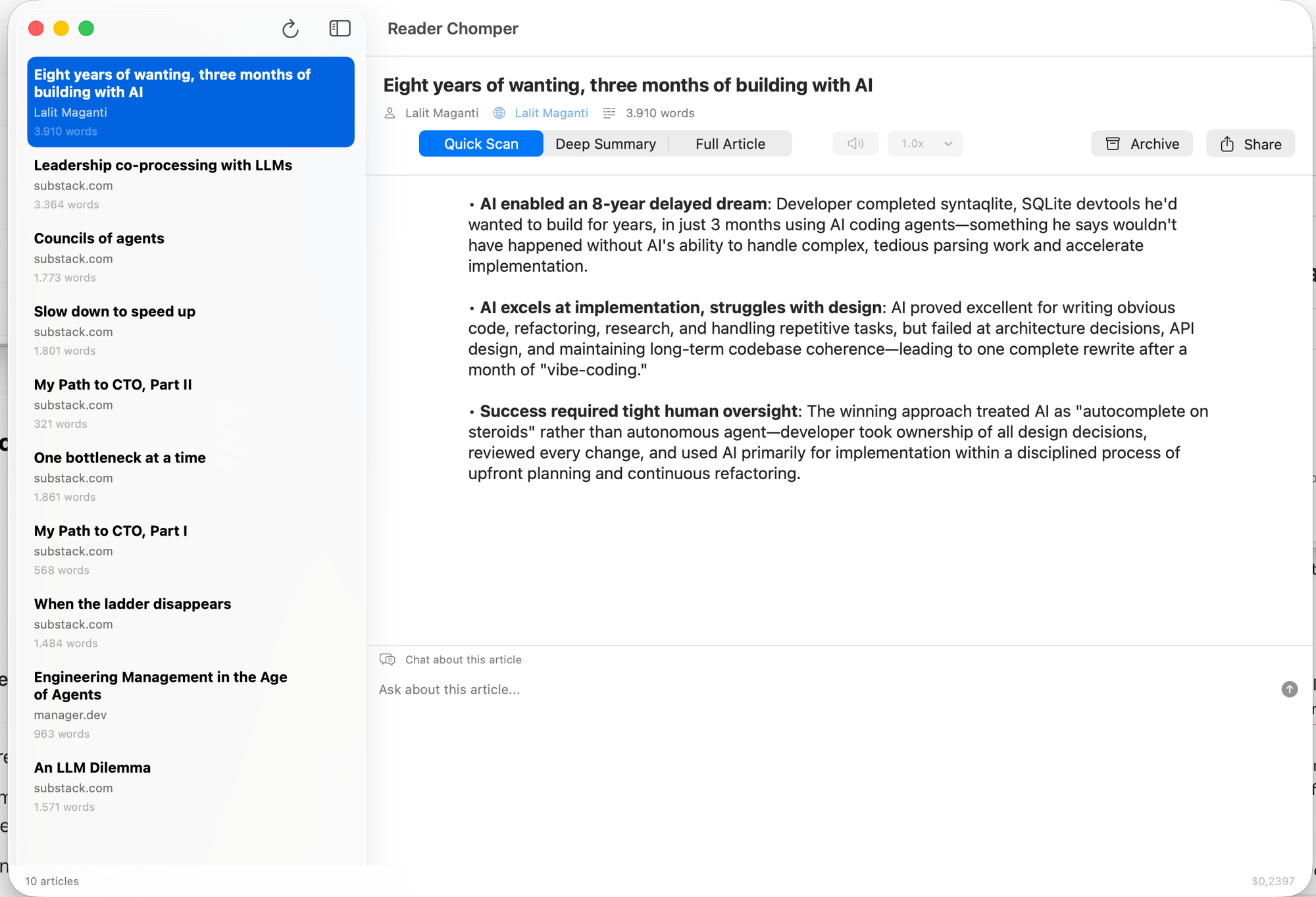
Most articles end here for me, because once I get the three main points, I can just move on to the next one. But if the bullets leave me wanting more, the article gets my full attention.
The quick scan step has made me honest about my reading list. I used to convince myself I’d “come back to” articles I knew I wouldn’t. With three bullets in front of me, the decision takes about 30 seconds: either I’ve got what I needed and the article goes to the archive, or there’s something here worth chasing.
Step 3: Deep summary + chat
When the three bullets aren’t enough, I have two ways to go deeper. The first is a longer summary, about 300 words instead of 100. The second is what I reach for most often: I can chat with the article through Claude.
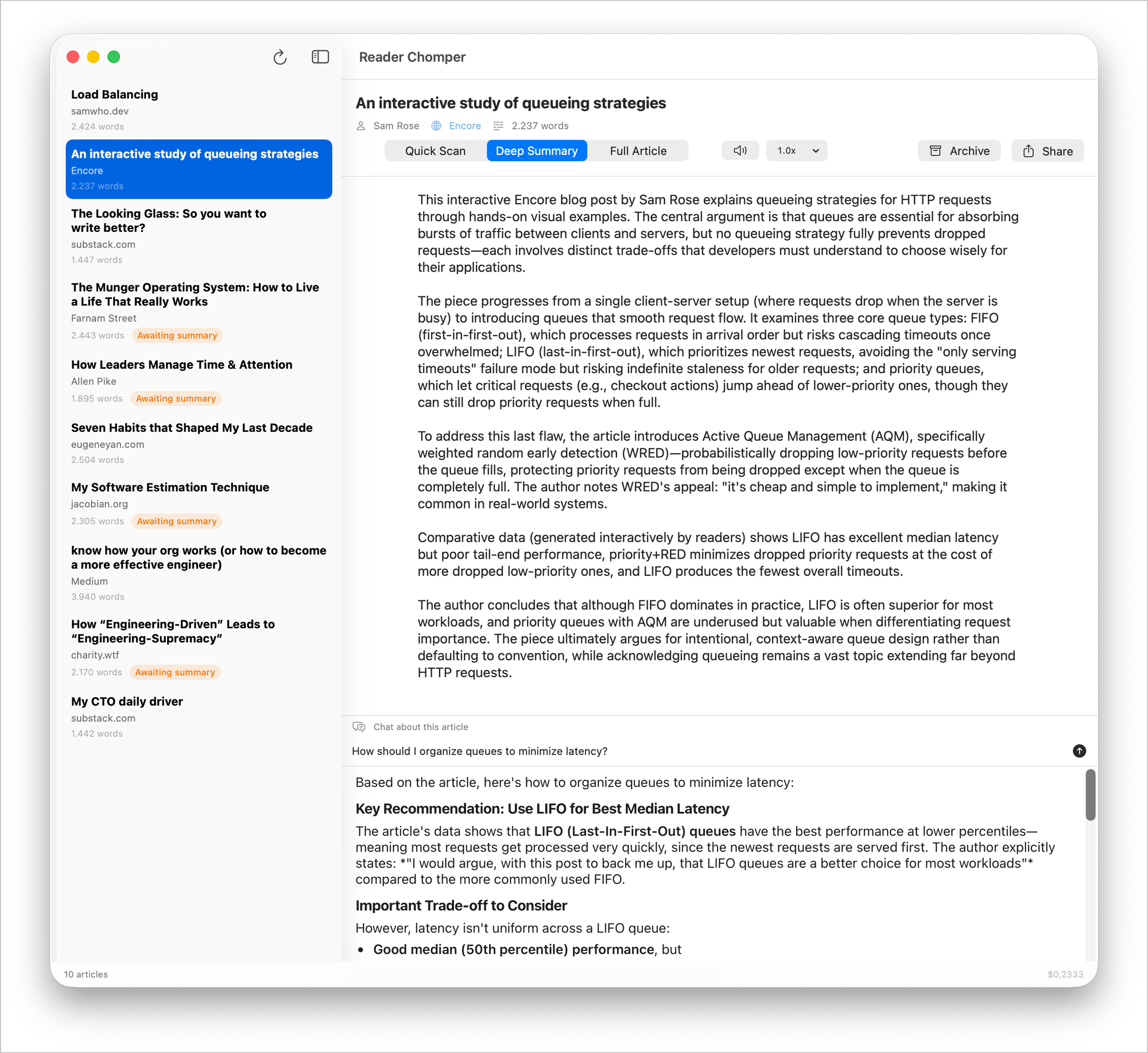
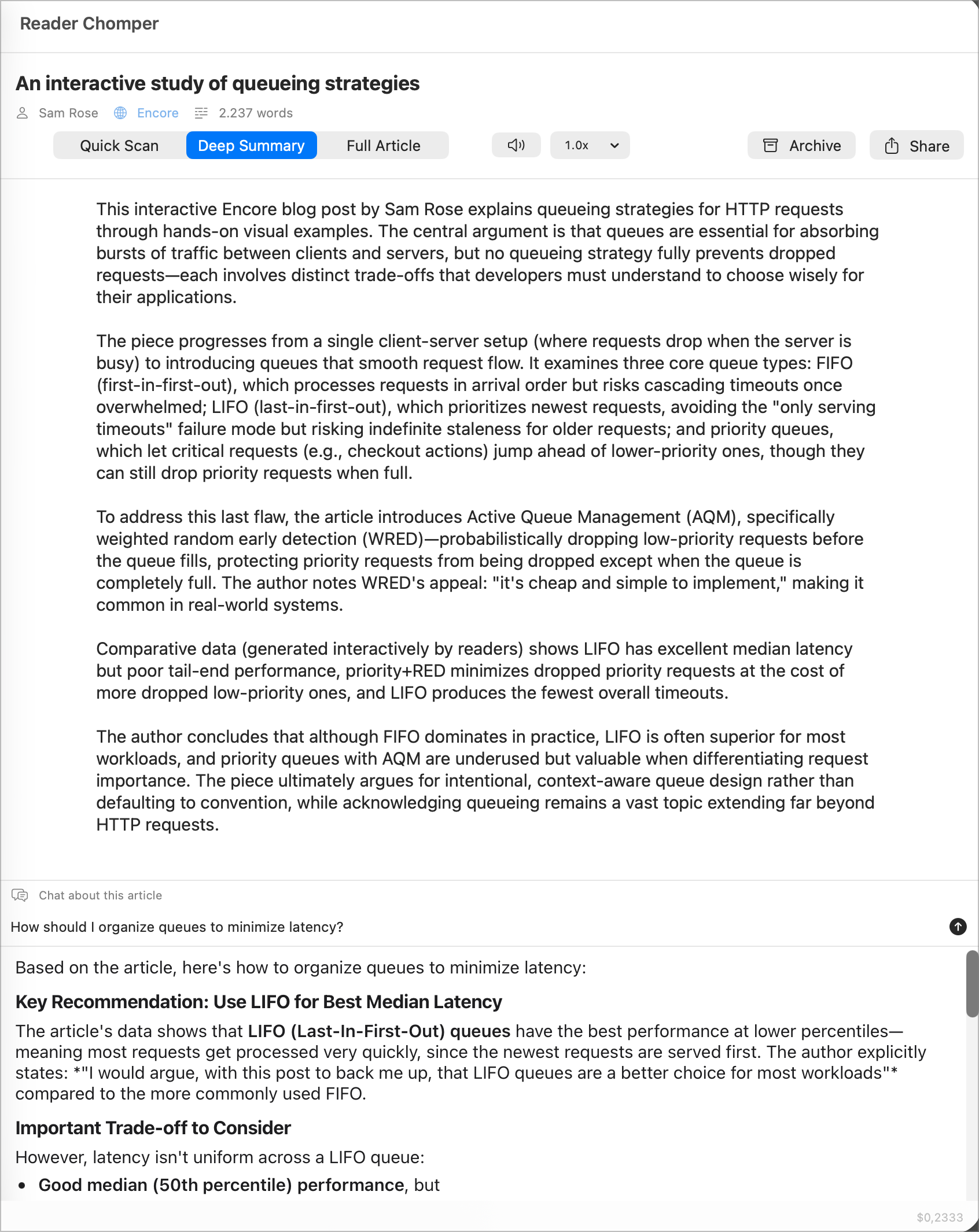
A recent example: I had an article called “DuckLake for busy engineering managers” in my queue, which is a data storage approach that I’d never heard of. The Quick Scan covered the what, but I still wasn’t sure if it was relevant to me. So I asked Claude, “Why is DuckLake relevant to engineering managers?” Two seconds later, I had an answer with context pulled from the article.
This is a step many read-it-later apps don’t (yet) have. With it, I can ask my own questions, and the answers come directly from the source.
Step 4: Queue to Buffer
When I feel like an article should become a post, whether after the quick scan or a longer chat, I hit Share. Reader Chomper generates a draft: a short blurb that captures the key idea, plus the link. If the blurb doesn’t quite read the way I’d say it, I hit Regenerate, or edit it so it does.
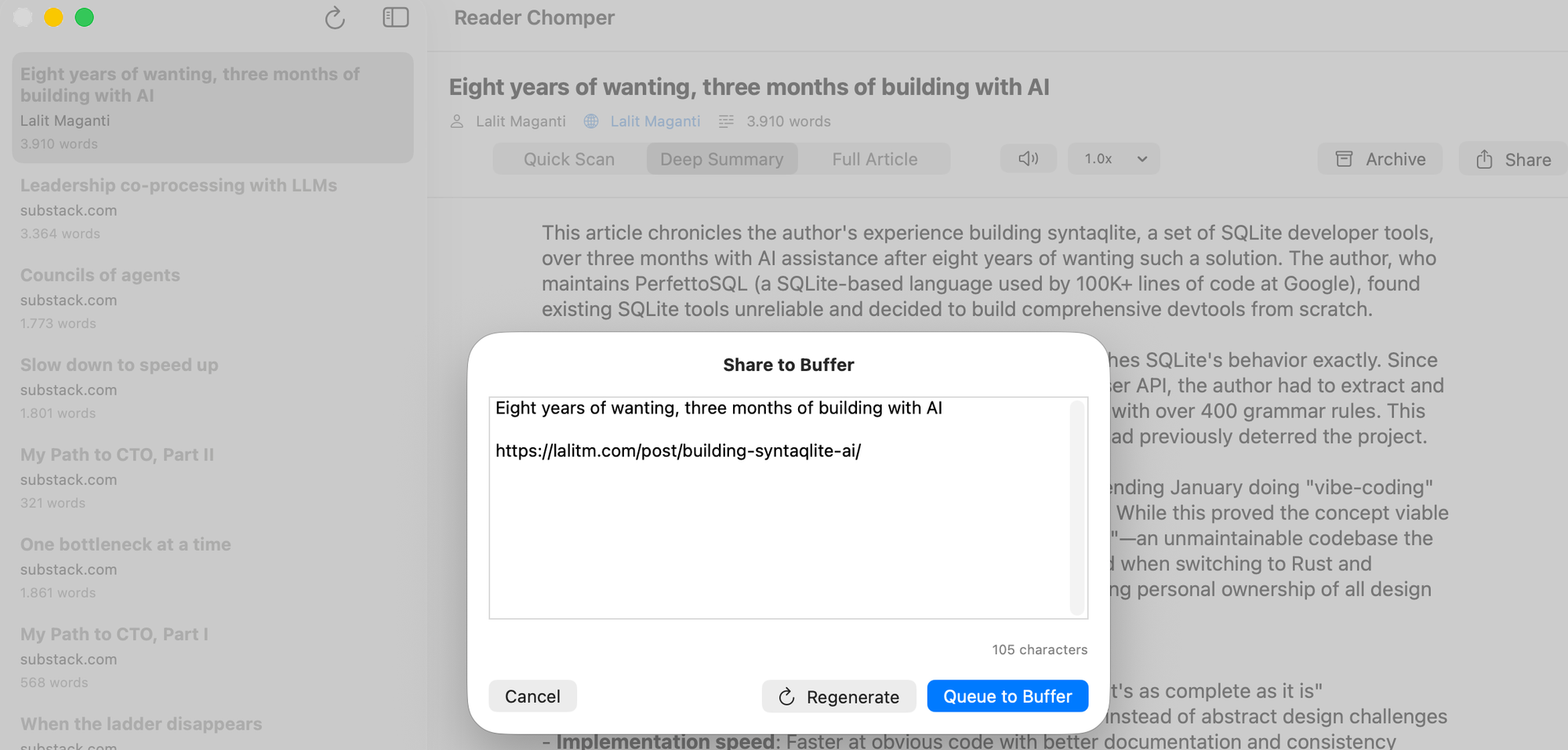
One more click on Queue to Buffer and the post goes to both my LinkedIn and Bluesky queues.
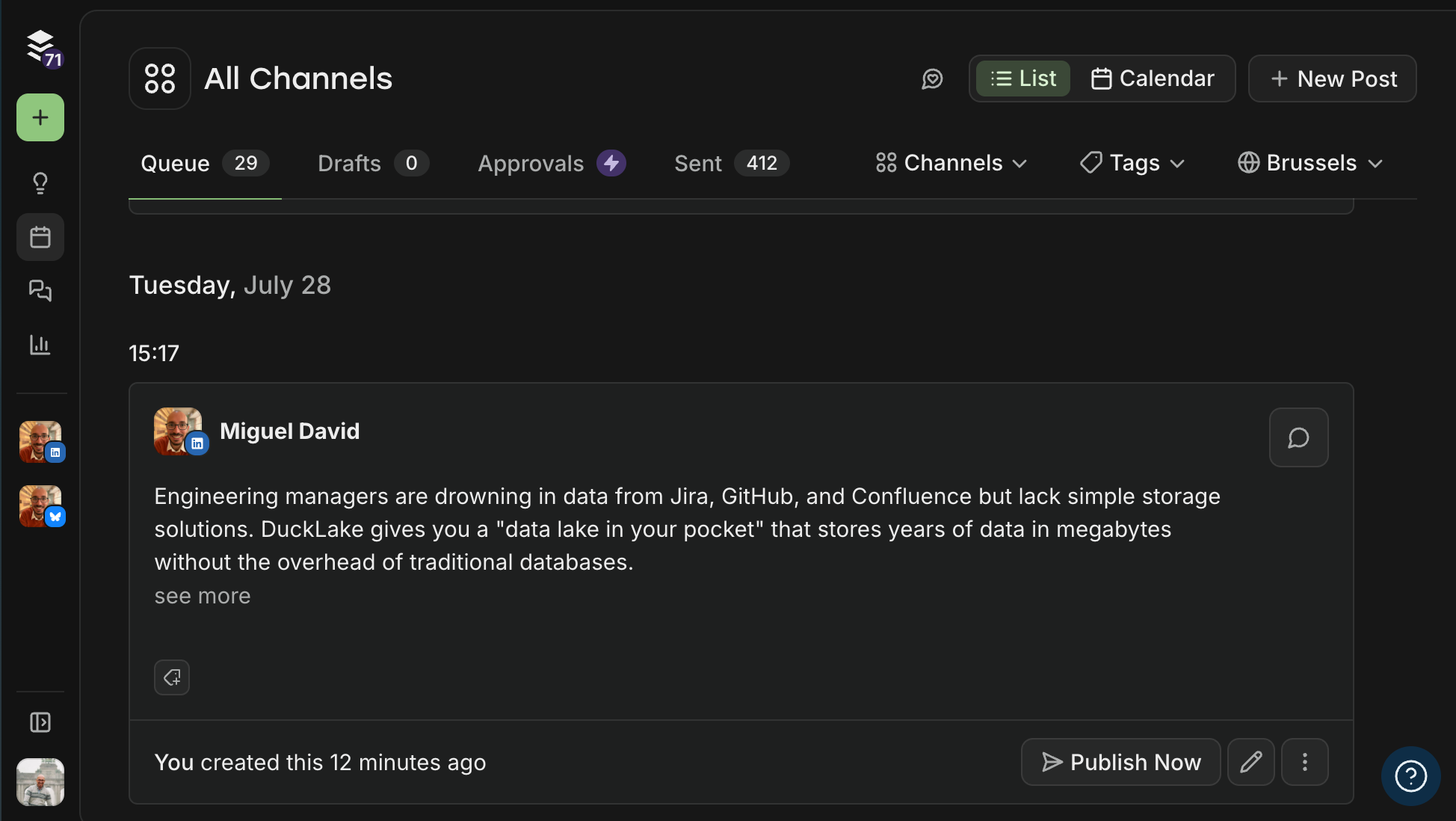
This is the step I built the whole app for. Everything before this point is filtering and deciding what’s worth my attention. The Buffer API handles the last step pretty much instantly: the post goes to my queue, and the article gets archived.
The Buffer API was the one piece in this stack I hadn’t worked with before. I wanted to share to multiple channels in one shot, and I also wanted an excuse to play with it. A few hundred lines of Swift code later, I had a working integration.
What’s in the stack (and why)
Aside from the Buffer API, which I covered in Step 4, the rest of the stack is intentionally boring. Everything is something I was already using or already paying for, wired together to fit this workflow.
- SwiftUI and native macOS. I considered a browser extension and a web app, and both would have shipped faster, but I cared about how the app looked and how it performed. A native app means it launches instantly, scrolls without lag, and looks like it belongs on my Mac. Those details matter in an app you open every day.
- Readwise Reader. This is where I save every article I want to read anyway, and it stays the source of truth. Reader Chomper is a better way to get through the queue, and anything I archive in it gets archived in my Readwise too, keeping both clean.
- An LLM (Anthropic and OpenAI). I use both APIs interchangeably to summarize articles and write the blurbs. The running spend for the session sits in the corner of the app. It’s a small detail, but it reminds me the calls aren’t free, and it helps me notice when I’m bouncing between articles for no good reason.
- SQLite and Dropbox. Articles, summaries, and chat history live in a SQLite file inside my Dropbox folder, which means the database follows me across devices without me having to build any sync infrastructure of my own.
What changed (and what didn’t)
I still aim for two posts a week on LinkedIn and Bluesky, and Buffer queues them up for me. The queue often runs months deep, so I build up posts during heavy reading weeks and coast on the lighter ones. But I’m not posting any more than I was before.
What changed is everything leading up to the post.
I triage my reading list more honestly. Ten at a time forces me to make a decision, and most articles now end at the quick scan instead of sitting in a list unread. I like to think the quality of what I share has changed too: the AI summary surfaces an idea, and I form my take from there. Before Reader Chomper, my followers got a bare link and had to click through to figure out why they should care. Now they get a take that does some of that work for them.
I don’t have a huge following, and I’m not a super poster, but I hope to get better at it. I’m definitely still growing as a creator, but the gap between reading something good and posting about it that used to bother me is now closed. I read more thoughtfully now because I know I have a place to put my opinions, so it’s safe to say my automation is doing its job.