[ad_1]
I evaluated several data points across G2 reviews, Grid Reports, satisfaction scores, and product research to identify the five best study tools that consistently stood out for different learning styles and study goals. These tools are Kahoot!, Mentimeter, Brainscape, AhaSlides, and Quizlet.
I’m no longer a student, but learning is still part of my work. Whether I’m researching a new topic, understanding unfamiliar technology, or trying to retain insights from industry reports, I know how easy it is to consume information and how hard it can be to apply it later. As I analyzed G2 reviews for this category, I found that many learners face the same challenge: their study process doesn’t always align with how people actually retain information over time.
That became especially clear as I reviewed feedback from students, educators, and independent learners. Some tools focused on active recall and spaced repetition, while others emphasized engagement through quizzes, polls, and interactive learning experiences. The strongest options balanced functionality with simplicity, helping learners stay focused on absorbing information rather than figuring out how the software works.
Those differences matter when you’re comparing study tools. The strongest option isn’t necessarily the one with the most features. It’s the one that matches how you learn, what you’re studying, and the results you’re working toward.
I focused on the strengths, considerations, and recurring patterns that surfaced across G2 reviews to determine where each platform delivers the most value.
5 study tools that stood out during my evaluation
1. Kahoot!: Best for live knowledge checks and group learning
Combines live quizzes, game-based challenges, AI-assisted question generation, ready-made content libraries, classroom participation tools, and real-time performance tracking for collaborative learning environments. ($3/month)
2. Mentimeter: Best for turning study sessions into interactive discussions
Includes live polling, quizzes, Q&A, word clouds, audience feedback tools, presentation engagement features, and participation analytics for educators and presenters facilitating active learning. ($16.16/per presenter/month)*
3. Brainscape: Best for improving retention through spaced repetition
Combines adaptive flashcards, confidence-based repetition, progress tracking, collaborative deck creation, certification prep resources, and personalized study pacing for learners focused on long-term knowledge retention. ($7.99/month)
4. AhaSlides: Best for building interactive study presentations
Includes live quizzes, polls, brainstorming activities, audience Q&A, presentation templates, classroom engagement features, and presentation integrations for instructors and learners who prefer collaborative study experiences. ($11.15/month)
5. Quizlet: Best for self-paced exam preparation across subjects
Offers flashcards, practice tests, study guides, learning games, progress tracking, content libraries, and AI-powered study assistance for learners preparing independently across a wide range of topics. ($2.99/month)
These study tools are top-rated in their category, according to the Summer 2026 G2 Grid Report referenced in this article. I’ve included their standout capabilities and current pricing information for easier comparison.
*Converted from Euro to USD at the rate of 1 Euro = $1.15 USD
5 best study tools I recommend for building effective learning habits
As I analyzed G2 reviews across this category, one thing became clear: learners aren’t struggling to find information. They’re struggling to retain it, revisit it, and apply it when it matters. The strongest study platforms weren’t necessarily the ones with the longest feature lists. They were the ones supporting a specific learning approach particularly well.
That distinction is becoming more important as the market grows. The study tools market generated $4.5 billion in revenue in 2024 and is projected to reach $12.1 billion by 2033. As more platforms enter the space, buyers evaluating the best study tools face a wider range of learning models, engagement strategies, and retention-focused features.
While reviewing user feedback, I also noticed a recurring theme around which study platforms avoid overwhelming features that slow down actual learning progress. Some learners wanted structured repetition, others relied on mind mapping software to organize complex ideas, and many simply needed a system that made studying more consistent.
The tools below stood out because each solves a different learning challenge, making them stronger fits for specific study goals, learning styles, and knowledge-retention needs.
How I found and evaluated the best study tools
I started by reviewing G2 Grid Reports, category data, and verified user feedback to identify products with strong satisfaction scores, consistent review activity, and distinct learning-focused capabilities. Because study tools support different learning styles, I focused on platforms that solved specific challenges, from knowledge retention and exam preparation to classroom engagement and collaborative learning.
To uncover recurring patterns at scale, I used AI-assisted analysis to review customer feedback across the category. This helped me identify the most trusted study platforms by students based on user reviews for teams with similar learning goals, along with the strengths, considerations, and use cases that surfaced most often.
My final recommendations are based on G2 review analysis, category research, product capabilities, and buyer sentiment data. The screenshots featured throughout this article come from G2 product profiles and publicly available vendor resources.
What makes the best study tools worth it: my criteria
After reviewing the latest G2 Grid Report, category data, and verified user feedback, I found that qualifying for the Study Tools category was only the starting point. The strongest products didn’t just offer test prep features, multiple study methods, and access for students and educators. They helped learners retain information, practice more effectively, and stay engaged without adding unnecessary complexity.
These best study tools performed strongest across the following evaluation areas:
- Usability and accessibility: I looked for tools that made it easy for students and educators to start studying, creating materials, or joining activities without extra setup. Cross-device access, simple navigation, and clear workflows mattered because study software should reduce friction, not become another task to manage.
- Test preparation support: Since Study Tools products must include features specifically for test preparation, I prioritized platforms with quizzes, practice questions, flashcards, timed activities, progress tracking, or exam-focused study modes. Strong tools helped learners move from passive review to active preparation.
- Study method variety: I gave more weight to platforms that supported different learning styles through flashcards, quizzes, polls, games, presentations, repetition, or collaborative review. This mattered because students rarely study one way for every subject, exam, or learning goal.
- Memory and retention features: I looked closely at features designed to help learners remember information over time, including spaced repetition, confidence ratings, self-testing, and adaptive learning. These capabilities were especially important for learners focused on long-term retention rather than short-term review.
- Engagement and participation: I considered how well each tool helped learners stay active during study sessions. Platforms with quizzes, live polls, group activities, or gamification platforms-style mechanics stood out when G2 reviews showed they improved participation without distracting from the learning goal.
- Collaboration and sharing: I evaluated how easily students, educators, or teams could share study sets, build materials together, or run group learning sessions. Tools connected to free collaboration tools workflows were stronger fits when they supported shared review, classroom participation, or peer learning.
- AI-assisted learning support: AI was useful only when it helped learners create study materials faster, identify weak areas, summarize content, or personalize practice. I did not treat AI as a strength unless G2 reviews or product research showed a clear learning benefit.
- Evidence of learning impact: I paid attention to whether users connected the tool to better recall, stronger exam readiness, or more consistent study habits. I also considered the buyer’s question of whether study tools actually improve test scores, according to peer-reviewed research, in regulated industries where evidence, repeatability, and measurable outcomes matter.
The list below contains genuine user reviews from the Study Tools category page. To qualify for inclusion in the Study Tools category, a product must:
- Have features specifically for test preparation
- Include various study methods
- Be accessible for students and educators
*This data was pulled from G2 in 2026. Some reviews may have been edited for clarity.
1. Kahoot!: Best for live knowledge checks and group learning
As I worked through G2 reviews for Kahoot!, I kept noticing that users rarely talked about quizzes first. They talked about participation. Whether the setting was a classroom, training session, workshop, or team meeting, the platform consistently appeared in conversations about getting people involved rather than simply delivering information. That distinction matters because engagement is often the hardest part of learning.
The platform’s strongest advantage is how effectively it turns knowledge checks into active experiences. Rather than asking learners to passively absorb information, Kahoot! encourages real-time participation through questions, competition, and immediate feedback. For educators and trainers looking for study software that helps students prepare for exams more efficiently than passive reading, the active recall element surfaced repeatedly in the reviews I analyzed.
Ease of adoption is another reason Kahoot! continues to attract such a broad audience. The platform earned a 94% ease of use rating, a 95% ease of setup score, and a 96% ease of admin score, all above category averages. Those numbers align with reviewer feedback describing quick deployment, minimal onboarding effort, and the ability to launch sessions without extensive preparation.
I also found recurring praise for Kahoot!’s content library. Users frequently mentioned the availability of ready-made quizzes, templates, and reusable learning materials that reduce preparation time. That flexibility is particularly valuable for instructors and facilitators who need to quickly create engaging sessions without having to build every activity from scratch.
Another pattern that emerged was versatility. While Kahoot! is firmly associated with education, reviewers also referenced workshops, conferences, professional development programs, onboarding initiatives, and internal training.
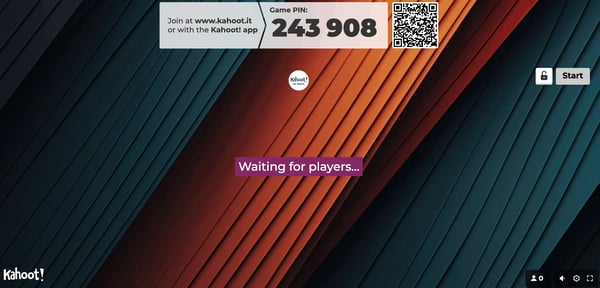
The satisfaction data reinforces those strengths. Kahoot! holds a 4.6 out of 5 rating from 405 reviews, with 97% of users rating it 4 or 5 stars and 93% saying they would recommend it. For a platform built around live participation, maintaining that level of satisfaction across such a broad user base is notable.
Kahoot!’s value tends to increase alongside usage frequency. For occasional events or smaller groups, many users find the available functionality more than sufficient. As participation needs expand across larger classrooms, recurring training programs, or broader organizational use cases, some reviewers noted the need to evaluate paid tiers to access additional capabilities and scale.
The platform also performs best when sessions are actively facilitated. Users running large live events occasionally referenced participant management considerations, such as access controls or audience coordination. Those scenarios did not diminish the platform’s core strengths, but they were more relevant in larger, highly interactive environments.
Kahoot! stands out for organizations and educators that prioritize participation, knowledge reinforcement, and energy during learning sessions. Its strengths are less about deep independent study and more about creating memorable moments that keep groups engaged, accountable, and actively involved in the learning process.
What I like about Kahoot!:
- The G2 reviews I analyzed frequently highlighted Kahoot!’s ability to turn routine knowledge checks into engaging, interactive learning experiences with minimal setup.
- A recurring strength in G2 feedback was its combination of ready-made content, ease of use, and flexibility for classrooms, workshops, and training sessions.
What G2 users like about Kahoot!:
“The easy way to engage and involve attendees. Easy to create quizzes.”
– Kahoot! review, Gameng AB P.
What I dislike about Kahoot!:
- As organizations expand usage across larger audiences or recurring training programs, G2 reviewers often mention evaluating higher-tier plans to access additional capabilities.
- Live facilitation comes up regularly in G2 reviews, with some users noting that larger sessions can require extra coordination to manage participants and session flow.
What G2 users dislike about Kahoot!:
“It’s wildly overpriced. I mean *wildly*. Only after you innocently agree to pay the subscription price do you really discover how little is included and how much of the offering is connected to additional one-time payments.”
– Kahoot! review, Rachel C.
Kahoot! excels during live knowledge checks, but many organizations pair it with dedicated digital learning platforms when they need structured coursework, learner progress tracking, and long-term training programs.
2. Mentimeter: Best for turning study sessions into interactive discussions
While evaluating Mentimeter, I found myself thinking less about presentations and more about participation. Many study tools focus on helping learners absorb information, but Mentimeter takes a different approach. It helps people contribute to the learning process. Across the G2 reviews I analyzed, users repeatedly described situations where polls, quizzes, Q&A sessions, and word clouds transformed passive audiences into active participants.
That emphasis on interaction is what makes the platform distinctive. Rather than asking presenters to simply deliver information, Mentimeter creates opportunities for learners to engage with it in real time. Reviewers frequently mentioned using live polls, open-ended questions, and audience feedback tools to encourage participation and keep discussions moving.
The platform’s versatility emerged as another recurring theme. I found examples spanning higher education, webinars, corporate training, healthcare education, workshops, and team discussions. Users consistently highlighted how easily they could switch between polls, quizzes, word clouds, scales, and Q&A formats without disrupting the flow of a presentation. For organizations already using other forms of presentation software, Mentimeter often serves as the interactive layer that encourages participation rather than one-way communication.
Ease of adoption also contributes significantly to its appeal. Mentimeter earned a 94% Ease of Use score, alongside 95% ratings for both Ease of Setup and Ease of Doing Business With. Those metrics align closely with reviewer feedback describing intuitive navigation, minimal onboarding requirements, and sessions that participants can join quickly without creating accounts.
Another strength is its ability to surface audience insights while discussions are still happening. Whether the goal is to gather opinions, check comprehension, prioritize questions, or encourage anonymous feedback, reviewers consistently pointed to Mentimeter’s ability to reveal what participants are thinking in real time. That visibility helps facilitators adapt discussions on the fly, particularly when paired with eLearning content software that delivers more structured learning materials outside live sessions.
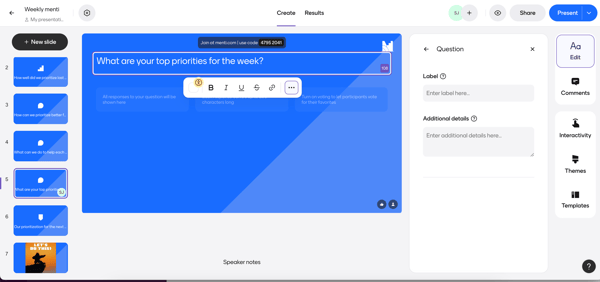
The integration ecosystem also adds meaningful value. Multiple reviewers specifically referenced connections with Microsoft Teams, Zoom, and PowerPoint. Combined with real-time engagement features, those integrations make the platform particularly useful for hybrid and remote learning environments where maintaining attention can be more challenging.
As I reviewed G2 feedback, I also noticed how often Mentimeter appeared in conversations around the highest-rated study tools for students improving retention and exam performance for enterprise teams with collaborative learning objectives. While the platform isn’t designed around independent study or spaced repetition, it consistently supports discussion-based learning, peer participation, and active knowledge reinforcement.
Mentimeter works best when engagement is the primary objective. Organizations running larger programs or recurring sessions may find participant allowances, advanced functionality, and certain engagement features more closely tied to paid plans as usage expands. For teams that rely heavily on audience interaction, that consideration is often balanced against the value the platform provides.
Some reviewers also mentioned wanting greater flexibility when arranging highly customized interactive experiences. Those observations were most common among users managing complex session formats rather than standard educational or training environments.
Mentimeter excels at transforming presentations into conversations. For educators, trainers, facilitators, and organizations that view participation as an essential part of learning, it offers one of the strongest engagement-focused experiences among the best study tools I evaluated.
What I like about Mentimeter:
- Based on the G2 reviews I analyzed, Mentimeter’s greatest strength is its ability to make participation feel natural through polls, quizzes, Q&A sessions, and word clouds that encourage learners to contribute rather than simply observe.
- The G2 feedback consistently highlights how quickly sessions can be launched and managed, making the platform especially valuable for educators, trainers, and facilitators who need interaction without significant setup effort.
What G2 users like about Mentimeter:
“I love this platform for its ability to create polls. I love the interactive presentation of this platform. This platform can be used for interactive sessions with the audience, which makes the presentation more entertaining and engaging. The word cloud of this platform also assists in brainstorming with the audience. Other than this, we can also get feedback using the open-ended feature. I love the Q & A feature as it allows the audience to prioritize the questions so that the majority of the questions wanted by the audience are answered. I love the performance of this platform. The platform has a good interface. The onboarding of this platform is also easy and secure. The pricing of this platform is also moderate. I also love the integration of this platform as it can do the integration with PowerPoint, Microsoft Teams, and Zoom.”
– Mentimeter review, Konjengbam M.
What I dislike about Mentimeter:
- As participation requirements grow, G2 reviewers frequently mention evaluating paid plans to support larger audiences, advanced engagement features, and more robust reporting capabilities.
- Highly customized presentation workflows also appear in G2 feedback, with reviewers noting that combining multiple interactive formats in a single session may require additional planning and coordination.
What G2 users dislike about Mentimeter:
“The least helpful aspect of the Mentimeter free plan is its strict participant limit, which is capped at 50 participants per month. Besides this, the inability to export or download participant responses in a usable format is a major drawback for anyone needing to analyze data after a session. Revising the feature set for the free tier would greatly increase its value.”
– Mentimeter review, Kamel O.
Mentimeter helps create discussion-driven learning experiences, but learners looking to build expertise outside live sessions often complement it with dedicated language-learning platforms that support ongoing practice, reinforcement, and independent skill development.
3. Brainscape: Best for improving retention through spaced repetition
Most study tools help learners organize information. Brainscape is designed to help them remember it. As I worked through the G2 reviews, I noticed that users rarely described the platform as just a flashcard app. They talked about retention, recall, and the ability to consistently revisit weak areas before important exams, certifications, and professional assessments.
That emphasis on long-term retention starts with Brainscape’s spaced repetition system. Rather than treating every flashcard equally, the platform prioritizes concepts users struggle with and gradually reduces exposure to material they’ve already mastered. It’s easy to see why discussions around what are the best study tools for improving retention through spaced repetition techniques frequently align with the workflows Brainscape supports.
The review patterns also revealed another recurring theme: targeted improvement. Multiple users described using the platform to identify weaker topics and spend more time reviewing them. For learners evaluating study tools with adaptive algorithms that focus on weak areas students struggle with, Brainscape’s confidence-based repetition model consistently surfaced as one of its most valuable capabilities.
I also found that the platform balances structure with flexibility. Users can build their own flashcard decks, modify existing content, organize study materials, and tailor sessions around specific goals. At the same time, the growing library of pre-built decks reduces preparation time for learners studying certifications, licensing exams, technical subjects, and language-learning topics.
Progress visibility emerged as another strength. Several reviewers highlighted the rating system, mastery tracking, and visual indicators that make it easier to understand where improvement is happening.
Ease of adoption also contributes to the platform’s appeal. Brainscape earned a 92% ease of use score and a 95% ease of setup rating, both above category averages. Those numbers align with user feedback describing quick onboarding, intuitive navigation, and the ability to continue studying across devices. Some organizations also pair it with microlearning platforms for bite-sized training when they want to reinforce knowledge between formal sessions.
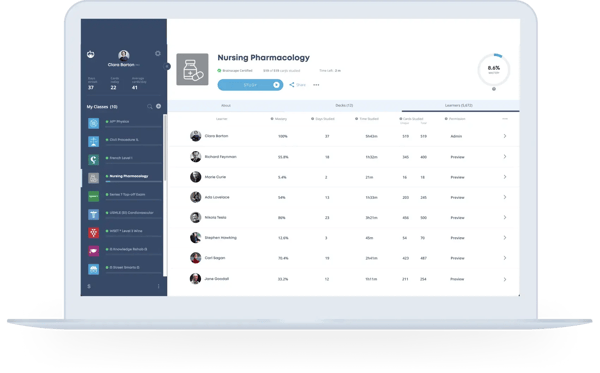
The satisfaction metrics reinforce those strengths. Brainscape holds a 4.6 out of 5 rating from 336 reviews, with 96% of users rating it 4 or 5 stars and 93% saying they would recommend it. It also achieved the highest satisfaction score among products in the Study Tools category, suggesting that its retention-focused approach resonates with a broad range of learners.
Brainscape is built around flashcard-based learning, so learners seeking broader testing environments may occasionally supplement it with other assessment resources. Several reviewers mentioned wanting question-bank functionality that extends beyond traditional flashcard review. For users primarily focused on retention and recall, however, the platform continues to deliver on its core purpose.
Pricing surfaced as another consideration, particularly among students and individual learners. While reviewers consistently praised the platform’s effectiveness, some noted that access to premium content and advanced functionality can become more relevant as study requirements expand. That consideration appeared most often among cost-conscious learners rather than professional users preparing for certifications.
Brainscape excels when retention is the goal. For learners who want a structured, science-backed system that helps reinforce knowledge over time rather than simply collect study materials, it remains one of the strongest options among the best study tools I evaluated.
What I like about Brainscape:
- Based on the G2 reviews I analyzed, Brainscape’s biggest strength is its consistent ability to help learners focus on weaker topics rather than repeatedly reviewing material they’ve already mastered.
- A recurring theme in G2 feedback is the combination of spaced repetition, progress tracking, and ready-made flashcard libraries, which reviewers describe as an effective way to build long-term retention without having to create every study resource from scratch.
What G2 users like about Brainscape:
“What I like most about Brainscape is its highly effective spaced repetition system, which has significantly improved my long-term retention of complex information. From a clinical perspective, this has had a direct impact on my performance. As a nurse, I constantly need to memorize and apply clinical algorithms, drug dosages, and procedures. Brainscape has made that process far more efficient and structured for me, especially when I’m preparing for demanding certifications like Advanced ACLS.”
– Brainscape review, Paulo P.
What I dislike about Brainscape:
- Study preferences come up regularly in G2 reviews. Learners who favor assessment-heavy workflows occasionally mention supplementing Brainscape with additional resources that offer broader question banks beyond flashcard-based review.
- As study needs become more advanced, G2 reviewers frequently reference the value of premium access for unlocking additional content, features, and more comprehensive study options.
What G2 users dislike about Brainscape:
“I think it would be great if Brainscape could add a question bank feature to test knowledge. While the flashcards are helpful, having a feature that allows for more direct testing with a question bank could enhance their functionality.”
– Brainscape review, Shiraz S.
Brainscape helps learners reinforce knowledge independently, but educators managing assignments, participation, and classroom activity across groups may also need classroom management software to coordinate the broader learning environment.
4. AhaSlides: Best for building interactive study presentations
When I reviewed AhaSlides, I kept coming back to a simple observation: most presentation tools focus on delivering information, while AhaSlides focuses on creating participation. Across the G2 reviews I analyzed, users repeatedly described situations in which lectures, workshops, training sessions, and classroom presentations became far more interactive because learners actively contributed rather than passively listened.
That shift happens through a combination of quizzes, polls, Q&A sessions, word clouds, reactions, and audience-response activities. Rather than treating engagement as a separate add-on, AhaSlides weaves interaction directly into the presentation experience. Several reviewers specifically mentioned using these features to maintain energy, improve participation, and encourage discussion throughout a session.
I also noticed how frequently users highlighted flexibility. AhaSlides supports everything from university lectures and staff meetings to professional training and workshops. The ability to switch between presentation content and interactive activities without disrupting the flow of a session surfaced as a recurring advantage in the feedback I reviewed.
Another theme that appeared consistently was ease of creation. Users frequently cited templates, intuitive navigation, and the ability to quickly launch engaging activities without spending hours designing slides from scratch. That ease is reflected in the product data as well. AhaSlides earned a 94% ease of use score, a 93% ease of setup rating, and a 93% ease of admin score, all above category averages.
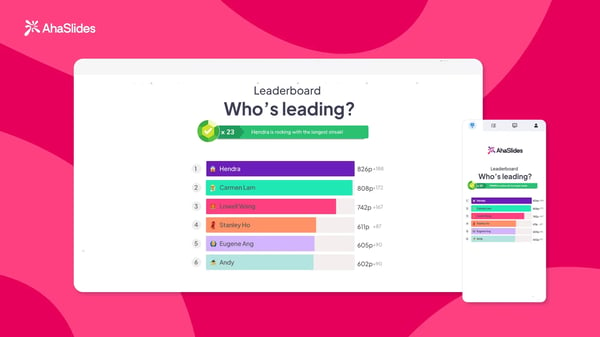
The platform’s integrations also contribute to its appeal. Multiple reviewers praised its compatibility with PowerPoint, Zoom, Google Slides, and other familiar tools. For organizations already relying on classroom management software or virtual learning workflows, those integrations make it easier to introduce engagement without rebuilding existing content.
Several users also highlighted the reporting and feedback capabilities. Real-time responses, participation data, and engagement metrics help presenters understand how audiences interact with the material while sessions are still underway. In that sense, AhaSlides often complements broader assessment software by helping educators and trainers gather immediate learning signals during presentations.
One aspect that stood out in the newer reviews was the growing role of AI-assisted content creation. Users cited ChatGPT integration and AI-generated question support as useful ways to create quizzes and interactive activities more quickly. While AhaSlides is not primarily designed around learning tools with active recall and flashcard systems proven to boost test performance, its quizzes, polls, and knowledge checks still encourage active participation that can reinforce learning outcomes.
The satisfaction signals support that positioning. AhaSlides holds a 4.7 out of 5 rating based on 332 reviews, with 100% of users rating it 4 or 5 stars and 95% saying they would recommend it. Those numbers suggest strong confidence among users who prioritize engagement-driven learning experiences.
AhaSlides delivers its strongest value when participation is central to the learning experience. Users running highly customized presentations occasionally mentioned wanting additional design flexibility, animation controls, or presentation-formatting options. For most educational and training environments, however, the available customization appears sufficient for day-to-day use.
Some G2 reviewers also noted that live audience experiences depend on reliable connectivity and participant access. Those considerations were most relevant for larger in-person events or presentation-heavy environments rather than standard classroom and workshop settings.
The G2 reviews suggest that AhaSlides isn’t competing on presentation design alone. Its value lies in helping presenters create moments of participation that would otherwise be difficult to achieve with traditional slide decks. For educators, trainers, and facilitators who want audiences to actively contribute rather than passively consume information, the platform consistently fosters the kind of interaction that keeps learning sessions memorable.
What I like about AhaSlides:
- Based on the G2 reviews I analyzed, AhaSlides excels at blending presentation delivery with audience participation, making it easier to keep learners engaged throughout a session.
- The G2 feedback consistently highlights the combination of templates, integrations, quizzes, polls, and real-time feedback as an effective way to create interactive learning experiences without significant preparation time.
What G2 users like about AhaSlides:
“As a university professor in the field of medical therapeutics, AhaSlides has transformed the way I develop my practical classes, turning them into truly participatory spaces. What I value most is its ability to shift from traditional teaching to constant interaction with students: I use real-time clinical quizzes to discuss therapeutic decisions and surveys to explore different diagnostic approaches. The interface is simple and intuitive, allowing me to quickly create these activities through templates and direct editing, thus saving a significant amount of time each week.”
– AhaSlides review, Gino P.
What I dislike about AhaSlides:
- Presentation customization is a recurring theme in G2 reviews, with some users seeking greater flexibility for advanced slide designs, visual effects, and formatting controls.
- Live session management also appears throughout G2 feedback, where reviewers note that larger workshops and audience-driven presentations benefit from reliable participant access and stable internet connectivity.
What G2 users dislike about AhaSlides:
“The only downside is the QR code to scan. It can be small for people who are in the back of the room. I’ve printed out QR codes on table-tents and encourage people to sign into the slides on their way into the room; there are great workarounds. Also, if the internet is slow/not available, the slides won’t work. I have to inquire with the room host if the internet is available and if it’s ok to use it for bigger workshops, so I don’t tie up the internet for the entire building. Overall, not a huge issue, just something I need to be aware of for in-person events.”
– AhaSlides review, Adrianna M.
AhaSlides succeeds because participation feels like part of the learning experience rather than an interruption to it. If you’re looking for additional ways to increase engagement, these gamification examples offer practical ideas for turning lessons, workshops, and training sessions into more interactive experiences.
5. Quizlet: Best for self-paced exam preparation across subjects
Not every learner studies the same way, and that’s where Quizlet separates itself from many study tools. As I reviewed G2 feedback, I found users relying on the platform for very different goals: preparing for certification exams, reviewing classroom material, practicing vocabulary, reinforcing textbook concepts, and building study resources for students. The common thread wasn’t a specific feature. It was flexibility.
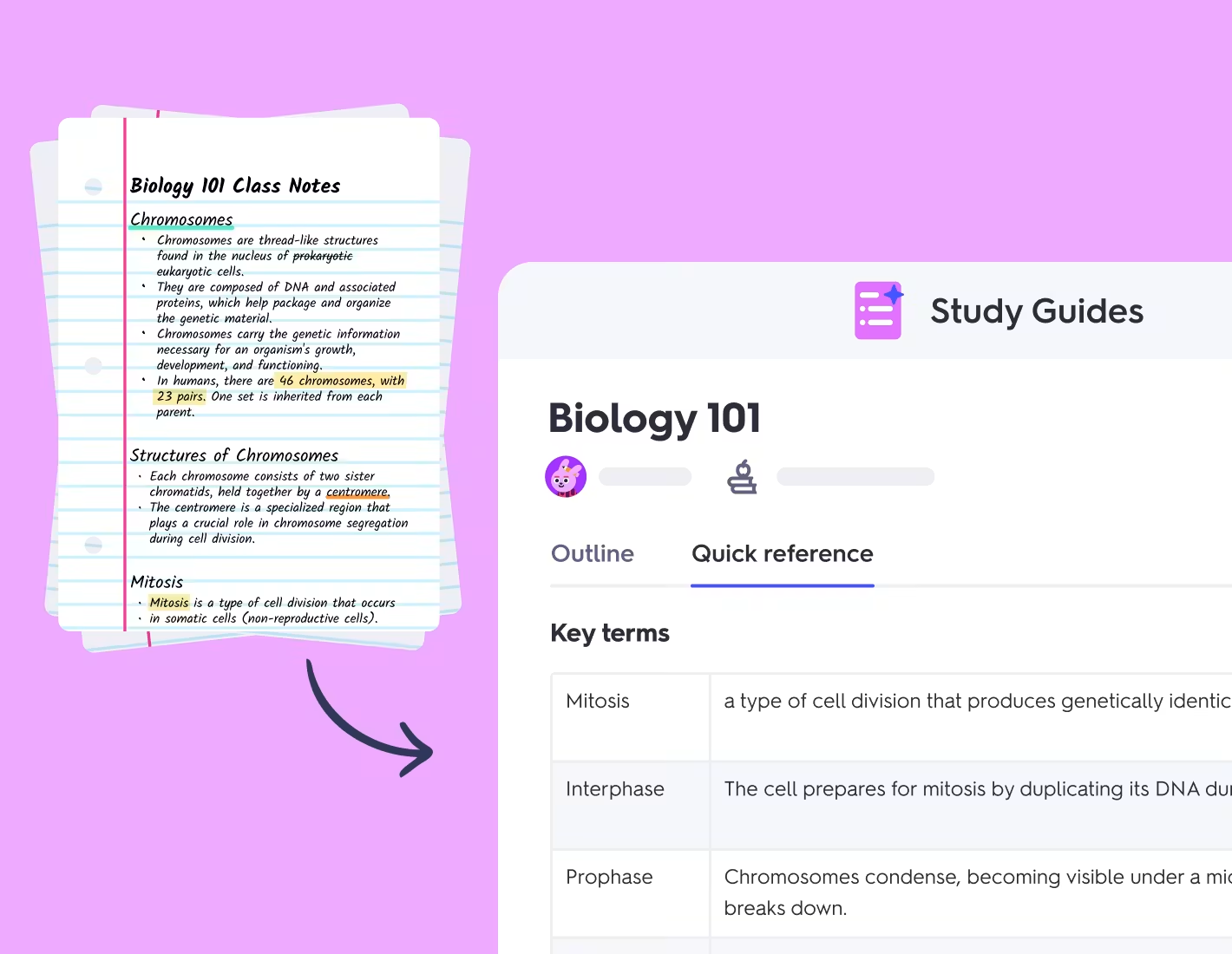
That flexibility starts with Quizlet’s study ecosystem. Flashcards remain the foundation, but users regularly cited practice tests, self-quizzing activities, matching exercises, and guided learning modes as reasons they continue to return to the platform. Instead of forcing learners into a single workflow, Quizlet allows them to study the same material through multiple formats.
I also noticed how often reviewers discussed convenience. The ability to create custom study sets, access existing materials, and quickly organize content appeared throughout the feedback. Several educators highlighted how easily they could build resources for students, while learners appreciated being able to move between subjects without constantly changing tools.
The content library plays a major role in that experience. Many reviewers reported finding pre-built study materials covering academic courses, professional certifications, language learning, and exam preparation. For buyers evaluating which learning software integrates with course materials from popular textbooks, and for organizations comparing vendors, Quizlet’s extensive collection of user-generated and instructor-created resources frequently emerged as a differentiator.
Progress tracking surfaced as another recurring theme. Users appreciated being able to identify weaker areas, monitor improvement, and revisit concepts that required additional attention. Those capabilities help transform Quizlet from a simple flashcard platform into one of the more comprehensive active learning tools available for self-directed study.
The platform’s accessibility also contributes to its popularity. Quizlet earned a 93% ease of use rating, alongside 91% scores for both ease of setup and ease of admin. Those metrics align closely with feedback describing intuitive navigation and the ability to start studying quickly without significant onboarding.
Another pattern I kept seeing involved continuity in study. Learners frequently described moving between devices, studying in short sessions, and returning to material throughout the day. That usage pattern helps explain why questions around which study platforms work offline and sync across devices without internet access often arise during evaluation. While certain capabilities depend on subscription level, the ability to maintain progress across learning sessions remains a meaningful advantage.
The broader educational ecosystem strengthens that value further. Many organizations combine Quizlet with formal learning programs and coursework, illustrating how LMS training transforms online learning when structured instruction is paired with self-paced reinforcement and review.
Quizlet’s strongest value comes from breadth rather than specialization. Learners looking for highly advanced assessment environments occasionally referenced limitations around specific quiz experiences or content management workflows. Those observations appeared most often among users with more complex instructional requirements.
Subscription access was another recurring consideration. While reviewers consistently viewed the free version as useful, some noted that premium functionality is more relevant to users who rely heavily on the platform for ongoing exam preparation or classroom use.
What emerged from the reviews wasn’t a platform built around a single study philosophy. Instead, Quizlet succeeds because it adapts to many of them. Whether learners are reviewing vocabulary, preparing for exams, reinforcing classroom concepts, or studying independently, the platform continues to earn its place among the best study tools because it accommodates a wide range of learning habits without creating unnecessary barriers.
What I like about Quizlet:
- Based on the G2 reviews I analyzed, Quizlet’s greatest strength is its ability to support multiple study styles without requiring learners to switch platforms as their preparation needs evolve.
- A recurring theme in G2 feedback is the combination of flashcards, practice activities, progress tracking, and extensive content libraries, which reviewers describe as an efficient way to prepare for exams.
What G2 users like about Quizlet:
“I love the variety of quizzes available on Quizlet. There are quizzse that help my students as well as ones that help me!”
– Quizlet review, Becky H.
What I dislike about Quizlet:
- Assessment consistency comes up periodically in G2 reviews, particularly among users who rely heavily on quiz-based study workflows and want a more uniform testing experience.
- As study demands increase, G2 reviewers frequently mention the added value of premium features for learners who use Quizlet as their primary long-term study platform.
What G2 users dislike about Quizlet:
“I have had difficulty in transferring from one set to another. The free version is good, but not easy to integrate with other question sets.”
– Quizlet review, Lisa D.
Quizlet helps learners reinforce and review knowledge independently, but many users also rely on structured learning experiences from online course providers when they need instructor-led content, guided curricula, or certification-focused programs alongside self-paced study.
Best study tools by use case: My quick recommendations
As I analyzed G2 reviews across all five products, it became clear that the best study tools aren’t solving the same problem. Some are built for retention and exam preparation, while others prioritize participation, collaboration, or interactive learning. Those recurring themes made it easier to identify where each platform consistently delivers the most value.
|
Software |
Choose if you need to… |
Why I recommend it |
|
Kahoot! |
|
G2 reviewers repeatedly associated Kahoot! with engagement and participation. It stood out for turning quizzes into interactive experiences that keep learners actively involved rather than passively reviewing material. |
|
Mentimeter |
|
Feedback across G2 consistently highlighted Mentimeter’s interactive presentation capabilities. Polls, Q&A features, and word clouds made it the strongest option for discussion-driven learning environments. |
|
Brainscape |
|
Users on G2 frequently connected Brainscape to stronger retention and recall. Spaced repetition, confidence-based review, and progress tracking surfaced as its most valuable learning advantages. |
|
AhaSlides |
|
The G2 feedback I analyzed consistently emphasized AhaSlides’ ability to blend presentations with participation. Quizzes, polls, and audience interaction tools helped it stand out in learning and training environments. |
|
Quizlet |
|
Patterns across G2 reviews pointed to Quizlet’s flexibility as its biggest strength. Learners regularly highlighted its study modes, content library, and self-paced learning experience across different subjects. |
Frequently asked questions about the best study tools
Have more questions? G2 has the answers.
Q1. Which study platforms work offline and sync across devices without internet access?
Some study platforms support offline access by allowing learners to download materials and continue studying without a connection. The strongest options sync progress across devices once internet access is restored, helping learners maintain continuity wherever they study.
Q2. Which study tools have adaptive algorithms that focus on weak areas students struggle with?
Several of the best study tools use adaptive learning techniques to identify weaker topics and adjust review frequency accordingly. These systems help learners spend more time on concepts they haven’t mastered instead of repeatedly reviewing familiar material.
Q3. Which learning software integrates with course materials from popular textbooks for organizations comparing vendors?
Many study platforms provide access to pre-built content libraries, instructor-created resources, and materials aligned with widely used academic subjects. Buyers should evaluate content availability, customization options, and integration capabilities when comparing study software vendors.
Q4. Are there study tools that actually improve test scores according to peer-reviewed research?
Research consistently supports active recall, spaced repetition, and retrieval-based learning as effective study methods. Study tools that incorporate these approaches can help improve retention and exam readiness when combined with consistent study habits and structured preparation.
Q5. Which study platforms avoid overwhelming features that slow down actual learning progress?
The most effective study platforms balance functionality with usability. Rather than offering every possible feature, they prioritize intuitive workflows, streamlined navigation, and focused study experiences that help learners spend more time learning and less time managing software.
Q6. What are the highest-rated study tools for students improving retention and exam performance?
The highest-rated study tools often combine progress tracking, active recall, adaptive review, and flexible study modes. According to G2 reviews, learners frequently value platforms that help them reinforce knowledge while preparing efficiently for assessments.
Q7. What are the most trusted study platforms by students based on user reviews?
Trusted study platforms typically earn strong satisfaction ratings through reliability, ease of use, content quality, and consistent learning outcomes. G2 reviewers frequently highlight tools that help them study efficiently while supporting long-term knowledge retention.
Q8. What are the best study tools for improving retention through spaced repetition techniques?
Spaced repetition is one of the most effective methods for reinforcing memory over time. The best study tools for retention use structured review schedules that reintroduce concepts at strategic intervals to improve recall and reduce forgetting.
Q9. Which study software helps students prepare for exams more efficiently than passive reading?
Study software that incorporates quizzes, flashcards, practice tests, and active recall exercises often provides more effective exam preparation than passive reading alone. These approaches encourage learners to apply knowledge rather than simply review it.
Q10. Which study tools use active recall and flashcard systems proven to boost test performance?
Many of the best study tools incorporate active recall through flashcards, self-testing, and question-based review. These methods encourage learners to retrieve information from memory, strengthening retention and improving readiness for exams and assessments.
Study habits beat study hacks
The most interesting thing I noticed while evaluating these tools is that none of the highest-rated products are promising shortcuts. Brainscape doesn’t guarantee you’ll remember everything. Quizlet doesn’t magically make exam preparation easier. Kahoot!, Mentimeter, and AhaSlides don’t make learning happen automatically.
What they do exceptionally well is reinforce behaviors that good learners already practice. Reviewing information consistently. Testing knowledge instead of rereading notes. Participating instead of passively consuming content. Returning to difficult concepts until they stick.
That’s why the best study tools often feel less like productivity software and more like systems for building better learning habits. The platform matters, but the habit it supports matters even more.
If your study materials are spread across documents, screenshots, PDFs, and browser tabs, organizing them should be the next priority. Explore the best note-taking apps to create a central place for capturing, connecting, and revisiting what you learn.
[ad_2]
Source_link