More than once, Leonardo threw up a generic error pop-up with no explanation of how to fix the problem. You’re forced to dismiss the message before doing anything else, which feels like hitting a dead end before trying to troubleshoot yourself or looking up the error code in Leonardo.
Connectivity, luckily, is super simple and seamless. The Romeo connects to your computer over Wi-Fi instead of Bluetooth, which sounds like a minor detail until you’ve wrestled with the quirks that Bluetooth can sometimes pose (looking at you, Design Space). During my testing of the Explore 5, I’d occasionally lose my Bluetooth connection, requiring me to disconnect the machine from my computer, reconnect, and try again. I’m not sure if that’s a Design Space issue or my laptop juggling too many Bluetooth devices, but it can be a headache. Through my testing, I never once had the Romeo machine unexpectedly disconnect.
Making Space
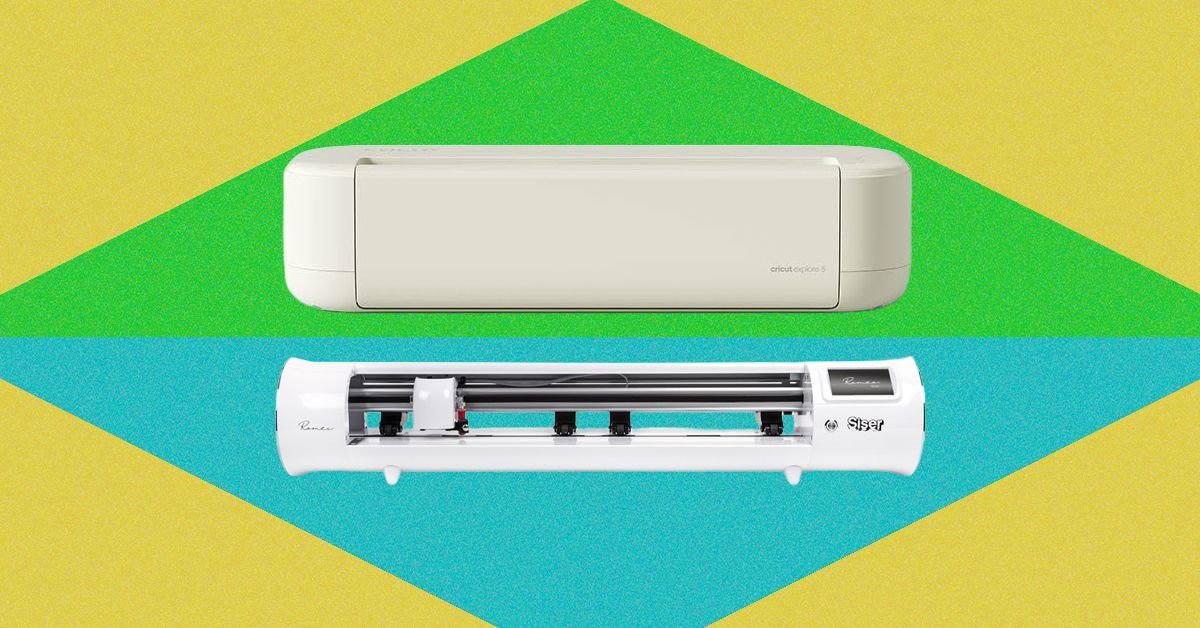
There’s no getting around it: The Romeo is big—it’s got twice the cutting width of the Explore 5. It’s not the type of machine that sits easily on a closet shelf when you’re not using it. Most people will want to dedicate a table to it. That’s not necessarily a downside, but it’s intended to exist like a permanent fixture in your workspace. (And remember to account for clearance behind the machine, since materials feed through the rear!). But it is sturdy and built well; it never shifted on the table while cutting, there was very little vibration, the carriage moved seamlessly with no rattles, and nothing flexed or creaked.
Its open design is another trade-off. Unlike the Explore 5, which folds up, everything stays exposed on the Romeo. I haven’t noticed any buildup yet, but I do worry about pet hair and dust getting into the internals, and it’s something that I’ll keep an eye on over time.
When it cuts, the Romeo bleeps and chirps like a dial-up internet, while the Cricut hums and whirs more like an old inkjet printer. Neither is particularly loud, but worth noting if you share a workspace.
Time to Graduate?

Photograph: Nicole Kinning
After spending time with both machines, my biggest takeaway is that the Cricut is designed to remove as many decisions and points of friction as possible. The Romeo hands you the controls and expects you to learn how to use them.