
• About Us
  • Disclaimer
  • Contact Us
  • Privacy Policy
Tuesday, June 23, 2026
mGrowTech
No Result
View All Result
  • Technology And Software
    • Account Based Marketing
    • Channel Marketing
    • Marketing Automation
      • Al, Analytics and Automation
      • Ad Management
  • Digital Marketing
    • Social Media Management
    • Google Marketing
  • Direct Marketing
    • Brand Management
    • Marketing Attribution and Consulting
  • Mobile Marketing
  • Event Management
  • PR Solutions
  • Technology And Software
    • Account Based Marketing
    • Channel Marketing
    • Marketing Automation
      • Al, Analytics and Automation
      • Ad Management
  • Digital Marketing
    • Social Media Management
    • Google Marketing
  • Direct Marketing
    • Brand Management
    • Marketing Attribution and Consulting
  • Mobile Marketing
  • Event Management
  • PR Solutions
No Result
View All Result
mGrowTech
No Result
View All Result
Home Google Marketing

Google Search history now shows media you upload, how to disable

Josh by Josh
June 23, 2026
in Google Marketing
0
Google Search history now shows media you upload, how to disable


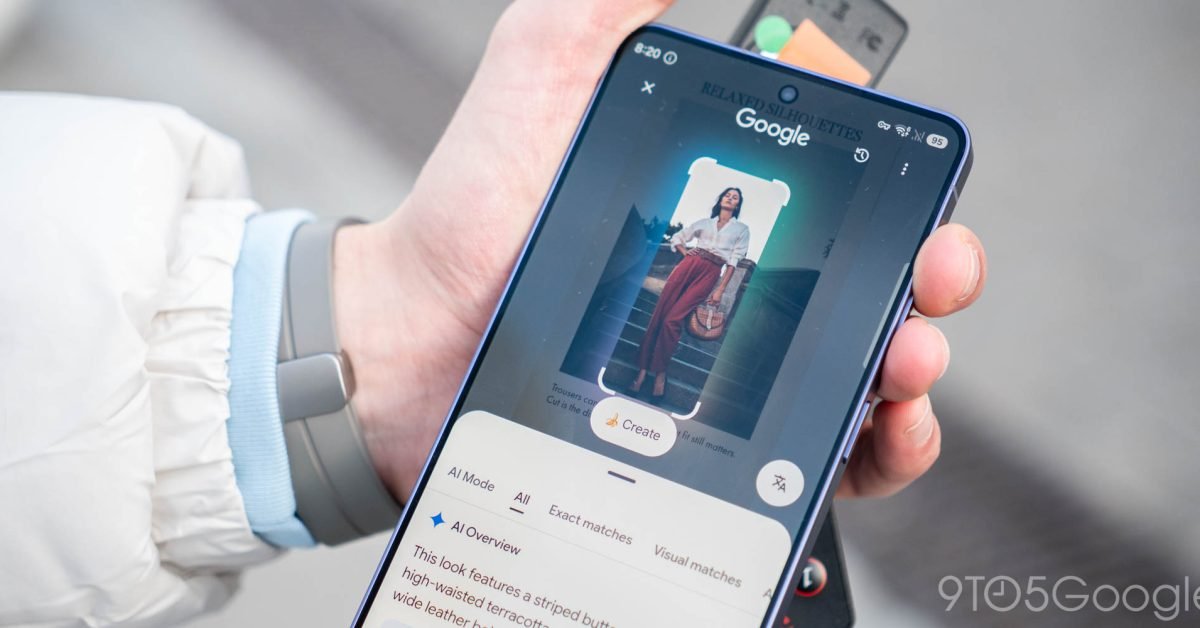
Google says it’s saving files and media uploaded during searches in user search history to train AI and improve the experience after announcing the change last month. Search history will include pictures, screenshots taken with Circle to Search, and audio files used in voice searches, but you can disable that.

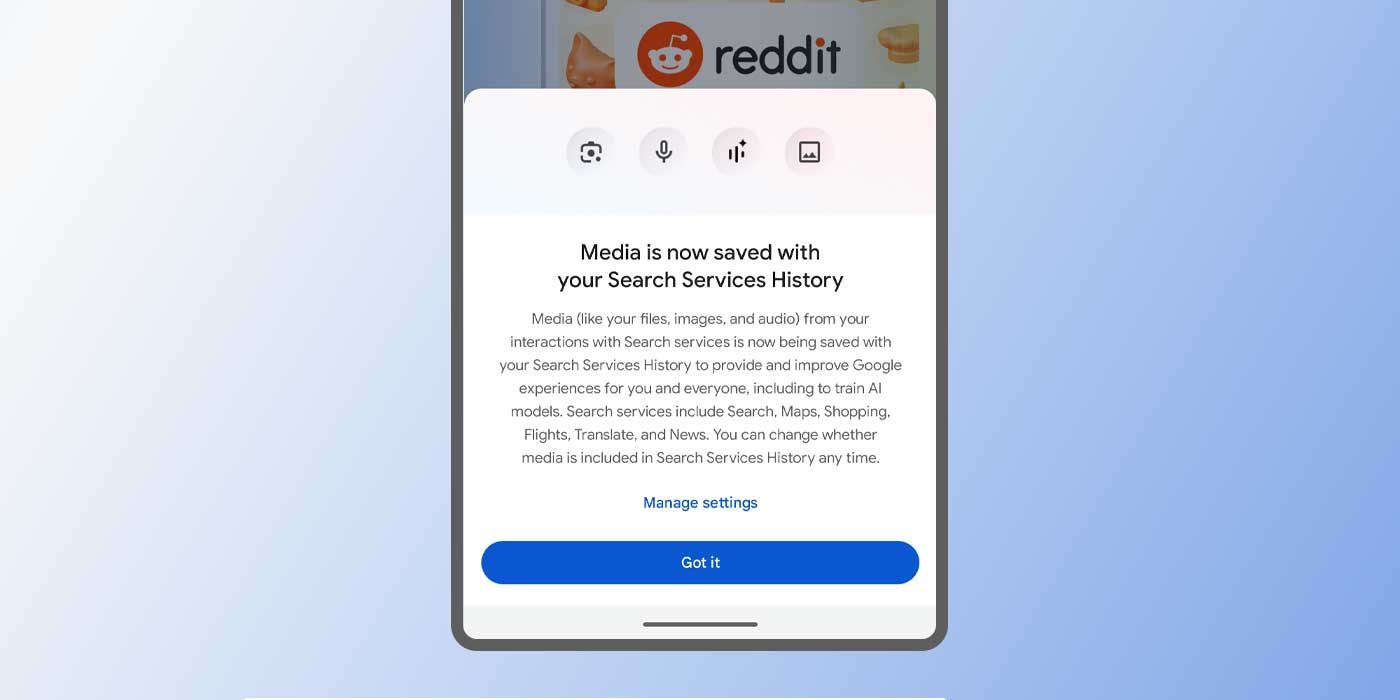
You may have seen a new pop-up appear while using one of Google’s search tools in Android. In our case, a card appeared during a routine Circle to Search interaction. The message states that any media used in Google Search interactions is now saved in the user’s Search Services History.

We covered this announcement in May, though it seems some are now seeing a new message explaining Google’s new Search Services policy.
READ ALSO

Google expands financial advertiser verification in Europe

Google invests in A24 to build AI movie tools

Of the main media types Google intends to keep on hand, it lists files, images, and audio. One can assume this includes screenshots used in Circle to Search or Google Lens, considering this showed up after initiating the feature on a Pixel 10 Pro XL.

Advertisement – scroll for more content

Whatever is visible on the screen is stored as a screenshot and saved in your Google Search media history. The same goes for audio used with Google Translate, pictures in Google Lens, or when identifying songs – a feature famously on-device only.

Google notes these files are now saved in Search Services History to “provide and improve Google experiences for you and everyone.” The sentiment finishes off with the intention to train AI models using the data collected, and that it will be stored for “up to 4 years.”

More information is available through Google’s official help page.

Your saved media in your Search Services History is used to tailor your Google experiences. For example, you can revisit your last Lens searches or continue a Live conversation about a song you heard.

Google uses AI models and other technologies to process your media and respond to you when you use features that rely on voice, audio, images, or files. This includes actions like when you search with your camera, ask a question by voice, or upload a document for translation.

Google also uses your saved media to develop and improve technologies that understand the world the way you do, like the AI models that power features like:

  • AI Mode
  • Lens
  • Translate
  • Search Live
  • Voice and audio search

There is a way to turn off the “save media” option in Google’s Search Services History. When that window appears, users can tap “Manage Settings” to see the full disclaimer. The bottom of that page has a button to disable the function. The downside to doing so is a potential lapse in Gemini’s memory. For example, you may not be able to ask about songs you previously tried to identify.

Alternatively, you can do the following:

  1. Head to myactivity.google.com.
  2. Click Search Services History.
  3. Next to Save media, uncheck the box to turn the feature off.
    • Note: There’s also an option to set an auto-delete rule set and manually delete media saved previously.

If that box is left checked, Google will continue to use uploaded data for AI training, mainly. The company notes that data can make speech recognition more accurate and improve other models through Android and Google’s ecosystem.

However, disabling that feature means your uploaded images won’t be stored at all. In a way, the new policy is a little more reassuring that users have control over whether media is saved, as well as the option to delete without erasing an entire history of text data.


Add 9to5Google as a preferred source on Google

FTC: We use income earning auto affiliate links. More.



Source_link

Related Posts

Google expands financial advertiser verification in Europe
Google Marketing

Google expands financial advertiser verification in Europe

June 23, 2026
Google invests in A24 to build AI movie tools
Google Marketing

Google invests in A24 to build AI movie tools

June 22, 2026
Measuring What Matters with Jules
Google Marketing

Measuring What Matters with Jules

June 22, 2026
Georgia is now on Street View
Google Marketing

Georgia is now on Street View

June 22, 2026
Wear OS 7 makes your smartwatch even smarter
Google Marketing

Wear OS 7 makes your smartwatch even smarter

June 22, 2026
How Google and YouTube can help families manage screen time
Google Marketing

How Google and YouTube can help families manage screen time

June 21, 2026
Next Post
How To Streamline Your Invoicing Process The Right Way

How To Streamline Your Invoicing Process The Right Way

POPULAR NEWS

Trump ends trade talks with Canada over a digital services tax

Trump ends trade talks with Canada over a digital services tax

June 28, 2025
15 Trending Songs on TikTok in 2025 (+ How to Use Them)

15 Trending Songs on TikTok in 2025 (+ How to Use Them)

June 18, 2025
Communication Effectiveness Skills For Business Leaders

Communication Effectiveness Skills For Business Leaders

June 10, 2025
App Development Cost in Singapore: Pricing Breakdown & Insights

App Development Cost in Singapore: Pricing Breakdown & Insights

June 22, 2025
Comparing the Top 7 Large Language Models LLMs/Systems for Coding in 2025

Comparing the Top 7 Large Language Models LLMs/Systems for Coding in 2025

November 4, 2025

EDITOR'S PICK

Canada invests in 23 Canadian creative companies to help them reach global success

Canada invests in 23 Canadian creative companies to help them reach global success

December 5, 2025
Grow a Garden Golden Peach Wiki

Grow a Garden Golden Peach Wiki

September 18, 2025
Why Site Health Is Vital For AI Search Visibility

Why Site Health Is Vital For AI Search Visibility

August 2, 2025
Valve is welcoming Android games into Steam

Valve is welcoming Android games into Steam

November 13, 2025

About

We bring you the best Premium WordPress Themes that perfect for news, magazine, personal blog, etc. Check our landing page for details.

Follow us

Categories

  • Account Based Marketing
  • Ad Management
  • Al, Analytics and Automation
  • Brand Management
  • Channel Marketing
  • Digital Marketing
  • Direct Marketing
  • Event Management
  • Google Marketing
  • Marketing Attribution and Consulting
  • Marketing Automation
  • Mobile Marketing
  • PR Solutions
  • Social Media Management
  • Technology And Software
  • Uncategorized

Recent Posts

  • How to Create Interactive In-App Templates With Merlin AI In-App Template Generator
  • Israel Ranks #1 in the World for AI Adoption Per Capita; 95% of Israeli Tech Workers Now Use AI Daily, Joint 5WPR-Louder Study Finds
  • 150+ Instagram username ideas for 2026 (+ AI generator)
  • The Antichrist and Trump: An old evangelical Christian idea is politics now.
  • About Us
  • Disclaimer
  • Contact Us
  • Privacy Policy
No Result
View All Result
  • Technology And Software
    • Account Based Marketing
    • Channel Marketing
    • Marketing Automation
      • Al, Analytics and Automation
      • Ad Management
  • Digital Marketing
    • Social Media Management
    • Google Marketing
  • Direct Marketing
    • Brand Management
    • Marketing Attribution and Consulting
  • Mobile Marketing
  • Event Management
  • PR Solutions