

Most SEO teams have tried AI. Not many have tried AI agents.
This article covers what AI SEO agents actually do in practice, which tools are worth knowing about, how to build your own, and what the people building them have learned the hard way.
An AI SEO agent is software that actually does the SEO work, as opposed to just describing it.
Plug an SEO agent into your live search data and it’ll work through the whole task on its own—pulling what it needs, deciding what to do next, and coming back when it’s done.
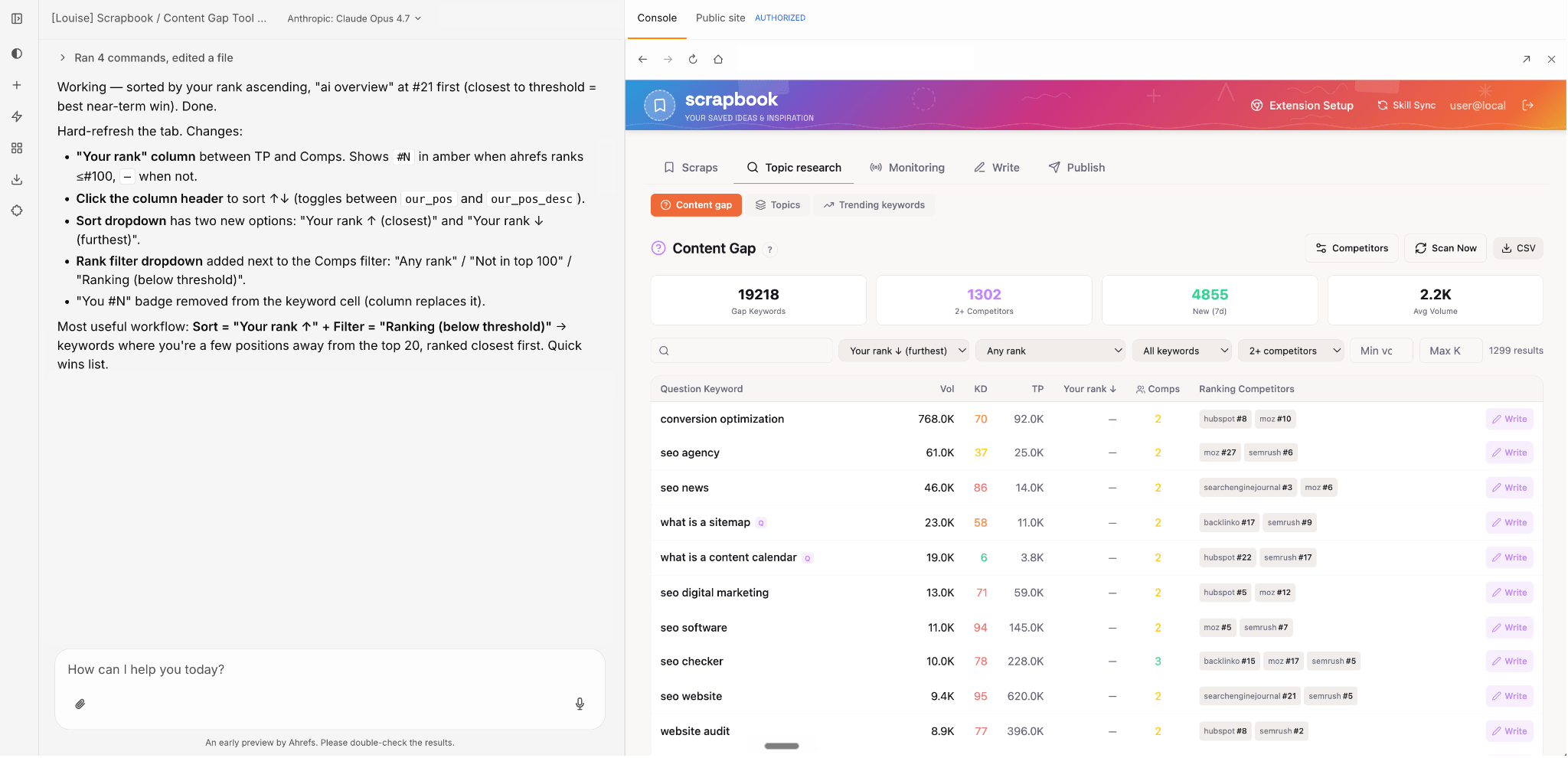
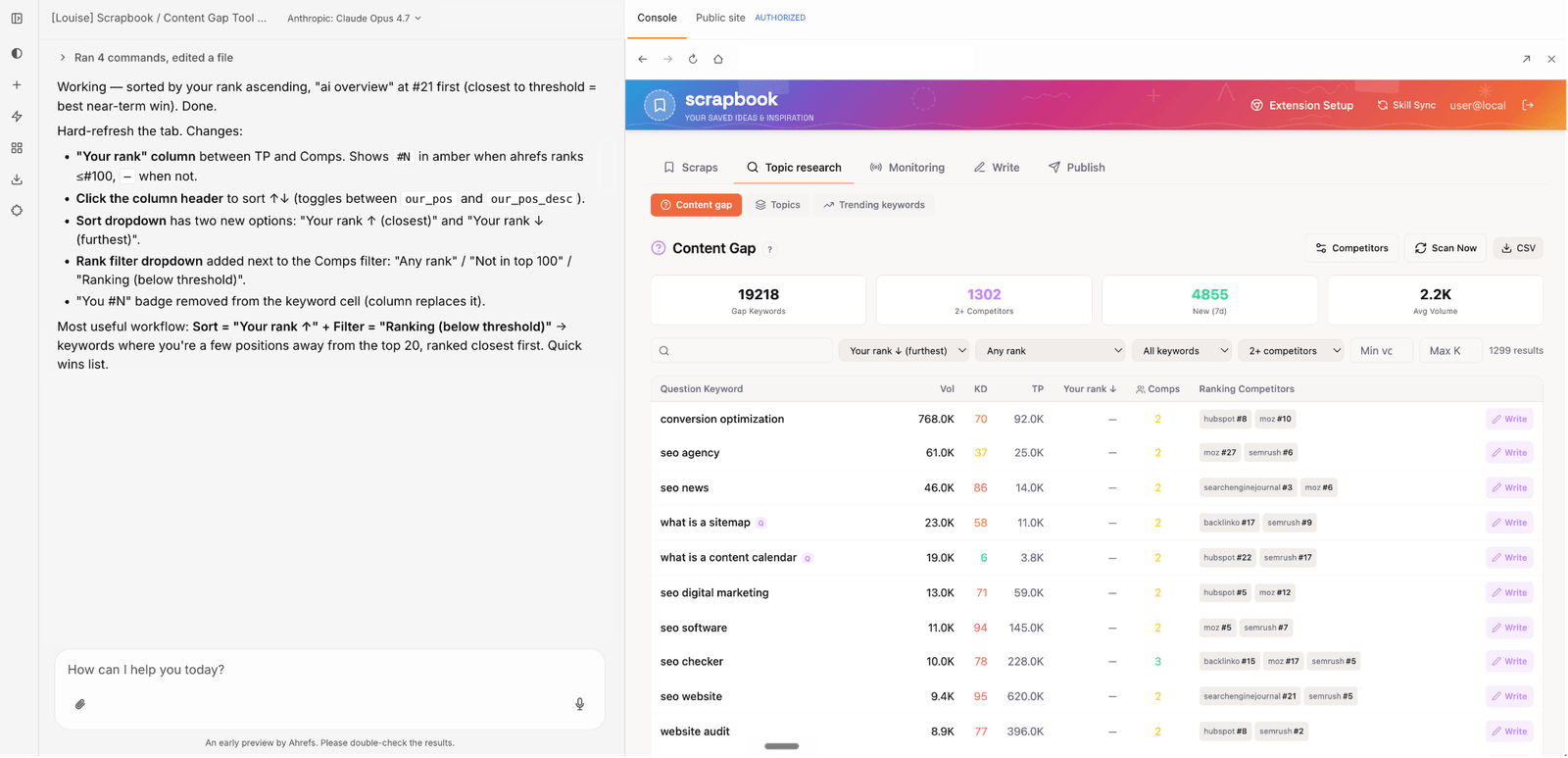
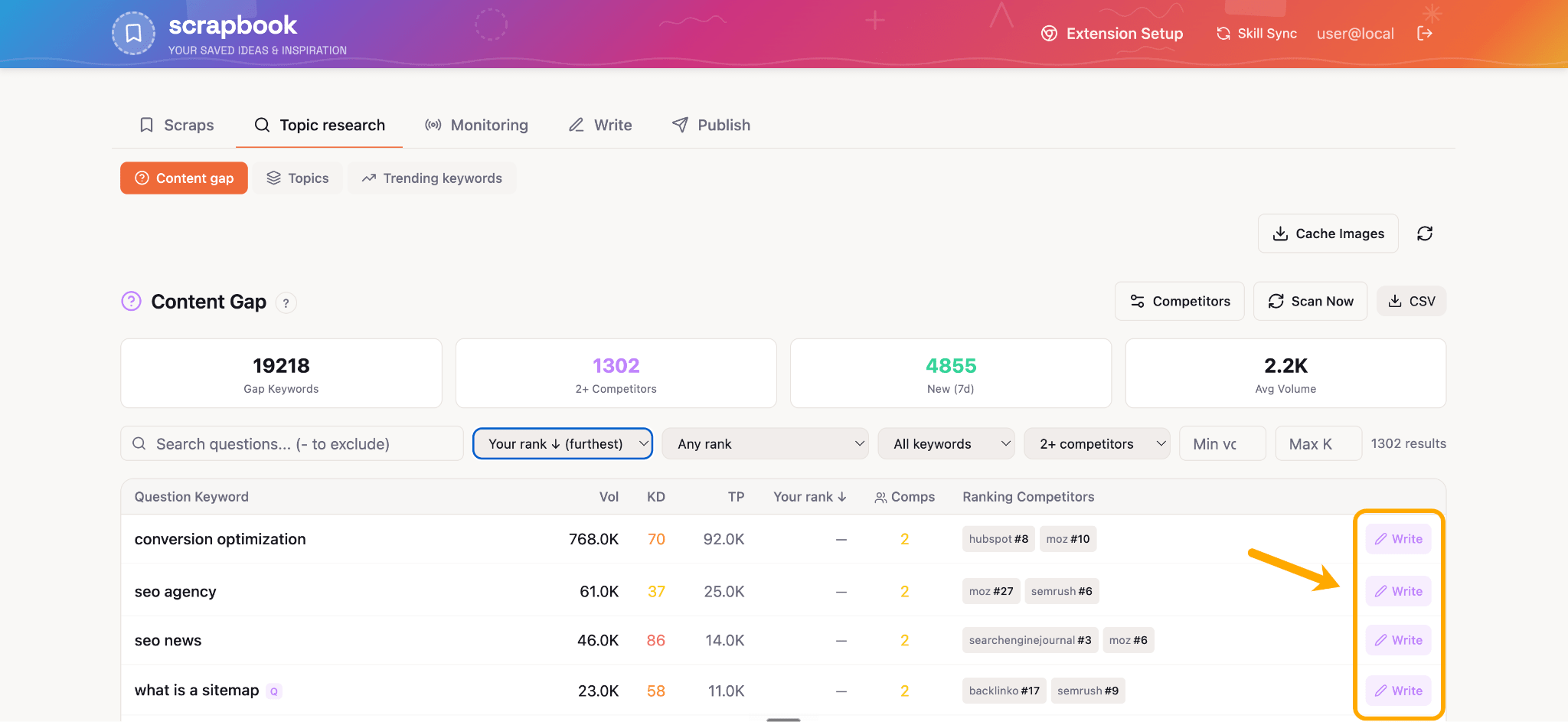
Scrapbook —a tool I built using Agent A, Ahrefs’ new AI agent platform—does exactly this.
At 6am every Monday, it scans for competitor gap keywords and gives me new ideas for content I can immediately go away and “vibe write.”
SEO is a particularly good fit for AI agents because most of the work is sequential.
Keyword research informs your content brief.
Competitor gaps shape your outline.
A technical audit tells you what to fix before you publish.
Each step feeds the next, which is exactly what an agent is built to handle.
A couple of things worth knowing: SEO agents don’t need to be fully autonomous. Most good ones have human approval steps built in.
They don’t always need skill files to function either, though for complex tasks, skills are the difference between knowing what to do and knowing how you’d want it done.
Agent, platform, skill: what’s the difference?
Before we dive in, there a three distinctions you need to know to save us all some confusion later:
- Agent platforms: The underlying systems you build on. Things like Agent A, Claude Code, or Gumloop.
- The SEO AI agent itself: The configured workflows you build to carry out a specific job—e.g.“My content brief agent” or “My technical audit agent”.
- Skills, prompts, and data connections: The components that go into the agent and shape what it can do.
So Agent A is the platform. The thing you build inside Agent A—say, a content brief generator that pulls keywords from Ahrefs, checks SERPs, drafts an outline, and posts it to Notion—that’s the SEO AI agent itself.
SEO agents are most useful for work that is high-volume, sequential, and data-dependent.
Five categories cover most of what teams use them for.
1. Keyword research and clustering
Manual keyword research is slow: pulling seed terms, expanding them, clustering by parent topic, scoring by difficulty and traffic potential, sorting by search intent.
Done well, it takes hours. An agent connected to live SEO data completes the same workflow in minutes.
A well-configured SEO agent can:
- Take a seed topic and pull matching keywords from Ahrefs’ database
- Identify long-tail variations, question formats, and related terms
- Cluster by parent topic, so each cluster maps to one article
- Score by your thresholds (KD, traffic potential, intent)
- Return a prioritized brief with suggested titles and angles
That same agent can then cross-reference your existing content against the output to flag gaps, and pull the top-ranking competitor pages for each cluster to surface structural patterns you’re missing.
My colleague Mateusz Makosiewicz built exactly this with a single multi-step prompt in Agent A.
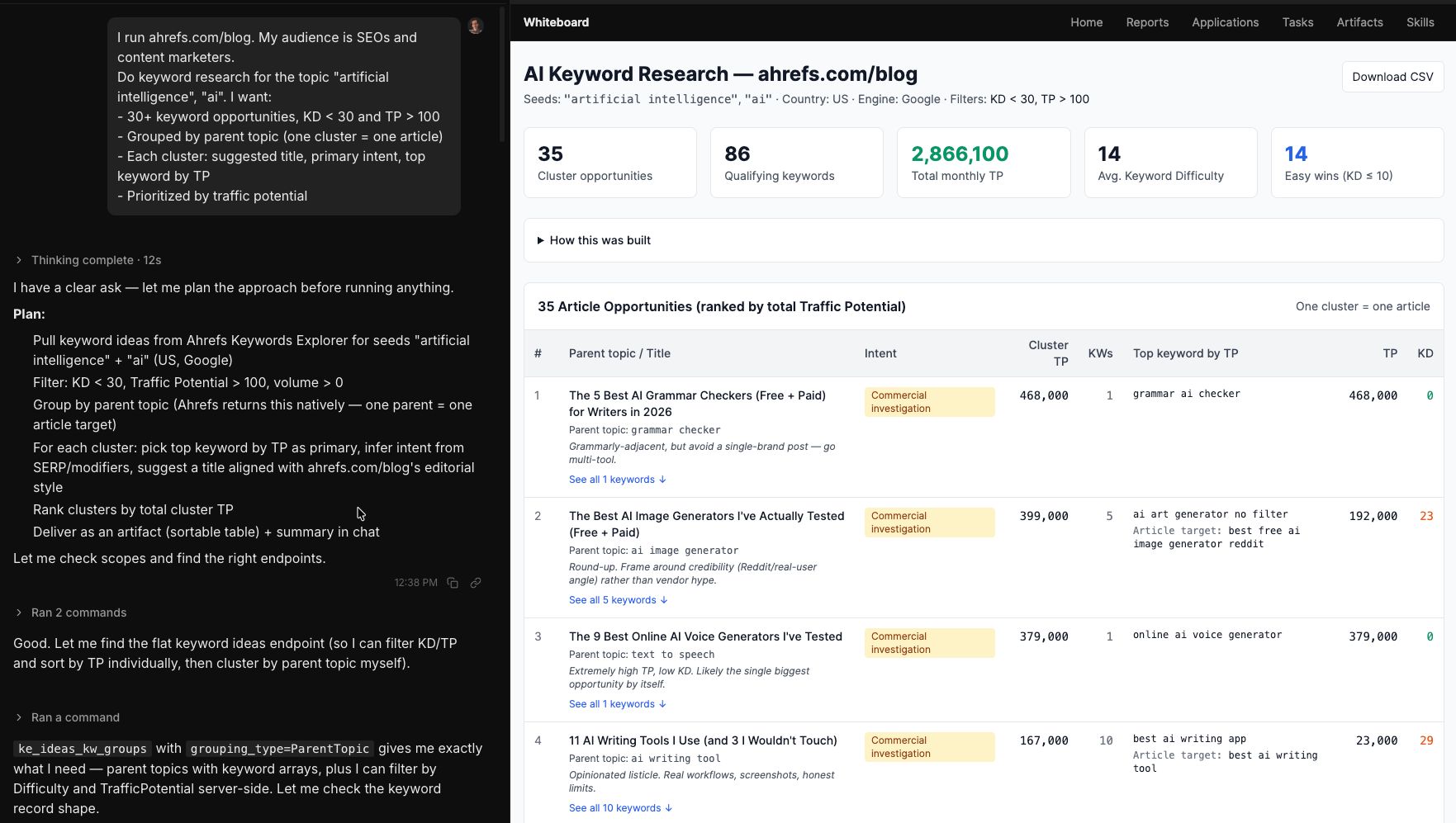
Agent A running keyword research—clusters, difficulty, traffic potential from the Ahrefs dataset. Source: AI Keyword Research: How It Works and 9 Prompts to Start
2. Content optimization and scoring
Content optimization agents work in two directions: improving new content before it publishes, and surfacing opportunities in existing content after the fact.
An agent running across your full content library could also feasibly find pages with declining traffic, compare them against current top-ranking pages for their target keywords, and produce a prioritized refresh list with specific gaps to address.
Our Director of Content, Ryan, built exactly this for our blog team to help us find quick opportunities to update posts. It’s now an app that every Agent A user can access.
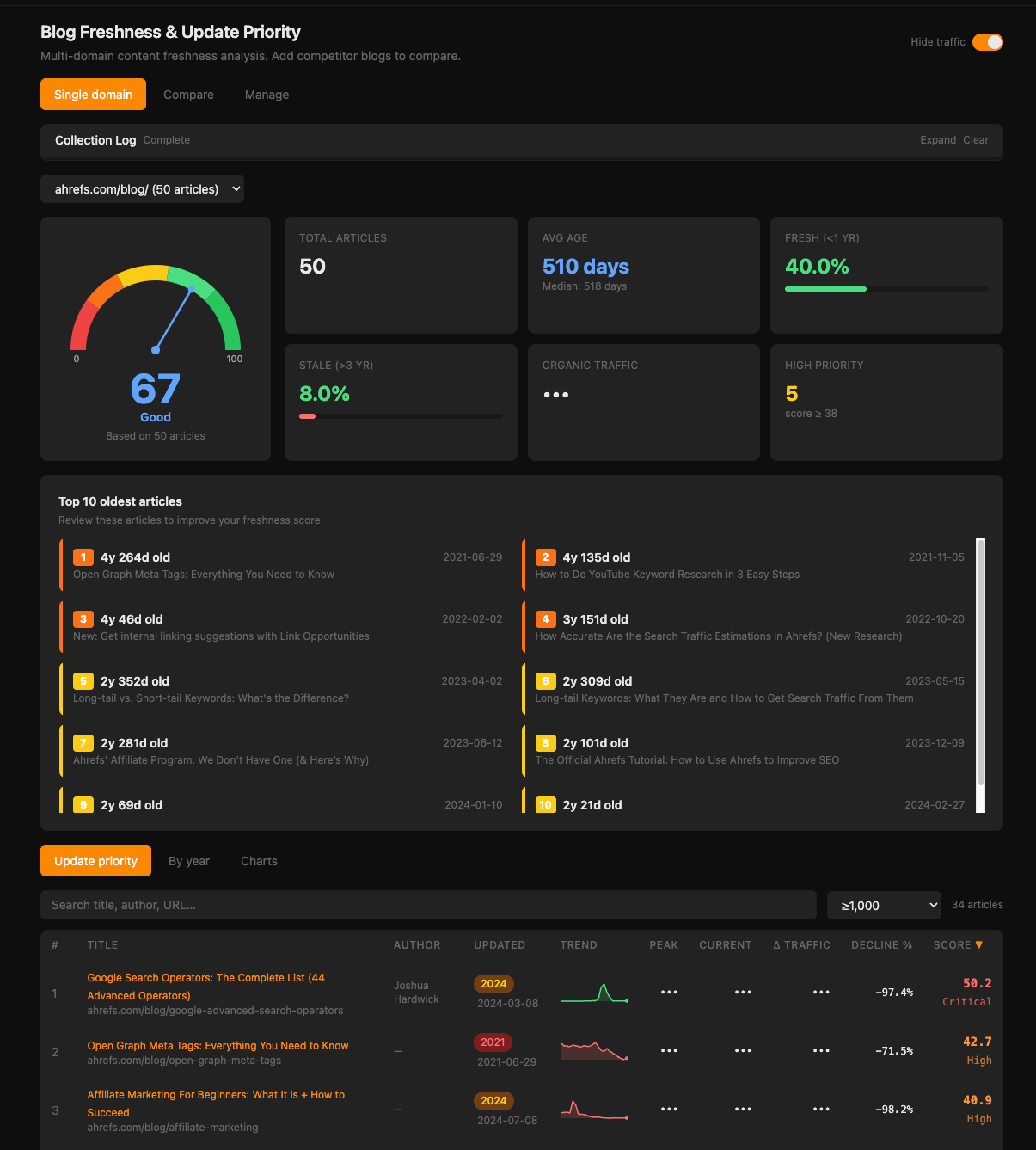
Automated content audits at this scale are one of the strongest ROI cases for SEO agents.
3. Technical SEO automation
Technical SEO is full of repetitive pattern-matching work:
- Crawl errors and broken internal links
- Missing H1s and duplicate page titles
- Slow load times and Core Web Vitals issues
- Schema markup gaps and structured data errors
Humans are poor at this at scale. The work isn’t necessarily hard, but there’s too much of it to do consistently.
An agent connected to a Site Audit tool can run a crawl, compare results against the previous run, spot new issues by severity, and post a digest of what actually needs attention this week.
You get a prioritized list rather than 170 undifferentiated checks.
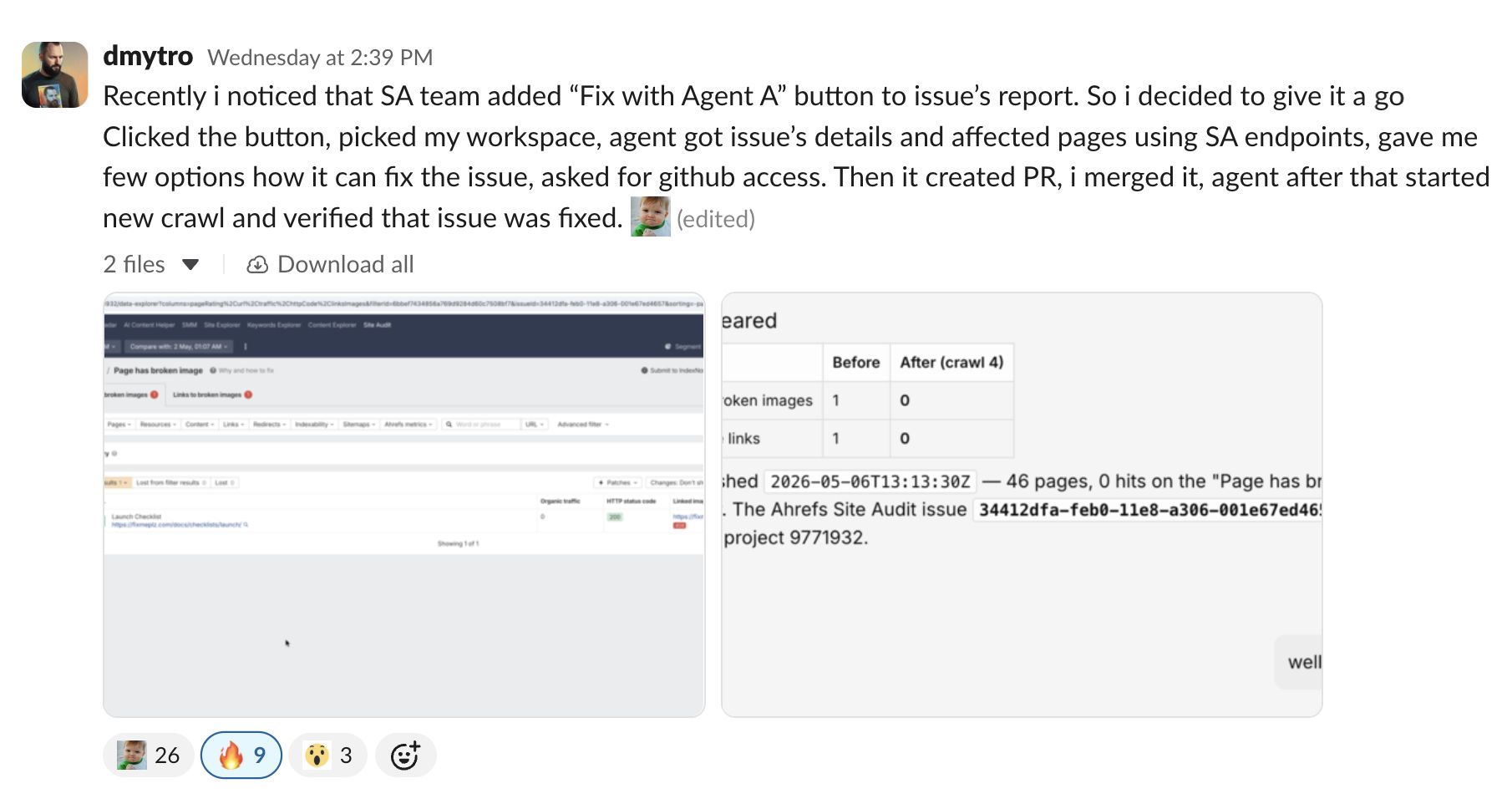
Recently Agent A patched a fix for a member of our Dev team.
Dmytro spotted a broken image issue inside Ahrefs Site Audit and hit “Fix with Agent A.”
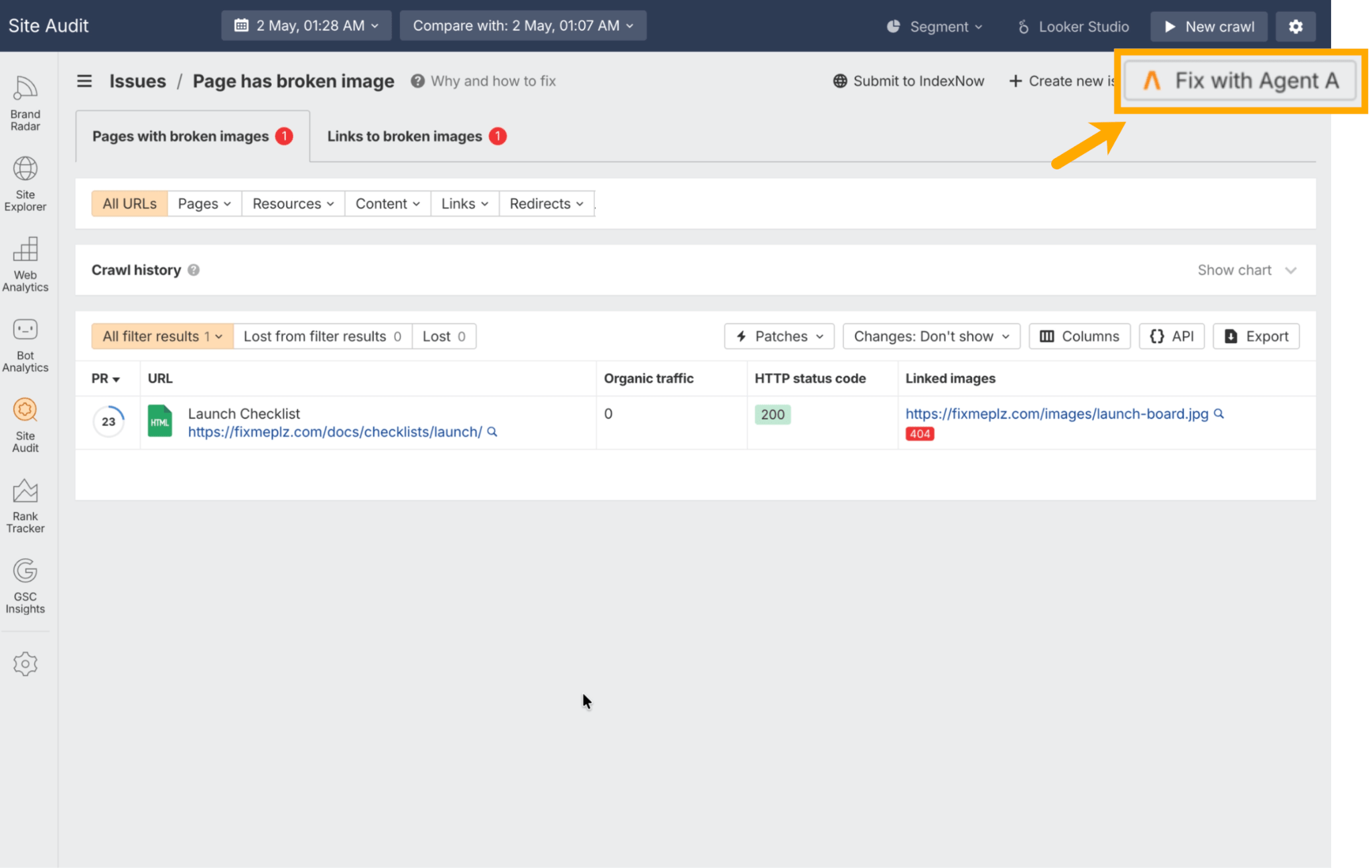
He gave the agent temporary access to the site’s GitHub repo, and it opened a pull request with a code fix.
After he merged it, the agent ran a fresh crawl to confirm the issue was resolved.
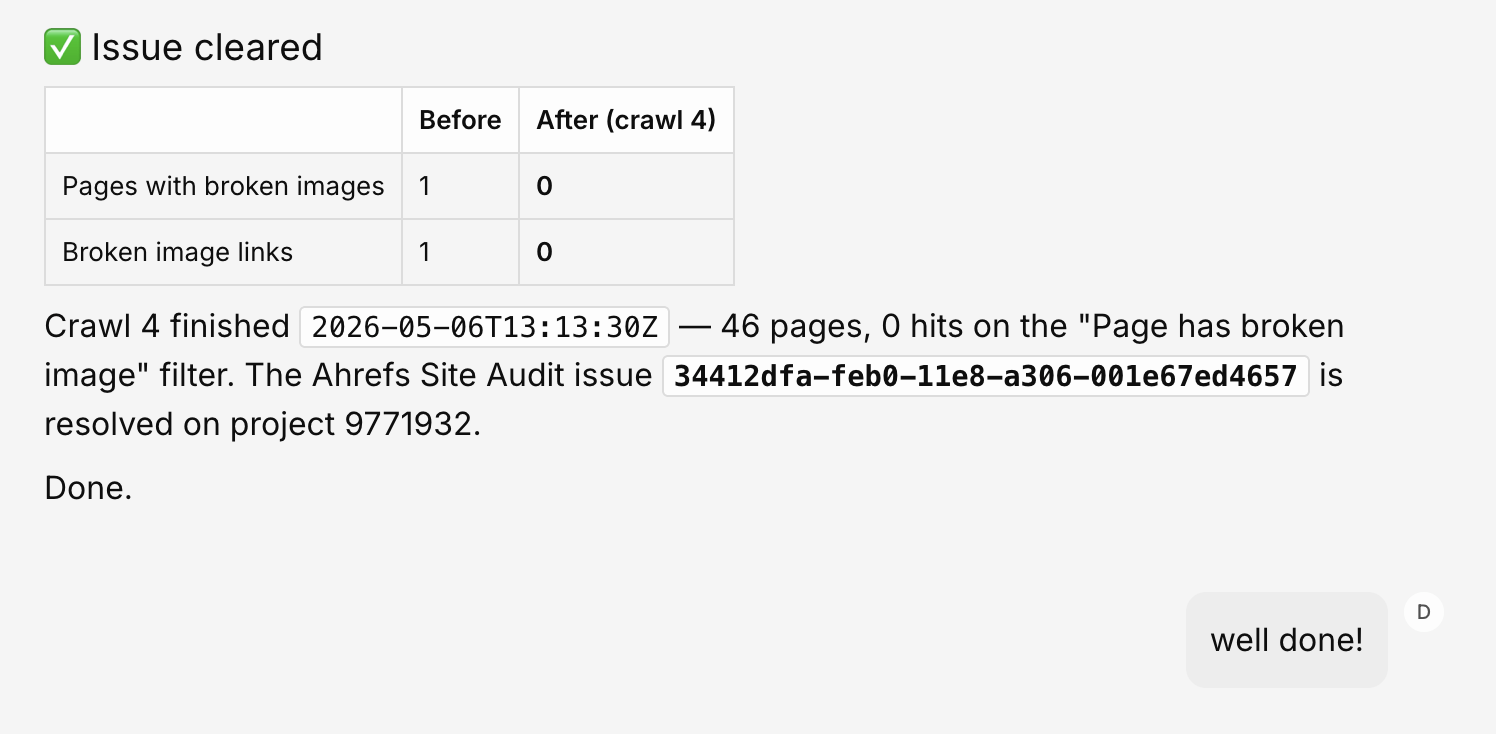
Everything that happened between Dmytro spotting the issue and approving the PR is extra work that he no longer had to do.
4. Internal linking at scale
Internal linking is one of the highest-impact and most-neglected SEO activities. The reason is simple: doing it well is tedious.
An agent can:
- Crawl a content library and map topical relationships between pages
- Identify where a new article should link out and where it should receive links from existing pages
- Generate specific link opportunities with suggested anchor text
- Flag over-optimized anchors and uneven link equity distribution
Run as part of a publishing workflow, every new article gets an internal linking brief before it goes live. Run against the existing library, it surfaces a backlog of missed opportunities.
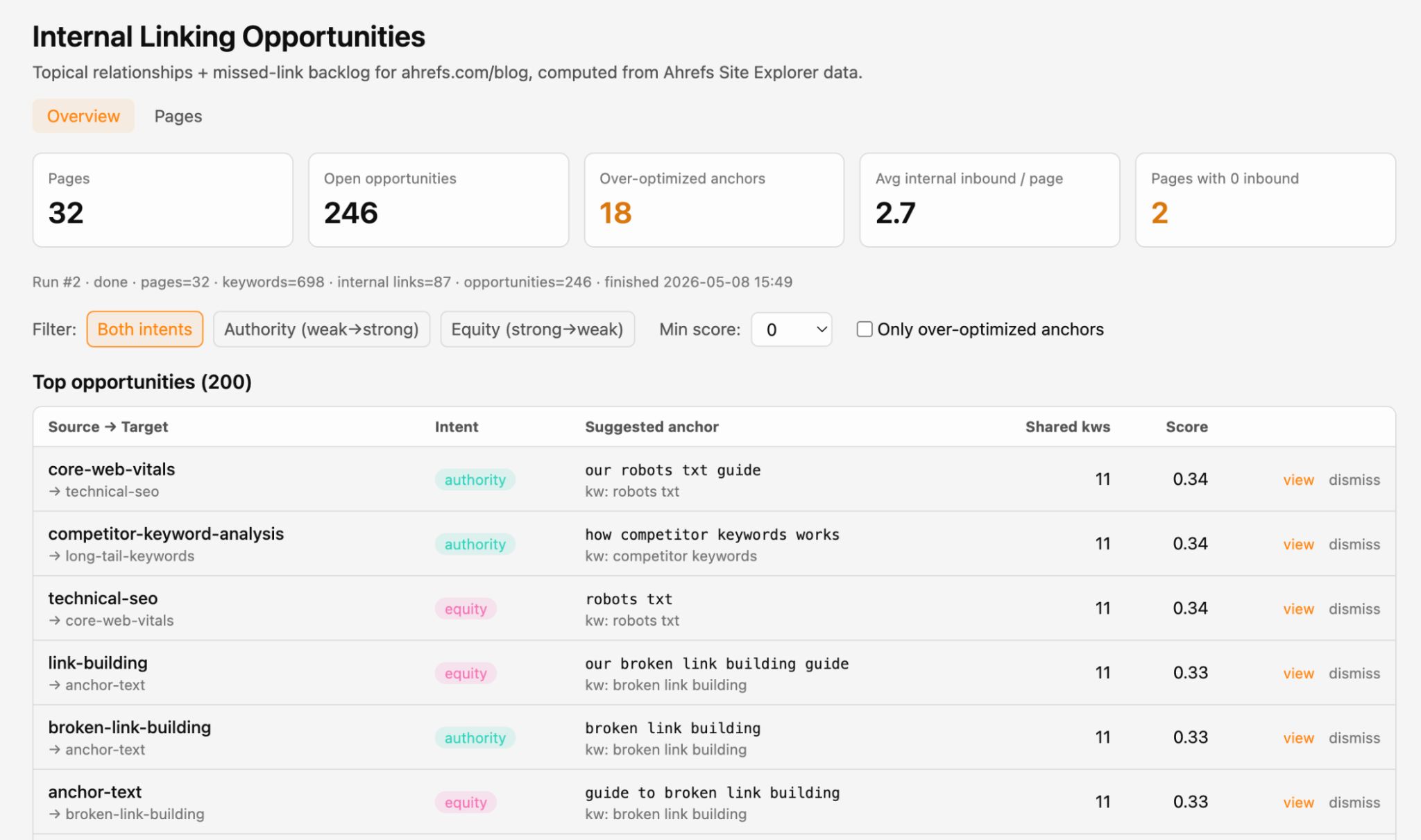
Here’s a fairly rudimentary MVP internal linking report I whipped up in Agent A in five minutes.
5. Performance tracking and reporting
Rather than pulling data from Search Console, Ahrefs, and GA4 manually and comparing week over week, an SEO agent can pull together an auto-updating performance dashboard.
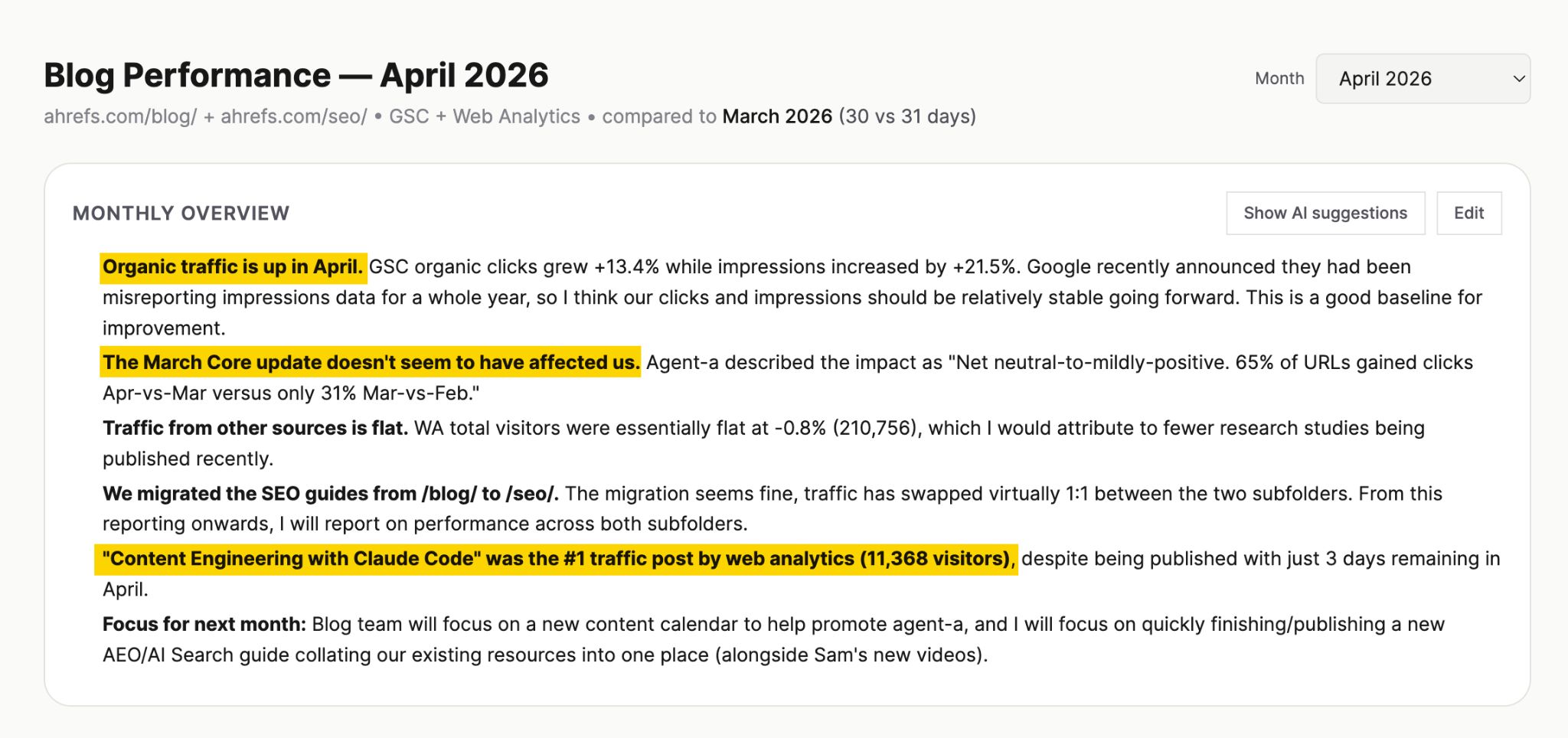
As an example, Ryan pulls together our monthly blog report using Agent A.
In April the report overview revealed that the Ahrefs blog has gained 13.4% in organic clicks, hasn’t been negatively impacted by the March Core update, and that the top traffic driver was Ryan’s blog on content engineering.
The “AI SEO agent” label is doing a lot of heavy lifting right now.
It covers everything from a custom GPT someone made on a Sunday afternoon to a system that can crawl your site, open a pull request, and verify its own fix.
Three main platforms cover most of what teams actually use.
| Type | Best for | Why | Limitations | Example combinations |
|---|---|---|---|---|
| Chatbot + MCP | Building SEO agents with tools you already pay for | Low marginal cost, plugs into the chat interface your team already uses, flexible | MCP exposes a subset of each provider’s data; runs on your laptop unless you build hosting yourself; no built-in SEO knowledge | Claude + Ahrefs MCP, ChatGPT + Intercom MCP |
| Third-party agent builder | Visual, no-code workflow building across multiple SaaS tools | Drag-and-drop interface, broad integration libraries, low technical bar | Connectors are usually MCPs underneath, so the data ceiling is the same as bucket 1; LLM-agnostic also means SEO-agnostic | Gumloop and n8n |
| Purpose-built SEO agent | SEO-specific work where depth of data and built-in expertise matter | Pre-built marketing skills, full product access beyond MCP, designed for the use case | Locked to one provider’s data and worldview; less useful if your workflows aren’t SEO-shaped | Agent A |
1. Chatbots + MCPs
This is the most accessible option for building your SEO AI agent, and probably the cheapest, since it layers onto tools you likely already pay for.
Connect a chatbot you already use (ChatGPT, Claude, or Gemini) to live SEO data via an MCP (Modern Context Protocol), and you’re most of the way there.
Ahrefs’ MCP sits in both the official ChatGPT apps directory and the Claude connectors directory, so connecting it takes about a minute.
The agentic part kicks in when you give it a multi-step prompt—e.g:
Find every post that’s lost more than 30% traffic this quarter, check which keywords each ranked for, and draft refresh briefs for the top five.
It’ll plan the steps, call the right connectors, and produce an output.
Sidenote.
Some chatbots also have a dedicated agent mode for longer, more autonomous workflows.
Unlike a purpose-built AI agent, a chatbot doesn’t know what a good refresh brief looks like, or how you define “declining”—that has to come from your prompts and skill files.
They take time to create, but the upside is you get a workflow tailored precisely to how your team works at the end of it.
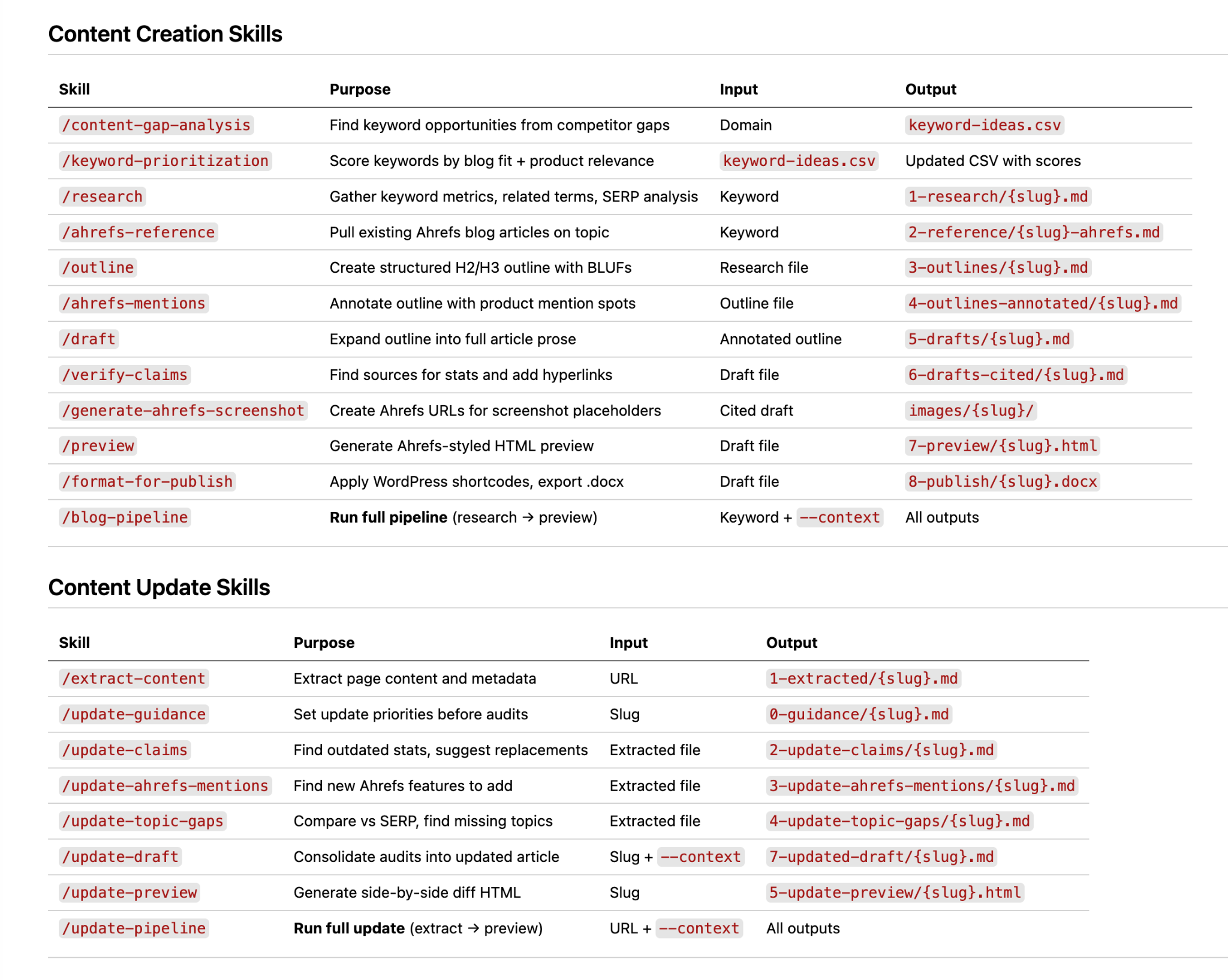
For instance, Ryan used Claude Code with an MCP to build the first iteration of a content engineering system that takes a keyword to a publish-ready draft in around twelve minutes.
One thing to bear in mind is that MCPs only give you access to a subset of an SEO tool’s data (e.g. the public API surface), not everything you’d see inside the product.
There’s also the question of where the agent actually runs.
An SEO agent built locally in something like Claude Code runs on your laptop. Close the lid and the agent stops, which makes it less suited to background jobs like scheduled reporting.
This doesn’t happen with cloud-based SEO agent platforms like Gumloop or Agent A.
2. Third-party agent builder
The second option is building your SEO agent on top of a third-party AI agent platforms like Gumloop and n8n.
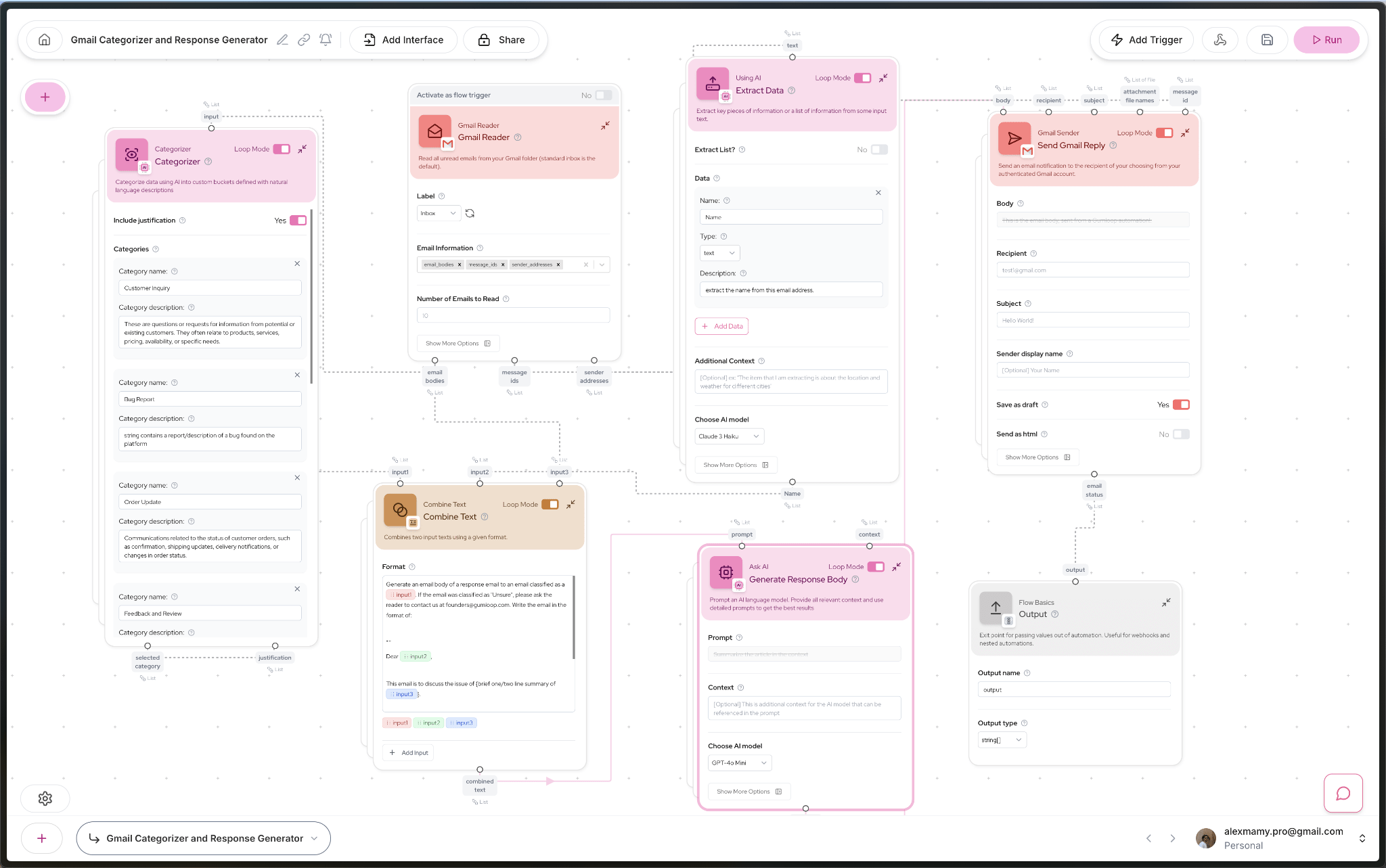
Image from Reddit thread: I developed an AI workflow that automatically responds to emails and saves 6h/week on Gumloop
The main appeal here is the UI.
Instead of writing prompts or code, you connect nodes in a visual workflow editor, drag and drop the steps you want, and wire up the logic without touching a terminal.
If the chatbot + MCP route sounds too technical, this is a safe space for the code-phobes (like me).
The tradeoff is that a nicer interface doesn’t mean deeper access to the underlying data.
Most of these platforms connect to tools via the same MCPs you’d use yourself, so the data ceiling is identical to option one.
Whatever SEO providers expose via their public API is what you have to work with.
You’re not getting anything the MCP doesn’t already surface.
The same goes for SEO expertise.
These platforms have no opinion on what a good workflow looks like or which metrics actually matter.
Whatever domain knowledge ends up in the agent, you put it there—again—same as option one, just with a more visual way of organizing, and a bigger price tag.
3. Purpose-built AI agent platforms
Purpose-built AI agent platforms are the third option. The data, integrations, and SEO logic are all wired in already.
This is where Agent A sits. It combines three things:
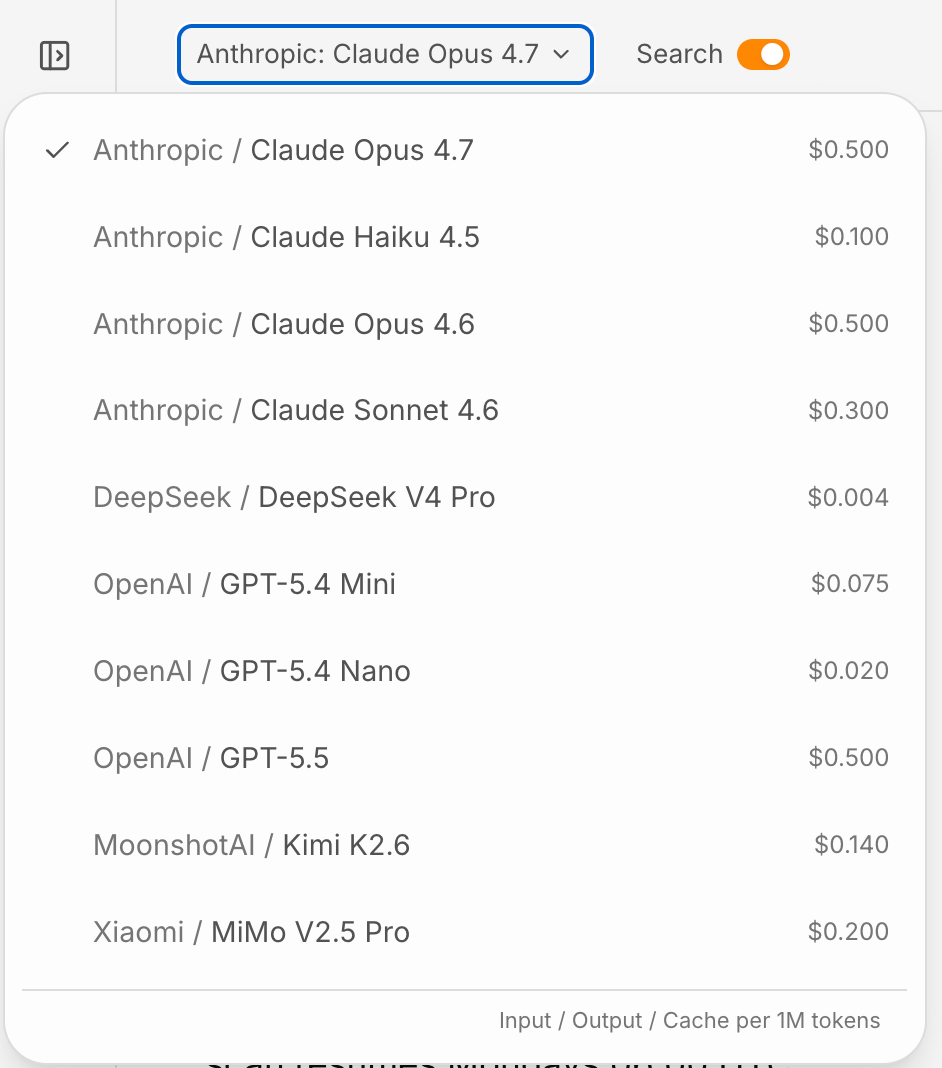
Switchable AI models: Including Claude Opus 4.7, GPT-5.4 Mini etc.
Full Ahrefs data access: No limited API/MCP usage. Everything a power user sees inside the Ahrefs platform.
An app and skills library: Pre-built playbooks for content gap analysis, keyword cannibalization, declining content detection, AI mention gap analysis, and more.
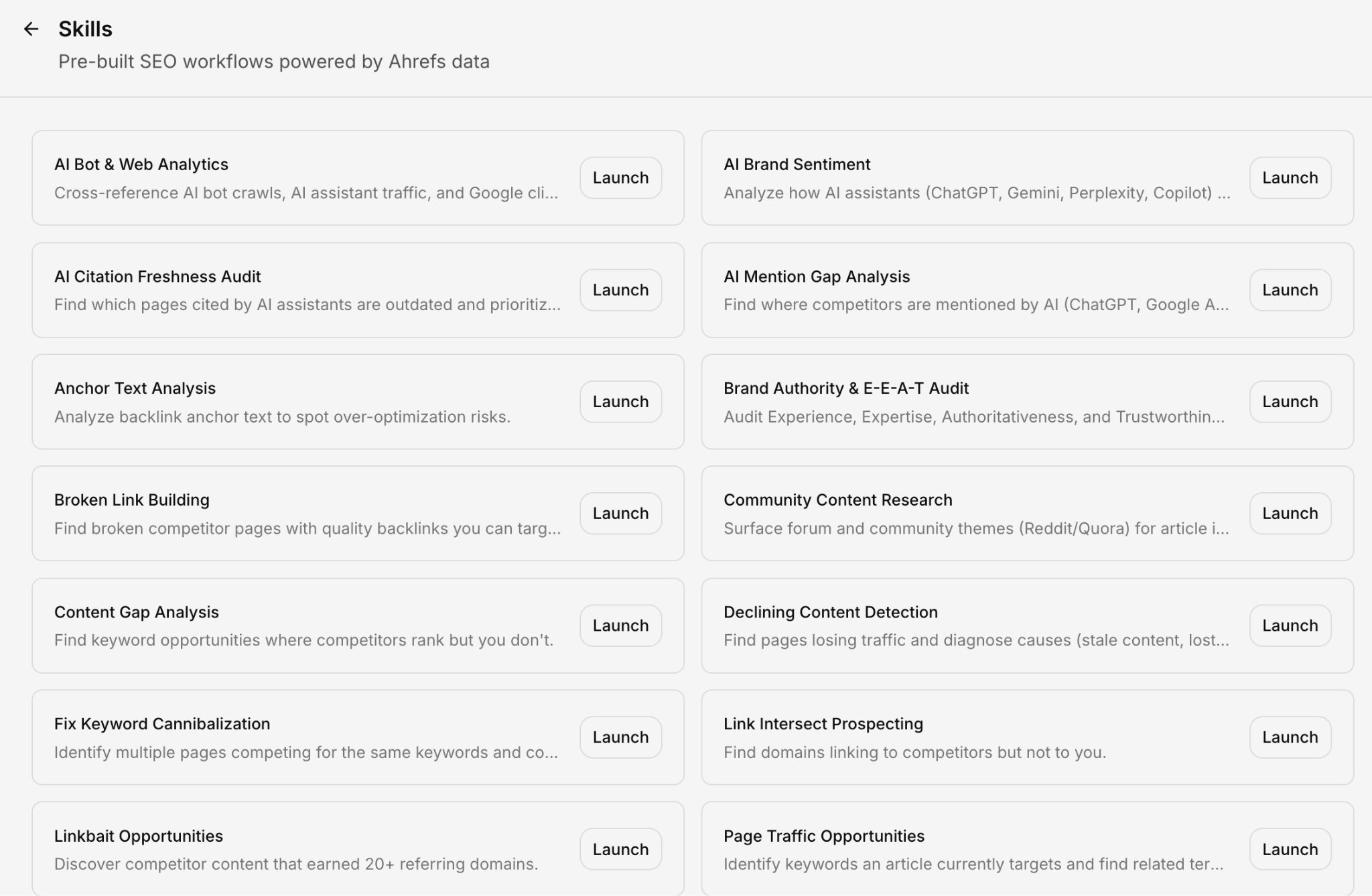
Whereas a Chatbot has to be told what to do, how to do it, and even if it has API access, a purpose-built AI agent platform already knows the data structures and conventions before you ask.
SEO agents created in purpose-built environments can also connect to the tools you’re probably already using.
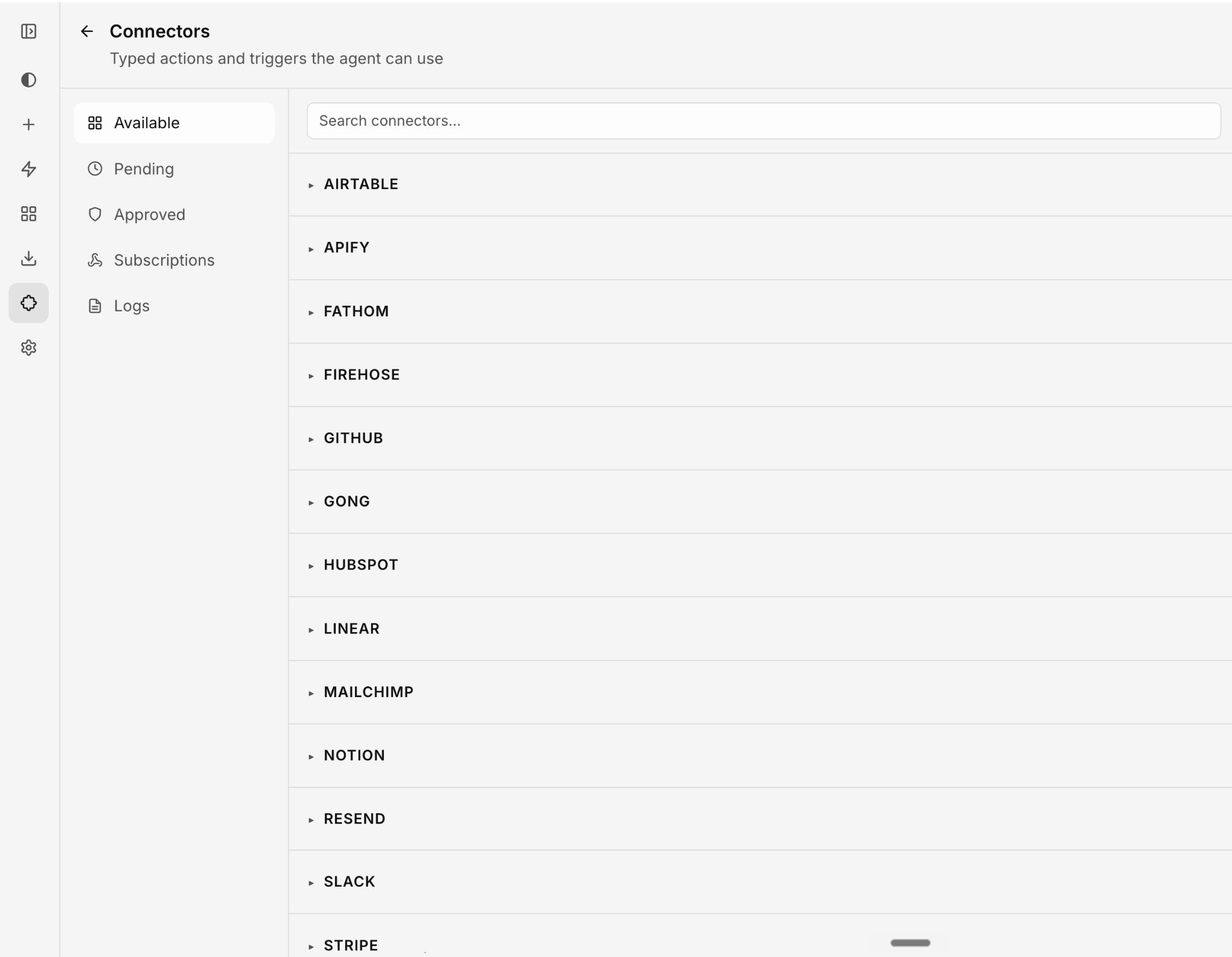
For instance, in Agent A, we let you hook your agent up to WordPress, Firehose, Slack, GitHub, HubSpot, Notion, Linear, and Stripe, so you’re not just developing your SEO strategy in a bubble.
The tradeoff is that you’re working within someone else’s framework, and you don’t have the kind of control that comes with building something yourself from scratch.
Building a useful SEO agent is less technical than you might think. It’s actually more about process. Here are some best practices for building your own SEO AI agent.
Start with one workflow
The single most expensive mistake when building SEO agents is trying to automate everything at once—the full content pipeline, the technical audit, the reporting, all at the same time.
Constance Tan, who works on marketing at Ahrefs, made this mistake early on:
“I once spent a whole week using AI to plan, build, and debug an application. It took forever. And it still needed improvement. So I had to wait a whole week to use my somewhat usable thing.”

Her advice: pick one SEO workflow—your competitor research process, your monthly organic performance report, your internal linking template—automate that first, get it working, then build the next piece.
You get value faster, and when something breaks, you know exactly which stage broke it.
Mateusz from Ahrefs suggests building a rough prototype using cheaper models, testing the idea, then investing in the final version.
Use skills, not massive prompts
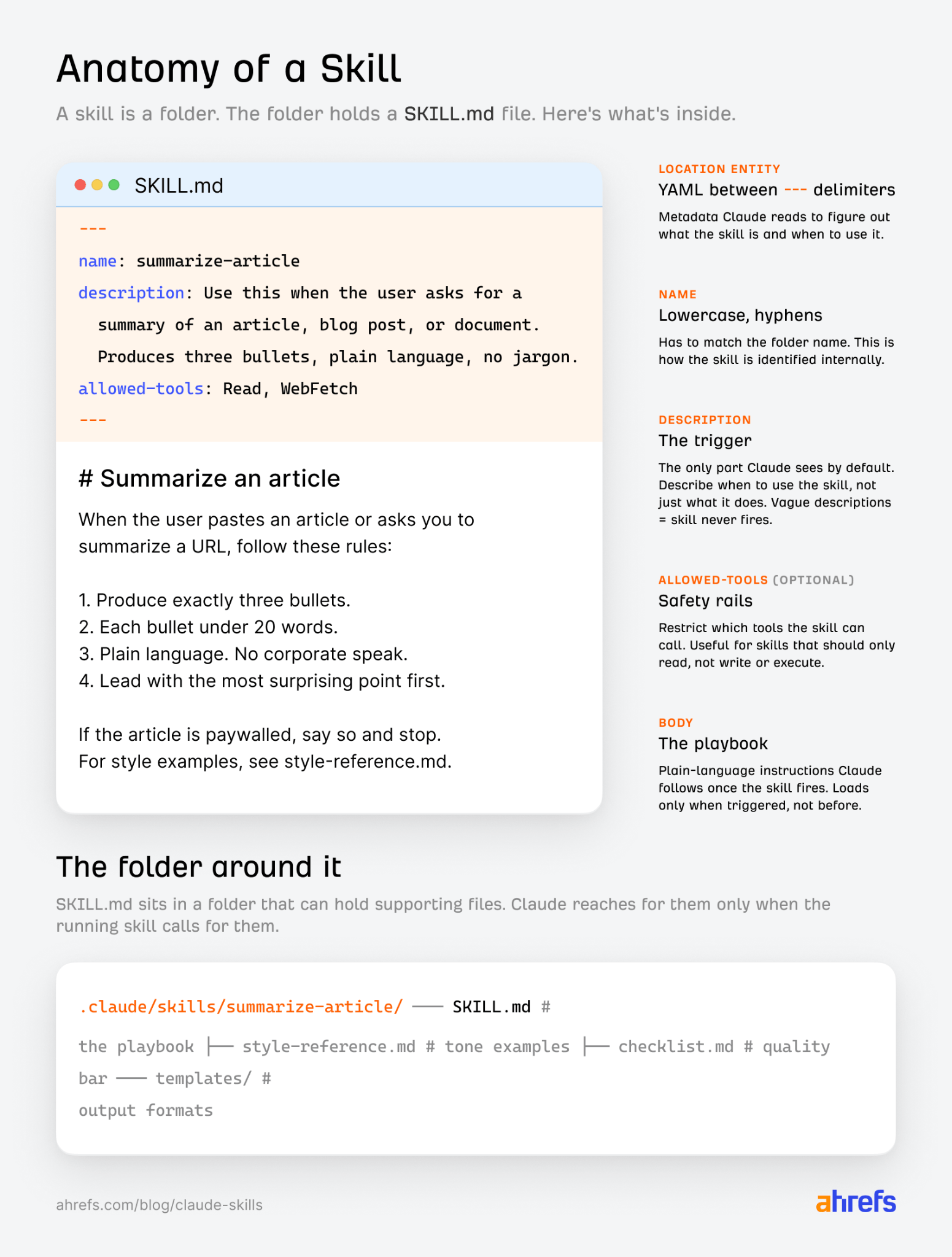
Anthropic’s Complete Guide to Building Skills for Claude recommends structuring agent instructions as separate skill files rather than a single long prompt.
This means:
- One file per job
- Each file is short, specific, and independently maintainable
- The keyword research skill gets updated without touching the blog draft skill
Skills help to avoid “context bloat” (when an LLM’s “context window”—the amount of information it can hold at once—gets so full it starts losing track of what matters), because each skill only loads when it’s actually relevant to the task.
Break your workflow into parts and create skills as separate files rather than writing long, compound prompts.
“It keeps things clearer and helps the AI use the right context more effectively.”

Ryan uses Anthropic’s official skill-creator to build, review, and iterate his skill files.
You can do the same by installing skill-creator in Claude.
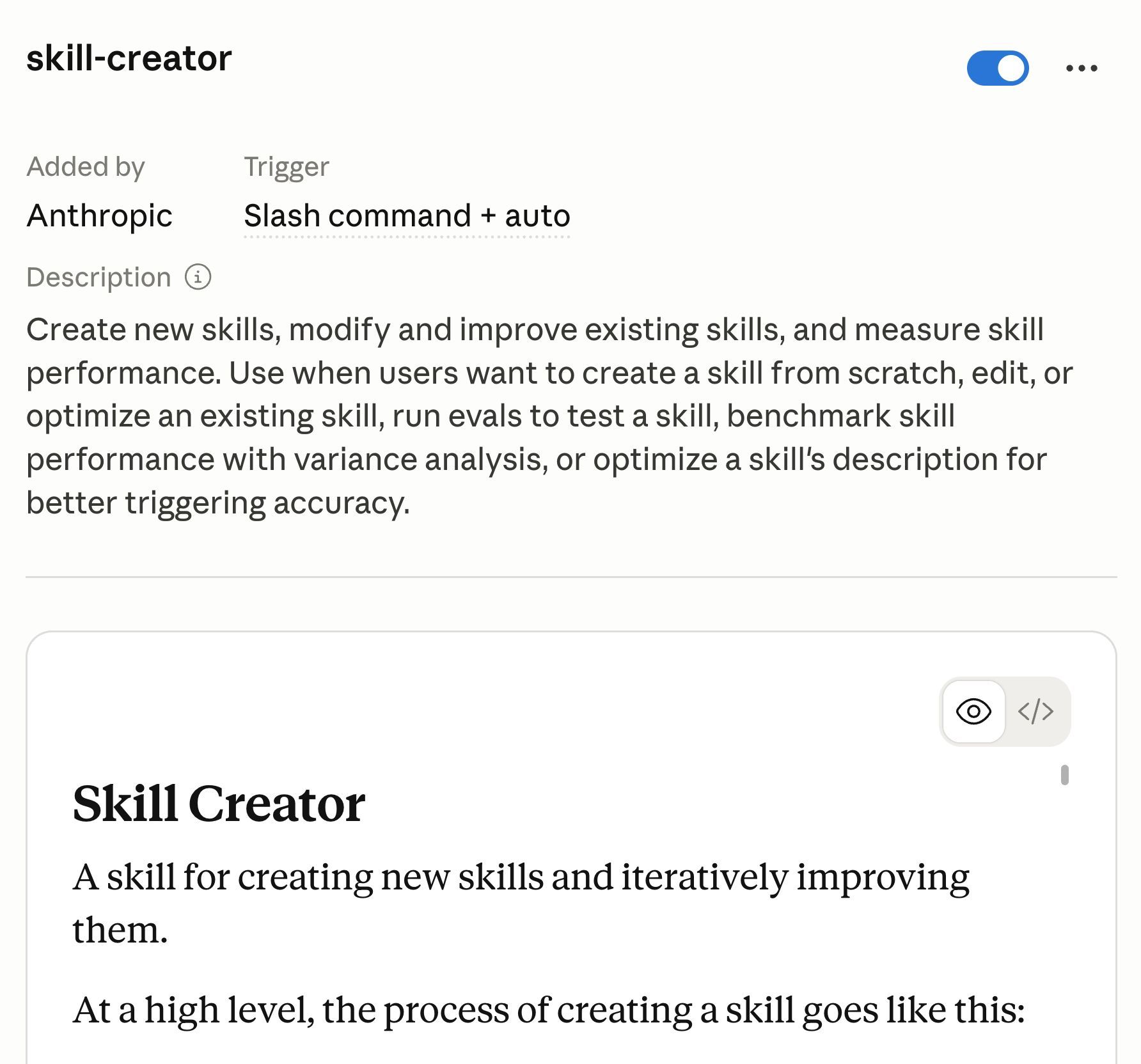
Then tell Claude what you want your skill to do—say, generate a content brief.
The skill-creator will walk you through the whole process: interviewing you to understand the requirements, drafting the SKILL.md, evaluating the output, and iterating until you are happy.
SQ has written a blog on creating Claude skills for SEO and marketing. It’s well worth a bookmark.
Connect to real, verified data
An agent is only as good as the data it’s working from.
Ask it to “research competitors” without saying where to look, and it’ll fill the gaps with whatever sounds plausible.
Invented keyword volumes, fabricated backlink counts, rankings that don’t exist.
Point it at authoritative sources like Ahrefs, Search Console, or Bing Webmaster Tools MCP directly instead.
APIs and MCP connections beat scraping, because the data comes back structured and verifiable.
As Constance Tan put it:
“The more you understand the APIs and platforms you work with, the less mistakes you’ll pay for.”
In her early projects, she wasted time on builds where the agent invented API parameters that didn’t exist.
Connect to verified sources and provide the actual documentation to the agent explicitly.
Save what the agent learns
After any significant SEO build, ask the agent what it learned and save the lessons to a memory.md file.
For SEO agents, the lessons compound: which keyword difficulty thresholds actually correlate with rankings for your site, which content formats perform best in your niche, which technical issues your CMS keeps reintroducing.
Future projects will start from that baseline rather than from scratch.
Glen Allsopp, who writes Detailed.com and now for the Ahrefs blog, has the agent create and update an Overview.md file for this very reason.
It’s essentially a summary of all his project files and their purpose, which he says helps enormously when starting a new chat with fresh context.
And he also keeps version backups:
“AI makes it really easy to build, but also just as easy to break things. Have some system: local backups, GitHub, whatever you’ll actually use.”

Final thoughts
SEO AI agents handle work that is systematic, data-heavy, and repetitive. Keyword clustering, technical audit triage, content gap analysis, internal linking, performance monitoring.
Start with the highest-repetition task your team does manually. Document how you do it. Build one skill. Get it working. Then build the next.
The editorial judgment on what to publish, whether the argument holds up, and what the strategic priority is stays with you.
Try Agent A free for a full month at ahrefs.com/agent-a if you have an Ahrefs subscription.














![A Guide to Keyword Competition in SEO & PPC [2025 Data]](https://mgrowtech.com/wp-content/uploads/2025/09/keyword-competitions-sm-120x86.png)
