![Everything You Need to Know [2026]](https://mgrowtech.com/wp-content/uploads/2026/02/sitemap-best-practices.png)
Sitemaps are one of those SEO things everyone says you “should have,” but very few people actually think about properly.
You install a plugin. It generates an XML sitemap. You submit it to Google Search Console once. Done.
Right?
Not exactly.
A sitemap doesn’t help you rank directly. It helps search engines crawl and index your content properly. And if that foundation is messy, outdated, or misaligned with your site structure, you’re quietly making indexing harder than it needs to be.
In this guide, I’m going to break down sitemap best practices that actually matter. Not theory. Not recycled advice. Just the stuff that keeps your content discoverable, your indexing clean, and your technical SEO solid.
Key Takeaways:
- An XML sitemap helps search engines crawl and index your content more efficiently, especially on large websites.
- HTML sitemaps are for users. XML sitemaps are for search engine crawlers. They serve different purposes.
- If your site has more than 50,000 URLs, you need multiple sitemaps and a sitemap index file.
- Submitting your sitemap to Google Search Console and Bing Webmaster Tools helps monitor crawl and indexing issues.
- A clean sitemap structure improves technical SEO and supports better long-term visibility in search results.

Link building cheat sheet
Gain access to the 3-step strategy we use to earn over 86 high-quality backlinks each month.
What Is a Sitemap and Why Do Search Engines Still Need It?
A sitemap is basically a map of your website that you hand to search engines.
It’s usually a simple file that lists your most important pages and tells search engine crawlers: “Hey, these URLs exist”
And yes, even in 2026, search engines still need it.
Here’s why.
When you publish a new page, you want it showing up in search results as soon as possible.
Instead of relying on crawlers to “stumble across” your pages, you’re giving the search engine a direct list of URLs you want indexed. This doesn’t guarantee rankings, but it absolutely helps with indexing and discovery.
Technically, Google can discover your content by crawling links. If Page A links to Page B, crawlers follow that path and eventually find most of your site.
But in real life, websites are messy:
- Some pages don’t have many internal links.
- Some pages are buried deep in navigation.
- Some pages are brand new. Some are generated dynamically.
- And sometimes, your site structure is fine, but Google just doesn’t bother crawling everything quickly.
You can also request indexing in GSC manually, but if you publish tons of pages per day, this can get tedious.
A sitemap also helps you control what should get crawled. Especially if you have thousands of low-value URLs, parameter pages, tag archives, or random duplicates, you don’t want search engine crawlers wasting crawl budget on junk. You want them focusing on your real content.
And it’s especially important if you care about speed.
XML Sitemap vs HTML Sitemap (They’re Not the Same)
An XML sitemap and an HTML sitemap serve completely different purposes. Mixing them up is common, but once you understand the difference, it’s pretty straightforward.
XML Sitemap = For Search Engines
An XML sitemap is a structured sitemap file written in XML format that lists your URLs for search engines.
It exists for search engine crawlers.

It tells them:
- These pages exist
These are the important ones - Here’s what you should crawl and index
If you care about indexing speed and clean technical SEO, this is the sitemap that matters most.
HTML Sitemap = For Humans
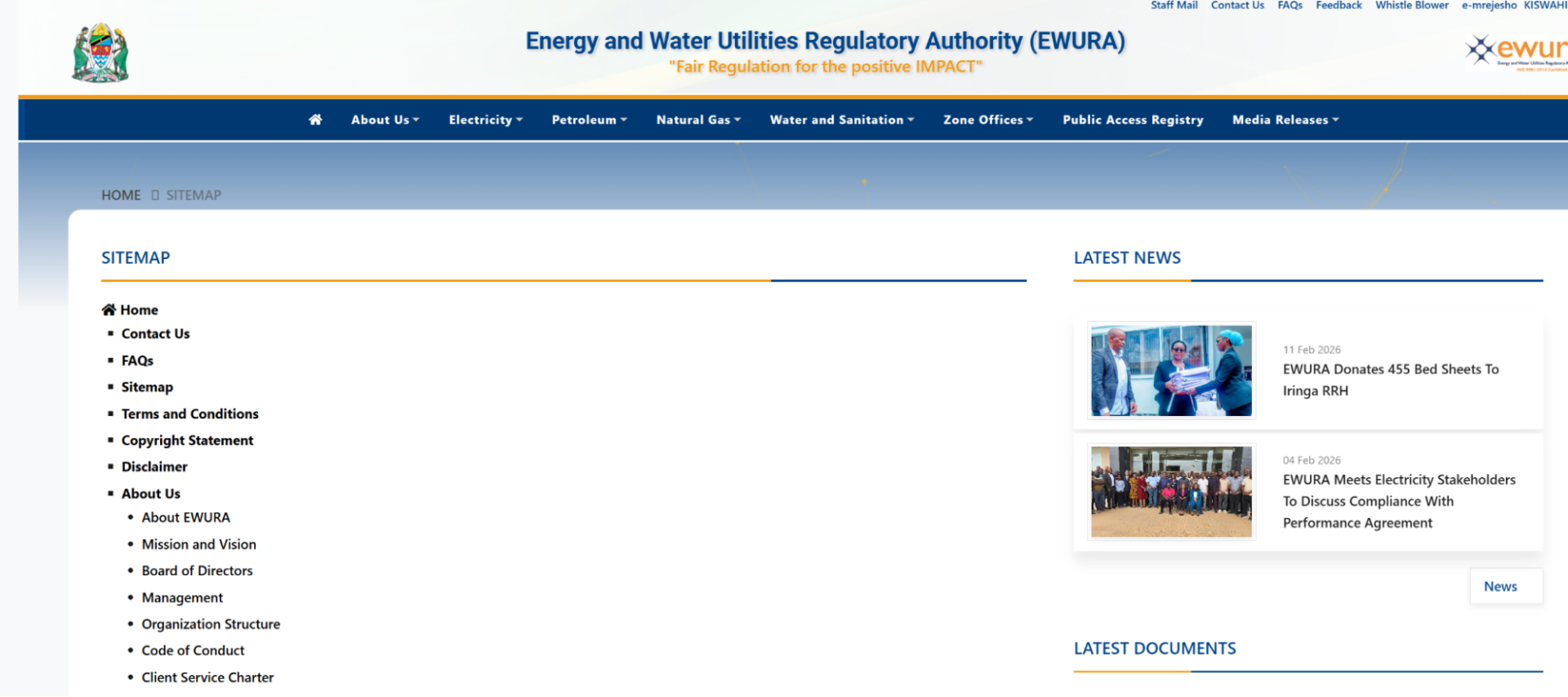
An HTML sitemap is just a regular web page.
It lists links in a clean structure to help users navigate your site. It can support better information architecture and improve user experience, but it’s not primarily built for crawlers.
Static Sitemap vs Dynamic Sitemap: Which One Should You Use?
This is where a lot of people overcomplicate things.
A static sitemap is exactly what it sounds like. It’s a sitemap file that doesn’t change unless someone manually updates it. You publish it once, and it stays the same until a developer edits it.
A dynamic sitemap, on the other hand, updates automatically. When you publish a new page, delete an old one, or change something significant, the sitemap reflects that change without you touching it.
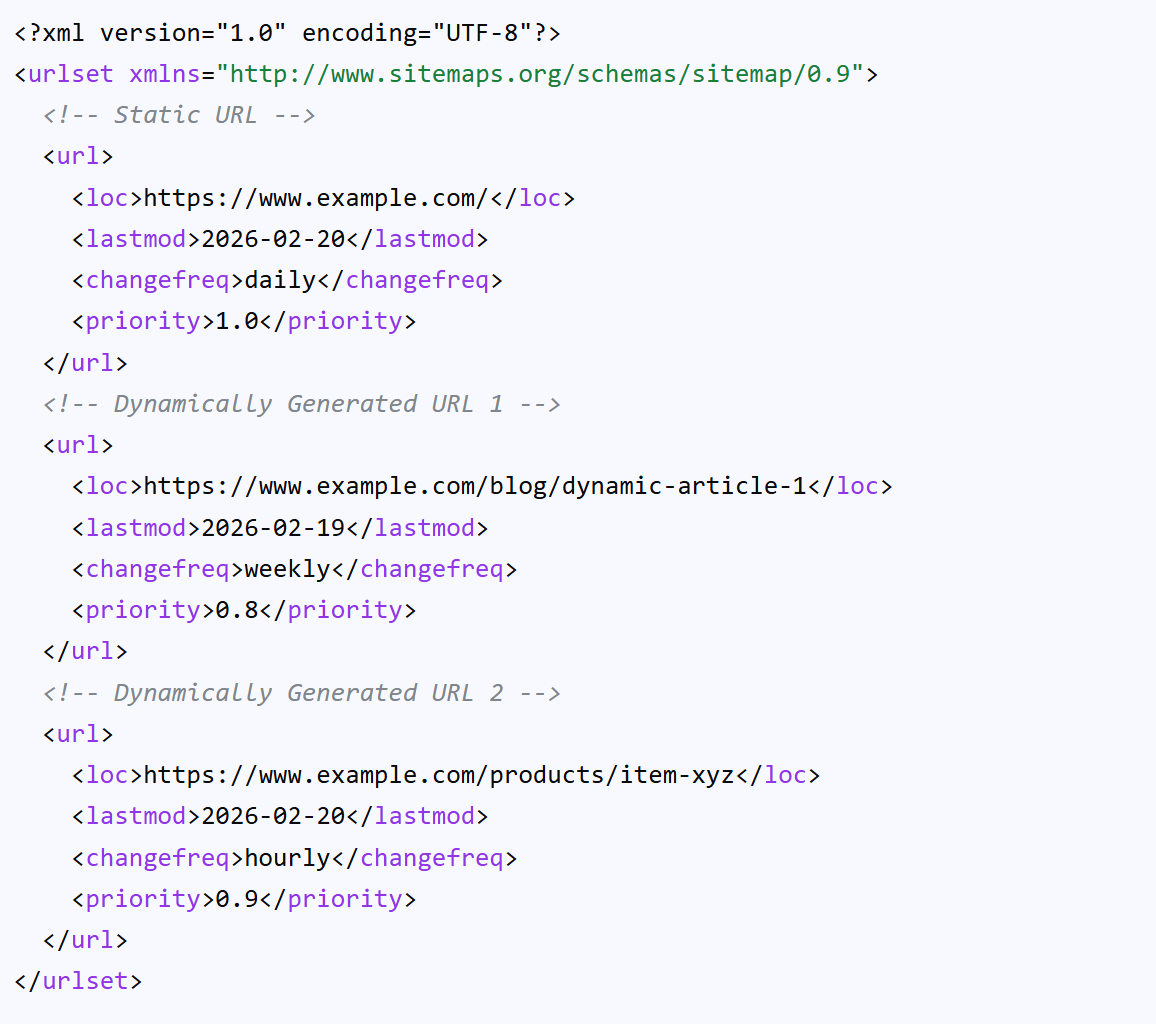
For most small business websites, a dynamic sitemap generated by a plugin is more than enough.
For most modern websites, a dynamic sitemap is the better choice.
If you’re running a blog, ecommerce store, SaaS site, or any large website that publishes content regularly, you don’t want to manually handle sitemap updates. It’s inefficient and easy to forget.
One missed update and search engines might not discover your newest content quickly.
Special Sitemap Types: News and Video
For most sites, a standard XML sitemap is enough.
But if you’re running a news site or publishing a lot of video content, there are specialized sitemap types worth setting up.
Google News Sitemap
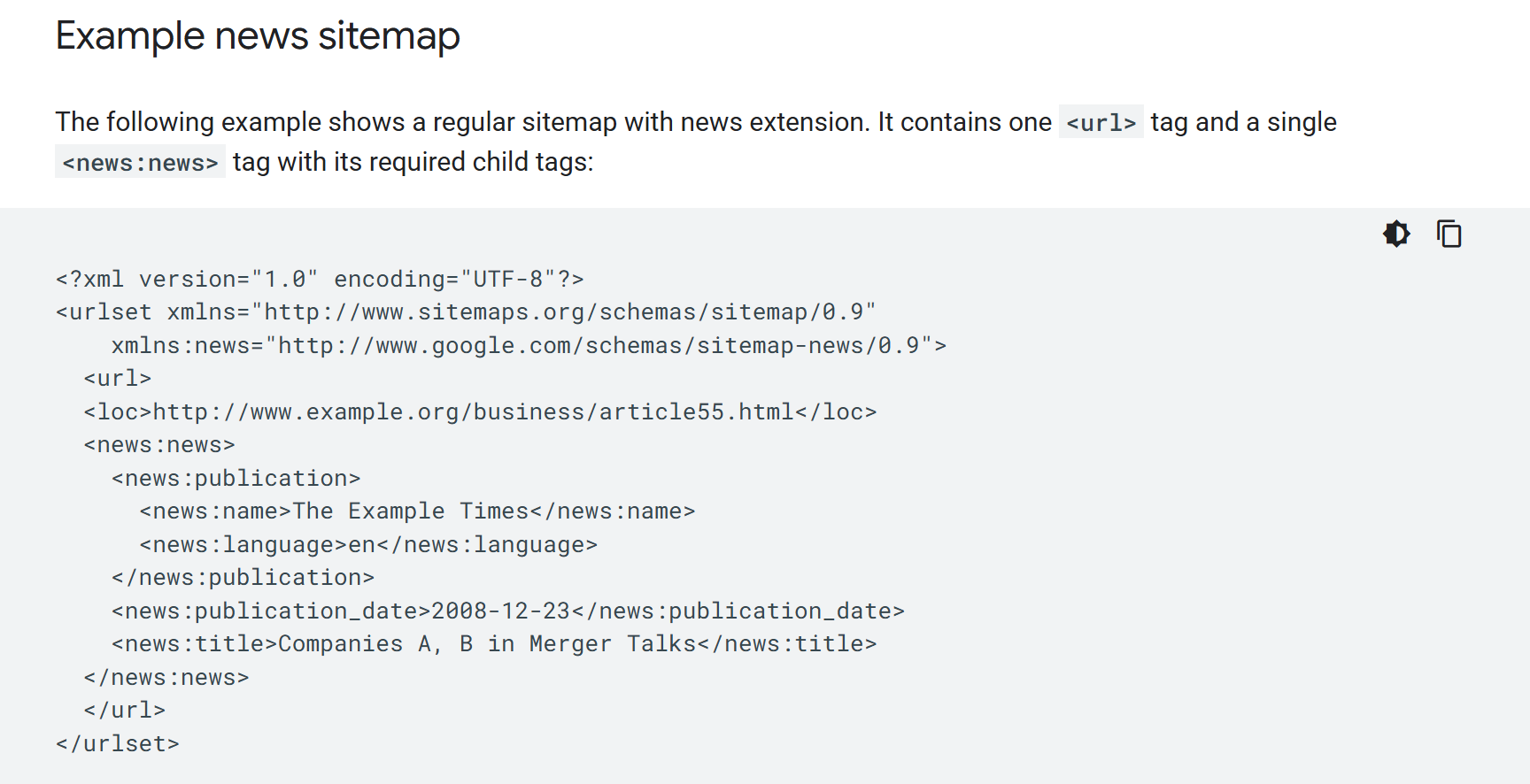
If you publish timely articles and want visibility in Google News, you’ll need a Google News sitemap.
This isn’t just a regular sitemap file with your blog posts thrown in. A Google News sitemap is designed specifically for fresh content and helps Google identify which pages qualify for news inclusion.
News sitemaps focus on recently published content and update frequently. If you’re producing daily articles and want a shot at appearing in Google News surfaces, this setup matters.
Video Sitemap
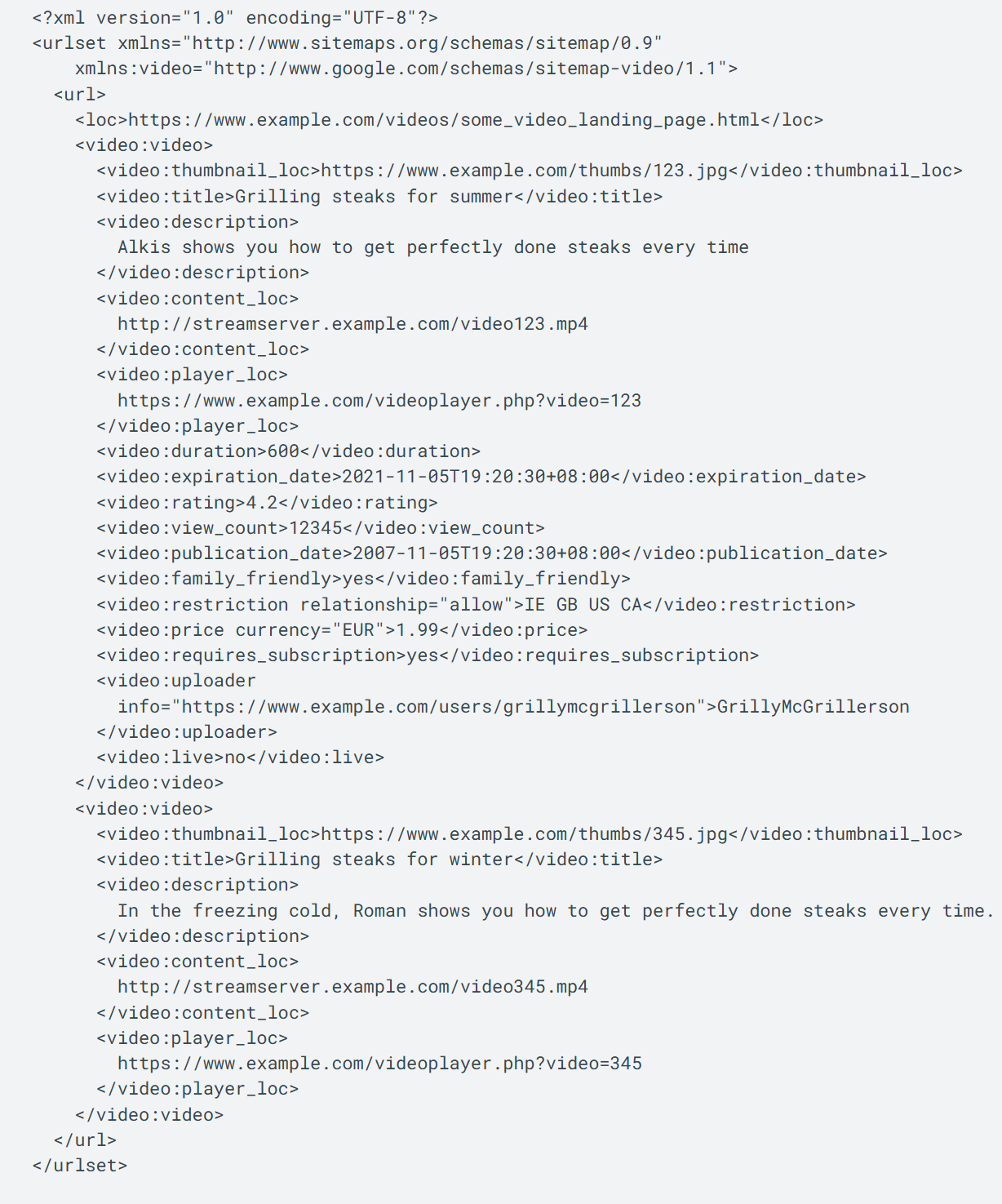
If your site relies heavily on video content, a video sitemap is worth adding.
Search engines can’t “watch” a video the way humans do. A video sitemap provides extra metadata so search engine crawlers understand what the video is about, where it’s hosted, and which page it belongs to.
If you’re serious about video visibility in search results, this gives you better indexing signals than just embedding a YouTube link and hoping for the best.
How to Generate a Sitemap
Generating a sitemap is honestly the easy part.
If you’re on WordPress, tools like Yoast SEO or Rank Math will create an XML sitemap automatically the moment you install them.
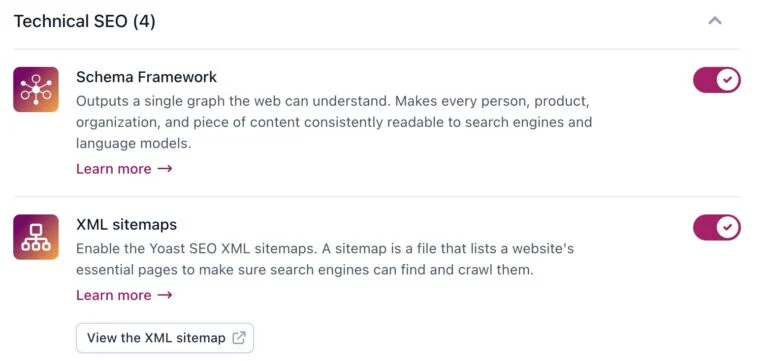
You don’t need to touch code, and you don’t need a developer. For most sites, that’s already good enough.
If you’re not using a CMS plugin, you can use a sitemap generator online, or have your web development team generate a sitemap file directly on the server. Most modern platforms can output one automatically, especially if the site is database-driven.
And if you want to double-check what your site actually looks like to crawlers, tools like Screaming Frog are great.
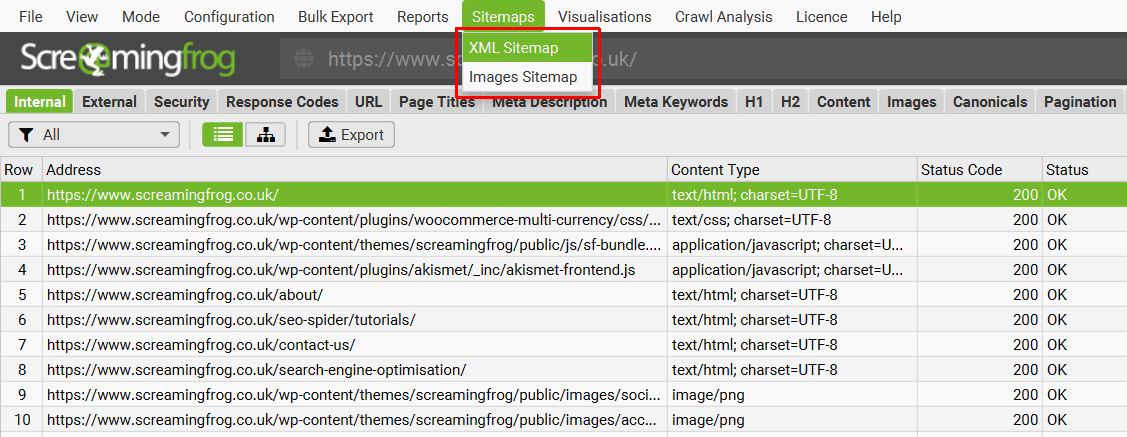
It basically crawls your site the way search engines do and shows you which URLs exist, which ones are broken, and what’s being indexed.
How to Submit Your Sitemap to Google Search Console
Here’s the exact process I use to submit a sitemap in Google Search Console. It takes maybe a minute.
- Open Google Search Console and pick the right property
- Go to “Sitemaps”
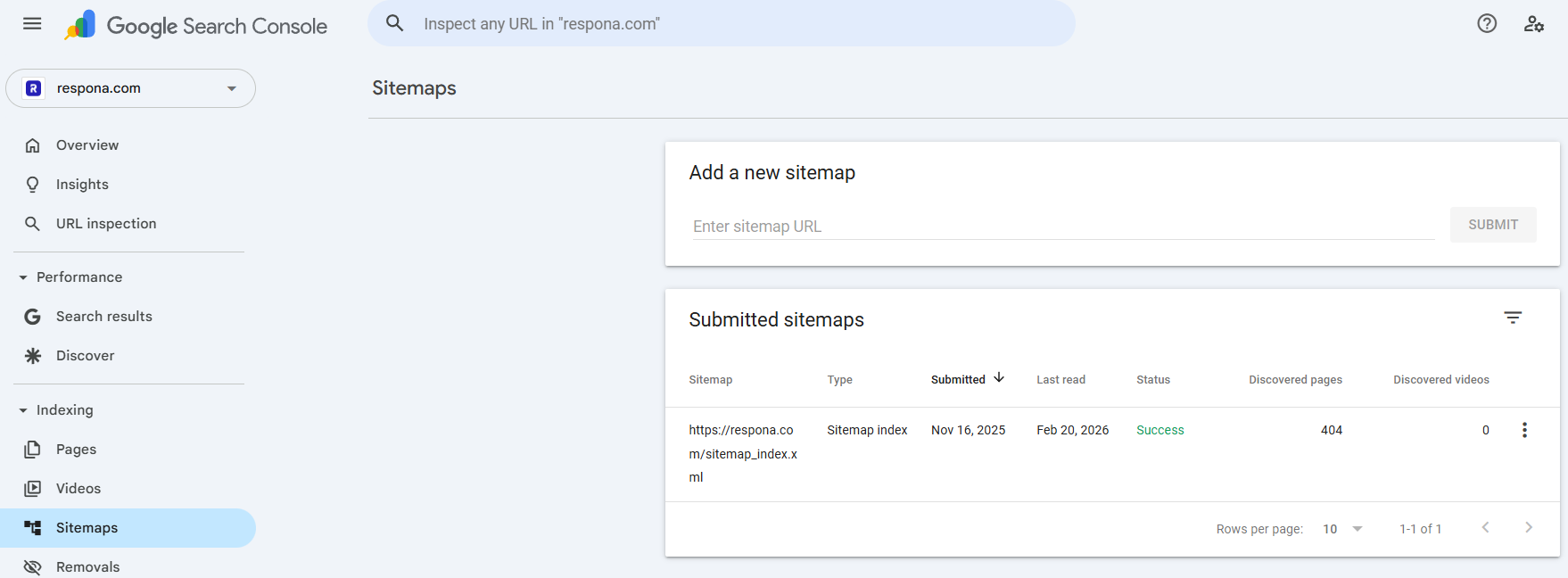
- Paste your sitemap URL
- Click Submit
- Check the status. You’ll see whether it was “Success” or if there were errors. If it fails, it’s usually something basic like the wrong sitemap URL, blocked access, or a formatting
- Monitor indexing over time
That’s it. Submitting is simple. The part people skip is checking back to make sure Google is actually using the sitemap the way you expect.
6 Sitemap Best Practices
Most sitemap best practices aren’t complicated. They’re just the kind of technical SEO details that get ignored until indexing breaks.
Here are the rules I actually follow.
Only Include Canonical URLs
Your sitemap should only list the clean, final version of each page. No duplicates, no tracking parameters, no weird variations. If canonical URLs aren’t consistent, you’re basically feeding crawlers mixed signals.
Don’t Include Noindex Pages
If a page is set to noindex, it should not be in your XML sitemap. A sitemap is you telling search engines “please index this.” A noindex tag says the opposite.
Keep Your Robots.txt File Aligned
Your robots.txt file and sitemap need to agree. Blocking pages in robots.txt while listing them in your sitemap is a classic mistake and wastes crawl budget.
Make Sure the Sitemap URL Is Correct
Sounds basic, but it happens constantly. One wrong sitemap URL in Google Search Console and you’re wondering why nothing is getting indexed.
Update Your Sitemap Consistently
If your site publishes new content regularly, sitemap updates should be automatic. A stale sitemap file defeats the whole purpose, especially on large websites.
Keep It Focused
A sitemap is not a dump of every URL your site can generate. Only include pages that actually matter: key landing pages, products, blog posts, and anything you want ranking in search results.
Link building cheat sheet
Gain access to the 3-step strategy we use to earn over 86 high-quality backlinks each month.
Now Over to You
At the end of the day, sitemap best practices aren’t about chasing rankings.
They’re about making sure search engines can crawl, understand, and index your content without friction.
A clean XML sitemap, a properly structured sitemap index, aligned canonical URLs, and consistent sitemap updates create a solid technical SEO foundation. And without that foundation, even great content can struggle to show up in search results.
But here’s the reality.
Even with perfect indexing, you still need authority.
Search engines don’t just rank pages because they exist. They rank them because they’re trusted. And that trust mostly comes from high-quality links.
That’s where most sites hit a wall.
If you want your content not just indexed, but actually ranking, that’s exactly what our done-for-you link building is built for. We secure placements that improve visibility, strengthen authority, and help your pages compete in search.
Clean technical SEO gets you discovered.
Strong links get you ranked.
Frequently Asked Questions (FAQ)
What is an XML sitemap and do I really need one?
An XML sitemap is a file that lists the pages you want search engines to crawl and index. It’s part of basic technical SEO.
Do you need one? If your site is small and perfectly linked internally, maybe not. But in most real-world cases, it helps with indexing speed and makes it easier for search engines to discover your important pages.
What’s the difference between an XML sitemap and an HTML sitemap?
An XML sitemap is for search engines. It’s written in XML format and meant for crawlers.
An HTML sitemap is for users. It’s a regular web page that lists links to help visitors navigate your site. Same name, different jobs.
How many URLs can a sitemap contain?
A single sitemap can contain up to 50,000 URLs. That’s the official limit.
If your site goes beyond 50,000 URLs, you’ll need to split it into multiple sitemap files and connect them using a sitemap index.
When should I use multiple sitemaps?
You should use multiple sitemaps if your site is large, frequently updated, or has different content types like blog posts, products, or videos.
Instead of cramming everything into one file, you create separate sitemaps and organize them with a sitemap index file.
What is a sitemap index and how does it work?
A sitemap index is basically a master file that lists all your sitemap files.
Instead of submitting five different sitemap URLs to Google, you submit one sitemap index, and it points search engines to the rest.
How do I submit my sitemap to Google Search Console?
Go into Google Search Console, open the Sitemaps section, paste in your sitemap URL, and hit submit. That’s it.
Search Console will then show you how many URLs were discovered, crawled, and indexed, which makes it much easier to monitor technical SEO health.
Do small websites need a sitemap for technical SEO?
Yes, but it doesn’t have to be complicated.
Even a small site benefits from a clean XML sitemap because it helps with indexing and makes sure search engines don’t miss important pages. It’s one of the simplest technical SEO wins you can implement.






![Why Every Team Needs a Content Engineer [MozCon 2025 Speaker Series]](https://mgrowtech.com/wp-content/uploads/2025/09/MozCon-25-Speaker-Profile-Cards-15-350x250.png)