Whether you’re looking for ways to move through your to-do list faster, working hard to get your side gig off the ground, or just spending most of your day in the browser, Chrome’s got your back. We’re constantly listening to your feedback and thinking about how we can make browsing more helpful and intuitive.
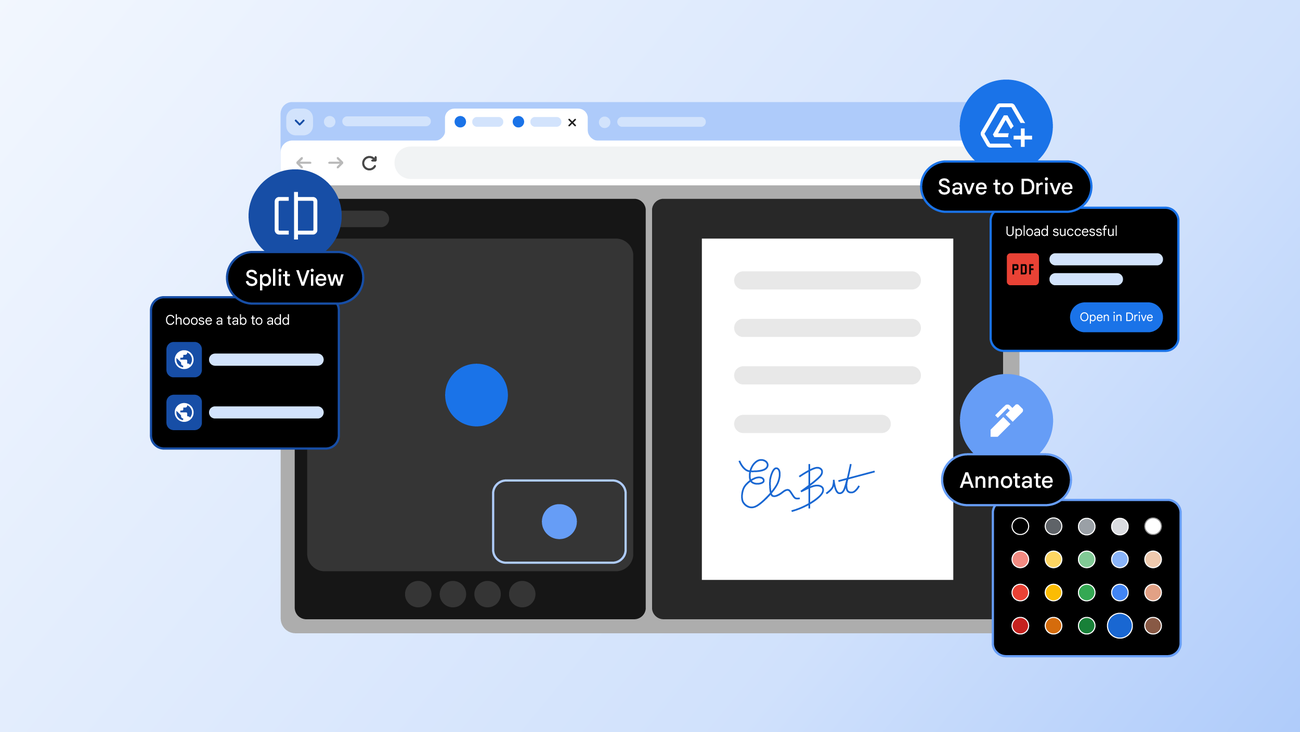
We also know your time is valuable, which is why we obsess about all the tiny details to make your Chrome experience as helpful as possible. Today, we’re announcing three new Chrome features designed to give you a productivity boost: split view, PDF annotations and Save to Google Drive. These tools, developed for both everyday and enterprise users, are built to help you focus, collaborate and get things done more quickly.
Split view lets you multitask smarter
Have you ever found yourself juggling multiple windows or constantly switching between the same two tabs? It’s a common frustration that can interrupt your flow and slow you down.
Split view is designed to help. It allows you to view two tabs at the same time, providing a more streamlined, flexible way to work. Split view is a built-in, intuitive tool that helps you create a single, organized space, saving you time and reducing some back-and-forth tab fatigue.
Our work with early testers has shown that split view is already helping people multitask and get more done on the web. One teacher told us they use split view to more easily grade papers in the classroom, others love using it to take notes on YouTube videos, and developers are even using it to reference documentation while they code.