Originally published in November 2019. Updated in April 2023, and fully revised for January 2026.
If you want to make a lasting impression with your app and maximize your app marketing efforts, you need to craft an app description that stands out from the crowd.
The right words can entice potential users to download your app, while the wrong ones can have them scrolling past without a second thought.
In this complete guide to writing an app description, we’ll walk you through the key elements of a killer copy and show you how to write one that captures the hearts and minds of your target audience.
From understanding your target market to choosing the right tone of voice, we’ve got you covered. Why settle for a mediocre app description when you can create one that truly shines?
What is an App Description?
Before we dive into the nitty-gritty of how to write an app description, let’s start with the basics. An app description is a brief summary that tells potential users what your app is all about. It’s the first thing they’ll see when browsing through listings on the app store, and it’s your chance to make a great first impression.
Think it as a sales pitch. Just as a salesperson needs to convince a potential customer to buy a product, your app description needs to convince users to download and use your app. It should highlight the unique features and benefits of your product and explain why it’s worth users’ time and attention.
The challenge is that you only have a limited amount of space to do this. Depending on the app store, your app description may be limited to just a few lines or a short paragraph. That means every word counts, and you need to ensure you’re making the most of your limited space.
The good news is that with the right strategies and techniques, you can craft an app description that captures attention, builds interest, and ultimately drives downloads. In the following sections, we’ll take a closer look at the key elements of a successful app description and show you how to create one that gets results.

Understanding App Store Description Guidelines
As mentioned before, you need to fully respect the App Store Description Guidelines in order to have a chance to rank your app on the app stores and increase app downloads.
- App store descriptions are limited to a maximum of 4,000 characters on both the App Store and Play Store and can be disapproved by Moderators if they find out you stuffed it with app store keywords.
- For obvious reasons, the app stores restrict explicit content and language.
- Do not mention other apps, unsupported devices, or any pricing information.
Most users do not read the full app description, making it crucial to summarize your app’s message and best features in the opening lines. Focus on the essentials and get creative with how you present your value proposition.
We also recommend making sure to eliminate all errors in your copy, keeping it as natural as possible, and not falsifying any information or testimonials.
How to Craft an Effective App Description
An impactful app description can make the difference between a successful app and one that never gains traction. Now that we’ve covered all the basics, let’s get into the nitty-gritty of crafting an effective description for your app.
Start with ASO (App Store Optimization)
The first step in crafting an effective app description is optimizing it for App Store Optimization (ASO). In 2026, ASO has evolved beyond simple keyword placement to focus on user intent and natural language that speaks to both algorithms and humans. App store search remains a dominant channel for app discovery, making ASO your most cost-effective acquisition strategy. The key difference now is how app store algorithms interpret your content. Both Apple and Google use AI-powered features to understand intent-based queries.
It’s also a good exercise and task to read your competitors’ writing and better understand what worked for them.
ASO in 2026:
Rather than stuffing keywords, write metadata that sounds natural and reflects how users actually talk about their needs. For example, Apple’s Natural Language Processing now interprets conversational searches like “apps to help me relax before bed” instead of just “meditation app.”
Conduct keyword research using modern ASO tools with AI capabilities like AppTweak, App Radar, or Sensor Tower. These tools now predict emerging trends and identify high-potential, low-competition keywords that align with user intent.
Apple’s App Intents framework has expanded app discovery beyond the App Store itself, so your app can now be discovered through Siri, Spotlight, widgets, and system-level scenarios. This means your metadata needs to clearly communicate what your app does in plain language.
It’s also valuable to analyze your competitors’ store listings to understand what’s working in your category. Look at their keyword strategy, but more importantly, observe how they communicate value and benefits to users.
Communicate the Purpose
Your app’s purpose should be stated clearly in the first few lines of the description. This should be a concise and informative sentence explaining what your app does and why someone would want to download it.
- Keep in mind that most users will only see the opening portion before the “read more” button, so make sure to drive the message home immediately.
For example, if you have a meal planning app, your opening line might be: “Get delicious and healthy meal plans customized to your dietary preferences with our easy-to-use meal planning app.”
The key in 2026 is to write this opening in natural, conversational language that matches how real users would describe their needs.
Highlight Features and Benefits
After you have introduced your app’s purpose, you should highlight its key features and benefits. This section is where you can explain what sets your app apart from other similar apps on the market.
Make sure to list the most important features first. Taking our meal planning or fitness apps as an example, these could be the ability to customize meals based on dietary restrictions or unlimited access to a library of thousands of workout routines.
Be specific about how each feature benefits the user. For example, does it:
- Save time?
- Help users achieve fitness goals?
- Improve overall health?
Focus on user outcomes rather than technical specifications. Instead of saying “advanced algorithm,” explain that users will “get personalized recommendations that learn from your preferences.”
Formatting Matters
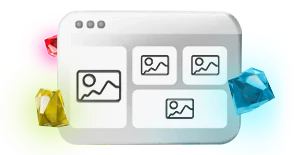
A well-formatted app description is much more likely to catch the user’s attention and keep your potential audience engaged. Most users will not read your app description in its entirety, so it’s essential to optimize it for skimmability.
Use bullet points, short paragraphs, and headings to make the text scannable and easy to read.
You can also use bold formatting (on Google Play through HTML tags) to emphasize important phrases and sections, such as the app’s unique selling points. Avoid using jargon or technical terms that may confuse the user.
When appropriate, you may want to consider including emojis in your app store description (especially on Google Play which supports them). However, avoid using them in your app screenshots, logos, videos, or inside of your app as part of the UI.
Use Social Proof
Social proof is a powerful tool to help your app stand out in the crowded app marketplace. When potential users see that others have had positive experiences with your app, they’re more likely to download it themselves.
So how can you use social proof to make your app description more engaging?
Try adding testimonials from satisfied users or highlighting positive reviews your app has received. You could also mention any awards or accolades your app has earned.
For example, if you have a language-learning app, you might say something like, “Join the millions of happy users who have learned a new language with our award-winning app!”
In 2026, 90% of featured apps have a rating of 4.0 or higher, making ratings and reviews a critical factor for visibility. Actively managing your ratings and responding to reviews (both positive and negative) is now considered a core ASO strategy, not just customer service.
Create a Sense of Urgency
Creating a sense of urgency can encourage users to download your app immediately.
- If they’re relevant to your app, include phrases like “limited time offer” or “exclusive features” to convey that the app is special and worth downloading right away.
- For example, if you have a language learning app, you might use a phrase like “Master a new language in just 30 days with our proven method.”
Also, consider including clear calls to action that encourage users to download the app. Use phrases like “download now” or “get started” to prompt the user to take action.
Custom Product Pages and Store Listings
In 2026, one of the most powerful ASO strategies is using Custom Product Pages (CPP) on Apple’s App Store and Custom Store Listings (CSL) on Google Play. These features allow you to create multiple variations of your app store page tailored to specific user segments, ad campaigns, or seasonal content.
Instead of a one-size-fits-all approach, you can now customize your messaging, screenshots, and even app previews for different audiences. This means you can target specific keywords with relevant landing pages that significantly boost conversion rates.
For example, a fitness app might create one CPP focused on yoga enthusiasts with yoga-specific keywords and imagery, and another CPP targeting weight loss goals with completely different messaging and visuals.
Don’t Forget About App Localization and App Internationalization
Localizing your app can help you reach your audience and potentially increase the number of app downloads by up to 767%. A significant portion of content users read online is in their own language, making localization essential for global reach.
When you localize your app, you’re essentially customizing the content to fit the language and culture of different regions or countries. This includes translating the text into different languages, but it can also involve adapting the tone, style, and even app screenshots or videos to appeal to different audiences.
In 2026, localization goes beyond translation. You need to consider:
- Linguistic nuances
- Cultural interpretations
- Local search behaviors
What works in one market may not resonate in another, so conduct market-specific keyword research for each locale.
Localizing your app helps with ASO and makes it more accessible and appealing to users with different cultural backgrounds. Additionally, many app stores prioritize localized apps in search results, which can help to improve visibility and discoverability.
A/B Test Your App Description
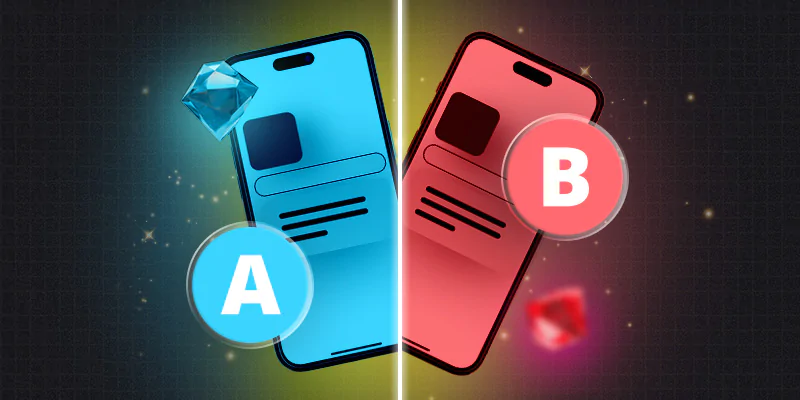
A/B testing your app description can be a game-changer by helping you to optimize its performance and increase downloads. By creating two versions of your app’s description and measuring the results, you can uncover what resonates with users and make data-driven decisions that lead to more downloads.
Think of A/B testing as a strategic experiment. You’re trying to identify the best moves to make to win the game (in this case, increased downloads).
You can experiment with different combinations by testing different elements like:
- Headlines
- Descriptions
- Calls to action
- Visuals
Test until you find the perfect blend that resonates with your target audience.
Google Play offers built-in A/B testing through Google Experiments, while Apple provides similar capabilities through Product Page Optimization. Give each test at least two weeks to collect meaningful data, and test one element at a time for clear results.
The most successful apps treat ASO as a continuous optimization cycle, not a one-time task.
Stay Current with App Store Algorithm Changes
In 2026, both Apple and Google have implemented significant changes to how their algorithms work:
Apple’s App Store:
- Natural Language Processing interprets conversational, intent-based queries
- App Intents framework makes apps discoverable through Siri, Spotlight, and widgets
- Starting March 1, 2026, non-compliant apps may be excluded from prominent discovery surfaces for battery optimization issues
Google Play:
- Google’s Guided Search organizes results into categories based on user goals
- Health metrics like crash rates now impact app rankings
Write for both AI and humans. Your metadata should sound natural, reflect real user needs, and provide clear value propositions.
Key Takeaways
In today’s competitive app marketplace, creating an effective app description is crucial for increasing visibility and downloads. By utilizing app store optimization techniques and following ASO best practices, you can create a compelling app description that resonates with users and drives downloads.
Essential strategies for 2026:
- Localize thoughtfully, considering cultural nuances and local search behaviors
- Write naturally for AI-powered algorithms that understand user intent
- Optimize the opening lines as most users won’t read the full description
- Use Custom Product Pages and Custom Store Listings for targeted audiences
- Use AI-powered ASO tools for keyword research and trend prediction
- Actively manage ratings and reviews as they directly impact rankings
- Treat ASO as an ongoing optimization cycle, not a one-time task
If you’re looking to maximize your app’s visibility, consider partnering with an app store optimization agency. Our experts at Moburst can unlock new opportunities for growth and provide insights and strategies to optimize your app for increased downloads.
FAQs
The key is writing naturally for both AI algorithms and human readers. Use ASO tools with AI capabilities to identify high-potential keywords based on user intent, not just search volume. Conduct competitor analysis to understand what works in your category. Most importantly, put your best foot forward in the opening lines. This is what appears before users click “read more” and creates your critical first impression.
Keywords and metadata are two of the most important ranking factors for app store algorithms. In 2026, algorithms use AI-powered Natural Language Processing to understand the full context of your description, not just individual keywords. By including high-potential keywords naturally throughout your metadata and writing for user intent, you increase your app’s visibility in search results. Additionally, a well-crafted description converts browsers into downloaders by clearly communicating value, building trust through social proof, and creating urgency with compelling calls-to-action.
Both Google Play Store and Apple App Store have a maximum character count of 4,000 characters for app descriptions. However, length matters less than quality. Most users do not read the full description, so focus on making the opening lines compelling, clear, and benefit-focused.

Lior Eldan
Lior Eldan is the Co-Founder of Moburst and serves as its COO. He works at the intersection of marketing, AI and growth, helping brands’ teams adapt to AI-driven discovery and decision-making through data-informed strategy and systems thinking.

Mindy Born
Mindy Born is a content manager at Moburst, with a background in tech journalism, illustration, and copywriting. She develops creative campaigns that combine strategy with storytelling, turning ideas into engaging content.