It’s a common frustration for advertisers. You spent a lot of time creating three ads. And then Meta commits fully to one ad, ignoring the other two almost entirely.
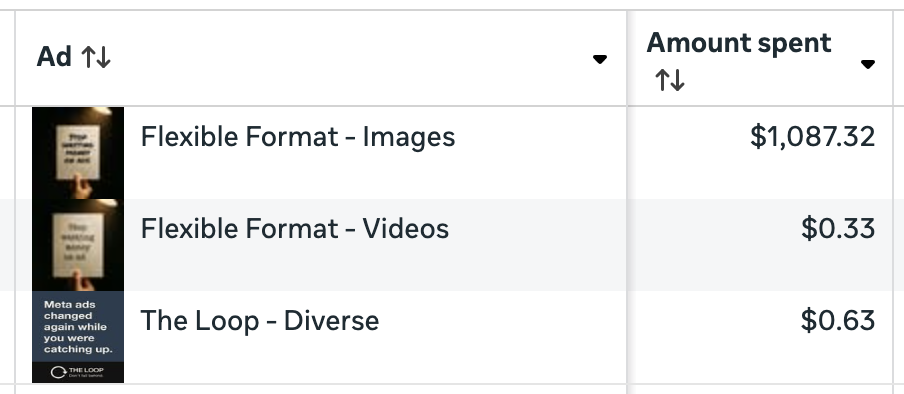
The above screenshot is from a very real situation I had recently. All three ads were in the same ad set and ran during the same days that were covered in these results. Yet, Meta spent 99.9% (not an exaggeration) of the budget on one ad.
You have four options. Depending on the situation, I strongly recommend two of them.
Option 1: Do Nothing
That’s right. In some cases, your best option may be to do nothing. Especially if you’re getting good results in aggregate, there’s no reason to mess with it.
Meta chose the ad it’s running for a reason. It decided not to show another ad for a reason. It may not be because that ad is terrible. Instead, it may just be that the ad is similar to the prioritized ad. Or maybe Meta predicts that you won’t get better results by splitting up your budget.
Bottom line: Don’t get emotionally attached to your ads. If you’re getting good results overall, set your ego aside and let it be.
Option 2: Create a New Ad
If you do nothing, Meta may eventually turn your ad off. That’s what happened with the “Flexible Format – Videos” ad from my situation.
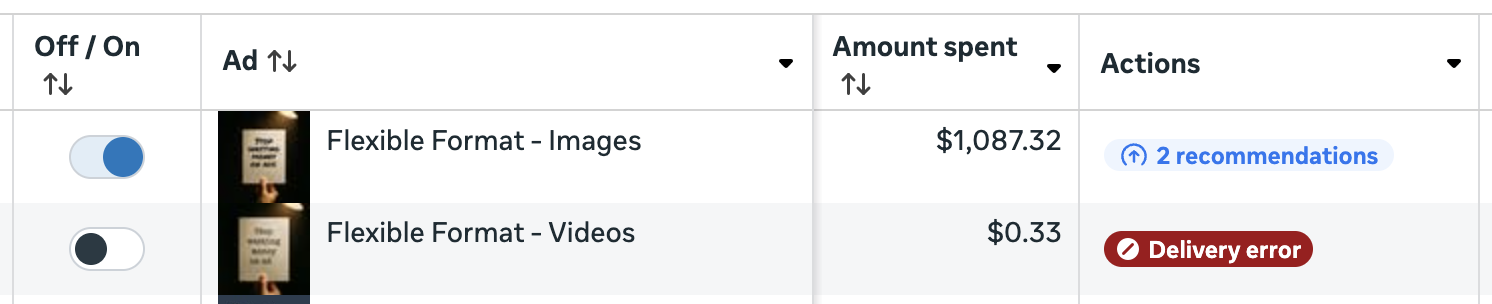
I never turned that ad off. Meta did. And when you hover over the Delivery Error message, you get an explanation why:
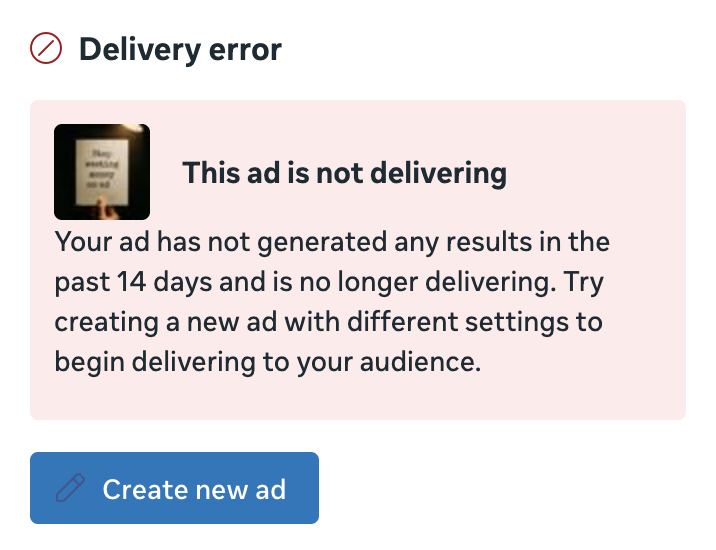
This ad is not delivering
Your ad has not generated any results in the past 14 days and is no longer delivering. Try creating a new ad with different settings to begin delivering to your audience.
Let’s assume you aren’t getting good results in aggregate. Or maybe you’re getting decent results, but you’re willing to take risks and rock the boat a bit. One option is to publish a new ad within the existing ad set.
If you take this approach, create a new ad with different settings, as Meta recommends. This should be something unique from the other ads, in the spirit of creative diversification. Consider different visuals, format, messaging, and even customer personas.
Of course, there’s no guarantee that Meta will show that ad either, and you’d need to be okay with that possibility.
Option 3: New Ad in a New Campaign and Ad Set
Now, you could take what is the old-school approach to creative testing and control. By creating a separate campaign and ad set for this ad, you can better control which ads get impressions.
Note that this could be a completely new ad or a duplicate of the ad that wasn’t getting impressions. Which approach you take will depend on how much you believe in that ad that isn’t getting shown.
Technically, you could simply create a separate ad set in the same campaign, too. But you’d need to turn off Advantage+ Campaign Budget (CBO).
Do I recommend this approach? No. I do not.
First, it’s inefficient. You’re spreading out your budget that’s going to the same audience for the same goal, all in the spirit of control. Auction Overlap will happen, even if it’s at a small scale. You could potentially hurt the results of your other ads in the process.
Second, what’s the end goal? If that new ad does well, would you move it to the main campaign and ad set? That’s typically what advertisers do. But there’s no guarantee that the duplicate will do well when moved. And there’s no guarantee that Meta will give that new ad impressions.
Option 4: Use the Creative Testing Tool
Unless you do nothing, my preferred approach is to use the creative testing tool. I use it for both duplicates of underdelivering ads and completely new ads.
In the situation I described at the top, I decided to test a duplicate of one of the ads that wasn’t getting impressions (the “diverse” version). I couldn’t test the original ad since you can’t test existing ads with this feature, so I turned off the original once the test began.
I executed the test using that original ad.

Since you need at least two ads within the test, I created a new one as well. I assigned about 50% of the ad set’s budget to those two ads, leaving the rest to the Flexible Format – Images ad (which was outside the test).
Running this test allowed me to do two things:
1. Get a clearer sense of how my underdelivering ad would perform if it were given budget.
2. See how a new ad would perform before Meta begins distributing budget optimally.
Here’s how it went…
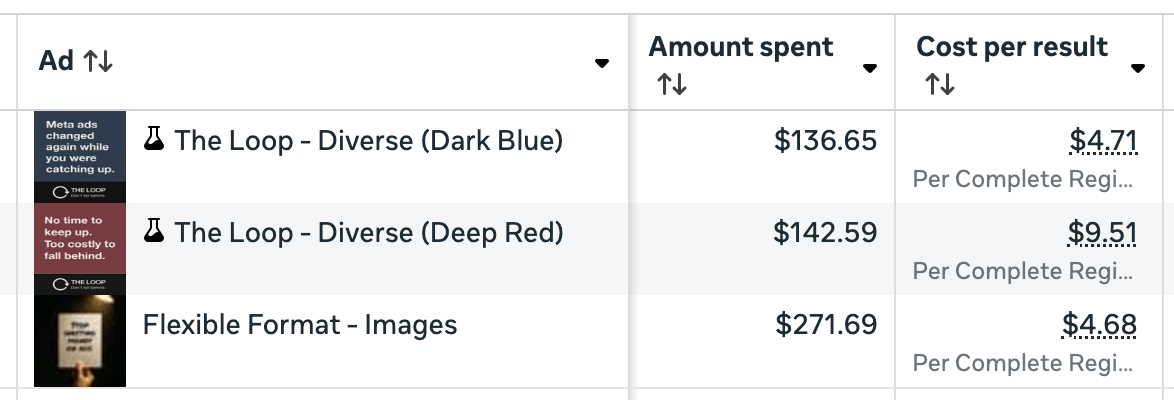
I’ll talk about these results separately, but it was interesting to see this. While it was somewhat validating to see the dark blue ad perform almost as well as the Flexible Format ad, it had some advantages at a lower budget (Breakdown Effect) and a fresh audience.
But this was good to show me what these ads would do with dedicated budget. And once the test ended, Meta would no longer be required to spend on those ads. Meta is actually showing that dark blue ad more now than it did before the test. It’s almost as if Meta needed that test to prove that. But to be fair, the Flexible Format ad is still getting 5X more budget, and that’s while I’ve started yet another test.
Recommendation
If you’re in a similar situation where Meta isn’t giving an ad you believe in any budget, you have two primary options:
1. Do nothing.
If you’re getting good results in aggregate, I wouldn’t overthink this. Forcing spend on an ad might actually make your results worse.
2. Start a creative test within the ad set.
If you really want to know how that ad would do, I’d resist the old school approach and initiate a creative test from the underdelivering ad. This will generate a duplicate, and then you can turn off the original.
Of course, there’s another option that involves changing how you approach new ad sets and ads…
Begin all new ads with a creative test.
This is something I’m making part of my routine now. When I create a new ad set, it begins with a creative test. When I’m ready to introduce new ads, I start with a creative test in that ad set.
This gives me visibility into how ads will perform if given budget from the beginning. That way, I’m not stuck guessing about why Meta is choosing one ad over another. And I can make informed decisions based on those tests.
Your Turn
What do you do when Meta doesn’t deliver impressions to one of your ads?
Let me know in the comments below!