When creating a new Advantage+ campaign, advertisers are allowed to make certain adjustments to settings. But some of these settings will “turn Advantage+ off.”

This is a signal from Meta that the change you’re about to make could lead to worse results. On average, advertisers who don’t make that restriction see better performance.
Of course, we shouldn’t necessarily accept all of these default settings blindly. And while Meta may be right that they work better on average, there are always exceptions.
In the past, your only options were to roll with Advantage+ against your best judgment or make restrictions that may end up hurting you. Thanks to value rules, there’s another option.
Value rules allow Meta to bid more or less on certain criteria when you have information that Meta doesn’t. There are four specific uses of value rules that allow you to keep Advantage+ on while avoiding the pitfalls that previously led you to restricting settings like targeting and placements.
Here are four specific examples of when you should use value rules instead of making restrictions to your settings…
1. Age Range
Example Scenario
I can use an example from personal experience here. I was running an ad set that used the performance goal of maximizing conversions where the conversion event was Complete Registration. I started getting a really good Cost Per Conversion, but then I noticed something weird when I used the breakdown by age.

Meta was spending 45% of my budget on people 65 and up. While I’m fine spending some budget on people in that age group, that percentage seemed incredibly high.
This happened because Meta realized that the cheapest leads came from that age group. I don’t know why that is, but it was leading to cheap, low-quality registrations.
The Solution
Prior to value rules, my initial solution was to restrict by age and only go up to 64. When I did that, the largest percentage was spent on people aged 55-64. So I’d restrict age to only those under 55, but that was hardly the solution I wanted. I know I have paying customers in the age groups of 55 and up.
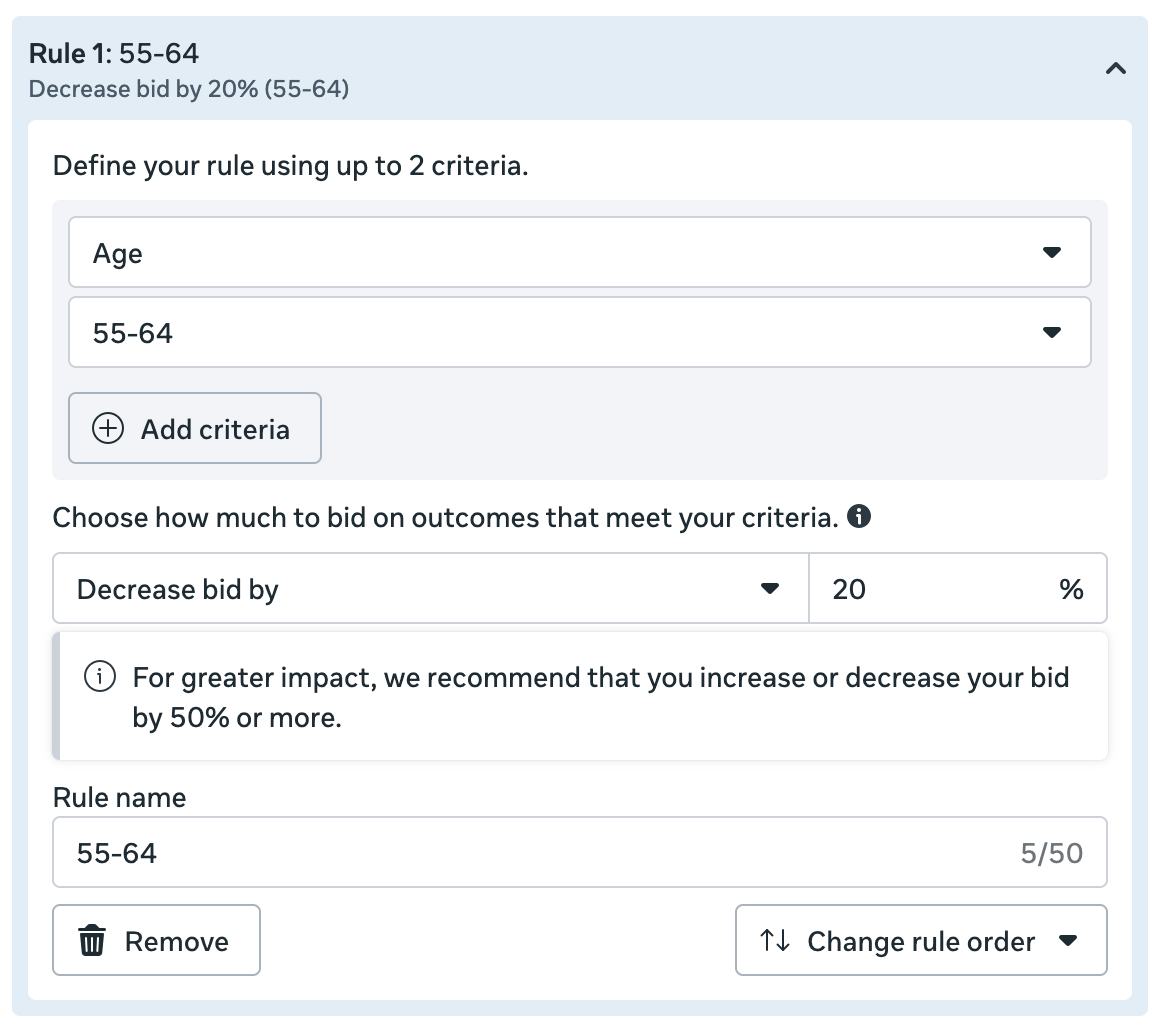
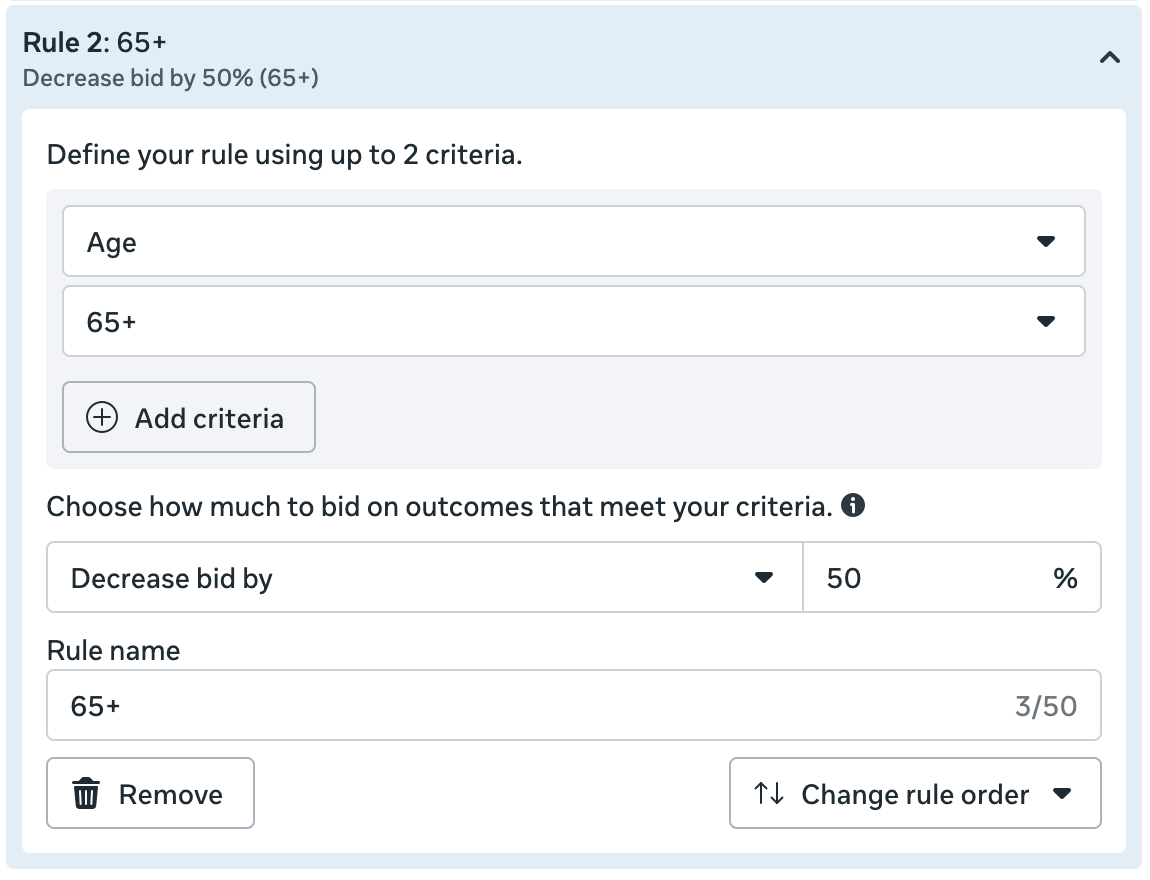
Luckily, value rules gave me another option. Since the 65+ age group was a bigger issue than 55–64, I created different value rules for each range.
I decreased the bid by 20% for people 55-64…
And I decreased the bid by 90% for people 65 and up.
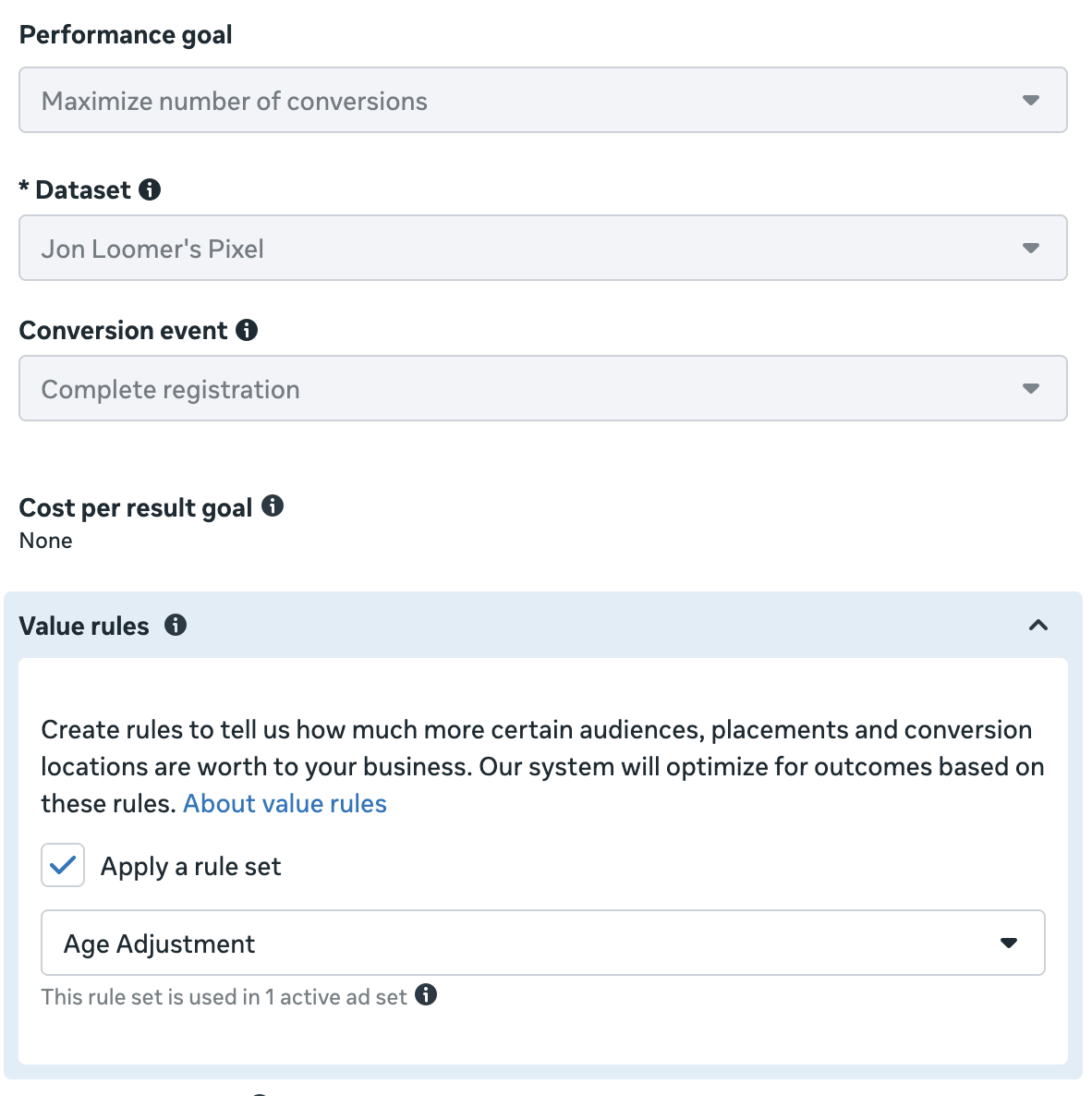
And then I selected that value rule in the ad set.
The impact has been exactly what I wanted.
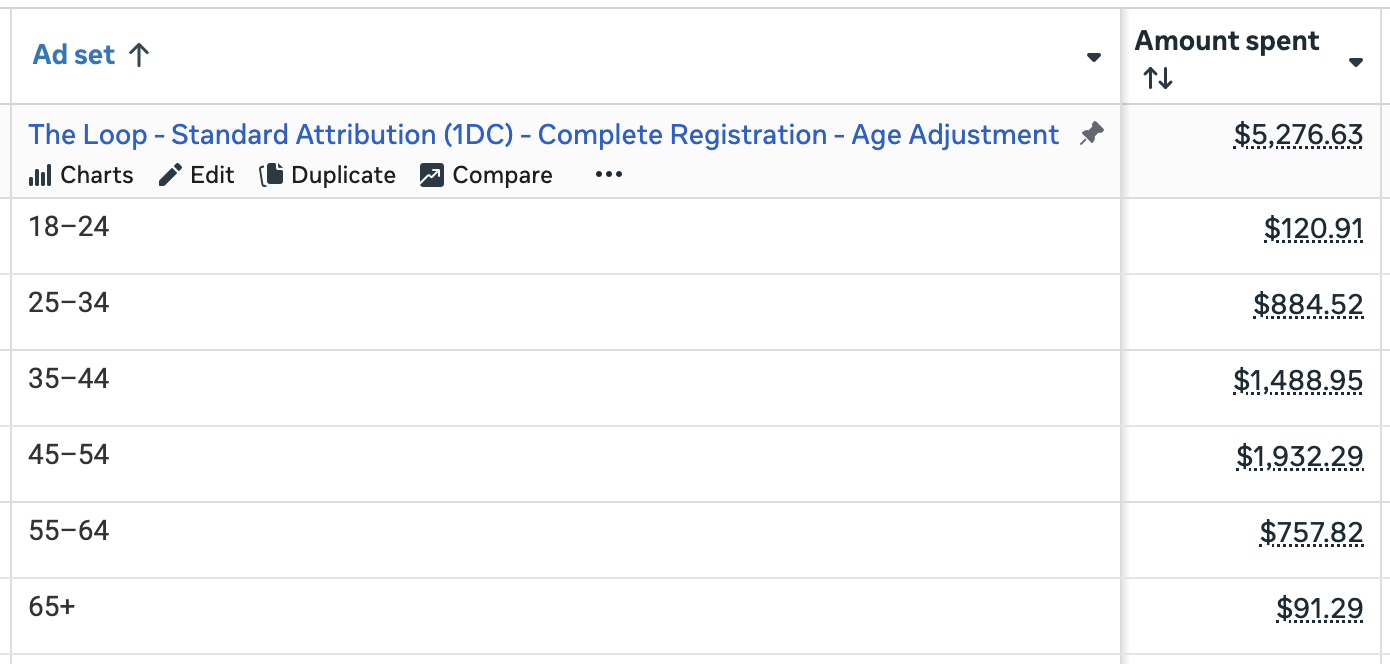
I’m still spending money on those groups, but now it’s 1.7% on 65+ and 14.4% for 55-64. This is much more in line with the demographic breakout of my customers.
Using value rules allowed me to impact how Meta distributes my budget without restricting by age and turning Advantage+ off.
2. Gender
Example Scenario
Let’s assume your business primarily serves other women-owned businesses. Men do not buy from you, and you want to focus only on female customers.
In theory, you still shouldn’t need to restrict by gender when optimizing for a purchase. Meta wants you to get results, and it’s unlikely you’ll waste many impressions on men if that demographic isn’t a likely source of sales (I’ve documented an example of this).
But where you can run into problems would be when optimizing for anything else, especially when optimizing for a surface-level action.
Let’s assume you create a video and you want to build some brand awareness with it. You choose a performance goal to maximize ThruPlay and you either leave gender restrictions untouched or you add “Women” as an audience suggestion.

The likely result will be that Meta will ignore that suggestion and spend a potentially large percentage of your budget showing your ad to men. The reason is logical when you understand how the algorithm works.
While men are unlikely to buy from you, there’s very little preventing them from watching your video. And if they do, Meta will see that as a sign that you actually should reach men since doing so will give you more of the action that you want.
The Solution
The reason this happens for a performance goal like ThruPlay is that you have information that Meta does not. You know that while men might watch your video, they are a bad investment. Because of that, you want to avoid wasting budget on them in this type of scenario.
So you could restrict by gender and only show your ads to women. And when you do, this will turn Advantage+ off.
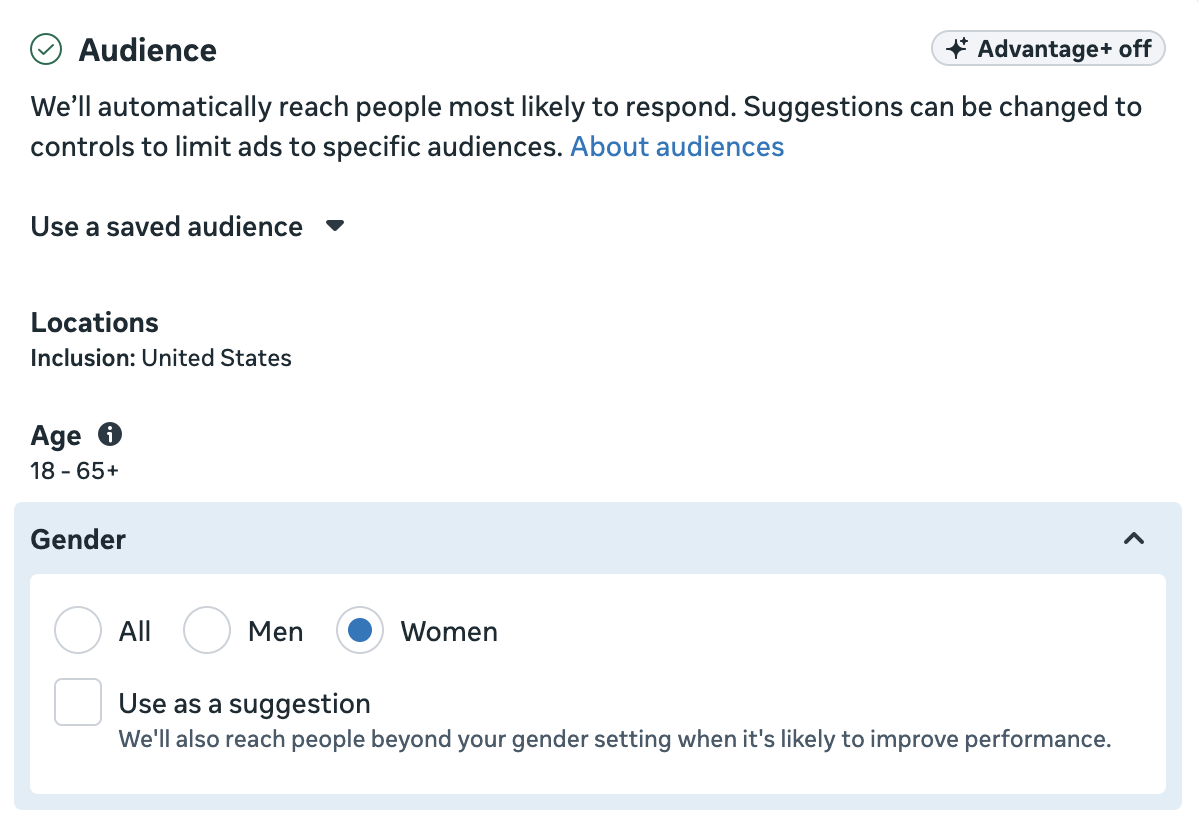
Instead, you could leave Advantage+ on (either with “Women” as a suggestion or not) and use a value rule.
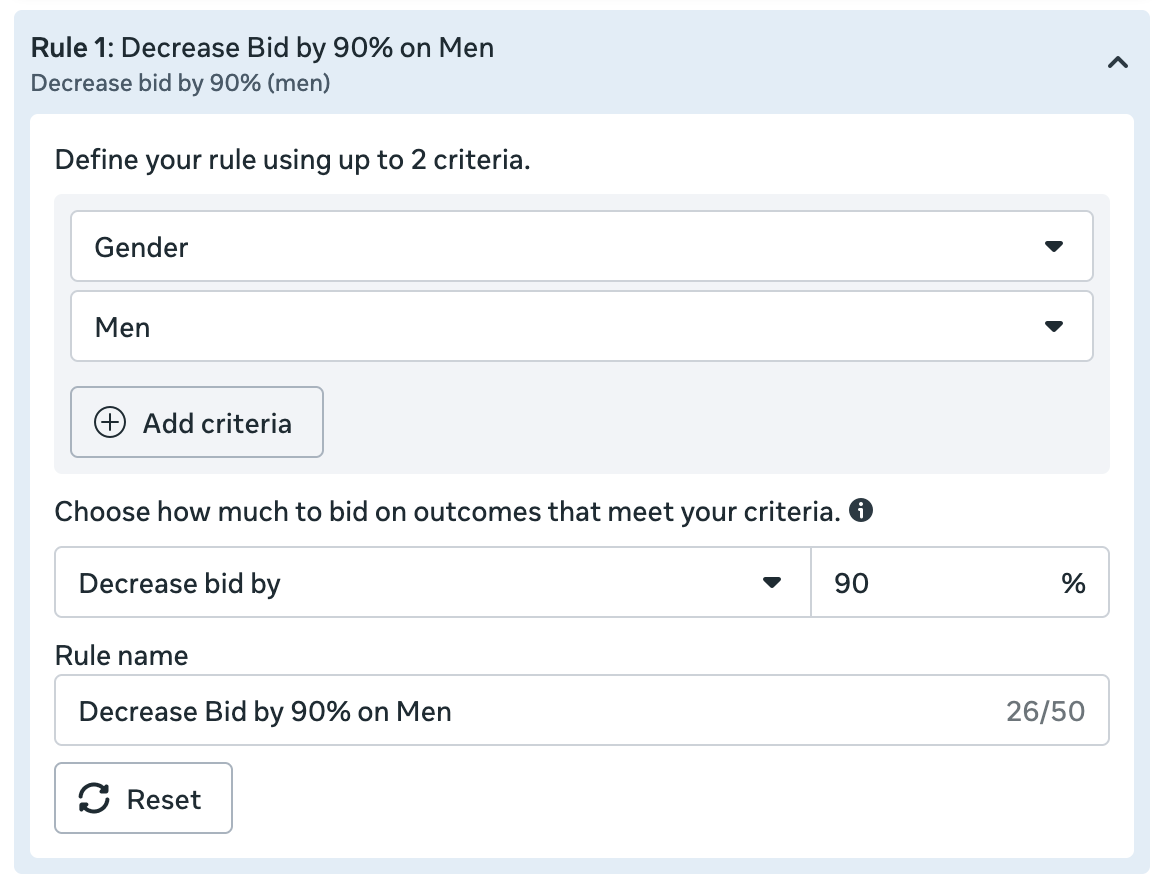
While you could technically increase your bid on women, that may not be necessary or cost effective. Instead, you can lower your bid on men by up to 90%. This should drastically reduce, if not eliminate, budget spent on men while keeping Advantage+ on.
3. Placement
Example Scenario
You’re trying to drive traffic to a new blog post. Because of that, you choose a performance goal like maximizing link clicks or landing page views. Or you might even use the performance goal to maximize conversions while using a custom event that reflects quality traffic.
Of course, you’re probably smart enough to know about the potential problems. Audience Network has a long and well-deserved reputation for generating cheap, low-quality clicks. If you keep Advantage+ Placements on, you can be certain that Meta will spend a high percentage of your budget delivering your ads to Audience Network.
And no one wants that. So the smart approach has always been to remove Audience Network for this type of scenario, despite the fact that doing so turns Advantage+ off.
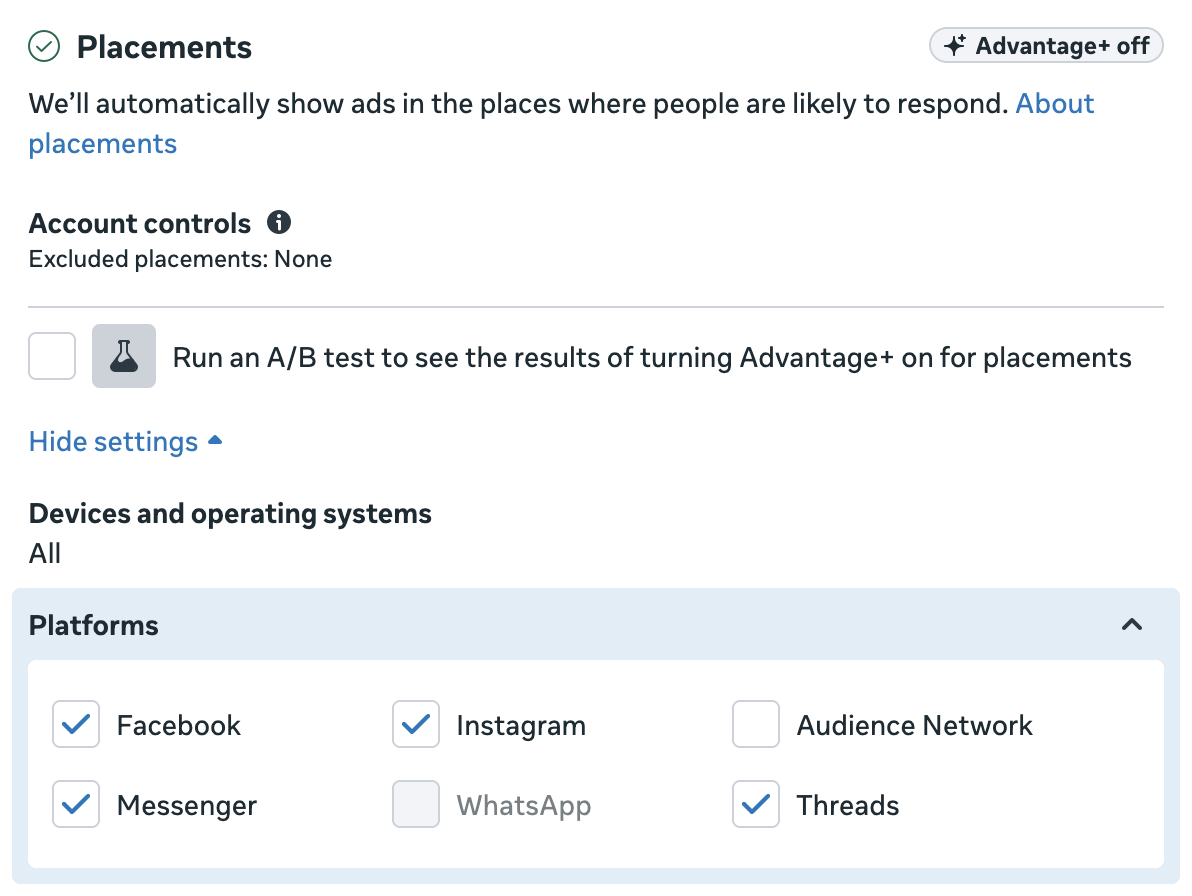
The Solution
Thanks to value rules, you have another solution. One of the available criteria is placement. And thankfully, one of the placements you can adjust bids for is Audience Network.
So in this scenario, you don’t need to remove Audience Network. You can create a value rule that reduces your bid on that placement by 90%.
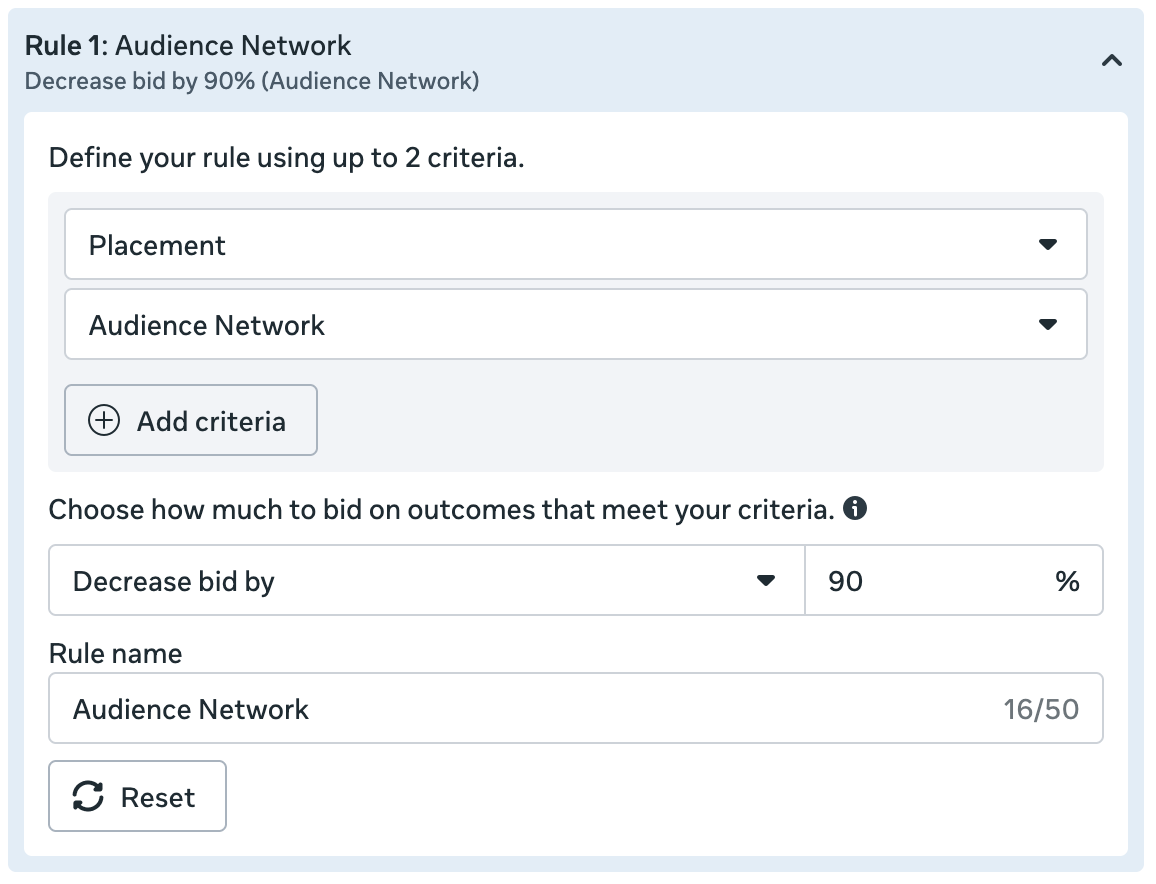
Then apply that value rule in the ad set.
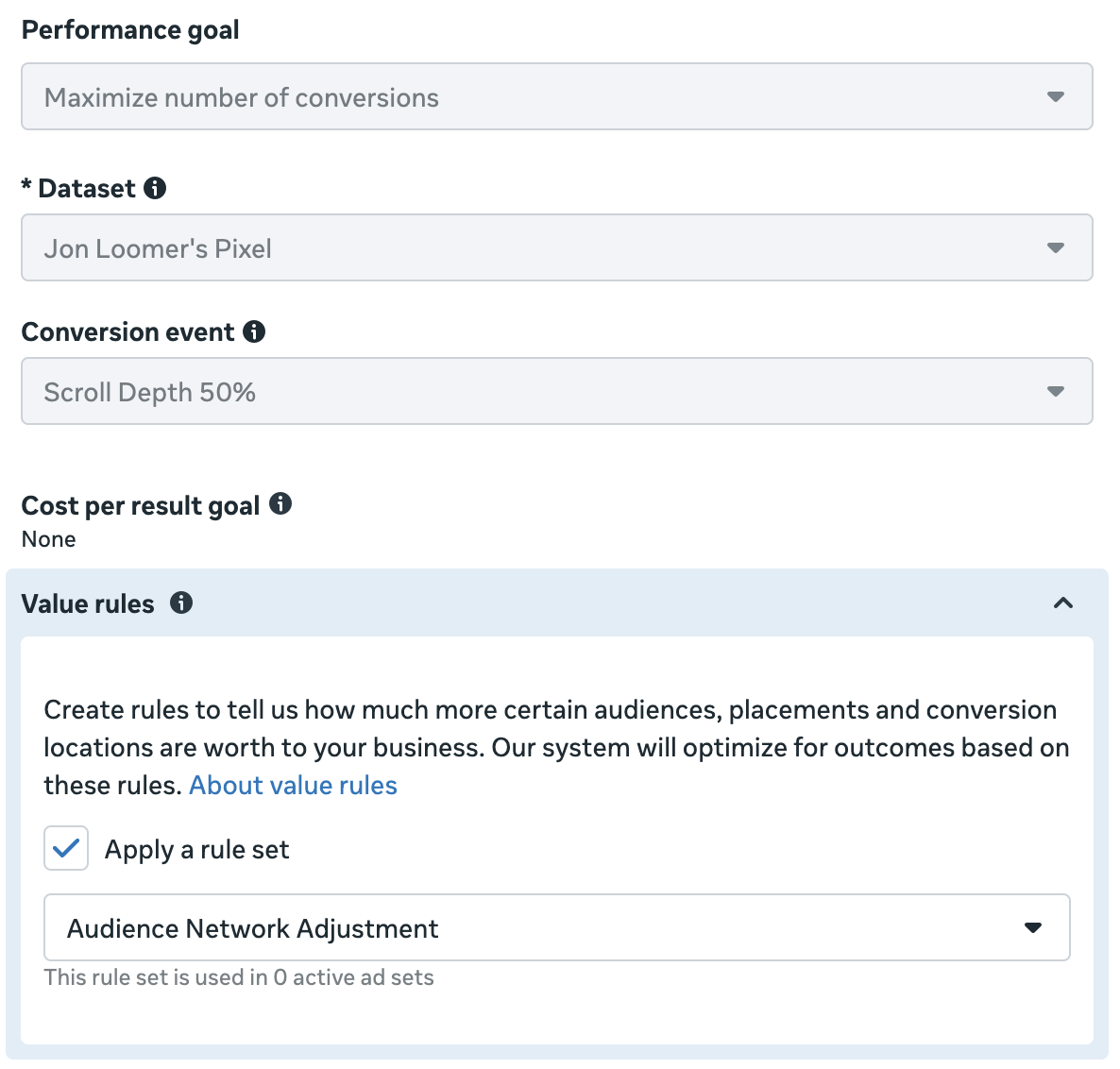
When I did this, Meta didn’t spend a single penny on Audience Network.
Note that Audience Network isn’t the only problematic placement. Depending on your performance goal, you may run into other examples like Rewarded Video for ThruPlay and Ads on Facebook Reels for Reach and Impressions. Use value rules over restrictions when possible.
4. Device Platform
Example Scenario
Let’s assume that you’re running ads optimized for leads. You’ve noticed that there’s a higher probability of your leads being reachable when they complete your form from a mobile device. But Meta is spending a high percentage of your budget on desktops.
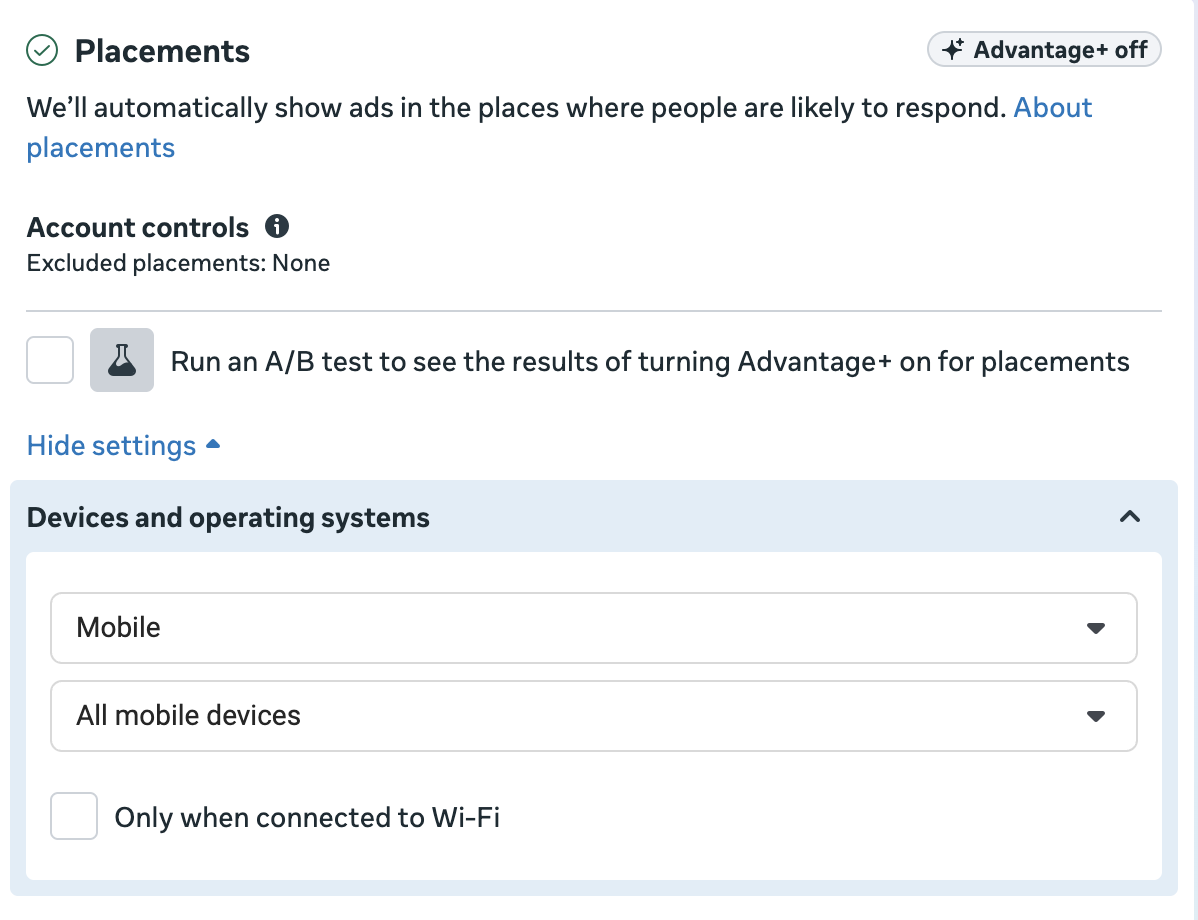
One option is to update Devices and Operating Systems in Placements to only include mobile devices.

Of course, that’s not ideal for several reasons. The first is that it’s unlikely you want to eliminate desktop leads entirely. You just want to adjust how many of your leads come in that way.
The other is that making this adjustment will turn Advantage+ off.
The Solution
The reason this problem happens is that you have information that Meta doesn’t. The algorithm is only focused on getting you as many leads as possible. If mobile leads aren’t clearly cheaper, you can expect a lot of money spent on desktop. But you don’t only care about the cost of leads. You care about quality.
Luckily, you don’t need to remove desktop users entirely because there’s a value rule for Device Platform that solves your problem.
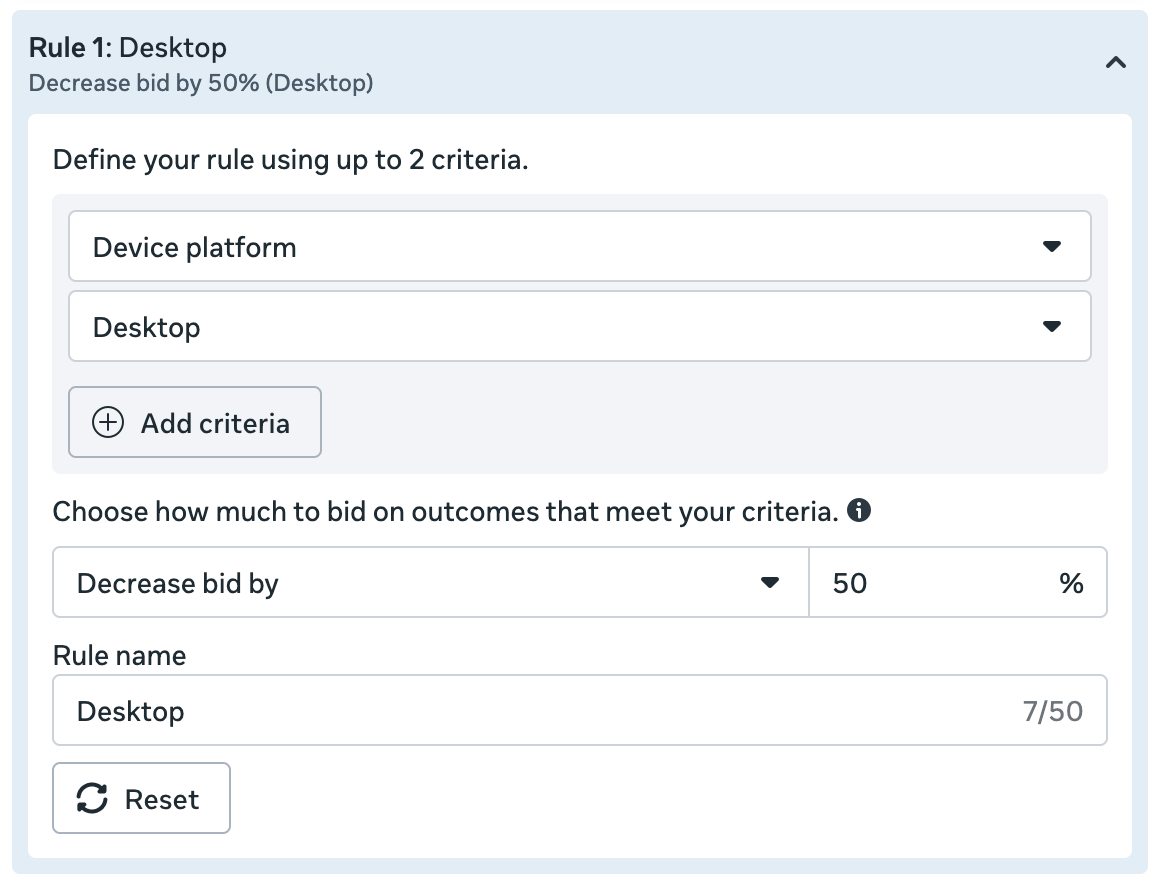
Whether you lower your bid 50% or 20%, it will impact how your ads are distributed by device. This can be a much better solution than restricting by device entirely and turning Advantage+ off.
Other Criteria
The four examples above all solve a specific problem: avoiding restrictions that turn Advantage+ off.
Note that this post doesn’t represent an exhaustive list of value rules. You can create value rules for the following criteria:
While you should consider them all, the others on this list aren’t solving a problem related to turning Advantage+ off. You can restrict your ad set by location or mobile operating system, for example, without the “Advantage+ is off” penalty.
That doesn’t mean these wouldn’t be valuable options. They are. And they let you impact delivery without removing something entirely.
Use Value Rules to Solve Problems
It’s important to remind you that value rules are great, but they should only be used to solve a problem. Use them conservatively, and not universally. You should use value rules to address a problem that can arise for your specific settings that will lead the ad delivery algorithm astray. This happens because you have information that Meta doesn’t.
Value rules for age and gender may make sense when optimizing for leads or engagement, but they’re unlikely necessary when optimizing for purchases.
Value rules for placement are useful when optimizing for specific actions that can exploit cheap results from certain placements, but they’re otherwise unlikely to be necessary.
Know why you’re using them and the problem that is being solved. Also know that using value rules will likely increase costs, but that’s only because Meta can’t rely on the low-cost results that were an issue.
Your Turn
How are you using value rules to solve problems like these?
Let me know in the comments below!